rexpad
Health Gecti
- License — License: MIT
- Description — Repository has a description
- Active repo — Last push 0 days ago
- Community trust — 16 GitHub stars
Code Uyari
- Code scan incomplete — No supported source files were scanned during light audit
Permissions Gecti
- Permissions — No dangerous permissions requested
Bu listing icin henuz AI raporu yok.
A live todo list for coding agents, drawn in a Rex pane with the kitty graphics protocol
rexpad
A live todo list for coding agents, drawn in a Rex
pane beside the agent.
When an agent starts a multi-step task, it writes its plan to rexpad and opens
a pane next to its own. As it works, it checks items off and moves the
highlight to whatever it's doing now. You can see the plan, the progress, and
what's left at a glance, without scrolling back through the transcript.
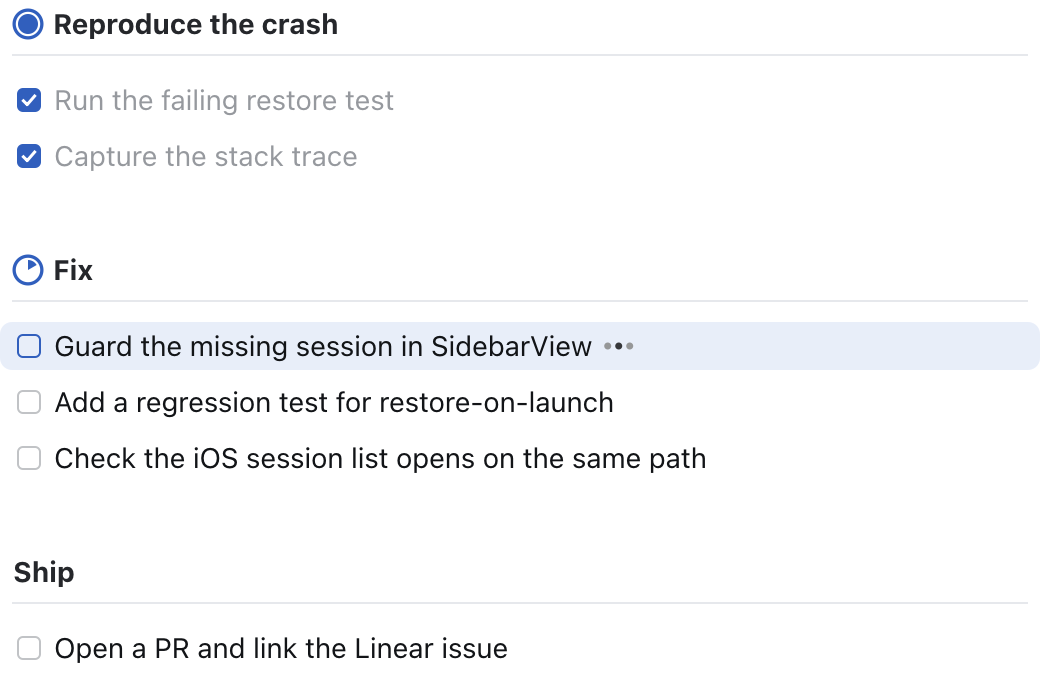
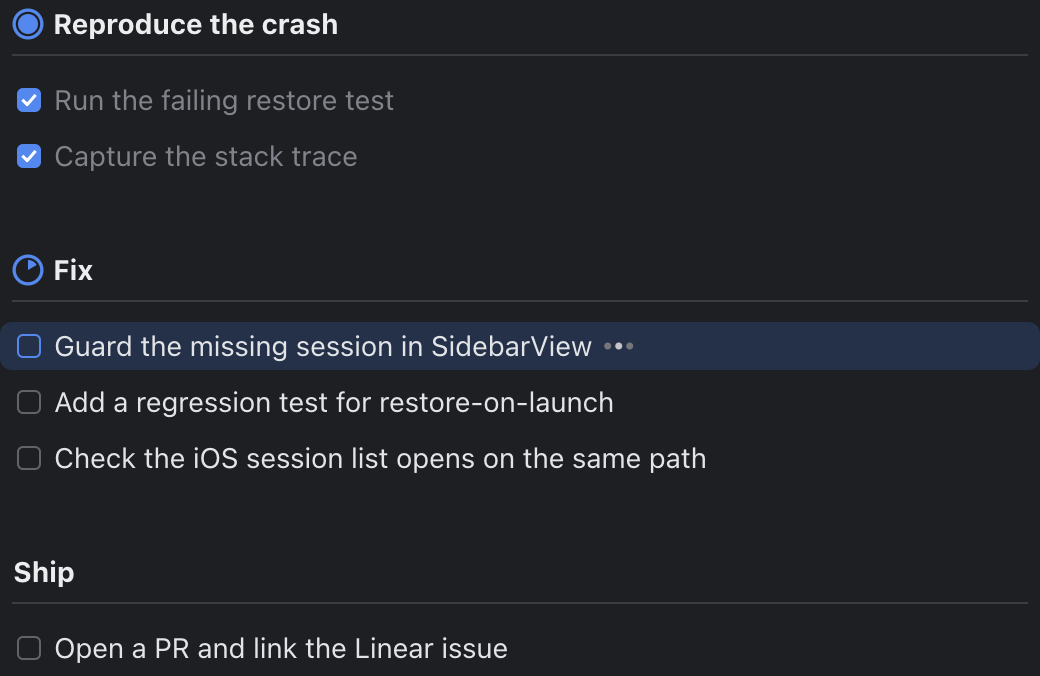
- Drawn, not printed. The list is a real image sent with the kitty
graphics protocol: SF Pro text, progress rings, and checkboxes, rendered at
your display's pixel density. - Follows your theme. Colors come from the Rex theme you're using and
update when you switch themes. - Made for agents. A short CLI, a Markdown checklist format, and an agent
skill that teaches Claude Code (or any agent that reads skills) when and how
to use it. - One list per agent. Each agent pane gets its own list automatically.
Requirements
- Rex on macOS or Linux. The viewer works in
any terminal that supports the kitty graphics protocol, but opening the pane
automatically needs Rex. - Go 1.27 or later to build it.
- For the exact look on macOS, the static SF Pro fonts from
developer.apple.com/fonts. The system's
built-in SF can't be loaded by the renderer. Without them rexpad uses Inter
if installed, then Go's bundled fonts.
Install
1. Install the binary
go install github.com/almonk/rexpad@latest
This puts rexpad in $(go env GOPATH)/bin (usually ~/go/bin). Make sure
that directory is on your PATH.
Or build from a clone:
git clone https://github.com/almonk/rexpad
cd rexpad
make install   # builds ~/.local/bin/rexpad and links the skill (see below)
2. Install the agent skill
The skill is what tells your agent to use rexpad. It's built into the binary:
rexpad skill install
That writes ~/.claude/skills/rexpad/SKILL.md, where Claude Code finds it.
New Claude Code sessions pick it up automatically; check with /skills, or
invoke it directly with /rexpad.
For other agents, install it into their skills directory instead:
rexpad skill install --dir ~/.codex/skills   # Codex
rexpad skill show                            # print it, to paste anywhere else
make install links the skill to the repo instead of copying it, so edits toskills/rexpad/SKILL.md take effect immediately while you work on rexpad.
3. Try it
In a Rex terminal:
rexpad set <<'EOF'
# Try rexpad
- [x] Install the binary
- [~] Open the pane
- [ ] Ask an agent for a multi-step task
EOF
rexpad show
A pane opens on the right, taking 30% of the width, without taking focus. Runrexpad next a few times and watch it update.
Scrolling
Long lists follow the active item on their own. To look around yourself, use
the trackpad or mouse wheel over the pane, or click into it and use the keys:
| Keys | |
|---|---|
j / k, arrows |
one row |
Space / b, Page Down / Page Up |
one page |
g / G, Home / End |
top / bottom |
f |
follow the active item again (also happens when the agent starts a new item) |
/, Ctrl-F |
find |
q |
close the viewer |
Finding
The list is drawn as an image, so the terminal's own find can't see its
text. Press / (or Ctrl-F) in the pane to open rexpad's find bar instead.
The query is fuzzy: its letters have to appear in order, but not next to each
other, so bld finds "build". Spaces split it into terms that must all
match, in any order. Case is ignored unless you type a capital. As you type,
the list folds down to the matching items, each kept under its group's header,
and the matched letters are highlighted. The match you're on gets an outline.
| Keys | |
|---|---|
| Enter | stop typing; the list stays filtered |
n / N, or Up / Down and Ctrl-N / Ctrl-P while typing |
next / previous match |
| Esc | close find: the list unfolds and keeps the match you were on in view |
/ again |
back into the field with the query selected |
Using it with an agent
You don't need to do anything once the skill is installed: when you give the
agent a task with several steps, it writes its plan and opens the pane. You can
also ask for it directly: "show your plan", "keep a todo list", "what are you
working on?"
Under the hood the agent runs commands like these:
rexpad set <<'EOF'          # write the whole plan
# Fix
- [~] Guard the missing session in SidebarView
- [ ] Add a regression test
EOF
rexpad show                 # open the pane (does nothing if it's already open)
rexpad next                 # finish the current item, start the next
rexpad add "Bump the dependency pin"
rexpad done 4
The checklist format
# Group title
- [ ] pending item
- [~] active item (working on it now; [>] and [/] work too)
- [x] done item
Each # Group gets a progress ring that fills as its items are done, with
the active item counting half. rexpad get prints the list back with each
item's ID as {#ID}, and rexpad set --json takes the same list as JSON.
Commands
rexpad [--list NAME] COMMAND

Showing the list
  show [--below] [--ratio PCT] [--theme T]  open the viewer beside your pane (30%, no focus change)
  hide                                      close the viewer pane
  view [--theme terminal|light|dark]        run the viewer in the current terminal (q quits)
  render -o FILE.png [--width PT]           write a PNG of the list

Writing the whole list
  set [--json]      replace the list from stdin (Markdown checklist or JSON)
  get [--json]      print the list with item IDs
  clear             empty the list

Changing items
  group TITLE                    add a group; later adds go to it
  add [-g GROUP] TEXT            add an item, prints its ID
  start ID                       make ID the active item
  done [ID...]                   check items off (no ID: the active item)
  next                           finish the active item, start the next one
  undo ID...                     mark pending again
  edit ID TEXT / rm ID...
  progress GROUP PCT|auto        pin a group's ring, or go back to counting items

Agent skill
  skill install [--dir DIR]      install the skill (default ~/.claude/skills)
  skill show                     print the skill
rexpad help prints the full reference.
Configuration
| Setting | Default | |
|---|---|---|
--list NAME, $REXPAD_LIST |
the agent's pane ($REX_BLOCK) |
Which list to use. Give several agents the same name to share one list. |
--theme |
terminal |
terminal follows the Rex theme; light and dark use fixed palettes. |
--ratio PCT |
30 |
The pane's share of the split. |
--scale N, $REXPAD_SCALE |
from the cell size | Device pixels per point. |
$REXPAD_FONT, $REXPAD_FONT_BOLD |
SF Pro Text | Paths to other font files. |
$XDG_STATE_HOME |
~/.local/state |
Lists are stored in rexpad/ under it. |
How it works
- State: each list is a JSON file in
~/.local/state/rexpad. Commands
read it, change it, and write it back atomically. - The viewer (
rexpad view) is what runs in the pane. It checks the file
every 150 ms and renders the whole list to one tall PNG at the pane's pixel
density, which it uploads once with the kitty graphics protocol. Scrolling
moves the placement's crop window over that image, so it costs a few bytes
per step rather than a new image. The placement is pinned to the pane's
columns and rows, so a client with different cell metrics (such as Rex on a
phone) scales it to fit instead of overflowing. New images are placed before
old ones are deleted, so updates don't flicker. - Find: rows fold away like an accordion. Only how open each row is
eases; where the rows sit follows from that, so folding neighbors never
overlap. Mid-fold, every frame is a new image the size of the view, about
60 a second. Once the rows settle, the viewer goes back to one tall sheet. - Theme: the viewer asks the terminal for its foreground, background, and
blue (OSC 10, 11, and 4), and mixes the grays from those in the same
proportions as the light design. It asks again every 2 seconds and whenever
the terminal reports a color-scheme change. - The pane:
showrunsrex splitbeside$REX_BLOCKwithout taking
focus, then sets the 70/30 ratio withrex block move, and remembers the
pane so it doesn't open a second one.
Development
make build     # ./rexpad
make test
make install   # ~/.local/bin/rexpad, plus a symlinked skill
The layout constants in render.go are in points, measured against a 2x
reference design. rexpad render -o out.png is the quickest way to check a
change.
License
Yorumlar (0)
Yorum birakmak icin giris yap.
Yorum birakSonuc bulunamadi