loadout
Health Warn
- License — License: MIT
- Description — Repository has a description
- Active repo — Last push 0 days ago
- Low visibility — Only 5 GitHub stars
Code Pass
- Code scan — Scanned 12 files during light audit, no dangerous patterns found
Permissions Pass
- Permissions — No dangerous permissions requested
This is a desktop application that centralizes the management of configurations, plugins, MCPs, and subagents for over ten different AI coding tools (like Claude, Cursor, and Codex). It scans your system to find scattered settings files and syncs them across your tools via a graphical interface.
Security Assessment
Overall Risk: Low. Because this tool is designed to modify your local AI configuration files, it inherently requires broad read and write access to sensitive directories (like `~/.claude/` and project folders). However, the automated code scan found no dangerous patterns, hardcoded secrets, or requests for unnecessary system permissions. The application is distributed via pre-packaged binaries (`.exe`, `.dmg`, etc.) rather than running directly in the terminal. While the scan found no malicious network activity, users should be aware it features a built-in auto-updater that regularly checks for new versions over the internet.
Quality Assessment
Quality is promising but comes with early-adoever caveats. The project is licensed under the highly permissive MIT license and appears actively maintained, with repository activity as recent as today. On the downside, it has very low community visibility at the moment, with only 5 stars on GitHub. This means the codebase has not been widely peer-reviewed by the broader developer community, which generally lowers community trust until the project matures.
Verdict
Use with caution: The tool is actively maintained and passed automated security checks, but its very low community adoption means it lacks extensive peer review for a tool that accesses sensitive configuration directories.
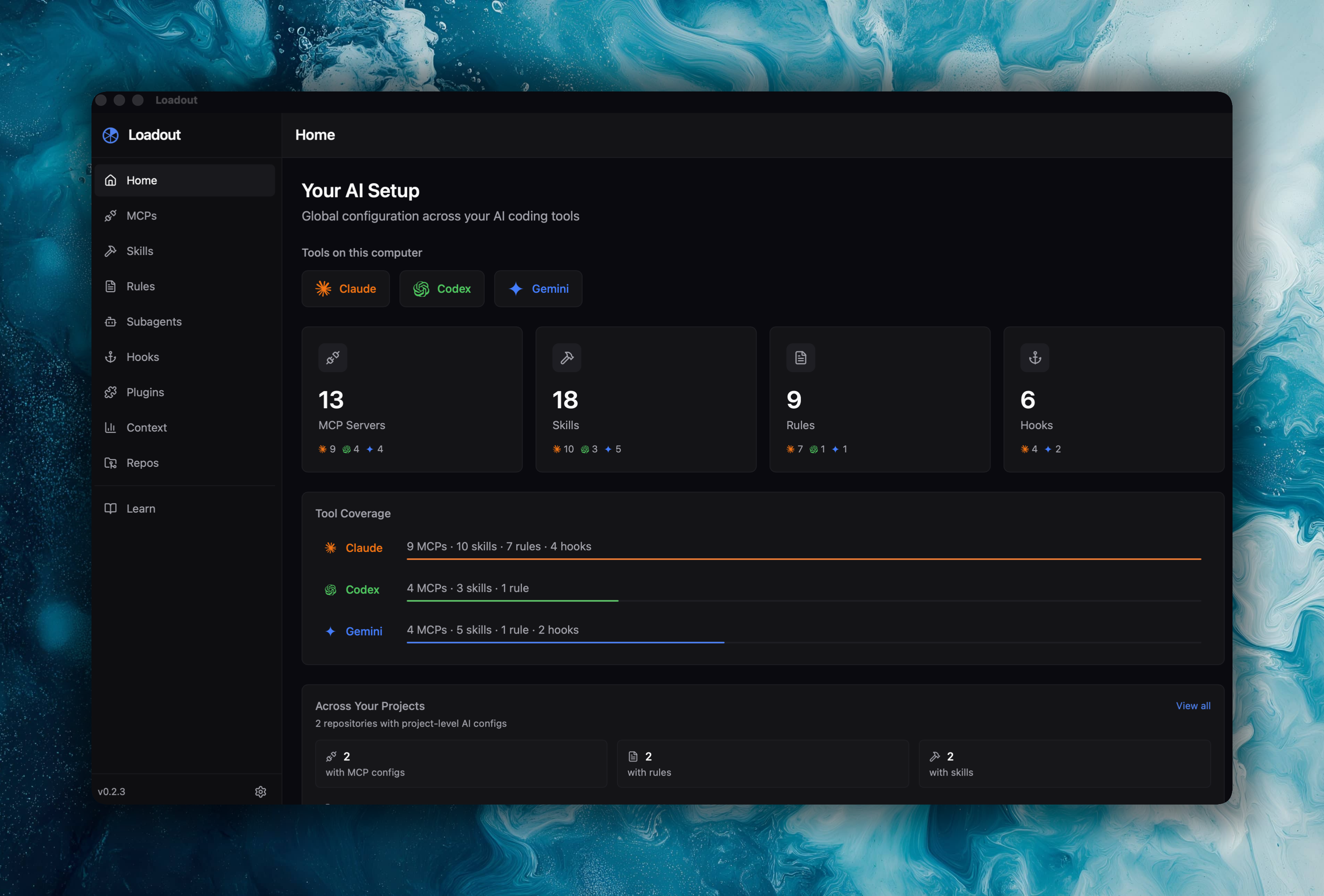
One app to manage MCPs, skills, rules, hooks, subagents and plugins across Claude, Codex, Gemini, and 7 more AI coding tools.



One desktop app to manage MCPs, skills, rules, hooks, and subagents across all your AI coding tools.
AI coding assistants store their configs in scattered JSON, TOML, and markdown files across your home directory and project folders. Loadout scans all of them, shows you what's configured where, and lets you sync settings between tools — without touching a terminal.
Install
Download the latest release for your platform:
| Platform | Download |
|---|---|
| macOS (Apple Silicon) | .dmg |
| macOS (Intel) | .dmg |
| Linux | .AppImage / .deb |
| Windows | .exe / .msi |
Auto-updates are built in — Loadout checks for new versions on launch and every 4 hours.
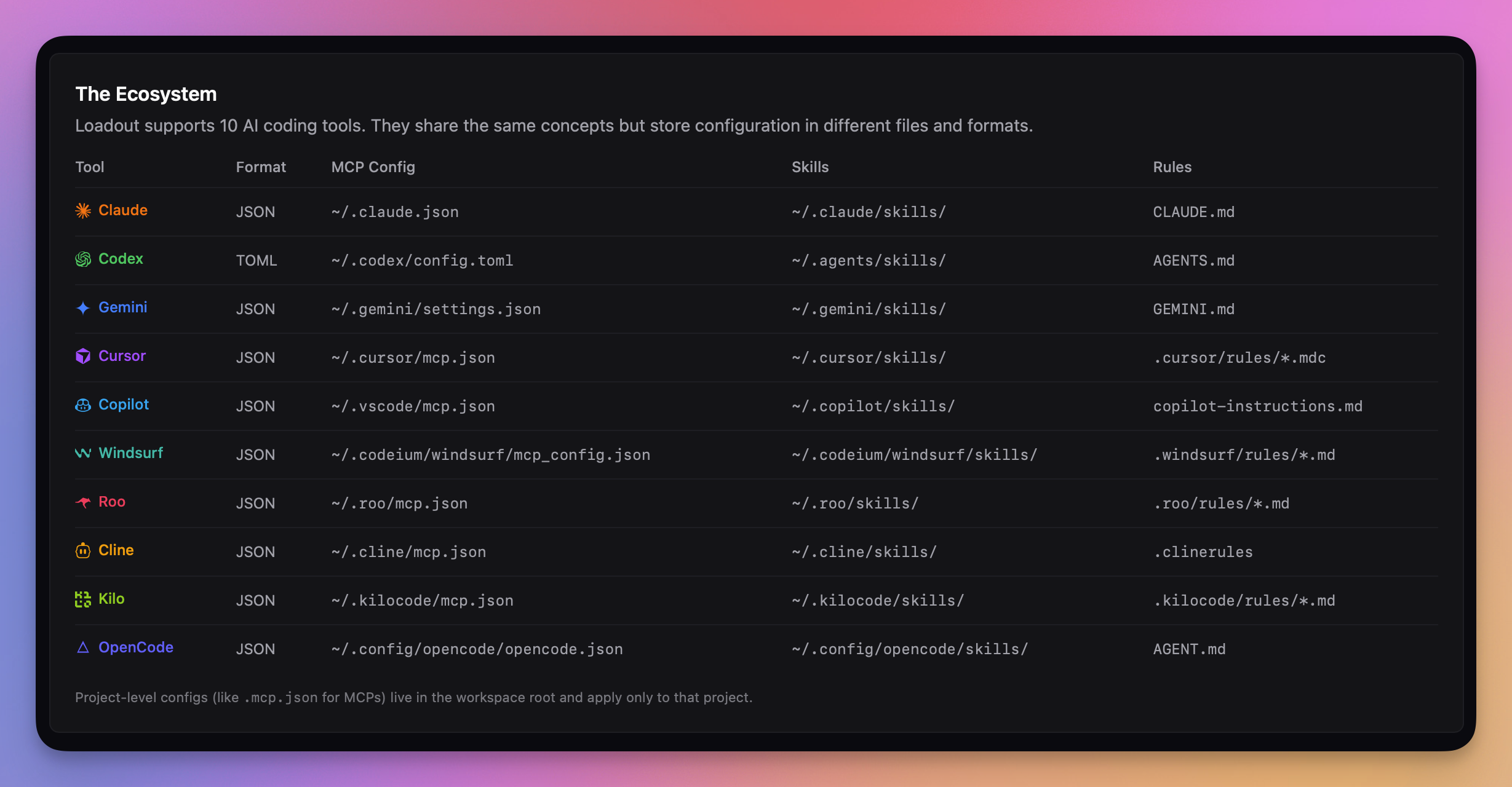
Supports Claude Code, Codex CLI, Gemini CLI, Cursor, Copilot, Windsurf, Roo, Cline, Kilo, and OpenCode.
What You Can Do
See everything in one place. Loadout discovers MCPs, skills, rules, hooks, subagents, and plugins across all your AI tools — both global (~/.claude/, ~/.codex/, ~/.gemini/) and project-level (.claude/, .gemini/).
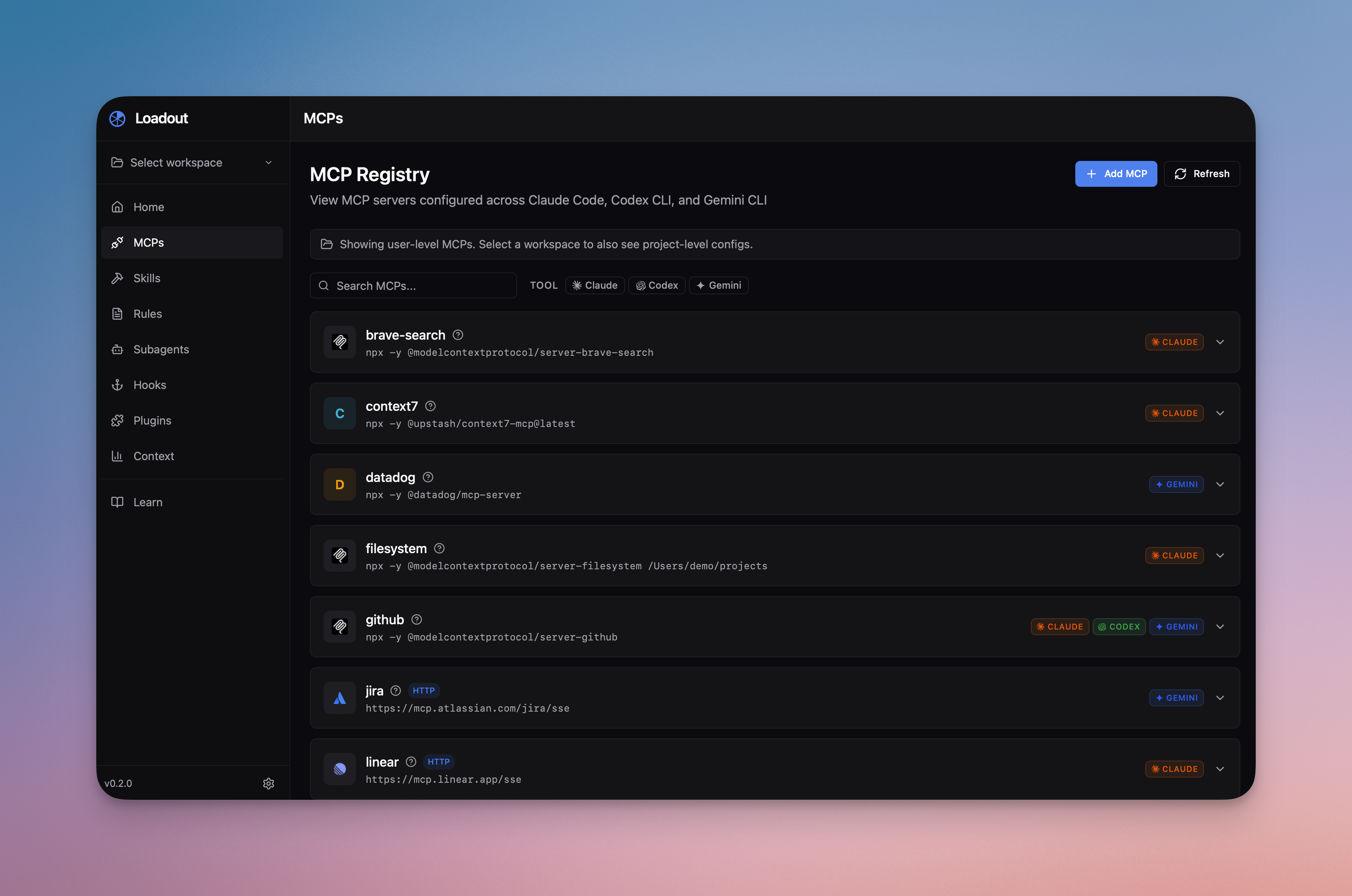
Sync configs between tools. Add an MCP server to Claude, then sync it to Codex and Gemini with one click. Same for skills and agents.
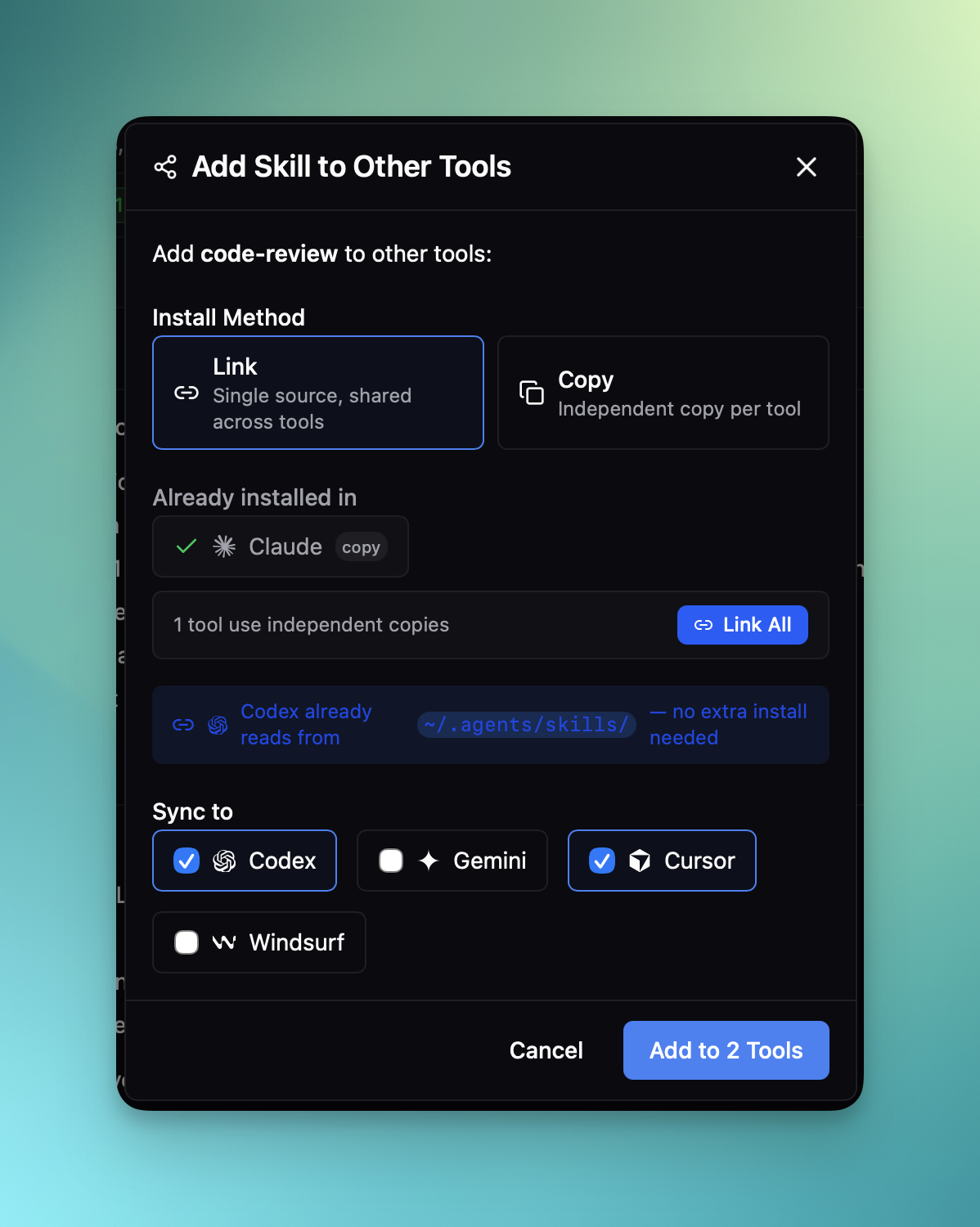
Manage skills across tools. Browse, import, and install skills with drag-and-drop. Loadout groups identical skills across tools and flags conflicts when content differs.
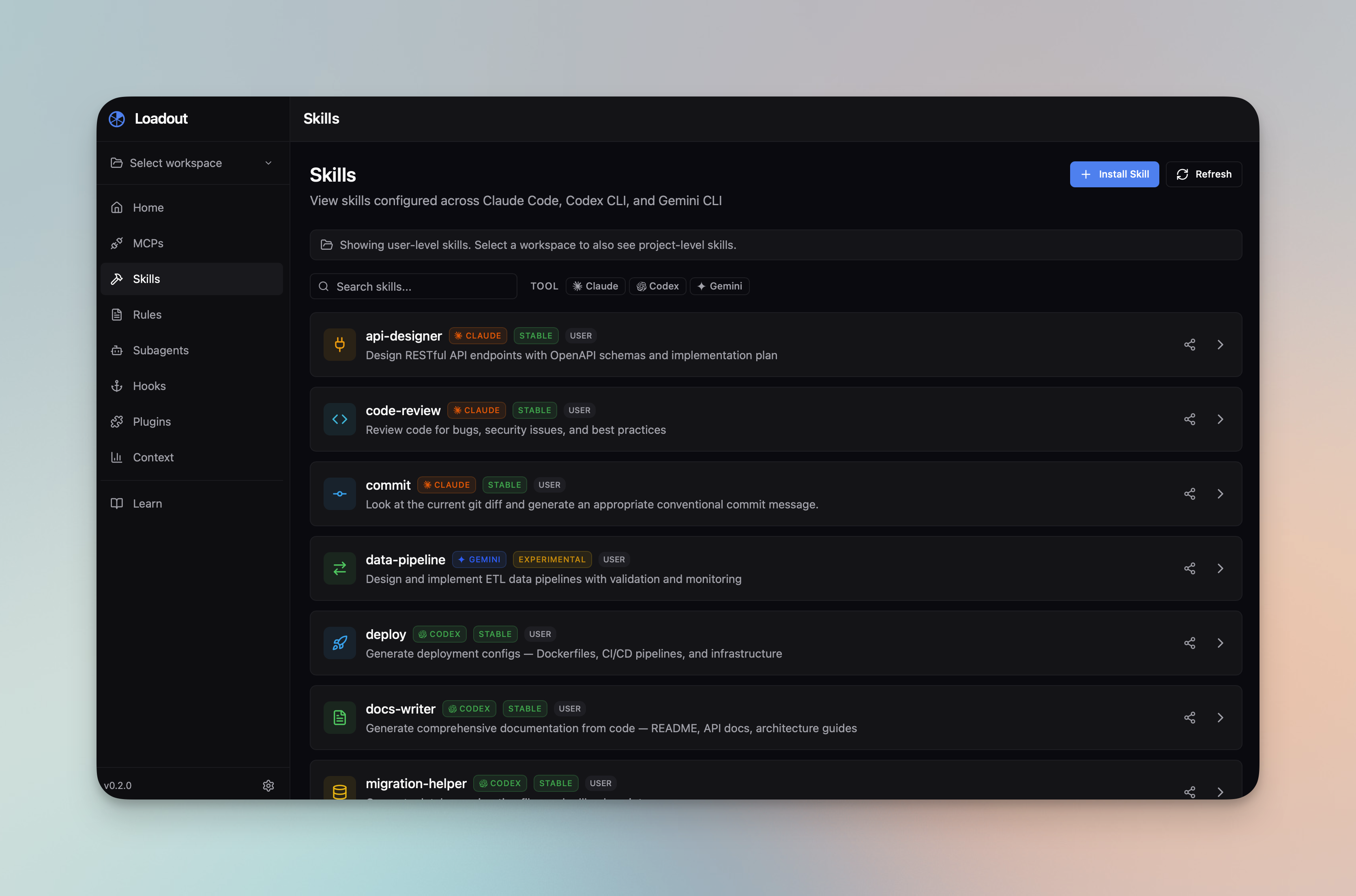
Catch conflicts. When the same skill or agent has different content across tools, Loadout flags it so you can decide which version to keep.
Manage your context budget. The Context page estimates how many tokens your rules, skills, and MCP definitions consume — split into always-loaded (idle) and on-demand (active).
Test MCP health. Check whether your MCP servers are reachable and responding before you wonder why a tool isn't working.
Preview content. Markdown rendering for skills, rules, and agent prompts — no more reading raw files.
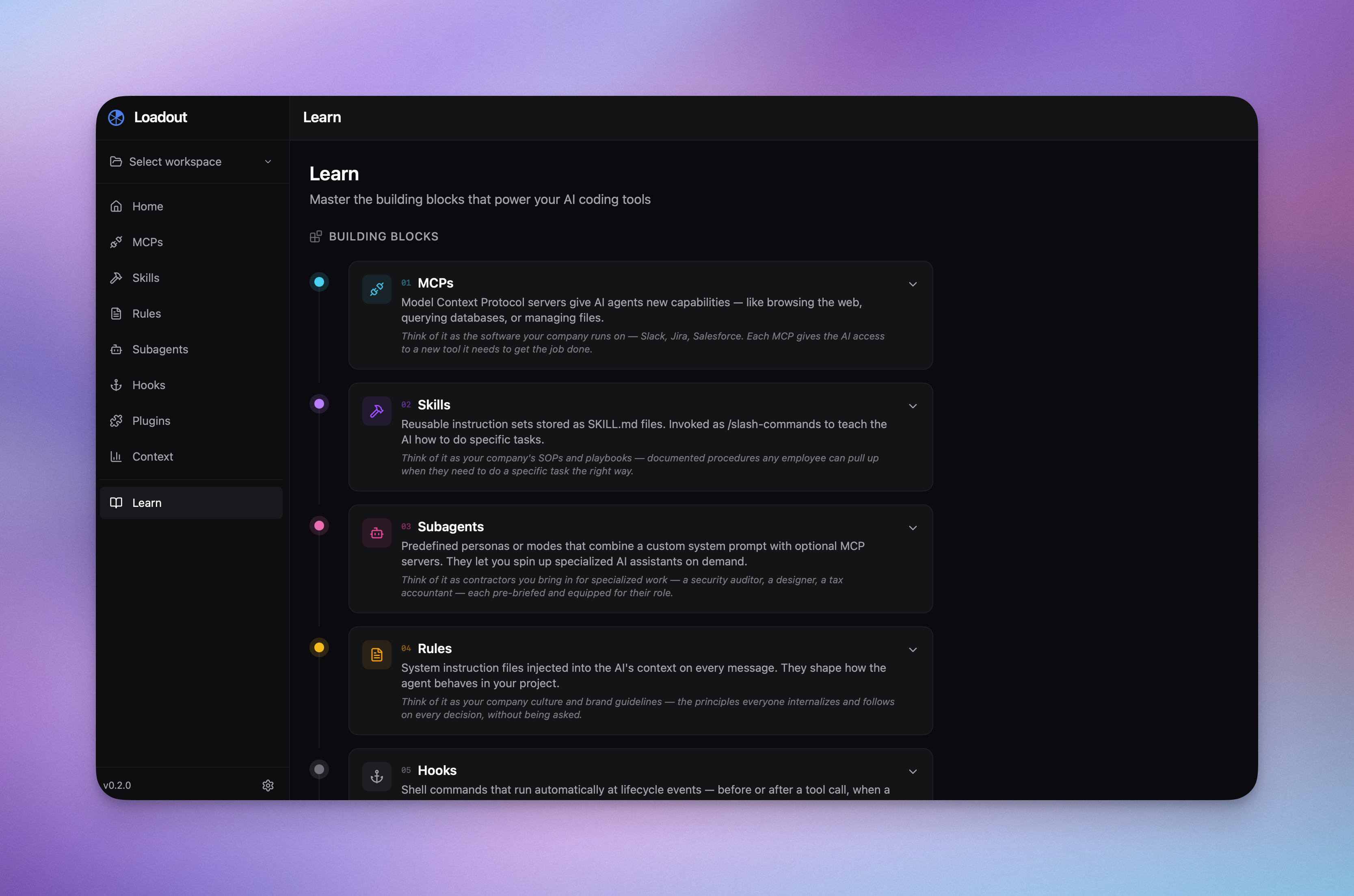
Learn the ecosystem. The Learn page explains MCPs, skills, subagents, rules, hooks, plugins, context windows, and scoping — all in one place.
Features
| Feature | Claude | Codex | Gemini | Cursor | Others |
|---|---|---|---|---|---|
| MCP management | ✅ | ✅ | ✅ | ✅ | — |
| Skills | ✅ | ✅ | ✅ | — | — |
| Rules / prompts | ✅ | ✅ | ✅ | ✅ | ✅ |
| Hooks | ✅ | ✅ | ✅ | ✅ | — |
| Subagents | ✅ | — | ✅ | — | — |
| Plugins | ✅ | — | ✅ | ✅ | — |
| Cross-tool sync | ✅ | ✅ | ✅ | — | — |
| Context window estimation | ✅ | ✅ | ✅ | — | — |
Additional capabilities:
- Workspace discovery — finds project-level configs and git repos
- Drag-and-drop skill import from URLs or local files
- Keyboard shortcuts for fast navigation
- Light, dark, and system themes
- Resizable sidebar with persistent layout
Development
Prerequisites
- Node.js 20+
- pnpm 10+
- Rust (stable toolchain)
- Platform dependencies for Tauri — see the Tauri prerequisites guide
Quick Start
git clone https://github.com/AmElmo/loadout.git
cd loadout
pnpm install
pnpm tauri dev
Run Against Test Fixtures
To use demo data instead of your real home directory:
pnpm tauri:dev:fixtures
This loads configs from fixtures/home/ — a mock home directory with Claude, Codex, and Gemini configurations. The LOADOUT_HOME env var is only honored in debug builds.
Build
pnpm tauri build
Project Structure
src/                     React frontend (Vite + Tailwind)
├── components/          UI components by feature
├── pages/               Top-level page components
├── stores/              Zustand state management
├── lib/api/             Tauri command wrappers
├── hooks/               Custom React hooks
└── types/               TypeScript interfaces (mirror Rust structs)

src-tauri/               Rust backend (Tauri 2.x)
├── src/commands/        IPC command handlers
├── src/scanners/        Filesystem scanners
├── src/parsers/         Config file parsers
└── src/writers/         Config file writers (atomic writes + backups)
Tech Stack
- Frontend: React 19, Vite, Tailwind CSS 4, Zustand, TanStack Query
- Backend: Rust, Tauri 2.x, Serde
- Package Manager: pnpm
Conventions
camelCasein TypeScript/JSON,snake_casein Rust with#[serde(rename_all = "camelCase")]@/path alias forsrc/importscn()utility (clsx + tailwind-merge) for conditional Tailwind classes- Conventional Commits (
feat:,fix:,chore:) - Sensitive env vars masked with
***in the UI
Contributing
Contributions are welcome. Please use Conventional Commits for commit messages and open a PR against main.
License
MIT — Julien Berthomier
Reviews (0)
Sign in to leave a review.
Leave a reviewNo results found