DeepQuery
Health Uyari
- License — License: MIT
- Description — Repository has a description
- Active repo — Last push 0 days ago
- Low visibility — Only 6 GitHub stars
Code Gecti
- Code scan — Scanned 12 files during light audit, no dangerous patterns found
Permissions Gecti
- Permissions — No dangerous permissions requested
Bu listing icin henuz AI raporu yok.
A research agent built from scratch, without LangChain: tool calling, hybrid search, sandboxed Python and a self-critique step, measured on a 33-question benchmark.

DeepQuery
A research agent that answers from your documents and the web, and shows its evidence.


-31%2F33-2ea44f?style=flat-square)




[!IMPORTANT]
What's new in this version. DeepQuery started as a RAG chat. It is now a research agent:
- A research agent in plain Python with native tool calling: it searches, reads exact pages, matches text, runs code, browses the web and Wikipedia, then critiques its own draft before answering.
- Code execution in a sandbox (bubblewrap or a limited subprocess), so every number is copied from a source or computed, never guessed.
- Hybrid retrieval: vector search + BM25 merged by reciprocal rank fusion, page-level chunks, an exact-match tool, and citations down to the page.
- A benchmark of 33 hard research questions with automatic grading. Our run with gpt-5-mini scored 31/33, and you're invited to beat it.
- A new React + TypeScript client with live research steps, dark and light themes, English and Persian.
- Docker Compose for a one-command setup, and technical docs with diagrams for every part.
📖 What it does
You upload papers, spreadsheets, notes or code to a chat, optionally turn on web search, and ask
a question. A research agent works it out in steps: it searches your documents, reads the exact
pages and sheets it needs, runs Python for any arithmetic, looks things up on the web or in a
specific Wikipedia revision, and checks its draft against what it read. The answer cites a
source for every claim, down to the page (refined.pdf, p. 6), and the steps that led to it stay
with the answer.
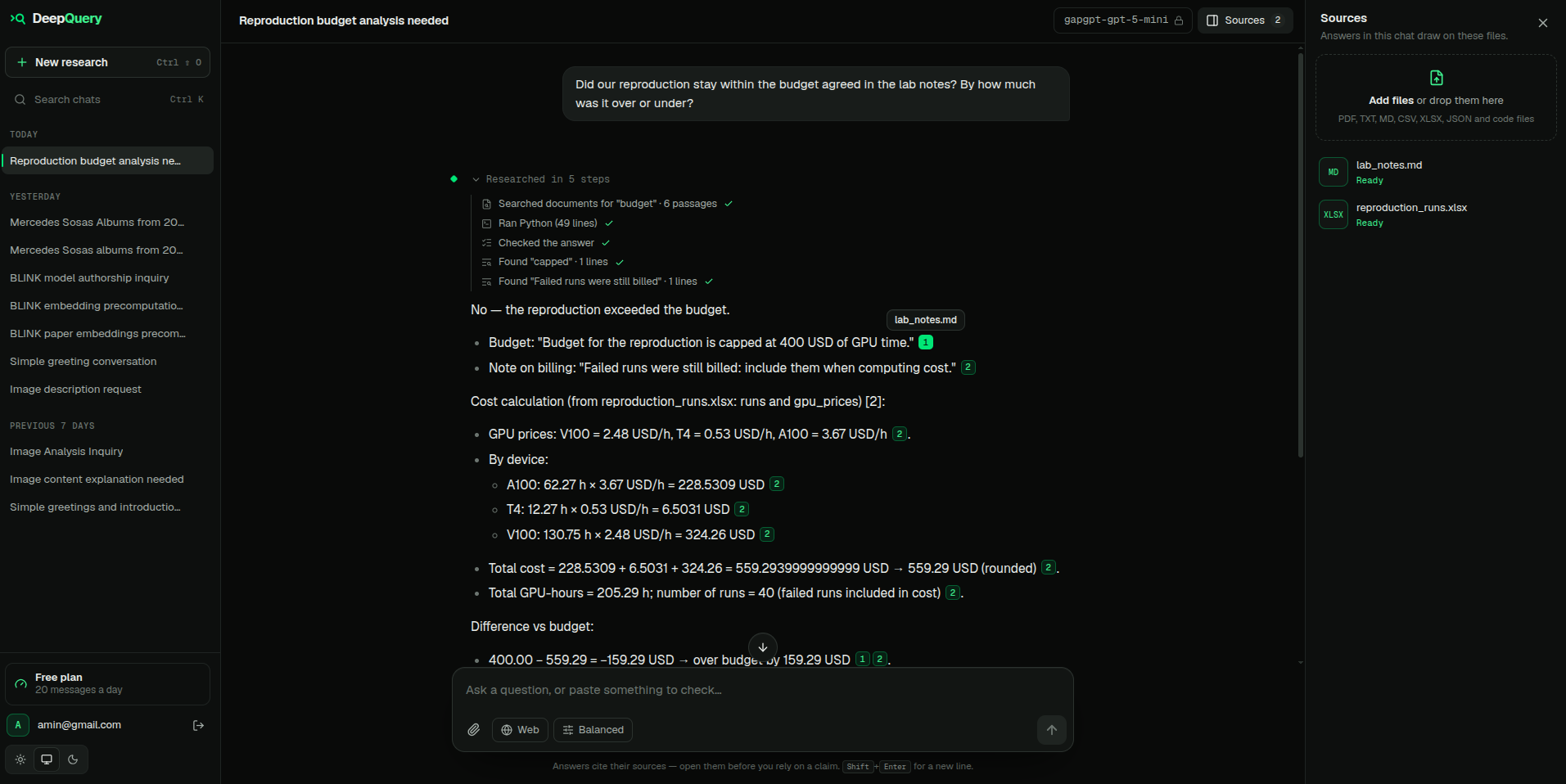
The agent searched the files, found the exact lines, ran Python and checked its draft. Every number links to its source.
| Start a research | Web and Wikipedia |
|---|---|
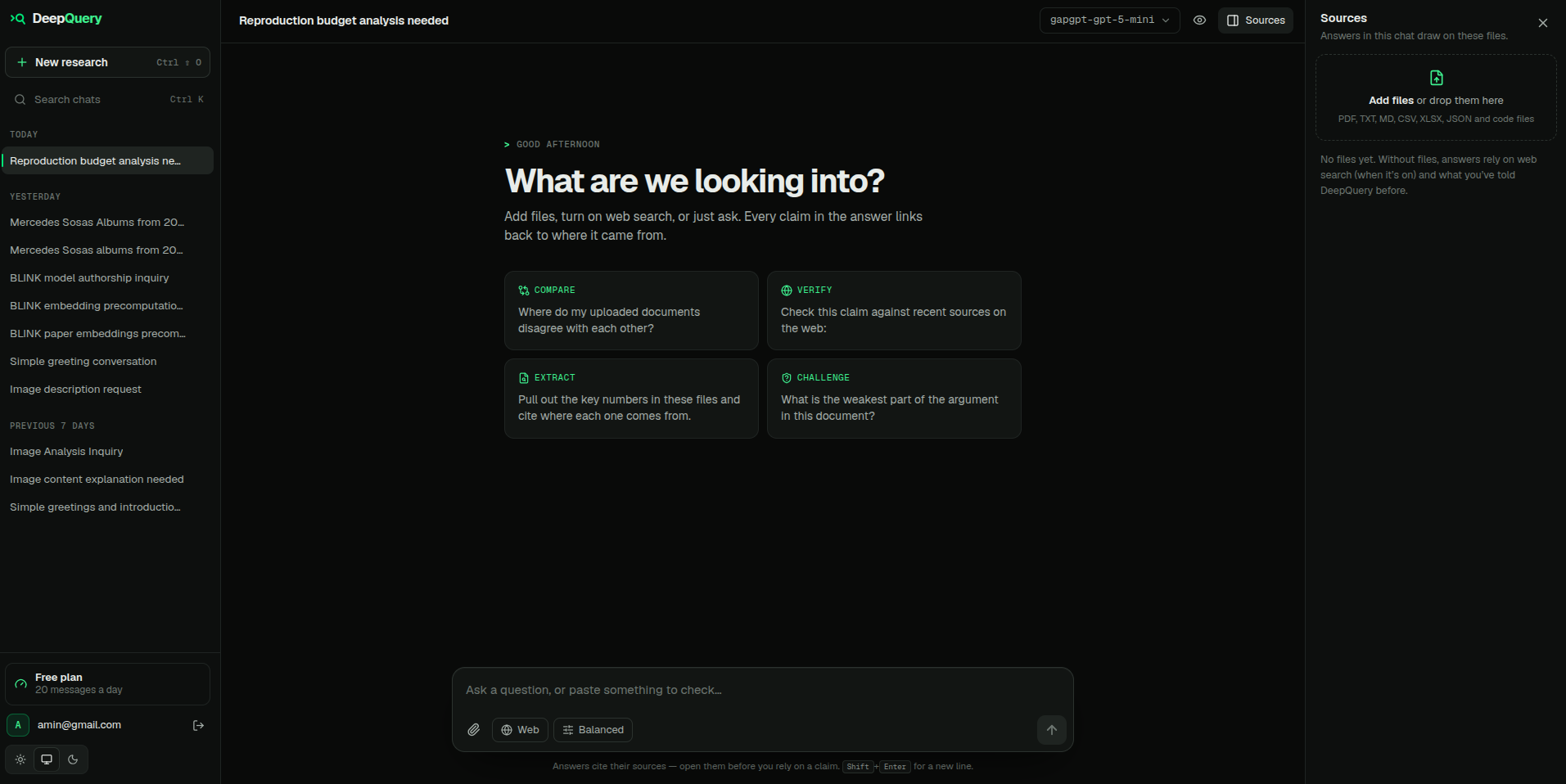 |
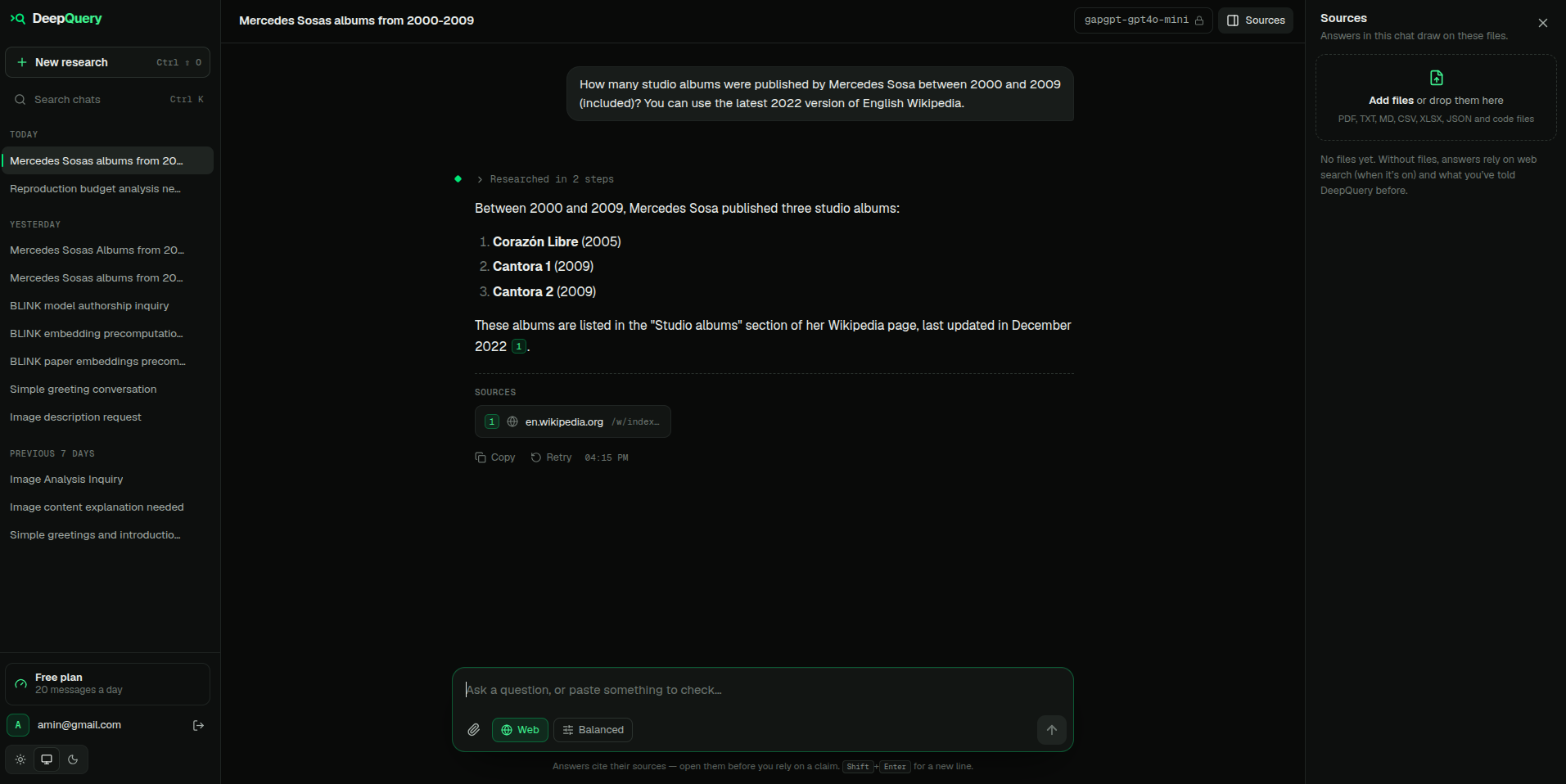 |
| Conflicting sources flagged | Persian, with an image |
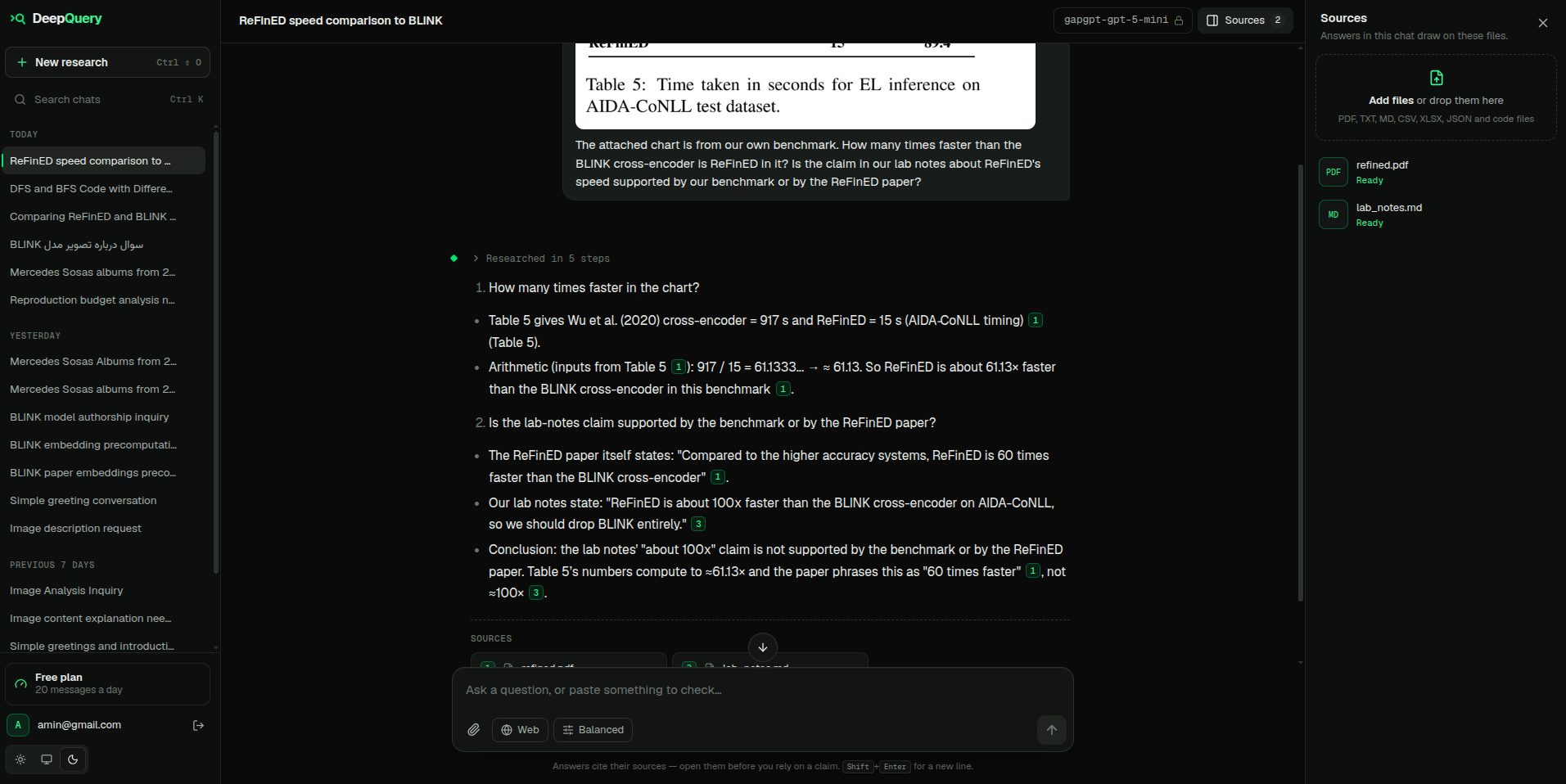 |
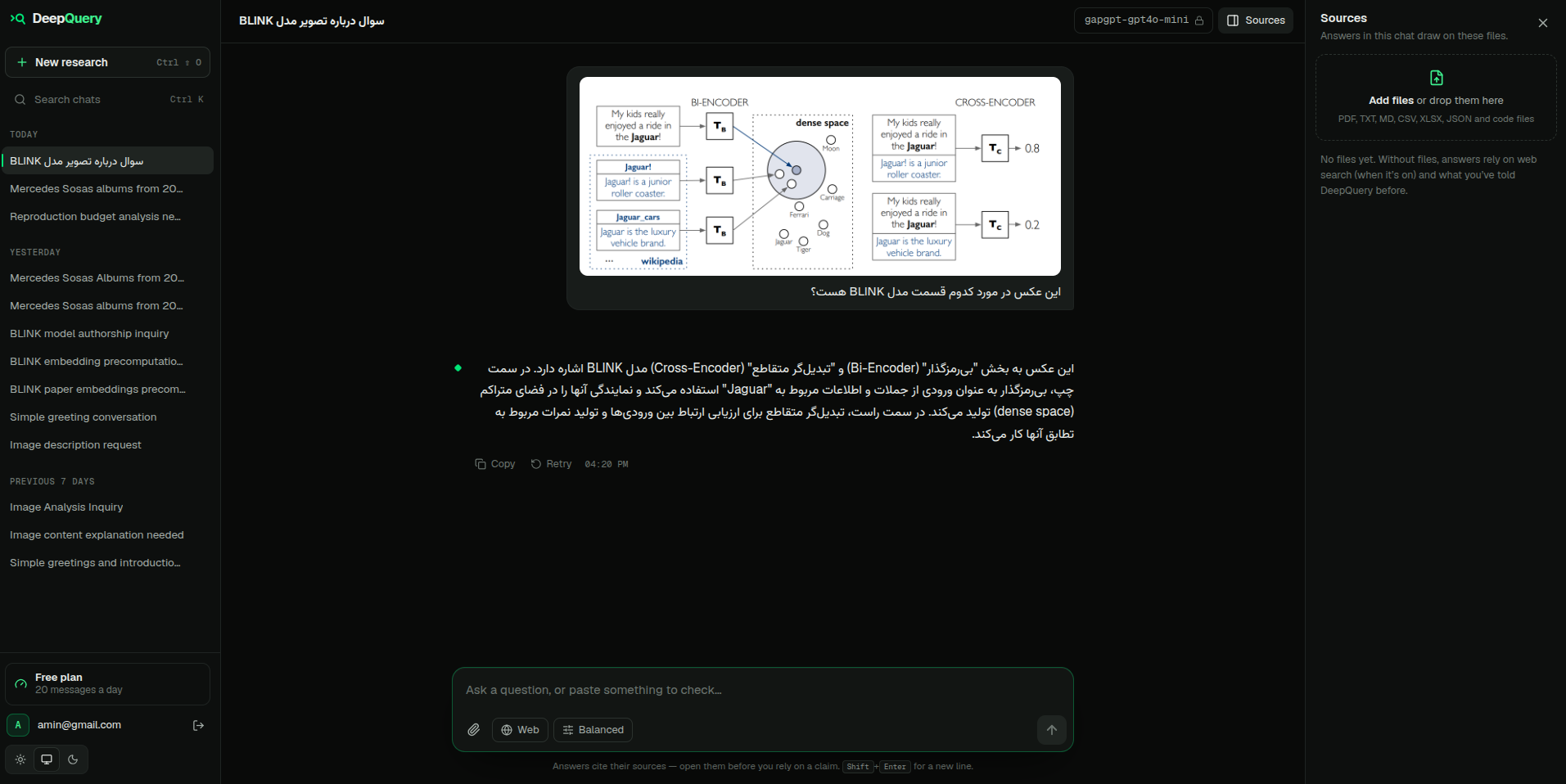 |
| Code and tables | Light theme |
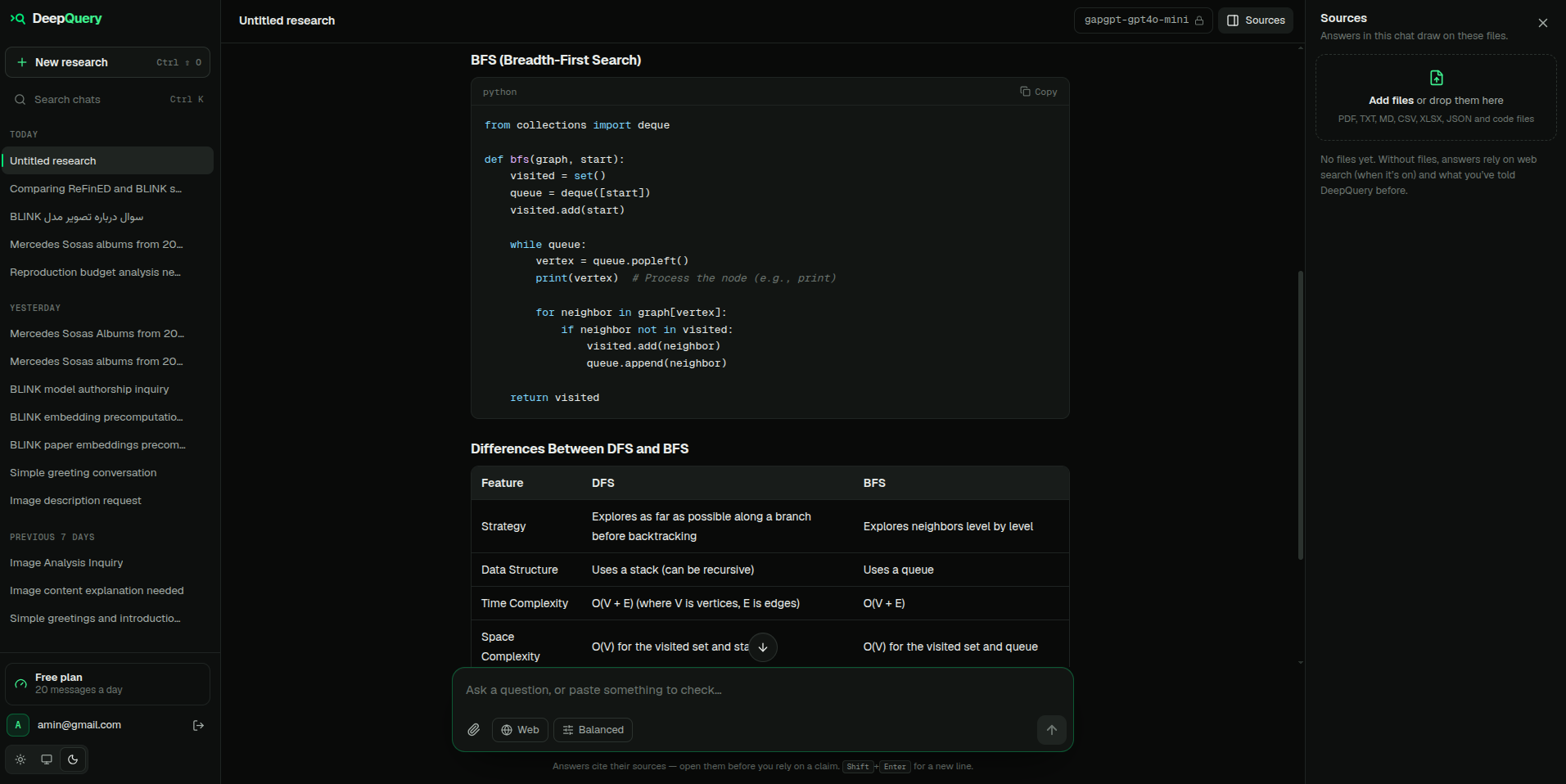 |
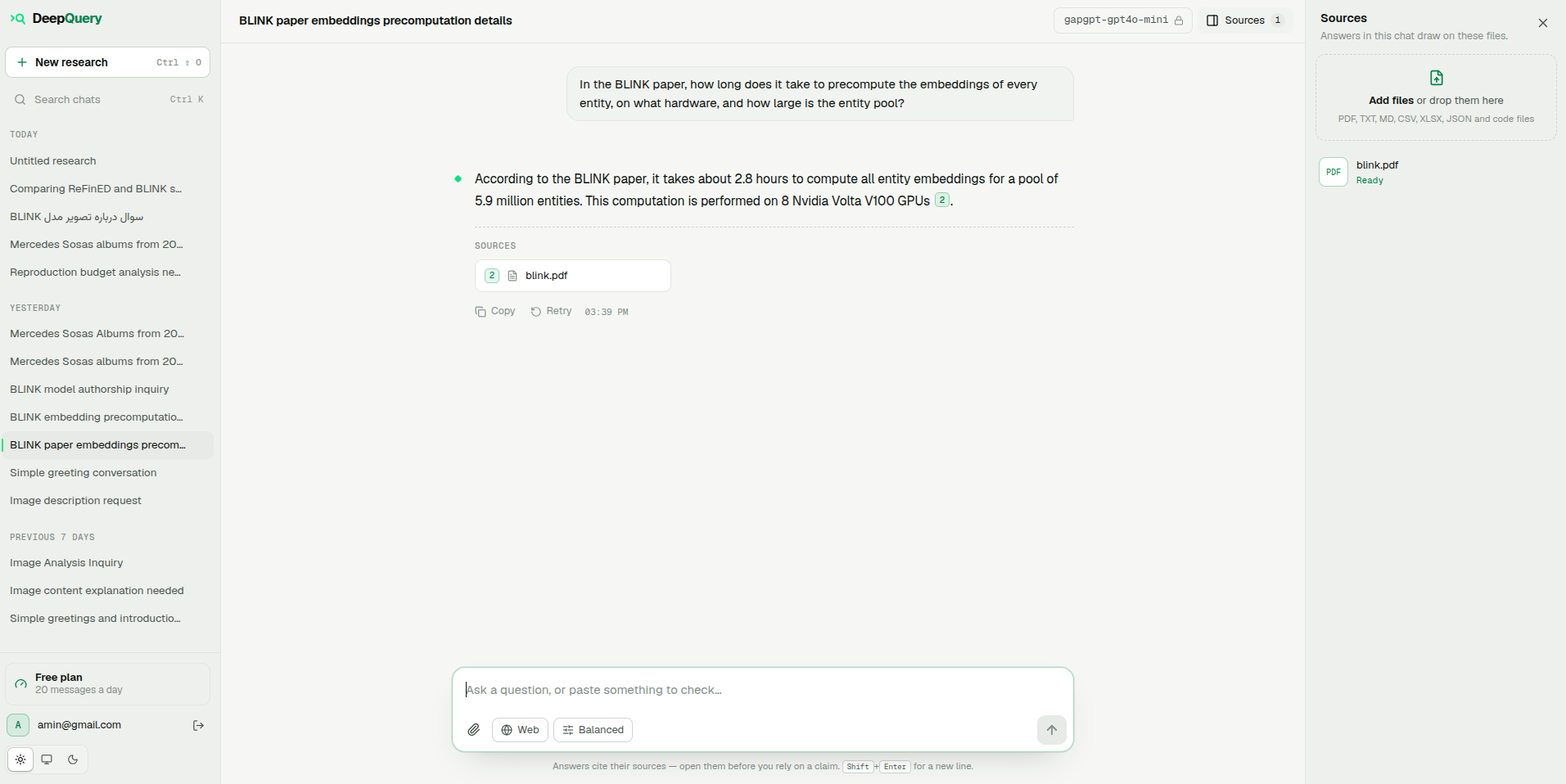 |
| Admin: models, plans, activity | |
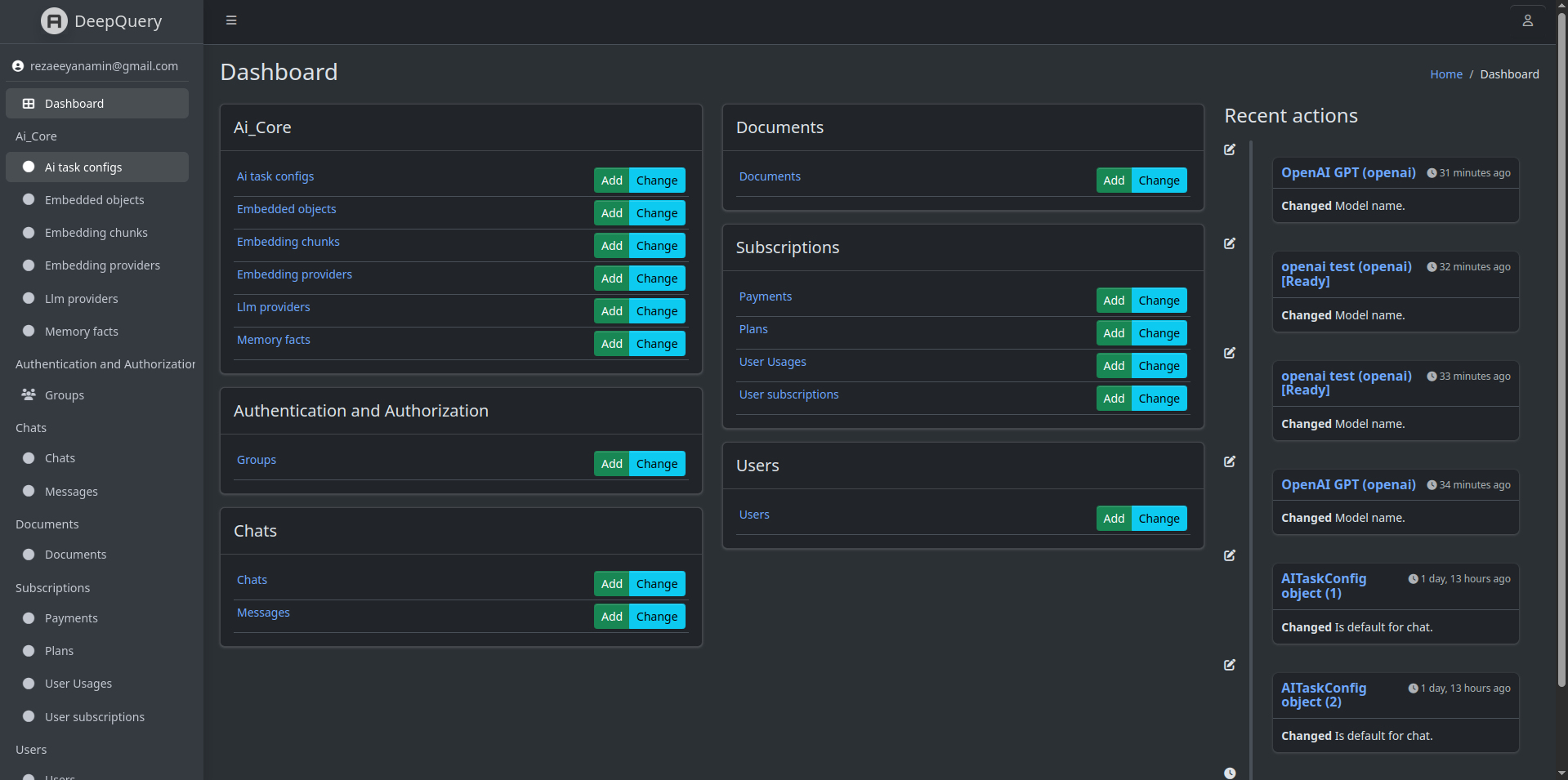 |
⚙️ How it works
flowchart LR
    Q["Question"] --> A{"Research agent"}
    A -->|search| S["search_documents<br/>vector + BM25"]
    A -->|read| R["read_document<br/>exact page / sheet"]
    A -->|match| F["find_text<br/>exact lines"]
    A -->|compute| P["run_python<br/>sandboxed"]
    A -->|browse| W["web_search · fetch_page<br/>wikipedia"]
    S & R & F & P & W --> A
    A --> D["Draft"] --> C["Critique<br/>(hidden)"] --> ANS["Answer with [n] citations"]
- Ingestion. Uploads are extracted per PDF page or spreadsheet sheet, split into
400-token chunks and embedded into PostgreSQL with pgvector, in a Celery worker. - Research. Each turn the model either calls tools or answers. Tools return numbered
sources; the user sees one live status line ("Reading refined.pdf, p. 6"). - Critique. A draft that used tools is never shown. The agent first lists its problems
(each claim paired with the sentence that supports it, numbers re-checked, code tested
against what it should compute), may use more tools, then writes the final answer. - Answer. It streams as JSON lines, with a references list of only the sources it cites.
No LangChain or agent framework: the loop, tools, retrieval and prompts are ordinary, tested
Python. The technical docs explain every part and why it's built that way.
🏆 The benchmark
DeepQuery ships with its own benchmark, in eval/. It has 33 questions over three
real entity-linking papers and a fictional lab's spreadsheets, CSV audit, scripts, notes and
images, in English and Persian. The questions are hard on purpose:
- find one number in a 12-page two-column paper;
- compare the same method across papers that name it differently;
- follow a notes sheet that says which runs to exclude;
- work out what a buggy script prints, and spot the bug;
- read a table from a screenshot or a specific Wikipedia revision;
- notice when lab notes contradict a paper;
- say "the paper doesn't report this" instead of guessing.
python manage.py run_eval runs every question through the real pipeline, in a fresh chat, and grades it:
- numbers, checked deterministically;
- retrieval: did the needed passages reach the model?
- citations;
- a separate judge model, which checks each key point and flags unsupported claims.
Results
DeepQuery works with whichever models you configure. For this run we used gpt-5-mini to
answer and gpt-6-luna as the judge, with text-embedding-3-small embeddings:
| Metric | Score |
|---|---|
| Strict accuracy (every key point, nothing wrong) | 31 / 33 (93.9%) |
| Partial credit (share of key points met) | 97.2% |
| Expected numbers found | 100% |
| Needed passages retrieved | 100% |
| Right source cited | 100% |
| Unanswerable questions declined | 3 / 3 |
| Median answer time | 52 s (median 5 agent steps) |
| Category | Strict | Category | Strict |
|---|---|---|---|
| Facts from one paper | 5/5 | Code output | 3/3 |
| Calculations | 4/4 | Web | 3/3 |
| Spreadsheet & CSV | 6/6 | Unanswerable | 3/3 |
| Persian | 2/2 | Image · Conflicting sources | 2/2 |
| Comparisons across papers | 3/5 |
Details: docs/evaluation.md.
[!TIP]
Challenge: reach 33/33. Everything you need is in the repo: the questions, the sources,
the runner and the grader. Make the agent better, for example with table extraction that
keeps columns, better planning or a new tool, then open a pull request with your run's report.
Making the benchmark easier doesn't count. See CONTRIBUTING.md.
✨ Features
Research
- Research agent with seven tools:
search_documents,read_document,find_text,run_python,web_search,fetch_page,wikipedia. - Answer critique before sending (
AGENT_REVIEW) and configurable reasoning effort for
reasoning models (AGENT_REASONING_EFFORT). - Citations per page or URL; the references list shows only what the answer cites.
- Documents: PDF, Excel (every sheet), CSV, text, Markdown, JSON and code files.
- Images in questions, for models with vision.
- Web search without an API key (
ddgs), page reading with SSRF protection, and Wikipedia
sections, tables and past revisions. - Memory: recent history in every prompt; personal facts (English or Persian) extracted in the
background and recalled when relevant. Temporary chats never touch memory.
Answer settings (per message): strict quote mode, challenge mode, general or expert audience,
and brief, balanced or deep answers.
Platform
- Any OpenAI-compatible API, Anthropic Claude, Google Gemini or Ollama for chat; OpenAI, Gemini
or local sentence-transformers models for embeddings, all configured in the admin. Providers
without tool calling answer in a single retrieval pass. - Embedding-model switches re-embed everything in the background without mixing vectors.
- JWT and Google sign-in, throttled auth, encrypted provider keys, per-user data access.
- Plans with daily limits and ZarinPal payments.
- 300+ server tests (pytest) and a Vitest client suite, run in CI on every push.
🚀 Quick start
git clone https://github.com/AminRezaeeyan/DeepQuery.git
cd DeepQuery
cp server/.env.example server/.env          # set SECRET_KEY at least
docker compose up --build -d
docker compose exec server python manage.py createsuperuser
Then:
- Open http://localhost:8080/admin/ and add an LLM provider, e.g. type
openai, a model
with tool calling such asgpt-5-mini, and your key (any OpenAI-compatiblebase_urlworks). - In the same admin, add an embedding provider, e.g.
text-embedding-3-small, dimension 1536. - Open http://localhost:8080, sign up and ask away.
For local development without Docker, see docs/deployment.md.
Run the benchmark:
docker compose exec server python manage.py run_eval \
    --provider "<answering model>" --judge-provider "<stronger judge model>"
Results land in eval/runs/<run>/report.md, with every answer in full.
📚 Documentation
| Page | What's in it |
|---|---|
| Architecture | Components, data model, request flow, streaming protocol, prompt budgets, memory, providers |
| The research agent | The loop, native tool calling, the draft → critique → final phases, tools, citations |
| Retrieval | Extraction, chunking, embeddings, hybrid search (BM25 + RRF), exact reading and matching |
| Code execution | The sandbox: namespaces, limits, modes and their honest trade-offs |
| The benchmark | Question design, grading, scoring levels, re-runs, results |
| Security | Prompt injection, SSRF, ownership, secrets, uploads |
| Deployment | Docker, local development, configuration reference, CI |
🗂️ Project structure
server/        Django + DRF API, the research agent (ai_core/agent), Celery tasks, the benchmark runner
client/        React + TypeScript + Vite app
eval/          the benchmark: questions.yaml and sources/ (runs/ stays local)
docs/          technical documentation and images
🤝 Contributing
Contributions are welcome. The best place to start:
- beat the benchmark;
- add tool calling to another provider (Claude, Gemini or Ollama only need
stream_turn); - improve table extraction;
- pick an issue.
Please read CONTRIBUTING.md: it covers the setup, the tests, the commit style
and how to submit a benchmark result.
If DeepQuery is useful to you, a ⭐ helps others find it.
📄 License
DeepQuery is released under the MIT License. The three papers in eval/sources/
belong to their authors and are included only so the benchmark can be reproduced.
Yorumlar (0)
Yorum birakmak icin giris yap.
Yorum birakSonuc bulunamadi