zodex
Health Uyari
- License — License: Apache-2.0
- Description — Repository has a description
- Active repo — Last push 0 days ago
- Low visibility — Only 5 GitHub stars
Code Basarisiz
- rm -rf — Recursive force deletion command in .github/workflows/ci.yml
- rm -rf — Recursive force deletion command in .github/workflows/release.yml
- exec() — Shell command execution in apps/liveboard/scripts/dev-live.mjs
- process.env — Environment variable access in apps/liveboard/scripts/dev-live.mjs
- network request — Outbound network request in apps/liveboard/scripts/dev-live.mjs
Permissions Gecti
- Permissions — No dangerous permissions requested
Bu listing icin henuz AI raporu yok.
infinite token glitch - mcp server for chatgpt to use codex tools on a real machine
zodex
Give ChatGPT a real terminal on a real machine.
Zodex is a small MCP coding harness that gives ChatGPT the command, stdin, and patch primitives coding agents already know—without wrapping your development environment in a new abstraction.
Run it directly on a trusted Apple Silicon Mac, 64-bit Linux machine, or x86_64 Windows machine with Zodex Local, or use the same tool surface on a wake-on-demand remote Linux workspace with Zodex Sprite.
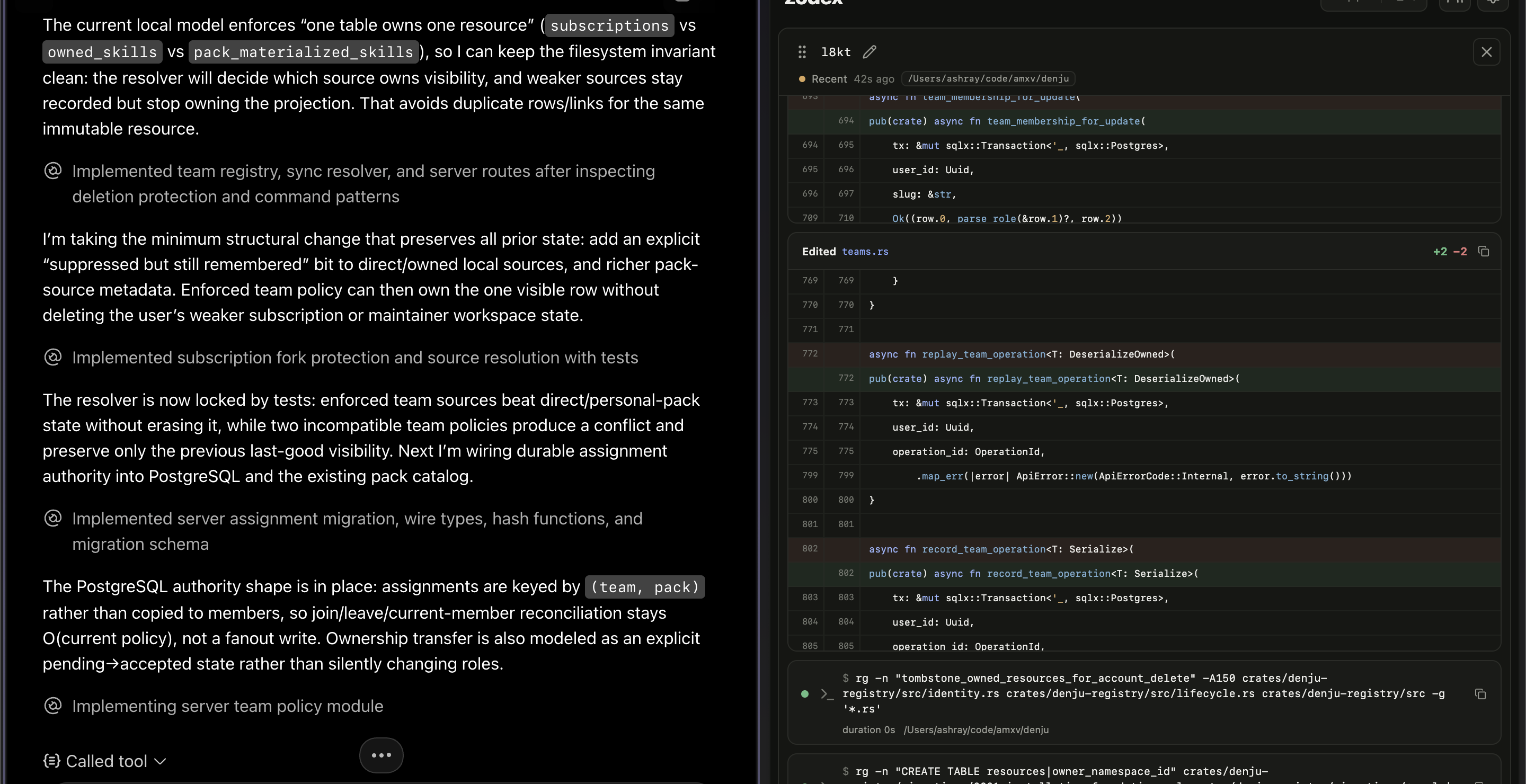
Zodex Local
Local puts ChatGPT on your trusted Linux, macOS, or Windows host through an OpenAI Secure MCP Tunnel. There is no public inbound port, proxy server, container, or separate remote machine between the model and the development environment you already use.
One Local runtime can serve multiple ChatGPT conversations at once. Zodex gives each conversation its own short Agent identity, keeps durable execution history, and lets you watch every command and file change in real time through the cross-platform browser Liveboard or terminal viewer.
- Your real environment — shell, Git, language toolchains, credentials, and files run as your logged-in user. Linux and macOS use the captured login shell; Windows Local executes commands through Windows PowerShell with the captured user environment.
- Three MCP tools —
exec_command,write_stdin, andapply_patch. - Many Agents, one runtime — multiple ChatGPT conversations can work concurrently across repos and worktrees.
- Live observability — commands, output, diffs, process state, and Agent timelines in the browser Liveboard or terminal TUI.
- Durable history — inspect previous tool activity even after the viewer or Local runtime stops.
- Explicit lifecycle — start access when you want it, optionally give it a TTL, and stop it cleanly.
- Host-native controls — Linux, macOS, and Windows include Liveboard and a terminal viewer. macOS has a native Swift menu bar app; Windows and graphical Linux desktops have a lightweight Rust system tray. The menu/tray starts at login by default while Local remains off, with a separate opt-in Launch Tunnel at Login checkbox and
zodex local autostartterminal commands. Linux stores the tunnel key in a user-only credential file and Windows uses Windows Credential Manager.
Local is intentionally a trusted-host mode, not a sandbox. ChatGPT receives the same filesystem and developer-tool access your logged-in user has, subject to the host operating system's normal permissions.
Quick start
Install the operator CLI on macOS/Linux:
curl -fsSL https://zodex.ashray.xyz/install.sh | bash
export PATH="$HOME/.local/bin:$PATH"
On Windows PowerShell:
irm https://zodex.ashray.xyz/install.ps1 | iex
Set up the Secure MCP Tunnel once:
zodex local setup
Then start Zodex from the repo you want ChatGPT to see first:
cd ~/code/my-project
zodex local start --ttl 4h
Watch the Agents work. Linux, macOS, and Windows open Liveboard by default:
zodex local watch
And turn access off when you're done:
zodex local stop
See the Local quick start for tunnel setup, ChatGPT connection, menu-bar controls, history, configuration, and troubleshooting.
Two execution modes
The model-facing interface stays the same. You choose where it runs and which trust model you want.
| Local | Sprite | |
|---|---|---|
| Host | Your Apple Silicon Mac, x86_64/aarch64 Linux machine, or x86_64 Windows machine | Wake-on-demand remote Linux Sprite |
| Connection | OpenAI Secure MCP Tunnel | Cloudflare Worker → Sprite |
| Trust model | Trusted host; your logged-in user | Restricted Agent account + isolated GitHub writer boundary |
| Lifecycle | Explicit start/stop, optional TTL | Automatic wake/sleep |
| GitHub access | Your existing local credentials | Review-first PRs, temporary push grants, or scoped YOLO |
| Observability | Linux/macOS/Windows Liveboard + TUI; durable history + HTTP/SSE API | Sprite service and operator diagnostics |
For an isolated remote workspace instead of trusted-host execution:
zodex sprite setup --help
See the Sprite quick start.
The entire MCP surface
ChatGPT sees exactly three tools:
exec_command  run a command in an explicit absolute workdir
write_stdin   poll, interact with, or stop a running process
apply_patch   edit files with the Codex-style patch format
That is deliberately the whole abstraction. Zodex handles the runtime, interactive command I/O, process lifecycle, transport, observation, and host-specific security boundaries underneath it.
Documentation
Full documentation lives at zodex.ashray.xyz/docs.
- Local — trusted Linux/macOS/Windows execution, setup, observability, history, and daily use
- Sprite — remote Linux, GitHub permissions, connection, and operations
- Architecture — how the two execution modes fit together
- MCP tools — exact tool contracts and session behavior
License
Yorumlar (0)
Yorum birakmak icin giris yap.
Yorum birakSonuc bulunamadi