nb-complete
Health Gecti
- License — License: Apache-2.0
- Description — Repository has a description
- Active repo — Last push 0 days ago
- Community trust — 28 GitHub stars
Code Gecti
- Code scan — Scanned 10 files during light audit, no dangerous patterns found
Permissions Gecti
- Permissions — No dangerous permissions requested
Bu listing icin henuz AI raporu yok.
AI coding assistant for Apache NetBeans. Connect Claude, OpenCode, Codex, Gemini and other coding agents through ACP, with IDE-aware tools via MCP.
BeanBot






An agentic coding environment, integrated into NetBeans.
Bring Claude, OpenCode, Codex, Gemini, Goose and other coding harnesses into your NetBeans workflow.
Code with AI. Stay in your IDE.
BeanBot brings agentic coding assistants directly into Apache NetBeans. Chat with your coding agent,
explore projects, modify files, inspect changes and use IDE-aware tools without constantly switching
between applications.
- Multiple coding harnesses through the Agent Client Protocol (ACP).
- IDE-aware tools through the Model Context Protocol (MCP).
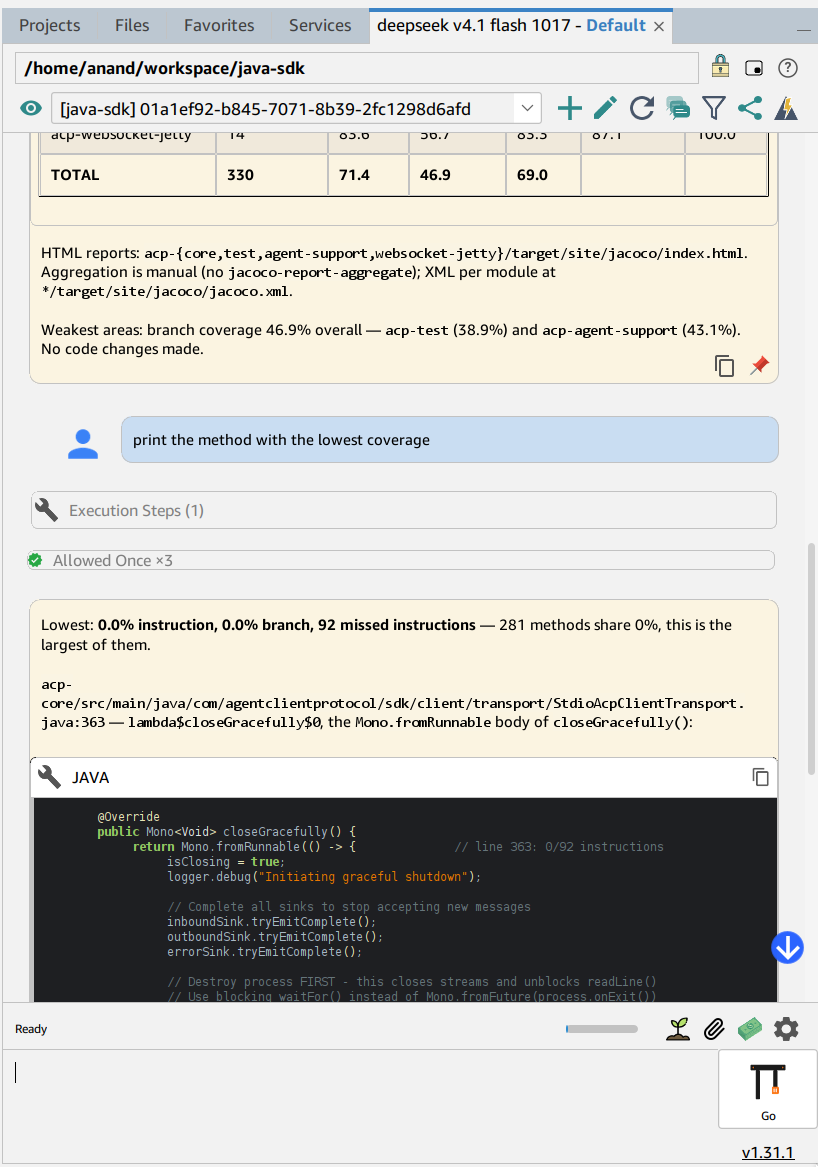
- Streaming conversations with interactive tool execution and permission prompts.
- Project, filesystem, editor and version-control integration.
- Token and cost tracking for the traffic your harness reports.
- Integrated task management with plain todo.txt repositories.
 |
 |
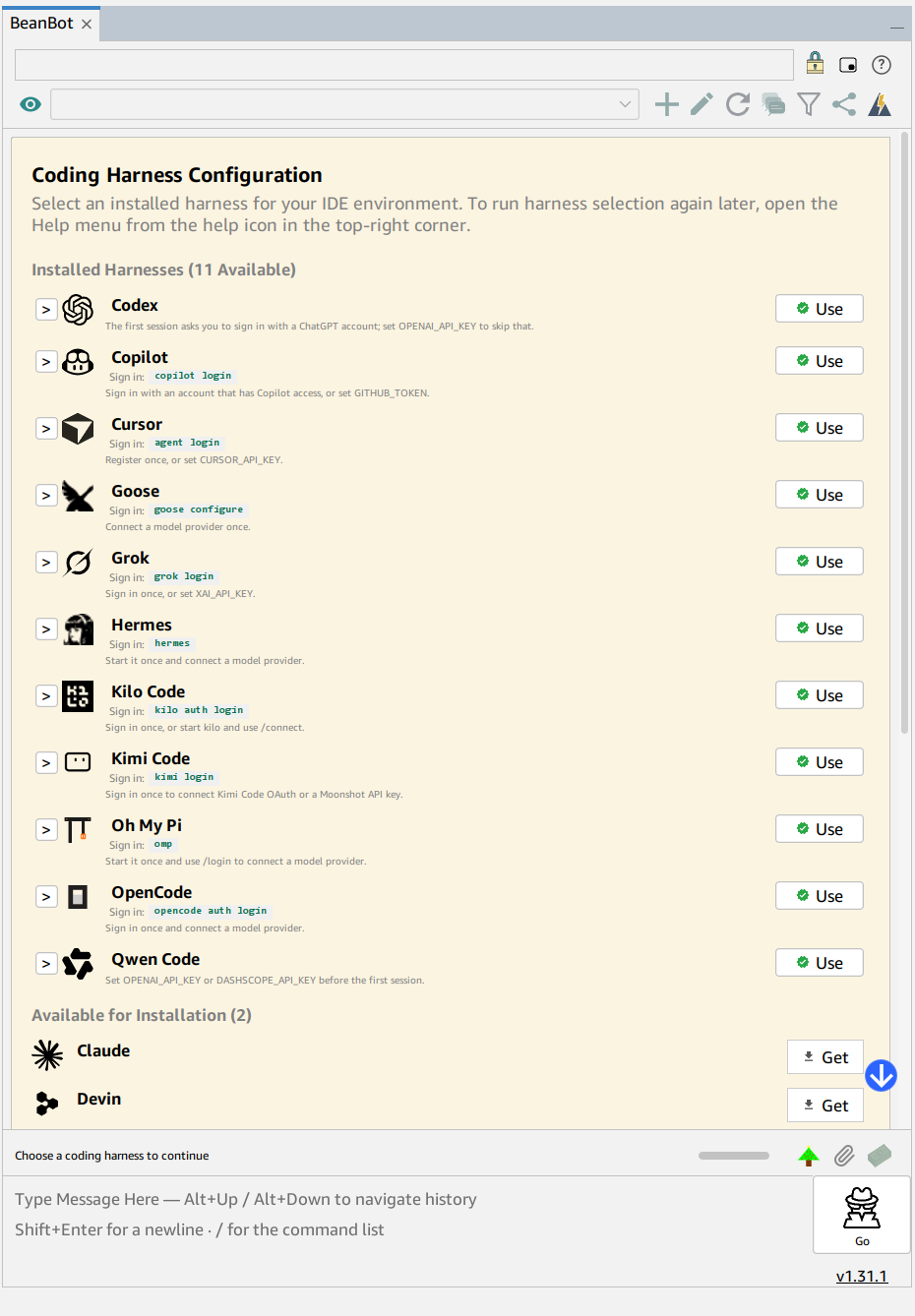 |
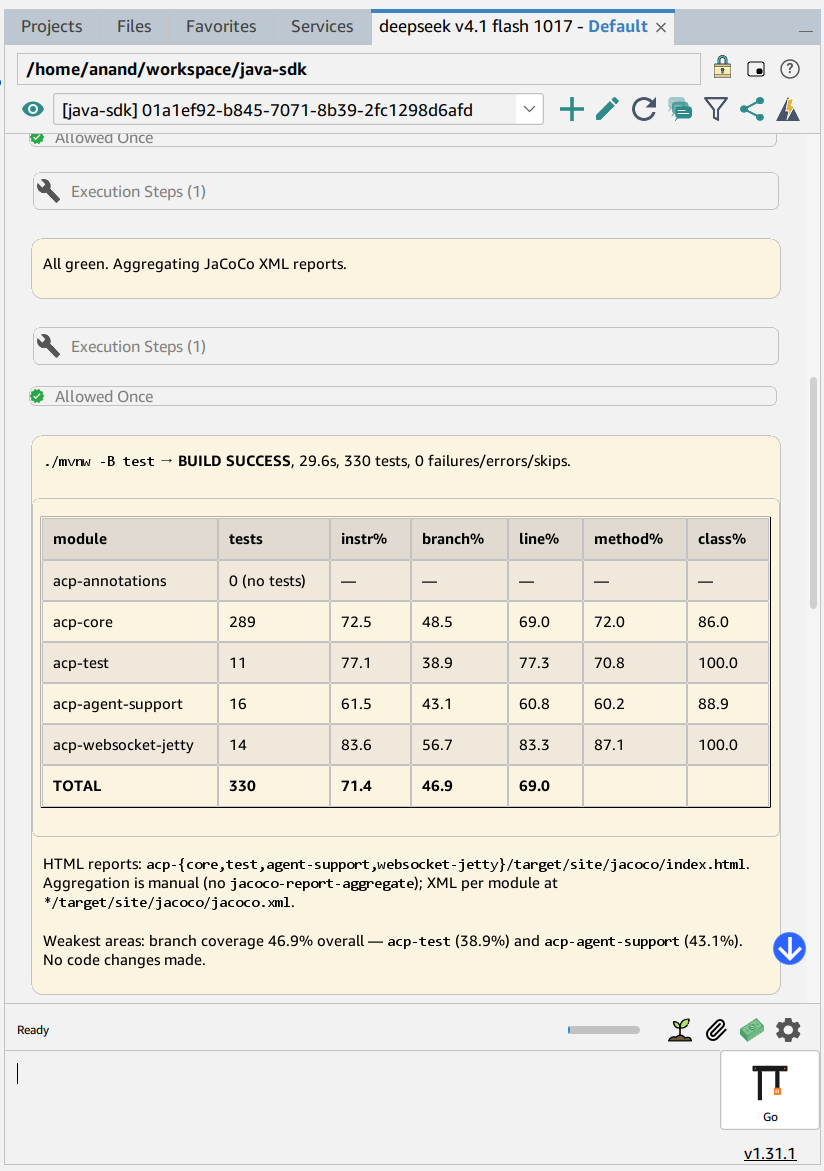
| Chat and tool activity | Table rendering | Harness selection |
Why BeanBot?
| One assistant, many agents | Pick the harness you already pay for — Claude, OpenCode, Codex, Gemini, Goose, Cursor, Copilot, Cline and more — without changing editors. |
| Agentic, not autocomplete | Agents read project context, navigate the editor, run tools and return diffs instead of suggesting a few lines. |
| The IDE is the toolbelt | An embedded MCP server exposes open projects, editor context, file search, Git/Mercurial and stash diffs to the agent. |
| Understand what it costs | Per-turn usage that the harness reports is persisted locally and broken down by model and agent. |
| Stays out of the way | Streaming chat, collapsible tool/thought panes, a mini assistant, and a compact layout. |
| Local data, your harness | BeanBot does not call model APIs itself; credentials and configuration stay with the harness you already use. |
Features
Agentic chat
- Work with any supported harness over ACP and switch when you need to.
- Stream responses, thoughts and tool calls; expand or collapse activity per turn.
- Manage sessions, rename, archive, reload and export conversations.
- Rich rendering for Markdown, tables and code blocks.
IDE integration
- Editor context, navigation and open-file awareness.
- Project and filesystem tools guarded by the same access policy as ACP requests.
- Git and Mercurial status, diffs, file history and stash browsing.
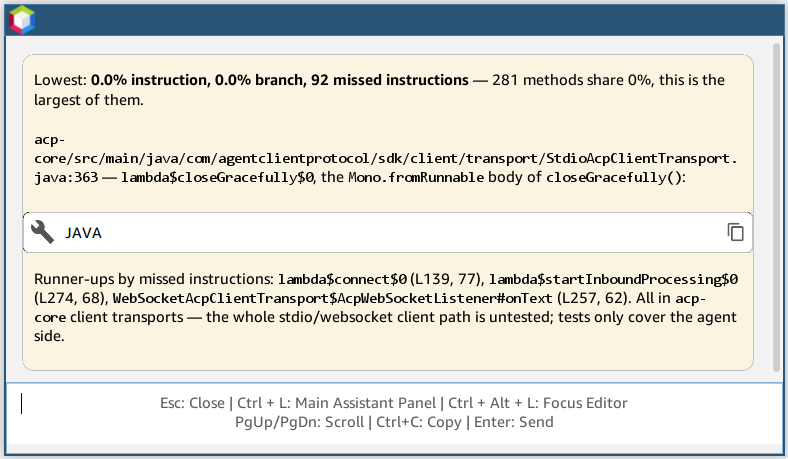
- Stash diff viewer, jump-to-file, send-to-assistant actions and inline permission prompts.
Usage and cost tracking
Token and cost statistics are captured from the ACP traffic itself: the usage updates and per-turn
figures a harness already sends are recorded into an embedded H2 database under the NetBeans user
directory (beanbot/usage-stats.mv.db), so they survive restarts and are readable without a harness
running. Figures are approximate for harnesses that report incomplete usage; not every harness
reports a monetary value.
Productivity
- Task repositories backed by plain todo.txt files, with
id:,estimate:,consumed:andupd:tokens on top of@tag/+project/due:syntax. The
full grammar is in the bundled user guide (Todo.txt Format). - Markdown project support.
- File search, editor actions and a mini assistant window.
- Light and dark themes with configurable chat colours and fonts.
Supported coding harnesses
BeanBot uses the Agent Client Protocol (ACP) to connect NetBeans with a growing ecosystem of AI
coding agents. Pick a harness during onboarding, or later from the help menu in the toolbar.
| Harness | Harness | Harness |
|---|---|---|
| Oh My Pi | OpenCode | Codex |
| OpenClaw | Pi | Goose |
| Cursor | Copilot | Claude |
| Hermes | Gemini | Devin |
| Kilo Code | Cline | Jcode |
| Qwen Code | Kimi Code | Grok |
| OpenHands |
Some harnesses expose only a subset of ACP; the plugin shows their limitations in the UI. The catalog
is defined in src/main/resources/github/anandb/netbeans/model/harness-catalog.yaml.
Getting Started
Prerequisites
- Apache NetBeans 22 or later (developed against RELEASE220)
- At least one supported coding harness, installed and authenticated separately
Installation
- Download the latest
beanbot-<version>.nbmfrom
Maven Central or
GitHub Releases. - In NetBeans, open Tools → Plugins → Downloaded.
- Click Add Plugins…, select the downloaded NBM and complete the installation.
- Restart NetBeans when prompted.
Updates after installation are offered from the same Maven Central metadata.
First launch
- Open Window → Assistant (or press
Ctrl+L). - Choose an installed harness, or follow the install command shown for one.
- Complete the harness authentication if necessary.
- Open a project and start chatting.
To run harness selection again, open the help menu from the help icon in the top-right corner.
Build from source
git clone https://github.com/anandb/nb-complete.git
cd nb-complete
./mvnw package -DskipTests
The NBM is written to target/nbm/. Full build, test and user-guide instructions are in
DEVELOPMENT.md.
How it works
BeanBot is an ACP client: it launches the selected harness as a subprocess and speaks JSON-RPC over
stdin/stdout, consuming streamed session/update notifications. In the other direction, an embedded
MCP server exposes IDE tools so the agent can inspect projects and act inside the editor.
┌──────────────────┐   JSON-RPC / stdio   ┌──────────────────────┐
│  NetBeans chat   │ ◄──────────────────► │ Harness (ACP agent)  │
│  sidebar / UI    │                      │ Claude, OpenCode, …  │
└────────┬─────────┘                      └──────────┬───────────┘
         │                                           │
         │ MCP tool calls                            │
         ▼                                           ▼
┌───────────────────────────────────────────────────────────────┐
│ Embedded MCP server: projects, files, editor, Git/Hg, tasks   │
└───────────────────────────────────────────────────────────────┘
More detail: ARCHITECTURE.md.
Screenshots
 |
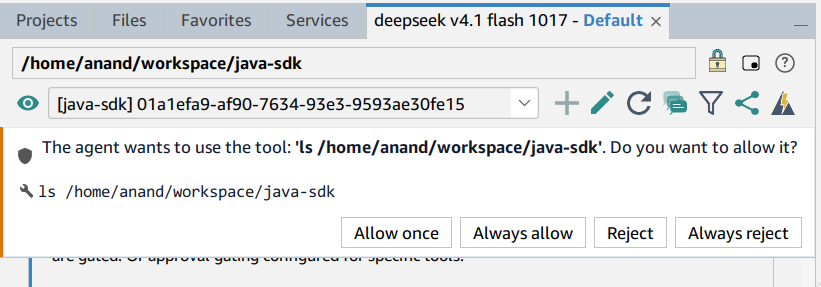 |
| Mini assistant | Tool permission request |
FAQ
Does BeanBot include an API key or model? No. It drives a coding harness you install and
authenticate; BeanBot itself makes no model calls.
Can I use more than one harness? Yes, but one session is active at a time. Switching a session or
reloading the conversation while a response is pending cancels the current request.
Where is my data stored? Harness configuration and credentials stay with the harness. BeanBot
stores usage statistics, session metadata and pins under beanbot/ in the NetBeans user directory.
Is the usage cost exact? It is derived from what the harness reports and is approximate when the
harness reports incomplete usage.
A harness is not detected. Set the path manually under Options → BeanBot, or use the harness
chooser to install or pick it. Binaries on PATH are never auto-selected.
Something is broken. See TROUBLESHOOTING.md, or use
Help → Report an Issue.
For developers
- ARCHITECTURE.md — package layout, layer rules and connection flow.
- ARCHITECTURE-REVIEW.md — long-form design review and subsystem notes.
- architecture.dot — generated component graph.
- DEVELOPMENT.md — build, tests, source organization, code reading path and
system properties. - AGENTS.md — repository coding rules and architectural constraints.
BeanBot is a NetBeans Platform plugin built with the pinned Maven wrapper. model/ is a
dependency-free leaf; contract/ defines the ports; ui/ and manager/ are peers over those ports,
and mcp/, db/, tasks/ and project/ are satellites that depend downward only.
Contributing
Contributions are welcome. Keep changes consistent with the existing NetBeans Platform patterns,
styling and logging conventions, and validate new components against both light and dark themes.
Read DEVELOPMENT.md and AGENTS.md first.
License
This software is released under the Apache License, Version 2.0. Further details can be found in the
LICENSE file.
Support
If you find BeanBot useful, consider supporting the project to
support its continued development and maintenance. BeanBot is free and open source. Donations are
entirely optional, and using the project does not require payment.
Yorumlar (0)
Yorum birakmak icin giris yap.
Yorum birakSonuc bulunamadi