flutter_ai
Health Warn
- License — License: BSD-3-Clause
- Description — Repository has a description
- Active repo — Last push 0 days ago
- Low visibility — Only 7 GitHub stars
Code Pass
- Code scan — Scanned 12 files during light audit, no dangerous patterns found
Permissions Pass
- Permissions — No dangerous permissions requested
No AI report is available for this listing yet.
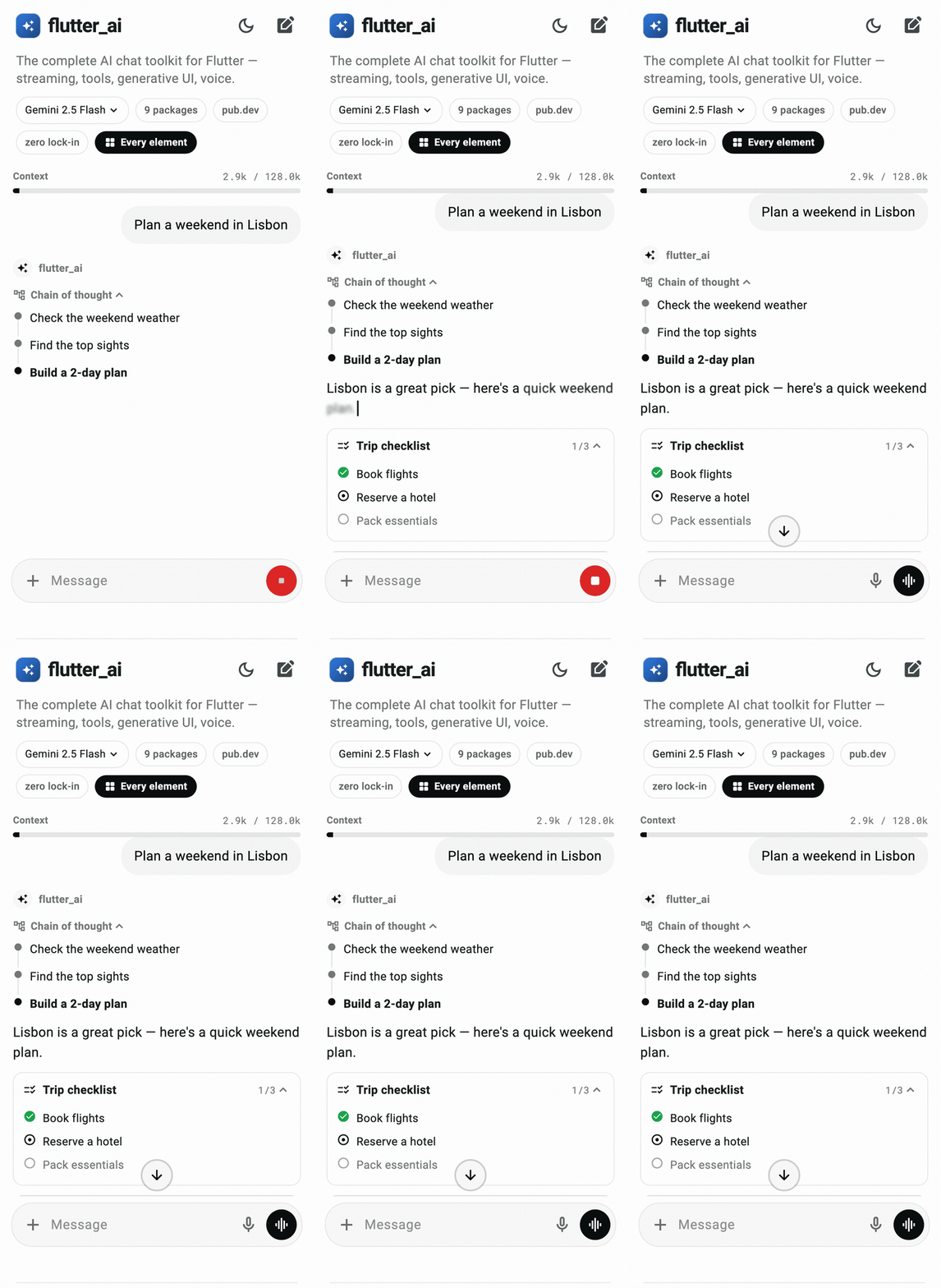
The complete AI chat toolkit for Flutter — streaming, tools, generative UI, voice, and a batteries-included UI kit. Provider-agnostic (OpenAI, Anthropic, Gemini), state-manager-agnostic. The Flutter answer to Vercel's AI SDK + AI Elements.
flutter_ai
The complete AI chat toolkit for Flutter — streaming, tools, generative UI, voice, and a batteries-included UI kit. Zero state-management lock-in.



UI: elements ·
Engine: core · client ·
Providers: openai · anthropic · gemini ·
Add-ons: tools · mcp · voice
Recipes · Migrating from the Vercel AI SDK · Demo app
Build AI chat in Flutter in minutes. A family of small, focused packages —
the Flutter answer to Vercel's AI SDK + AI Elements. Drop in a polished chat UI,
or compose the pieces yourself. Provider-agnostic (OpenAI, Anthropic, Gemini),
state-manager-agnostic, mobile-first.
Feature gallery
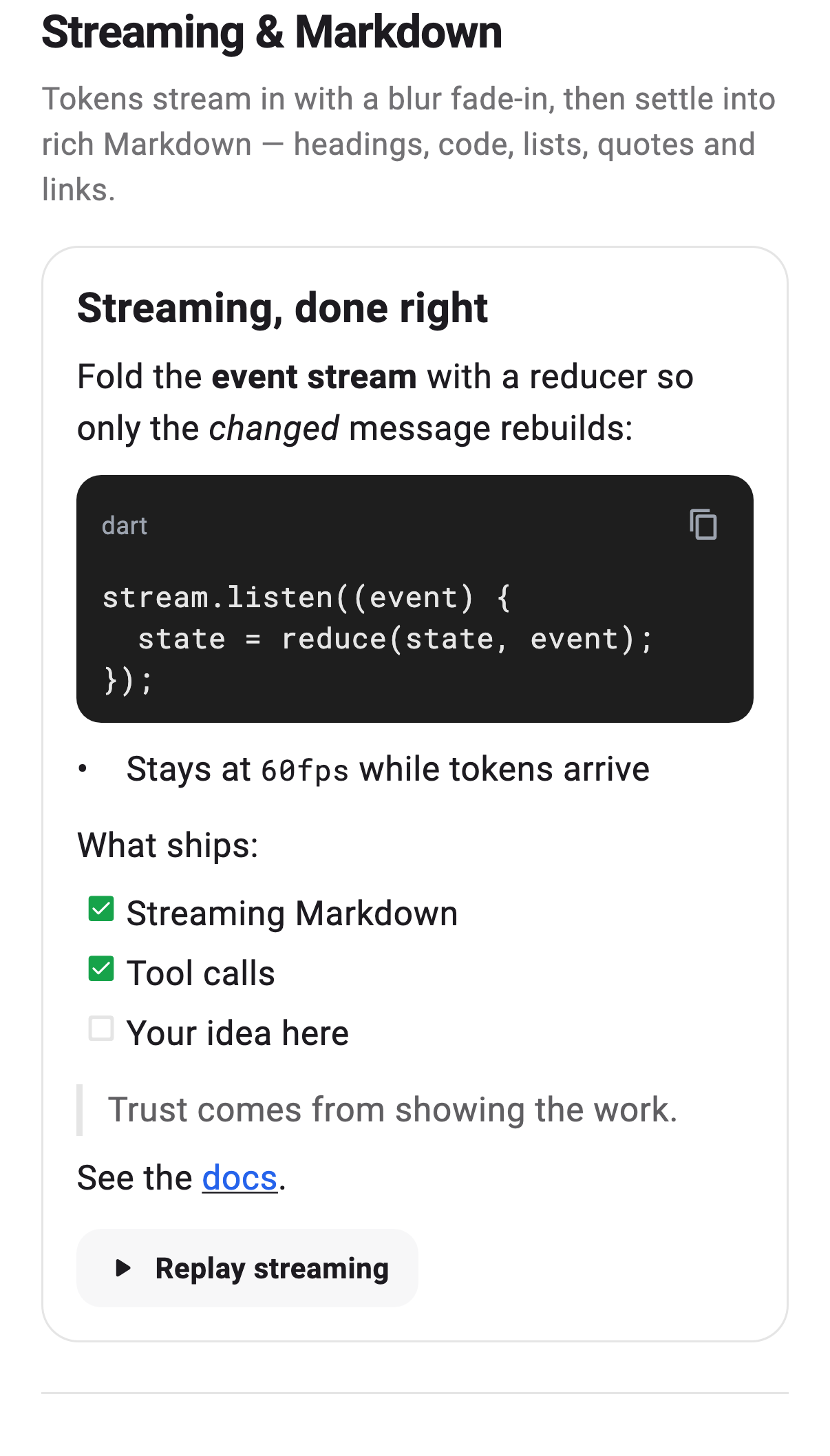 Streaming chat Tokens stream in, batched to the frame so high token rates never drop a frame. |
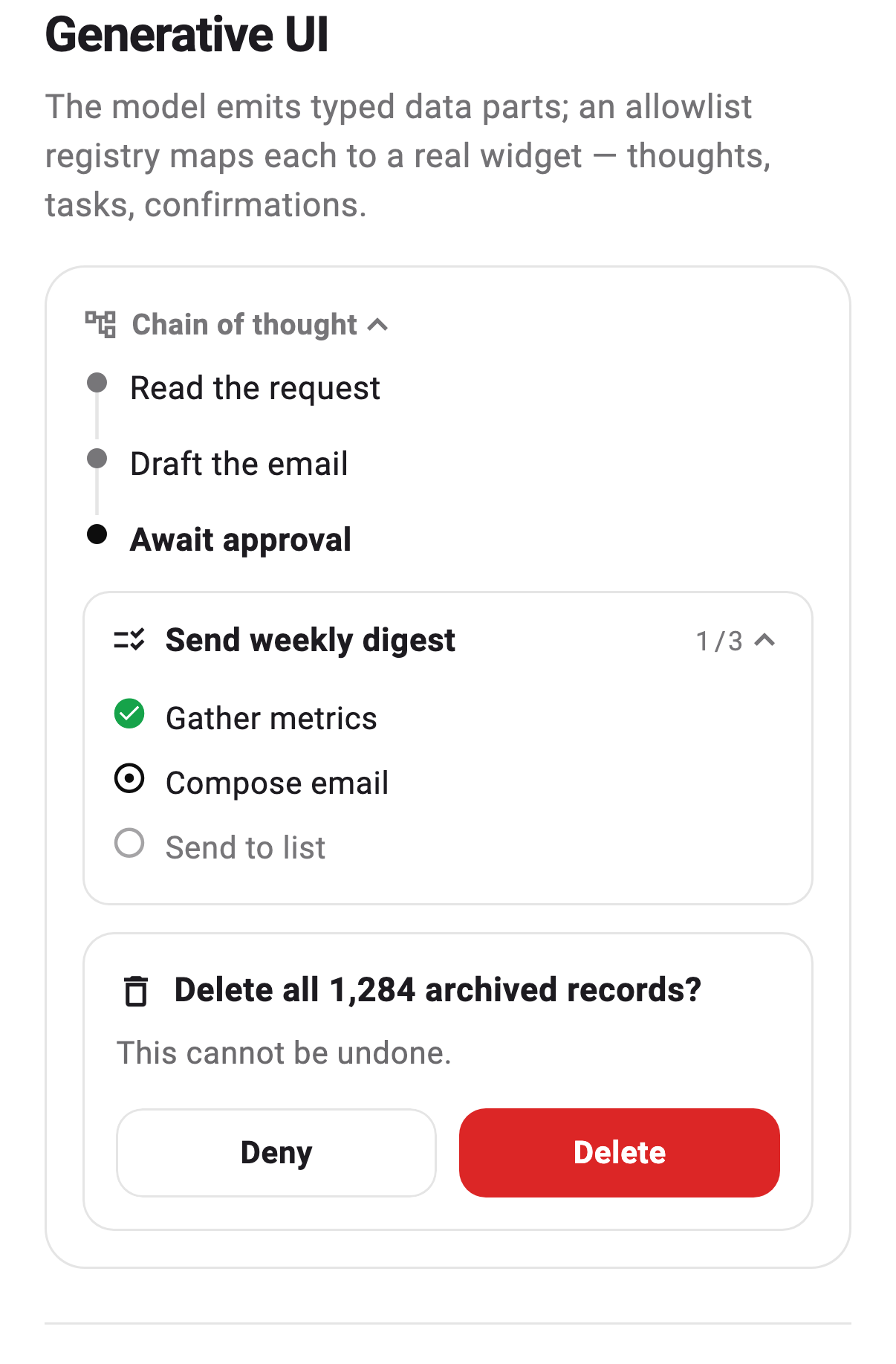 Generative UI Tool results render as live Flutter widgets — task cards, not just JSON. |
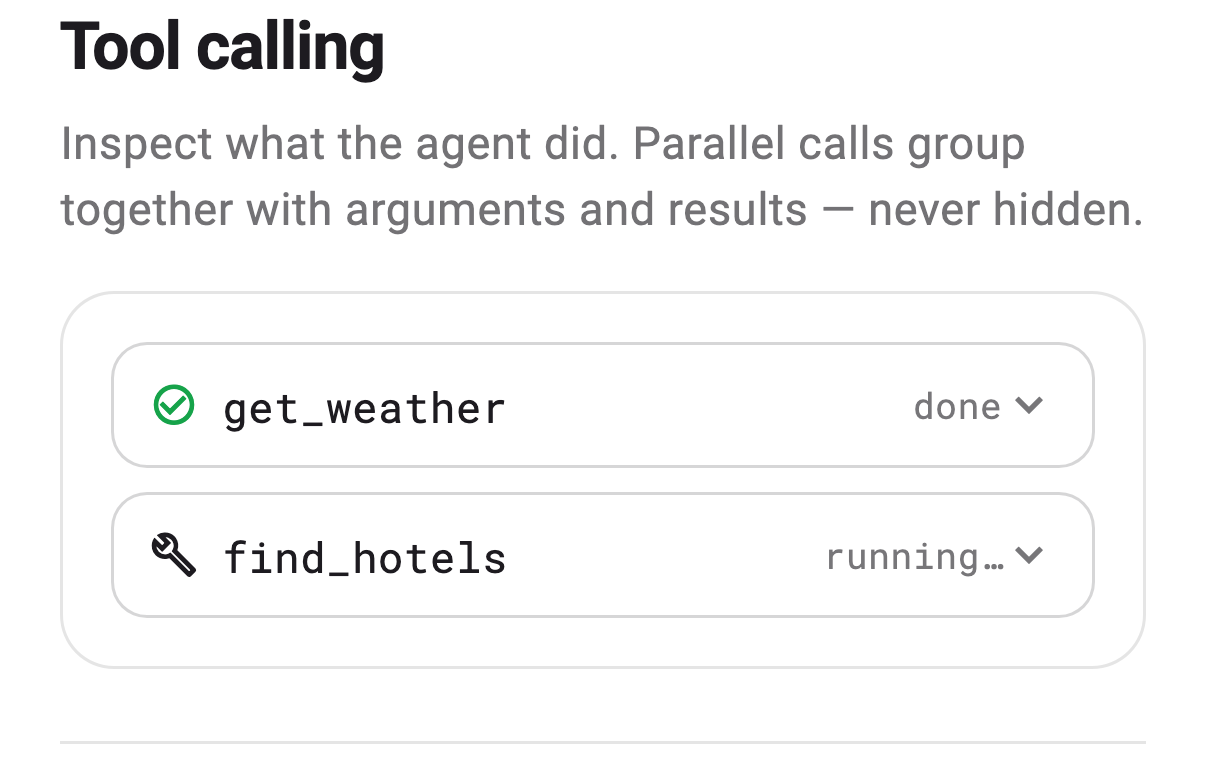 Tools & agents Function calling and MCP servers flow through the agent loop with no glue code. |
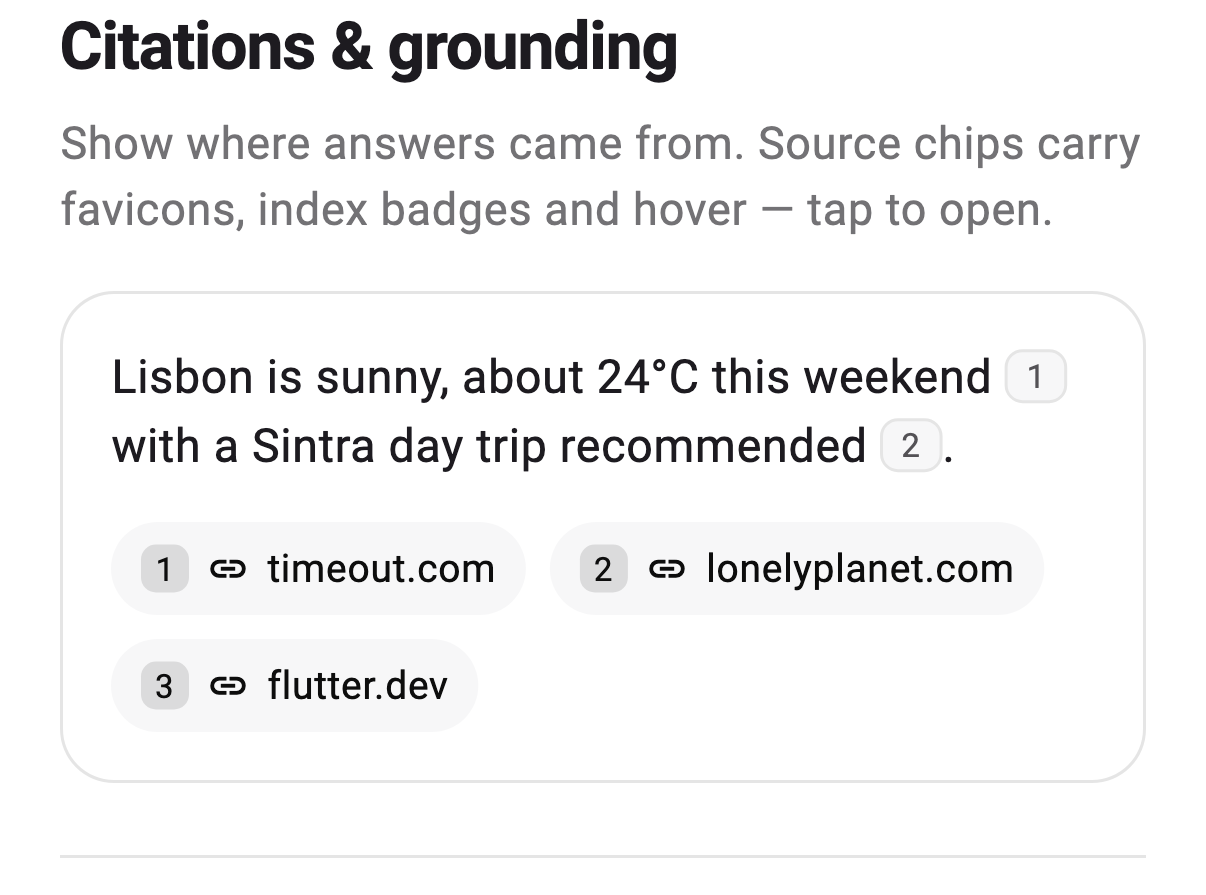 Citations Grounded answers stream their web sources as inline citations. |
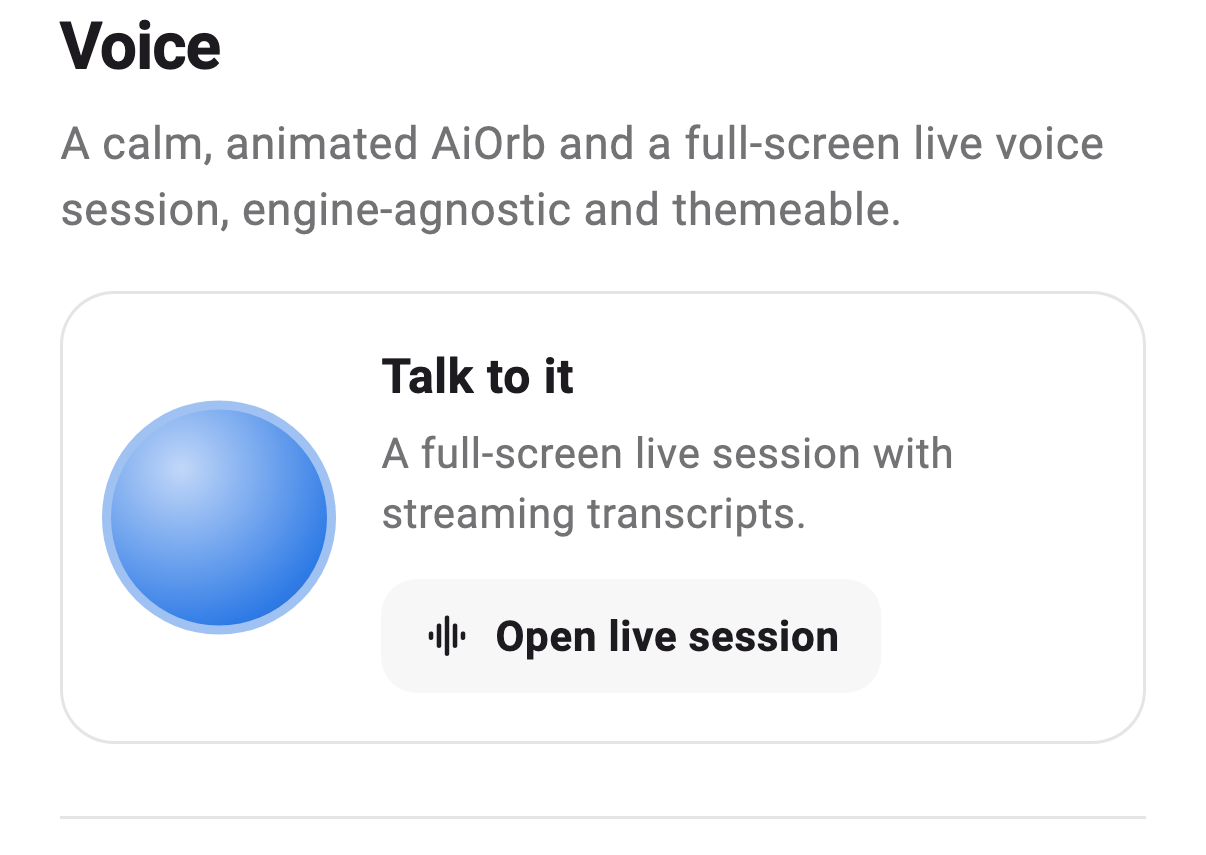 Voice An animated live orb over engine-agnostic speech-to-text contracts. |
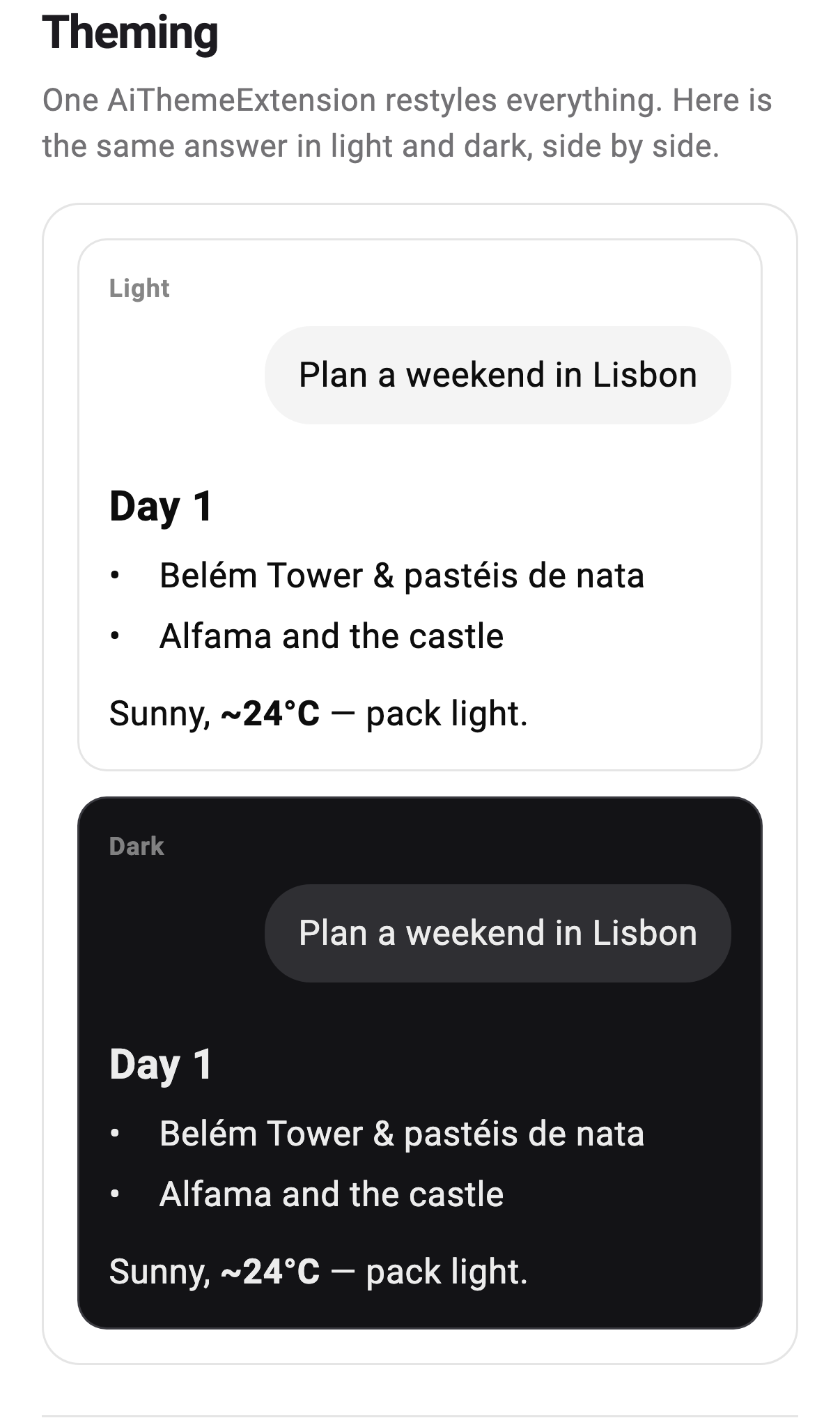 Theming Restyle everything through one AiThemeExtension — light & dark.
|
How it fits together
core is the foundation everything stands on · providers talk to the AI ·client runs the conversation · elements shows it. Tools & voice are optional.
                          YOUR FLUTTER APP
                                 │  drops in widgets
                                 ▼
        ┌─────────────────────────────────────────────────┐
        │            flutter_ai_elements   (UI)            │
        │   AiChat · AiPromptInput · AiResponse ·          │
        │   AiLiveSession · AiSources · AiToolGroup ...    │
        └───────────────────────┬─────────────────────────┘
                                 │ bound to
                                 ▼
        ┌─────────────────────────────────────────────────┐
        │           flutter_ai_client   (the brain)        │
        │   UseChatController  — the “useChat” controller  │
        └───────────────────────┬─────────────────────────┘
                                 │ calls LlmProvider.send()
        ┌────────────────┬───────┴────────┬────────────────┐
        ▼                ▼                ▼
  provider_openai   provider_anthropic  provider_gemini   ──►  the AI APIs
        └────────────────┴───────┬────────┴────────────────┘
                                 │ all speak one contract: LlmProvider → AiStreamEvent
                                 ▼
        ┌─────────────────────────────────────────────────┐
        │          flutter_ai_core   (foundation)          │
        │  models · AiStreamEvent · LlmProvider ·          │
        │  MessageProcessor · ToolDefinition               │
        └─────────────────────────────────────────────────┘
              ▲                ▲                  ▲
     optional │       optional │                  │ optional
     ┌────────┴────────┐ ┌─────┴─────────┐ ┌──────┴──────────┐
     │ flutter_ai_tools│ │ flutter_ai_mcp│ │ flutter_ai_voice│
     │  (tool calling) │ │  (MCP tools)  │ │ (speech-to-text)│
     └─────────────────┘ └───────────────┘ └─────────────────┘
What happens when you send a message:
You type → AiPromptInput → UseChatController.sendText()
                              │
                              ▼
                  provider.send(conversation)  ───►  LLM API (streams back)
                              │                            │
            AiStreamEvents  ◄─┴────────────────────────────┘
                              │
            MessageProcessor folds events → updated AiConversation
                              │
            controller notifies → AiChat rebuilds → reply streams in
How it compares
Most Flutter "AI chat" packages do one of two jobs — render messages, or
orchestrate an LLM. flutter_ai does both, as composable pieces you can take
à la carte.
| flutter_ai | flutter_chat_ui, dash_chat_2 |
langchain_dart |
flutter_ai_toolkit (Firebase) |
|
|---|---|---|---|---|
| Chat UI widgets | ✅ streaming-native, themed | ✅ render-only | ❌ | ✅ monolithic, Material |
| Runs the conversation (streaming reducer + agent loop) | ✅ | ❌ bring your own | ✅ chains/RAG | ✅ |
| Provider-agnostic | ✅ OpenAI · Anthropic · Gemini | n/a | ✅ | Firebase/Vertex-centric |
| State-manager agnostic | ✅ | ✅ | n/a | partial |
| Tools · MCP · citations · voice | ✅ | ❌ | tools only | partial |
| Shape | family of small packages | UI only | logic only | one package |
- vs. chat-UI packages (
flutter_chat_ui,dash_chat_2): they paint bubbles;
you still wire up streaming, tool loops, and state.flutter_aiships the UI
and runs the turn. - vs.
langchain_dart: it's orchestration (chains, RAG) with no UI — and it
composes here: wrap a chain behind anLlmProviderand keep the flutter_ai UI. - vs.
flutter_ai_toolkit: a great Firebase/Vertex drop-in, but Material-locked
and provider-narrow;flutter_aiis provider- and design-system-neutral.
Quick start
A minimal app is one UI package + one provider:
dependencies:
  flutter_ai_elements: ^0.1.0
  flutter_ai_provider_openai: ^0.1.0   # or _anthropic / _gemini
import 'package:flutter/material.dart';
import 'package:flutter_ai_elements/flutter_ai_elements.dart';
import 'package:flutter_ai_provider_openai/flutter_ai_provider_openai.dart';

void main() => runApp(const MyApp());

class MyApp extends StatefulWidget {
  const MyApp({super.key});
  @override
  State<MyApp> createState() => _MyAppState();
}

class _MyAppState extends State<MyApp> {
  final controller = UseChatController(
    provider: OpenAiProvider(apiKey: const String.fromEnvironment('OPENAI_API_KEY')),
  );

  @override
  void dispose() {
    controller.dispose();
    super.dispose();
  }

  @override
  Widget build(BuildContext context) => MaterialApp(
        home: Scaffold(
          body: SafeArea(
            child: Column(
              children: [
                Expanded(child: AiChat(controller: controller)),
                AiPromptInput(controller: controller),
              ],
            ),
          ),
        ),
      );
}
That streams responses, renders Markdown/code/tables, and swaps Send↔Stop while
generating. Swap OpenAiProvider for AnthropicProvider or GeminiProvider to
change models — nothing else changes.
AiPromptInput is the batteries-included input: bind it to a UseChatController
and it sends, stages attachments, and toggles Send/Stop for you. Need full
control of the input UI? Reach for its presentational primitive AiComposer
(plain callbacks, no controller) and wire it yourself.
Which package do I need?
| I want to… | Add |
|---|---|
| A full chat UI, fast | flutter_ai_elements (pulls in client + core) |
| Talk to a model | a provider: …_openai, …_anthropic, or …_gemini |
| Drive chat with my own UI | flutter_ai_client |
| Tools / function calling | flutter_ai_tools |
| Connect to MCP servers | flutter_ai_mcp |
| Voice input | flutter_ai_voice (+ an STT plugin) |
| Build my own provider/widgets | flutter_ai_core only |
Packages
| Package | Description |
|---|---|
flutter_ai_core |
Foundation (pure Dart): models, AiStreamEvent, MessageProcessor, LlmProvider & renderer contracts |
flutter_ai_client |
UseChatController — a Listenable chat controller (optimistic send, cancel, regenerate, branches, tool results) |
flutter_ai_elements |
30+ UI widgets + AiThemeExtension: AiChat, AiPromptInput, AiResponse (Markdown), AiToolGroup, AiReasoning, AiSources, AiLiveSession, … |
flutter_ai_tools |
Tool calling (ToolSpec, ToolRegistry) + web-search adapter |
flutter_ai_mcp |
Model Context Protocol (MCP) integration for flutter_ai: connect to MCP servers over Streamable HTTP and expose their tools as flutter_ai tools that flow through the agent loop |
flutter_ai_voice |
Engine-agnostic speech-to-text contracts |
flutter_ai_provider_openai |
OpenAI-compatible streaming provider (also works with Gemini's OpenAI endpoint) |
flutter_ai_provider_anthropic |
Anthropic (Claude) Messages API provider |
flutter_ai_provider_gemini |
Native Gemini provider with Google Search grounding → citations |
Demo
A showcase app lives in demo/ — a live chat (streams reasoning → tool
call → answer → citation), real function calling, Live voice mode, and a gallery
of every element. It runs out of the box on a built-in scripted provider (no
API key needed). To talk to a live model, pass a Gemini key:
cd demo
flutter run                                       # scripted provider, no key
flutter run --dart-define=GEMINI_API_KEY=your_key # live Gemini (with grounding)
For OpenAI or Anthropic, swap the provider in demo/lib/main.dart
(_buildProvider) — see each provider package's README.
Learn more
- Recipes — a task-oriented cookbook: streaming chat,
bring-your-own-UI, tool calling / agent loops, structured output, embeddings &
RAG, token pre-flight & cost, history trimming, persistence & threads, theming,
generative UI, MCP tools, prompt caching, and error handling. - Migrating from the Vercel AI SDK —
a concept map and side-by-side snippets for developers coming from the
TypeScript AI SDK (useChat→UseChatController,streamText→LlmProvider.send,generateObject/embed/tool(), and more). demo/— the runnable example app (see Demo above to run it).
Development
This is a pub workspace (Dart ≥ 3.6) —
one resolution, one shared strict analysis_options.yaml.
flutter pub get                 # resolve the whole workspace
dart format .                   # format every package
dart analyze                    # lint every package
# run a package's tests:
cd packages/flutter_ai_core && dart test
CI runs format + analyze + every package's tests on each PR. To publish, see
PUBLISHING.md.
Stability
Pre-1.0 (0.1.x): the API is stabilizing and may change between minor versions —
breaking changes will be called out in each package's CHANGELOG.md. The core
contracts (LlmProvider, AiStreamEvent, UseChatController) are the most
settled. We follow semver; 1.0 marks an API-stability
commitment.
See ROADMAP.md for what's planned on the way to 1.0.
☕ Support this project

If flutter_ai saves you time, buy me a coffee ☕ — it keeps the whole family maintained.
Contributing
Issues and PRs welcome — see CONTRIBUTING.md and our
Code of Conduct. Provider live tests run against real APIs
when you set the relevant key (OPENAI_API_KEY / ANTHROPIC_API_KEY /GEMINI_API_KEY); they're skipped otherwise.
License
BSD-3-Clause. See LICENSE.
Reviews (0)
Sign in to leave a review.
Leave a reviewNo results found