haiflow
Health Warn
- License — License: MIT
- Description — Repository has a description
- Active repo — Last push 0 days ago
- Low visibility — Only 6 GitHub stars
Code Fail
- process.env — Environment variable access in bin/haiflow.ts
- network request — Outbound network request in bin/haiflow.ts
- spawnSync — Synchronous process spawning in src/index.ts
- process.env — Environment variable access in src/index.ts
- network request — Outbound network request in src/index.ts
- process.env — Environment variable access in tests/api.test.ts
- network request — Outbound network request in tests/api.test.ts
Permissions Pass
- Permissions — No dangerous permissions requested
This tool acts as an event-driven orchestrator that wraps Claude Code sessions in tmux. It exposes an HTTP API and a queue system, allowing automation platforms like n8n to trigger, manage, and automate headless AI tasks remotely.
Security Assessment
The overall risk is Medium. The application actively executes synchronous shell commands (`spawnSync`) and processes outbound network requests, which are standard for its purpose as a server managing tmux and HTTP endpoints. It relies on environment variables to handle secrets (like the `HAIFLOW_API_KEY`), with no hardcoded credentials detected in the codebase. However, because it executes local commands and provides remote control over a Claude Code instance with file system access, securing the HTTP API and protecting the environment variables are critical to prevent unauthorized command execution.
Quality Assessment
The project is very new and currently has low community visibility with only 6 GitHub stars. Despite this, it is actively maintained (last updated today), uses a standard MIT license, and includes automated tests. It cleanly integrates with standard developer tools such as Bun, jq, and tmux.
Verdict
Use with caution.
Event-driven AI agent orchestrator. Trigger, queue, and manage headless Claude Code sessions over tmux via HTTP API. Built for n8n, webhooks, and automation workflows.
haiflow






Run Claude Code as a headless AI agent over HTTP — no API key costs, no SDK, just your existing Claude Code subscription.
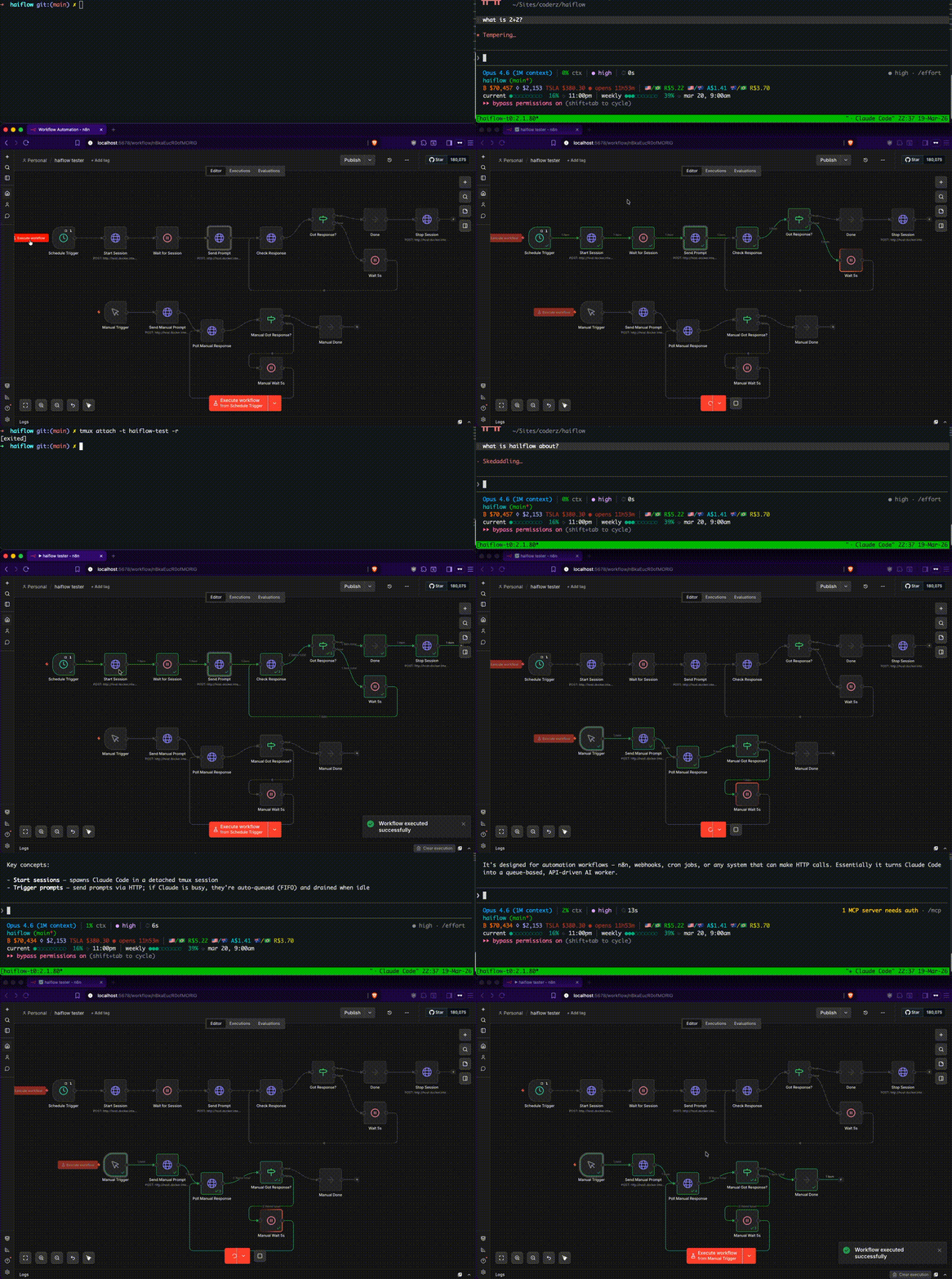
Haiflow wraps Claude Code in tmux sessions and exposes a REST API to trigger prompts, queue work, and capture responses. Automate anything you can do in Claude Code — code generation, refactoring, bug triage, daily reports — from any HTTP client.
Why not the Claude API? Claude Code includes tool use, file access, git integration, and your custom skills out of the box. Haiflow lets you automate all of that via HTTP without paying per-token API costs. Use n8n, cron, webhooks, or any automation tool to drive it.
POST /trigger ───┐
                 │        ┌────────────────┐
             ┌───▼───┐    │  tmux session  │
             │ Queue ├───>│   (claude)     │
             │ (FIFO)│    └───────┬────────┘
             └───────┘            │
                           hooks fire on
                           session events
                                  │
                          ┌───────▼────────┐
                          │    Responses   │
                          └───────┬────────┘
                                  │
GET /responses/:id <──────────────┤
                                  │
GET /responses/:id/stream <───────┘  (SSE)
Prerequisites
- Bun v1.2.3+
- tmux
- Claude Code CLI
- jq
Quick start
git clone https://github.com/andersonaguiar/haiflow.git
cd haiflow
bun install      # also installs Claude Code hooks automatically
cp .env.example .env
# Edit .env and set HAIFLOW_API_KEY to a secret of your choice
bun run dev      # starts server with hot reload
Try it out
export HAIFLOW_API_KEY="your-secret-key"

# Start a Claude session
curl -X POST http://localhost:3333/session/start \
  -H "Authorization: Bearer $HAIFLOW_API_KEY" \
  -H "Content-Type: application/json" \
  -d '{"session": "worker", "cwd": "/path/to/your/project"}'

# Send a prompt
curl -X POST http://localhost:3333/trigger \
  -H "Authorization: Bearer $HAIFLOW_API_KEY" \
  -H "Content-Type: application/json" \
  -d '{"prompt": "explain this codebase", "session": "worker", "id": "my-task"}'

# Poll for the response
curl -s -H "Authorization: Bearer $HAIFLOW_API_KEY" \
  "http://localhost:3333/responses/my-task?session=worker" | jq .

# Watch Claude work (read-only)
tmux attach -t worker -r

# Stop the session
curl -X POST http://localhost:3333/session/stop \
  -H "Authorization: Bearer $HAIFLOW_API_KEY" \
  -H "Content-Type: application/json" \
  -d '{"session": "worker"}'
Or use the CLI:
bun run bin/haiflow.ts start worker --cwd /path/to/your/project
bun run bin/haiflow.ts trigger "explain this codebase" --session worker
bun run bin/haiflow.ts status worker
bun run bin/haiflow.ts stop worker
Setup
1. Install dependencies
bun install
2. Install hooks
Haiflow uses Claude Code hooks to track session state. The setup command merges hook config into ~/.claude/settings.json:
bun run setup
The hooks are thin HTTP forwarders — they POST Claude Code events to the haiflow server. If the server isn't running, they silently no-op. They won't interfere with non-orchestrated Claude sessions (the server ignores unknown session IDs).
3. Configure environment (optional)
cp .env.example .env
| Variable | Default | Description |
|---|---|---|
PORT |
3333 |
HTTP server port |
HAIFLOW_DATA_DIR |
/tmp/haiflow |
Directory for session state, queues, and responses |
HAIFLOW_PORT |
3333 |
Port used by hook scripts (set if different from PORT) |
HAIFLOW_API_KEY |
— | Required. Bearer token for API auth |
N8N_API_KEY |
— | n8n API key for workflow integration |
Authentication
HAIFLOW_API_KEY is required. The server will refuse to start without it. All API endpoints (except /health and /hooks/*) require an Authorization header:
curl -H "Authorization: Bearer your-secret-key" http://localhost:3333/sessions
Hooks are excluded from auth since they come from Claude Code running locally.
API
See API.md for the full API reference — all endpoints, parameters, and examples.
Logging
Haiflow outputs structured JSON logs to stdout/stderr for all key events:
{"ts":"2025-03-18T02:35:00Z","level":"info","event":"server_started","port":3333,"auth":true}
{"ts":"2025-03-18T02:35:01Z","level":"info","event":"session_started","session":"worker","cwd":"/app"}
{"ts":"2025-03-18T02:35:02Z","level":"info","event":"trigger_sent","session":"worker","taskId":"task-001"}
{"ts":"2025-03-18T02:35:09Z","level":"info","event":"response_saved","session":"worker","taskId":"task-001","source":"transcript"}
{"ts":"2025-03-18T02:35:10Z","level":"warn","event":"auth_rejected","path":"/trigger"}
Events: server_started, sessions_recovered, session_started, session_stopped, session_start_failed, trigger_sent, trigger_queued, trigger_failed, queue_drained, queue_cleared, response_saved, stream_opened, hook_session_start, hook_stop, hook_session_end, auth_rejected.
How it works
POST /session/startspawns Claude in a detached tmux session with--dangerously-skip-permissionsPOST /triggersends prompts viatmux send-keys(or queues if busy) and assigns a task ID- Claude Code hooks forward lifecycle events (start, prompt, stop, end) to the haiflow server via HTTP
- On task completion, the server extracts assistant messages from the session transcript and saves them keyed by task ID
GET /responses/:idreturns the response once complete, orpending/queuedstatus while in progress- The queue auto-drains — when Claude finishes one task, the next queued prompt is sent automatically
Integration examples
Haiflow works with any tool that can make HTTP requests. Here are a few examples:
n8n (example workflow templates included)
Import the workflow templates from examples/n8n-workflows/:
trigger-prompt.json— Webhook that forwards prompts to haiflowscheduled-trigger-with-polling.json— Scheduled daily trigger with response polling
Cron job
0 9 * * * curl -X POST http://localhost:3333/trigger \
  -H "Authorization: Bearer $HAIFLOW_API_KEY" \
  -H "Content-Type: application/json" \
  -d '{"prompt": "/daily-update", "id": "daily-'$(date +\%Y\%m\%d)'", "source": "cron"}'
Shell alias
alias ct='curl -s -X POST http://localhost:3333/trigger \
  -H "Authorization: Bearer $HAIFLOW_API_KEY" \
  -H "Content-Type: application/json" -d'
ct '{"prompt": "explain the error in the logs", "id": "debug-1"}'
Project structure
haiflow/
├── src/
│   └── index.ts              # Bun HTTP server
├── tests/
│   ├── api.test.ts           # API integration tests
│   ├── auth.test.ts          # Auth middleware tests
│   └── index.test.ts         # Unit tests
├── bin/
│   ├── haiflow.ts            # CLI wrapper
│   └── check-deps.sh         # Dependency checker
├── hooks/
│   ├── session-start.sh      # SessionStart hook
│   ├── prompt.sh             # UserPromptSubmit hook
│   ├── stop.sh               # Stop hook
│   └── session-end.sh        # SessionEnd hook
├── examples/
│   ├── n8n-workflows/        # Importable n8n workflow JSON files
│   └── curl-examples.sh      # Quick start curl scripts
├── assets/
│   └── demo.gif              # Demo recording
├── API.md                    # Full API reference
├── .env.example
├── tsconfig.json
├── package.json
└── LICENSE
Scripts
| Command | Description |
|---|---|
bun run setup |
Install Claude Code hooks |
bun run dev |
Start server with hot reload |
bun run start |
Start server |
bun run check |
Check all dependencies |
bun test |
Run tests |
License
MIT
Reviews (0)
Sign in to leave a review.
Leave a reviewNo results found