oracle-apex-ai-skills
Health Uyari
- License — License: MIT
- Description — Repository has a description
- Active repo — Last push 0 days ago
- Low visibility — Only 7 GitHub stars
Code Gecti
- Code scan — Scanned 7 files during light audit, no dangerous patterns found
Permissions Gecti
- Permissions — No dangerous permissions requested
This skill provides AI agents with a playbook to automate Oracle APEX development. It allows the agent to inspect applications, generate code, validate results, and follow predefined project standards to reduce manual configuration.
Security Assessment
The automated code scan checked 7 files and found no dangerous patterns, hardcoded secrets, or requests for risky permissions. The tool is written in Shell, which inherently implies it can execute system commands. Because it is designed to interact with Oracle APEX, it likely handles database connection strings or application exports that could contain sensitive data depending on your local environment. Overall risk is rated as Low from a code perspective, though standard caution should be applied when granting any tool access to your database infrastructure.
Quality Assessment
The project is actively maintained, with its most recent push occurring today. It uses the permissive MIT license and includes clear, well-written documentation. The primary drawback is its extremely low community visibility—currently sitting at only 7 GitHub stars. This means the tool has not been extensively peer-reviewed by the broader developer community, though the underlying codebase appears clean and stable.
Verdict
Safe to use, but you should independently verify the tool's configuration and handle your Oracle APEX export credentials with care.
Vibe coding for Oracle APEX 24.2. Stop hand-building pages; let AI agents inspect, generate, validate, and follow your project standards.
Vibe Coding for Oracle APEX
Portuguese version: README.pt-BR.md
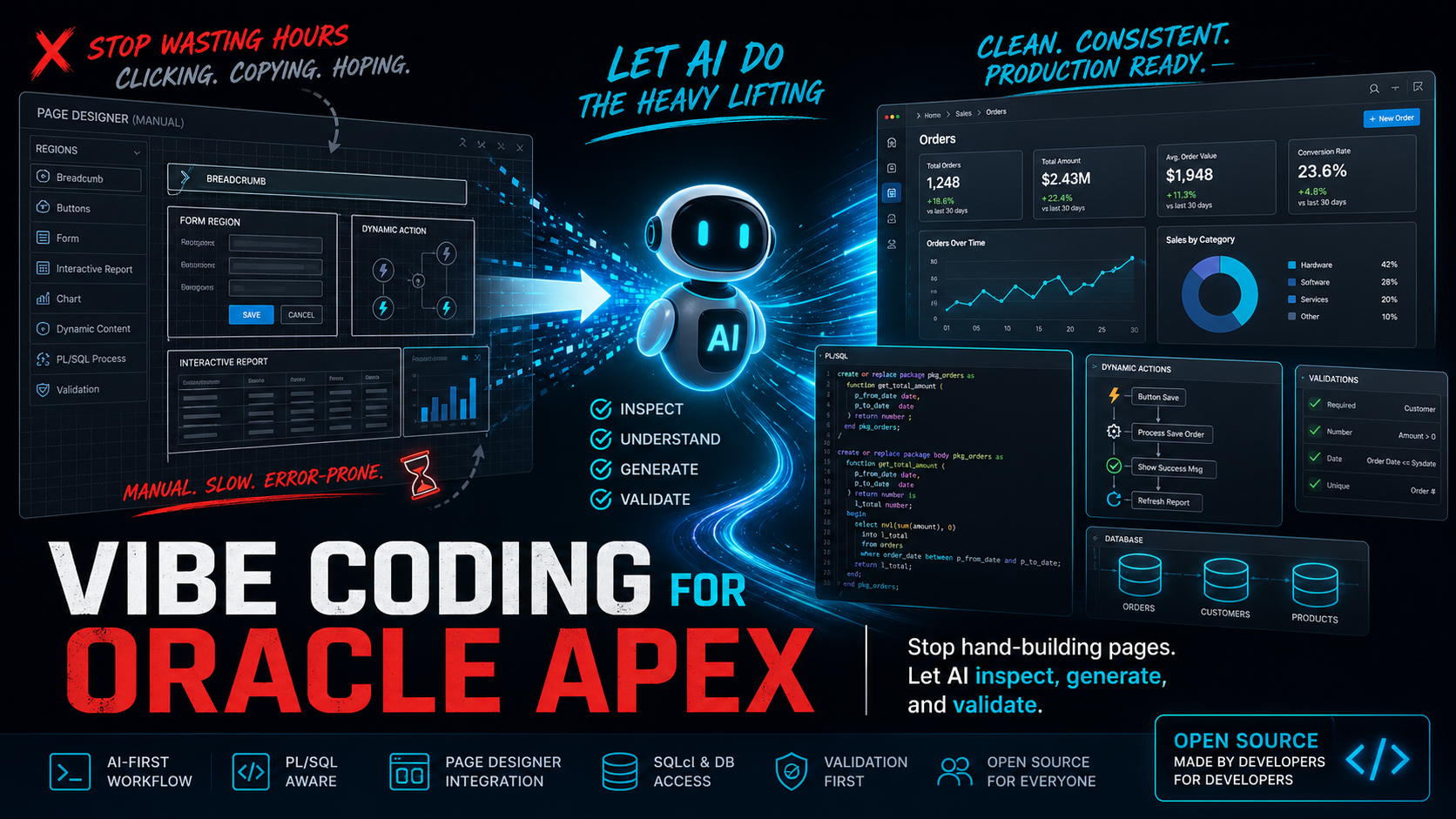
Stop turning every APEX change into another Page Designer treasure hunt.
Give your AI agent the playbook it needs to inspect, generate, validate, and follow your project standards.
[!IMPORTANT]
Still building Oracle APEX like it is 2004?Still clicking around Page Designer for hours, copying settings from an old page, and hoping you did not miss a Dynamic Action?
That's the whole point: vibe coding for Oracle APEX, without turning your application into a mess.
Here, "vibe coding" does not mean guessing. It means giving the agent enough context, project standards, validation rules, and safety boundaries so it can do useful APEX work without improvising your architecture.
| The usual APEX grind | With these AI skills |
|---|---|
| Open Page Designer and copy settings by hand. | Ask the agent to inspect good examples and generate the change plan. |
| Hope you did not miss a Dynamic Action, process condition, or item setting. | Build validation, Session State, PL/SQL, exports, and runtime checks into the workflow. |
| Keep page, breadcrumb, help, menu, and dashboard standards in someone's head. | Version the standards in the project profile so every developer and agent follows them. |
| Treat exports as a last-minute backup. | Use readable exports and project profiles as context for safer AI-assisted APEX work. |
Bottom line: stop hand-building every repetitive APEX page. Let an AI agent inspect your app, understand your patterns, generate the boring parts, validate the result, and keep the project standards documented.
Totally Real Reviews From Definitely Qualified People
|
"If this doesn't become famous, I'm uninstalling my browser." ⭐⭐⭐⭐⭐ — An Anonymous Man Under Pressure |
"I came for the AI skills and stayed for the emotional stability." ⭐⭐⭐⭐⭐ — A Surprisingly Balanced Programmer |
|
"More inspiring than a motivational poster in a coworking space." ⭐⭐⭐⭐⭐ — A Totally Real Productivity Expert |
"The kind of thing that makes you stand up, nod slowly, and pretend you predicted it." ⭐⭐⭐⭐⭐ — A Tech Visionary, Allegedly |
|
"I don't know what happened, but I feel more senior now." ⭐⭐⭐⭐⭐ — Junior Developer |
"So good I briefly considered updating my LinkedIn headline." ⭐⭐⭐⭐⭐ — An Ambitious Professional |
What this is
This is a reusable skill set for AI agents working on Oracle APEX 24.2 projects.
It helps tools like Codex, Claude Code, and other agents understand how to work safely in APEX projects:
- read the existing application before changing it;
- respect Page Designer, SQLcl, Object Browser, PL/SQL packages, exports, and runtime validation;
- avoid inventing tables, columns, packages, business rules, or UI patterns;
- separate reusable APEX guidance from project-specific standards;
- make the agent ask better questions and avoid obvious mistakes.
It is not magic, and it does not replace APEX knowledge. It is a practical playbook for the AI agent helping you.
Supported APEX Versions
| Version | Status |
|---|---|
| APEX 24.2 | Main target |
| APEX 24.1 | Likely compatible, validate export behavior and API signatures |
| APEX 23.2 | Use with caution and validate runtime behavior |
| APEX older than 23 | Not recommended without adaptation |
Who it is for
This is especially useful if you are an Oracle APEX developer who:
- knows APEX, PL/SQL, SQL Developer, and Page Designer;
- does not want to become a terminal-heavy Git wizard just to use AI;
- wants the AI to understand the way your app actually works;
- wants the team to follow the same page, menu, breadcrumb, help, dashboard, and validation patterns;
- wants to stop repeating the same manual APEX work every day.
If you are already comfortable with GitHub, terminal scripts, and AI agent internals, start with the more technical docs: docs/technical-overview.md.
The recommended way
[!TIP]
Rule number one: describe more, click less, type less boilerplate.If you are used to opening Page Designer, copying a region, rebuilding a SQL query by hand, and fixing one property at a time, this is the mindset shift: start by explaining the business problem, the existing pattern, the page examples, the constraints, and what "done" means.
Your AI tool should become the place where project knowledge is transferred, refined, and reused. The better you describe the intent, the safer and faster the agent can inspect, generate, validate, and document the change.
To install it, open your AI tool and say:
I want to use these Oracle APEX AI skills in my project:
https://github.com/andre-simplifica/oracle-apex-ai-skills

Install them for the AI tool I am using, create the project profile, and explain what I need to fill in.
Do not overwrite any existing .oracle-apex-ai/ profile.
Then let the agent guide you.
The skill was designed so the agent can install the reusable core and then help you document your own project standards.
For daily work, keep talking to the agent like this:
I need a new operational page for this business flow.
First inspect pages 45 and 46 because they are the current pattern.
Do not copy page 12 because it is legacy.
Use the project profile, identify the owning package, propose the APEX changes, and tell me what must be validated in runtime.
The goal is not to become a better command memorizer. The goal is to make the project's standards explicit enough that the AI and the team can reuse them every day.
You get better results with database access
The skill works even if the agent only sees your files, exports, screenshots, and error messages.
But the result is much better when your AI tool can also access your development environment safely:
- SQLcl already configured;
- VS Code with Oracle/SQL Developer extension;
- SQL Developer connection already working;
- local Oracle XE;
- Oracle VM;
- Autonomous Database on OCI with wallet or SQLNet;
- DEV APEX open in the browser.
When the agent can connect to the database or APEX DEV environment, it can do much more than write instructions. It can help compile packages, check SQL, inspect Session State, validate runtime behavior, and reduce the back-and-forth.
Do not paste secrets into the skill. Use the secure connection setup you already have locally.
How to use it after installation
You talk to your AI agent naturally:
Use the oracle-apex-dev skill to inspect page 120 before changing anything.
Create a new APEX page following the pattern of pages 45 and 46.
Do not copy page 12 because it is legacy.
Use the oracle-apex-dev skill and read the project profile first.
Review this upload flow.
Check Page Designer, Session State, staging tables, PL/SQL, and runtime behavior before proposing a fix.
Use oracle-apex-export to guide the APEX export in readable format, split into multiple files.
The command is not the important part. The important part is giving the agent enough project context and making it follow the same standards your team follows.
Keep your project standards outside the core
This repository contains the reusable APEX core.
Your application-specific rules live in your own project, usually here:
.oracle-apex-ai/project-profile.md
.oracle-apex-ai/app-patterns.md
.oracle-apex-ai/page-patterns/
That is where you document things like:
- how help opens in your app;
- what breadcrumb pattern you use;
- where buttons go;
- when to use Dynamic Content;
- which packages own dashboards, help, and transactional logic;
- which pages are good examples;
- which old pages should not be copied.
This is what makes the skill portable. The core can work across APEX projects, while each project keeps its own personality and rules.
Help improve it
If your AI agent learns a better APEX pattern, a safer validation flow, a better export setup, or a clearer way to document project standards, ask it to open a pull request here.
That is the point: one developer improves the skill, and everyone benefits.
Good contributions:
- generic Oracle APEX guardrails;
- SQLcl and export improvements;
- better validation checklists;
- clearer project profile templates;
- agent-agnostic instructions;
- better English docs and a clearer Portuguese onboarding README.
Project-specific rules should stay in the project profile, not in the shared core.
Safe contribution checklist
Before opening an issue or pull request:
- remove passwords, tokens, wallets, API keys, connection strings, and OAuth secrets;
- replace private URLs, hostnames, workspace names, schema names, and app aliases with placeholders;
- remove customer names, production data, dumps, payloads, and sensitive screenshots;
- keep application-specific rules in your own
.oracle-apex-ai/project-profile.md; - read SECURITY.md.
Cost
This repository is free and open source under the MIT License.
You pay only for whatever AI tool or infrastructure you choose to use:
- Codex, Claude Code, or another AI tool subscription;
- API/token usage if your AI tool is billed that way;
- your normal Oracle, OCI, database, VM, or local environment costs.
These skills are just versioned content: Markdown, templates, and helper scripts.
Manual setup
If you want the manual route:
git clone https://github.com/andre-simplifica/oracle-apex-ai-skills.git ~/.oracle-apex-ai-skills
bash ~/.oracle-apex-ai-skills/scripts/install_codex.sh
For Claude Code:
bash ~/.oracle-apex-ai-skills/scripts/install_claude_code.sh
Inside your APEX project:
bash ~/.oracle-apex-ai-skills/scripts/init_project_profile.sh
For more detail, read:
- docs/install-codex.md
- docs/install-claude-code.md
- docs/technical-overview.md
- docs/adapt-to-your-project.md
Keep the skills up to date
This repository will evolve. When new guardrails, examples, or references are added here, refresh your local skill installation so your AI tool uses the latest version.
Ask your AI:
Refresh my local Oracle APEX AI skills from:
https://github.com/andre-simplifica/oracle-apex-ai-skills

Keep my project-specific files under .oracle-apex-ai/ unchanged.
Explain what changed after the update.
If you prefer the manual route:
cd ~/.oracle-apex-ai-skills
bash scripts/update_core.sh
What's included
skills/oracle-apex-dev: main APEX development skill.skills/oracle-apex-export: APEX export/snapshot skill.skills/oracle-apex-dev/references/: detailed references for REST, SQL/PLSQL, debugging, jobs, security, and destructive operations.templates/: project profile templates.scripts/: install, update, profile creation, and validation helpers.docs/: human-oriented guides.docs/examples/: fictional examples safe to copy and adapt.SECURITY.md: public safety rules for issues, PRs, screenshots, logs, and examples..github/: issue and pull request templates.CHANGELOG.md: public change history.
License
MIT License. See LICENSE.
Yorumlar (0)
Yorum birakmak icin giris yap.
Yorum birakSonuc bulunamadi