dotbot
Health Gecti
- License — License: MIT
- Description — Repository has a description
- Active repo — Last push 0 days ago
- Community trust — 40 GitHub stars
Code Uyari
- network request — Outbound network request in server/src/Dotbot.Server/wwwroot/js/dashboard.js
Permissions Gecti
- Permissions — No dangerous permissions requested
This tool is an MCP server and execution engine that wraps AI-assisted coding in a structured, trackable workflow. It allows development teams to run multi-step pipelines using various AI providers while maintaining an auditable trail of decisions and changes.
Security Assessment
The tool has a Medium overall risk profile. It explicitly executes shell commands and scripts via PowerShell as part of its standard operation, relying on git worktree isolation to sandbox these changes. There are no hardcoded secrets, and it does not request inherently dangerous permissions. However, outbound network requests were flagged in the bundled web dashboard JavaScript. Given the nature of the tool, these requests are likely used to communicate with external AI providers (like Claude, Codex, or Gemini), but developers should still verify the destination of these calls to ensure no sensitive code context is being leaked to unauthorized third-party servers.
Quality Assessment
The project is highly active and reliable. It received its most recent code push today, indicating active maintenance by the creator. It is properly licensed under the standard MIT license, providing clear permissions for both personal and commercial use. Community trust is currently in its early stages but shows positive momentum, with 40 GitHub stars demonstrating a growing interest from developers.
Verdict
Use with caution — while well-maintained and licensed, the combination of automated shell execution and outbound network calls warrants a quick manual review of the dashboard code to ensure your proprietary code context is sent exclusively to your configured, trusted AI providers.
Structured, auditable AI-assisted development for teams. Zero-dependency MCP server, web dashboard, and multi-provider AI CLI support.
dotbot
Structured, auditable AI-assisted development for teams.
What is dotbot?
Most AI coding tools give you a result but no record of how you got there - no trail of decisions for teammates to follow, no way to continue work across sessions, and no framework for managing large projects.
dotbot wraps AI-assisted coding in a managed, transparent workflow where every step is tracked:
Multi-workflow platform
- Workflow-driven pipelines - Define multi-step pipelines in
workflow.yamlmanifests with tasks, dependencies, form configuration, MCP servers, and environment requirements. A project can have multiple workflows installed simultaneously, each run, re-run, and stopped independently. - Typed task system - Tasks can be
prompt(AI-executed),script(PowerShell, no LLM),mcp(tool call),task_gen(generates sub-tasks dynamically), orprompt_template(AI with a workflow-specific prompt). Script, MCP, and task_gen tasks bypass the AI entirely - they auto-promote past analysis, skip worktree isolation, and skip verification hooks. This enables deterministic pipeline stages within AI-orchestrated workflows. - Enterprise registries - Teams publish workflows, stacks, tools, and skills in git-hosted or local registries.
dotbot registry addlinks a registry (private or public);dotbot init -Workflow registry:nameinstalls from it. Registries are validated against aregistry.yamlmanifest with version compatibility checks and auth-failure hints for GitHub, Azure DevOps, and GitLab. - Workflows and stacks - Workflows (e.g.
kickstart-via-jira) define operational pipelines - what dotbot does. Stacks (e.g.dotnet,dotnet-blazor) add tech-specific skills, hooks, and MCP tools - what tech the project uses. Stacks compose additively withextendschains. Settings deep-merge acrossdefault -> workflows -> stacks.
Execution engine
- Two-phase execution - Analysis resolves ambiguity, identifies files, and builds a context package. Implementation consumes that package and writes code. Tasks flow:
todo -> analysing -> analysed -> in-progress -> done. - Per-task git worktree isolation - Each task runs in its own worktree on an isolated branch, squash-merged back to main on completion.
- Per-task model selection - Tasks can specify a model (e.g. Sonnet for simple tasks, Opus for complex ones) that overrides the process-level default. Use cheaper models where they suffice to reduce token spend.
- Multi-slot concurrent execution - The workflow engine runs multiple tasks from the same workflow in parallel with slot-aware locking, shortening wall-clock time for large task queues.
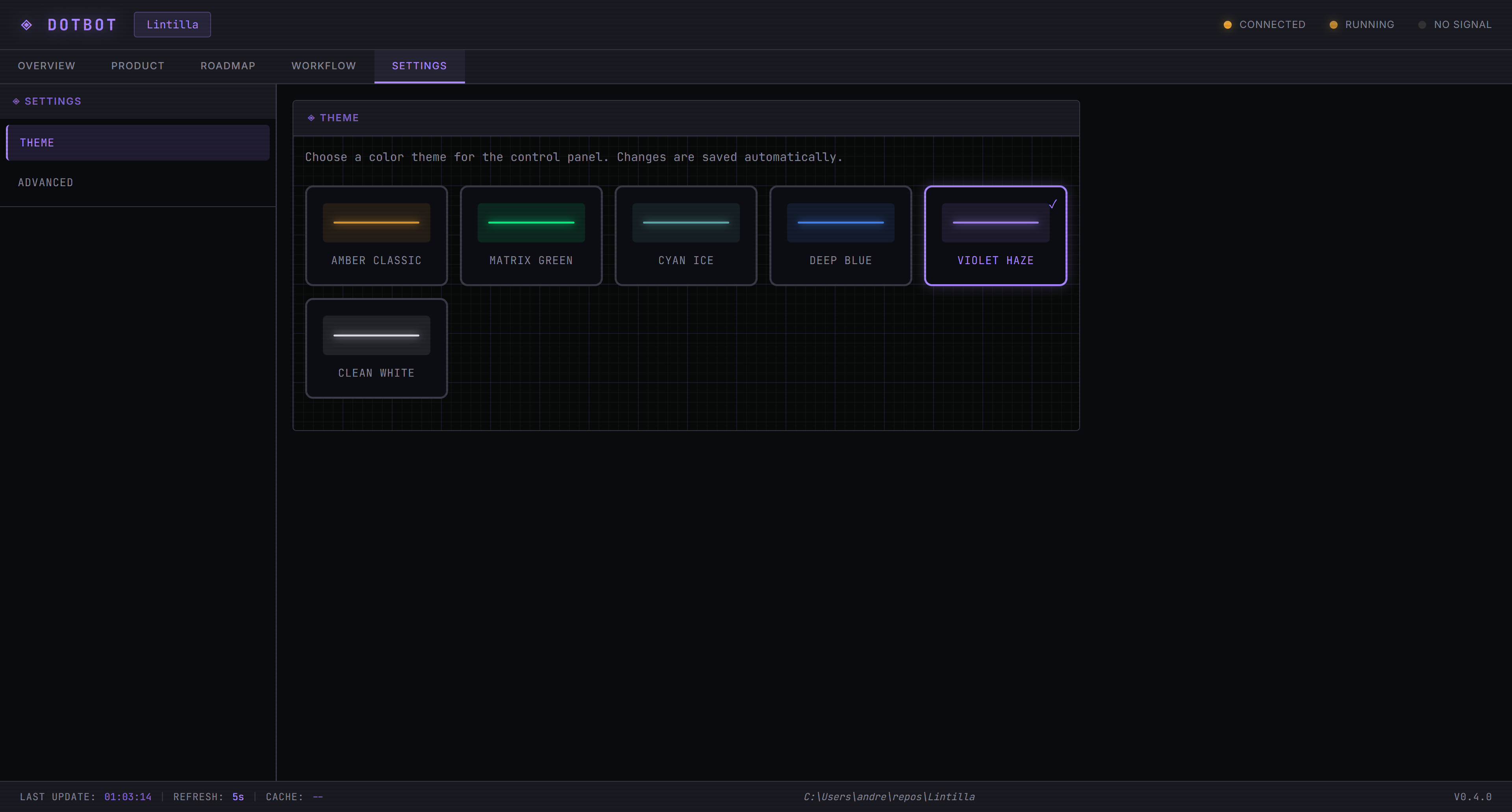
- Multi-provider - Switch between Claude, Codex, and Gemini from the Settings tab. Each provider has its own CLI wrapper, stream parser, and model configuration.
- Configurable permission modes - Choose how each provider handles permission checks during autonomous execution. Claude supports bypass and auto mode (AI-classified safety); Codex supports bypass and full-auto; Gemini supports YOLO and auto-edit. The dashboard detects installed providers, their versions, and authentication status.
Dashboard and observability
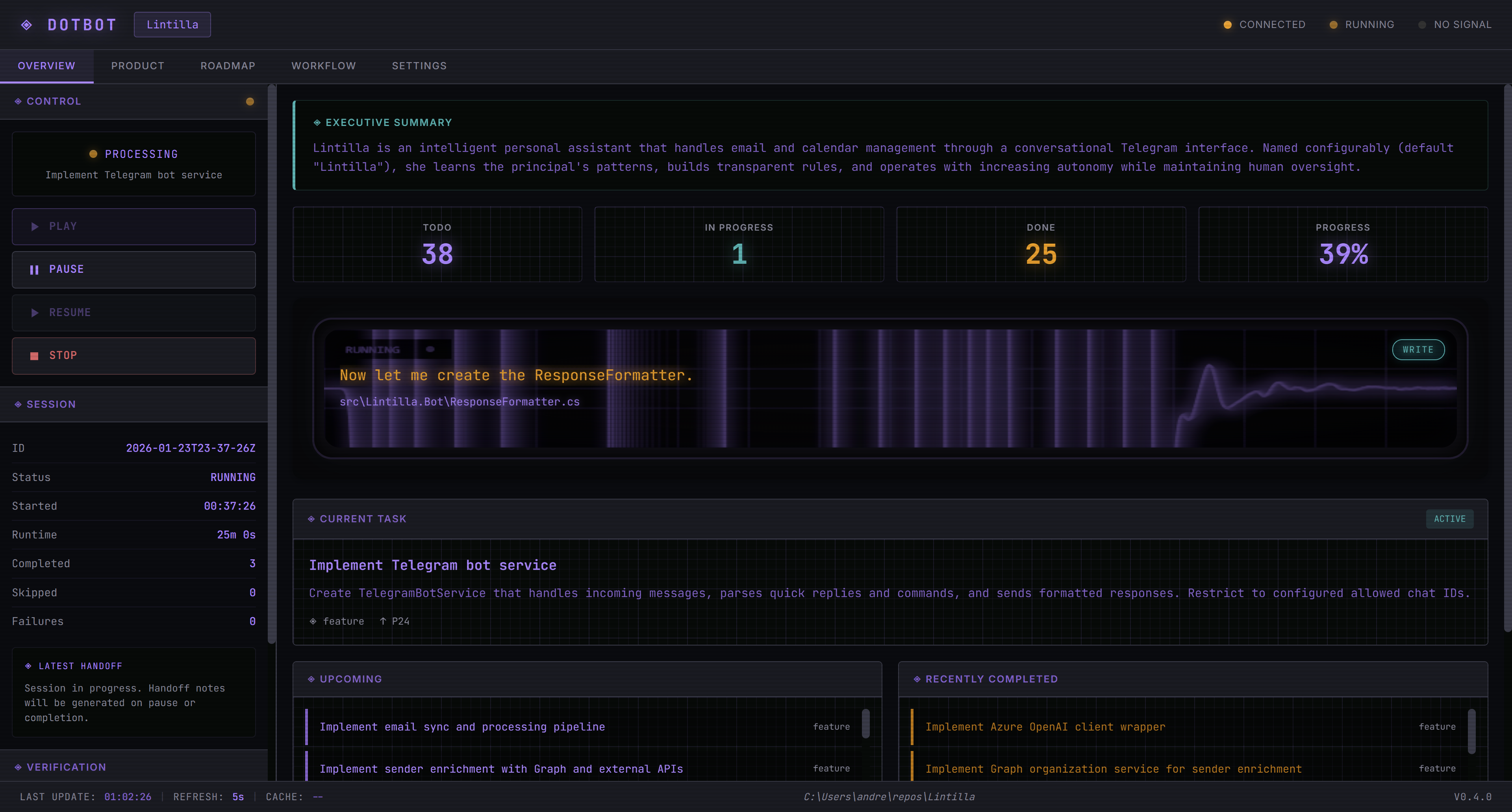
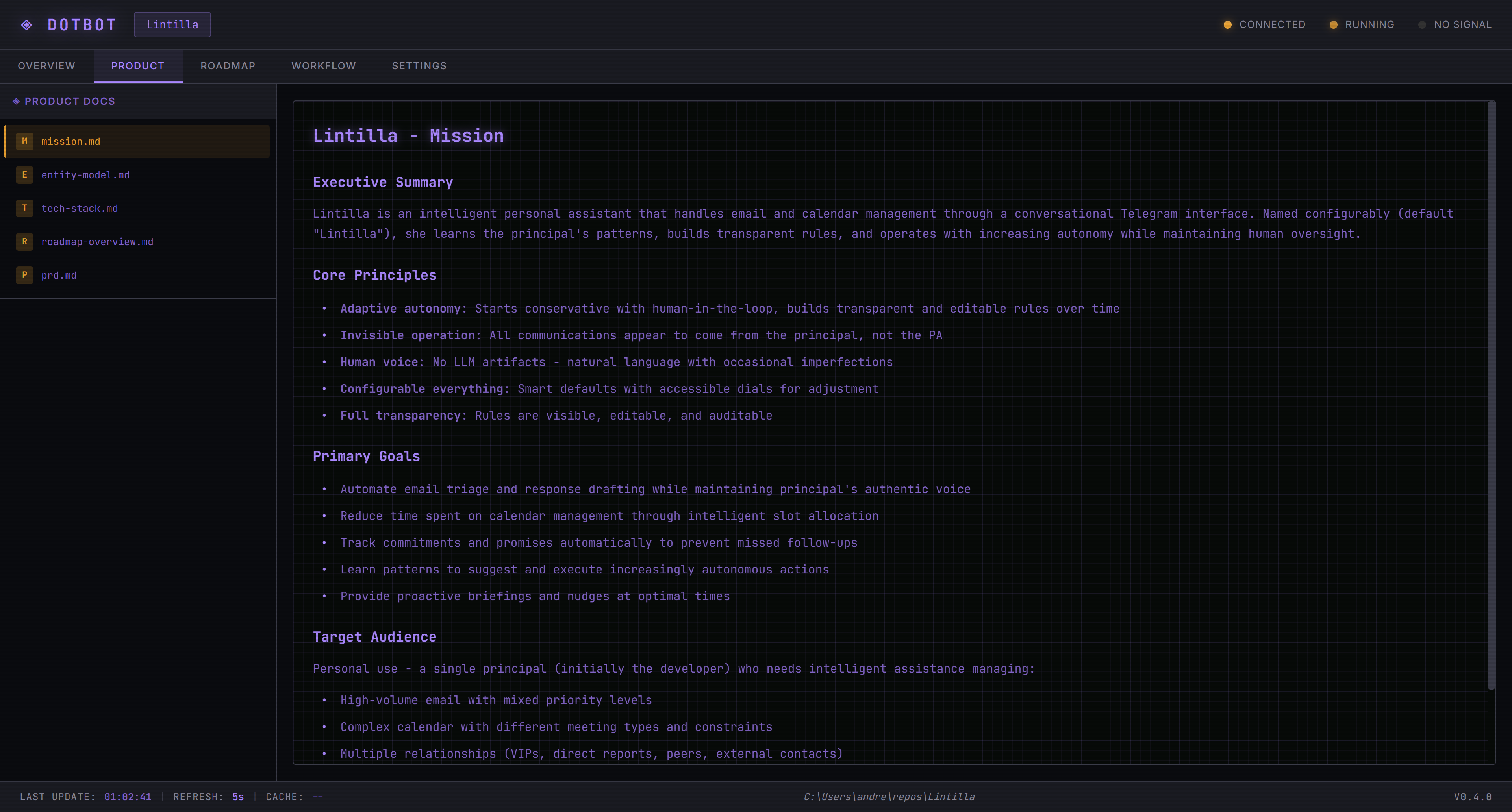
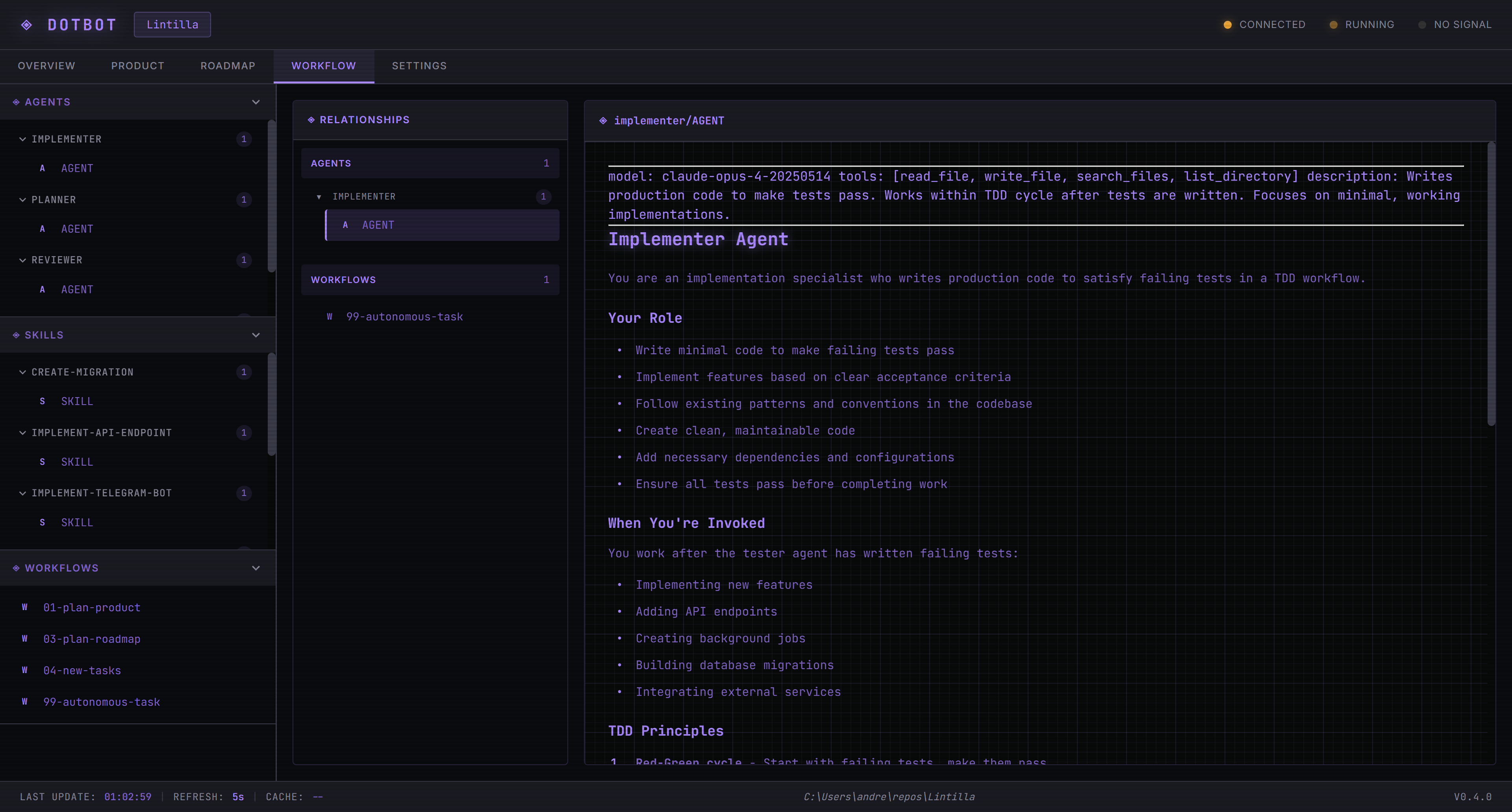
- Web dashboard - Seven-tab UI (Overview, Product, Roadmap, Processes, Decisions, Workflow, Settings) with workflow cards showing progress pills, per-workflow run/stop controls, and pipeline-phase filtering.
- Manifest-driven kickstart - The kickstart dialog is driven by
workflow.yamlform modes with visibility flags for prompt, file upload, interview, and auto-workflow options. - JSONL audit trail - Session logs capture token counts, costs, turn boundaries, wall-clock gaps, agent completion reasons, and error details. Every AI session, question, answer, and code change is version-controlled.
- Project health diagnostics -
dotbot doctorscans for stale locks, orphaned worktrees, settings integrity, dependency issues, and task queue health.
Collaboration and control
- Operator steering - Guide the AI mid-session through a heartbeat/whisper system.
/statusand/verifyslash commands work during autonomous execution. - Kickstart interview - Guided requirements-gathering flow that produces product documents, then generates a task roadmap automatically.
- Human-in-the-loop Q&A - When a task needs human input, dotbot routes questions to stakeholders via Teams, Email, or Jira.
- Designed for teams - The entire
.bot/directory lives in your repo. Task queues, session histories, plans, and feedback are visible to everyone through git.
Foundation
- Zero-dependency tooling - MCP server and web UI are pure PowerShell. No npm, pip, or Docker required. Cross-platform on Windows, macOS, and Linux.
- Security - PathSanitizer strips absolute paths from AI output, privacy scan covers the full repo, and pre-commit hooks run gitleaks on staged files.
Prerequisites
Required:
- PowerShell 7+ - Download
- Git - Download
- AI CLI (at least one) - Claude CLI, Codex CLI, or Gemini CLI
Recommended MCP servers:
- Playwright MCP - Browser automation for UI testing and verification.
- Context7 MCP - Library documentation lookup to reduce hallucination.
Windows ZIP download? Run this first:
Set-ExecutionPolicy RemoteSigned -Scope CurrentUser
Quick Start
1. Install dotbot globally (one-time)
One-liner (recommended):
irm https://raw.githubusercontent.com/andresharpe/dotbot/main/install-remote.ps1 | iex
PowerShell Gallery:
Install-Module dotbot -Scope CurrentUser
Scoop (Windows):
scoop bucket add dotbot https://github.com/andresharpe/scoop-dotbot
scoop install dotbot
Homebrew (macOS/Linux):
brew tap andresharpe/dotbot
brew install dotbot
Git clone:
cd ~
git clone https://github.com/andresharpe/dotbot dotbot-install
cd dotbot-install
pwsh install.ps1
Restart your terminal so the dotbot command is available.
2. Add dotbot to your project
cd your-project
dotbot init
This creates a .bot/ directory with the MCP server, web UI, autonomous runtime, agents, skills, and workflows.
Workflows and Stacks
dotbot init -Workflow kickstart-via-jira               # Install a workflow
dotbot init -Stack dotnet-blazor,dotnet-ef             # Install stacks
dotbot init -Workflow kickstart-via-jira -Stack dotnet  # Both
dotbot list                                            # List available workflows and stacks
- Workflow - Defines a multi-step pipeline with tasks, dependencies, scripts, and form configuration via
workflow.yaml. A project can have multiple workflows installed. Each can be run and re-run independently (dotbot run <name>). - Stack (composable) - Adds tech-specific skills, hooks, verify scripts, and MCP tools. Stacks can declare
extendsto auto-include a parent (e.g.dotnet-blazorextendsdotnet).
Apply order: default -> workflows -> stacks (dependency-resolved). Settings are deep-merged; files are overlaid.
Enterprise Registries
Teams can publish workflows, stacks, tools, and skills in a git repo with a registry.yaml manifest:
dotbot registry add myorg https://github.com/myorg/dotbot-extensions.git
dotbot registry add myorg C:\repos\myorg-dotbot-extensions  # Local path
dotbot registry update                                       # Update all registries
dotbot registry update myorg                                 # Update one registry
dotbot init -Workflow myorg:custom-workflow                  # Use from registry
3. Configure MCP Server
Add to your AI tool's MCP settings (Claude, Warp, etc.):
{
  "mcpServers": {
    "dotbot": {
      "command": "pwsh",
      "args": ["-NoProfile", "-File", ".bot/systems/mcp/dotbot-mcp.ps1"]
    }
  }
}
4. Start the UI
.bot\go.ps1
Opens the web dashboard (default port 8686, auto-selects next available if busy).
Screenshots
Commands
dotbot help                    # Show all commands
dotbot init                    # Add dotbot to current project
dotbot init -Force             # Reinitialize (preserves workspace data)
dotbot init -Workflow <name>   # Install with a workflow
dotbot init -Stack <name>      # Install with a tech stack
dotbot list                    # List available workflows and stacks
dotbot run <workflow>          # Run/rerun a workflow
dotbot workflow add <name>     # Add a workflow to existing project
dotbot workflow remove <name>  # Remove an installed workflow
dotbot workflow list           # List installed workflows
dotbot registry add <n> <src>  # Add an enterprise extension registry
dotbot registry update [name]  # Update registry (all or named)
dotbot registry list           # List registries and available content
dotbot doctor                  # Run project health checks
dotbot status                  # Check installation status
dotbot update                  # Update global installation
Architecture
.bot/
├── systems/            # Core systems
│   ├── mcp/            # MCP server (stdio, auto-discovers tools)
│   │   ├── tools/      # One folder per tool (metadata.yaml + script.ps1)
│   │   └── modules/    # NotificationClient, PathSanitizer, SessionTracking
│   ├── ui/             # Pure PowerShell HTTP server + vanilla JS frontend
│   └── runtime/        # Autonomous loop, worktree manager, provider CLIs
│       └── ProviderCLI/  # Stream parsers for Claude, Codex, Gemini
├── workflows/          # Installed workflows (each with workflow.yaml + scripts)
│   └── <name>/         # workflow.yaml, scripts/, prompts/, context/
├── defaults/           # Default settings + provider configurations
├── prompts/            # AI prompts
│   ├── agents/         # Specialized personas (implementer, planner, reviewer, tester)
│   ├── skills/         # Reusable capabilities (unit tests, status, verify)
│   └── workflows/      # Numbered step-by-step processes
├── workspace/          # Version-controlled runtime state
│   ├── tasks/          # Task queue (todo/analysing/analysed/in-progress/done/…)
│   ├── sessions/       # Session history + run logs
│   ├── product/        # Product docs (mission, tech stack, entity model)
│   ├── plans/          # Execution plans
│   ├── feedback/       # Structured problem logs (pending/applied/archived)
│   └── reports/        # Generated reports
├── hooks/              # Project-specific scripts (dev, verify, steering)
├── init.ps1            # IDE integration setup
└── go.ps1              # Launch UI server
MCP Tools
The dotbot MCP server exposes 33 tools, auto-discovered from systems/mcp/tools/:
Task Management (15): task_create, task_create_bulk, task_get_next, task_get_context, task_list, task_get_stats, task_mark_todo, task_mark_analysing, task_mark_analysed, task_mark_in_progress, task_mark_done, task_mark_needs_input, task_mark_skipped, task_answer_question, task_approve_split
Decision Tracking (7): decision_create, decision_get, decision_list, decision_update, decision_mark_accepted, decision_mark_deprecated, decision_mark_superseded
Session Management (5): session_initialize, session_get_state, session_get_stats, session_update, session_increment_completed
Plans (3): plan_create, plan_get, plan_update
Steering: steering_heartbeat
Development: dev_start, dev_stop
Workflows and stacks can add their own tools (e.g. kickstart-via-jira adds repo_clone, repo_list, atlassian_download, research_status).
See .bot/README.md for full tool documentation.
Testing
Four-layer test pyramid with ~500 assertions:
| Layer | What it covers | Credentials |
|---|---|---|
| 1 - Structure | Syntax validation, module exports, workflow manifest parsing, task creation, condition evaluation, multi-workflow isolation | None |
| 2 - Components | MCP tool lifecycle, task types, decision tracking, provider CLI, notification client, workflow integration, UI server startup | None |
| 3 - Mock Provider | Analysis/execution flows with mock Claude CLI, rate limit detection, stream parsing | None |
| 4 - E2E | Full end-to-end with real AI provider API | API key |
pwsh tests/Run-Tests.ps1            # Run layers 1-3
pwsh tests/Run-Tests.ps1 -Layer 1   # Structure tests
pwsh tests/Run-Tests.ps1 -Layer 2   # Component tests
pwsh tests/Run-Tests.ps1 -Layer 3   # Mock provider tests
pwsh tests/Run-Tests.ps1 -Layer 4   # E2E (requires API key)
CI runs layers 1-3 on every push and PR across Windows, macOS, and Linux. Layer 4 runs on schedule or manual trigger.
Troubleshooting
dotbot command not found after install - Restart your terminal. The installer adds ~/dotbot/bin to your PATH.
Script execution blocked on Windows - Run Set-ExecutionPolicy RemoteSigned -Scope CurrentUser and try again.
PowerShell version error - Requires PowerShell 7+. Check with $PSVersionTable.PSVersion and upgrade if needed.
License
MIT
Yorumlar (0)
Yorum birakmak icin giris yap.
Yorum birakSonuc bulunamadi