octomux
Health Warn
- License — License: MIT
- Description — Repository has a description
- Active repo — Last push 0 days ago
- Low visibility — Only 6 GitHub stars
Code Pass
- Code scan — Scanned 12 files during light audit, no dangerous patterns found
Permissions Pass
- Permissions — No dangerous permissions requested
No AI report is available for this listing yet.
Native macOS terminal multiplexer and coding-agent manager. Sessions survive quits, updates and reboots. Swift + libghostty + Rust daemon.

Octomux
A native macOS home for your terminals and coding agents.
Sessions live in a background daemon — quit the app, crash, or reboot, and your work is still there.
Download · Guide · Agents · Build from source · Contributing
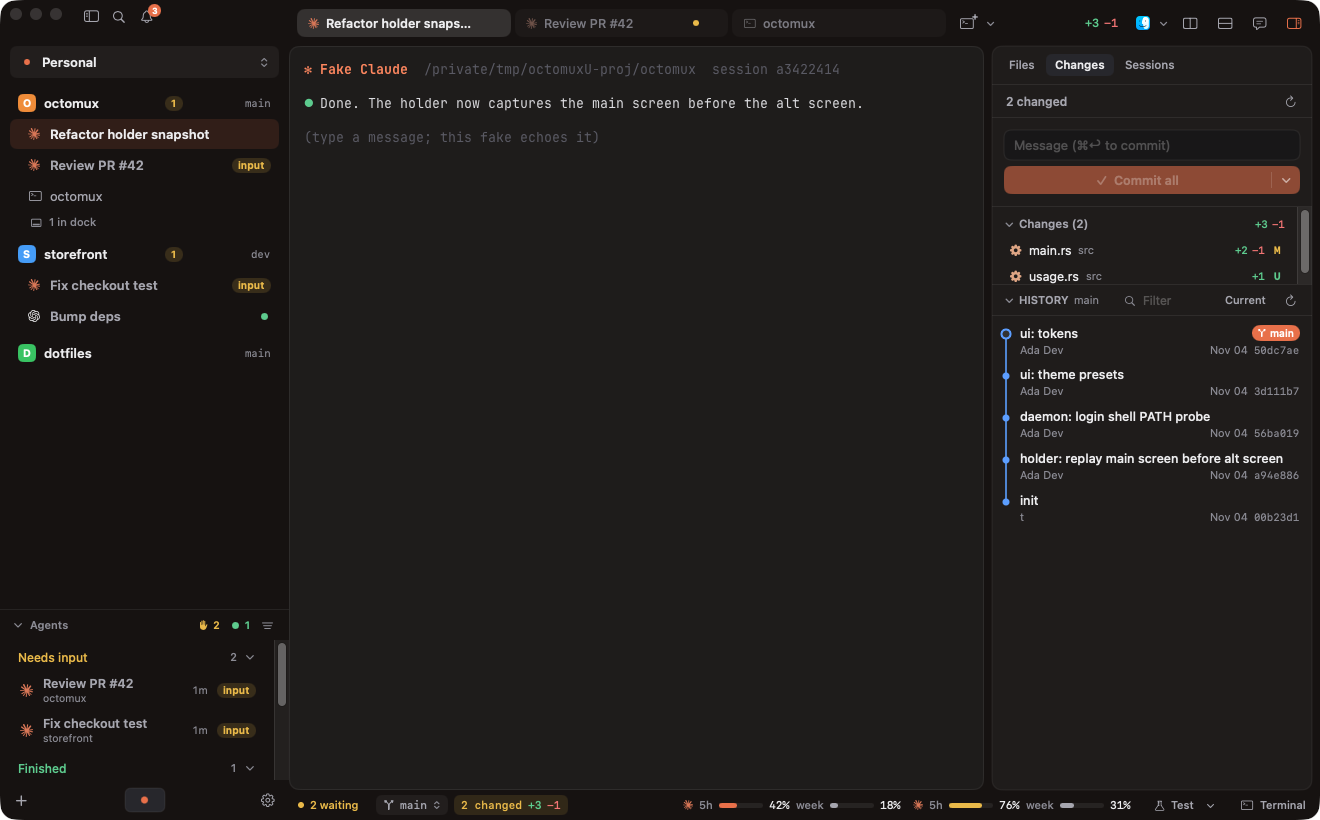
- Sessions that outlive the app. Every terminal runs in its own holder process under a launchd daemon. Close the
window, quit, update, or crash — reopen and you are exactly where you were. After a reboot, Claude Code,
Codex and Antigravity sessions come back and continue the same conversation. - Know which agent needs you. Each agent is marked working, needs input or done in the sidebar, the tab
and the menu bar. Notifications take you straight to the right pane; ⌘⇧U jumps to the next one waiting. - Built for parallel agents. Workspaces and projects, tabs, splits, a dock, and one-click git worktrees so
several agents can work on the same repo without stepping on each other. - Git without leaving the window. The right panel follows the focused session: changed files, commit &
push, history with diffs, and a file tree with a code viewer. - Your agents, unwrapped. Claude Code, Codex, Antigravity and any other CLI agent run as themselves, with your
own config and login. Octomux owns the terminal, not the agent. Optional chat view for Claude, Codex and
Antigravity sessions. - Usage at a glance. 5-hour and weekly limits for Claude, Codex and Antigravity in the status bar.
- Remote hosts. Run the daemon on a Linux box over SSH and keep its sessions next to your local ones.
- Fast and native. Swift + AppKit, GPU-rendered terminals by libghostty,
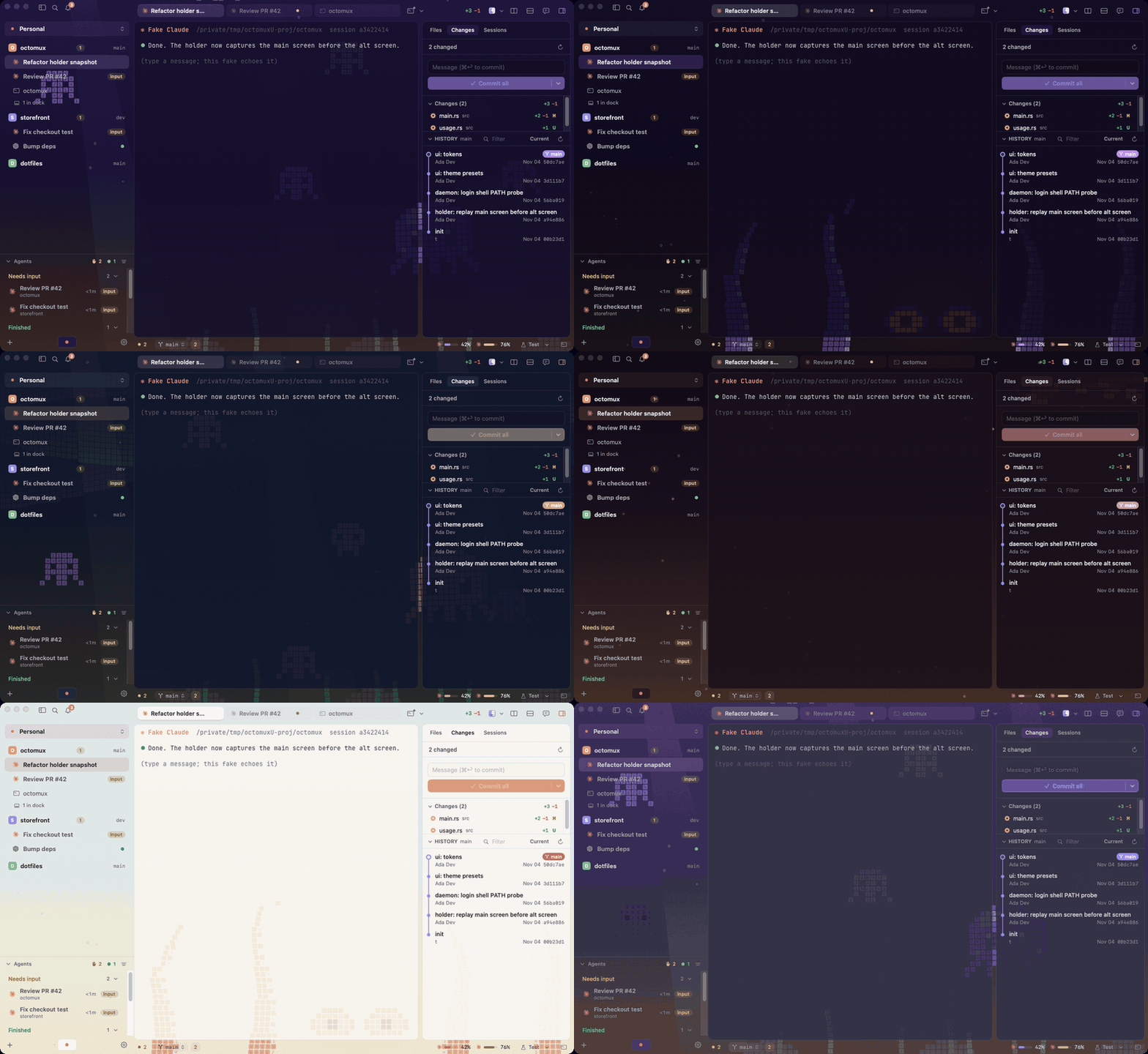
a small Rust daemon. No Electron. - Make it yours. Theme presets, light and dark, animated pixel-art scenes behind your terminals (the octopus
ones are the house favorites), rebindable shortcuts and a ⌘K command palette.
Themes and scenes
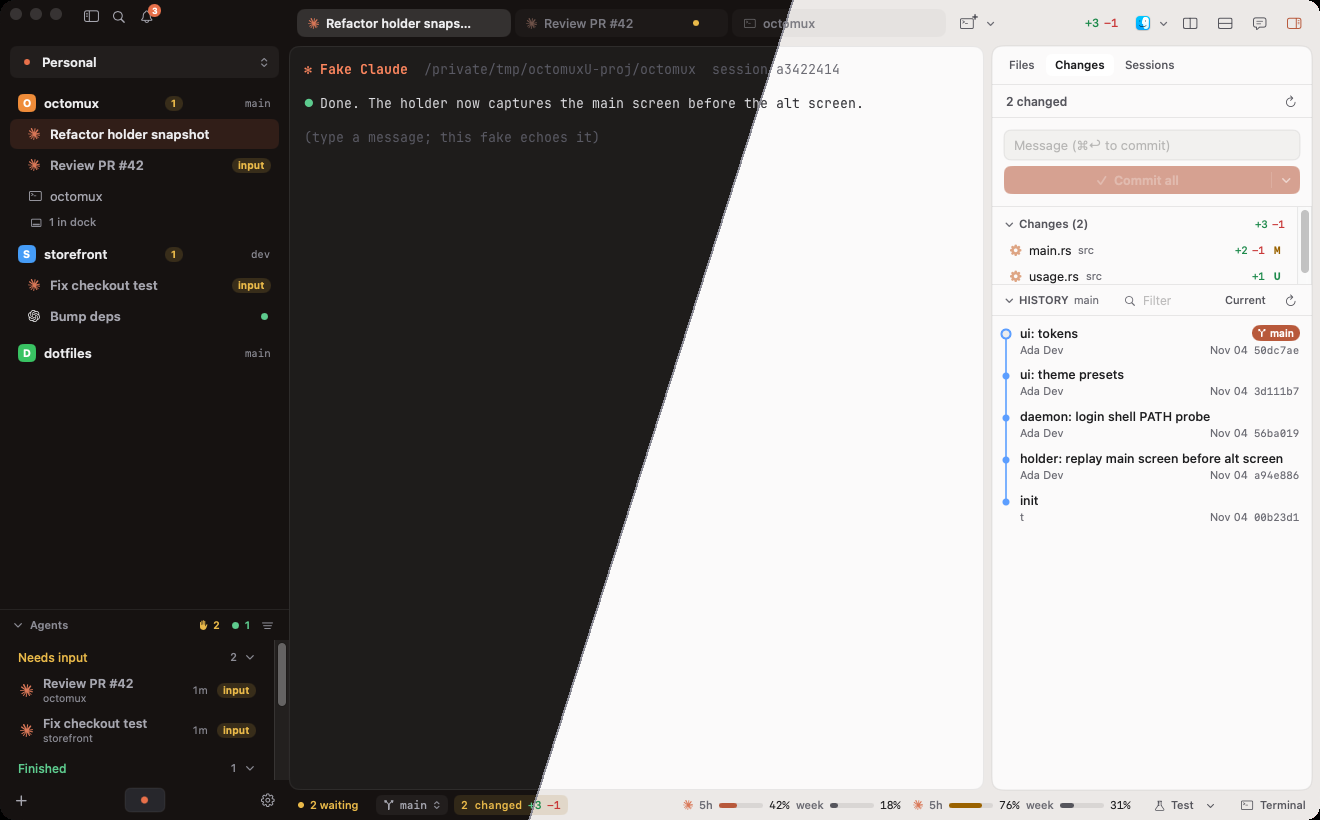
Plain dark and light, three theme presets, or one of more than twenty animated pixel-art scenes that show
through translucent terminals. Pick them in Settings → Appearance or with ⌘K "Theme".
Install
- Download Octomux.dmg from the latest release.
- Open it and drag Octomux into Applications.
- Open Octomux. It installs its background service (a launchd agent) on first launch and asks for
notification permission.
Or with Homebrew:
brew install --cask anilsenay/tap/octomux
macOS 14 or later, Apple Silicon or Intel. Signed and notarized, so it opens without a Gatekeeper prompt. If you open it
straight from the disk image or Downloads, Octomux offers to move itself to Applications first (its background
service needs a fixed place).
Octomux updates itself: when a new version is out, a small card in the corner offers to install it, and your
sessions keep running through the update.
Supported agents
Any CLI agent runs in Octomux, since it is just a terminal. Some get more:
| Agent | Keeps running when the app quits | Working / needs-input status | Resume after reboot | Usage limits | Chat view |
|---|---|---|---|---|---|
| Claude Code | ✓ | ✓ | ✓ | ✓ | ✓ |
| Codex | ✓ | ✓ (0.164+) | ✓ | ✓ | ✓ |
Antigravity (agy) |
✓ | ✓ | ✓ | ✓ | ✓ |
| Gemini, Amp, OpenCode, Cursor, Kiro, Copilot, your own | ✓ | — | — | — | — |
Installed agents are detected in Settings → Agents, including shell aliases (a second Claude account, say).
Want deeper support for another agent?
Open an agent request.
Getting started
- Add a project: ⌘⇧O and pick a folder.
- Start an agent: the agent buttons next to + at the bottom of the sidebar, or ⌘⇧T for the first pinned one.
Installed CLIs are listed in Settings → Agents. - New terminal / split: ⌘T, ⌘D (right), ⌘⇧D (down).
- Find anything: ⌘K opens the command palette (sessions, projects, commands, themes, settings).
The guide covers worktrees, the right panel, the chat view, usage limits, remote hosts,
keyboard shortcuts and uninstalling.
How it works
Octomux.app (Swift, AppKit + SwiftUI)
  ├─ each pane = a libghostty surface attached to a session
  └─ control connection ──▶ octomux daemon (Rust, launchd agent)
                               ├─ SQLite catalog: workspaces, projects, tabs, sessions, agents, settings
                               ├─ agent hooks → activity, notifications, usage
                               └─ one `octomux holder` per session (PTY + headless terminal state)
                                    └─ survives app quits, daemon restarts and updates
Privacy
Octomux is local-first: no account, no analytics, no telemetry. Your sessions, projects and settings live in a
SQLite database in ~/Library/Application Support/Octomux/. Octomux itself only goes online to check for
updates (a plain download of the update feed, no system profile) and when you import a scene from a URL. Your agents talk to
their own providers exactly as they would in any other terminal.
Build from source
You need Xcode (with the Metal toolchain), Rust stable and Zig 0.17.
git clone https://github.com/anilsenay/octomux && cd octomux
tools/build-ghostty.sh        # libghostty at the pinned commit, once
tools/build-app.sh            # → build/Octomux.app
open build/Octomux.app
Tests, the debug harness, the UI fixture and the release process are in docs/DEVELOPMENT.md.
Contributing
Bug reports and ideas are very welcome. Please read CONTRIBUTING.md before opening a pull request.
Thanks
Octomux stands on Ghostty (terminal engine),
Sparkle (updates), CodeMirror (code viewer) and
Simple Icons (agent marks). See THIRD_PARTY_NOTICES.md.
License
Octomux is released under the MIT License.
Reviews (0)
Sign in to leave a review.
Leave a reviewNo results found