agent-kit
Health Uyari
- No license — Repository has no license file
- Description — Repository has a description
- Active repo — Last push 0 days ago
- Low visibility — Only 5 GitHub stars
Code Basarisiz
- rm -rf — Recursive force deletion command in create-agent.sh
Permissions Gecti
- Permissions — No dangerous permissions requested
Bu listing icin henuz AI raporu yok.
Production-ready Agent Runtime for Claude Code — Dashboard visualization, Team mode, Plugin daemons, Memory system, and one-command setup
Agent Kit
Agent Kit is the Agent Runtime for Claude Code — giving it persistence, observability, and multi-process coordination. In short: the body for the brain.
Claude Code is the most capable AI coding CLI available today. It has tool calling, bash execution, file editing, hooks, team spawning — everything needed for powerful single-session work.
But it's request-response by design. It doesn't have a scheduler, a persistent memory system, a task queue, state recovery, or a lifecycle manager. To build a real autonomous agent — one that runs 24/7, survives context compression, coordinates multiple workers, and improves over time — you need an entire runtime layer on top.
Agent Kit is that runtime layer.
bash create-agent.sh
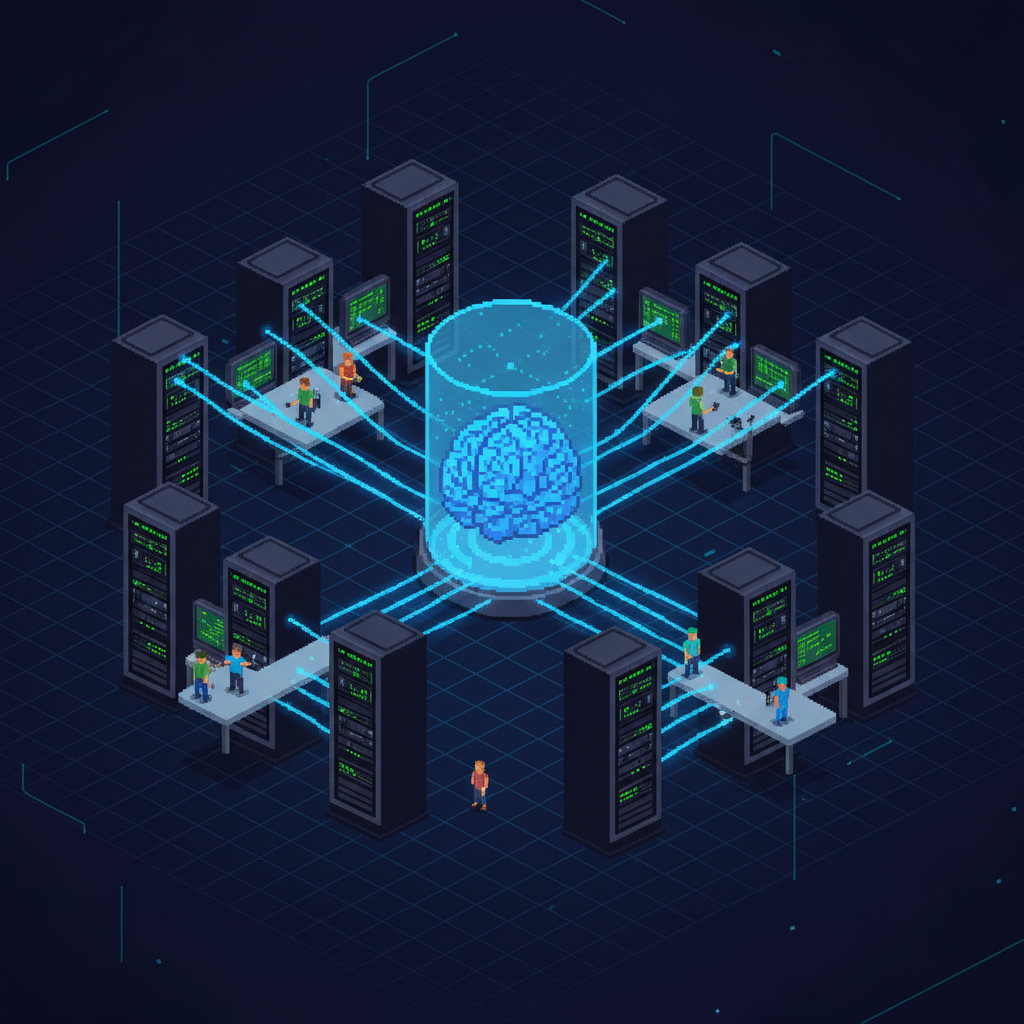
Demo Video (2 min)
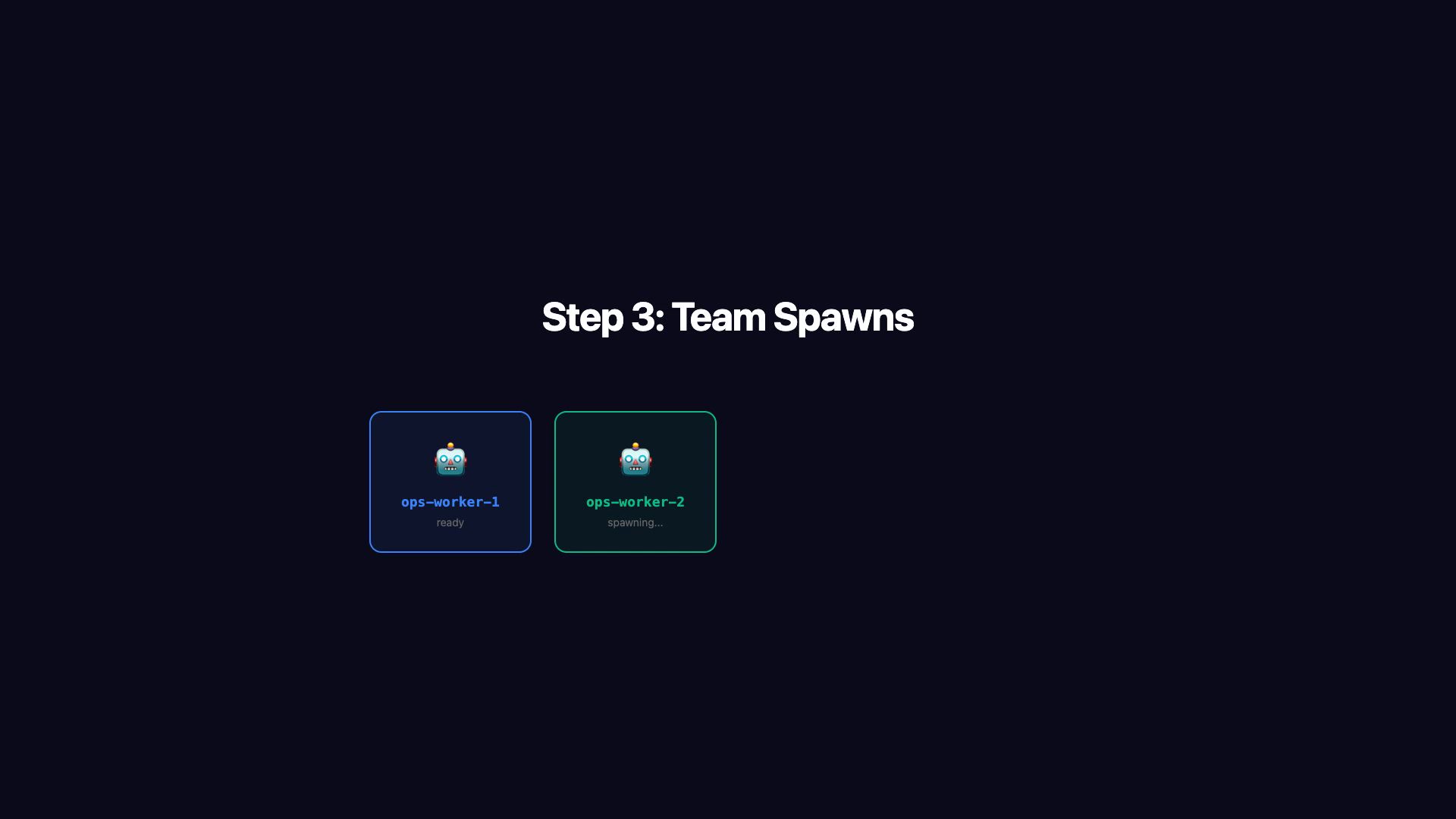
Click to watch: Create → Launch → Team Spawn → Dashboard → Cross-Process Communication — full loop in 2 minutes
What Agent Kit Actually Builds On Top of Claude Code
Claude Code provides the raw capabilities. Agent Kit adds the 6 things needed to turn a conversation into a system:
| What's Missing | Why It Matters | What Agent Kit Provides |
|---|---|---|
| Agent Loop | No event loop = only acts when you speak | Plugin daemons (nohup) run independent monitoring cycles 24/7 |
| Memory | Context compression = knowledge lost | Per-entity Markdown files + cross-entity knowledge base, persisted across sessions |
| Task Queue | No way to queue and dispatch work | Message queue (REST API) + background polling + multi-channel input (terminal, Dashboard, Feishu) |
| State Management | Workers die silently after compression | Centralized State Protocol: heartbeat registry + state ledger + precise per-worker recovery in <5s |
| Scheduler | No time-based or event-based triggering | Hook-driven lifecycle (session start/stop/idle) + cron heartbeats + daemon task scheduling |
| Observability | Terminal output is a black box | Real-time Dashboard: pixel-art workers, live terminal tabs, cancel buttons, status panels |
Without Agent Kit, building this from scratch takes 2-4 weeks and dozens of pitfalls (documented in proven patterns).
With Agent Kit: one command, 5 minutes, production-ready.
Production-Proven Agents
These agents run daily in production, built entirely with this framework:
Server Maintenance Agent
12 servers. 4 workers. 10+ monitoring tasks. Fully autonomous.
- Manages 7 production servers across 3 countries via SSH
- 4 parallel Workers handle health checks, deployments, log analysis, Nginx/SSL management
- Cloudflare WAF monitoring catches carding bots, blocks malicious ASNs
- Performance/SEO/SSL/Database/Docker/Security audits run on independent schedules
- Feishu (Lark) bot integration for real-time alerts and bidirectional commands
- Self-learning system discovers knowledge gaps and studies them during idle time
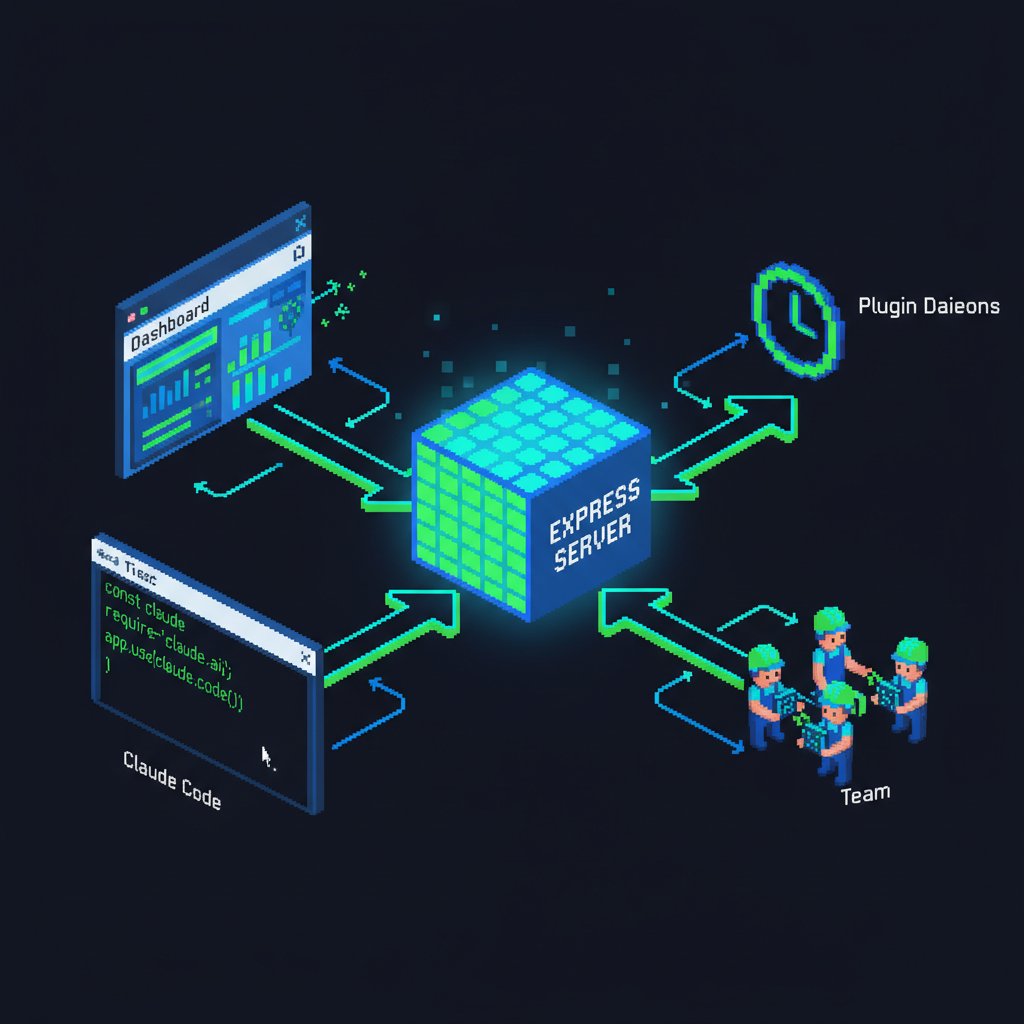
Express Server hub connecting Dashboard, Claude Code, Team Workers, and Plugin Daemons
Key stats:
- 15+ custom Skills (health-check, deploy, nginx-ssl, monitor-cloudflare, backup-check...)
- 10 monitoring sub-tasks via unified daemon (CF/Perf/SSL/SEO/ERP/IoT/Health/Backup/DB/Docker/Security)
- Context compression recovery in < 5 seconds (zero worker loss)
- 30+ REST API endpoints for Dashboard communication
Android Content Creator Agent
Autonomous Xiaohongshu (RED) tech blogger. Researches, writes, generates images, posts — all by itself.
- Controls a physical Android phone via ADB (tap, type, swipe, screenshot)
- Researches trending tech topics via Chrome browser + WebSearch
- Writes Xiaohongshu-style copy (short sentences, emotional hooks, <=18 char titles)
- Generates cover images with Gemini 3.1 Flash Image API
- Posts to Xiaohongshu automatically (navigate UI, select photos, input text, publish)
- Time-aware decision engine: research in morning, post during peak hours, engage at night
- "Three-Think" system: pre-checks every action against 15 learned lessons to avoid mistakes
Key stats:
- 25+ posts published autonomously
- 2 Workers (researcher-writer + poster)
- 3 CronCreate heartbeats driving the self-operating cycle
- Compliance guardrails prevent AI-automation disclosure (platform policy)
Claude Hub — Multi-Project Control Center
One Claude managing many Claudes.
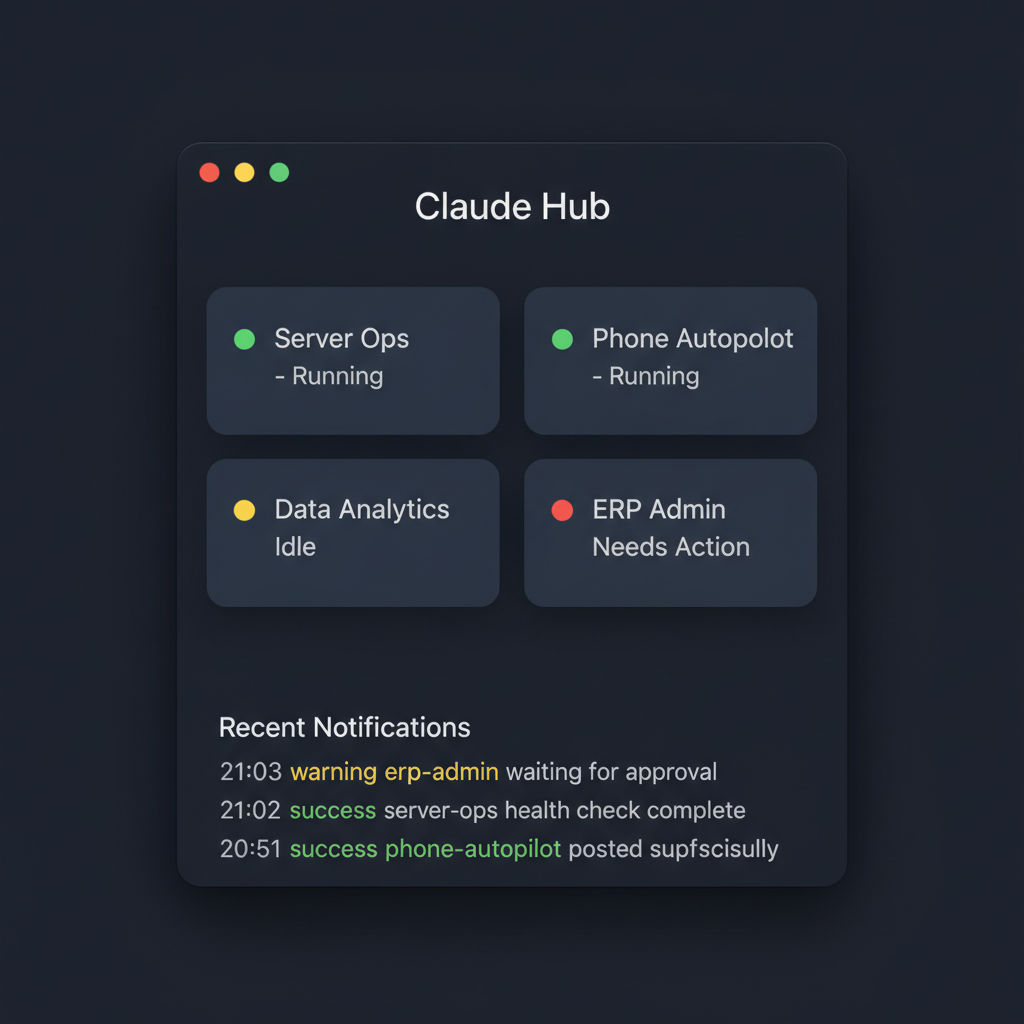
When you run multiple Agent Kit projects simultaneously, you need a control layer above them. Claude Hub is that layer:
- tmux-based orchestration: Each project runs in its own tmux window, Hub Claude dispatches across all
- Global notification system: Desktop popups + voice alerts when any project finishes or needs authorization
- Tray app (Tauri v2): Menubar panel showing all project statuses, recent notifications, pending actions
- Relationship to Agent Kit: Agent Kit gives depth (full runtime within one project); Claude Hub gives breadth (unified management across projects)
Architecture
                    ┌─────────────────────────────────────────┐
                    │           Express + WebSocket            │
    User Terminal ──┤          Dashboard Server                │── Browser UI
                    │         (port configurable)              │   (Pixel Art)
                    └───────┬──────────┬──────────┬───────────┘
                            │          │          │
                     Message Queue  Heartbeat   Worker State
                     GET/POST       Registry    Registry
                     /api/messages  /api/team   /api/worker
                            │          │          │
    ┌───────────────────────┴──────────┴──────────┴────────────┐
    │                     Claude Code (Lead)                     │
    │  ┌──────────┐  ┌──────────┐  ┌──────────┐  ┌──────────┐ │
    │  │ Worker 1 │  │ Worker 2 │  │ Worker 3 │  │ Worker N │ │
    │  └──────────┘  └──────────┘  └──────────┘  └──────────┘ │
    └──────────────────────────────────────────────────────────┘
                            │
    ┌───────────────────────┴──────────────────────────────────┐
    │              Plugin Daemons (nohup, independent)          │
    │  CF Monitor ─ Perf Check ─ SSL Audit ─ Feishu Bot ─ ... │
    └──────────────────────────────────────────────────────────┘
Centralized State Protocol
The core innovation that makes multi-worker agents reliable:
Worker Lifecycle:  online → busy → progress → idle → error
                     ↑                                  │
                     └──────── spawn recovery ←─────────┘
- Heartbeat Registry: Workers report alive status; 30-minute stale threshold
- State Ledger: Workers report lifecycle changes; Lead "reads the ledger" for decisions
- Precise Recovery: After context compression, stop-check.sh pings each worker individually — only respawns confirmed dead ones, never blindly rebuilds
- Deregister API: Properly shutdown workers are removed from tracking, preventing "zombie alive" bugs
Self-Healing Flow
Context Compression Happens
  ↓
stop-check.sh (Hook) triggers automatically
  ↓
Read worker-ids.json → Query /api/team/health → Read state ledger
  ↓
Per-worker decision:
  busy < 30min  → skip (protecting active work)
  pong received → refresh heartbeat
  no response   → spawn replacement → update IDs
  ↓
Full recovery in seconds. Zero task loss.
7 Primitives
| # | Primitive | What It Does | Directory |
|---|---|---|---|
| 1 | Agent Definition | Role, startup sequence, safety rules, skill mapping | CLAUDE.md |
| 2 | Dashboard | Express+WebSocket server + Isometric pixel-art Canvas UI | web/ |
| 3 | Skills | On-demand capabilities (stateless, user-triggered) | skills/ |
| 4 | Plugins | Background daemons (stateful, independent of Claude) | plugins/ |
| 5 | Memory | Per-entity Markdown knowledge + cross-entity knowledge base | memory/ |
| 6 | Hooks | Session lifecycle automation (start/stop/prompt/compact) | .claude/hooks/ |
| 7 | Config | .env secrets + entities.yaml entity catalog |
root |
Prerequisites
Environment Requirements
| Software | Version | Required | Notes |
|---|---|---|---|
| Claude Code | Latest | ✅ | npm install -g @anthropic-ai/claude-code |
| Node.js | 18+ | ✅ | Dashboard server dependency |
| npm | - | ✅ | Comes with Node.js |
| jq | - | Recommended | JSON processing, some scripts depend on it |
| iTerm2 | - | macOS recommended | Worker panel display (Claude Code Team mode) |
| tmux | - | Linux required | Worker panel display (Claude Code Team mode) |
Team Mode Note: Claude Code's TeamCreate automatically creates terminal panels for each Worker. On macOS, iTerm2 is preferred (native split pane support). On Linux, tmux must be pre-installed. Default Terminal.app works but provides a suboptimal experience.
# Install Claude Code (if you haven't already)
npm install -g @anthropic-ai/claude-code
Quick Start
# 1. Clone the framework
git clone https://github.com/anjiacm/agent-kit.git
cd agent-kit

# 2. Create your agent project (interactive wizard)
bash create-agent.sh

# ✅ Project name?          → my-ops-agent
# ✅ Agent role?             → 本地服务器运维助手
# ✅ Entity type?            → server (ssh/api/local)
# ✅ Dashboard port?         → 7890
# ✅ Team workers?           → 4
# ✅ Feishu integration?     → y/n
# ✅ Webhook notifications?  → y/n

# 3. Enter your project and configure
cd ~/Documents/code/my-ops-agent
cp .env.example .env        # Fill in your API keys
vim entities.yaml           # Add your servers/devices/targets
bash setup.sh               # Install hooks, symlink skills

# 4. Launch — just start Claude Code and say "启动"
claude
# > 启动
That's the entire setup. When you say "启动" (start), the agent automatically:
- Starts the Dashboard server (opens in browser)
- Initializes all entities from
entities.yaml - Spawns Team Workers with heartbeat registration
- Launches background polling + plugin daemons
- Reports ready — waiting for commands or running autonomously
No manual configuration of hooks, no starting servers by hand, no worker management. Say one word, everything comes alive.
Team Mode
Lead-Worker architecture for parallel execution:
Poll discovers message → Lead parses → SendMessage to Worker (< 1 sec) → Resume polling
                                              ↓
                                   Worker executes independently
                                              ↓
                                   Worker reports back to Lead
                                              ↓
                                   Lead summarizes to user
Key rules (battle-tested):
- Lead only dispatches, never executes Skills/SSH directly
- All tasks go to Workers, including research and file exploration
- Same entity → same Worker (memory file safety)
- Dispatch immediately, don't wait for Worker completion
- Worker prompts built from
memory/worker-base-prompt.mdtemplate (consistency guaranteed)
Skill vs Plugin
| Skill | Plugin | |
|---|---|---|
| Trigger | User command / Dashboard click | Timer / Event-driven |
| Lifecycle | Stateless, runs and exits | Persistent daemon (nohup) |
| Process Tree | Inside Claude context | Independent of Claude |
| Communication | Direct execution + curl Dashboard | POST /api/messages to queue |
| Survives Context Compression | No | Yes |
| Example | deploy-project, health-check |
cf-monitor, feishu-bot |
Create a Skill
skills/my-skill/
└── SKILL.md    # Trigger conditions, steps, output format
Create a Plugin
plugins/my-plugin/
├── PLUGIN.md   # Manifest (name, interval, pid_file)
├── daemon.sh   # Main loop with PID management
└── start.sh    # Startup script
Dashboard API
Core endpoints (full reference in docs/dashboard-api.md):
| Endpoint | Method | Purpose |
|---|---|---|
/api/health |
GET | Health check |
/api/server/init |
POST | Initialize entity list |
/api/server/:alias/status |
POST | Update entity metrics |
/api/worker/spawn |
POST | Dispatch pixel worker |
/api/worker/:id/term |
POST | Terminal output |
/api/worker/:id/done |
POST | Mark complete |
/api/messages |
GET | Consume message queue |
/api/messages |
POST | Inject message (plugins) |
/api/team/heartbeat |
POST | Worker heartbeat |
/api/team/health |
GET | Worker health status |
/api/team/deregister |
POST | Remove shutdown worker |
/api/worker/state |
POST | Worker lifecycle report |
/api/worker/states |
GET | Read state ledger |
Built-in Plugins
| Plugin | Type | Description |
|---|---|---|
feishu-notify |
listener | Feishu/Lark WebSocket bot + reply + Bitable reports |
webhook-notify |
utility | Universal webhook (Feishu group/Slack/Discord/HTTP) |
Self-Learning System
Agents don't just execute — they learn and improve:
Hook detects unknown concept → /intent-check validates understanding
                                        ↓
                              Knowledge gap found → learning-queue.md
                                        ↓
                              Worker idle → /self-study triggered
                                        ↓
                              Research → Verify → Reflect → Report
                                        ↓
                              memory/knowledge/*.md updated
                                        ↓
                              Next encounter → already knows
- Intent Check: Before implementing unfamiliar concepts, verify understanding first
- Learning Queue: Knowledge gaps are tracked with priority and status
- Self-Study Skill: Idle workers autonomously pick topics, research, and integrate findings
- Knowledge Base:
memory/knowledge/accumulates cross-entity domain expertise
Proven Patterns & Anti-Patterns
Extracted from months of production operation (full list in docs/proven-patterns.md):
| Pattern | Status | Lesson |
|---|---|---|
| Process message → restart poll immediately | Correct | Forgetting = Claude goes deaf |
| nohup daemon + PID + trap EXIT | Correct | Survives context compression |
| Dual-channel notifications (queue + push) | Correct | Missing either = invisible daemon |
| Lead only dispatches, never executes | Correct | Executing blocks polling |
| Reuse idle Workers for all tasks | Correct | Don't spawn new agents when Workers are free |
| Blind proxy heartbeat for all workers | Wrong | Resurrects properly shutdown workers |
alive=N → skip recovery |
Wrong | Shutdown worker stays "alive" forever |
| Lead runs SSH directly | Wrong | Workers sit idle, Lead blocked |
Project Structure
agent-kit/
├── README.md                      ← You are here
├── create-agent.sh                ← Interactive project wizard
├── skeleton/                      ← Project template
│   ├── CLAUDE.md.tmpl             ← Agent soul ({{VAR}} placeholders)
│   ├── entities.yaml.tmpl         ← Entity catalog template
│   ├── .env.example               ← Config template (empty values)
│   ├── setup.sh                   ← Post-create installer
│   ├── web/
│   │   ├── server.js              ← Express+WS server (universal)
│   │   ├── public/index.html      ← Isometric pixel-art Dashboard
│   │   ├── start-dashboard.sh     ← PID-managed startup
│   │   └── stop-dashboard.sh      ← Shutdown script
│   ├── scripts/
│   │   ├── dashboard-poll.sh      ← Background polling (DAEMON_MODE)
│   │   └── skill-helpers.sh       ← Dashboard API helper functions
│   ├── memory/
│   │   ├── worker-base-prompt.md  ← Worker template (heartbeat+state)
│   │   └── knowledge/             ← Cross-entity knowledge base
│   ├── skills/_example/           ← Skill template
│   ├── plugins/
│   │   ├── _example/              ← Plugin template
│   │   ├── feishu-notify/         ← Feishu deep integration
│   │   └── webhook-notify/        ← Universal webhook
│   └── templates/claude/hooks/    ← Hook templates
│       ├── session-start.sh       ← Auto-init sequence
│       ├── stop-check.sh          ← Self-healing recovery
│       └── prompt-check.sh        ← Empty input handler
└── docs/
    ├── architecture.md            ← 7 primitives deep-dive
    ├── skills-guide.md            ← How to write Skills
    ├── plugins-guide.md           ← How to write Plugins
    ├── dashboard-api.md           ← Full API reference
    ├── proven-patterns.md         ← Battle-tested patterns
    └── self-learning.md           ← Learning loop design
Capabilities at a Glance
What agents built with this framework can do:
- Multi-server ops: SSH into any server, check health, deploy code, manage Nginx/SSL, analyze logs
- Security monitoring: Cloudflare WAF analysis, fail2ban auditing, exposed port scanning
- Performance tracking: Lighthouse/PageSpeed audits, Core Web Vitals trending, SEO checks
- Database management: MySQL slow query analysis, connection pool monitoring, backup verification
- Phone automation: ADB-controlled Android operations, app navigation, content posting
- Content creation: Topic research, copywriting, AI image generation, social media publishing
- IM integration: Feishu/Lark bidirectional messaging, rich card reports, Bitable data tracking
- Self-healing: Survives context compression, auto-recovers workers, restarts dead daemons
- Self-learning: Discovers knowledge gaps, studies autonomously, accumulates domain expertise
- Multi-worker parallel: 2-8 workers executing simultaneously, coordinated by Lead dispatcher
FAQ
Q: Is this just prompt engineering?
A: No. It's infrastructure — Express servers, WebSocket communication, background daemons, hook-based lifecycle management, and a centralized state protocol. The prompts (CLAUDE.md) define what the agent does; the framework provides how it stays alive and coordinates.
Q: Which models does it support?
A: Any model available through Claude Code CLI — Opus, Sonnet, Haiku, and future models. The framework runs on Claude Code as the runtime (hooks, TeamCreate, SendMessage, Agent spawning are Claude Code features). You can freely switch models via Claude Code's model configuration. Dashboard server and Plugin daemons are completely model-agnostic.
Q: How many workers can it handle?
A: Tested with 2-8 workers. The centralized state protocol scales linearly. The practical limit is Claude Code's context window and your machine's process capacity.
Q: What happens when context compresses?
A: The self-healing system kicks in automatically via stop-check.sh. Worker IDs are persisted to disk, health is checked via REST API, and only confirmed-dead workers are respawned. Typical recovery time: < 5 seconds.
Documentation
- Architecture Deep-Dive — 7 primitives explained
- Skill Writing Guide — Create custom skills
- Plugin Writing Guide — Build background daemons
- Dashboard API Reference — Full endpoint docs
- Proven Patterns — Battle-tested dos and don'ts
- Self-Learning System — Knowledge loop design
Contributors
| Name | Role | |
|---|---|---|
| @anjiacm | Eric.wu | Creator — architecture design, production validation, continuous iteration |
| Claude (Anthropic) | Claude Opus/Sonnet | AI Developer — code implementation, framework extraction, documentation |
License
MIT
Built with Claude Code. Powered by Agent Kit.
Yorumlar (0)
Yorum birakmak icin giris yap.
Yorum birakSonuc bulunamadi