MantaUI
Health Warn
- License — License: MIT
- Description — Repository has a description
- Active repo — Last push 0 days ago
- Low visibility — Only 5 GitHub stars
Code Warn
- fs module — File system access in .github/workflows/ci.yml
Permissions Pass
- Permissions — No dangerous permissions requested
No AI report is available for this listing yet.
Open-source, self-hosted Claude Code and opencode client. Agents run in real > tmux on your own Linux box or Mac, and you drive them from desktop, phone or > browser over HTTPS.

Manta
Run every coding agent you pay for, on your own server.
Manta puts Claude Code,
Codex,
opencode and
Kimi Code on a Linux box or Mac
you own — your existing subscriptions, running side by side, reachable
from your desktop and your phone. Real tmux underneath. Self-hosted,
MIT, no account.




Download
| macOS | Manta-latest.dmg | Apple Silicon, macOS 13 and up. Signed and notarised. |
| Windows | Manta-latest-x64.exe | Windows 10 and 11, 64-bit. |
| iPhone | TestFlight | Native app. Pairs with the six digits the desktop shows. |
Linux desktop (AppImage) is built from source — see
Development. The box itself runs on any always-on Linux
machine or Apple Silicon Mac.
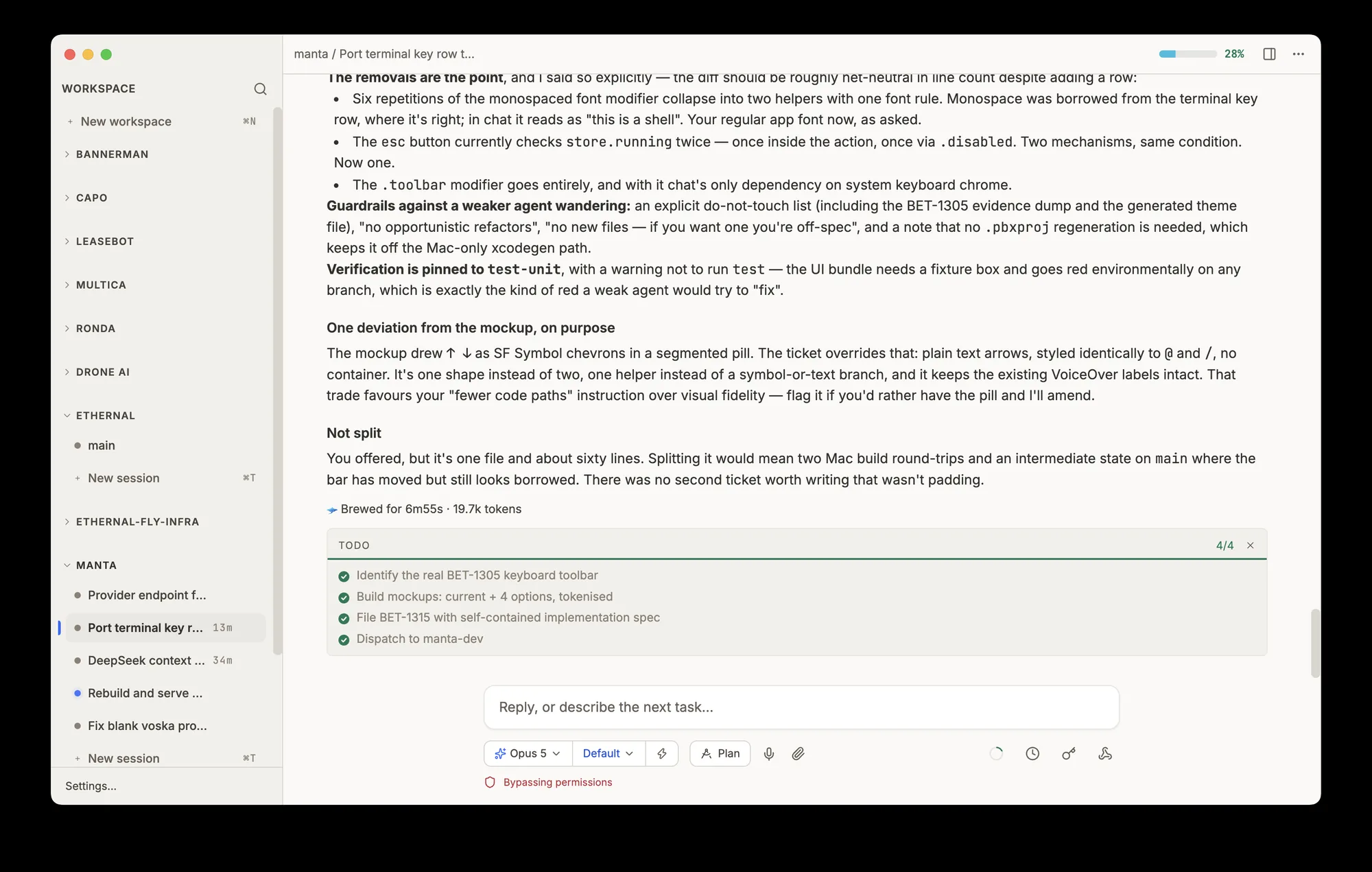
Setup: two minutes, then you never touch it again
No terminal, no keys to copy, no tunnel to configure, no ports to
forward. The desktop app does the whole install over SSH.
- Enter your server. Pick a machine from your SSH config, or type a
host. Any always-on Linux box or Apple Silicon Mac works — a five
dollar VPS is enough. - It installs and pairs itself. Its own runtime, a system service,
a certificate; no system packages touched. Ends with a six-digit
code. - Connect your subscriptions. Log each agent CLI into the plan you
already pay for, once. Every device you pair sees all of them.
Type the same six digits on your phone to add it too.
Prefer to do it yourself? One command does the same thing:
curl -fsSL https://mantaui.com/install.sh | bash
The installer downloads a checksum-verified, self-contained tarball
(vendored Node runtime, prebuilt native bindings), writessystemd --user units on Linux or launchd LaunchAgents on macOS,
registers with the push gateway, provisions a Let's Encrypt certificate
on <box_id>.boxes.mantaui.com, and prints the pairing code. Linux
needs tmux and git plus inbound TCP 80 and 443. macOS boxes skip
Caddy and Let's Encrypt and reach you over the tailnet or loopback.
Or hand it to an agent that can reach the box:
Set up a Linux box as a Manta box server.
Fetch https://mantaui.com/llms-install.md and follow it exactly.
Ask me its interview questions before running anything.
What you get
A real client, not a status screen. Everything below works the same in
the desktop app and in the iPhone app.
- Readable transcripts. Diffs inline, tool calls collapsed, live
command output as it streams. Not a terminal you have to squint at. - Approve from anywhere. When an agent asks to run something you get
a button, on whichever device you happen to be holding. - Notifications that find you. Desktop while you are at the machine,
phone push once you walk away. Never both, never for something you are
already watching. - Real tmux underneath. Every session is a genuine tmux window. SSH
in alongside Manta whenever you want; it is the same box. Close every
client and the work continues. - Parallel worktrees. Delegate long jobs to background agents, each
in its own git worktree and branch. They never touch your checkout. - Search every session. One query across the full history of every
conversation on the box, whichever agent produced it. - Voice, files and screenshots. Dictate a prompt, drag a file onto a
session, paste a screenshot. It lands on your server, not in a cloud
bucket. - Scheduled and triggered work. Run a prompt on a cron, or let CI
wake a session by webhook. Work that starts without you being there. - Secrets stay secret. Hand an agent a token by reference, never by
value. It uses the credential without it entering the transcript.
Nothing to trust us with
- MIT licensed, client and server, every line on GitHub.
- No Manta account, no hosted control plane, no seat count.
- Transcripts, uploads, secrets and config never leave the box.
- The only outbound traffic is your agent talking to its own provider,
plus APNs when you turn on phone notifications. - Telemetry is an optional log-shipper that sends nothing unless you set
a token. - Every request is authenticated with a 128-bit
box_tokenbearer
secret, paired via a six-digit, one-time, five-minute code.
How it works
 Desktop app (Electron)                    iPhone app (native Swift)
           │                                        │
           └──────────────── HTTPS ─────────────────┘
                              │
        ┌─────────────────────┴──────────────────────┐
        │ https://<box_id>.boxes.mantaui.com         │  the box serves its
        │ Caddy fronts the box's loopback            │  own public hostname
        │ 127.0.0.1:8787, no relay                   │  via DNS + LE cert
        └─────────────────────┬──────────────────────┘
                              │
                     YOUR LINUX BOX (or Mac)
           manta-server (:8787)  owns tmux, files, config
             ├── tmux                    your sessions
             └── opencode-serve (:4096)  chat mode + agent tools
                              │
                              └── HTTPS POST ──▶ gateway.mantaui.com
                                                   hosted push fanout:
                                                   signs the Apple JWT,
                                                   delivers APNs
The server is the box. Sessions, transcripts, uploads, schedules and
secrets all live on your machine in ~/.manta*. The desktop and phone
are thin clients over /rpc plus /events (SSE); the desktop only adds
OS bridges — clipboard, screenshot, file peek.
Auth. Every data route requires Authorization: Bearer <box_token>.
Devices obtain it once via a six-digit, one-time, five-minute pairing
code minted loopback-only on the box (curl -s 127.0.0.1:8787/auth/pair).
Box identity persists in ~/.manta/auth.json; never regenerate it.
Two window types per tmux window: a raw terminal (xterm.js over a
WebSocket PTY) or a chat panel (an opencode session). They coexist
freely.
Technical details
Transport: /rpc (JSON over HTTPS) for requests, /events
(Server-Sent Events) for streaming, WebSocket for terminal PTYs. No
long-poll, no relay hop.
State on the box: ~/.manta/ (identity, config, schedules, secrets,
webhooks, VAPID keys, served pages); ~/.manta-uploads/<session>/<batch>/
(attachments, hourly auto-clean); ~/.manta-outbox/ (agent-to-you file
handoffs); ~/.manta-secrets/ (materialised secret files at 0600, used
by reference); ~/.config/opencode/ (opencode config and the Manta
agent tools).
Ports, all loopback on the box: 8787 manta-server, 4096 opencode-serve.
Components: manta-server (src/server/) owns tmux CRUD, the PTY
WebSocket, the opencode proxy, auth, schedules, secrets, webhooks,
serve-page, Web Push and APNs fanout via the gateway. opencode-serve
is the chat backend. Caddy terminates TLS and reverse-proxies<box_id>.boxes.mantaui.com to 127.0.0.1:8787. The desktop app
(src/main, src/preload, src/renderer) is a thin client plus OS
bridges. The iPhone client is a native SwiftUI app in mobile/native.manta-gateway (src/gateway/) runs on our infra for push fanout and
DNS automation only.
Installer: a self-contained tarball shipping a vendored Node runtime and
prebuilt production node_modules. The box needs only curl, tar,sha256sum, tmux and git — no Node preinstall, no compilers, no
package-manager calls. Manage withsystemctl --user {status,restart} manta-server; logs atjournalctl --user -u manta-server -f. Mint a fresh pairing code withnpm run pair from ~/manta; each new code supersedes the last.
Agent-native tools
Chat sessions get Manta's own opencode tools from docs/opencode-tools/.
The agent calls them like any other tool:
schedule— cron'd prompts into the same session.webhook— external systems wake the session by POST.notify— desktop and phone notifications with cross-device
routing.secrets— reference credentials by name; values never enter the
transcript.peers— see and message sibling agent sessions in the workspace.delegate— background jobs, each in its own worktree and branch.serve-page— publish an HTML page to a public URL.
Install or update: copy into ~/.config/opencode/tools/ (real copies,
not symlinks) and restart opencode-serve.
Development
npm install
npm run typecheck
npm test              # vitest (renderer) plus node:test (server, gateway, scripts)
npm run dev           # main-process and preload changes need a full restart, not HMR
Run the box server straight from the checkout:
git clone [email protected]:antoinedc/MantaUI.git ~/manta
cd ~/manta && npm install
npm run mobile     # server on 0.0.0.0:8787
npm run pair       # mint a pairing code
Keybindings: ⌘N new project · ⌘T new session · ⌘1..9 jump to nth ·
⌥⌘↑/⌥⌘↓ prev/next · ⌘, settings · ⌘C/⌘V copy/paste in terminal ·
⌘F search · ⌘K clear scrollback · Shift+Enter newline in the claude TUI.
See AGENTS.md for the full architecture, the transport
contract and the release pipeline.
Comparison
| Manta | Orca | Conductor | Termius + SSH | |
|---|---|---|---|---|
| License | MIT | MIT | Proprietary | Proprietary |
| Agents run on | Your VPS or Mac | Your Mac | Your Mac | Your VPS |
| Mobile parity | Full client | Read-mostly | No phone app | SSH terminal |
| Push routing | Desktop-first with escalation | None | None | None |
| Permissions | Explicit cards | yolo pre-filled | No sandboxing | Manual |
| Schedule, webhook, secrets, peers | Yes | No | No | No |
| Self-hosted | Yes, on your box | Tailscale required | No | N/A |
Where Orca and Conductor genuinely beat Manta: 30-agent fan-out, an
embedded browser, a Monaco editor, diff review, cross-platform desktop,
and Conductor's PR and merge tail. Full pages:
vs Orca ·
vs Conductor ·
vs Termius and SSH.
Contributing
See CONTRIBUTING.md.
Security
See SECURITY.md for vulnerability reports.
License
MIT. Maintainers: see docs/releasing.md
for release procedure, rollback and prod box ops.
Reviews (0)
Sign in to leave a review.
Leave a reviewNo results found