megumi
Health Uyari
- License — License: MIT
- Description — Repository has a description
- Active repo — Last push 0 days ago
- Low visibility — Only 5 GitHub stars
Code Basarisiz
- os.homedir — User home directory access in apps/desktop/src/main/adapters/electron-home-adapter.ts
- process.env — Environment variable access in apps/desktop/src/main/adapters/electron-home-adapter.ts
Permissions Gecti
- Permissions — No dangerous permissions requested
Bu listing icin henuz AI raporu yok.
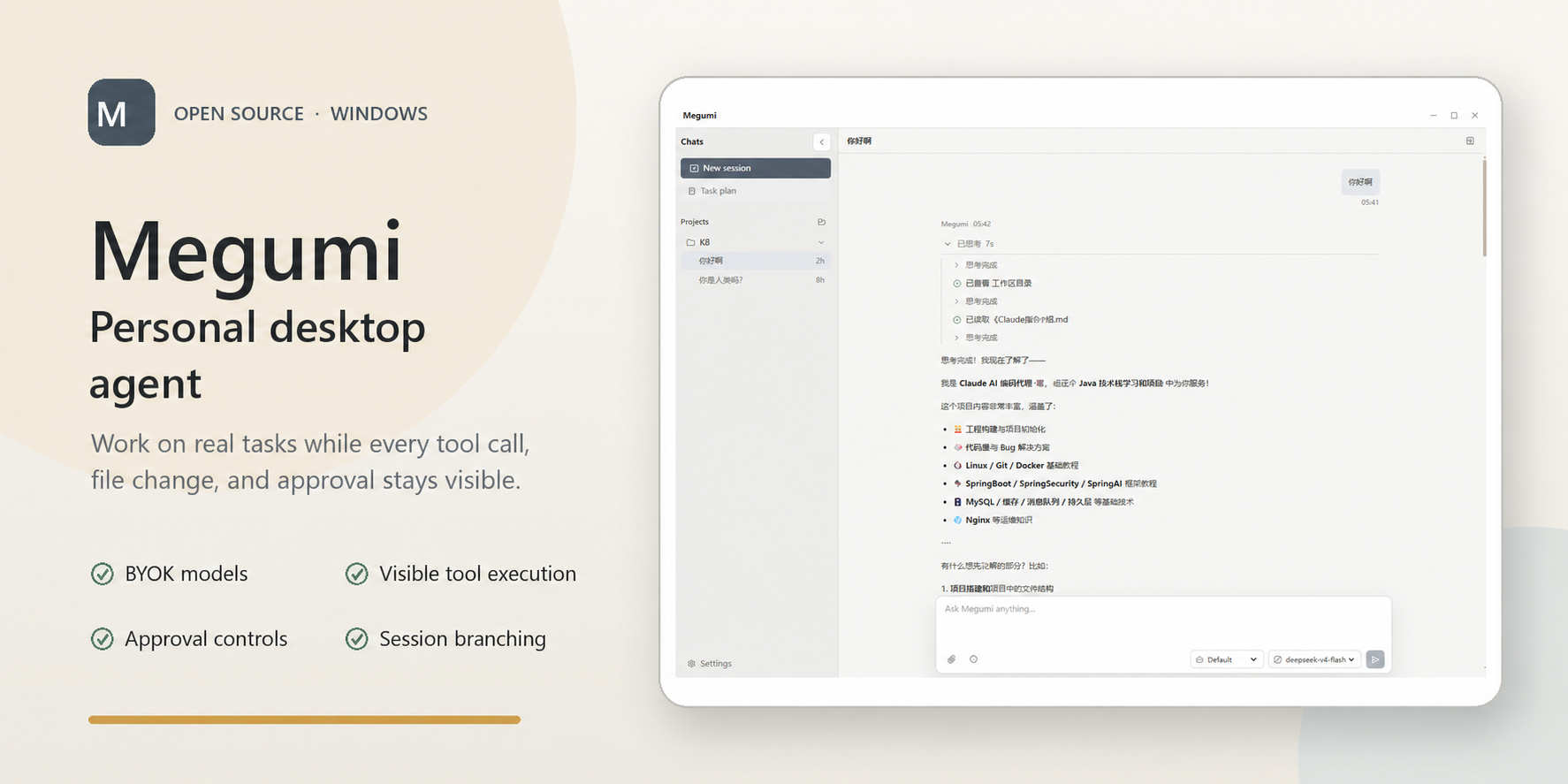
Local-first desktop coding agent for Windows with BYOK models, visible tool execution, approval controls, and session branching.
Megumi
A personal desktop agent for Windows.
Open a real codebase, bring your own model provider, and let Megumi inspect files, edit code, run commands, and verify changes while you follow every step in a visible session timeline.




Local workspaces · BYOK models · Visible tool execution · Approval controls · English / 简体中文 UI
Why Megumi
Megumi is a personal agent that works with you in a local desktop app.
Instead of switching between a chat window, terminal, editor, and file browser, you can work with an agent in one visible session: ask it to understand a codebase, inspect relevant files, make changes, run verification commands, and explain what happened.
Megumi is designed around a few principles:
- Local workspaces are first-class.
- You choose the model provider.
- Agent actions are visible as they happen.
- File writes and command execution go through permission policy and approval when required.
- Sessions, settings, product data, and logs stay local by default.
- Workspace changes produced by the agent are tracked in the conversation.
- The desktop UI is available in English and Simplified Chinese.
What It Does
The current preview provides these capabilities:
- Understand codebases: explore project structure, read relevant files, trace implementation paths, and explain how systems fit together.
- Plan changes: break down engineering tasks, reason about tradeoffs, and propose implementation steps before editing.
- Modify code: implement features, fix bugs, refactor modules, update tests, and adjust documentation when needed.
- Use tools: search files, inspect code, edit the workspace, run commands, execute tests, and collect diagnostics.
- Debug systematically: read errors, reproduce failures, trace root causes, apply targeted fixes, and verify the result.
- Review work: summarize changes, identify risks, surface missing tests, and help prepare code for review.
- Manage context: build each model call from project instructions, active session history, current-run tool results, rolling summaries, and the selected tool set.
- Operate with approval: ask before sensitive file writes, command execution, or other high-impact actions.
- Continue previous work: restore local session history, switch branches, and compact long conversations without persisting runtime-only execution state.
- Work with images: attach images from files or the clipboard when the selected model supports image input.
- Diagnose runs: inspect local activity, context usage, provider usage, errors, and redacted diagnostic bundles.
Project Status
Megumi is under active development and is currently available as an early Windows preview. Preview installers are distributed through GitHub Releases. If no installer is available yet, you can run the project from source using the steps below.
Current Windows builds are unsigned, so the installer may show a Windows SmartScreen "Unknown publisher" warning. Review the release notes and source before continuing.
Install on Windows
- Open GitHub Releases.
- Download
Megumi-<version> Setup.exefrom the latest release. - Run the installer. If SmartScreen appears, review the publisher warning before choosing whether to continue.
- Start Megumi, choose your language and theme, add a local project, and configure a model provider.
Megumi currently targets Windows. The repository contains Electron Forge makers for other platforms, but macOS and Linux releases are not yet part of the supported public release flow.
Configure a Model Provider
Megumi uses model providers configured by the user.
In Settings, add a provider with:
- provider name
- protocol
- base URL
- API key
- model IDs
Megumi currently includes catalog entries for DeepSeek and OpenAI models through the OpenAI-compatible adapter. Custom OpenAI-compatible endpoints and model IDs can also be configured. The Anthropic protocol adapter is not implemented yet.
Provider settings are stored locally under the Megumi home directory.
Local-First Data
Megumi stores local app data under:
~/.megumi
This includes local settings, sessions, business database files, logs, and provider configuration.
Workspace operations happen on your local machine. Prompts and relevant workspace context are sent only to the model provider you configure.
Development
Prerequisites:
- Windows 10 or Windows 11
- A current Node.js LTS release and npm
- Git
Install dependencies:
npm ci
Start the desktop app:
npm start
Run tests:
npm test
Type-check:
npx tsc --noEmit
Create an unpacked application directory:
npm run package
Create the Windows installer:
npm run make
Electron Forge writes build output to out/. On Windows, the distributable Squirrel installer is created under out/make/squirrel.windows/x64/.
Before publishing a release, run at least:
npm test
npx tsc --noEmit
npm run make
Repository Layout
apps/desktop          Electron desktop app
packages/agent Core agent runtime
packages/product      Product host interface and composition
packages/ai           Model provider protocol layer
tests                 Vitest test suite
Contributing
Contributions are welcome.
Please keep changes focused, avoid committing local runtime data or secrets, and run tests before opening a pull request.
License
MIT License.
Yorumlar (0)
Yorum birakmak icin giris yap.
Yorum birakSonuc bulunamadi