anycode
agent
Warn
Health Warn
- No license — Repository has no license file
- No description — Repository has no description
- Active repo — Last push 0 days ago
- Community trust — 22 GitHub stars
Code Pass
- Code scan — Scanned 12 files during light audit, no dangerous patterns found
Permissions Pass
- Permissions — No dangerous permissions requested
Purpose
This tool is a web-based IDE that lets you write, edit, and manage code directly from your browser. It features a highly optimized virtual rendering engine, integrated AI agent support, and a Rust-based backend to handle file system access and terminal operations.
Security Assessment
Overall Risk: Medium
The application poses a moderate security risk primarily due to its core architectural design. Because it is a remote IDE, its backend inherently requires the ability to read and write to your local file system, as well as execute shell commands via its integrated terminal emulator. These capabilities are expected for an IDE, but they mean the tool has deep access to your system. Additionally, the frontend relies on WebSocket-based network requests to communicate with the backend. The automated code scan found no dangerous patterns, malicious code, or hardcoded secrets, but the remote execution nature warrants caution. Furthermore, the README excerpts indicate an installation method using a direct `curl` pipe, which is a common vector for supply chain attacks if the repository is ever compromised.
Quality Assessment
The project is very actively maintained, with its most recent code push occurring today. It has garnered a modest 22 GitHub stars, indicating it is in the early stages of building community trust. However, there are two major red flags regarding its quality and compliance: the repository completely lacks a description, and more importantly, it has no license file. Without an open-source license, the code is technically proprietary by default, meaning you do not have clear legal permissions to use, modify, or distribute it.
Verdict
Use with caution — while the code itself appears clean, the lack of a license poses legal restrictions, and its deep system access requires you to fully trust the developer.
This tool is a web-based IDE that lets you write, edit, and manage code directly from your browser. It features a highly optimized virtual rendering engine, integrated AI agent support, and a Rust-based backend to handle file system access and terminal operations.
Security Assessment
Overall Risk: Medium
The application poses a moderate security risk primarily due to its core architectural design. Because it is a remote IDE, its backend inherently requires the ability to read and write to your local file system, as well as execute shell commands via its integrated terminal emulator. These capabilities are expected for an IDE, but they mean the tool has deep access to your system. Additionally, the frontend relies on WebSocket-based network requests to communicate with the backend. The automated code scan found no dangerous patterns, malicious code, or hardcoded secrets, but the remote execution nature warrants caution. Furthermore, the README excerpts indicate an installation method using a direct `curl` pipe, which is a common vector for supply chain attacks if the repository is ever compromised.
Quality Assessment
The project is very actively maintained, with its most recent code push occurring today. It has garnered a modest 22 GitHub stars, indicating it is in the early stages of building community trust. However, there are two major red flags regarding its quality and compliance: the repository completely lacks a description, and more importantly, it has no license file. Without an open-source license, the code is technically proprietary by default, meaning you do not have clear legal permissions to use, modify, or distribute it.
Verdict
Use with caution — while the code itself appears clean, the lack of a license poses legal restrictions, and its deep system access requires you to fully trust the developer.
README.md
anycode
anycode is a lightning-fast web-based IDE that allows you to write, edit, and manage code directly from your browser. Built for speed and performance, anycode supports a wide range of programming languages and provides an intuitive interface with powerful features for a seamless development experience.


Mobile Previews
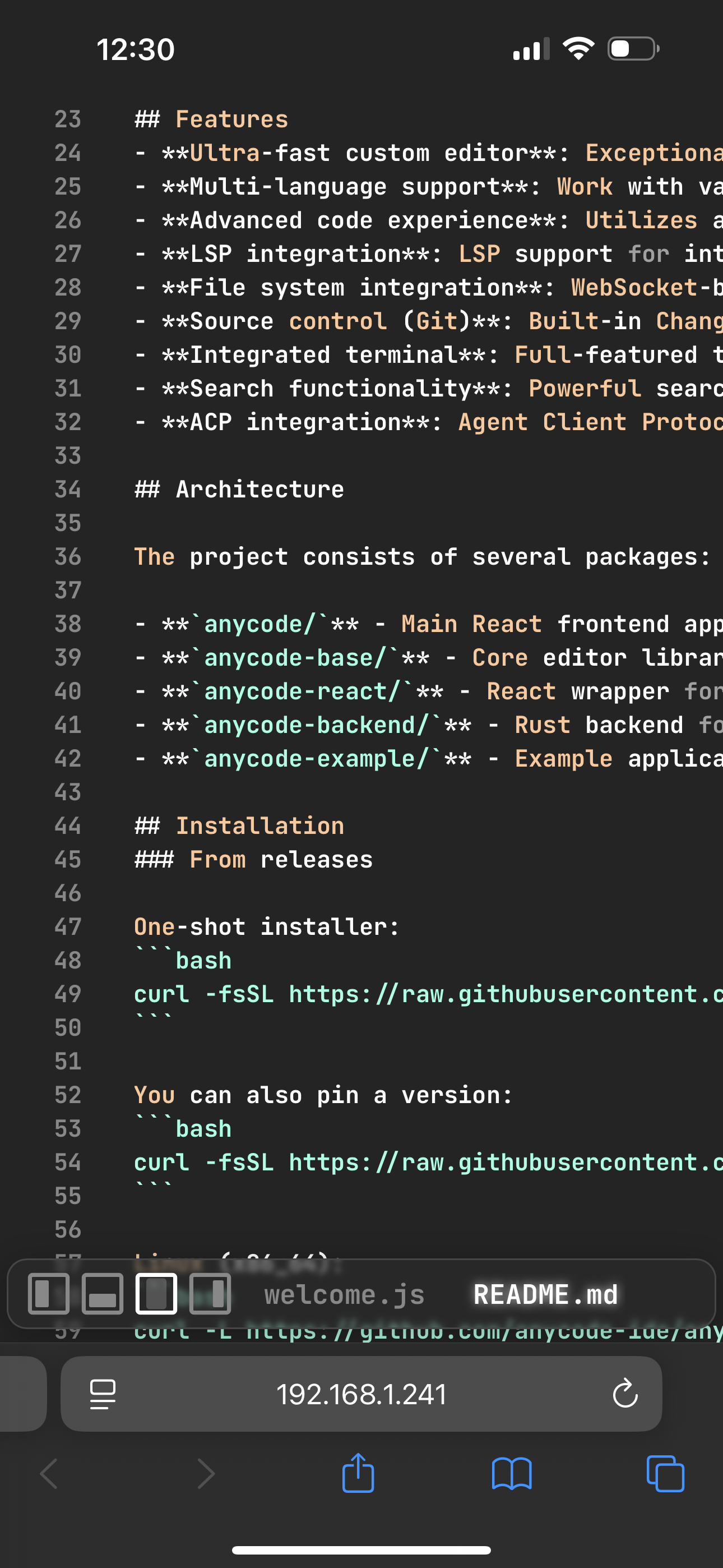 Editor |
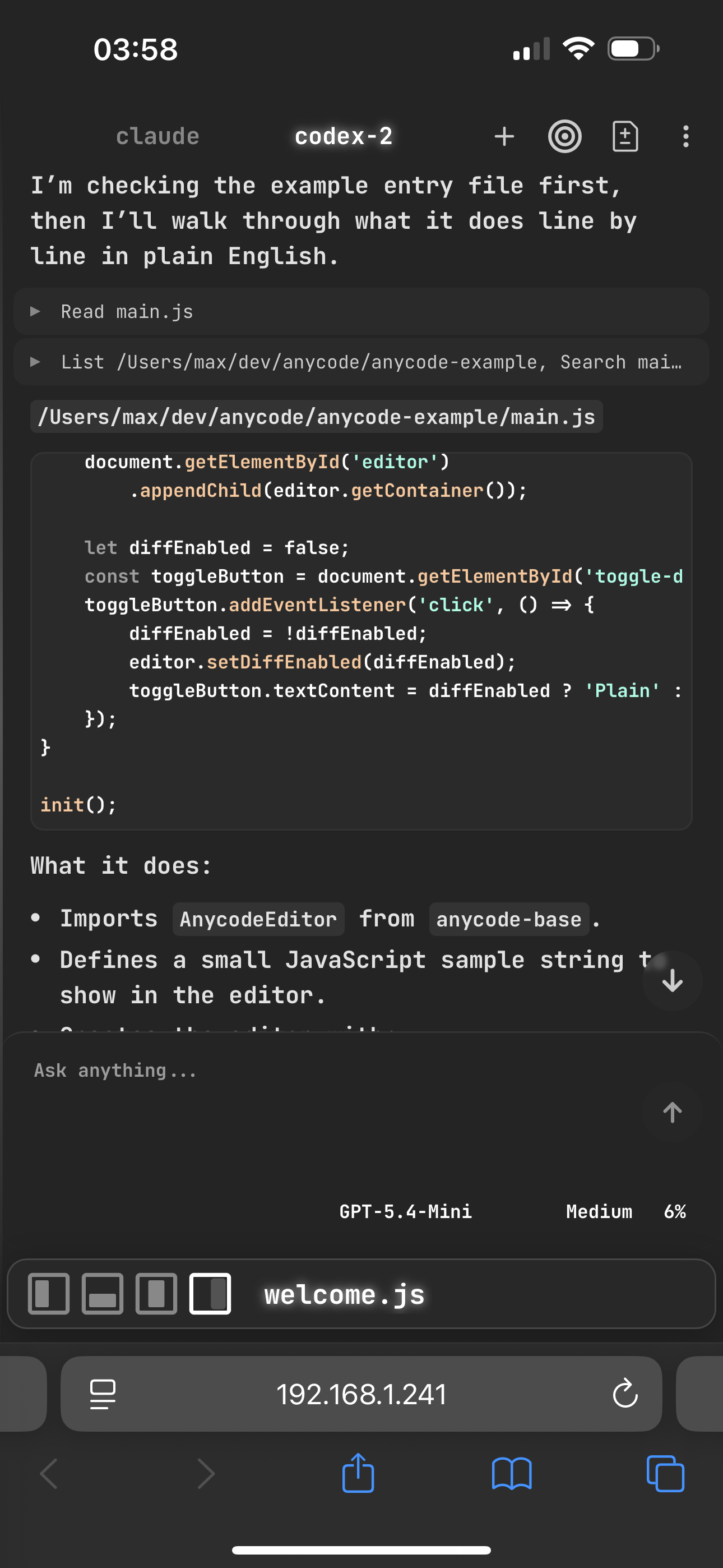 Agent |
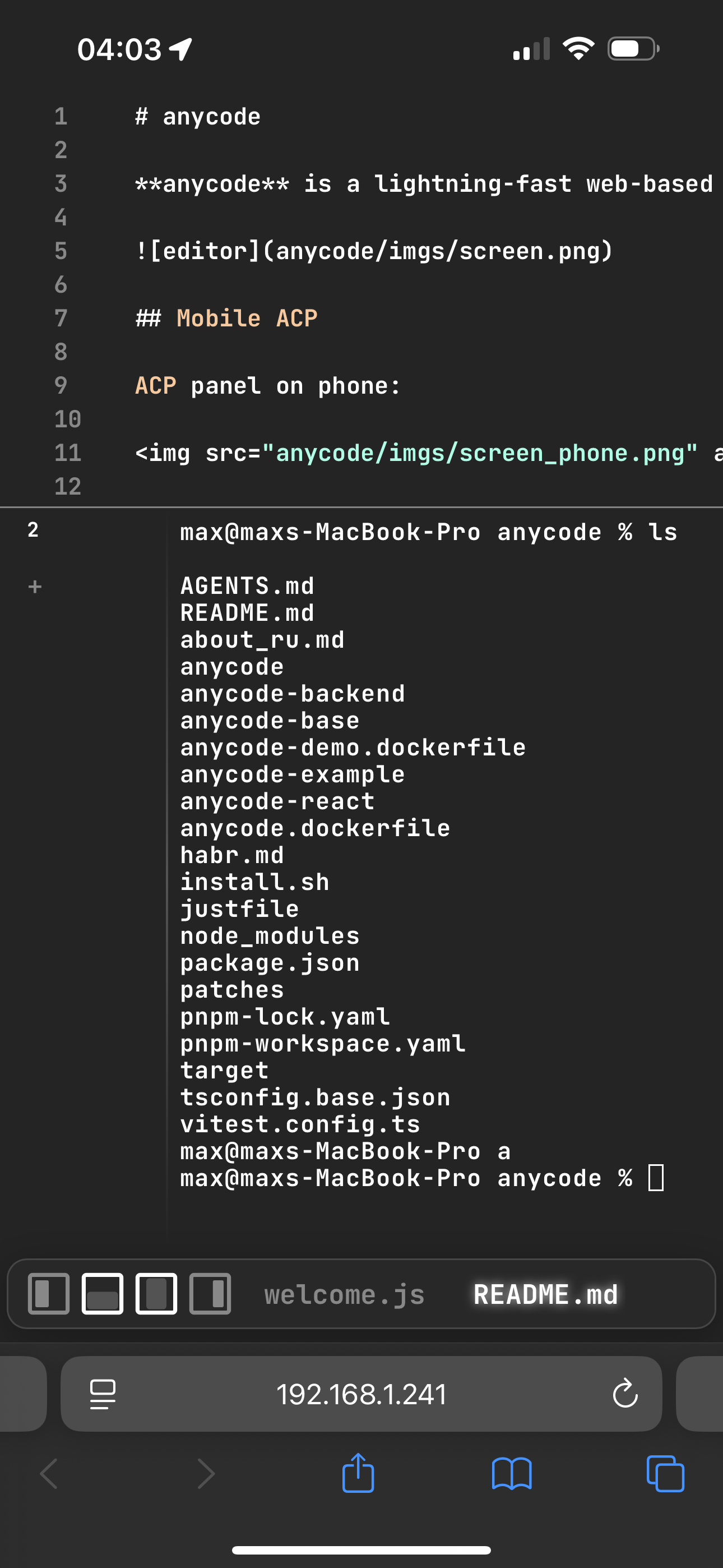 Terminal |
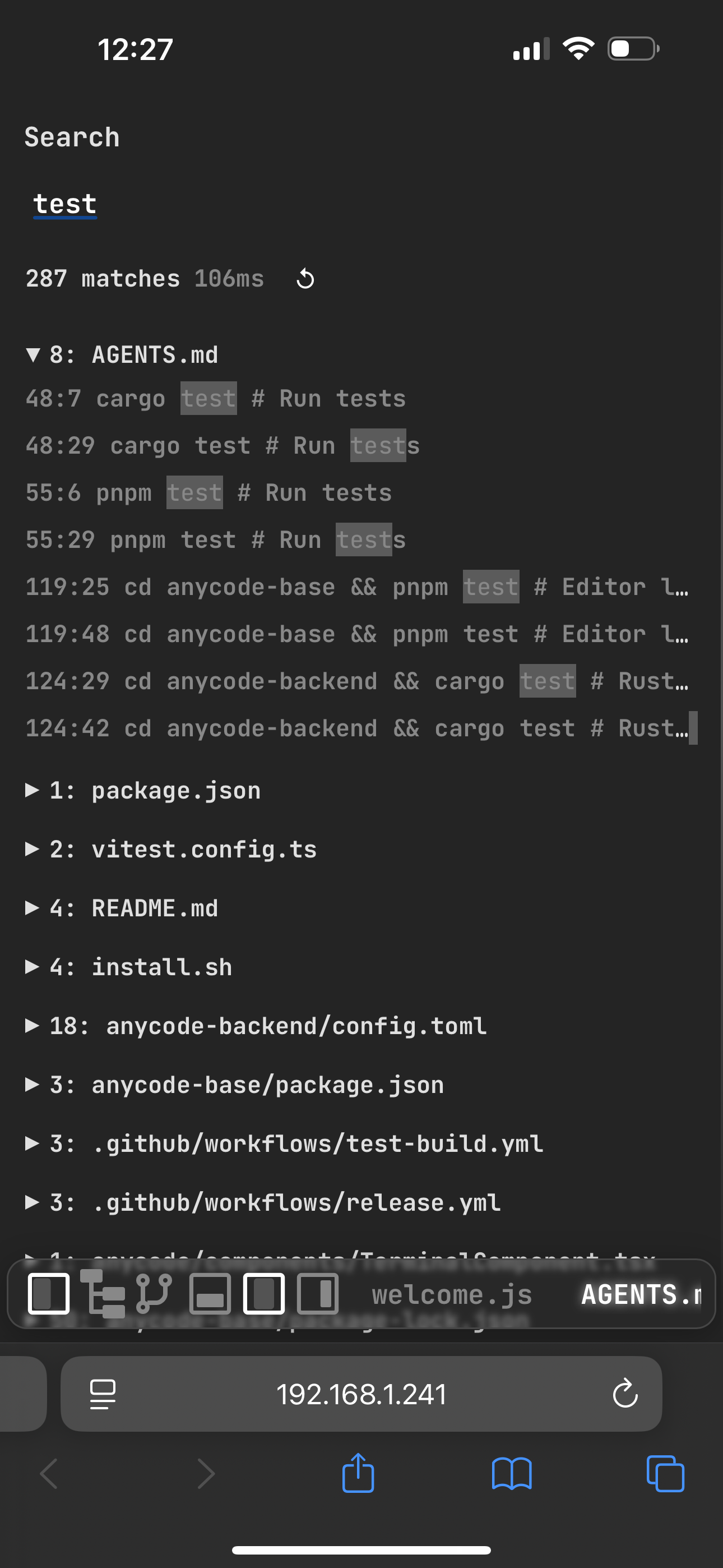 Search |
Features
- Ultra-fast custom editor: Exceptionally fast and highly optimized virtual rendering engine based on tree-sitter parser, delivering superior performance for large codebases.
- Multi-language support: Work with various programming languages in a single environment.
- Advanced code experience: Utilizes a custom code component based on web-tree-sitter for efficient parsing, syntax highlighting, and real-time code analysis.
- LSP integration: LSP support for intelligent code completion, go-to-definition, hover information and real-time diagnostics.
- File system integration: WebSocket-based backend for browsing and editing files from your local filesystem.
- Changes: Built-in git Changes panel, per-file revert, commit, push, and pull.
- Integrated terminal: Full-featured terminal emulator with WebSocket-based communication, supporting real-time command execution and output.
- Search functionality: Powerful search capabilities including local search within files and global search across project.
- ACP integration: Agent Client Protocol (ACP) support for seamless integration with AI agents, including tool-call streaming, history-backed undo, session resume, frontend-controlled permission mode, model and reasoning selectors, streamed markdown and code blocks, markdown file links, and improved tool-call diff display.
Architecture
The project consists of several packages:
anycode/- Main React frontend applicationanycode-base/- Core editor library with tree-sitter supportanycode-react/- React wrapper for the editoranycode-backend/- Rust backend for file system accessanycode-example/- Example application demonstrating anycode usage
Installation
From releases
One-shot installer:
curl -fsSL https://raw.githubusercontent.com/anycode-ade/anycode/main/install.sh | sh
You can also pin a version:
curl -fsSL https://raw.githubusercontent.com/anycode-ade/anycode/main/install.sh | sh -s -- --version v0.0.10
Linux (x86_64):
curl -L https://github.com/anycode-ade/anycode/releases/latest/download/anycode-linux-x86_64-musl.tar.gz | tar -xz
sudo mv anycode /usr/local/bin/
sudo chmod +x /usr/local/bin/anycode
anycode
Linux (ARM64):
curl -L https://github.com/anycode-ade/anycode/releases/latest/download/anycode-linux-aarch64-musl.tar.gz | tar -xz
sudo mv anycode /usr/local/bin/
sudo chmod +x /usr/local/bin/anycode
anycode
MacOS:
curl -L https://github.com/anycode-ade/anycode/releases/latest/download/anycode-universal-apple-darwin.tar.gz | tar -xz
sudo mv anycode /usr/local/bin/
sudo chmod +x /usr/local/bin/anycode
anycode
Development
Start frontend:
pnpm install
cd anycode
pnpm build
pnpm dev
Start rust backend:
cd anycode-backend
cargo run --release
Open your browser and navigate to the frontend URL
Contributing
We welcome contributions! Please fork the repository and submit a pull request with your changes. Make sure to follow the existing code style and include relevant tests.
Reviews (0)
Sign in to leave a review.
Leave a reviewNo results found