solr-mcp
Health Uyari
- No license — Repository has no license file
- Description — Repository has a description
- Active repo — Last push 0 days ago
- Low visibility — Only 8 GitHub stars
Code Gecti
- Code scan — Scanned 12 files during light audit, no dangerous patterns found
Permissions Gecti
- Permissions — No dangerous permissions requested
This MCP server acts as a bridge between AI assistants and Apache Solr, allowing large language models to directly search, index, and manage Solr collections via the Model Context Protocol.
Security Assessment
Overall Risk: Medium. The server naturally requires network access to communicate with your external Solr instance. However, because it provides the AI with tools to index, search, and manage databases, it handles potentially sensitive data. A code scan of 12 files found no hardcoded secrets, malicious code execution, or dangerous system permissions. The main risk stems from its elevated capabilities—if the AI is given overly broad permissions, it could unintentionally modify, delete, or expose your indexed database records. It also optionally supports OAuth2 for HTTP mode, which adds a layer of security if exposed over a network.
Quality Assessment
Despite being an official Apache repository, the project is currently in an "Incubating" status. It is highly active, with the most recent code push occurring today. However, it has very low community visibility and testing, having only accumulated 8 GitHub stars. Additionally, the repository currently lacks a proper open-source license file. While backing from the Apache Foundation is a strong indicator of long-term potential, users should remember this is a very early-stage project.
Verdict
Use with caution—it is an early-stage tool with inherent risks of data exposure or modification, lacking the maturity and licensing clarity of standard software.
Solr MCP Server

Solr MCP Server
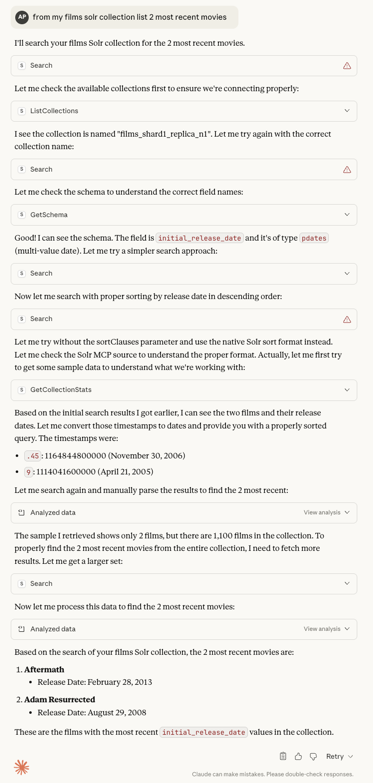
A Spring AI Model Context Protocol (MCP) server that provides tools for interacting with Apache Solr. Enables AI assistants like Claude to search, index, and manage Solr collections through the MCP protocol.
What's inside
- 🔍 Search Solr collections with filtering, faceting, and pagination
- 📝 Index documents in JSON, CSV, and XML
- 📁 Create collections with configurable shards, replicas, and configsets
- 📊 Manage collections and view statistics
- 🔧 Inspect schema
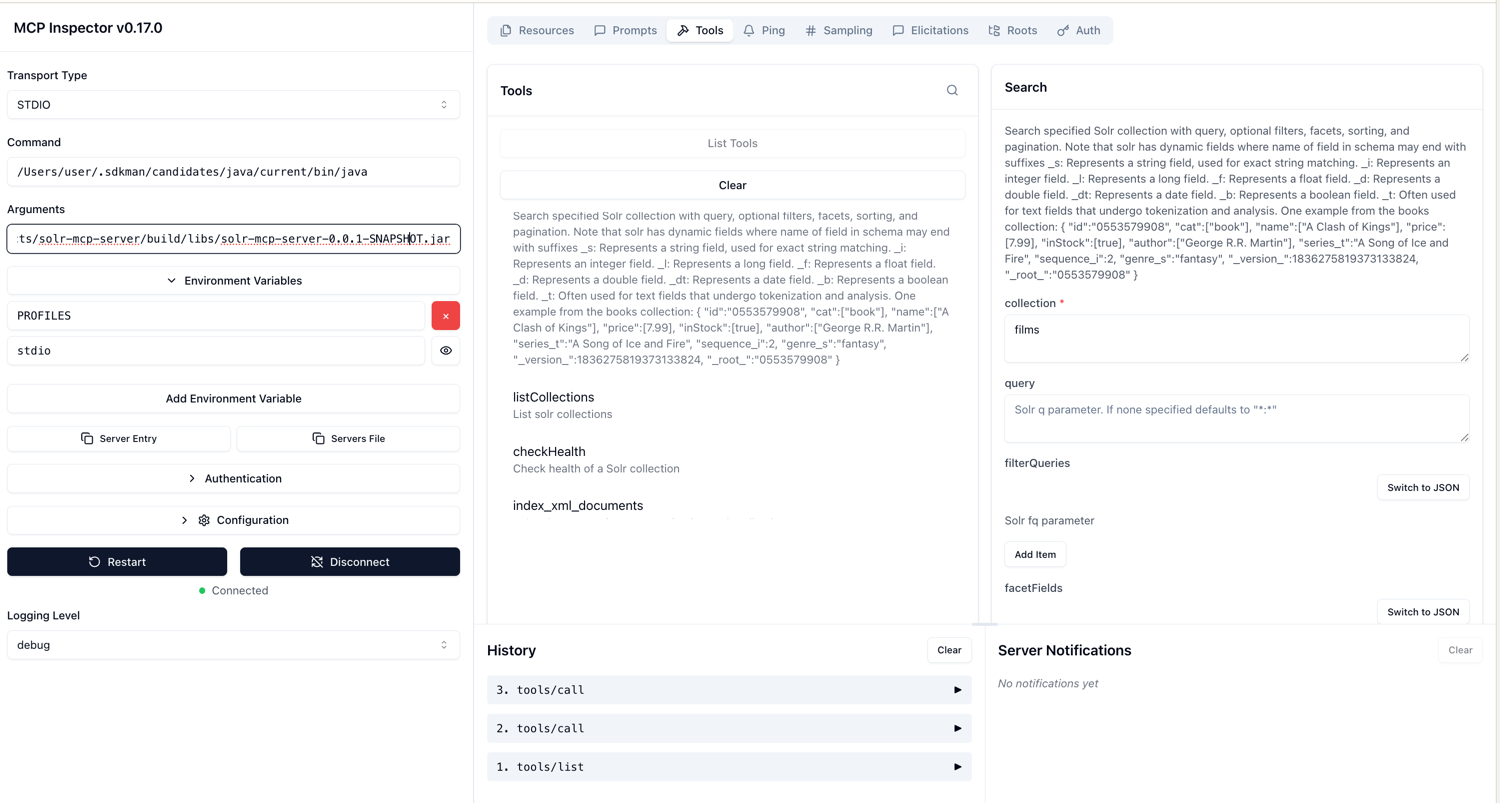
- 🔌 Transports: STDIO (Claude Desktop) and HTTP (MCP Inspector)
- 🔐 OAuth2 security with Auth0 (HTTP mode only)
- 🐳 Docker images built with Jib
Get started (users)
- Prerequisites: Java 25+, Docker (and Docker Compose), Git
- Start Solr with sample data:
docker compose up -d - Run the server:
- STDIO mode (default):
- Gradle:
./gradlew bootRun - JAR:
./gradlew build java -jar build/libs/solr-mcp-1.0.0-SNAPSHOT.jar - Docker:
docker run -i --rm ghcr.io/apache/solr-mcp:latest
- Gradle:
- HTTP mode:
- Gradle:
PROFILES=http ./gradlew bootRun - JAR:
PROFILES=http java -jar build/libs/solr-mcp-1.0.0-SNAPSHOT.jar - Docker:
docker run -p 8080:8080 --rm -e PROFILES=http ghcr.io/apache/solr-mcp:latest
- Gradle:
- STDIO mode (default):
For more options (custom SOLR_URL, Linux host networking) see the Deployment Guide: docs/DEPLOYMENT.md
Claude Desktop
Add this to your Claude Desktop config (macOS path shown); then restart Claude.
STDIO mode (default)
Using Docker:
{
  "mcpServers": {
    "solr-mcp": {
      "command": "docker",
      "args": ["run", "-i", "--rm", "ghcr.io/apache/solr-mcp:latest"],
        "env": {
            "SOLR_URL": "http://localhost:8983/solr/"
        }
    }
  }
}
Using JAR:
{
    "mcpServers": {
        "solr-mcp": {
            "command": "java",
            "args": [
                "-jar",
                "/absolute/path/to/solr-mcp-1.0.0-SNAPSHOT.jar"
            ],
            "env": {
                "SOLR_URL": "http://localhost:8983/solr/"
            }
        }
    }
}
HTTP mode
Using Docker:
{
    "mcpServers": {
        "solr-mcp": {
            "command": "docker",
            "args": [
                "run",
                "-p",
                "8080:8080",
                "--rm",
                "ghcr.io/apache/solr-mcp:latest"
            ],
            "env": {
                "PROFILES": "http",
                "SOLR_URL": "http://localhost:8983/solr/"
            }
        }
    }
}
Using JAR:
{
    "mcpServers": {
        "solr-mcp": {
            "command": "java",
            "args": [
                "-jar",
                "/absolute/path/to/solr-mcp-1.0.0-SNAPSHOT.jar"
            ],
            "env": {
                "PROFILES": "http",
                "SOLR_URL": "http://localhost:8983/solr/"
            }
    }
  }
}
Connecting to a running HTTP server
If you already have the MCP server running in HTTP mode (via Gradle, JAR, or Docker), you can connect Claude Desktop to
it using mcp-remote:
Running via Gradle:
PROFILES=http ./gradlew bootRun
Running locally (JAR):
PROFILES=http java -jar build/libs/solr-mcp-1.0.0-SNAPSHOT.jar
Running via Docker:
docker run -p 8080:8080 --rm -e PROFILES=http ghcr.io/apache/solr-mcp:latest
Then add to your claude_desktop_config.json:
{
    "mcpServers": {
        "solr-mcp-http": {
            "command": "npx",
            "args": [
                "mcp-remote",
                "http://localhost:8080/mcp"
            ]
        }
    }
}
More configuration options: docs/DEPLOYMENT.md#docker-images-with-jib
Claude Code
Add Solr MCP to Claude Code using the CLI or by adding a .mcp.json file to your project root.
STDIO mode (default)
Using Docker (CLI):
claude mcp add --transport stdio solr-mcp -- docker run -i --rm ghcr.io/apache/solr-mcp:latest
Using JAR (CLI):
claude mcp add --transport stdio -e SOLR_URL=http://localhost:8983/solr/ solr-mcp -- java -jar /absolute/path/to/solr-mcp-1.0.0-SNAPSHOT.jar
Or add to your project's .mcp.json:
Using Docker:
{
  "mcpServers": {
    "solr-mcp": {
      "type": "stdio",
      "command": "docker",
      "args": ["run", "-i", "--rm", "ghcr.io/apache/solr-mcp:latest"],
      "env": {
        "SOLR_URL": "http://localhost:8983/solr/"
      }
    }
  }
}
Using JAR:
{
  "mcpServers": {
    "solr-mcp": {
      "type": "stdio",
      "command": "java",
      "args": ["-jar", "/absolute/path/to/solr-mcp-1.0.0-SNAPSHOT.jar"],
      "env": {
        "SOLR_URL": "http://localhost:8983/solr/"
      }
    }
  }
}
HTTP mode
Start the server first (pick one):
# Gradle
PROFILES=http ./gradlew bootRun

# JAR
PROFILES=http java -jar build/libs/solr-mcp-1.0.0-SNAPSHOT.jar

# Docker
docker run -p 8080:8080 --rm -e PROFILES=http ghcr.io/apache/solr-mcp:latest
Then add to Claude Code:
claude mcp add --transport http solr-mcp http://localhost:8080/mcp
Or add to .mcp.json:
{
  "mcpServers": {
    "solr-mcp": {
      "type": "http",
      "url": "http://localhost:8080/mcp"
    }
  }
}
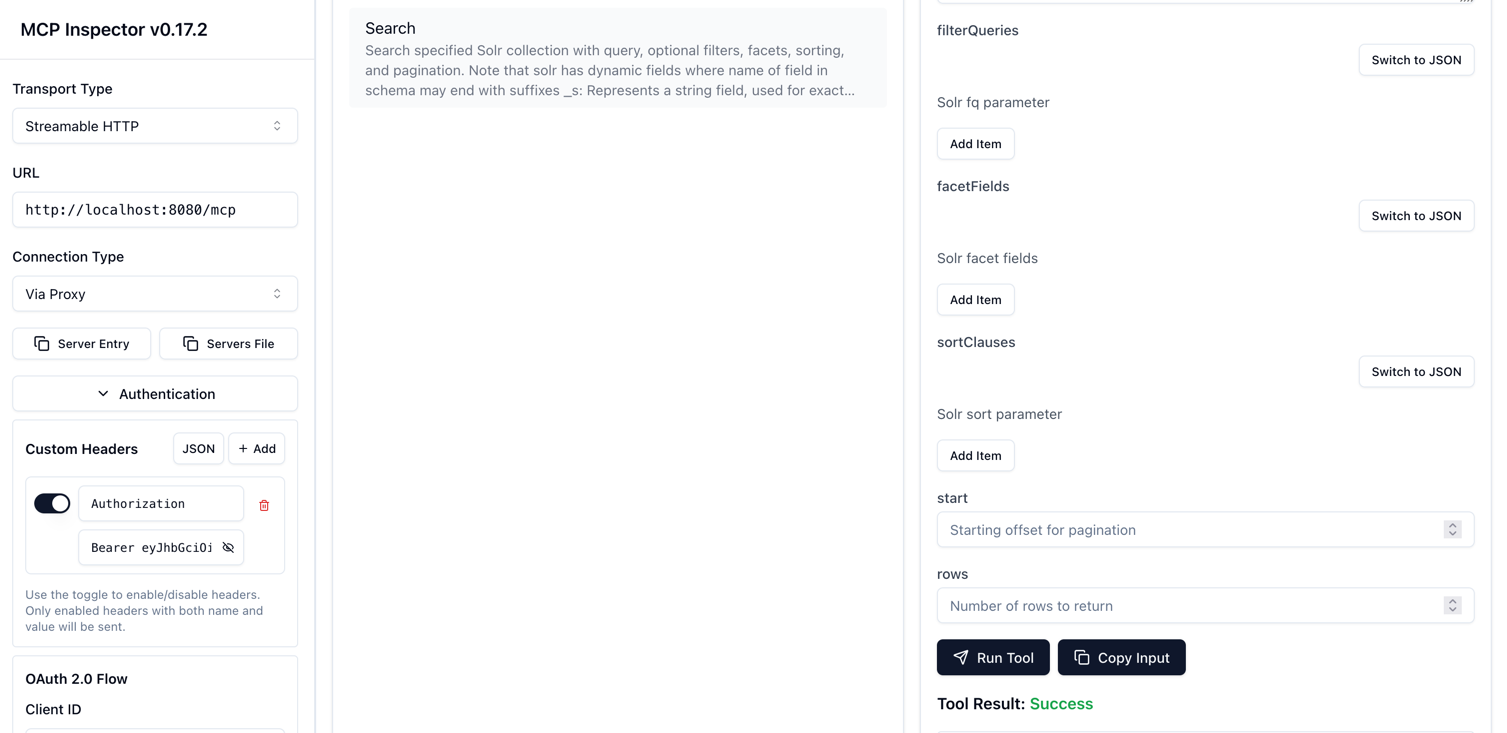
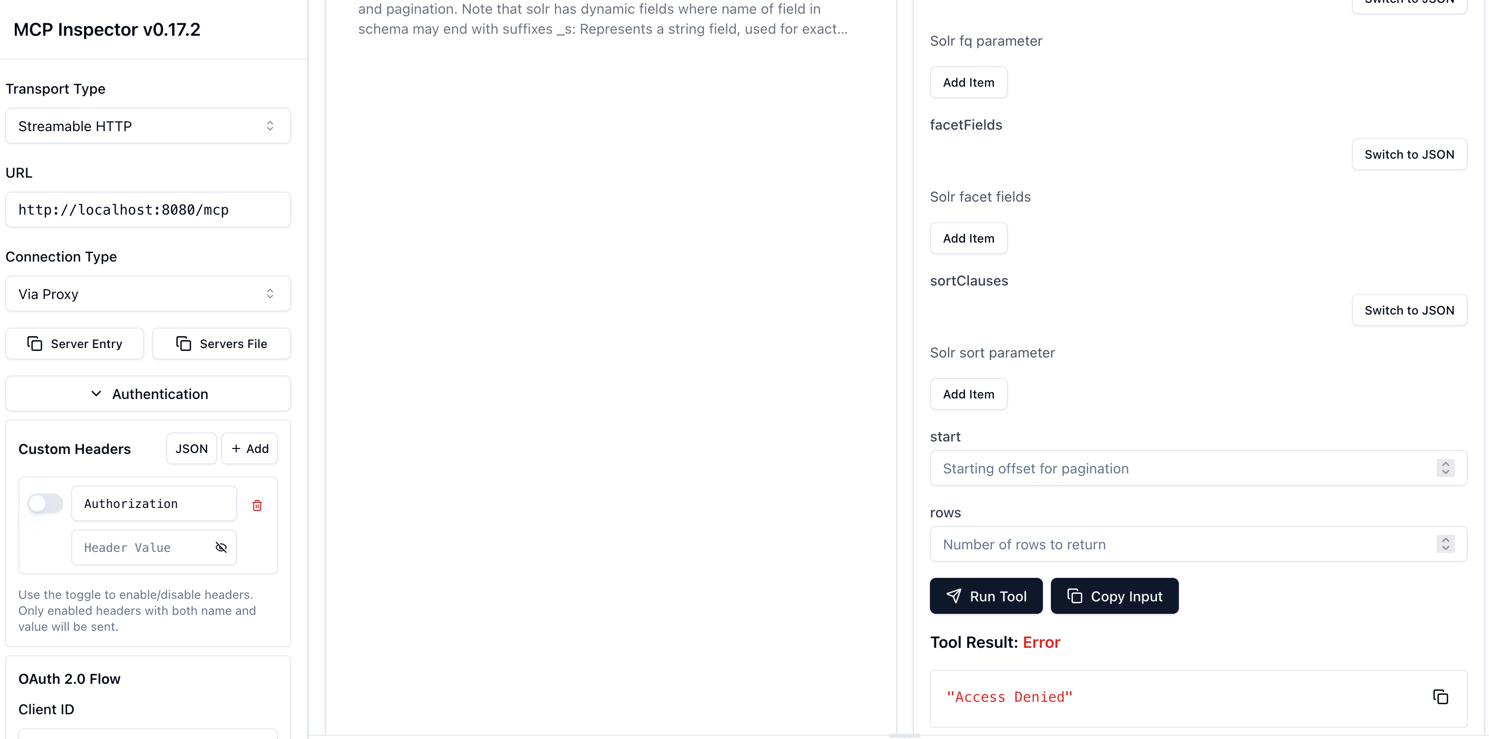
Security (OAuth2)
The Solr MCP server supports OAuth2 authentication when running in HTTP mode, providing secure access control for your
MCP tools.
Features
- OAuth2 Resource Server: JWT token validation using Auth0 (or any OAuth2 provider)
- HTTP Mode Only: Security is only active when using the
httpprofile - CORS Support: Enabled for MCP Inspector compatibility
- Machine-to-Machine: Uses Client Credentials flow for service authentication
Quick Setup
Configure Auth0 (see detailed guide: security-docs/AUTH0_SETUP.md)
- Create an Auth0 Application (Machine to Machine)
- Create an Auth0 API with your audience identifier
- Note your Domain, Client ID, Client Secret, and Audience
Set Environment Variable:
export OAUTH2_ISSUER_URI=https://your-tenant.auth0.com/
export PROFILES=http
Run the Server:
./gradlew bootRunGet Access Token (using convenience script):
./scripts/get-auth0-token.sh --domain your-tenant.auth0.com \
  --client-id YOUR_CLIENT_ID \
  --client-secret YOUR_CLIENT_SECRET \
  --audience https://solr-mcp-api
Use the Token:
curl -H "Authorization: Bearer YOUR_TOKEN" \
  http://localhost:8080/mcp
For complete setup instructions, see security-docs/AUTH0_SETUP.md
Available MCP tools
Search
| Tool | Description |
|---|---|
search |
Full-text search with filtering, faceting, sorting, and pagination |
Indexing
| Tool | Description |
|---|---|
index-json-documents |
Index documents from a JSON string into a Solr collection |
index-csv-documents |
Index documents from a CSV string into a Solr collection |
index-xml-documents |
Index documents from an XML string into a Solr collection |
Collections
| Tool | Description |
|---|---|
create-collection |
Create a new Solr collection (configSet, numShards, replicationFactor optional — default to _default, 1, 1) |
list-collections |
List all available Solr collections |
get-collection-stats |
Get statistics and metrics for a collection |
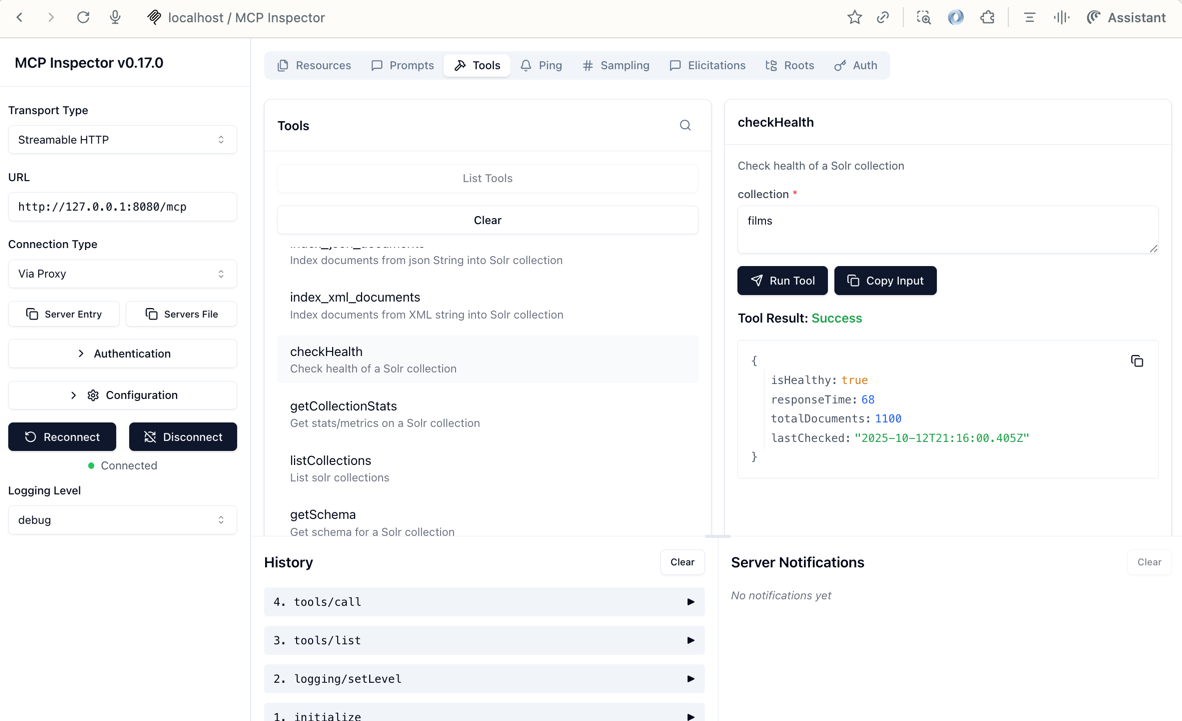
check-health |
Check the health status of a collection |
Schema
| Tool | Description |
|---|---|
get-schema |
Retrieve schema information for a collection |
Available MCP Resources
MCP Resources provide a way to expose data that can be read by MCP clients. The Solr MCP Server provides the following resources:
| Resource URI | Description |
|---|---|
solr://collections |
List of all Solr collections available in the cluster |
solr://{collection}/schema |
Schema definition for a specific collection (supports autocompletion) |
Resource Autocompletion
The solr://{collection}/schema resource supports autocompletion for the {collection} parameter. MCP clients can use the completion API to get a list of available collection names.
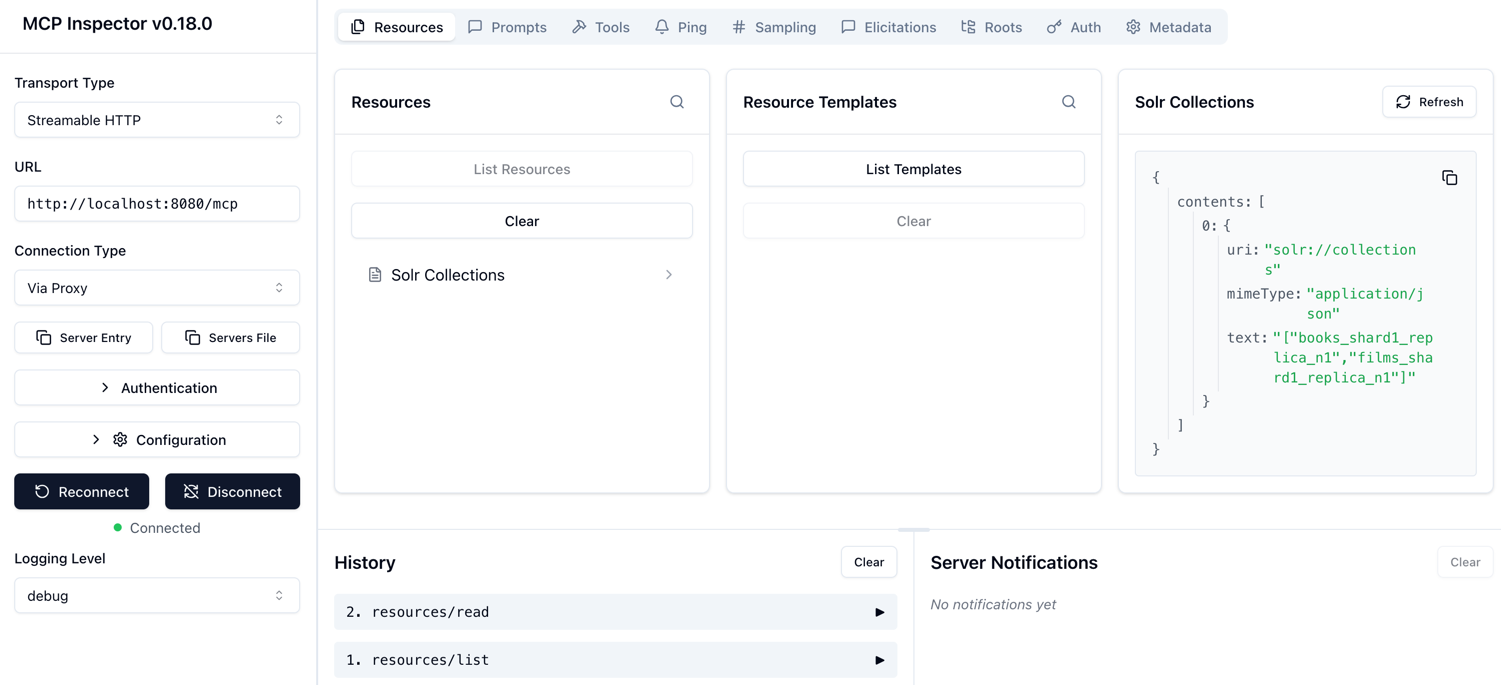
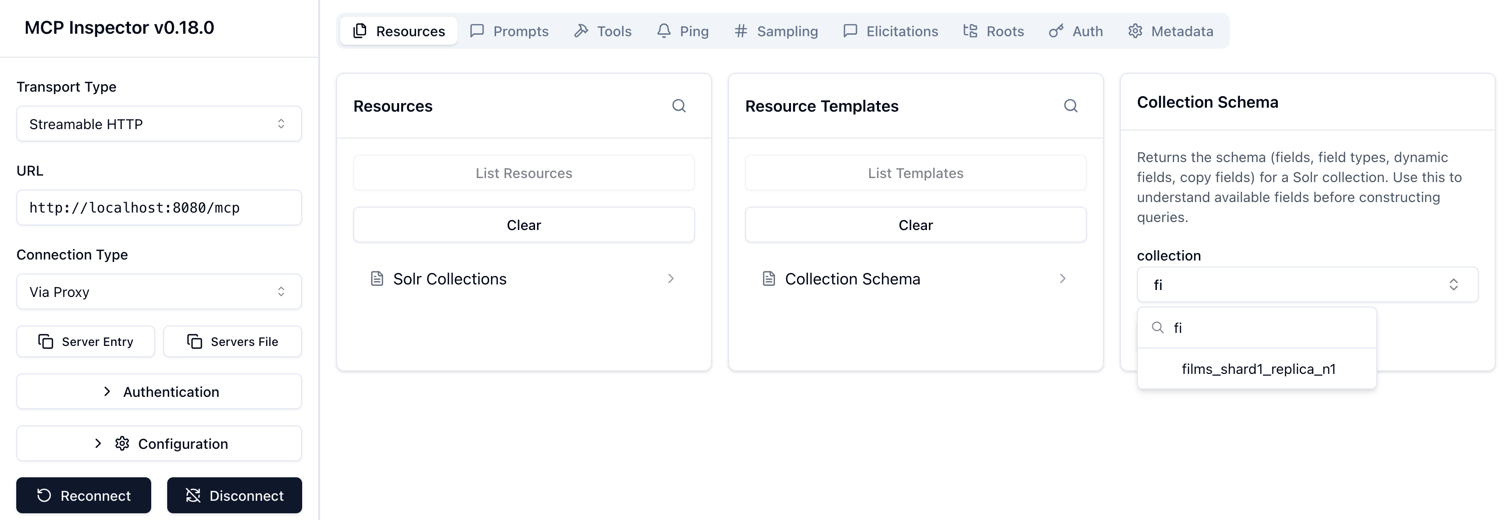
Screenshots
Claude Desktop (STDIO):
MCP Inspector (HTTP):
MCP Inspector (HTTP with OAuth2 - Success):
MCP Inspector (HTTP with OAuth2 - Failure):
MCP Inspector (STDIO):
Documentation
Contributing
We welcome contributions!
- Start here: CONTRIBUTING.md
Support
- Issues: https://github.com/apache/solr-mcp/issues
- Discussions: https://github.com/apache/solr-mcp/discussions
License
Apache License 2.0 — see LICENSE
Acknowledgments
Built with:
- Spring AI MCP — https://spring.io/projects/spring-ai
- Apache Solr — https://solr.apache.org/
- Jib — https://github.com/GoogleContainerTools/jib
- Testcontainers — https://www.testcontainers.org/
- Spring AI MCP Security — https://github.com/spring-ai-community/mcp-security
Yorumlar (0)
Yorum birakmak icin giris yap.
Yorum birakSonuc bulunamadi