mcp-client-and-proxy
Health Gecti
- License — License: MIT
- Description — Repository has a description
- Active repo — Last push 0 days ago
- Community trust — 16 GitHub stars
Code Basarisiz
- Hardcoded secret — Potential hardcoded credential in analytics.py
- Hardcoded secret — Potential hardcoded credential in analytics_config.py
- process.env — Environment variable access in proxy-bootstrap.js
- network request — Outbound network request in proxy-bootstrap.js
Permissions Gecti
- Permissions — No dangerous permissions requested
Bu listing icin henuz AI raporu yok.
A universal MCP client with proxying feature to interact with MCP Servers which support STDIO transport.
Appsecco MCP Client and Proxy
Semi Professional Security Tool with Cool Vibes - Send MCP Server Traffic to your Burp Suite



🌟 Key Features
- 🔍 Advanced MCP Server Integration - Connect to any MCP server with professional-grade reliability
- 🌐 Enterprise Proxy Support - Seamless integration with Burp Suite and other security tools
- 🔗 Proxychains Integration - Professional traffic routing and analysis capabilities
- 🛡️ SSL Bypass Support - Advanced testing scenarios with certificate handling
- 📊 Interactive Security Testing - Professional interface for security assessments
- 🔭 Full Traffic Visibility - Intercept both local relay traffic AND backend MCP server HTTPS traffic in Burp
🚀 What This Tool Does
The Appsecco MCP Client and Proxy is a professional security testing tool that provides:
- Local Relaying Proxy - Start a local proxy server to route traffic through Burp Suite or other security tools
- MCP Server Integration - Connect to MCP servers defined in
mcp_config.jsonand interact with their tools - Professional Traffic Analysis - Route all traffic through configurable proxies for security testing
- Full Backend Visibility - Intercept HTTPS traffic from
mcp-remoteto remote MCP endpoints in Burp - Enterprise-Grade Reliability - Built for professional security teams and penetration testers
🛠️ Installation & Setup
Prerequisites
- Python 3.7+
- Node.js 18+ and npm (for running
npx-based MCP servers) - Proxychains (for advanced proxy routing)
- Burp Suite (recommended for traffic analysis)
Quick Start
# 1. Create virtual environment
python3 -m venv venv && source venv/bin/activate

# 2. Install Python requirements
pip3 install -r requirements.txt

# 3. Install Node.js dependencies for backend traffic interception
npm install -g global-agent
npm install undici

# 4. Run the professional security testing tool
python3 app.py --start-proxy
Proxychains Installation
The tool will automatically detect if proxychains is installed and provide installation instructions if needed:
- Ubuntu/Debian:
sudo apt-get install proxychains - CentOS/RHEL:
sudo yum install proxychains - macOS:
brew install proxychains-ng
📖 Usage
Basic Usage
# Start with HTTP proxy server for Burp inspection
python3 app.py --start-proxy

# Use custom configuration file
python3 app.py --config my_mcp_config.json --start-proxy

# Disable Burp proxy routing
python3 app.py --no-burp

# Disable proxychains
python3 app.py --no-proxychains
Advanced Options
usage: python3 app.py [-h] [--config CONFIG] [--proxy PROXY] [--start-proxy]
              [--proxy-port PROXY_PORT] [--no-burp] [--no-proxychains]
              [--no-ssl-bypass] [--debug]

Appsecco MCP Client and Proxy - Professional Security Testing Tool with proxychains support

options:
  -h, --help            show this help message and exit
  --config CONFIG, -c CONFIG
                        MCP configuration file (default: mcp_config.json)
  --proxy PROXY, -p PROXY
                        Burp proxy URL (default: http://127.0.0.1:8080)
  --start-proxy         Start HTTP proxy server for Burp inspection
  --proxy-port PROXY_PORT
                        HTTP proxy server port (default: 3000)
  --no-burp             Disable Burp proxy routing
  --no-proxychains      Disable proxychains usage
  --no-ssl-bypass       Disable SSL certificate bypass
  --debug               Enable debug output for troubleshooting

Example: python3 app.py --start-proxy

Brought to you by Appsecco - Product Security Experts
🔄 Data Flow with --start-proxy
When using the --start-proxy flag, the tool creates a professional security testing environment:
1. 🚀 Run the app: python3 app.py --start-proxy
2. 🔧 MCP Server Starts (with proxychains and HTTP_PROXY set)
3. 🌐 Local Proxy Server Starts on port 3000
4. 📡 App sends requests -> Local Proxy (port 3000) -> Burp (port 8080) -> MCP Server (stdio)
5. 🔗 MCP server (mcp-remote) sends HTTPS requests -> Burp (port 8080) -> Remote MCP endpoint
6. 📤 Remote MCP endpoint responds -> Burp -> MCP Server -> Local Proxy -> App
Burp Suite Configuration
- Launch Burp Suite and set it to listen on port 8080 (localhost)
- Configure Burp to intercept traffic as usual. This traffic will be travelling to
localhost:3000and backend APIs - Use Burp's professional tools like Repeater, Intruder, and Scanner
🔭 Intercepting Backend MCP Server Traffic (mcp-remote)
By default, proxychains does not reliably intercept Node.js traffic because Node.js uses its own networking stack (libuv/undici) that bypasses LD_PRELOAD/DYLD_INSERT_LIBRARIES hooks. This means traffic from mcp-remote to remote endpoints like https://your-mcp-server.example.com/mcp would not appear in Burp.
This tool solves this using two mechanisms:
HTTP_PROXY/HTTPS_PROXYenv vars — set automatically on the MCP subprocess when Burp proxy is enabled, so npm and legacy http traffic routes through Burpproxy-bootstrap.js— a startup script that patches both Node.js's legacyhttp/httpsmodules (viaglobal-agent) and the nativefetch/undicidispatcher (viaundici'sProxyAgent), covering all outbound HTTP(S) connections frommcp-remote
Setup Steps
Step 1: Install the required Node.js packages
npm install -g global-agent
npm install undici        # run from the project directory
Step 2: Find your global-agent install path
npm root -g
# e.g. /usr/local/lib/node_modules  or  /Users/you/.nvm/versions/node/vX.Y.Z/lib/node_modules
Step 3: Export Burp's CA certificate as PEM
In Burp Suite: Proxy → Options → Import/export CA certificate → Export Certificate in DER format
Then convert to PEM:
openssl x509 -inform DER -in burp-ca.crt -out burp-ca.pem
Step 4: Update proxy-bootstrap.js with your global-agent path
Edit the require(...) path in proxy-bootstrap.js to match your system:
const { bootstrap } = require('/path/to/node_modules/global-agent');
bootstrap();

const { ProxyAgent, setGlobalDispatcher } = require('undici');
const proxyUrl = process.env.GLOBAL_AGENT_HTTPS_PROXY || 'http://127.0.0.1:8080';
setGlobalDispatcher(new ProxyAgent(proxyUrl));
Step 5: Configure mcp_config.json
Add an env block to each MCP server entry:
{
  "mcpServers": {
    "My MCP Server": {
      "command": "npx",
      "args": [
        "-y",
        "mcp-remote",
        "https://your-mcp-server.example.com/mcp"
      ],
      "env": {
        "NODE_EXTRA_CA_CERTS": "/path/to/burp-ca.pem",
        "NODE_OPTIONS": "--require /path/to/mcp-client-and-proxy/proxy-bootstrap.js",
        "GLOBAL_AGENT_HTTP_PROXY": "http://127.0.0.1:8080",
        "GLOBAL_AGENT_HTTPS_PROXY": "http://127.0.0.1:8080"
      }
    }
  }
}
| Field | Purpose |
|---|---|
NODE_EXTRA_CA_CERTS |
Trusts Burp's CA cert so TLS validation passes through the proxy |
NODE_OPTIONS |
Loads proxy-bootstrap.js before any other code runs |
GLOBAL_AGENT_HTTP_PROXY / GLOBAL_AGENT_HTTPS_PROXY |
Proxy URL picked up by both global-agent and proxy-bootstrap.js |
Once configured, all traffic — including HTTPS requests from mcp-remote to remote MCP endpoints — will appear in Burp.
📊 Analytics
This tool includes anonymous usage analytics for Appsecco to obtain usage metrics
What we track: startup arguments, tool start and end, count of MCP servers, error rates and basic system info (OS, Python version)
What we DON'T track: Personal data, URLs, testing targets, traffic, credentials
Opt-out: Use --no-analytics flag or set MCP_ANALYTICS_DISABLED=true
You can use export MCP_ANALYTICS_DEBUG=true to see what analytics data is shared.
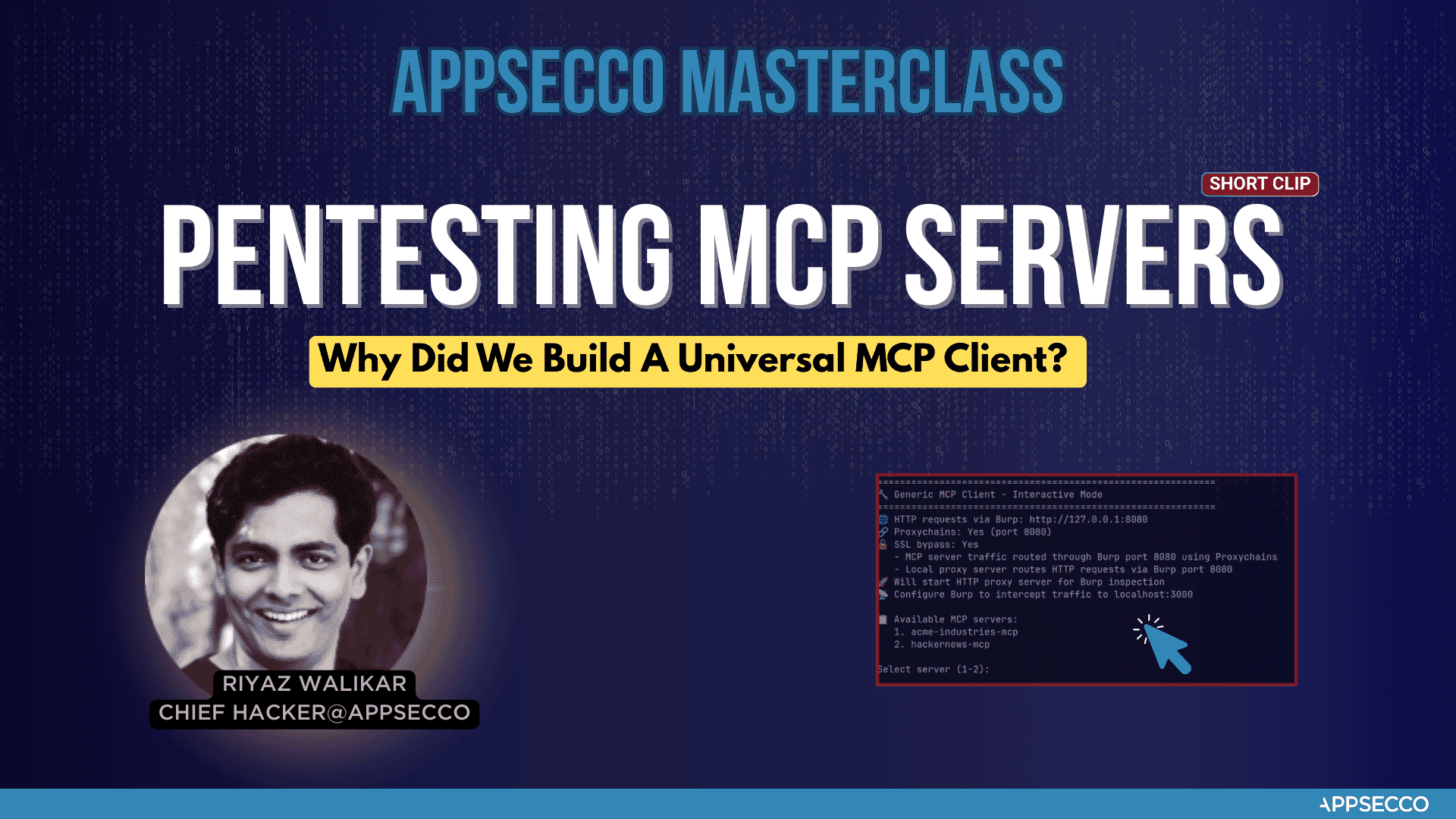
Why did we build this universal MCP client
🛡️ About Appsecco - Let Us Hack Your Product Like Attackers Do 🛡️
Appsecco is a leading cybersecurity company specializing in product security testing, penetration testing, and security assessments. At Appsecco we hack your product and Cloud/K8s infra like hackers do. Real security testing for business-critical applications.
We wrote this MCP Client and Proxy tool when we had to testing the security of MCP server of a Fortune 500 FinTech company. It worked well for our Burp Suite workflow. We felt that there could be others who may need this as well.
🏢 Product Security Testing
Appsecco provides comprehensive cybersecurity services:
- 🔍 Penetration Testing & Security Assessments for Business-critical Products
- 🛡️ Application Security Testing
- 🏗️ Infrastructure Security Audits
- ☁️ Cloud Security Assessments
📞 Contact & Support
While this tool is offered under an open source MIT license, if you are interested in taking a look at our services. Here are the details.
- 🌐 Website: https://appsecco.com
- 📧 Email: [email protected]
- 📱 LinkedIn: https://linkedin.com/company/appsecco
📄 License
This project is licensed under the MIT License - see the LICENSE file for details.
🙏 Acknowledgments
Built with ❤️ by Riyaz & Akash for the cybersecurity community.
Appsecco - Let Us Hack Your Product Like Attackers Do 🛡️
Yorumlar (0)
Yorum birakmak icin giris yap.
Yorum birakSonuc bulunamadi