FowlBrowser
Health Pass
- License — License: MIT
- Description — Repository has a description
- Active repo — Last push 0 days ago
- Community trust — 21 GitHub stars
Code Fail
- fs.rmSync — Destructive file system operation in host/host.mjs
- os.homedir — User home directory access in host/host.mjs
- process.env — Environment variable access in host/host.mjs
- fs.rmSync — Destructive file system operation in host/install.sh
- fs module — File system access in host/install.sh
- fs module — File system access in install.sh
Permissions Pass
- Permissions — No dangerous permissions requested
No AI report is available for this listing yet.
Let your AI agents use your real Chrome, in background tabs, without getting in your way.

FowlBrowser
Let your AI agents use your real browser, in background tabs, while you keep working.
For Claude Code, Codex and any agent that speaks MCP.
macOS · Chrome and Helium · MIT licensed · free
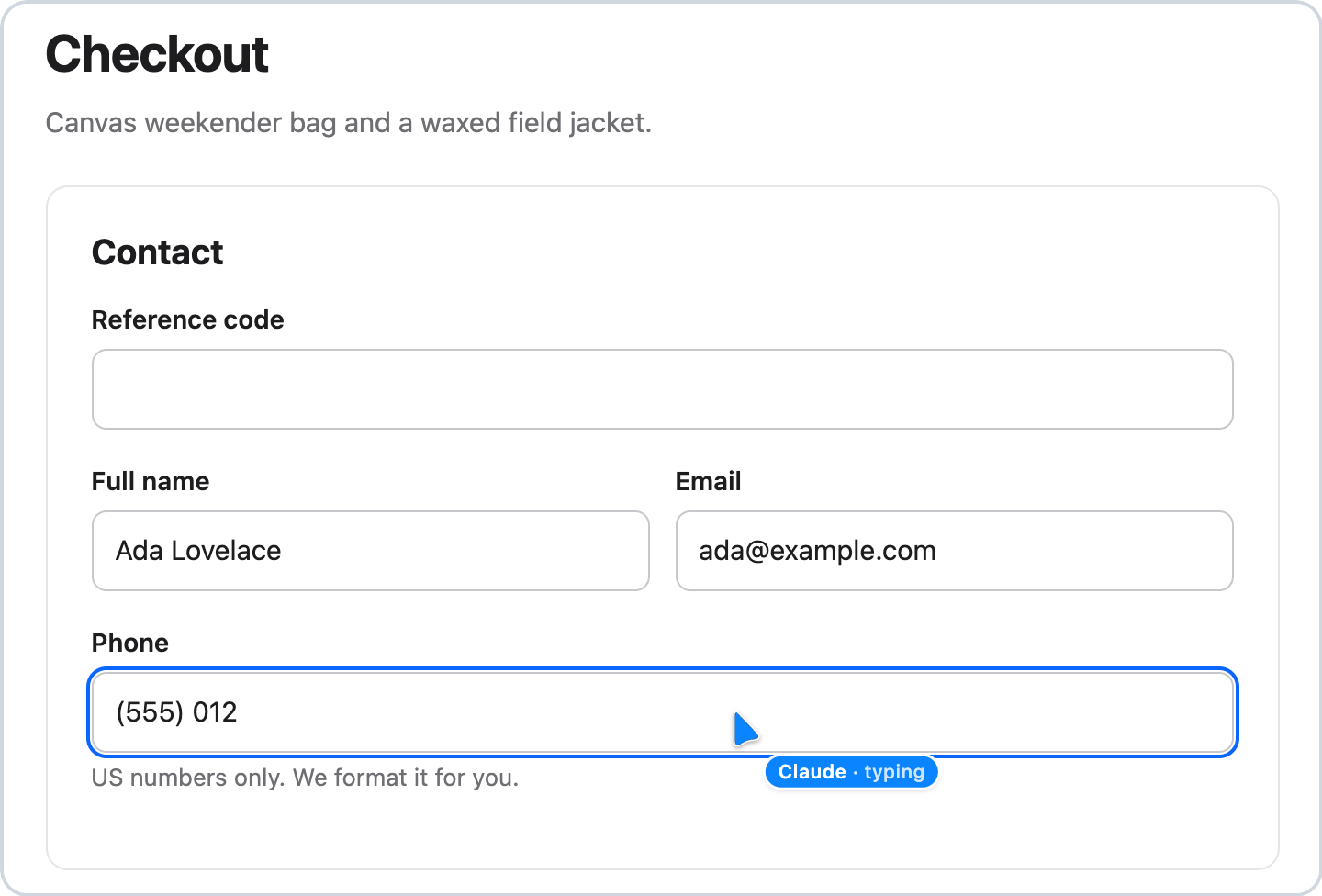
FowlBrowser lets AI agents use the Chrome or Helium you already have, with your logins, bookmarks and open tabs. They
work in their own tabs in the background, several at once, and stay out of your way. Open an agent's tab whenever you
like, and a cursor shows exactly what it is doing.
How it compares
We gave the same agent (Claude Code with Claude Opus 5.5) the same 13 everyday tasks, twice each: once through
FowlBrowser and once through Codex's Chrome extension, in the same browsers, graded the same way.
| FowlBrowser | Codex browser extension | |
|---|---|---|
| Tasks done right | 26 / 26 | 23 / 26 |
| Tricky forms (custom dropdowns, card field in an iframe, closed shadow DOM, drag to reorder) | 8 / 8 | 5 / 8 |
| Pop-ups that opened in front of the page you were on | none | in all 6 pop-up runs |
| Total time | 15 min | 18 min |
| Total cost | $8.34 | $12.78 |
Codex was faster on 4 of the 13 tasks; every task and the fine print are in docs/benchmarks.md.
FowlBrowser's performance tools against Chrome DevTools MCP, on the same pages:
| FowlBrowser | Chrome DevTools MCP | |
|---|---|---|
| Lighthouse scores and Core Web Vitals | same | same |
| Size of a performance trace summary (what the agent reads) | 6 to 9 times smaller | larger |
| Needs Chrome's remote-debugging port and an "Allow" dialog | no | yes |
| Opens its tab in the background | yes | not by default |
| Leaves your cache and site data alone | yes | Lighthouse clears them |
| Lighthouse on heavy sites | slower (3 to 5 times) | faster |
| Heap snapshots | no | yes |
And under load: 12 agents filling six tricky forms at once, in two browsers, got all 125 fields right, mixed nothing
up between them, and the cursor was on target at all 188 clicks.
How we tested and how to run it yourself: docs/benchmarks.md.
Install
You need a Mac, Node.js 22.19 or newer, and Google Chrome or Helium.
The easy way: ask your agent
Paste this into Claude Code, Codex or any agent that can run commands on your Mac:
Set up FowlBrowser for me: clone https://github.com/argofowl/FowlBrowser into ~/FowlBrowser
(or git pull there if I already have it), then follow the steps for you in docs/agent-setup.md.
It installs FowlBrowser, connects it to your agent and walks you through the one step only you can do: adding the
extension to your browser. The same prompts are in the FowlBrowser toolbar popup under Set up an agent.
By hand
1. Run the installer in Terminal:
git clone https://github.com/argofowl/FowlBrowser.git
cd FowlBrowser
sh install.sh
2. Add the extension, once per browser profile (FowlBrowser isn't in the Chrome Web Store yet):
- Open
chrome://extensionsand turn on Developer mode (top right). - Click Load unpacked and pick
~/Library/Application Support/FowlBrowser/extension(in the file picker, press
Cmd-Shift-G and paste the path). - Open the extension's Details and turn on Allow access to file URLs, so agents can upload files for you.
3. Start a new agent session and ask away.
To update, run git pull and sh install.sh again. To remove it, run sh uninstall.sh and remove the extension.
What it does
- Uses the browser you're already signed in to. No separate profile, no logging in again.
- Stays out of your way. Agent tabs open in the background, muted, in their own tab group, and pop-ups they open
stay in the background too. - Shows its work. In the tab you're looking at, a cursor with the agent's name moves to each click and says what
it's doing. - Works alongside you. Watch an agent's tab or click around in it and the agent keeps going, like Codex's
extension, and tabs you open from it are yours. To stop it, stop the agent, close its tab or press Cancel on the
browser's debugging bar. When a step needs you, like a login, a code or a payment, it hands you the tab and waits. - Asks before acting for you. Agents are told to check with you before they send, post, buy, delete or change
account settings, and to treat text on web pages as information, never as instructions. - Runs many agents at once. Every agent session works in its own tabs.
- Measures pages. Performance traces with Core Web Vitals, Lighthouse audits and memory readings.
What you can ask
Open my GitHub notifications and tell me what needs a reply.
Find the RSVP form in my email, fill it in with my details and stop before sending.
Use my Work browser to download last month's invoices. Hand me the tab if it asks me to sign in.
Why is this page slow? Trace it and tell me what to fix first.
Name your browsers (Work, Personal) by clicking the FowlBrowser icon in the toolbar; agents then know which one you mean.
Privacy and safety
- No servers, no tracking. FowlBrowser runs on your Mac and sends nothing anywhere. Pages an agent reads go only to
the agent you use. - No open debugging port. Chrome never opens its remote-debugging port, so other programs can't take over your
browser through it. Agents go through the extension, one tab at a time, over a local channel locked to your Mac user. - Agents only touch their own tabs. The tabs they opened and the ones they borrowed from you. They never close your
tabs unless you asked, incognito windows are left alone, and commands that would reach other tabs, your window focus
or your whole profile's cookies and storage are blocked. - Your files stay yours. Agents can't open local files in the browser, and won't upload hidden files (like
~/.sshor.env), anything in~/Libraryother than iCloud Drive and cloud drives, or system files.
Good to know
- macOS only for now. Chrome and Helium are tested; Chromium, Brave, Edge, Arc and Vivaldi are set up by the installer
but less tested. - A sign-in or payment pop-up that talks back to its page brings the browser to the front for a moment if you're in
another app. Everything else stays in the background. - With Claude Code, an agent's work tabs close when it finishes its reply. With other agents they close when the
session ends. - While an agent works, Chrome shows a "started debugging this browser" bar. To hide it, quit Chrome and start it with
open -a "Google Chrome" --args --silent-debugger-extension-api.
Troubleshooting
- The toolbar icon says "Not set up" or "Can't start". Run
sh install.shagain, then reload the extension onchrome://extensions. - Your agent doesn't see the browser tools. Start a new session after installing (Claude Code:
claude mcp list
should showfowlbrowser). - "No browsers connected". Make sure the extension is loaded in the browser you want and that the browser is open.
For developers
Agent (Claude Code, Codex or any MCP client)
  │  MCP over stdio
FowlBrowser server, one per agent session
  │  local socket, token-gated
Helper (native messaging host), started by the browser
  │  native messaging
Extension: chrome.debugger and chrome.tabs
| Area | Tools |
|---|---|
| Browsers and tabs | browser_list, tab_list, tab_open, tab_claim, tab_release, tab_close, tab_keep, tab_handoff, tab_mute, tab_focus |
| Reading | snapshot, screenshot, evaluate, console, network, wait_for, viewport |
| Acting | navigate, click, hover, type, fill_form, select_option, press_key, scroll, drag, upload_files, dialog, media |
| Files and data | download, downloads, export, browser_data |
| Performance | trace_start, trace_stop, trace_insight, lighthouse, memory |
Agents read pages as an accessibility tree with element refs ([ref=e12]); after an action on the same page they
usually get only what changed. Every tool names its tab (chrome:52, helium:1834), so parallel agents never share a
"current tab".
Any MCP client can run the server: a stdio server with the command~/Library/Application Support/FowlBrowser/mcp/bin/fowlbrowser-mcp (written out as an absolute path, no arguments).FOWLBROWSER_LABEL sets the name on the cursor and tab group. FOWLBROWSER_DEBUG=<file> logs every call, for bug
reports. sh install.sh --lite skips Lighthouse (about 160 MB).
npm ci --prefix mcp && npm install --prefix test   # once
node --test extension/test/ mcp/test/ tools/test/ test/forms/test/ test/demo/test/
node test/run.mjs --browser both                    # end-to-end scenarios in real browsers
node --test test/install/                            # install.sh and uninstall.sh in a temp home
The full contract is in SPEC.md, the cursor in docs/cursor-spec.md, benchmarks in
docs/benchmarks.md.
License
MIT, see LICENSE. Includes code adapted from Playwright and cursor motion adapted from Cua, see
THIRD_PARTY_NOTICES.md.
Made by Fowl Labs.
Reviews (0)
Sign in to leave a review.
Leave a reviewNo results found