vasta
Health Pass
- License — License: AGPL-3.0
- Description — Repository has a description
- Active repo — Last push 0 days ago
- Community trust — 15 GitHub stars
Code Warn
- process.env — Environment variable access in .github/workflows/release.yml
- fs module — File system access in .github/workflows/release.yml
- network request — Outbound network request in extensions/browser/vasta.js
Permissions Pass
- Permissions — No dangerous permissions requested
No AI report is available for this listing yet.
Open-source, self-hosted alternative to Capacities and Notion: notes, tasks and daily notes as typed objects. Local-first, works offline, MCP for your agents.
 Vasta
Vasta
Your notes, tasks and days in one app, on your computer or your own server.
Local-first. Works offline. No server needed to start; move to one whenever you want.




Get started · Self-hosting · Desktop app · Documentation · Contributing
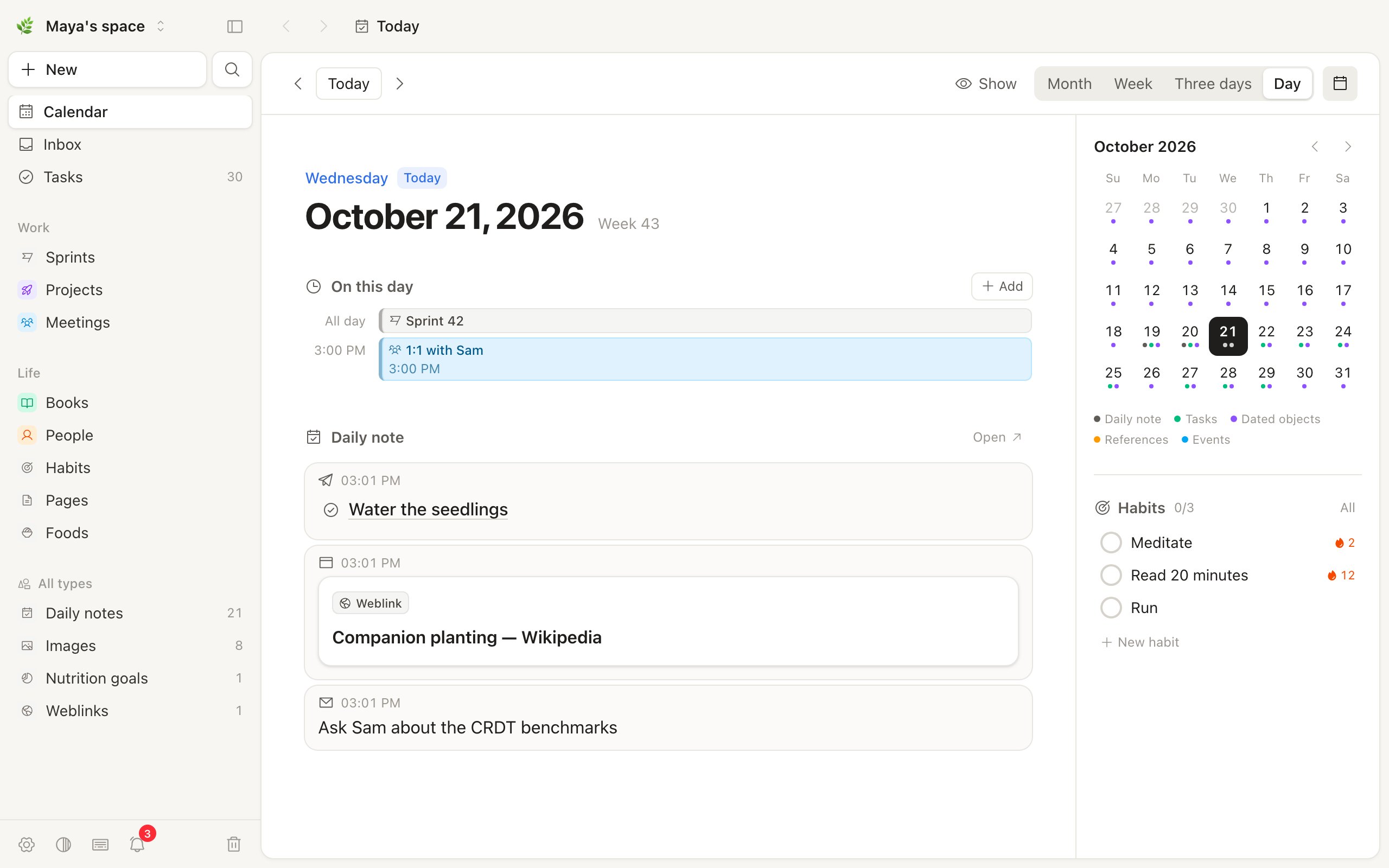
Vasta keeps everything as typed objects: pages, tasks, books, people, or a type that you make.
Each day has a note. Captures from your phone, your browser or an agent go into it.
Each device keeps a copy of your spaces, so the app works offline. Your server keeps all
devices in sync.
[!NOTE]
Vasta is in alpha. Its author uses it every day, but some parts are new. Make backups
(docs/deploy.md).
Get started
| On your computer | On your own server |
|---|---|
|
No server, no Docker, nothing to set up.
The app runs Vasta for you. Your notes stay on that computer. |
Every device, your phone included, and shared spaces.
Captures from Telegram, the browser extension and agents reach it from anywhere. |
[!TIP]
Start on your computer, move later. When you want your phone or other people in, open
Settings › Server › Move to a server… in the desktop app. Paste the server's setup code
or an invite link, and Vasta moves your notes, their history and your files into a new account
there. How it works →
Features
Capture in one lineType a line in ⌘K, Telegram or the desktop shortcut. Vasta reads the type and the properties |

|
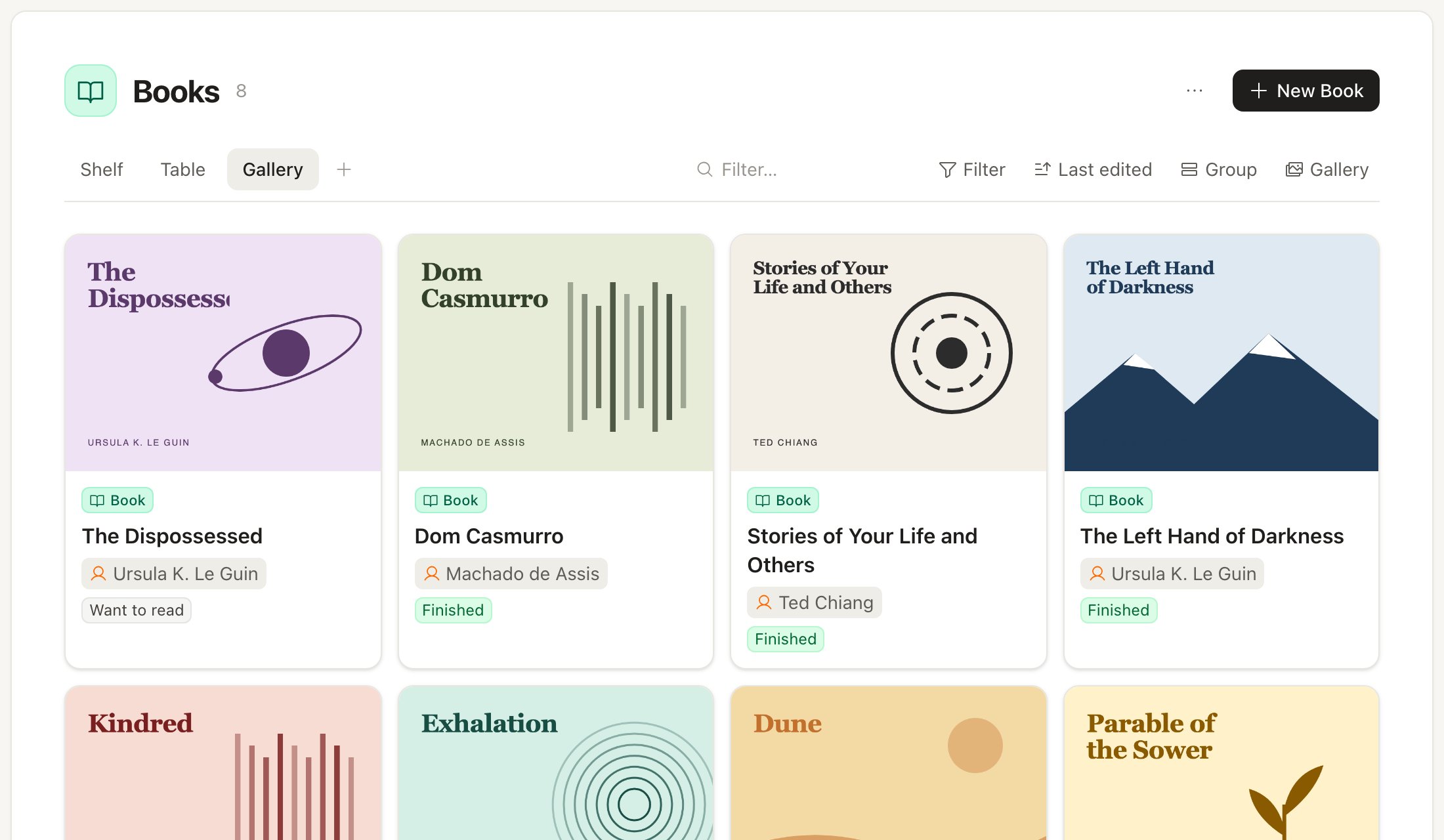
Your own typesMake a type for anything. Give it properties: text, numbers, dates, selects, relations, |
|
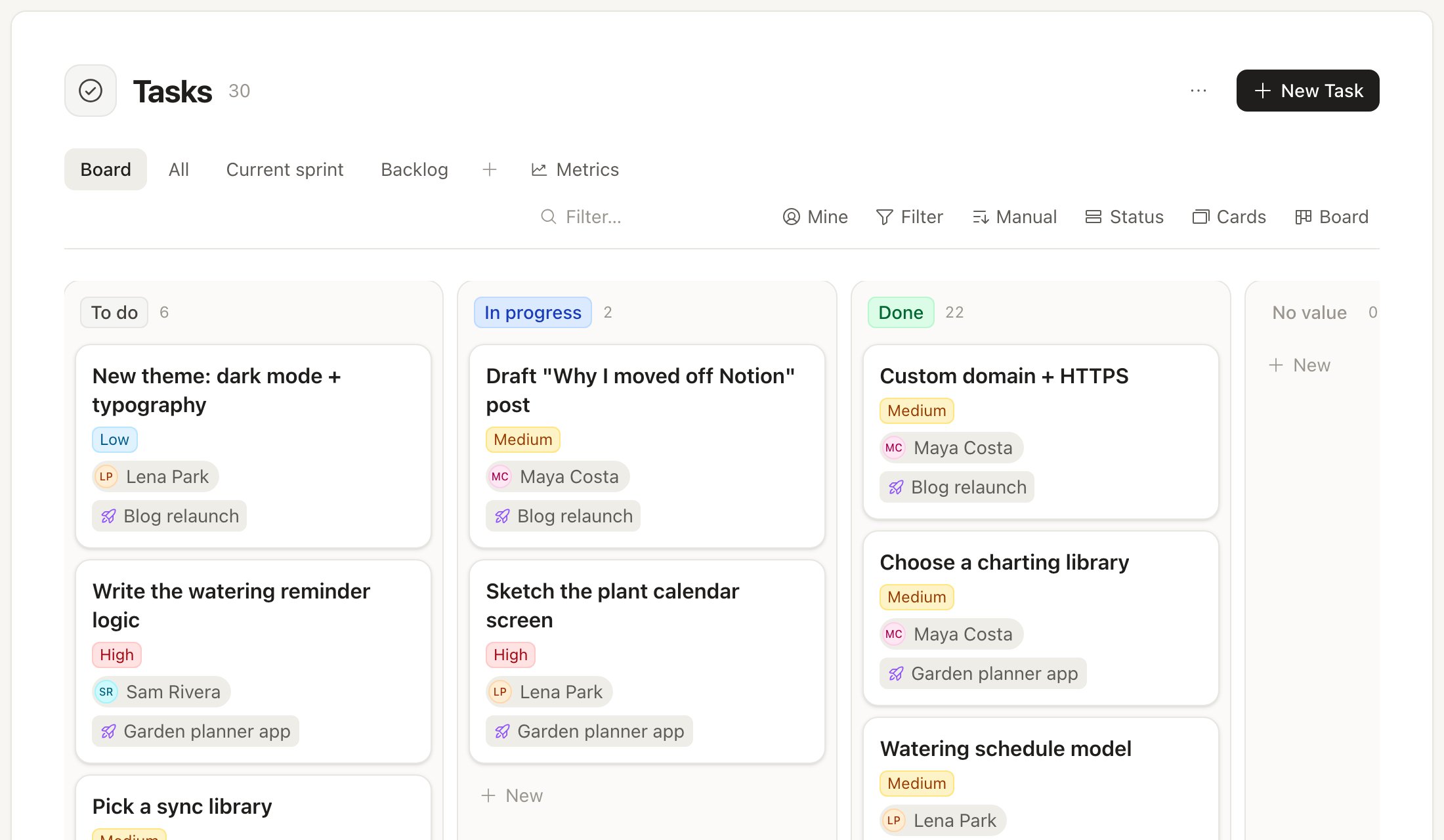
Work togetherShare a space with other people. Use boards, sprints, comments, @mentions and |
|
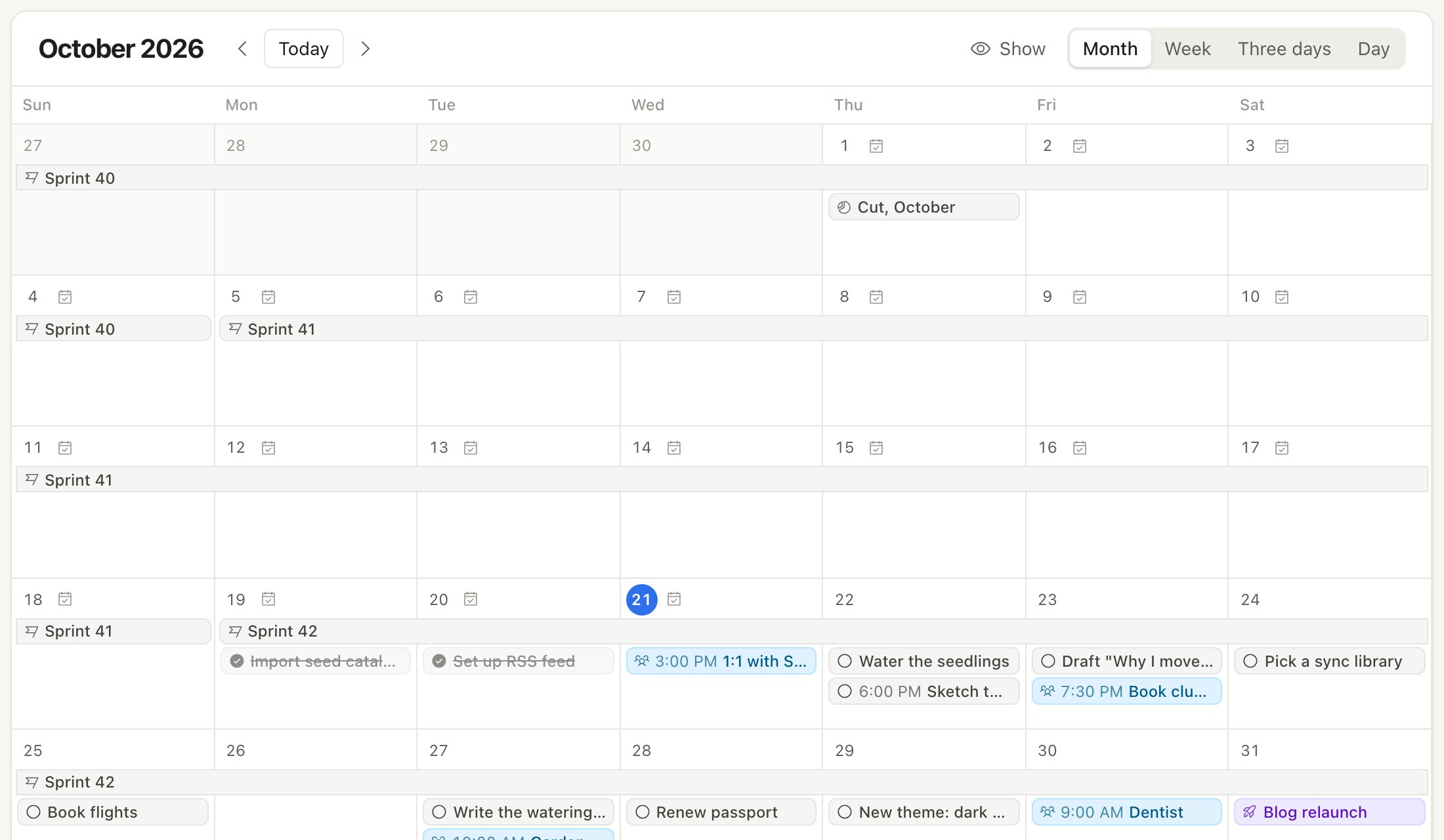
One calendarDaily notes, tasks, dated objects, sprints and events go on one calendar. Add your other |
|
Your agents, your notesClaude Code, Codex and scripts read and write your notes through an MCP endpoint and the |
|
Also in Vasta:
- Offline first: each device keeps a copy in SQLite. Edits made offline on two devices merge.
- Block editor: slash commands,
@mentions, embeds, callouts, toggles, columns, tables and
backlinks. - Templates and snippets: start a type's objects or each day's note from a template, with
placeholders ({{date:+7d}},{{ask:With whom?}}) and blocks shown only when a condition
holds; insert snippets with/. Templates → - Saved links keep a preview, a readable copy of the page and embeds.
- Habits and reminders through ntfy, Telegram and the desktop app. Reminders →
- A food diary with nutrition goals, if you turn it on.
- Apps: install the web app on a phone (PWA). The desktop app adds a global capture shortcut.
- Media on disk or in an S3-compatible bucket.
- Import from Capacities.
Self-hosting
You need Docker. Do these steps on the server:
mkdir vasta && cd vasta
curl -o compose.yml https://raw.githubusercontent.com/ariedotme/vasta/main/compose.example.yml
curl -o .env https://raw.githubusercontent.com/ariedotme/vasta/main/.env.example
docker compose up -d
docker compose logs vasta
- Find the setup code in the log.
- Open
http://127.0.0.1:5174. - Make the first account with the setup code.
- To add other people, make an invite link in Settings › Server accounts.
Started with the desktop app on your computer? Skip step 3: in the app, open Settings › Server ›
Move to a server… and paste the setup code there. Your notes come with the new account.
For HTTPS, backups, upgrades and media buckets, read docs/deploy.md.
Desktop app
Download the app for macOS, Windows or Linux from the
releases. On first start, choose where your
notes live:
- Start on this computer: no server needed. The app runs Vasta itself, and your notes stay on
that computer (docs/desktop.md). Settings › Server ›
Move to a server… moves them to a server later. - Your Vasta server: type its address.
Apple and Microsoft did not sign the app. Thus your system stops it the first time:
- macOS: open System Settings › Privacy & Security. Click Open Anyway.
- Windows: in the SmartScreen message, click More info › Run anyway.
For more, read docs/desktop.md.
Development
You need Node.js 24 or later and pnpm 10.
pnpm install
pnpm dev          # API on 127.0.0.1:5174, web app on http://127.0.0.1:5173
pnpm test
pnpm typecheck
The first start writes a setup code to the terminal. Use it to make your account. To start with
sample data, read CONTRIBUTING.md.
packages/
  core/                  data model, SQLite schema, sync, media store
  editor-schema/         rich-text schema for the editor and the server
  server/                HTTP API (Hono), capture channels, MCP endpoint, admin CLI
  web/                   the app: Vue 3, Tailwind, TipTap, sqlite-wasm replica
  desktop/               the desktop app (Tauri 2)
  cli/                   vasta, the CLI for agents and scripts
  importer-capacities/   import from Capacities
extensions/browser/      "Save to Vasta" browser extension
Documentation
- Data model: objects, types, properties, documents and queries
- Accounts: users, shared spaces, tokens, and how the API is safe
- Self-hosting: Docker, HTTPS, backups and upgrades
- Desktop app: install, how it works, releases
- Capture: Telegram, HTTP API, browser extension, Shortcuts
- Agents: the MCP endpoint and the CLI
- Reminders: ntfy, Telegram and the desktop app
- Sync: how local-first sync works
The server also describes its capture API at /api/openapi.json (OpenAPI 3.1).
Next
- Import from Markdown folders, Obsidian and Notion, and a documented Markdown export
- A public HTTP API to read and edit objects
- Live editing of one note by many people at the same time
- Email as a capture channel
- CalDAV, Google and iCloud calendars (now: iCal links)
The full list is on the roadmap, as issues. Items with the good first issue label are a
good place to start.
License
AGPL-3.0. You can use, change and share Vasta. If you run a changed version for other
people on a network, give them its source code.
Reviews (0)
Sign in to leave a review.
Leave a reviewNo results found