leftovers
Health Pass
- License — License: MIT
- Description — Repository has a description
- Active repo — Last push 0 days ago
- Community trust — 11 GitHub stars
Code Fail
- rm -rf — Recursive force deletion command in scripts/bundle.sh
- rm -rf — Recursive force deletion command in scripts/install-local.sh
- rm -rf — Recursive force deletion command in scripts/make-dmg-background.sh
- rm -rf — Recursive force deletion command in scripts/make-icon.sh
Permissions Pass
- Permissions — No dangerous permissions requested
No AI report is available for this listing yet.
Clean up what your apps and coding agents left running. A free, open-source macOS menu-bar app.

Leftovers
Clean up what your apps and agents left running.
A free, open-source menu-bar app for macOS.
Why
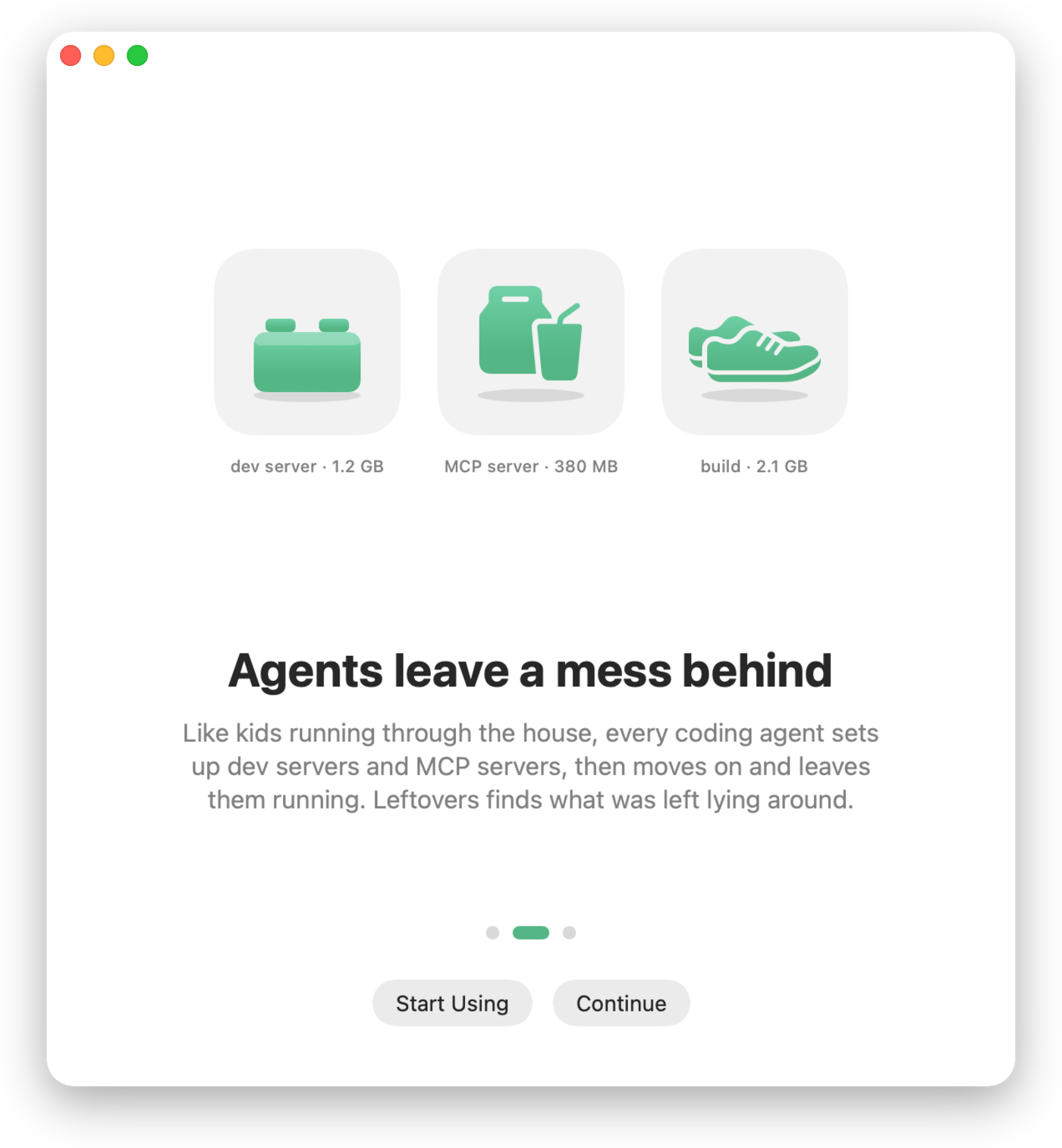
Think of a house with kids running through it: each one grabs a plate, sets up at a
table, and runs off to the next thing. Coding agents work the same way. Each session
starts dev servers, builds and its own copy of every MCP server, then moves on and
leaves them running. The memory stays taken, swap fills up, and the Mac slows down.
Activity Monitor makes this hard to see. It sorts by memory in RAM, but a leak that has
been swapped out barely shows there. Leftovers reads each process's footprint:
RAM plus compressed plus swapped. That's the number macOS actually pays for.
The case that started this project: a video-encoder helper showing 7 MB in RAM
while holding a 59 GB footprint, idle for four days.
What it does
- Menu bar: a dial whose needle shows memory in use, and a standard macOS menu:
memory and swap bars at the top, then likely leaks, the apps using the most memory,
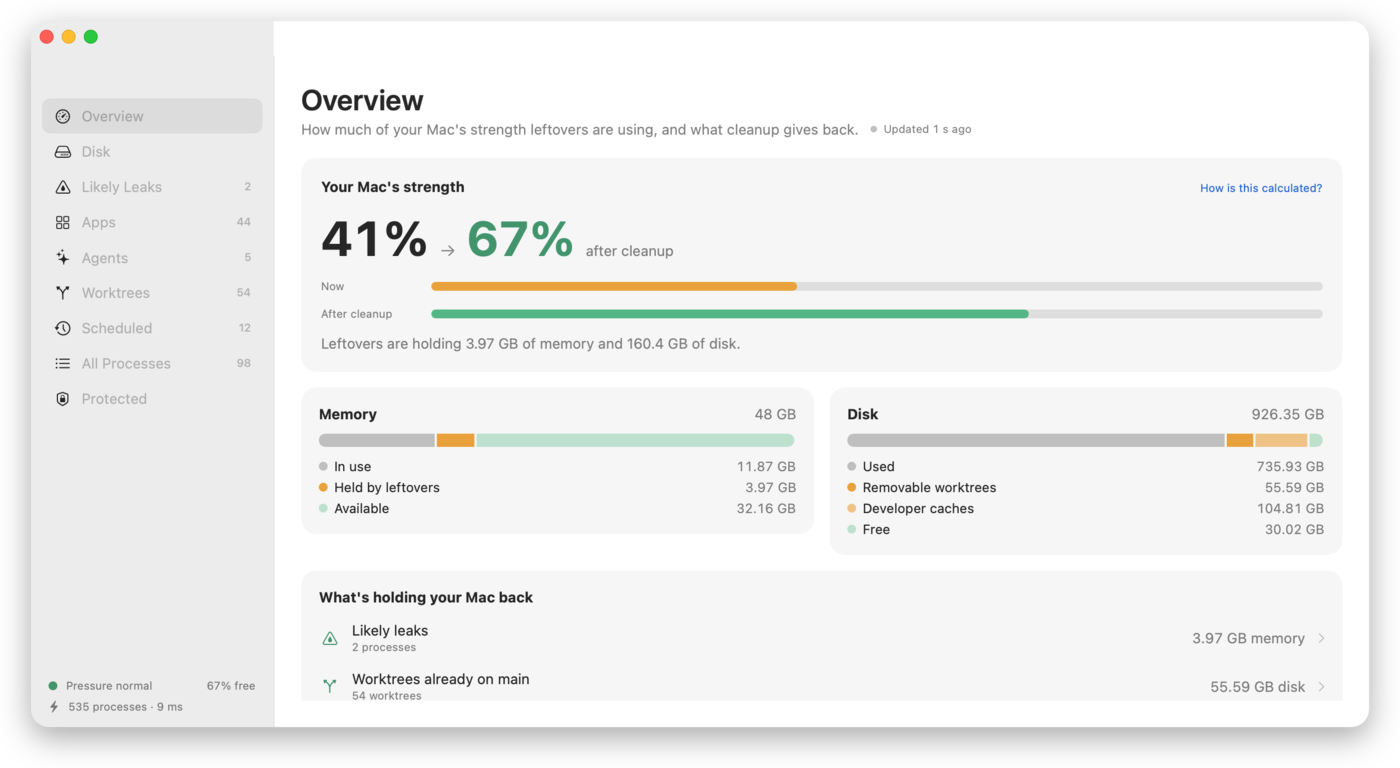
and your agents, each with its real logo. - Overview: your Mac's strength now and after a safe cleanup (memory, swap and disk,
with the formula shown), memory and disk bars, and what's holding it back. - Dashboard: a sidebar window with these views.
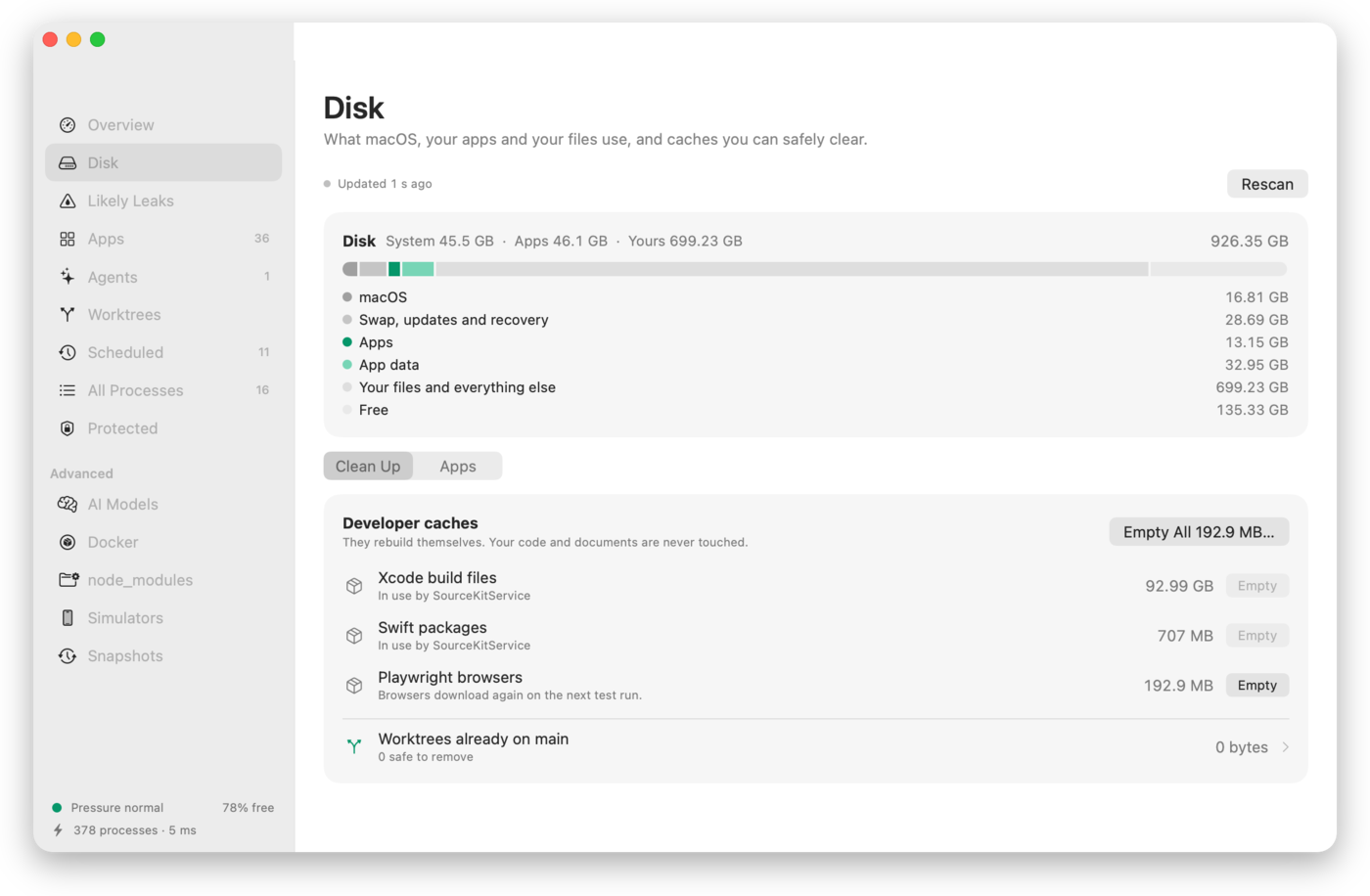
- Disk: your disk split into System (macOS, swap, updates, recovery), Apps
(the apps you installed plus their support data and caches, per app, sortable) and
Yours. Empties developer caches that rebuild themselves (Xcode build files,
simulator caches, npm, pnpm, Yarn, Bun, pip, uv, Poetry, Homebrew, SwiftPM, CocoaPods,
Gradle, Go, Cargo, Playwright), each only while nothing using it runs, and clears an
app's caches while it's quit. Your code and documents are never touched. Opens
instantly from the last scan and re-measures in the background. - Advanced (scanned only when you open them):
- AI Models: Ollama, Hugging Face and LM Studio downloads. Removing an Ollama
model keeps the parts another model shares. - Docker: unused images, stopped containers and build cache. Volumes are never
offered: they can hold databases. - node_modules: every project's installed packages with when they were last
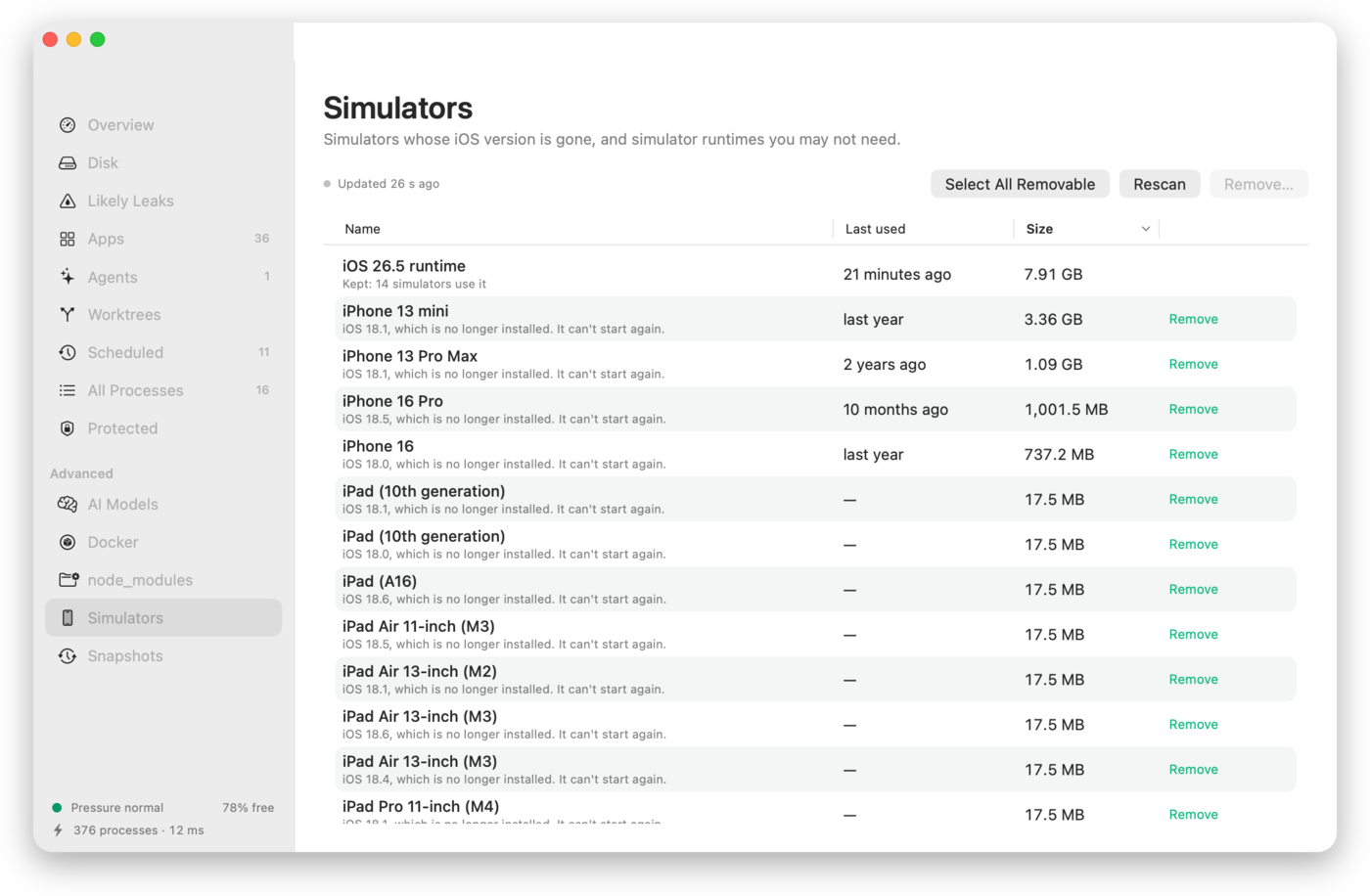
installed. Projects something is working in are kept. - Simulators: simulators whose iOS version is gone, and runtimes no simulator uses.
- Snapshots: local Time Machine snapshots (macOS asks for your password) and
purgeable space.
- AI Models: Ollama, Hugging Face and LM Studio downloads. Removing an Ollama
- Low-disk warning: one notification a day when under 10% free (can be turned off).
- fseventsd watchdog: macOS's file-event service (
fseventsd) can leak after
weeks of heavy file churn (git worktrees,node_modules): one reached 20 GB and
118% CPU after a month, filling 58 GB of swap. Leftovers watches it every refresh
and flags it in the menu (with a ⚠︎ in the menu bar), the Overview and Likely Leaks
when it uses more than 50 MB or stays above 10% CPU for 2 minutes (brief
build spikes don't count; both limits are adjustable in Settings). It posts a
notification with a Restart fseventsd button and, with automatic restarts on
(the default), restarts it itself, at most once every 30 minutes; a relapse within
that only alerts. If it keeps coming back soon after restarts, the wait doubles
(up to a day), and after three times automatic restarts pause with a one-click
"raise the limit" (its normal size on your Mac is simply above it). Readings are
ignored for 2 minutes after a restart, Leftovers checks a new fseventsd started,
and all of this state survives relaunching the app. Each restart is logged with
what it was using, and the last one is shown. fseventsd is never part of
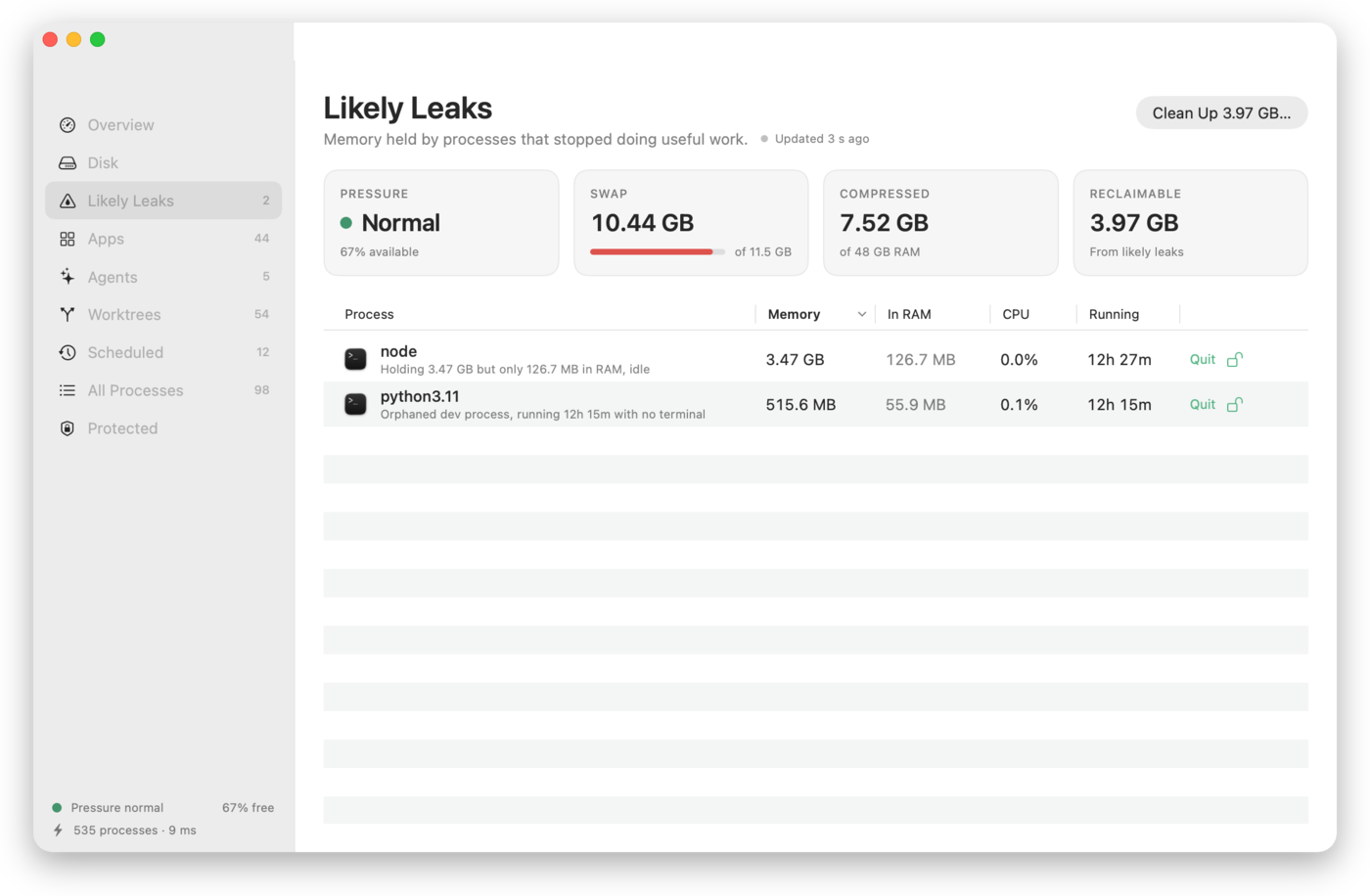
Clean Up: it has its own card and button. - Likely Leaks: each one with a plain-language reason and a Quit button.
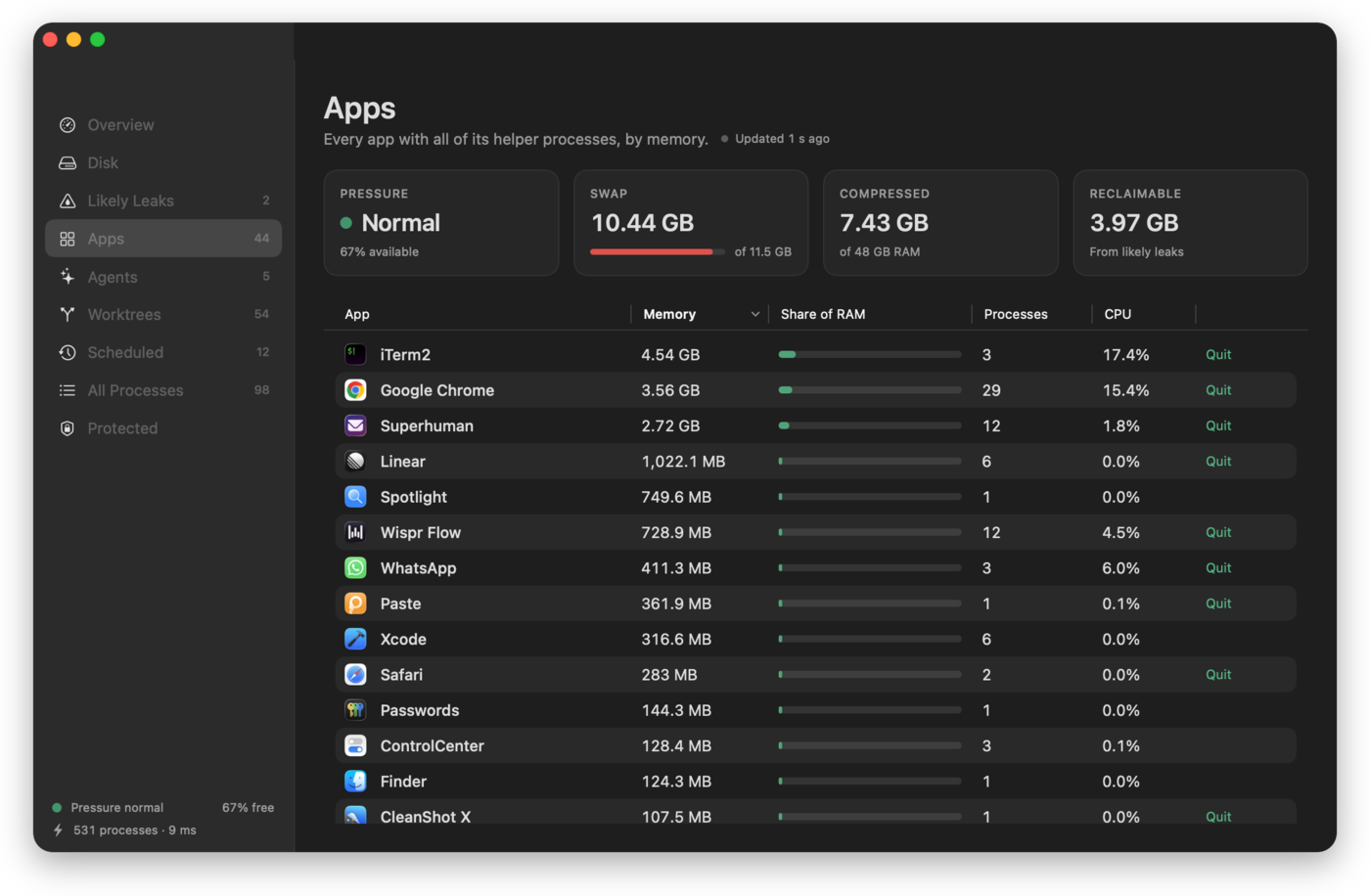
- Apps: every app with all of its helper processes summed, with the app's own icon.
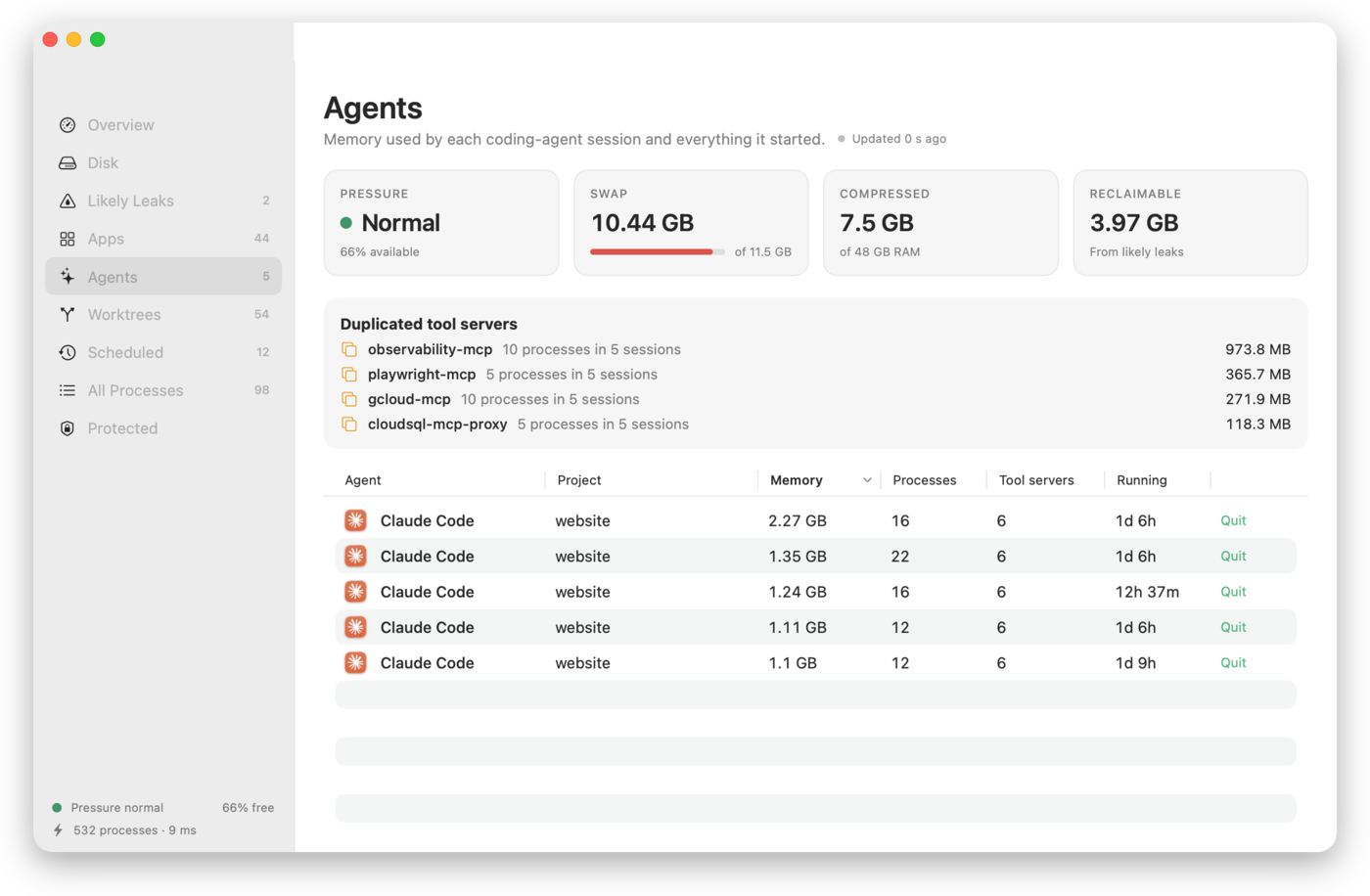
- Agents: memory per coding-agent session (Claude Code, Codex, Gemini CLI, Cursor
Agent, Aider, OpenCode), including everything it started, and the tool (MCP) servers
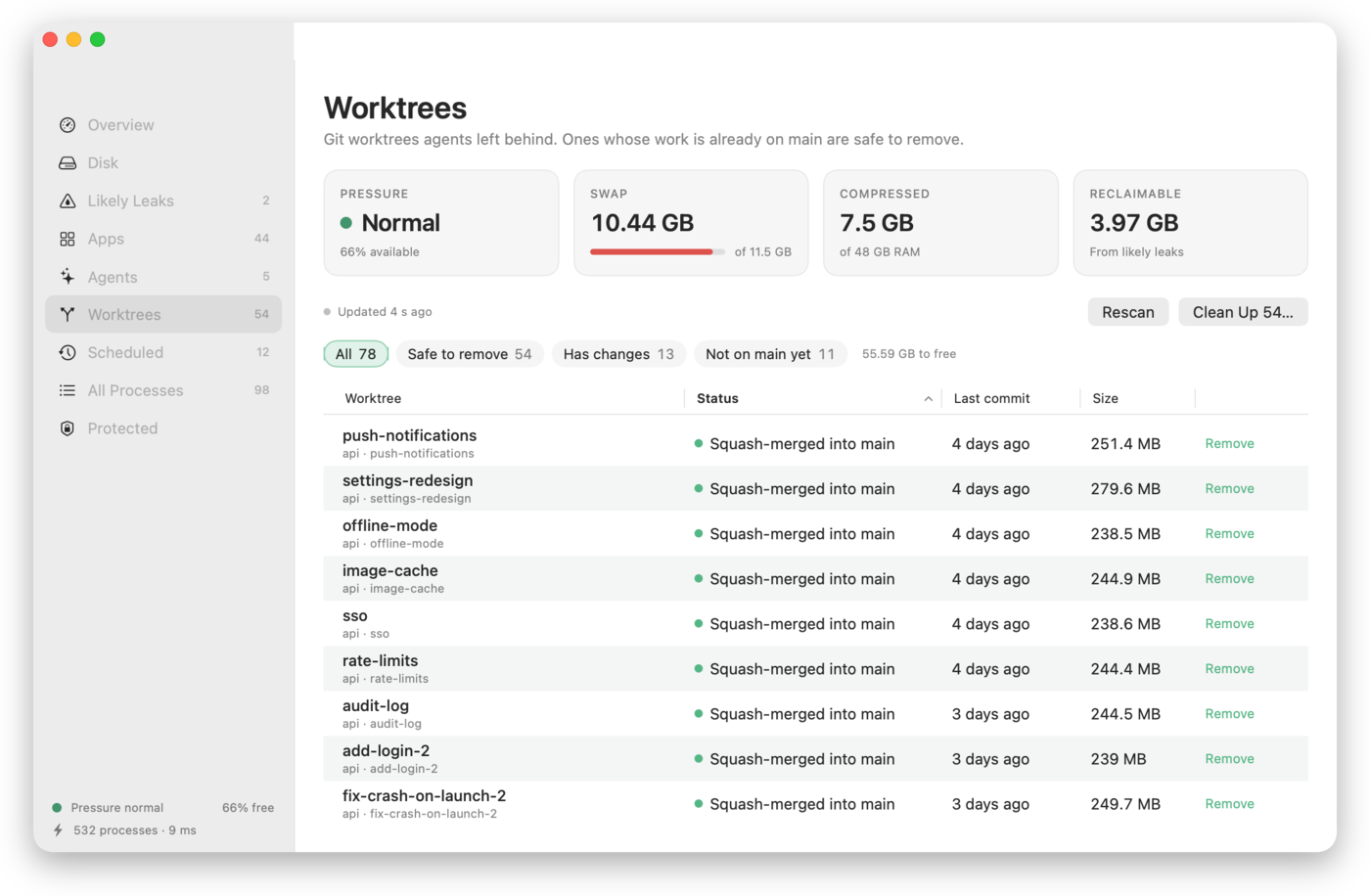
that several sessions each run their own copy of. - Worktrees: git worktrees across your code folders. Ones whose work is already
on main, including branches squash-merged on GitHub (whichgit branch --merged
can't see), with no uncommitted changes and nothing working in them, are safe to
remove, one at a time or all at once. Chips show how many are safe, have changes,
are in use or aren't on main yet, and always add up. The check is read-only: git
refuses to remove anything with uncommitted work, and branches are kept. - Every table sorts by any column, and the last reading's age ticks live.
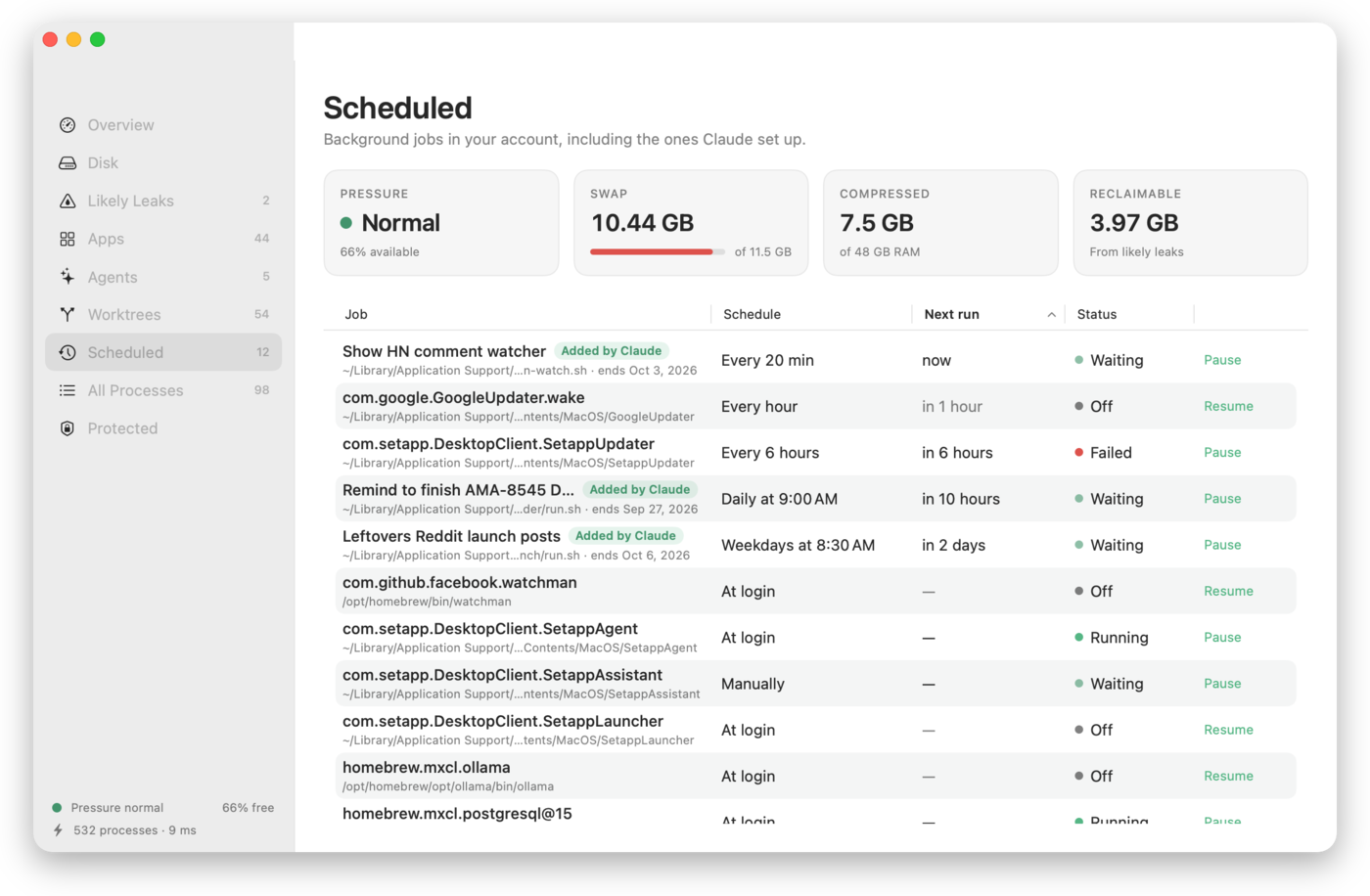
- Scheduled: every background job (LaunchAgent) in your account, with a readable
schedule, next run, and whether it's running, waiting, off or failing. Run now,
pause, resume, view its log, or move it to the Trash. Jobs that agents created are
labelled, with what they're for and when they end. - All Processes and Protected.
- Disk: your disk split into System (macOS, swap, updates, recovery), Apps
- Clean Up: quits every likely leak in one step, after a standard confirmation.
- Fast: the window and the first reading appear in well under a second, and
every refresh shows how long it took ("812 processes · 41 ms"). - Dock and menu bar: a normal Dock app with a menu-bar dial. Hide the Dock icon
in Settings to keep just the dial. ⌘Q closes the window and Leftovers keeps
watching; Quit Leftovers in the menu quits completely. - Settings: Dock icon, close behavior, open at login, updates (with a notification
when one is ready), refresh interval, menu-bar display, the fseventsd watchdog, and
your protected apps. - What's new: every release has short, plain notes in CHANGELOG.md,
written by Claude from the release's changes. - Command line for agents: the same engine and safety rules, as text or JSON.
App logos come from the apps installed on your Mac. Nothing is downloaded.
For agents that create background jobs
If your agent sets up a LaunchAgent, leave a note beside it so people can see what
it's for. Write ~/Library/Application Support/Leftovers/jobs/<label>.json:
{"purpose": "Nightly backup check", "createdBy": "Claude (Claude Code)",
 "createdAt": "2026-09-26T23:00:00Z", "endsOn": "2026-10-31T23:59:00Z"}
Leftovers shows the purpose as the job's name, tags it with who created it, and shows
when it ends.
What counts as a leak
| Rule | Condition |
|---|---|
| Hoarding | Footprint ≥ 2 GB, at least 4× what is in RAM, idle, running ≥ 1 hour |
| Orphaned dev process | node / python / bun / deno… whose terminal or agent is gone, idle ≥ 12 hours |
| Folder deleted | A dev process whose working folder no longer exists (e.g. a removed git worktree) |
| Large while idle | Footprint ≥ 8 GB, idle, running ≥ 1 hour |
All thresholds live in Classification/Thresholds.swift.
What it never touches
Protection is checked before any leak rule runs, so a protected process can't become a
candidate:
- anything owned by root or another user
- core macOS processes (WindowServer, Dock, Finder, Spotlight, loginwindow, and more)
- macOS binaries under
/System,/usrand/sbin, with one exception: on-demand
XPC helpers. launchd relaunches those when needed, so one may be quit only
while it's hoarding. - Leftovers itself, and anything you protect
Before signalling a process, it checks the process ID still belongs to the same process
(by start time). It asks the process to quit first and forces it only after 3 seconds.
The one exception: fseventsd. It's a root process, but when it leaks the only fix
is restarting it, and that's safe: launchd starts a fresh one at once (apps that use
file events, like Time Machine and Spotlight, may rescan, hence the 30-minute limit on
automatic restarts). Reading its memory and CPU needs root too: without the helper,
Leftovers uses the setuid /bin/ps and /usr/bin/top, and shows "reading
unavailable" (never 0) if those fail. Restarting needs root, so Leftovers ships a tiny helper
(LeftoversHelper, a launchd daemon registered with SMAppService) that you allow once
in System Settings › General › Login Items (only for the signed app in
Applications; turning automatic restarts off removes it). It can change exactly one
thing: send SIGTERM to the root process started by launchd at/System/Library/Frameworks/CoreServices.framework/…/FSEvents.framework/Versions/A/Support/fseventsd,
after checking its path and start time, and SIGKILL only if that same process is still
running 60 seconds later (a bloated fseventsd takes a while to save its state; a
SIGKILL loses its unsaved journal and is logged as such). Besides that it only reads
fseventsd's usage and reports its own version. After an update, a helper still running
from the old build exits by itself, so your approval is kept. It takes no input, runs one restart at a time, and accepts connections only
from Leftovers' bundle ID signed by the same developer team. There is no general "run
as root". Homebrew's uninstall removes it with the app. Without the helper, Restart
fseventsd asks for your administrator password (macOS's own prompt runskillall fseventsd), and automatic restarts stay off. Switch the helper off in Login
Items at any time.
Install
Download: Leftovers.dmg, open it and drag
Leftovers to Applications. Builds are signed with a Developer ID and notarized by Apple,
so they open without warnings.
Homebrew:
brew install --cask arpwal/tap/leftovers
Requires macOS 14 Sonoma or later, on Apple silicon or Intel. Website:
arpwal.github.io/leftovers.
Command line
The app binary doubles as a CLI, so scripts and coding agents can use it:
mkdir -p ~/.local/bin
ln -s "/Applications/Leftovers.app/Contents/MacOS/Leftovers" ~/.local/bin/leftovers

leftovers --report   # human-readable summary
leftovers --json     # machine-readable report (stable field names)
leftovers --clean    # quit every likely leak; protected processes are refused
leftovers --check-updates   # updater state and a check against the live feed
leftovers --jobs     # scheduled background jobs (add --json for agents)
leftovers --worktrees   # git worktrees and which are safe to remove (add --json)
leftovers --disk        # system, apps and yours, plus developer caches (add --json)
leftovers --fseventsd   # fseventsd's memory and CPU against the watchdog's limits (add --json)
leftovers --restart-fseventsd   # restart it (helper if allowed, else a password prompt;
                                # respects the 30-minute cooldown unless --force)
leftovers --help     # every command
An agent can run leftovers --json, read likelyLeaks and duplicateToolServers,
and decide what to do. It's the same data the app shows.
Privacy
Leftovers collects nothing and has no telemetry. Its only network request is a daily update
check (Sparkle, against this repository's release feed), which you can turn off in Settings.
Everything it reads comes
from the kernel on your Mac, and nothing leaves it.
Build from source
swift build                    # debug build
swift run Leftovers        # run the menu-bar app
scripts/bundle.sh              # universal release .app in build/
SIGNING_IDENTITY_OVERRIDE=- scripts/sign.sh   # ad-hoc sign for local use (no fseventsd helper)
scripts/install-local.sh       # install (one copy only) and launch
swift test                     # unit tests, plus integration tests against real git
Maintainers: scripts/release.sh bumps the version (patch by default; pass minor or major), builds, notarizes and staples the app and DMG, publishes the GitHub release, updates the Homebrew tap and verifies the live download. Commits and tags are signed.
(configuration in packaging/release.env).
Project layout
Sources/Leftovers/
  Sampling/        libproc + sysctl readers (footprint, CPU, argv, swap)
  Classification/  protection policy, leak rules, thresholds
  Agents/          agent-session attribution, duplicate tool servers
  Actions/         safe termination (identity check, TERM then KILL)
  Fseventsd/       fseventsd watchdog: reading, limits, restart policy, helper client
  Store/           sampling loop and app state
  UI/              menu-bar popover, dashboard, design tokens
  CLI/             --report, --json, --clean, --snapshot [--redact]
  Onboarding/      three-page welcome with its animations
Sources/LeftoversHelper/     the root helper (one XPC operation: restart fseventsd)
Sources/LeftoversHelperKit/  shared by both: XPC contract, fseventsd identity, signing checks
design/            icon sources (SVG)
docs/              website (GitHub Pages) and README screenshots
packaging/         Info.plist, icon, release config
scripts/           bundle, sign, notarize, release
Support
Leftovers is free and will stay free. If it helped, star the repository
so other people can find it, and follow @arpwal on X for what's next.
Bug reports and pull requests are welcome.
License
MIT © Arpit Agarwal
Reviews (0)
Sign in to leave a review.
Leave a reviewNo results found