claude-usage-hub
Health Warn
- License — License: MIT
- Description — Repository has a description
- Active repo — Last push 0 days ago
- Low visibility — Only 5 GitHub stars
Code Fail
- rm -rf — Recursive force deletion command in package.json
- rm -rf — Recursive force deletion command in packages/cli/package.json
- process.env — Environment variable access in packages/cli/src/commands/start.ts
- process.env — Environment variable access in packages/cli/src/commands/status.ts
- child_process — Shell command execution capability in packages/collector/bundle.cjs
- execSync — Synchronous shell command execution in packages/collector/bundle.cjs
- fs module — File system access in packages/collector/bundle.cjs
- rm -rf — Recursive force deletion command in packages/collector/package.json
Permissions Pass
- Permissions — No dangerous permissions requested
This tool provides a local or self-hosted web dashboard to monitor Claude Code token usage, track costs, and analyze project data for individuals or teams.
Security Assessment
Overall risk: Medium. The tool possesses several highly sensitive capabilities that require careful consideration. It heavily utilizes shell command execution (`child_process` and `execSync`) and reads environment variables, which grants it deep system access. It also relies on recursive force deletion (`rm -rf`) commands inside its package scripts, presenting a risk of accidental data loss if those scripts are triggered improperly.
Regarding data privacy, the application explicitly accesses your local file system to read Claude's project files (`~/.claude/projects/**/*.jsonl`) and stores this data in a local SQLite database. While the developers state that no conversation content is read, the tool does access these sensitive logs to extract usage metrics. Additionally, the repository has a very low community visibility (5 stars), meaning the code has not been broadly vetted by independent security researchers. No dangerous permissions are explicitly requested, but the underlying code capabilities are extensive.
Quality Assessment
The project is under active development, with its most recent code push occurring today. It is distributed under the standard and permissive MIT license. However, community trust and visibility are currently very low due to the minimal number of GitHub stars and the tool being in a `v0.3.0-beta` state. The documentation is exceptionally thorough, providing clear architecture guides, screenshots, and setup instructions, which indicates strong developer communication.
Verdict
Use with caution — the functionality is highly useful, but the presence of shell execution, `rm -rf` commands, and access to local Claude logs in a relatively new, low-visibility project means you should thoroughly review the code before running it on your machine.
Monitor your Claude Code token usage with a local web dashboard
Claude Usage Hub
A self-hosted, open-source tool for monitoring Claude Code token usage across your entire team. Track token consumption, cost breakdowns, and per-developer visibility — all from a central web dashboard.
v0.3.0-beta — New "Signal" UI redesign with oklch design tokens, warm editorial aesthetic, and muted model colors.
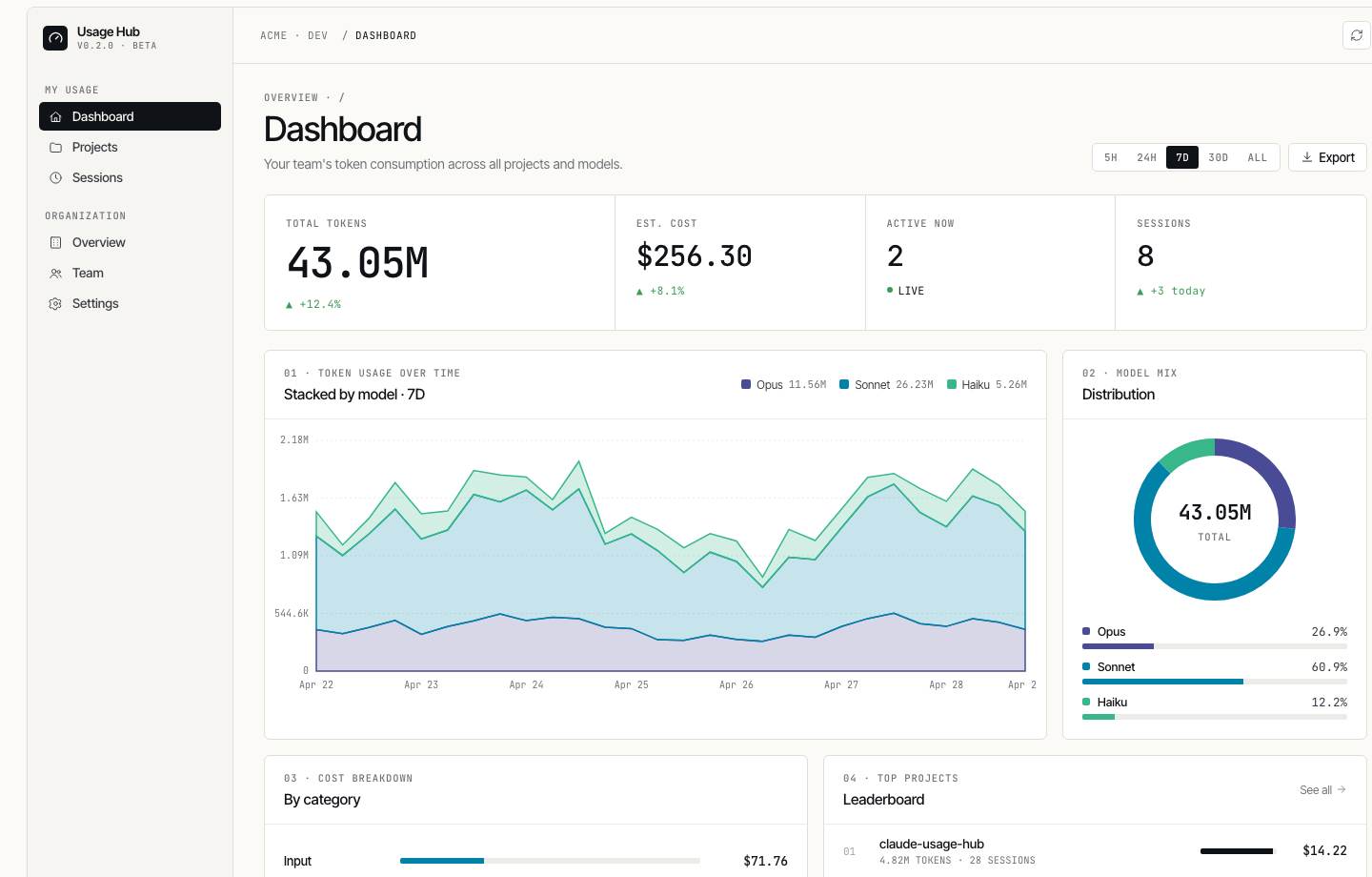
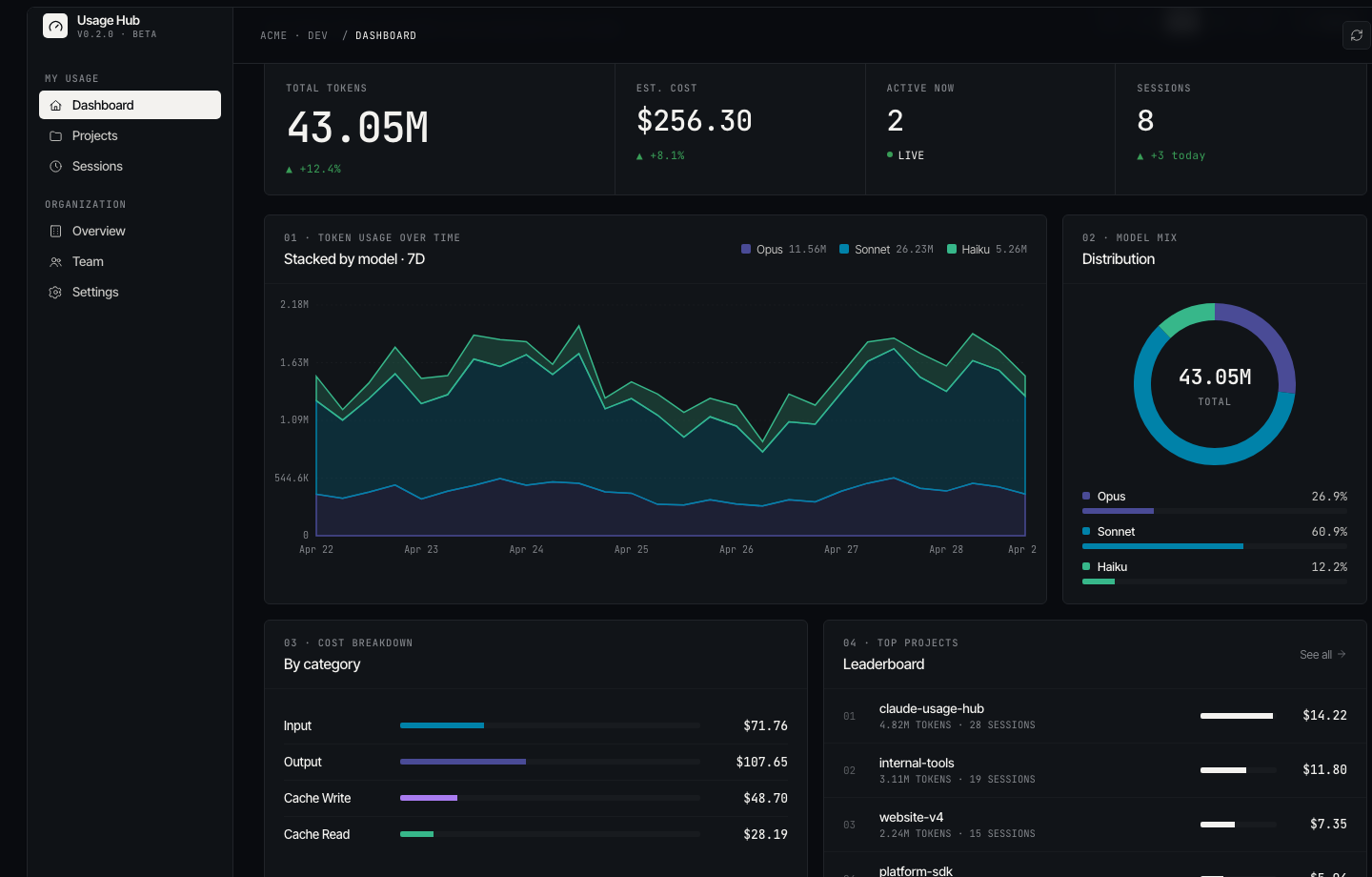
Screenshots
Dashboard
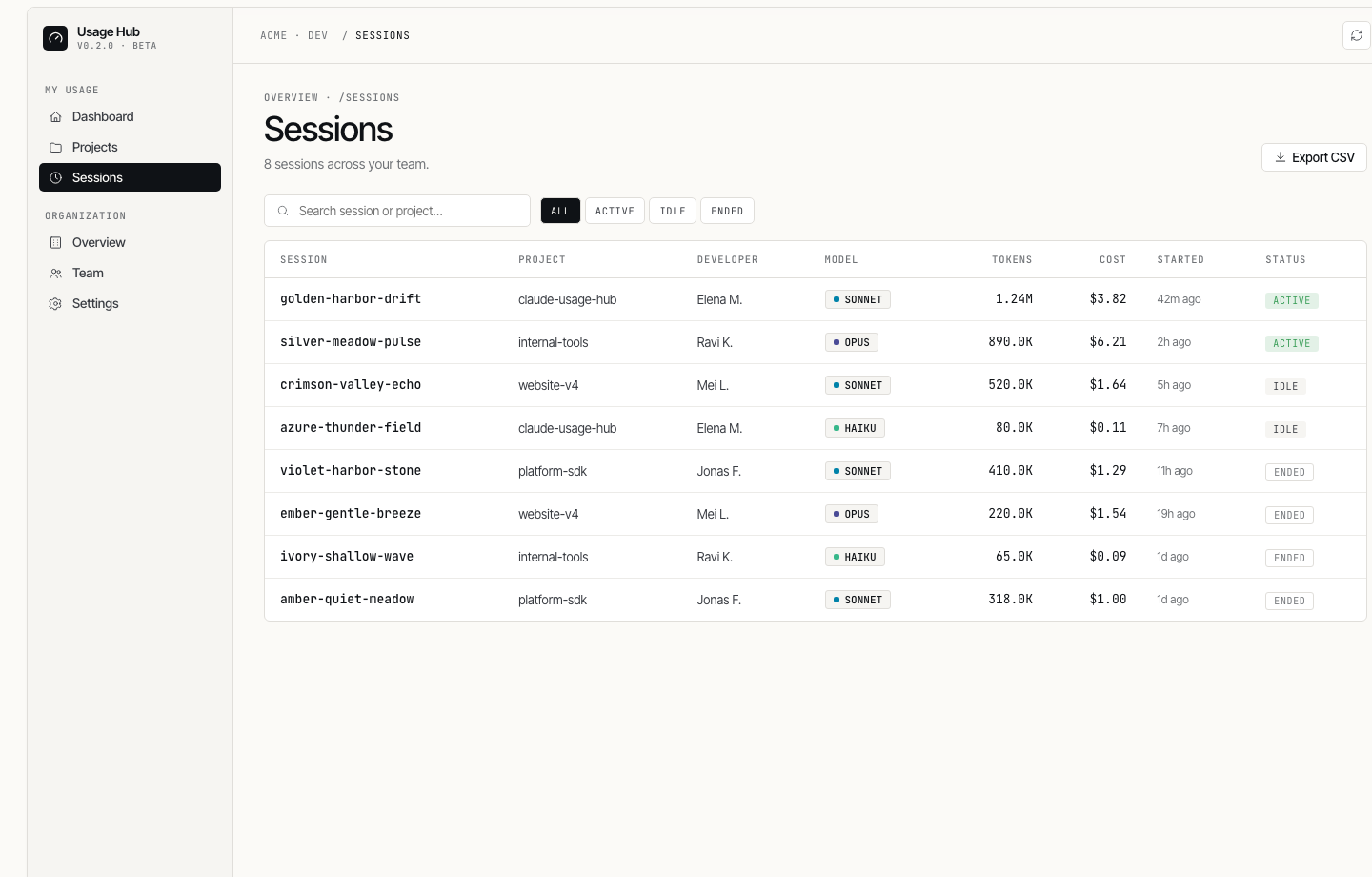
Sessions
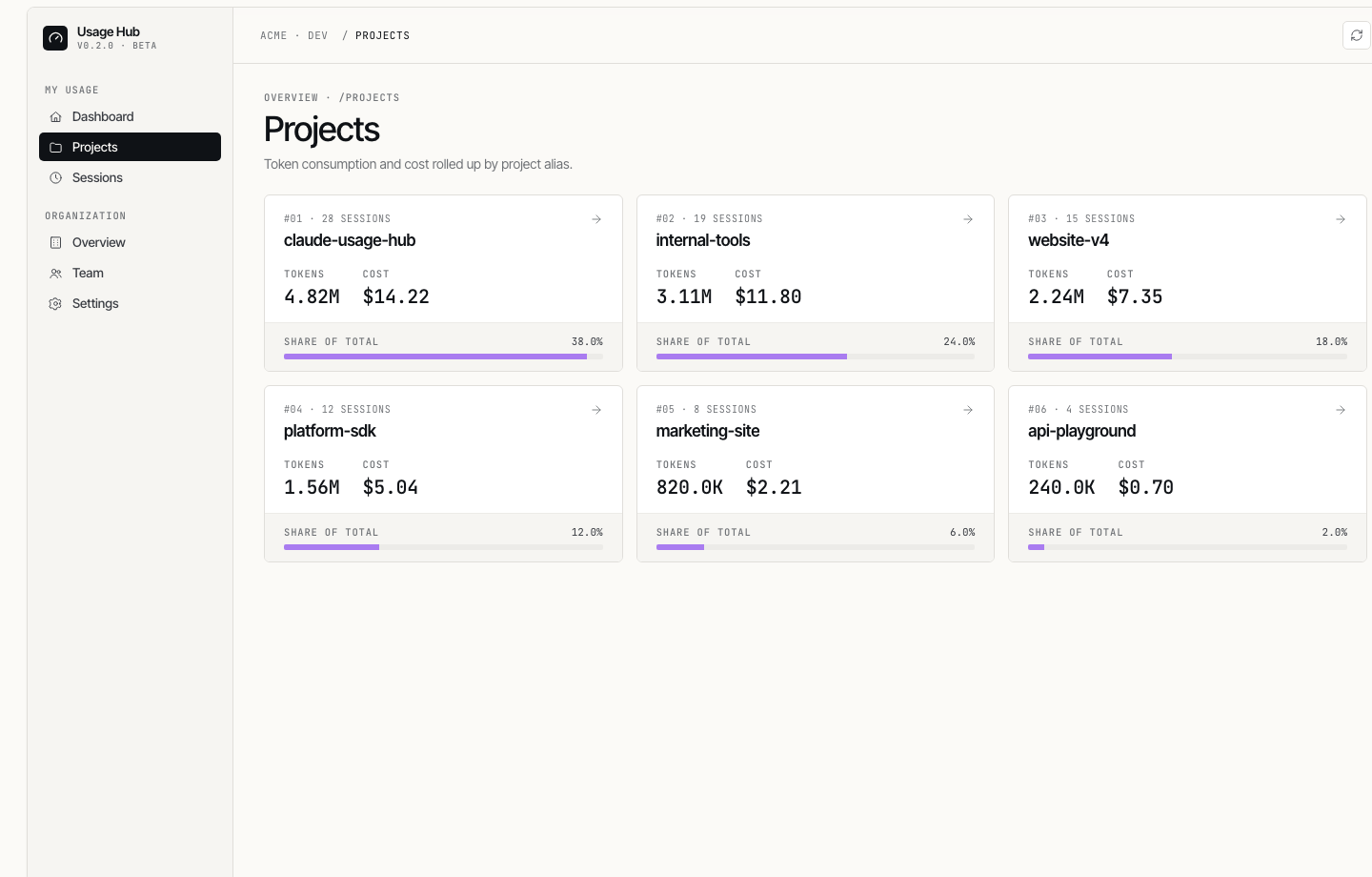
Projects
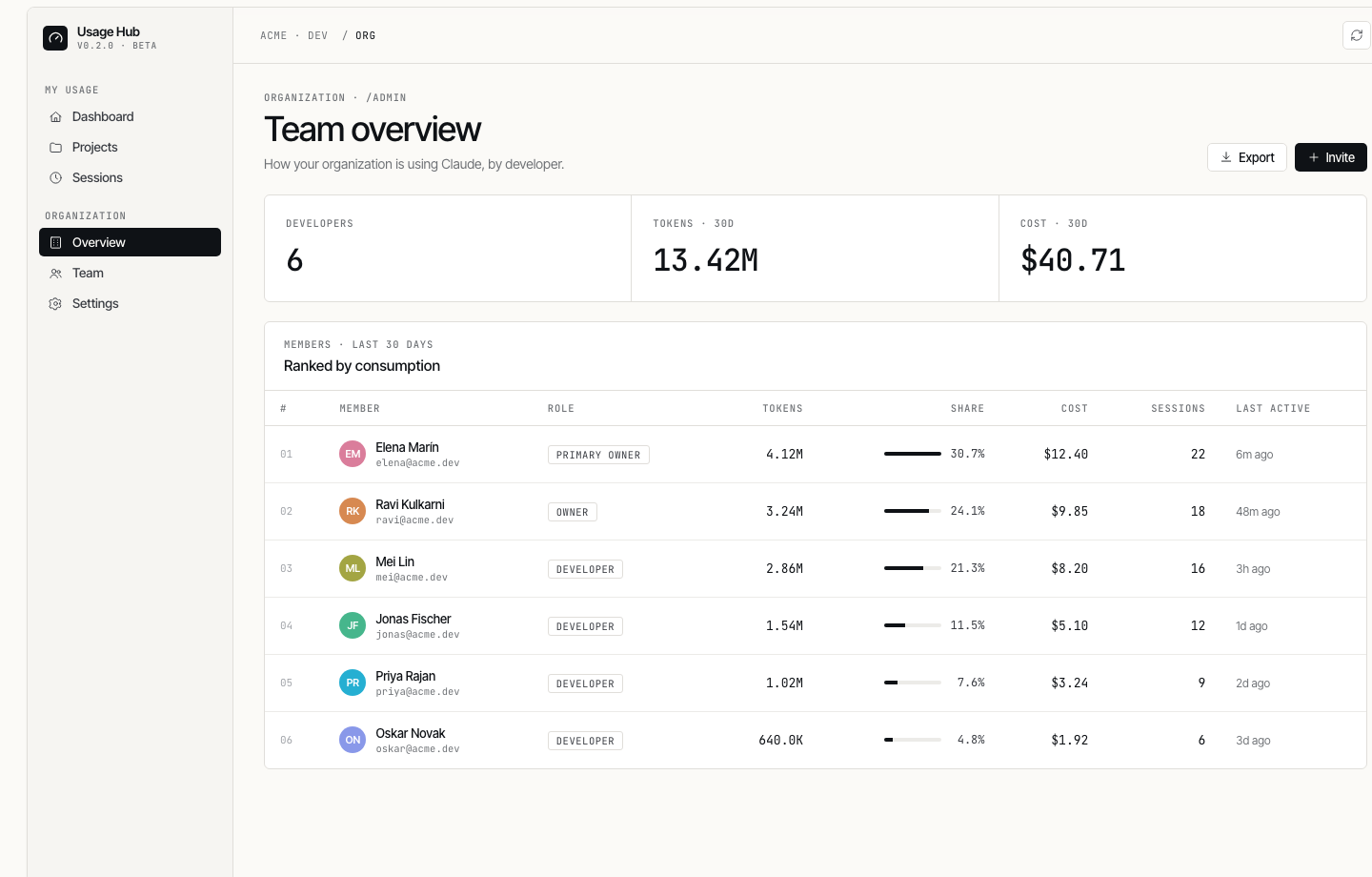
Team Overview (Admin)
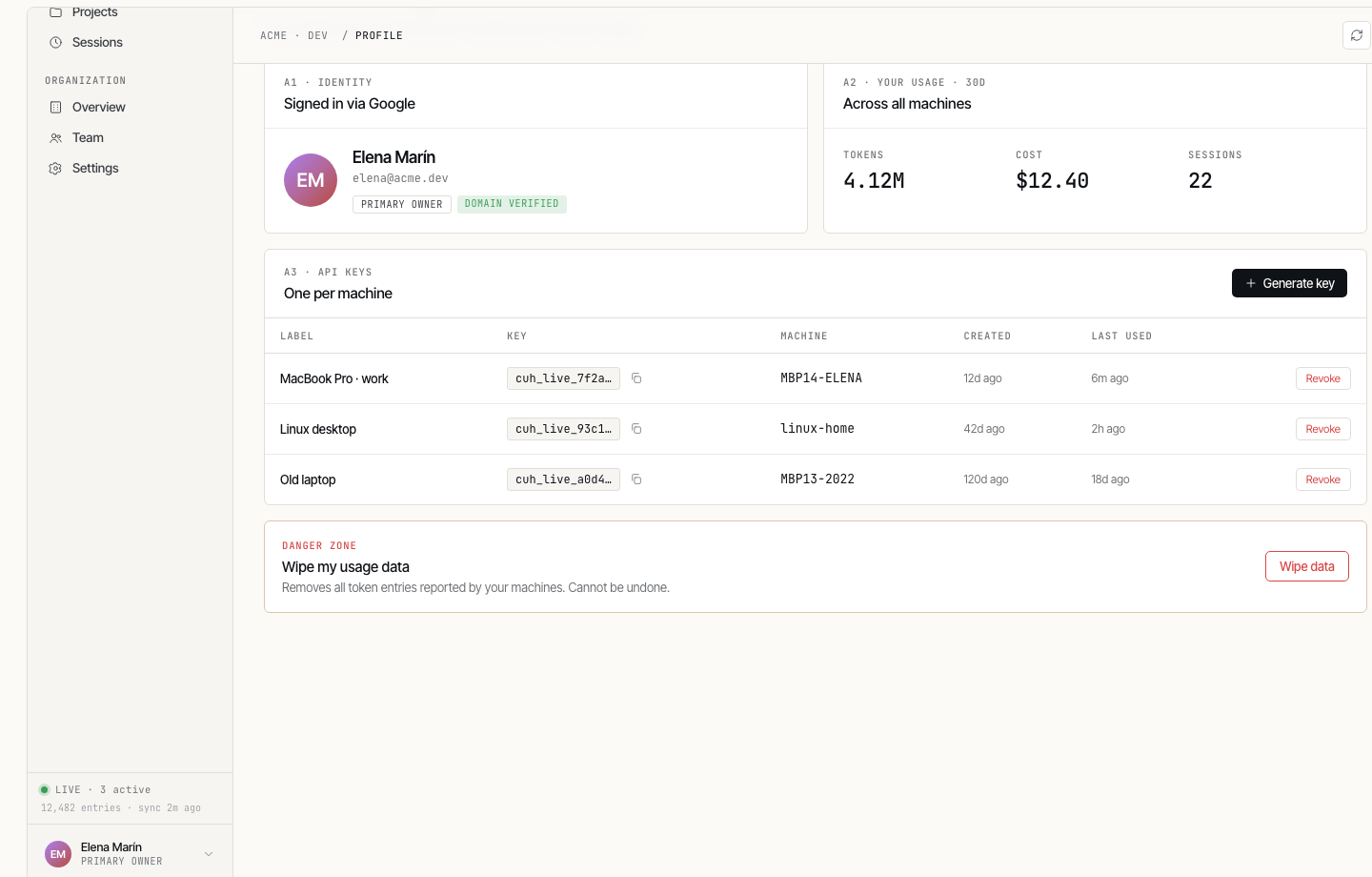
Profile & Keys
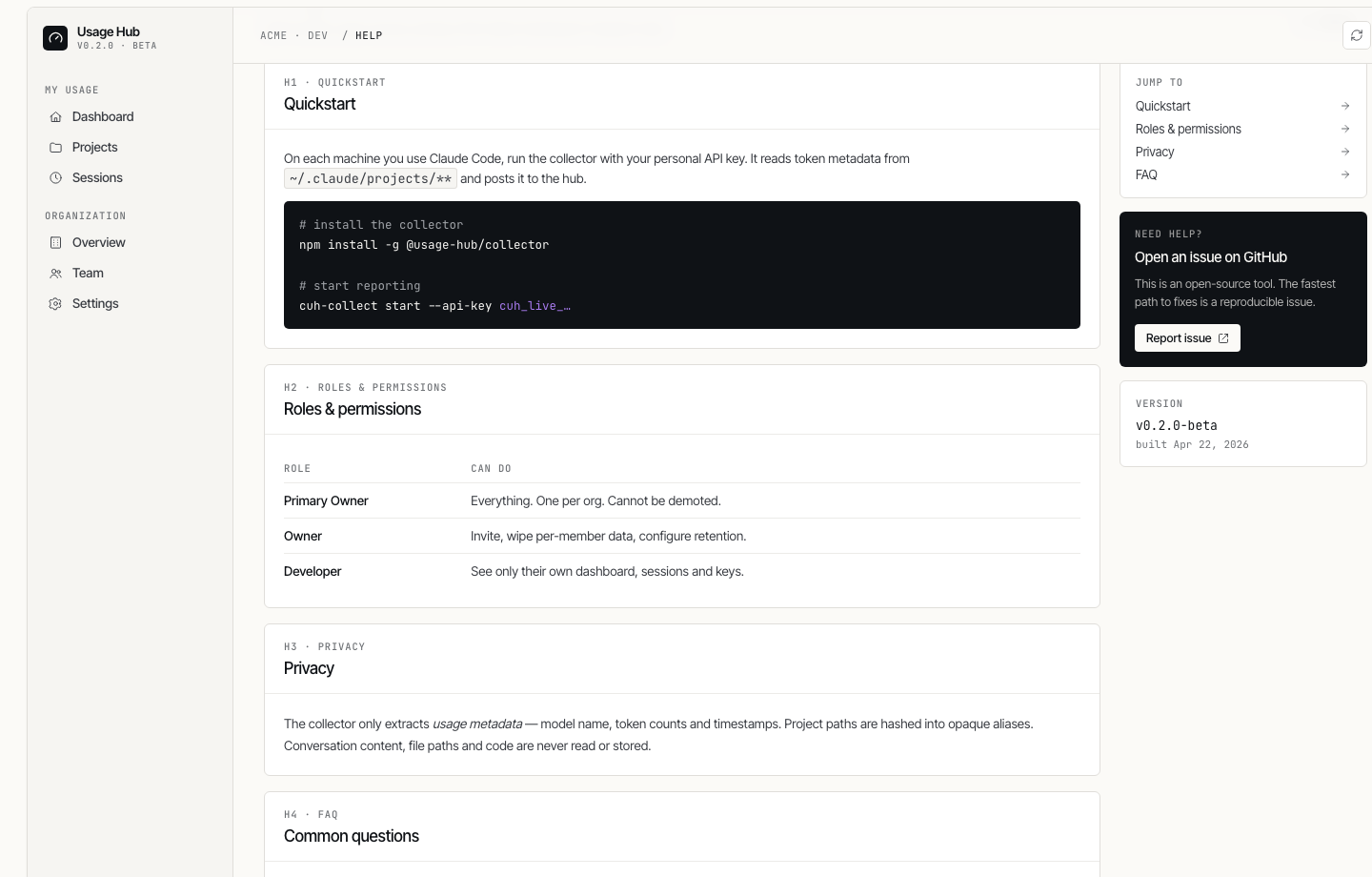
Help & Docs
Features
Both modes
- Token analytics — input, output, cache creation, cache read broken down by model
- Cost estimation — based on official Anthropic pricing (Opus 4.6, Sonnet 4.6, Haiku 4.5)
- Session & project tracking — opaque aliases protect actual file paths and content
- Multiple time ranges — 5h / 24h / 7d / 30d / all-time
- Dark / light mode — follows system preference, manually toggleable
- Privacy-first — no conversation content is ever read or stored
Team mode
- Google OAuth — restricted to your org domain
- Role-based access — Primary Owner / Owner / Developer
- Invite links — 7-day one-time invite URLs, role assigned at invite time
- Per-developer dashboard — owners see all members, developers see their own data
- Per-machine tracking — each API key tracked independently
- Data management — owners can wipe per-member or per-machine usage data
- Data retention — configurable automatic pruning
Modes
| Local | Team | |
|---|---|---|
| Who sees data | You | Everyone (scoped by role) |
| Auth | None | Google OAuth (org domain) |
| Collector setup | Auto (same machine) | API key per machine |
| Deployment | pnpm start |
Docker + env vars |
Guides
- Local Mode Setup — single developer, runs on your machine
- Team Mode Setup — centralized server, multiple developers
- Architecture — how the packages fit together, data flow, auth flows
- API Reference — all endpoints, request/response shapes
Architecture
Local mode
flowchart LR
    A["~/.claude/projects/**/*.jsonl"] --> B["Collector\n(same process)"]
    B --> C[("SQLite DB\n(local)")]
    C --> D["React Dashboard\n:8080"]

    style A fill:#f9f5ef,stroke:#ccc,color:#1a1a2e
    style B fill:#f9f5ef,stroke:#ccc,color:#1a1a2e
    style C fill:#f9f5ef,stroke:#ccc,color:#1a1a2e
    style D fill:#f9f5ef,stroke:#ccc,color:#1a1a2e
Team mode
flowchart TB
    subgraph machineA ["Developer Machine A"]
        A1["~/.claude/projects/"] --> C1["Collector\n(API key A)"]
    end

    subgraph machineB ["Developer Machine B"]
        A2["~/.claude/projects/"] --> C2["Collector\n(API key B)"]
    end

    subgraph server ["Central Server (Docker)"]
        S1["Hono Server"]
        S2[("SQLite DB")]
        S3["React Dashboard"]
        S1 --> S2 --> S3
    end

    C1 -- "HTTPS + X-API-Key" --> S1
    C2 -- "HTTPS + X-API-Key" --> S1

    style machineA fill:#f9f5ef,stroke:#ccc,color:#1a1a2e
    style machineB fill:#f9f5ef,stroke:#ccc,color:#1a1a2e
    style server fill:#f9f5ef,stroke:#ccc,color:#1a1a2e
Tech Stack
| Component | Technology |
|---|---|
| Language | TypeScript (monorepo, pnpm workspaces + Turborepo) |
| Server | Hono + @hono/node-server |
| Database | SQLite (better-sqlite3) |
| Auth | JWT (HS256) + Google Identity Services |
| Frontend | React + Vite + Tailwind CSS + Recharts + TanStack Query |
| Design | oklch color tokens, Inter Tight + JetBrains Mono |
| Deployment | Docker multi-stage build |
Privacy
The collector only extracts token usage metadata from Claude Code's local JSONL logs — session ID, timestamp, model, token counts, and service tier.
It never reads or stores:
- Conversation content (prompts or responses)
- File paths, code, or git information
- Working directory paths
Project directories are hashed into opaque aliases before storage. Session IDs are displayed as human-readable generated names (e.g., golden-harbor-drift).
Security
- Local mode: server binds to
127.0.0.1only - Team mode: API keys stored as SHA-256 hashes; JWTs expire after 24h; Google OAuth restricted to your org domain
- SQLite database file is restricted to owner-only permissions (
0600)
See SECURITY.md for the full security policy.
Development
pnpm install
pnpm build

# Dev mode (two terminals)
cd packages/server && pnpm dev     # Hono on :8080
cd packages/dashboard && pnpm dev  # Vite on :5173 (proxies /api to :8080)

# Tests
pnpm test
Roadmap
- Cross-platform collector binaries via Node SEA
- Email / Slack alerts for usage thresholds
- Mobile-responsive layout
- Usage budget limits per developer
- Audit log for admin actions
License
Acknowledgements
Inspired by ccusage and Claude-Code-Usage-Monitor.
Reviews (0)
Sign in to leave a review.
Leave a reviewNo results found