quil
Health Uyari
- License — License: MIT
- Description — Repository has a description
- Active repo — Last push 0 days ago
- Low visibility — Only 5 GitHub stars
Code Uyari
- process.env — Environment variable access in internal/opencodehook/scripts/quil-session-tracker.js
Permissions Gecti
- Permissions — No dangerous permissions requested
Bu listing icin henuz AI raporu yok.
Reboot-proof terminal multiplexer for AI-native devs — a tmux alternative that persists your whole workspace across reboots and auto-resumes Claude Code & OpenCode sessions. Ships an MCP server so AI agents can drive your panes. Go, cross-platform (Linux/macOS/Windows). MIT.
Quil
The persistent workflow orchestrator for AI-native development.


A terminal multiplexer built for developers who orchestrate 5–10 sessions per project across AI assistants, build watchers, webhook tunnels, and SSH connections. Unlike tmux, Quil understands projects and typed panes: it persists your entire workspace across reboots, auto-resumes AI conversations by session id, and lets your AI assistant drive your terminal over MCP.
Type quil after a reboot — every tab, pane, working directory, layout split, and AI conversation is right where you left it.
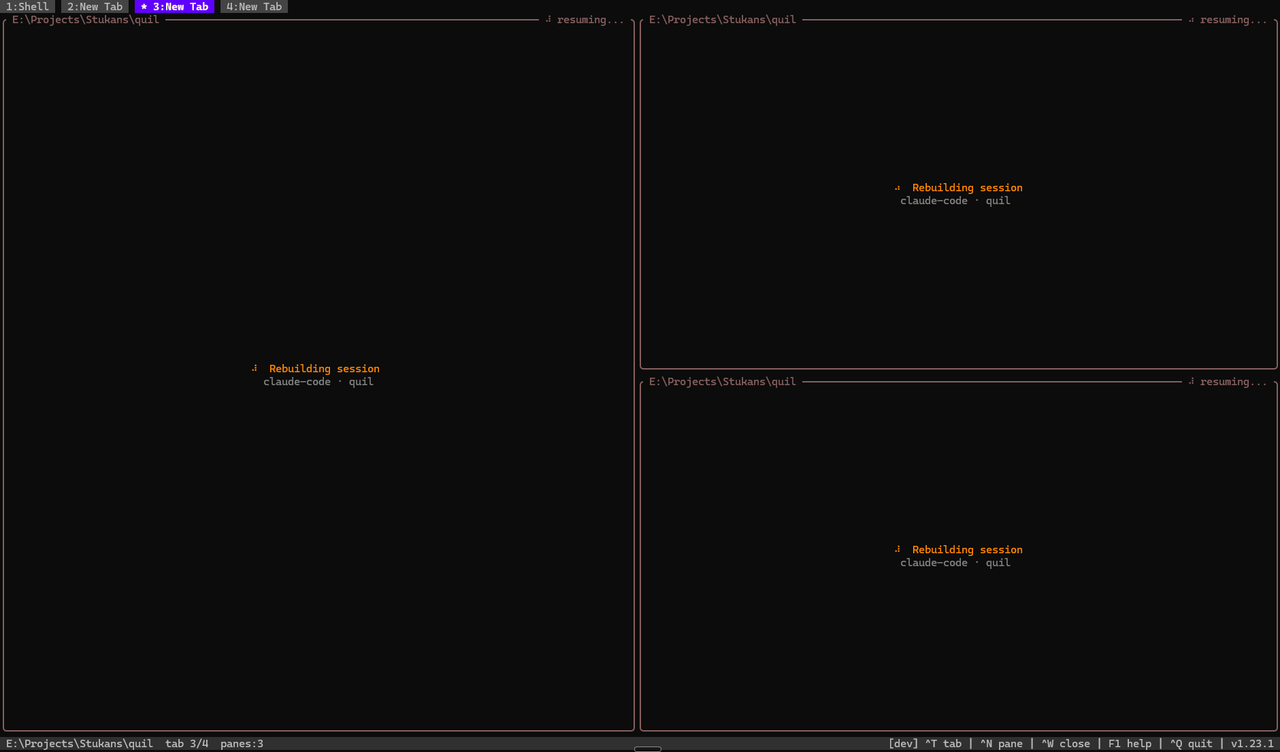
See it
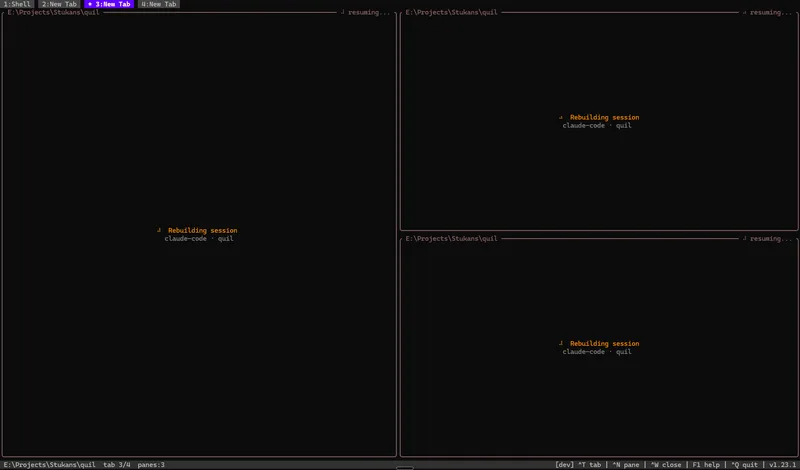
| Survives a full reboot | AI drives your terminal |
|---|---|
 |
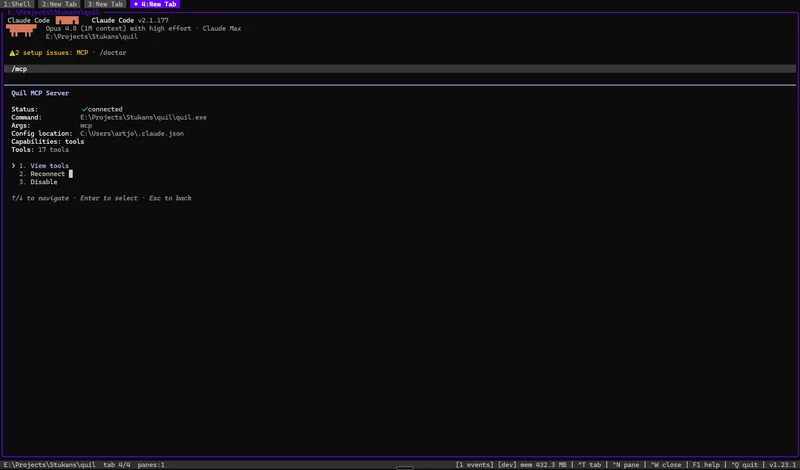 |
| Panes, working dirs, and AI sessions snap back in ~30s. | Expose Quil over MCP — agents list panes, read output, send keys. |
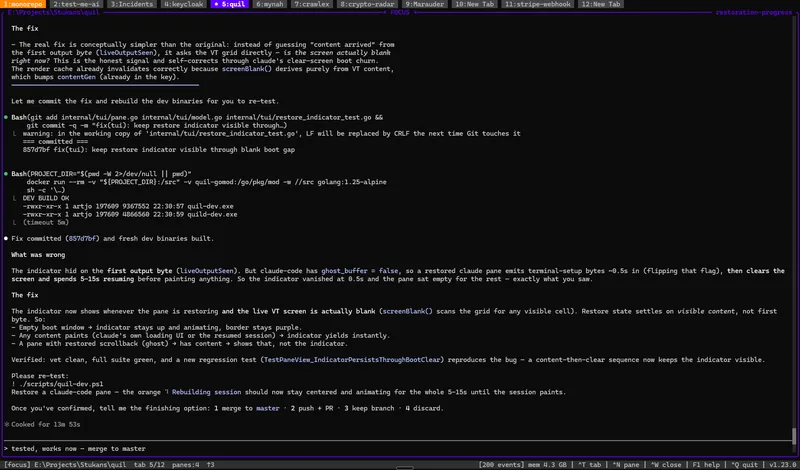
| Many projects, one window | Typed panes |
 |
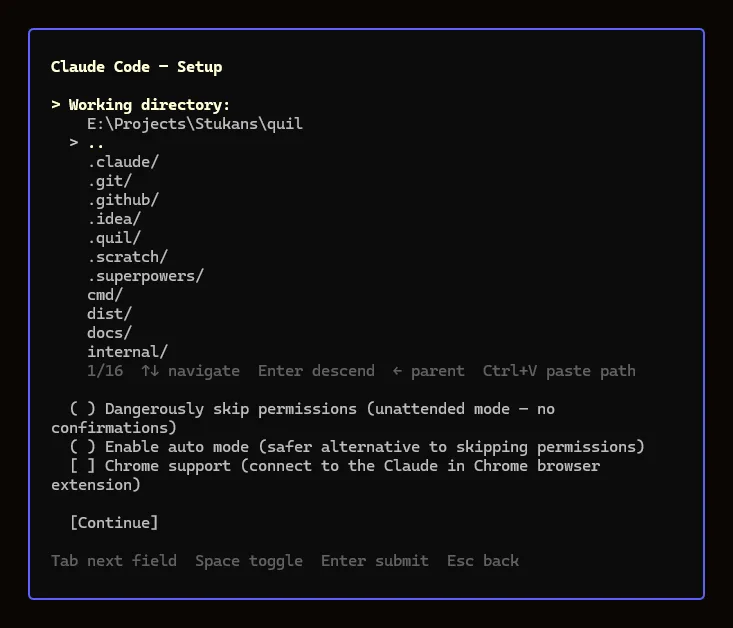 |
| Focus mode + a dozen project tabs. | Per-type setup: dir browser, resume strategy, permission toggles. |
Install
Linux / macOS — one-line install (detects OS+arch, verifies SHA-256):
curl -sSfL https://raw.githubusercontent.com/artyomsv/quil/master/scripts/install.sh | sh
Windows — download quil-windows-amd64.zip from Releases, extract anywhere on PATH.
Go users:
go install github.com/artyomsv/quil/cmd/quil@latest
go install github.com/artyomsv/quil/cmd/quild@latest
Full install options + build-from-source — see docs/installation.md.
Quick start
quil # launches the TUI, auto-starts the daemon
Five keys to remember:
| Key | Action |
|---|---|
F1 |
Menu — Settings, Plugins, Memory, log viewers |
Ctrl+N |
New typed pane (Claude Code, OpenCode, shell, …) |
Ctrl+T |
New tab |
Ctrl+W |
Close active pane |
Ctrl+Q |
Quit (workspace persists) |
That's enough to start. See docs/quick-start.md for the first-launch walkthrough and docs/keybindings.md for the full keymap.
If anything ever hangs: quil restart recovers the daemon (escalating stop → fresh start → tabs restored from the last snapshot), and Alt+R restarts a single stuck pane in place with its AI session resumed.
Let your AI assistant drive Quil
Add this to your AI client's MCP config (Claude Desktop, Claude Code, Cursor, VS Code Copilot):
{
  "mcpServers": {
    "quil": {
      "command": "quil",
      "args": ["mcp"]
    }
  }
}
Restart the client. The AI can now list_panes, read_pane_output, send_to_pane, watch_notifications, screenshot_pane, and 12 more tools. Read the build pane and react to errors without copy-paste.
Full guide: docs/mcp.md.
Built-in integrations
Typed panes ship for the tools developers run all day. Each opens from Ctrl+N; the ones that wrap an external binary appear only when that binary is on PATH (greyed with an install link otherwise).
| Integration | What it is |
|---|---|
| Terminal | Your system shell (bash/zsh/PowerShell/fish) with live working-directory tracking. |
| Claude Code | AI coding session that resumes the exact conversation by session id across reboots. |
| OpenCode | AI coding session (opencode) with the same per-pane session resume. |
| lazygit | Git TUI (lazygit) for the repo near the pane — also a per-tab Alt+G overlay. |
| k9s | Kubernetes cluster TUI (k9s) with a context picker sourced from your kubeconfig. |
| lazysql | Database TUI (lazysql) for MySQL, PostgreSQL, SQLite, and MSSQL. |
| SSH | Persistent SSH session that re-runs the same command (host, port, forwards) on restart. |
| Stripe CLI | stripe listen webhook tunnel that restores its forward URL and surfaces the signing secret. |
Define your own pane types in TOML — see the plugin reference.
Documentation
| Topic | Doc |
|---|---|
| Installation | installation.md |
| First launch | quick-start.md |
| All features | features.md |
| Keybindings | keybindings.md |
| Configuration | configuration.md |
| MCP (AI integration) | mcp.md |
| Custom plugins | plugin-reference.md |
| Troubleshooting | troubleshooting.md |
| Architecture (24 ADRs) | architecture.md |
| Roadmap | roadmap.md |
The full doc index lives at docs/README.md.
Contributing
See CONTRIBUTING.md for branch / commit conventions and the development workflow. Bug reports and PRs welcome.
License
MIT — Copyright (c) 2026 Artjoms Stukans
The Windows build bundles Microsoft's MIT-licensed OpenConsole (OpenConsole.exe + conpty.dll) to host terminal panes correctly on Windows 10. See THIRD_PARTY_LICENSES.md for full third-party attribution.
Yorumlar (0)
Yorum birakmak icin giris yap.
Yorum birakSonuc bulunamadi