designfit
Health Uyari
- License — License: MIT
- Description — Repository has a description
- Active repo — Last push 0 days ago
- Low visibility — Only 6 GitHub stars
Code Gecti
- Code scan — Scanned 12 files during light audit, no dangerous patterns found
Permissions Gecti
- Permissions — No dangerous permissions requested
Bu listing icin henuz AI raporu yok.
Validate AI-built front-ends against their Figma design — deterministic token + geometry conformance, not pixels. MCP server + Claude Code skill.
designfit
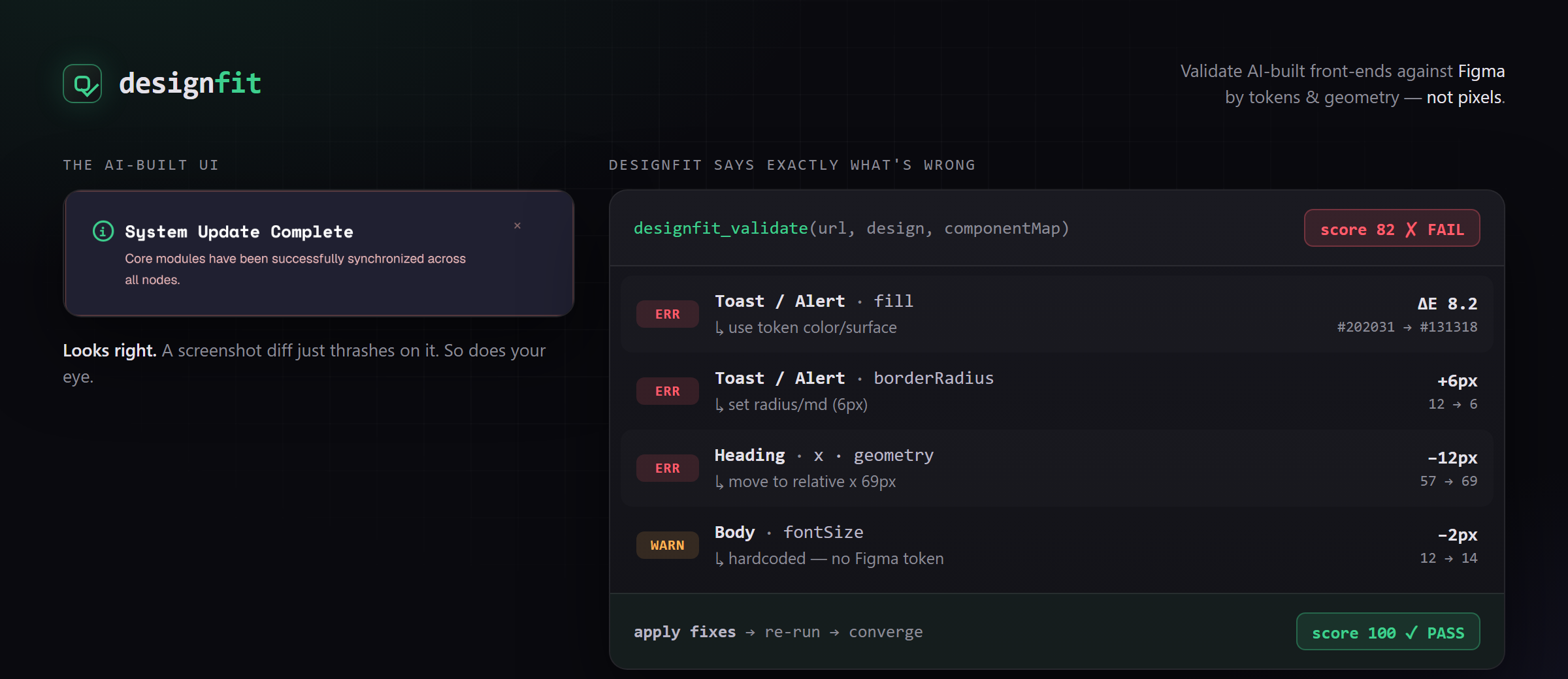
Validate AI-built front-ends against their Figma design — without the screenshot-diff thrash.
▶ Watch the demo — the fidelity loop closing in real time: Figma and the build side by side, score climbing to pass, no screenshot diffing anywhere in it.
designfit is an MCP server + Claude Code skill that checks a rendered implementation against its Figma design and hands the coding agent a machine-actionable fix-list. It compares design tokens and geometry (element boxes relative to the screen root) — not raw pixels — so font-rendering noise never makes the agent oscillate. Deterministic in, deterministic out.

Why geometry, not pixels
Screenshot-diffing an AI-built UI against a Figma frame thrashes: anti-aliasing and sub-pixel shifts read as "still wrong," so the agent fixes forever. designfit compares what a designer actually catches — wrong colors, wrong sizes, misalignment, missing elements — as deterministic measurements with explicit tolerances. Same input, same output, no oscillation.
Install
Claude Code — as a plugin:
/plugin marketplace add as9978/designfit
/plugin install designfit@designfit
Then once, to fetch the browser the measurement engine drives:
npx playwright install chromium
The plugin registers the designfit_validate MCP server and the designfit-fidelity-loop skill together — nothing to configure, nothing to copy by hand.
Any other MCP client — manually:
npm install -g designfit
npx playwright install chromium
{ "mcpServers": { "designfit": { "command": "designfit" } } }
Windows: some MCP clients can't spawn a bare
designfit(it resolves todesignfit.cmd). Use{ "command": "npx", "args": ["-y", "designfit"] }, or point at the binary directly with{ "command": "node", "args": ["<absolute-path>/node_modules/designfit/dist/index.js"] }. The plugin install above already uses thenpxform, so it isn't affected.
Use
Connect Figma's MCP too, then ask your agent to implement a frame. The designfit-fidelity-loop skill drives: build → tag elements with data-designfit-id → designfit_validate → fix → repeat until pass.
If you installed the plugin, the skill is already registered. On a manual install it isn't: skills aren't auto-loaded from an npm dependency, so copy the one that ships at skill/SKILL.md into your agent's skills directory (for Claude Code: .claude/skills/designfit-fidelity-loop/SKILL.md) so it can be discovered.
The one tool, designfit_validate, takes { url, viewport, design, componentMap, tolerances? } and returns { pass, score, violations, unmapped }.
For a full walkthrough on a real Figma frame — the loop, a copy-paste prompt, and troubleshooting — see docs/validating-a-figma-frame.md.
v1 scope
One viewport. Token + geometry + presence checks. Responsive multi-breakpoint and a perceptual VLM fallback are on the roadmap, not in v1.
License
MIT
Yorumlar (0)
Yorum birakmak icin giris yap.
Yorum birakSonuc bulunamadi