ffmpeg-mcp-server
Health Warn
- License — License: MIT
- Description — Repository has a description
- Active repo — Last push 0 days ago
- Low visibility — Only 6 GitHub stars
Code Fail
- fs.rmSync — Destructive file system operation in src/tools/compress.ts
- fs.rmSync — Destructive file system operation in src/tools/concat.ts
Permissions Pass
- Permissions — No dangerous permissions requested
No AI report is available for this listing yet.
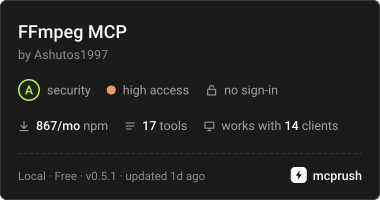
Production-ready Model Context Protocol (MCP) server for FFmpeg & FFprobe. GPU-accelerated video & audio processing for Claude, Cursor & AI agents.
ffmpeg-mcp-server




A Model Context Protocol (MCP) server that gives AI tools access to FFmpeg and FFprobe to process video and audio locally.
Supports cross-platform GPU hardware encoding (Apple Silicon, NVIDIA NVENC, Intel QuickSync, AMD AMF), live progress updates via MCP progress tokens, instant cancellation via AbortSignal, and inlines image previews directly for multimodal vision models.
Why This Exists
When AI agents process media, they often hallucinate invalid flags, syntax errors, or incompatible pixel formats.
This server provides 19 typed tools using Zod schemas. The AI passes parameters (such as { inputPath: "video.mov", preset: "web_mp4" }), and the server runs the valid FFmpeg command locally with proper error handling, hardware acceleration, and progress notifications.
Quick Start
Add directly to your client configuration (no manual cloning required):
{
  "mcpServers": {
    "ffmpeg": {
      "command": "npx",
      "args": ["-y", "@ash_j1997/ffmpeg-mcp-server"]
    }
  }
}
- Claude Desktop:
~/Library/Application Support/Claude/claude_desktop_config.json(Mac) or%APPDATA%\Claude\claude_desktop_config.json(Windows) - Cursor / Windsurf: Add as a stdio server with command
npxand args["-y", "@ash_j1997/ffmpeg-mcp-server"]
Key Features
- Universal Hardware Acceleration: Automatically detects and leverages hardware encoders across macOS (VideoToolbox), Linux/Windows GPUs (NVIDIA NVENC, Intel QuickSync, AMD AMF, and VA-API) for 5x–20x faster exports with low CPU usage.
- Real-time Progress Reporting: Emits live percentage updates via standard MCP progress tokens (
notifications/progress), enabling progress bars in modern AI clients. - Instant Cancellation: Listens to client
AbortSignalevents to immediately terminate child FFmpeg processes when a generation is stopped. - Multimodal Vision Previews: Inlines base64 image data for thumbnails, audio waveforms, and multi-frame contact sheets so vision models (Claude 3.7, GPT-4o, Gemini) can "see" media content.
- Social Formats & Automation: Reformats landscape video to 9:16 vertical video with blurred backgrounds, burns customizable hardcoded subtitles, and stacks top/bottom split-screen reels for TikTok and Instagram Reels.
- Audio Engineering: Normalizes loudness to broadcast/streaming standards (EBU R128 / -16 LUFS), cleans vocal audio with 80Hz rumble removal, and trims dead air while preserving lip-sync.
- Scene Intelligence & Multiplexing: Detects visual scene changes and cut points for smart editing workflows, and combines or replaces video/audio tracks with zero-loss stream copy.
- Smart Input Guards & Validation: Pre-probes streams and duration limits before execution — safeguarding
trim_media,extract_audio,generate_waveform, andextract_thumbnailfrom cryptic errors on silent or out-of-bounds media.
Included Tools (19 Total)
| Tool | Description | Key Parameters |
|---|---|---|
media_probe |
Inspects media files with ffprobe. Returns metadata, streams, codecs, resolution, and duration as JSON. | inputPath |
media_convert |
Converts video and audio formats. Includes presets for web MP4, WebM, and animated GIF with GPU acceleration. | inputPath, outputPath, preset, crf, resolution, fps, hardwareAcceleration |
trim_media |
Cuts a segment from a video or audio file using stream copy or re-encoding. | inputPath, outputPath, startTime, endTime, duration, accurateReencode |
extract_audio |
Rips audio tracks from video. Includes a 16kHz mono WAV preset for Whisper speech recognition. | inputPath, outputPath, format, bitrate |
extract_thumbnail |
Captures a still image at a timestamp or midpoint. Returns base64 image data for vision models. | inputPath, outputPath, timestamp, resolution, includeBase64 |
compress_video |
Compresses video to fit target sizes (such as GitHub PRs under 10MB or Discord under 25MB). | inputPath, outputPath, targetSizeMB, preset, crf, maxWidth, hardwareAcceleration |
reformat_aspect_ratio |
Changes video ratio to 9:16 vertical, 1:1 square, or 4:5 portrait with blurred borders or center crop. | inputPath, outputPath, targetRatio, mode, blurAmount, padColor, hardwareAcceleration |
create_split_screen |
Stacks two videos top-and-bottom (9:16 Reels/TikTok) or side-by-side with audio mixing and subtitles. | firstVideoPath, secondVideoPath, outputPath, layout, audioSource, subtitlesPath |
trim_silence |
Detects and removes silent pauses from recordings while preserving video & audio lip-sync. | inputPath, outputPath, mode, thresholdDb, minDurationSeconds |
concat_media |
Joins multiple media files in order. Automatically probes inputs to select stream copy or re-encoding. | inputPaths, outputPath, mode |
generate_waveform |
Generates a PNG waveform image. Returns base64 image data for vision models. | inputPath, outputPath, width, height, color, scale, includeBase64 |
add_subtitles |
Embeds SRT or VTT subtitle tracks into MP4/MKV video files without re-encoding video. | videoPath, subtitlesPath, outputPath, language, title |
burn_subtitles |
Hardcodes subtitles directly onto video frames with customizable font size, colors, and margins. | videoPath, subtitlesPath, outputPath, fontSize, fontColor, outlineColor, marginV |
extract_keyframes |
Extracts multiple representative frames across the video and generates a contact sheet grid for vision AI. | inputPath, outputPath, count, layout, includeBase64 |
normalize_audio |
Normalizes audio loudness using EBU R128 (default -16 LUFS) with optional speech clarity high-pass filter. | inputPath, outputPath, targetLufs, targetPeakDb, voiceClarity |
add_overlay |
Places a watermark image or logo PNG over video with customizable corner position, scale, and opacity. | videoPath, overlayPath, outputPath, position, padding, scaleWidth, opacity |
change_speed |
Adjusts playback speed (such as 2x fast forward or 0.5x slow motion) with pitch correction. | inputPath, outputPath, speed, muteAudio |
mux_media (New) |
Combines or replaces video and audio streams with optional audio offset delay and zero-loss stream copy. | videoPath, audioPath, outputPath, mode, audioOffsetSeconds, streamCopyVideo, shortest |
detect_scenes (New) |
Detects video cut points and scene transitions with adjustable sensitivity. Returns timestamps, scene durations, and an optional contact sheet. | inputPath, threshold, minDurationSeconds, outputPath, includeBase64 |
MCP Resources & Prompts
Resources
media://capabilities: Inspects local FFmpeg installation, active version, detected hardware accelerators (VideoToolbox, NVENC, QSV, AMF, VAAPI), and supported video encoders.media://presets: Standard reference table of social aspect ratios, platform upload file size limits, and broadcast audio loudness targets.
Prompts
social_clip_generator: Interactive workflow that turns raw landscape video into vertical shorts with blurred background padding, trimmed silence, and hardcoded captions.whisper_audio_prep: Standard pipeline for extracting 16kHz mono WAV audio and normalizing loudness for speech-to-text models.
Requirements
- Node.js >= 18.0.0
- FFmpeg & FFprobe installed locally:
- macOS:
brew install ffmpeg - Linux (Ubuntu/Debian):
sudo apt update && sudo apt install ffmpeg libass-dev - Windows:
winget install Gyan.FFmpegorchoco install ffmpeg
- macOS:
Installation
Quick Start (Claude Desktop, Cursor, Antigravity)
Run directly with npx (no manual cloning or building required):
{
  "mcpServers": {
    "ffmpeg": {
      "command": "npx",
      "args": ["-y", "@ash_j1997/ffmpeg-mcp-server"]
    }
  }
}
Configuration File Locations:
- Claude Desktop (macOS):
~/Library/Application Support/Claude/claude_desktop_config.json - Claude Desktop (Windows):
%APPDATA%\Claude\claude_desktop_config.json - Antigravity IDE:
~/.gemini/config/mcp_config.json - Cursor / Windsurf: Add as a stdio server with command
npxand args["-y", "@ash_j1997/ffmpeg-mcp-server"]
Local Development & Testing
Install dependencies:
npm installRun build and automated test suite:
npm test
Acknowledgements & Community
- Special thanks to @rajarshidattapy for suggesting stream multiplexing (
mux_media) and scene transition detection (detect_scenes) to expand the server beyond format conversion. - Special thanks to Reddit user u/QuanTradin for inspiring smart input guards (pre-flight stream validation & sample rate checking) and auto-probing in
concat_mediato prevent corrupted outputs and catch bugs before execution.
License
MIT © Ashutos1997
Reviews (0)
Sign in to leave a review.
Leave a reviewNo results found