valet
Health Uyari
- License — License: MIT
- Description — Repository has a description
- Active repo — Last push 0 days ago
- Low visibility — Only 6 GitHub stars
Code Gecti
- Code scan — Scanned 12 files during light audit, no dangerous patterns found
Permissions Gecti
- Permissions — No dangerous permissions requested
Bu listing icin henuz AI raporu yok.
Talk to your homelab. A self-hosted, open-source, AI-native homepage.

Valet
Talk to your homelab.
A self-hosted, open-source, AI-native homepage.





Live demo · Docs · Quick start · Changelog
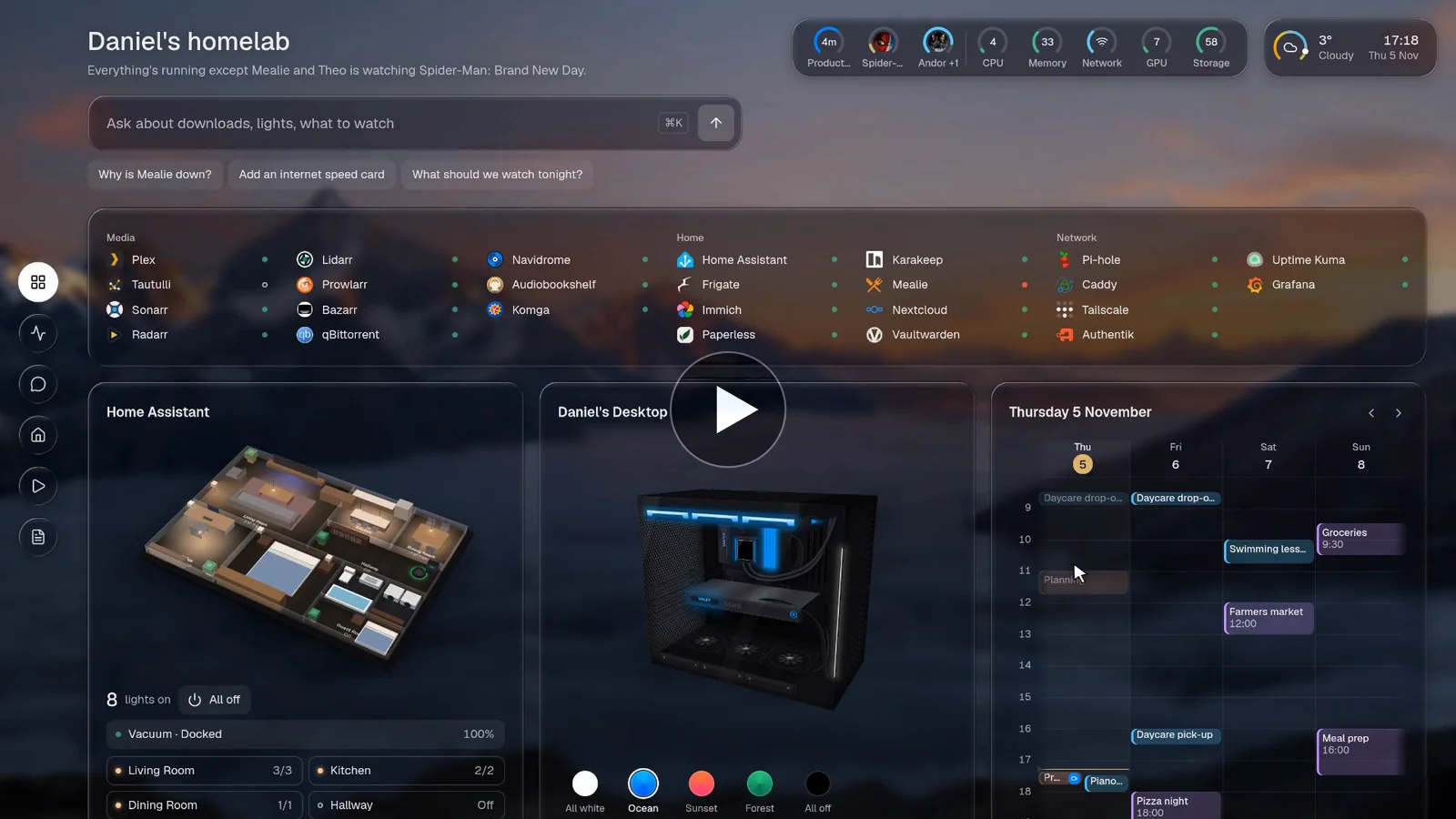
▶ Watch the film · or try the demo, right in your browser
Why Valet
Valet is a homepage for your homelab that can also do things.
The front door to your homelab
Instead of opening five different tabs to work out what's going on, just open Valet.
It shows what's happening across all your services, and you can act on it right there. Instead of just being a page with
links and a status dot, Valet is meant to be powerful and actionable.
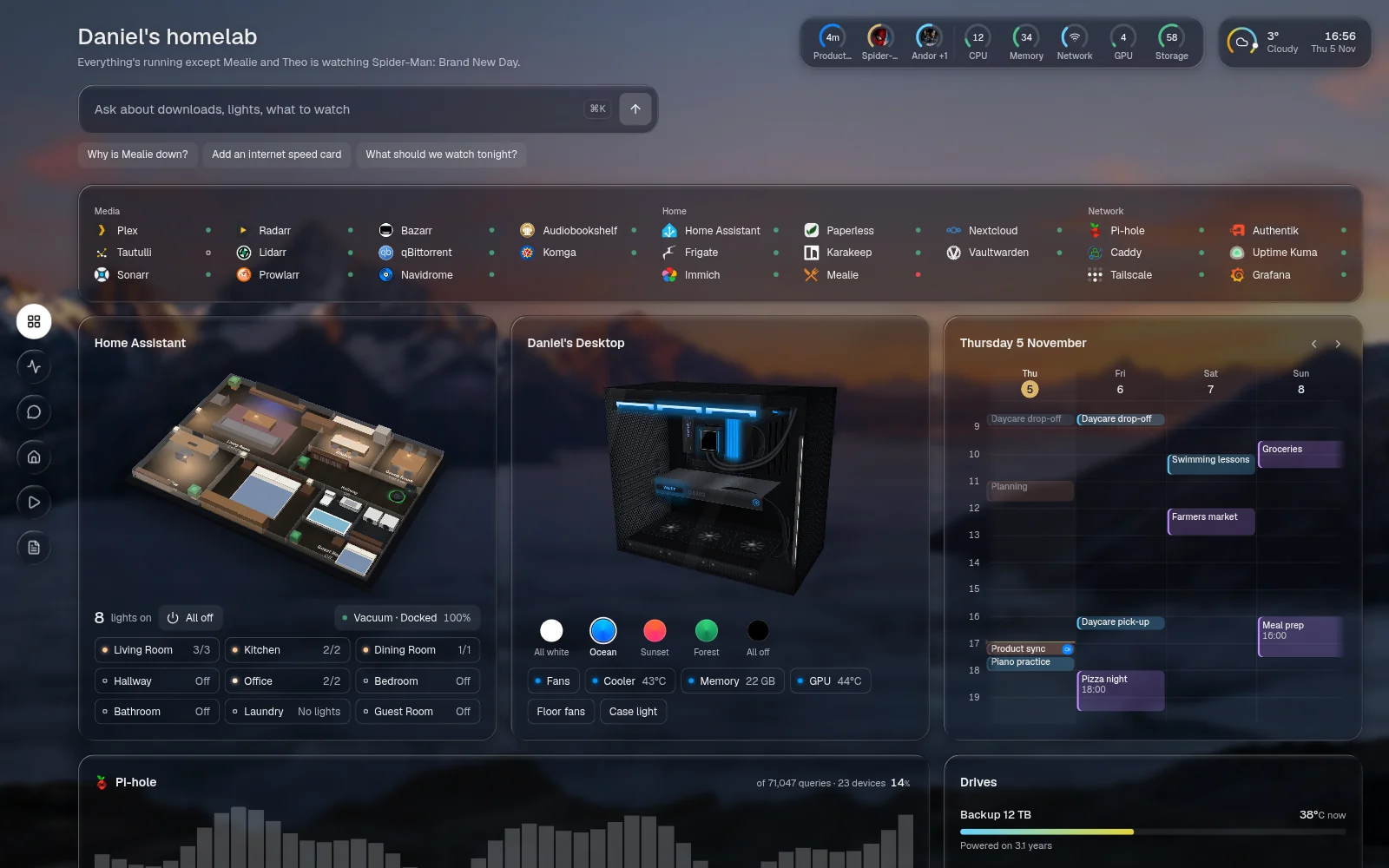
AI-native, if you want it
Ask Valet anything about your homelab. Use a local model or a hosted one. Valet knows
its own documentation, so you can use it to build itself! Anything it changes waits for your approval, and Valet
works just fine with the AI switched off.
 "Who's watching?" "What should we watch tonight?" Then "Pause Pi-hole", which waits for your approval. |
 "Add an internet speed card." Valet edits its own config, after asking first. |
"Tell me when Oppenheimer finishes downloading." Set once in plain words, and the notice comes when it's done.
Updates in real time
Everything on the page is live. Progress bars move, numbers tick over, and new things appear as they happen, with no refreshing. Hover anything in the top bar for its details: what's playing, a download, the CPU or the weather.
Wall display mode
Open /wall on a tablet or a spare monitor for a page made to be read from across the room. The wall is its own page: you
pick exactly which cards it shows, several pages can take turns, and it dims at night. Nothing on it can be pressed, and
chat never shows.
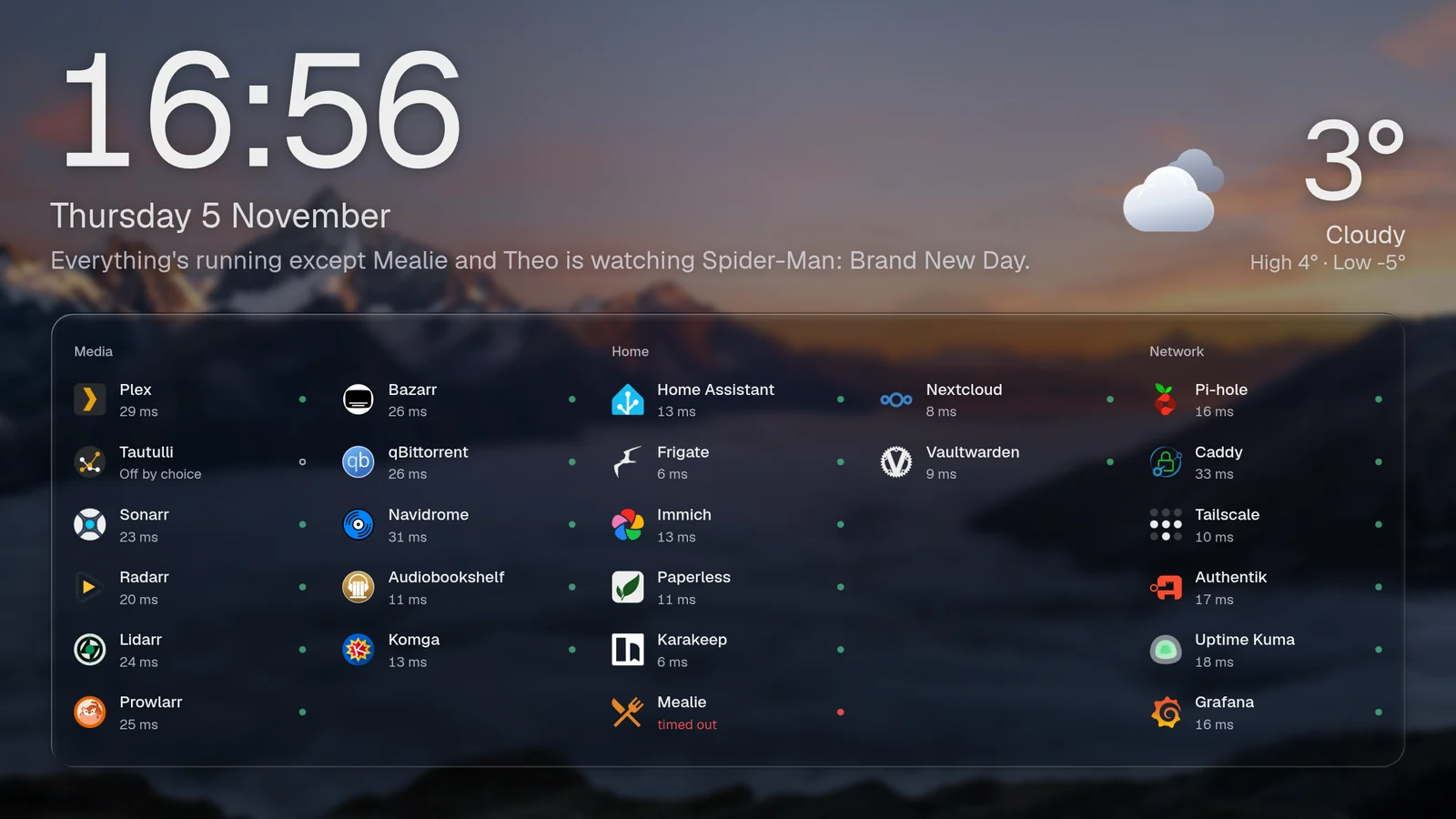
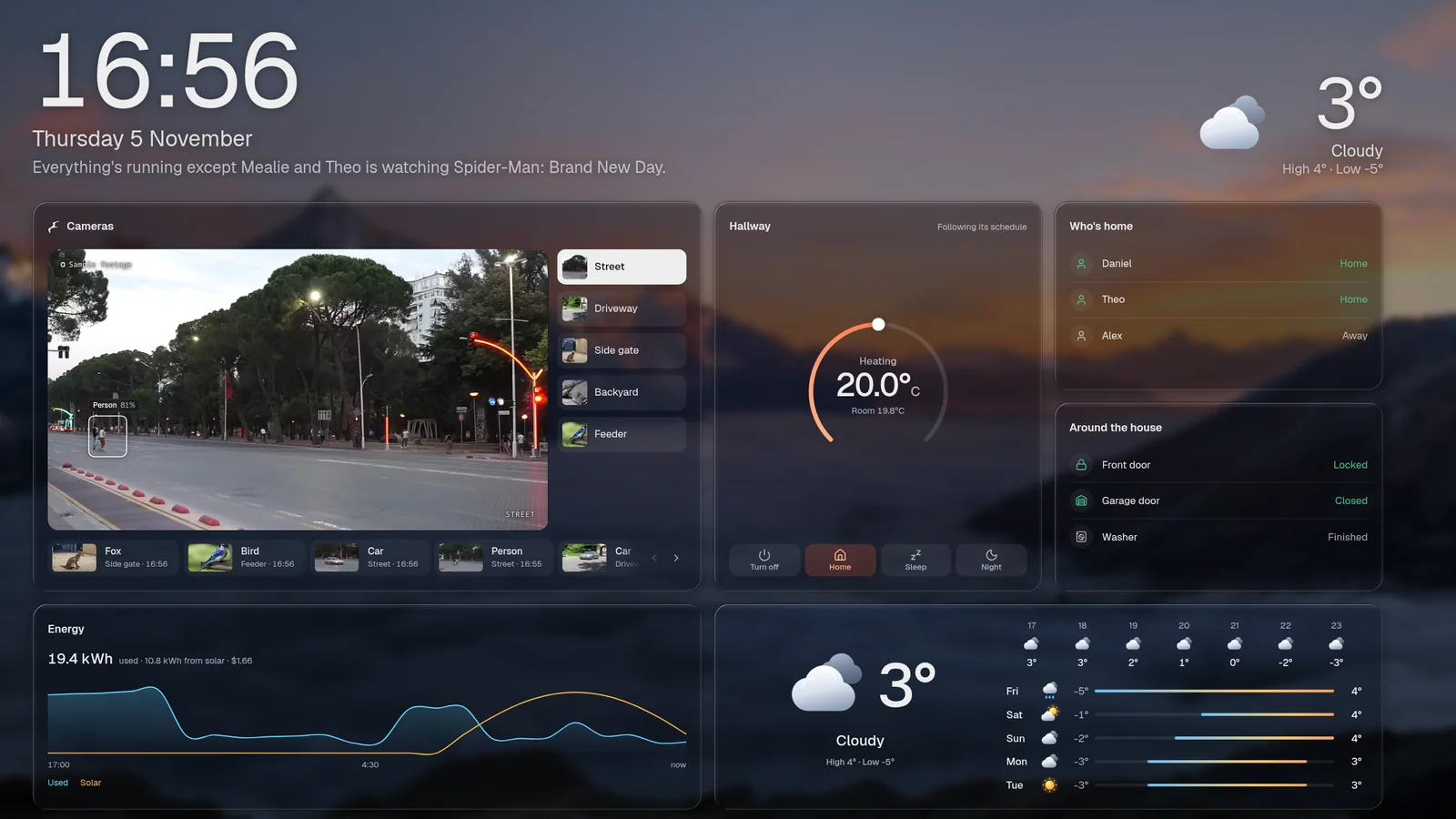
Two wall pages taking turns: the services, then the house.
Made to be enjoyed
Live cards, real artwork, smooth animations and 3D models. It's a page
you'll want to look at and use.
Pick a room, change its lights, and send the vacuum, which drives through the house.
Your year in review, told from your services' own numbers.
Flexible, and light
One YAML file controls everything, with 185 integrations and a simple way to add your own. It
runs as one Node process, uses about 45 MB of RAM on a fresh install, and the image is 165 MB.
Add it to your phone's Home Screen and it's an app, with its own notifications.
Security first
Valet is read-only until you turn on sign-in or tell it your network is private. Your API keys stay on the server, so
neither the browser nor the AI ever sees them, and the assistant only gets the access you give it, one integration at a
time. Anything the assistant changes asks first. It runs on your own hardware, with no account and no telemetry. The
security docs cover the rest.
Quick start
mkdir valet && cd valet && touch .env   # secrets go in .env, as ${NAME} in the config
docker run -d --name valet -p 127.0.0.1:7575:7575 \
  -v ./config:/config -v ./data:/app/data --env-file .env \
  ghcr.io/askvalet/valet:latest
Open http://localhost:7575 and the page walks you through the rest. The install guide covers Docker Compose and running from source.
Documentation
Everything else lives at askvalet.dev:
- Your first config
- 185 integrations, each with screenshots
- The assistant
- Security
- Configuration reference
- Build an integration
Contributing
Contributions are welcome, and new integrations are the easiest place to start. See CONTRIBUTING.md.
Licence
MIT. Product names and logos belong to their owners, and Valet isn't affiliated with any of them.
Yorumlar (0)
Yorum birakmak icin giris yap.
Yorum birakSonuc bulunamadi