pawwork
Health Pass
- License — License: Apache-2.0
- Description — Repository has a description
- Active repo — Last push 0 days ago
- Community trust — 28 GitHub stars
Code Fail
- rm -rf — Recursive force deletion command in .github/workflows/build.yml
Permissions Pass
- Permissions — No dangerous permissions requested
This tool is an open-source AI agent designed as a desktop application. It helps users perform everyday tasks like document editing, web research, and local file management without needing a terminal or a separate IDE.
Security Assessment
The overall risk is rated as Medium. Because it operates as a desktop agent, the application inherently accesses sensitive local files, documents, and user-specified workspaces. It makes external network requests to communicate with various third-party AI models (like OpenAI, Claude, Gemini) and to perform web searches. The scan did not find any hardcoded secrets, and it does not request broadly dangerous system permissions, which is a positive sign. However, an automated audit flagged a recursive force deletion command (`rm -rf`) inside a GitHub Actions workflow. While this is common in build scripts to clean up directories, it is a known risky pattern that warrants a quick manual review of the workflow file by developers to ensure it cannot be manipulated.
Quality Assessment
The project appears to be actively maintained, with its most recent push happening today. It is legally safe to use and build upon, covered by the standard and permissive Apache-2.0 license. Community trust is currently low but growing; the repository has a description and has attracted 28 GitHub stars. As an open-source alternative to mainstream desktop AI apps, it offers transparency that proprietary tools lack.
Verdict
Use with caution — it is a promising and active project, but developers should review the flagged workflow file and be mindful of granting local file access to AI agents.
Open-source AI agent that works out of the box on your desktop.
PawWork
Open-source AI agent that works out of the box on your desktop.



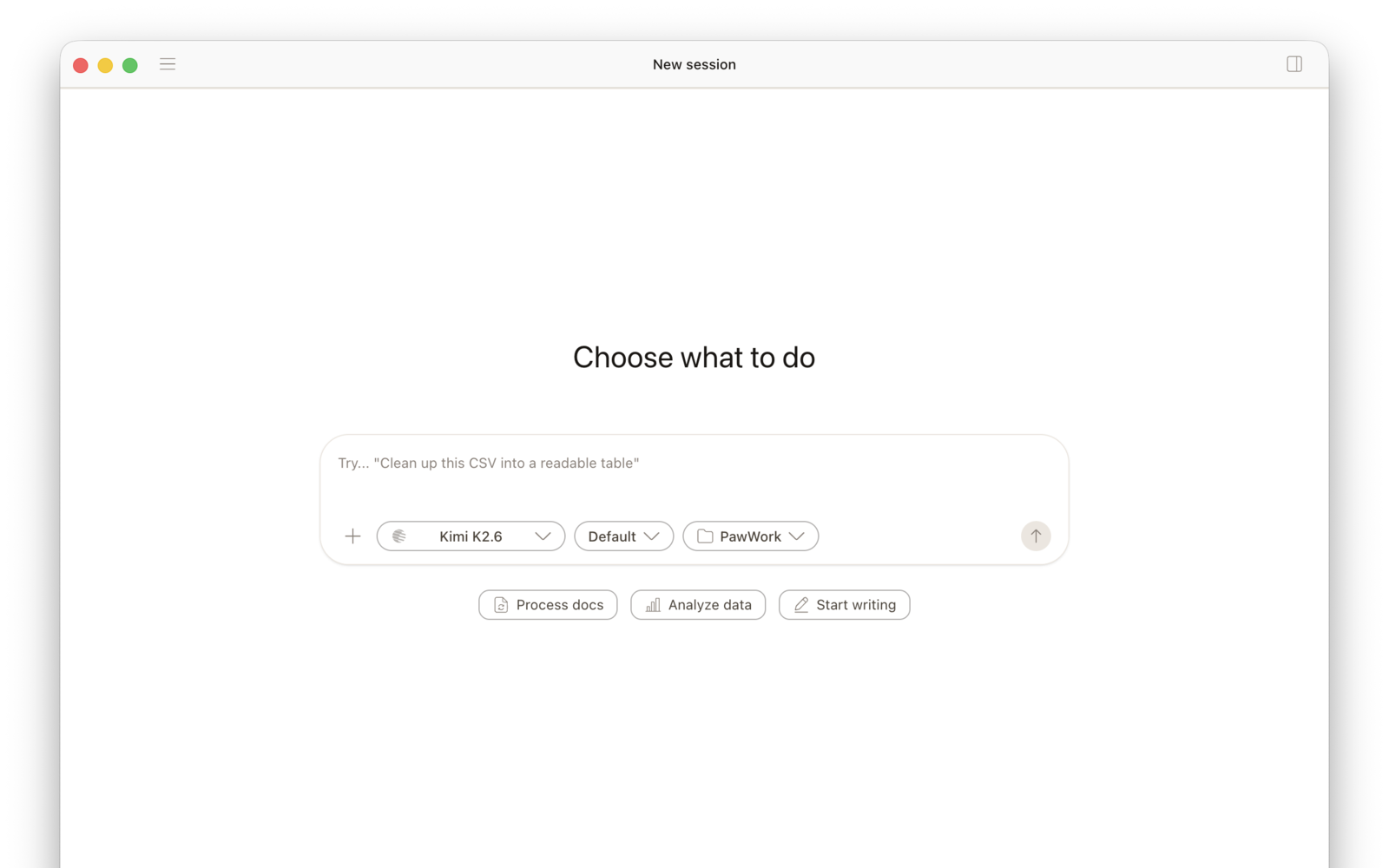
PawWork is an open-source alternative to Codex App and Claude Desktop. It brings AI agent work into a polished desktop app for files, documents, spreadsheets, research, writing, code, and local tasks.
Start without a terminal, API key, or paid model plan. PawWork includes a free plan powered by OpenCode Zen, built-in web search, task cards, and support for your own model accounts when you want more choice or control.

Why PawWork
PawWork is built for people who want AI agents to do real desktop work, not only chat in a browser or write code inside an IDE.
- Less setup: download the app, choose a workspace, and start with the included OpenCode Zen free plan.
- Real desktop work: work with local files, documents, spreadsheets, notes, web research, code, and generated outputs.
- Task cards: start from concrete tasks instead of a blank prompt.
- Model choice: connect OpenAI, Claude, DeepSeek, Gemini, Kimi, GLM, OpenAI-compatible providers, and supported coding plans.
- Open-source control: inspect the code, choose your workspace, connect the accounts you trust, and keep important actions reviewable.
What You Can Ask PawWork To Do
Documents and Data
- extract key fields from invoices into a reviewable spreadsheet draft
- summarize a CSV and create a short report
- merge PDFs and organize the output files
- turn messy notes and attachments into a weekly update
Research and Writing
- compare product pages and prepare a decision memo
- search the web and collect sources for a topic
- turn meeting notes into a draft announcement
- rewrite rough material into a clearer document
Code and Technical Work
- inspect a code project and explain what to change
- review a pull request and summarize the risks
- debug an API error with logs and source files
- build a small internal tool from a plain-language request
How It Works
- Choose a workspace folder.
- Pick a task card or describe what you want in everyday language.
- Let PawWork work with the files, tools, models, and search it needs.
- Review the steps, outputs, and files before you use the result.
Models, Plans, and Search
PawWork includes a free plan powered by OpenCode Zen, plus built-in web search with a free quota. You can start without bringing your own API key.
When you want more model choice or control, connect your own accounts. PawWork supports API keys, OAuth where available, OpenAI-compatible providers, and supported coding plans, including OpenAI, Claude, DeepSeek, Gemini, Kimi, GLM, and more.
Download
Download the latest macOS and Windows builds from GitHub Releases.
- macOS: download the
.dmg. Release builds are signed and notarized by Apple. - Windows: download the Windows x64
.exe. Windows builds are available and currently unsigned, so SmartScreen may appear on first launch.
PawWork is early and moving fast. Release notes describe what changed in each build.
Build From Source
Requires Bun v1.2+.
git clone https://github.com/Astro-Han/pawwork.git
cd pawwork
bun install
bun run dev:desktop
Built on OpenCode
PawWork is built on a fork of OpenCode. We keep the agent engine, rebuild the desktop product experience, and add PawWork-specific workflows, model defaults, and everyday-work entry points.
Thanks to the OpenCode project and community.
License
Reviews (0)
Sign in to leave a review.
Leave a reviewNo results found