omarchy-android
Health Uyari
- License — License: MIT
- Description — Repository has a description
- Active repo — Last push 0 days ago
- Low visibility — Only 5 GitHub stars
Code Basarisiz
- rm -rf — Recursive force deletion command in .github/workflows/build-container.yml
Permissions Gecti
- Permissions — No dangerous permissions requested
Bu listing icin henuz AI raporu yok.
Run full Omarchy Wayland desktop & ARM64 AI suite (CC Switch, Codex, Claude, Hermes) on Android (Root chroot & Non-Root proot)
Omarchy Android
Your phone. A real, opinionated Linux & AI workstation.
An Omarchy-inspired Ubuntu 24.04 ARM64 + Sway Wayland desktop, engineered from the ground up for Android touchscreens, keyboards, and native ARM64 AI workflows — no root required.






English | 简体中文
Download Latest APK · Installation Guide · Architecture · Contribute
Real-Device Showcase
Every screenshot below was captured directly on real Android phones (Redmi K90 Pro Max · Android 17 Rootless & Redmi K20 Pro · Android ARM64).
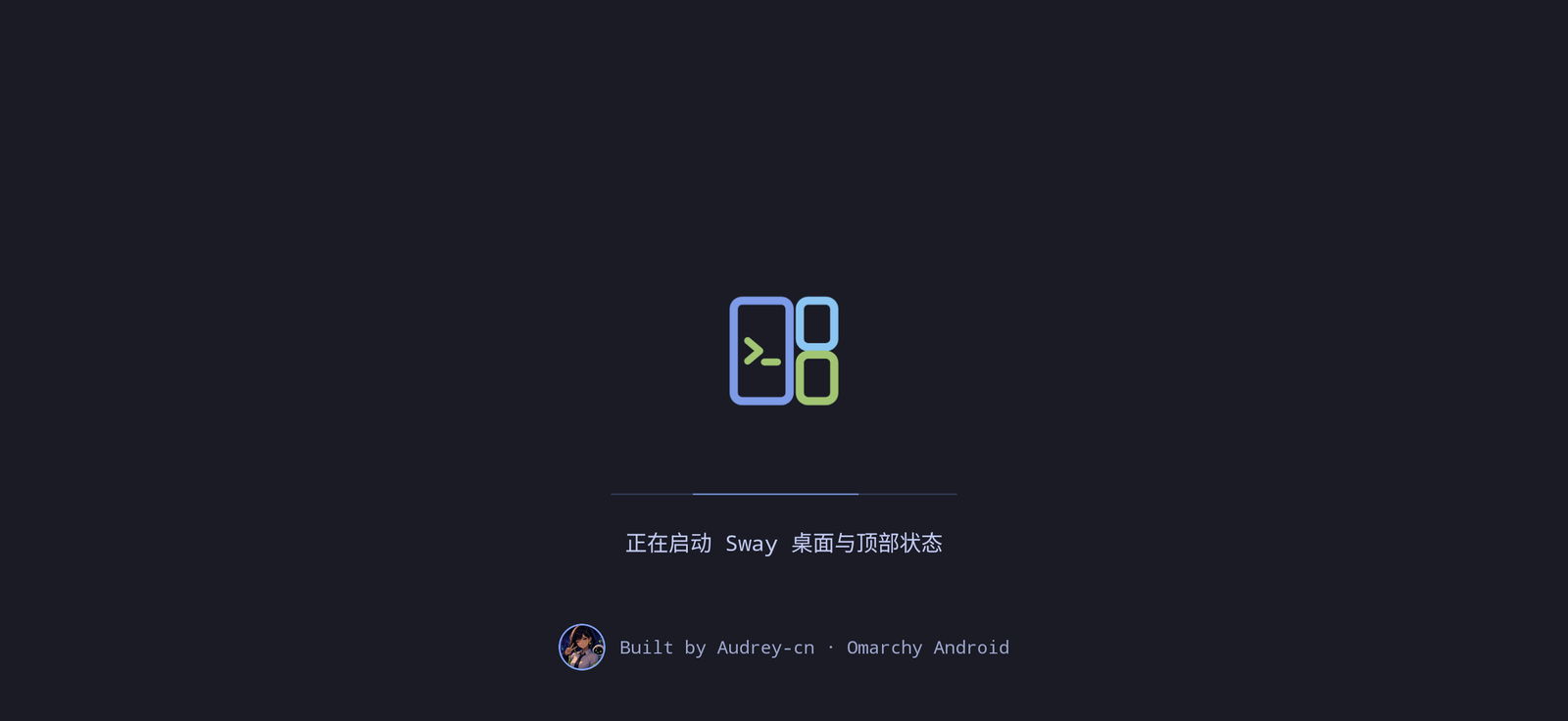
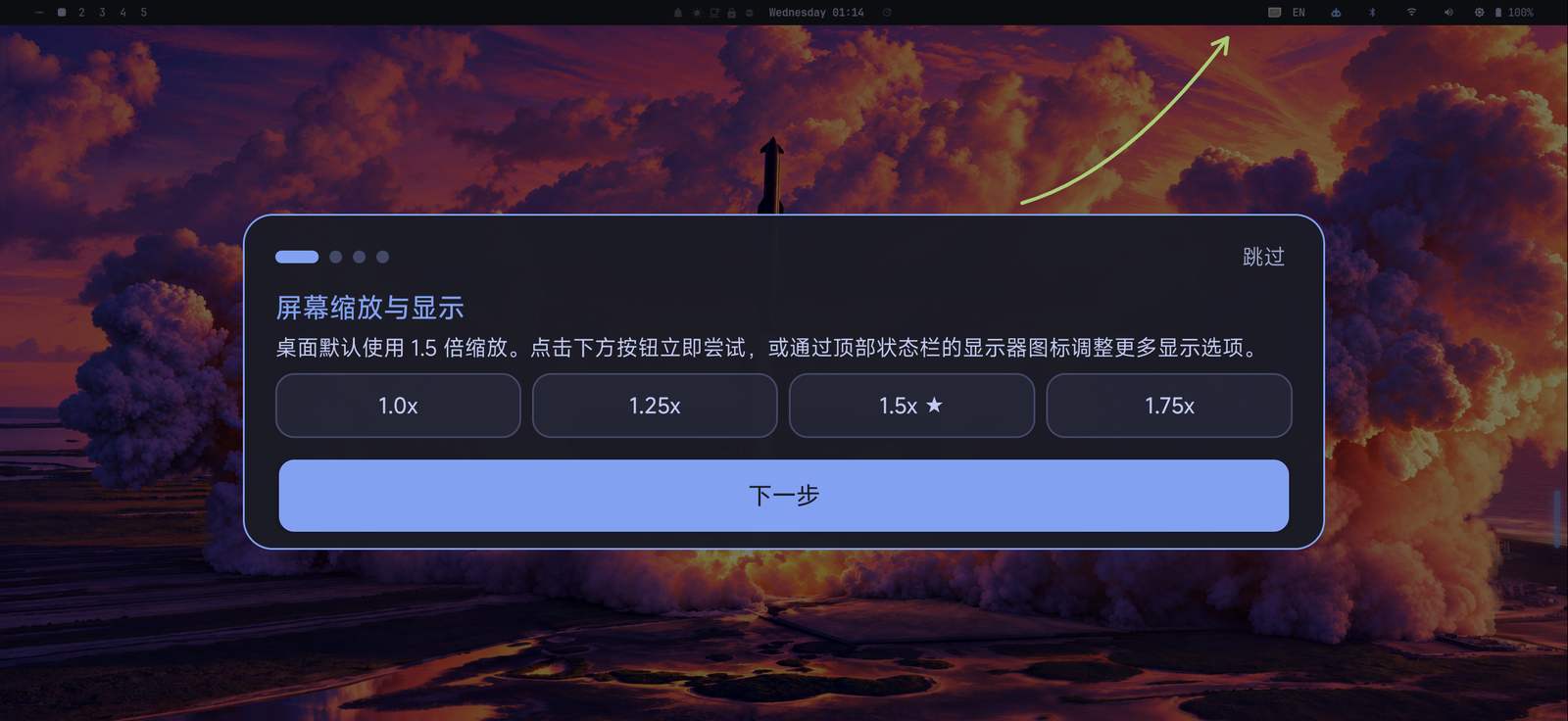
| Tokyo Night Breathing Splash & Attribution | 4-Step Interactive High-DPI Onboarding |
|---|---|
 |
 |
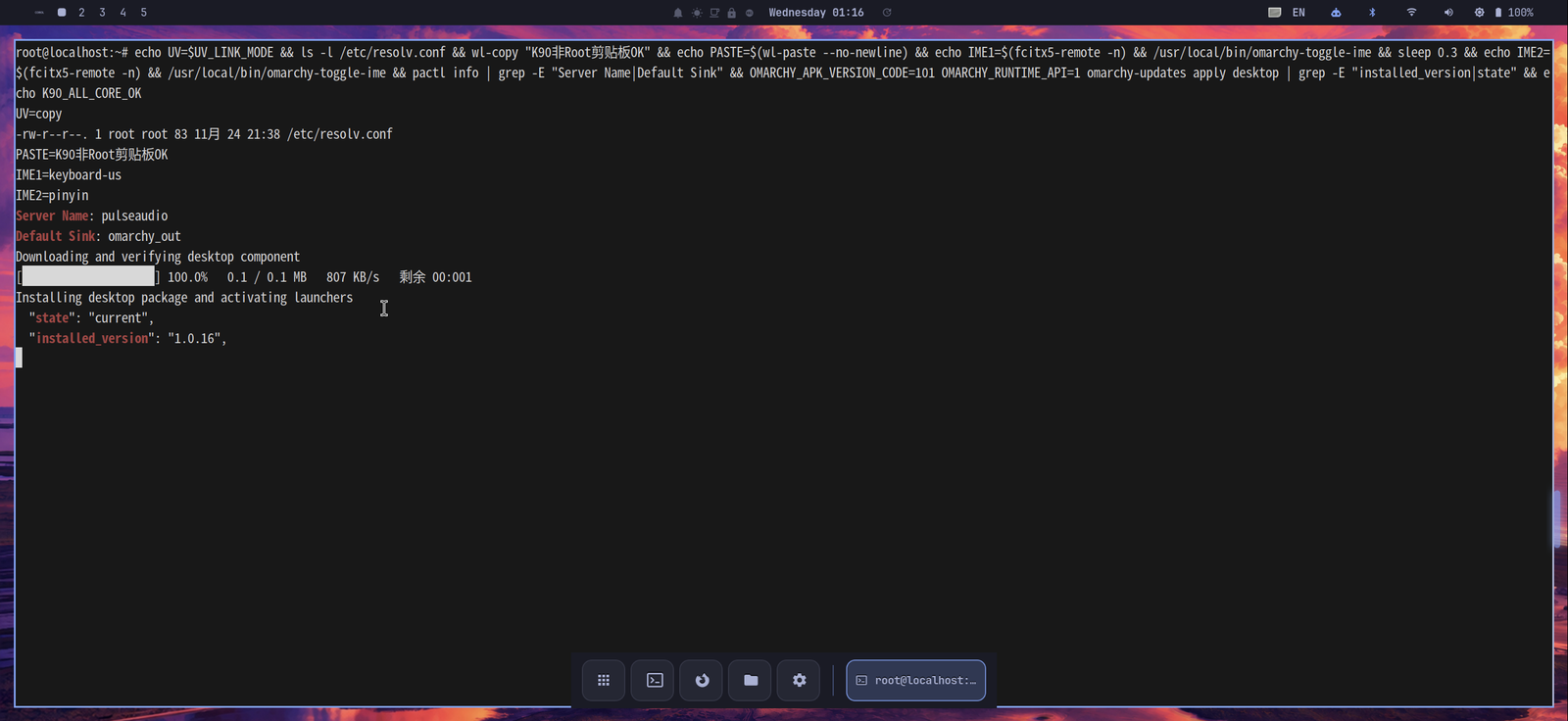
Bottom Dock (Super + D) & Live Update Progress |
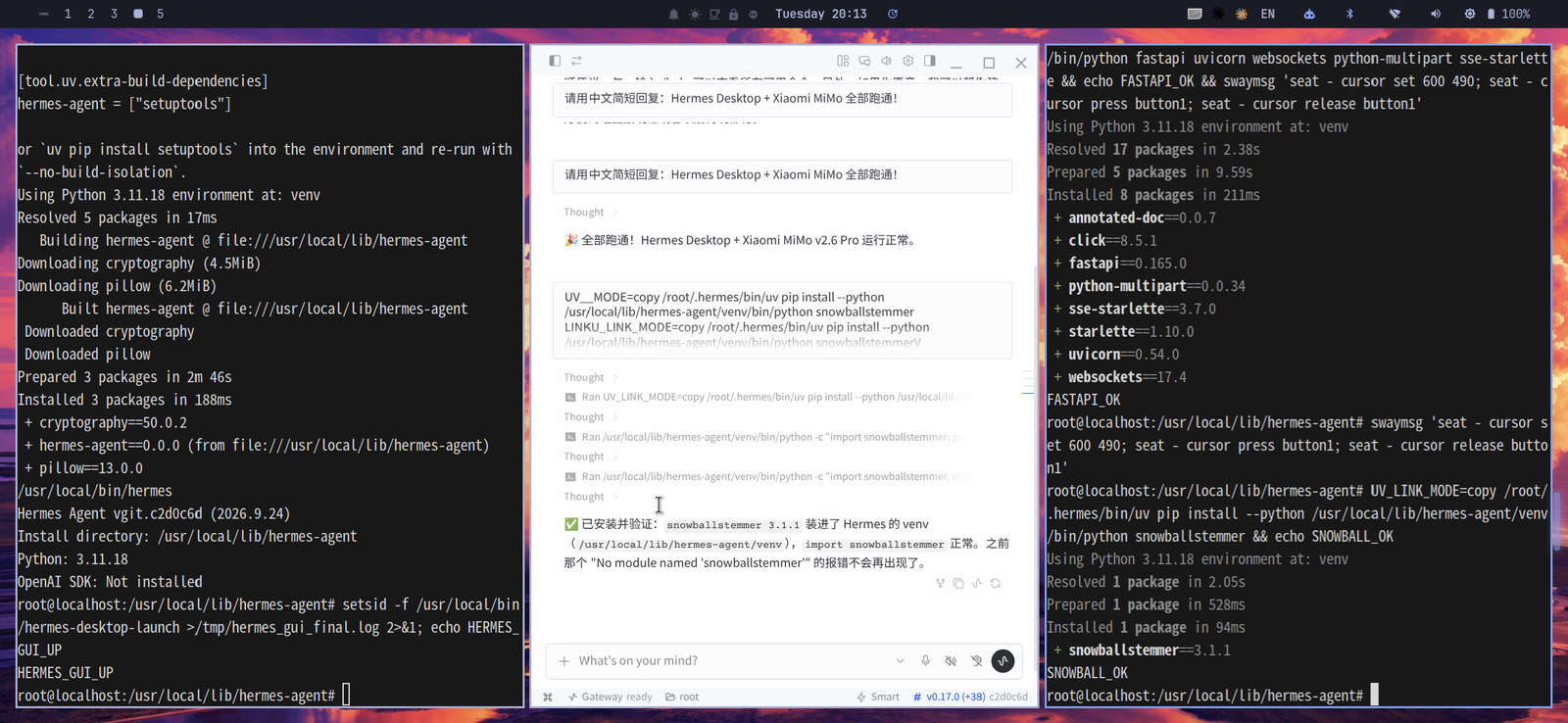
Hermes Desktop + Local AI Tool Calling |
 |
 |
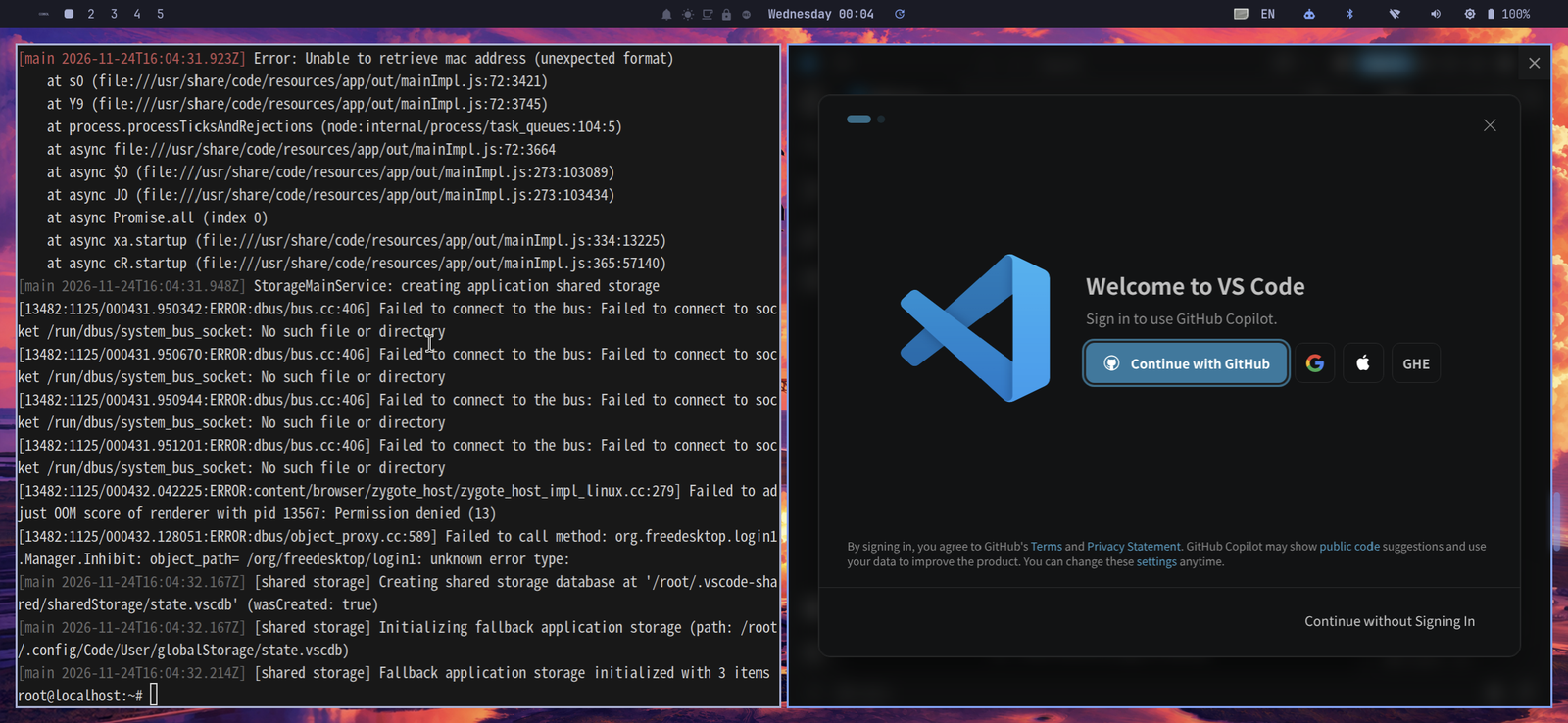
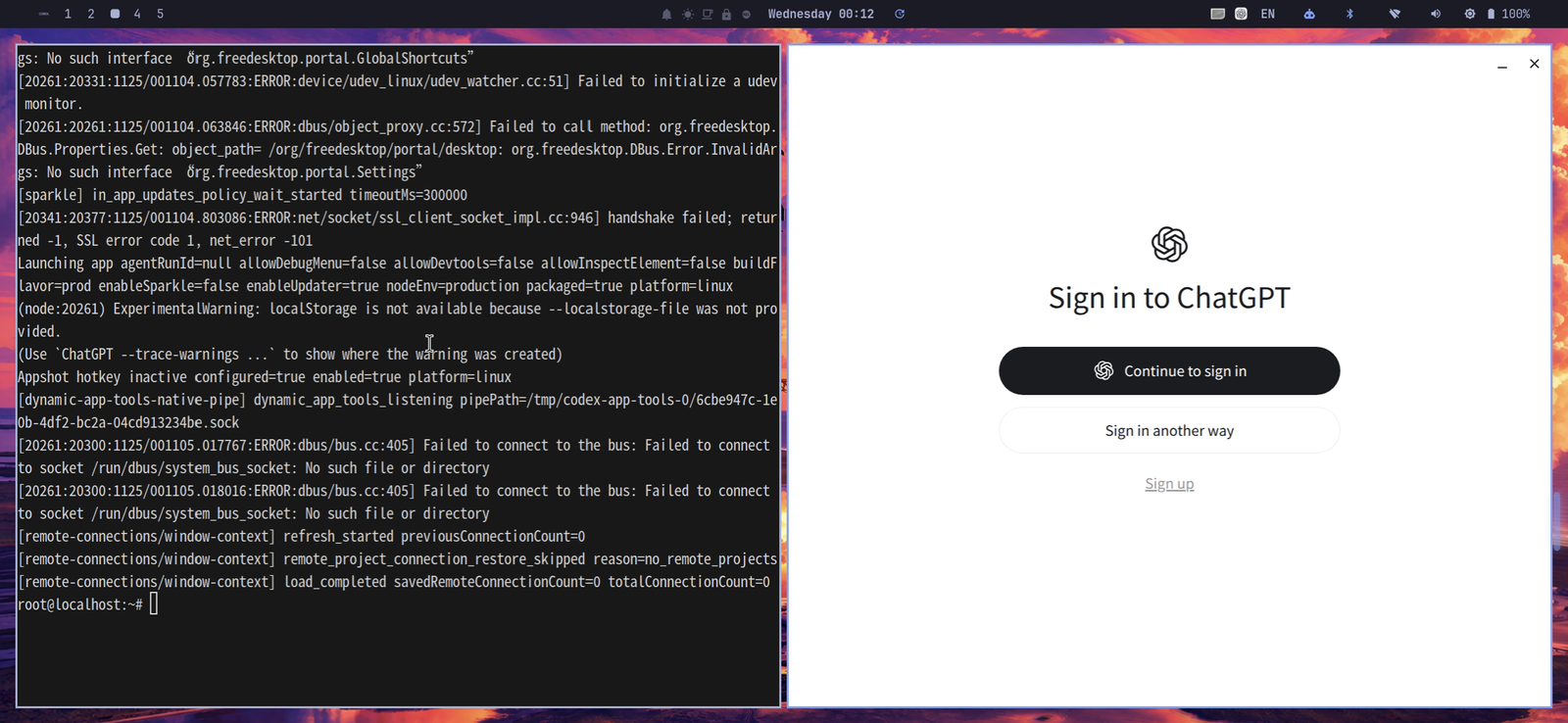
| Native ARM64 VS Code (Wayland) | Native ARM64 Codex / ChatGPT Desktop |
 |
 |
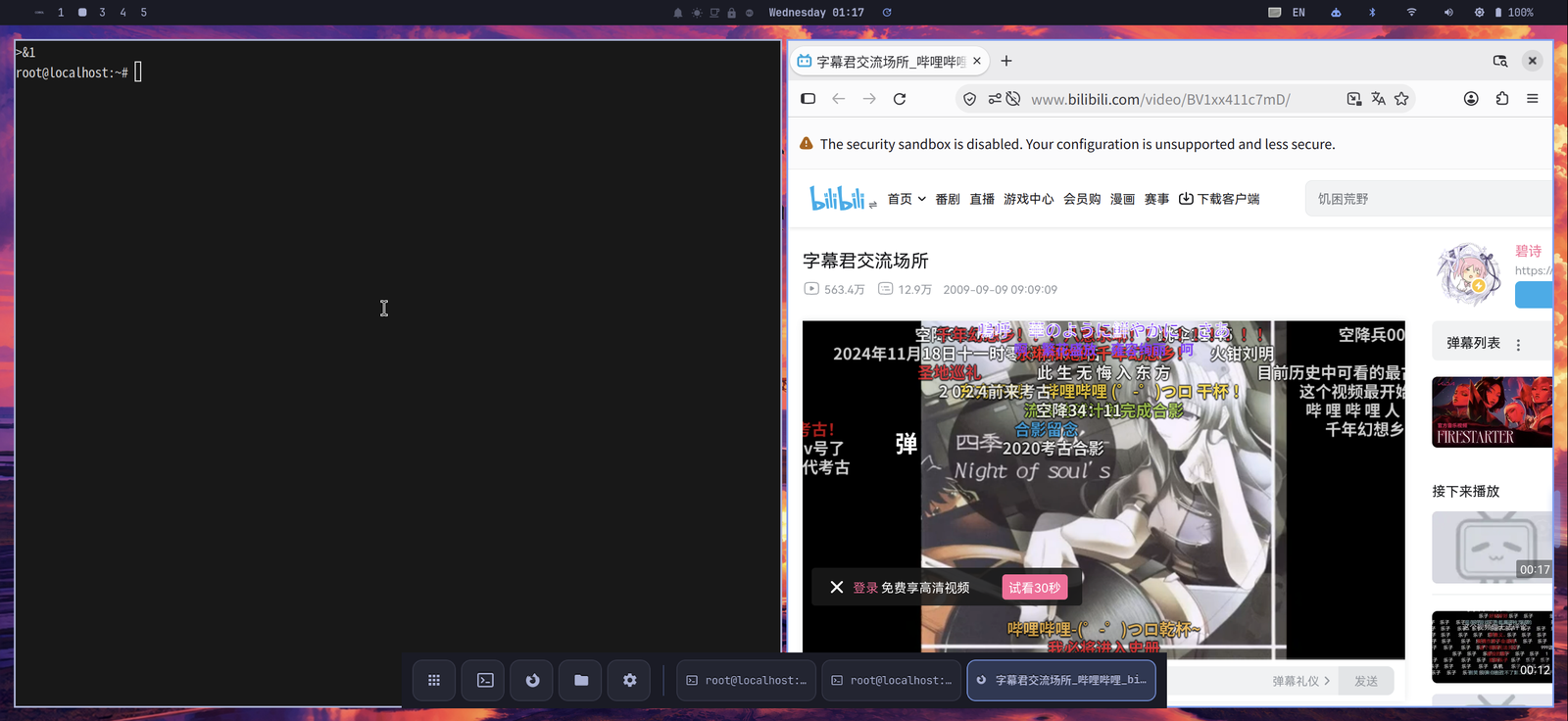
Firefox + ffmpeg HTML5 Video & Danmaku |
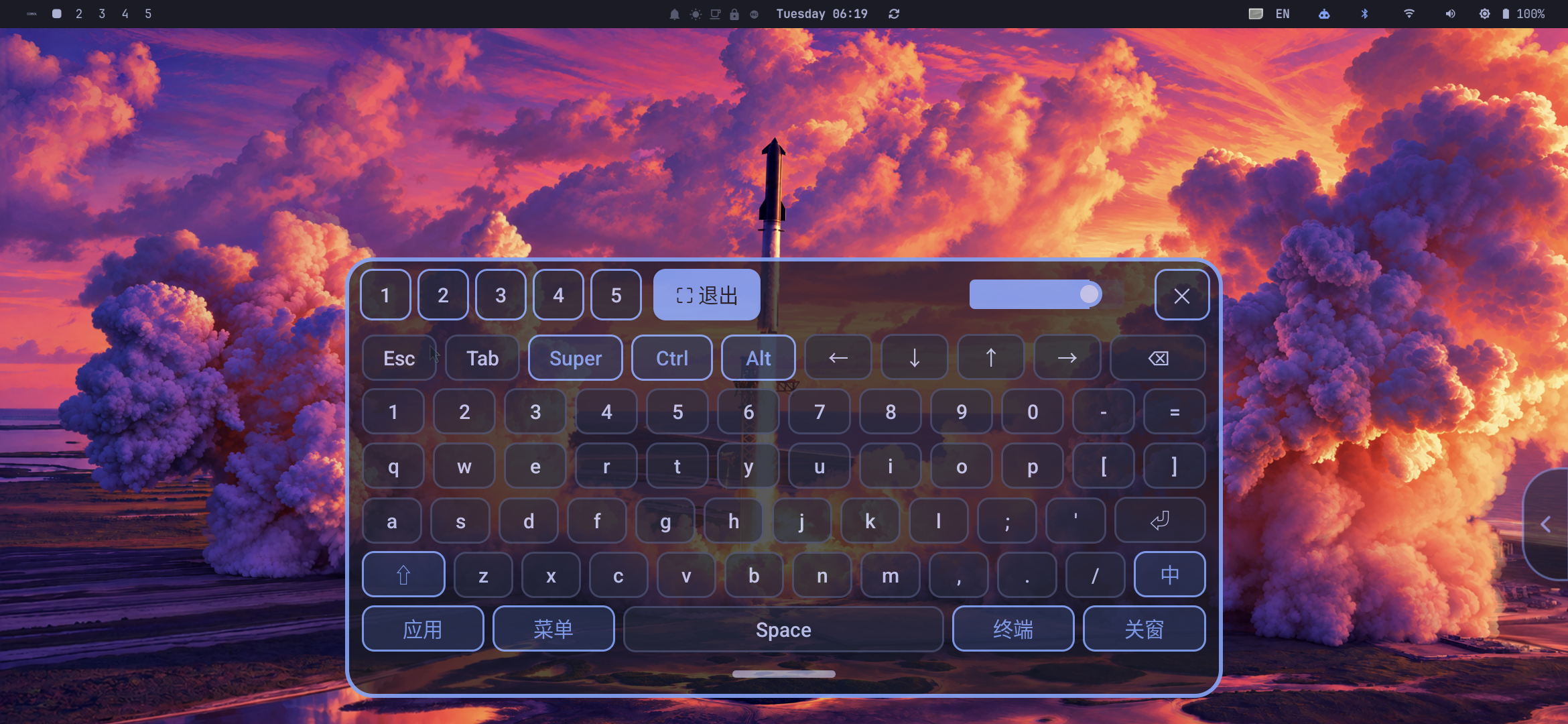
Transparent Floating Keyboard & Edge Handle |
 |
 |
What Makes Omarchy Android Different?
Most "Linux on Android" setups stop at giving you a raw VNC window or a bare terminal. Omarchy Android sweats the last mile of mobile ergonomics, PRoot reliability, and native ARM64 AI tooling:
1. Mobile-Native Desktop Ergonomics (Not Just a Shrunk PC)
- Zero-permission edge handle & redesigned floating OSK: Runs in-process inside the display activity — no
SYSTEM_ALERT_WINDOWoverlay permission required. Tap to expand controls, double-tap for the redesigned dual-mode floating keyboard (compact bar + layered symbol pages, long-press key repeat for BackSpace/arrows, thin opacity slider & drag pill), long-press for Android IME/voice input, or drag to either screen edge. - Universal WebKitGTK / Tauri paste & smart-focus: Automatically detects any WebKitGTK/Tauri window via
/proc/<pid>/mapsfor reliable direct-type paste (including CC Switch), restartsdeck-bridgeautomatically after desktop updates, and matches Omarchy smart-focus window titles cleanly. - Tokyo Night Bottom Dock (
Super + D): A solid rounded GTK Layer-Shell dock with crisp JetBrainsMono Nerd Font icons and live active-window pills — accessible from both keyboard and touch. - 4-step interactive onboarding & R-corner safe margins: Curved guide arrows walk you through
1.5×high-DPI live scaling, edge handle gestures,Super + Kshortcuts, and input permissions. Configurable screen-corner padding keeps Waybar away from rounded phone bezels. - Hard-locked orientation & portrait keyboard viewport: Lock Portrait or Landscape cleanly; in Portrait mode, the desktop viewport automatically shrinks above Android's soft keyboard so your terminal prompt is never covered.
2. Thoughtful Startup, Background Residency & Graceful Shutdown
- Zero-black-screen polish: Cold starts present a Tokyo Night breathing splash with staged progress (
Linux container→Graphics display→Sway desktop & top bar) and an offline-bundled circular author badge (Built by Audrey-cn · Omarchy Android). Warm foreground resumes use a 300 ms delay threshold — fast returns are completely flash-free, while slower surface restores surface a subtle translucent resume pill. - Single unified notification & one-tap "Stop Desktop": Upstream
Termux:X11's redundant notification is automatically suppressed, leaving one clean Omarchy Desktop card with a native Stop Desktop action (plus a confirmed Close Desktop button inside the in-desktop control panel). - Graceful shutdown that protects your data: Stopping the desktop sends
SIGTERMto flush PRoot/SQLite databases cleanly before tearing down:xserverand releasing battery/RAM — never leaving zombie processes behind.
3. Native ARM64 AI & Developer Workstation (Battle-Tested)
Install official upstream ARM64 desktop apps straight from Install → AI / Editor, with automatic PRoot & Wayland hardening built in:
- Hermes Desktop + Local Hermes Agent: Pinned official ARM64 package with SHA-256 verification, fingerprinted first-run timeout repair (with rollback receipt), local
node-ptyrebuild for Ubuntu 24.04, globalUV_LINK_MODE=copy(eliminating PRoot hardlink corruption), and an automatic pre-launch venv self-healer (omarchy-ensure-hermes-venv) covering both~/.hermesand/usr/local/lib/hermes-agent. - Claude Desktop + CC Switch: Official Anthropic ARM64 APT repository with
--no-install-recommends(preventing 1.5 GB bloat andsystemd-resolvedDNS breakage), single-repo 1-second metadata refresh, and automatic 3P Gateway (--user-data-dir=/root/.config/Claude-3p) detection inclaude-desktop-launch. - Codex / ChatGPT Desktop, VS Code & Helix: Official ARM64 native builds with Wayland IME & PRoot launcher flags ready out of the box.
- Universal App Grid deduplication & self-healing native icons:
omarchy-app-griddeduplicates raw vendor.desktopentries with strictExec=/TryExec=basename matching (so VS Code never inherits another app's icon), whileomarchy-fix-desktops+librsvg2-commonself-heal stale managed launcher icons (including the official Hermes PNG icon) so every app shows one crisp native icon. - Verified HTTPS proxy auto-detection:
omarchy-installer.shprobes common local proxy ports (18888 / 7890 / 7897 / 10809 / 10808) with a live HTTPS handshake check — accelerating downloads when a working proxy is active and silently falling back to direct connections if a port is sleeping or SOCKS-only.
4. Resilient Global & China-Friendly Distribution
- Guided Download Route in both APK & Desktop Update Center: Switch between GitHub Direct, China Mirror, or a Custom Mirror right on the setup screen or inside the 2-path GTK Update Center (Omarchy Desktop + Linux APT).
- Same-source HTTP
Rangeretry, Atom fallback & SHA-256 verification: Transient mid-stream LTE drops retry up to 2× on the same mirror without losing downloaded progress; GitHub API403/429rate limits automatically fall back to the Releases Atom feed & web redirect; any size or SHA-256 mismatch falls back to official GitHub releases. - Live terminal progress & instant rollback: Desktop component updates stream real-time progress bars, transfer speed, and ETA, with one-click recovery (
omarchy-component-update recover) to the previous generation. - PRoot HTML5 video & audio solved: Bundles PRoot-safe Mozilla Firefox +
ffmpeg(MOZ_SHM_NO_SEALS=1,media.cubeb.sandbox=false) for smooth HTML5 video and danmaku playback (verified on Bilibili), paired with PulseAudio (omarchy_out) audio bridging andfcitx5Chinese Pinyin IME.
Quick Start — 30-Second Setup
You need an ARM64 Android device with ~4.5 GB free storage for the download cache and extracted Ubuntu 24.04 desktop.
| Step | What to do |
|---|---|
| 1 · Install APK | Download OmarchyAndroid-v1.0.3-arm64.apk from Releases and open Omarchy Android. |
| 2 · Fetch Ubuntu 24.04 | Pick your download route (GitHub Direct or China Mirror) and tap Download and install desktop. Supports pause/resume and offline rootfs.tar.zst import. |
| 3 · Launch Desktop | Tap Launch desktop, walk through (or skip) the 4-step guide, and press Super + Space for the App Grid or Super + D for the Bottom Dock. |
Full installation & update guide · Published image catalog
Edge-Handle Gestures & Core Shortcuts
| Edge Handle Gesture | Action | Core Shortcut (Super or Alt) |
Action |
|---|---|---|---|
| Tap | Expand floating control panel (keyboard, IME, orientation, settings, Stop Desktop) | Super + Space |
Open App Grid |
| Double-tap | Toggle transparent 0.70× floating keyboard |
Super + D |
Toggle Tokyo Night Bottom Dock |
| Long-press (350 ms) | Open Android IME / voice input with haptic feedback | Super + Enter |
Open Alacritty terminal |
| Drag | Reposition vertically & snap to left/right edge | Super + W |
Close focused window |
Super + 1 … 5 |
Switch workspaces | ||
Super + K / Super + Alt + Space |
Shortcut guide / Omarchy menu |
Real-Device Verification Matrix
| Device | OS & Mode | Resolution | Verified Highlights |
|---|---|---|---|
| Redmi K90 Pro Max | Android 17 (SDK 37) · Rootless | 2608 × 1200 (480 dpi) |
Fresh da2da65 image download (5.52 MB/s), v1.0.2 breathing splash + circular avatar, single unified notification + Stop Desktop, 1.5× onboarding, Bottom Dock, fcitx5 Pinyin, Wayland clipboard, PulseAudio, Update Center (desktop-v1.0.19), Firefox Bilibili HTML5 playback |
| Redmi K20 Pro | Android ARM64 · Rooted | 2340 × 1080 |
Full clean-slate install, LTE mirror failover, APK in-place upgrade with 100% data retention, Update Center recover + re-upgrade, Hermes Desktop (MiMo + local terminal tool calling), Claude Desktop + CC Switch (3P Gateway + MiMo), Codex / ChatGPT Desktop, VS Code, Helix |
Pinned Baselines & Optional Root Route
| Component | Baseline | Update Channel |
|---|---|---|
| Android App (APK) | v1.0.3 (versionCode 103) |
Same-signature APK updates preserve your Ubuntu guest and personal data. |
| Desktop Components | desktop-v1.0.27 | Updated explicitly from the in-desktop Update Center with rollback support. |
| Chromium / Playwright | 128.0.6613.18 | Pinned for verified PRoot compatibility; Mozilla Firefox DEB + ffmpeg preinstalled for everyday media/web. |
| Hermes Desktop | 2026.9.7-7 | Reviewed upstream ARM64 build with fingerprinted onboarding, PTY, and venv repairs. |
| Ubuntu Base | 24.04 LTS ARM64 | Standard apt updates inside the guest. |
For rooted devices wanting a separate Root chroot runtime (external Termux:X11 + hardware input), see docs/root-chroot.md:
git clone https://github.com/Audrey-cn/omarchy-android.git
cd omarchy-android
./install.sh --mode chroot --inspect
./install.sh --mode chroot
Explore, Fork & Contribute
| Area | Path |
|---|---|
| Shared desktop scripts, Dock, App Grid, themes & AI launchers | core/ |
| Android app, installer, breathing splash, shutdown & floating controls | apps/android/ |
| Root chroot & legacy Termux PRoot runtimes | runtime/ |
| Maintenance, release channels & recovery handbook | docs/MAINTENANCE.md |
| Development & build guide | docs/DEVELOPMENT.md |
| Contributing & PR checks | CONTRIBUTING.md |
License & Acknowledgments
The Android application is based on Tiny Container by Caten Hu and retains GPL-3.0-or-later and its original notices; see COPYING. The shared desktop core, Termux runtimes, Deck and original repository documentation retain the root MIT license. Third-party code, themes, fonts and tools retain their own licenses; see LICENSES.md.
Thank you to Omarchy, Tiny Container, Termux:X11, PRoot, Sway, wlroots, and their contributors.
Support
Maintained by Audrey. If this project helps you, consider supporting development via GitHub Sponsors, or share a device report, translation, or PR.
Yorumlar (0)
Yorum birakmak icin giris yap.
Yorum birakSonuc bulunamadi