caelo
Health Uyari
- License — License: Apache-2.0
- Description — Repository has a description
- Active repo — Last push 0 days ago
- Low visibility — Only 9 GitHub stars
Code Gecti
- Code scan — Scanned 12 files during light audit, no dangerous patterns found
Permissions Gecti
- Permissions — No dangerous permissions requested
Bu listing icin henuz AI raporu yok.
Open-source desktop client for the xAI Grok API — chat, image & video generation, voice, and an agentic coding module with local file access. Bring your own key, no telemetry.
Every mode of xAI's Grok — in one desktop app.
Chat, image & video, voice, and an agentic coding module — unified behind one hub.
Bring your own key. No telemetry. Open source.





⬇️ Download for Windows · 🌐 Website · 📖 User Guide · ☕ Support
✨ What is Caelo?
Caelo is an independent, open-source desktop client for the xAI Grok API. Instead of
five separate tools, it puts the entire Grok surface behind one shared backbone — context,
history, projects and cost flow across every mode:
💬 Chat · 🎨 Image & Video · 🎙️ Voice · ⌨️ Agentic coder · 🧩 Extensions
It's bring-your-own-key: you supply your own xAI credentials, they stay on your machine, and
they're sent only to api.x.ai. No accounts, no middleman, no telemetry.
🚀 Highlights
| 🔑 Bring your own key | Sign in with your xAI account (OAuth) or paste an API key. It never leaves your machine and is never returned by the local API. |
| 🛡️ Private by design | Backend binds to 127.0.0.1 only, every request is token-authenticated, and the key never reaches the renderer. Zero telemetry. |
| ⌨️ Real coding agent | Sandboxed file tools, unified diff approval, 4 trust modes, checkpoints & undo, project rules (CAELO.md), and parallel subagent teams. |
| 🔎 Live search & vision | Web & X search with clickable citations, image understanding, and document Q&A — with a live token/cost counter. |
| 🧩 Extensible | MCP servers (local + remote), slash commands, hooks, skills, a package marketplace, headless CLI, plus ACP & LSP. |
| 🔄 Auto-updating | Signed installer with delta updates via electron-updater. |
🖼️ Take a look
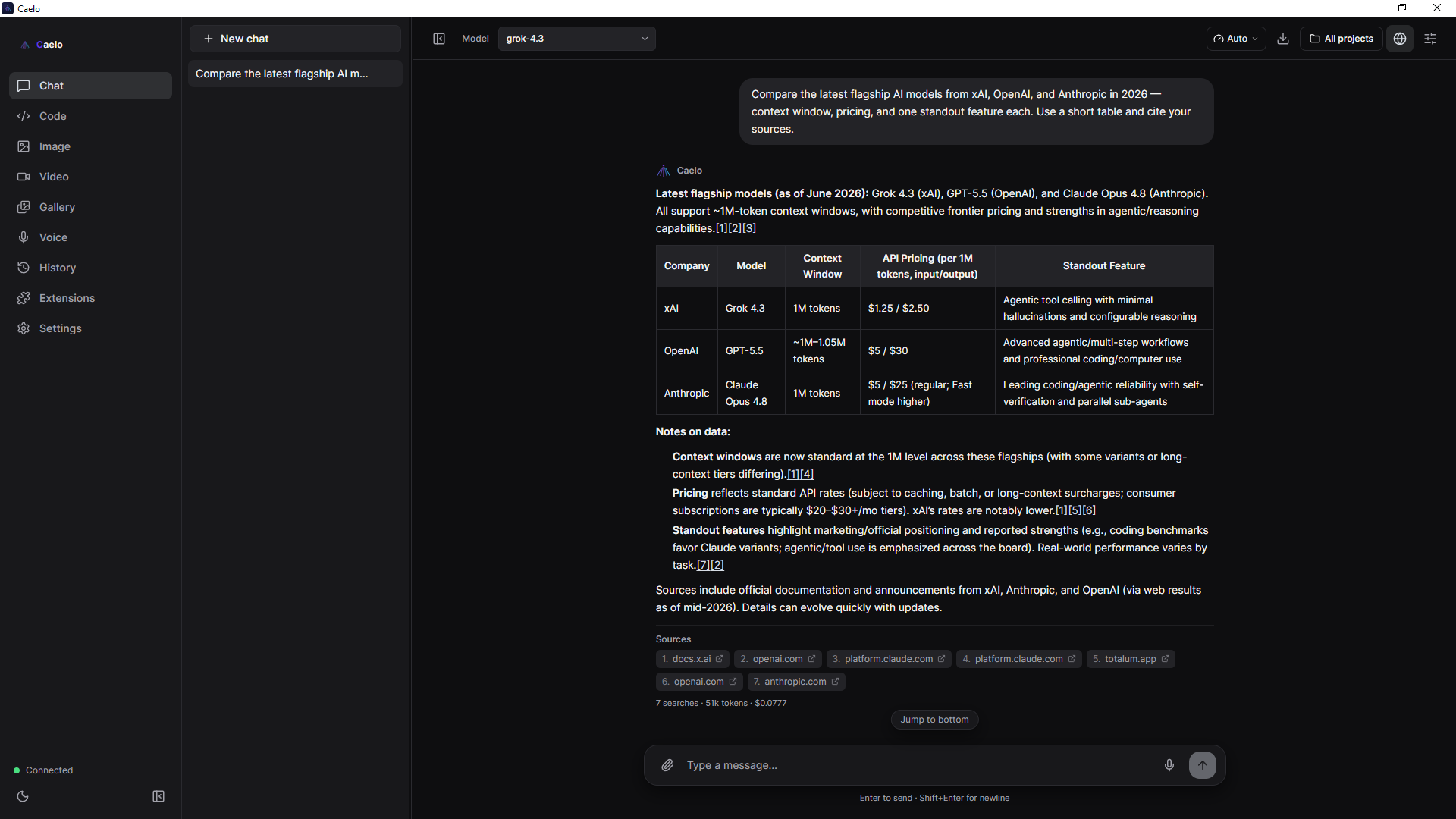 Chat — live web/X search, citations & cost counter |
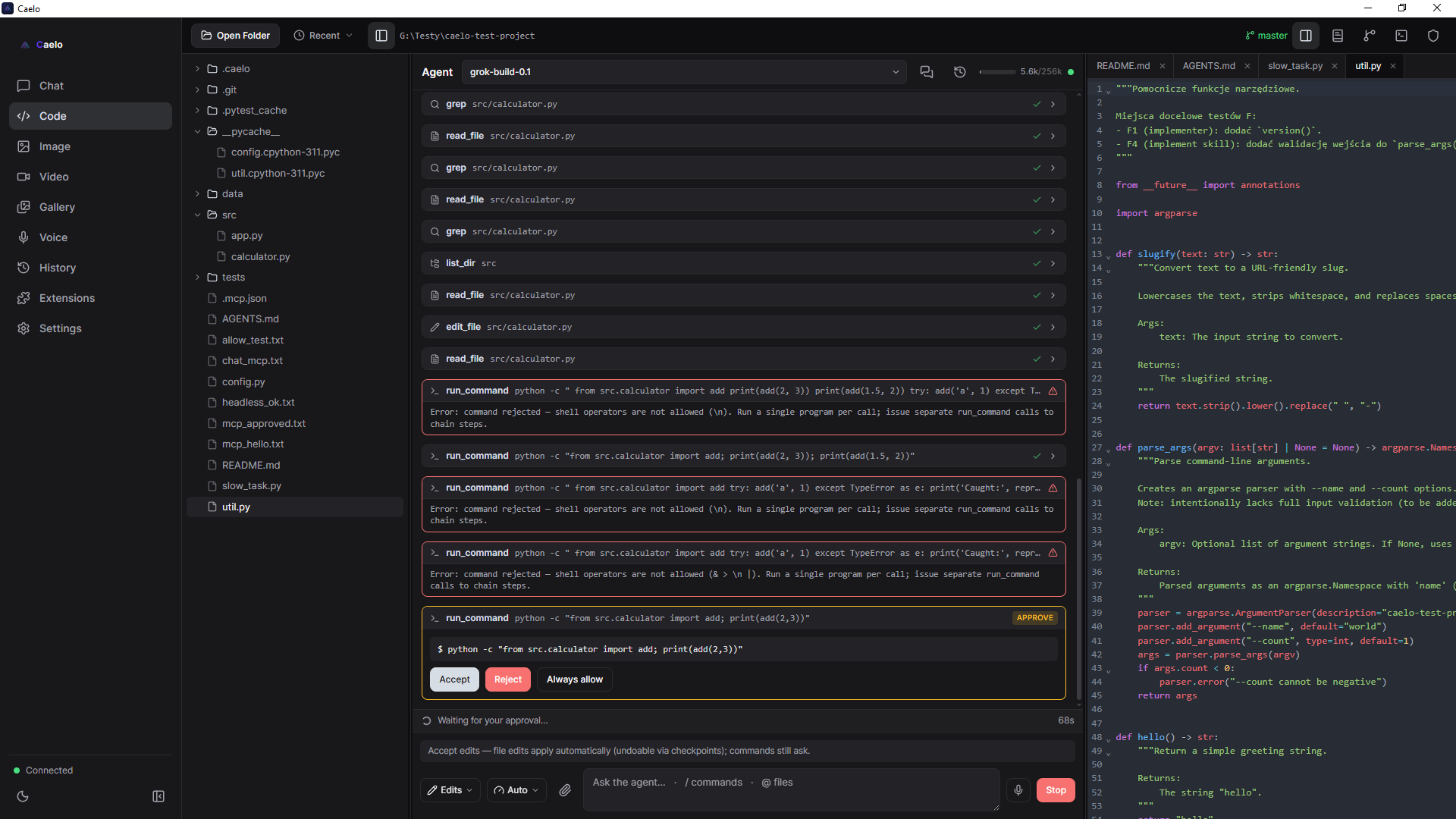 Code — agent with diff approval & checkpoints |
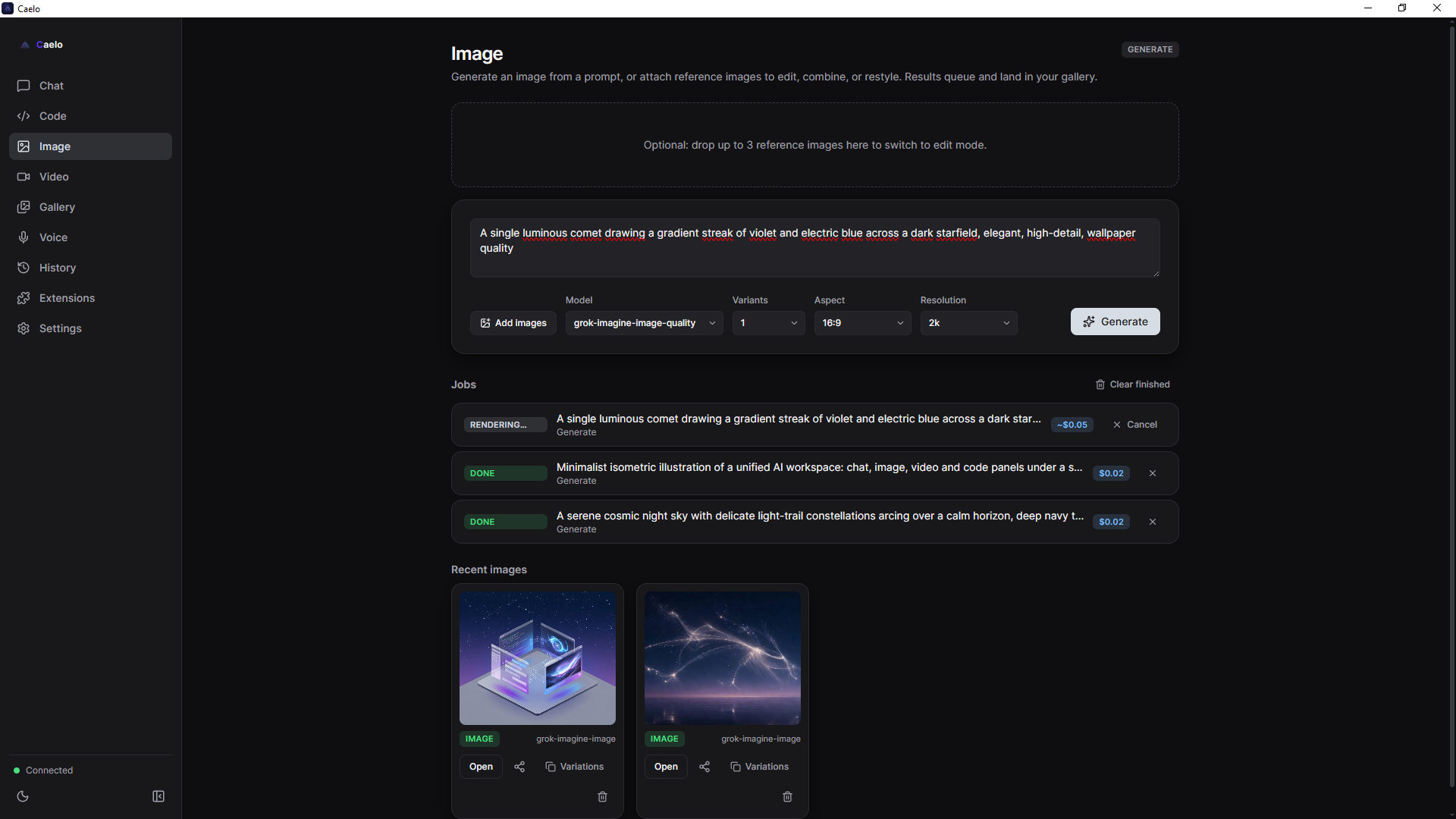 Image & Video — generate, edit, and a unified gallery |
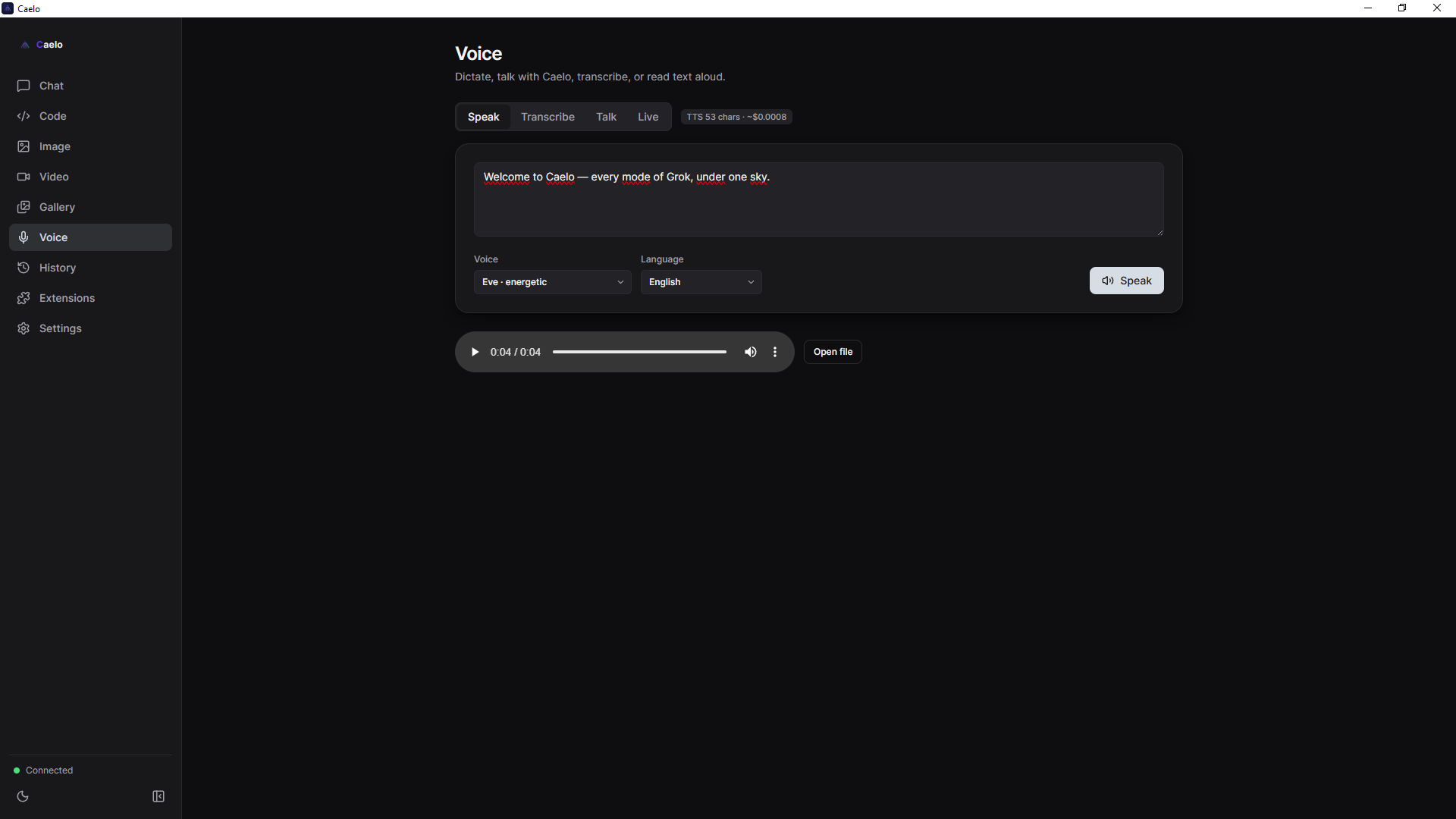 Voice — speak, transcribe, Talk & realtime Live |
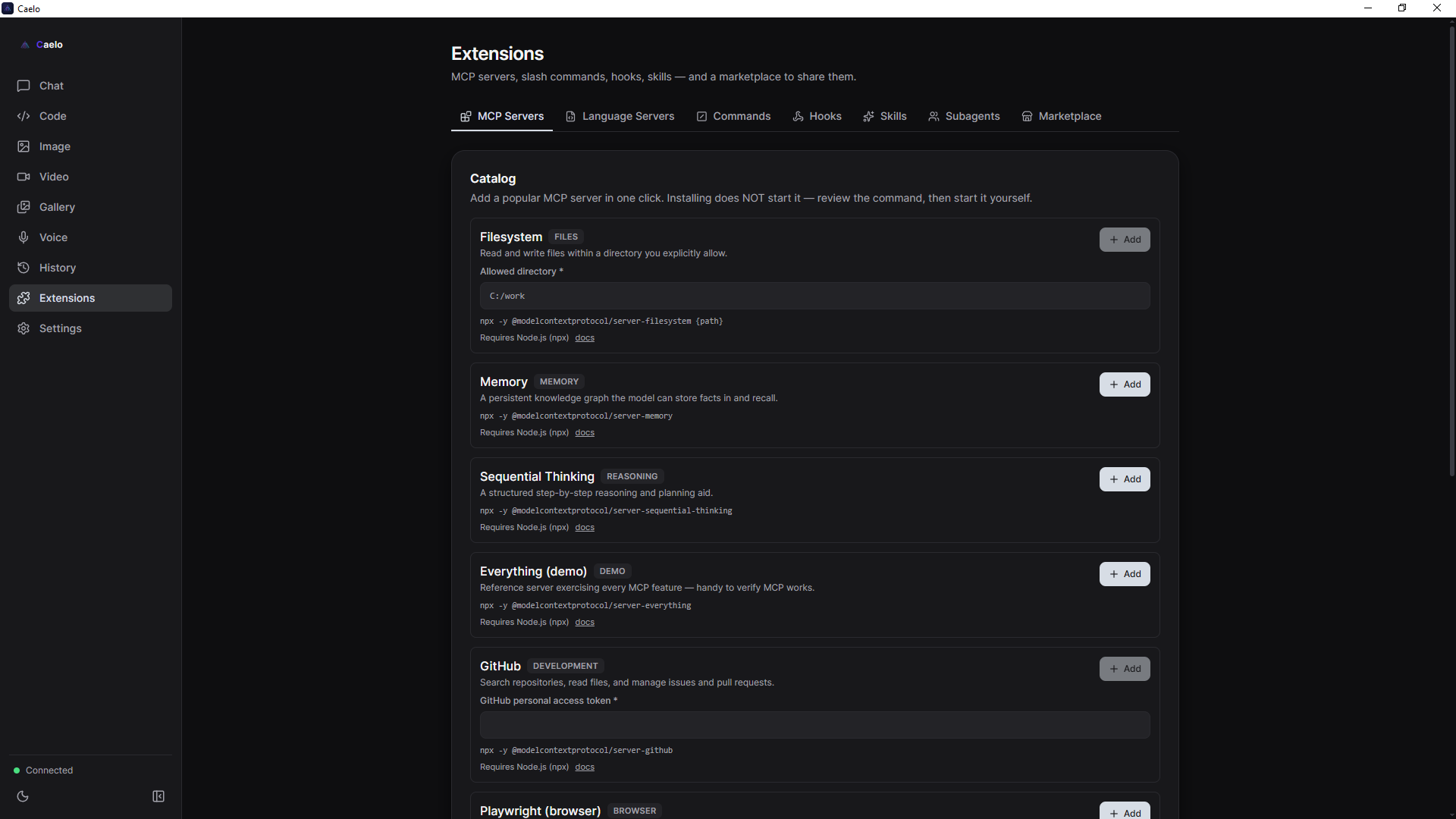 Extensions — MCP servers, skills, commands, hooks & a package marketplace |
🧭 The modules
- 💬 Chat — streaming multi-conversation chat with a model picker, system prompt &
temperature, markdown + code, attachments (image/file), live web/X search, vision,
document Q&A with citations, and voice (TTS replies + STT dictation). - ⌨️ Code — a mini-IDE: file tree, CodeMirror editor, terminal, and an agent with file
tools and approval cards (Accept / Reject / Always) + diff preview, checkpoints/undo,
plan mode, per-project rules (CAELO.md), and subagent teams with merge review. - 🎨 Image — generate and edit images in one panel (no refs → generate, with refs → edit),
model picker, and variations. - 🎬 Video — text→video and image→video generation, plus edit and extend.
- 🎙️ Voice — Speak (TTS), Transcribe (STT), Talk (voice conversation), and Live (realtime).
- 🗂️ History & Gallery — a searchable artifact & generation history (SQLite + FTS5),
scoped to projects; send artifacts between modes, and reuse the prompt behind any
generated image or video with one click. - 🧩 Extensions — MCP servers, slash commands, hooks, skills, and a package marketplace.
🔐 Privacy & security
Caelo is a normal desktop app — a Windows GUI you install from a signed .exe and click
around in. (There's a Python backend bundled inside the installer, but you never see a terminal.)
It is local-first and sends no telemetry — no analytics endpoint, no usage reporting, no
phoning home. A fresh install talks only to api.x.ai (with your key, for the features you
use) and to GitHub Releases (to check for updates — skippable).
Where your data goes:
   You ──▶ Caelo (your PC) ──▶ api.x.ai   ← the only outbound destination
                  │
                  └──▶ GitHub Releases (update check only — can be skipped)
- Backend listens on 127.0.0.1 (localhost) only — never exposed to the network.
- REST requires
Authorization: Bearer <token>; WebSockets take the token via query — both fail-closed. - The xAI bearer token is sent only to
api.x.aiand never reaches the renderer; it is
stored locally and never returned by the local API. - Agent file operations are sandboxed to the workspace; writes and shell commands require
approval, and run with a secret-free environment.
What Caelo does not do:
- ❌ No telemetry, analytics, or tracking of any kind.
- ❌ No third-party servers — nothing is sent anywhere except xAI's own API.
- ❌ No account, no sign-up, no middleman — it's bring-your-own-key.
- ❌ Your key, chats, files, and generations never leave your machine (except your prompts to xAI,
which Grok needs to answer them).
Don't trust — verify. Caelo is fully open source under Apache-2.0. Read the code, or just watch
the traffic: with the app running, api.x.ai is the only outbound connection you'll see.
Report vulnerabilities privately — see SECURITY.md.
⬇️ Install
For users — download the signed installer from the
latest release, run it, then open
Settings and sign in with your xAI account or paste an API key. That's it.
Requirements: Node.js ≥ 20 (tested on v22) · Python 3.10+ · an xAI account or API key.
# 1) Backend (caelo_core) — isolated venv
cd caelo_core
python -m venv .venv
.venv\Scripts\pip install -r requirements.txt
#   behind a TLS-intercepting proxy, add:  --trusted-host pypi.org --trusted-host files.pythonhosted.org
cd ..

# 2) Frontend (desktop)
cd desktop
npm install
npm run dev      # launches the Electron window and spawns the backend
npm run dev starts electron-vite (HMR); the main process spawns the sidecar, reads the
handshake (port + token), and connects over 127.0.0.1. Python is located viaCAELO_CORE_PYTHON (env) → caelo_core/.venv/Scripts/python.exe → system python.
Auth precedence: OAuth access token → saved API key → XAI_API_KEY from .env.
# Build the Windows installer
cd desktop
npm run dist:full      # PyInstaller sidecar + electron-builder NSIS → desktop/dist/Caelo-Setup-*.exe

# Backend self-checks (mocks where xAI is needed), from the repo root
caelo_core\.venv\Scripts\pip install -r caelo_core\requirements-dev.txt   # one-time: pytest
caelo_core\.venv\Scripts\python -m pytest caelo_core\tests -v

# Frontend
cd desktop && npm run typecheck && npm run lint && npm test
macOS (dmg) and Linux (AppImage/deb) targets are configured but built on demand on a per-OS runner.
🏗️ Architecture
Electron (frontend) + Python sidecar (backend). The mature xAI logic (OAuth, SSE streaming,
media) is reused, not rewritten.
┌──────────────────────── Electron (main process) ──────────────────────────┐
│  window, menu, IPC, sidecar lifecycle; spawns `python -m caelo_core`        │
│  handshake: generates a session token → CAELO_CORE_TOKEN; reads port/stdout │
│  preload (contextBridge) → window.caelo ; Renderer: React 19 + TypeScript    │
│  Modules: Chat · Code (mini-IDE) · Image · Video · Voice · History · Settings │
└─────────────────────────────────────────────────────────────────────────────┘
              │  HTTP (REST) + WebSocket (streaming) — 127.0.0.1 only + token
              ▼
┌──────────────── Python backend "caelo-core" (FastAPI / uvicorn) ───────────┐
│  Reused xAI core: api_manager · oauth_manager · chats · history (repo root) │
│  Routes: /auth /models /settings /chat(WS) /images /video /voice(+WS)        │
│          /history /fs /git /permissions /agent(WS) /terminal(WS) /mcp …      │
│  Agent engine: file tools + workspace sandbox + approval gate + LLM loop     │
└─────────────────────────────────────────────────────────────────────────────┘
              │  Bearer (OAuth token / API key) — sent exclusively to api.x.ai
              ▼  xAI / Grok API
The architecture source of truth for contributors is CLAUDE.md.
📚 Documentation
- User Guide — every module, step by step.
- API reference — backend REST/WebSocket API (96 routes + 6 WS).
- CLAUDE.md — architecture source of truth + hardening history.
- Docs index · Changelog · Roadmap
🤝 Contributing
Contributions are welcome! See CONTRIBUTING.md and the CLA,
and please follow the Code of Conduct.
☕ Support
Caelo is free and open source. If it's useful to you, you can support its development:

Every coffee helps keep the project maintained and the updates coming. Thank you! 💜
📄 License & trademarks
Licensed under Apache-2.0. © 2026 AuraVix Studio.
Caelo is an independent project and is not affiliated with, endorsed by, or sponsored by xAI.
"Grok", "SuperGrok", and "xAI" are trademarks of xAI Corp; they are used here only to describe
interoperability (seeNOTICE).
Yorumlar (0)
Yorum birakmak icin giris yap.
Yorum birakSonuc bulunamadi