ghostty-cursor-fx
Health Warn
- License — License: MIT
- Description — Repository has a description
- Active repo — Last push 0 days ago
- Low visibility — Only 6 GitHub stars
Code Fail
- rm -rf — Recursive force deletion command in install.sh
- process.env — Environment variable access in promo/capture-panel.mjs
- process.env — Environment variable access in promo/capture-showcase-panel.mjs
- network request — Outbound network request in promo/js/fx.js
Permissions Pass
- Permissions — No dangerous permissions requested
No AI report is available for this listing yet.
Thirteen animated cursor effects for the Ghostty terminal, with Enter and done moments for Claude Code and zsh
Cursor FX for Ghostty
Thirteen animated cursor effects for the Ghostty terminal, with
two special moments: Enter, when you send a prompt in Claude Code (or run a
command in zsh), the effect plays out from the cursor along the lines of the input
box; and done, when Claude's answer arrives (or a long command finishes), it
plays again from the edges inward, so you notice even when you've looked away.
Switch effects with one command, tune them in a browser panel with a live preview.
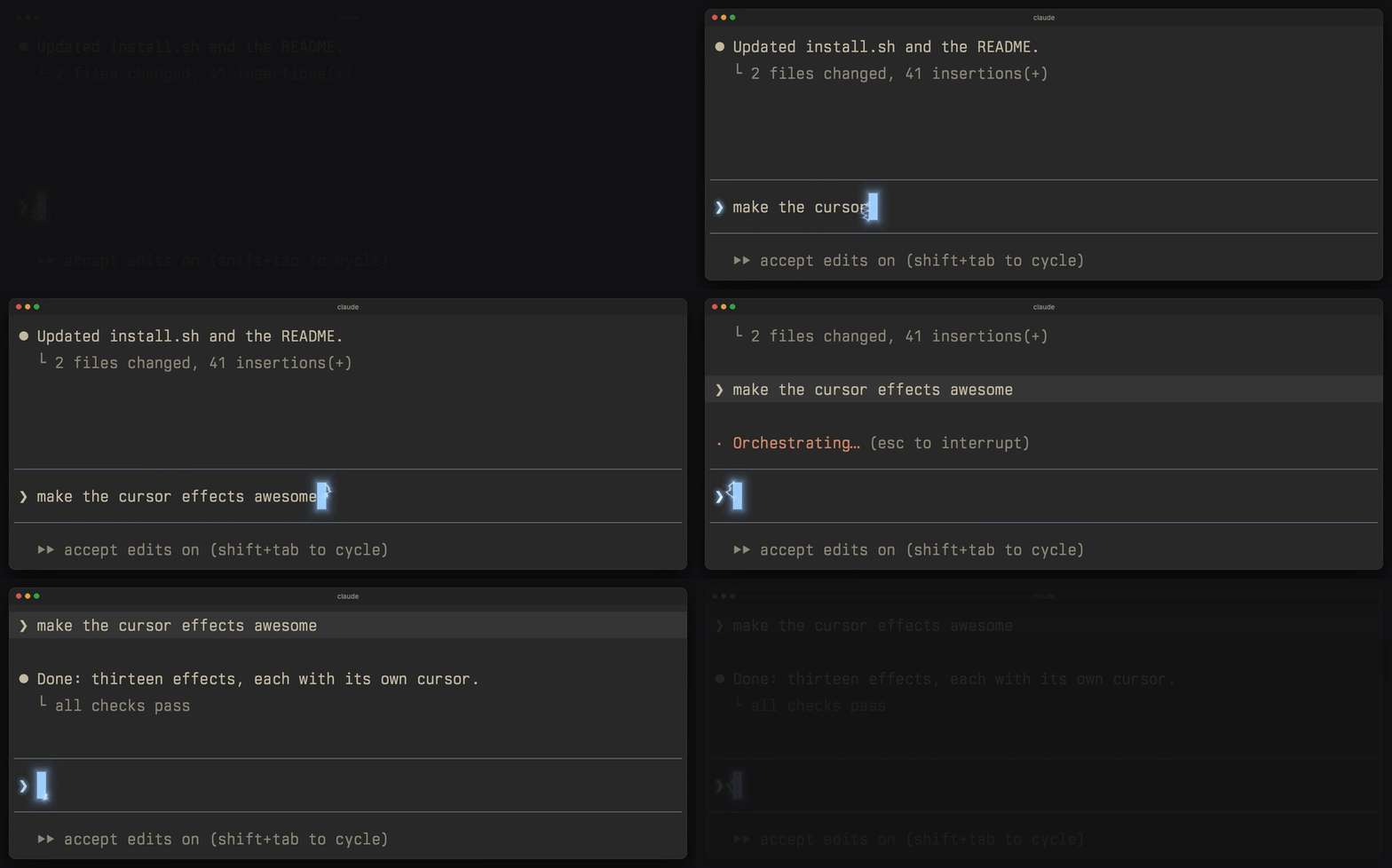
▶ Watch the 56-second video (all thirteen effects, 1080p and 4K, on the latest release)
| Effect | Cursor (its own look) | Typing | Enter |
|---|---|---|---|
cyber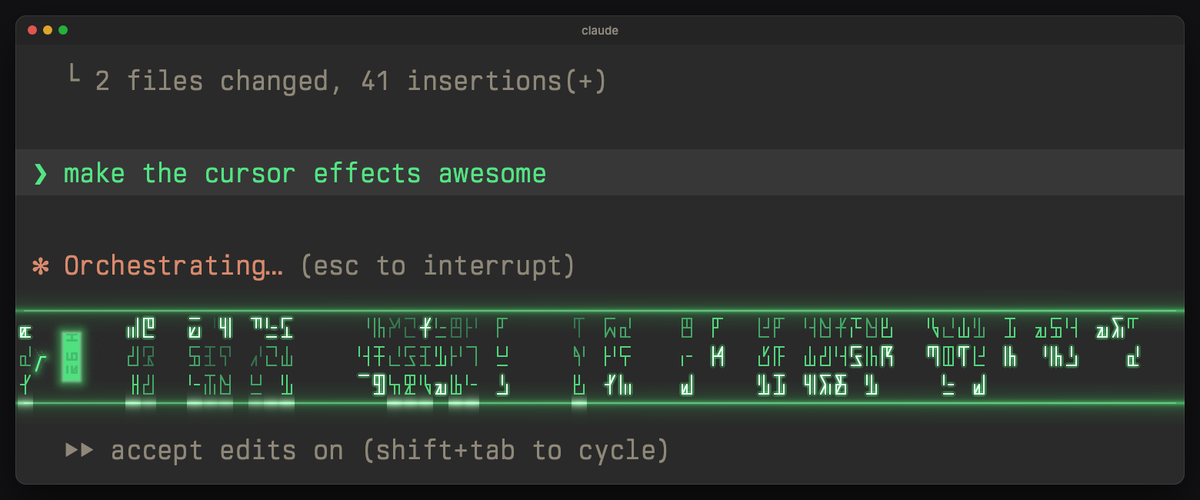 |
green, glyph rain inside, a scanline, a glow | each typed letter decrypts: signal lock-in, slot reel, pixel resolve or glyph flicker (your pick); Chinese you pick decrypts as a whole; your typed text and sent prompts show in green | sharp glyph rain falls through the input box, column by column, as an energy sweep runs along its lines; done: the sweeps meet in the middle |
lightning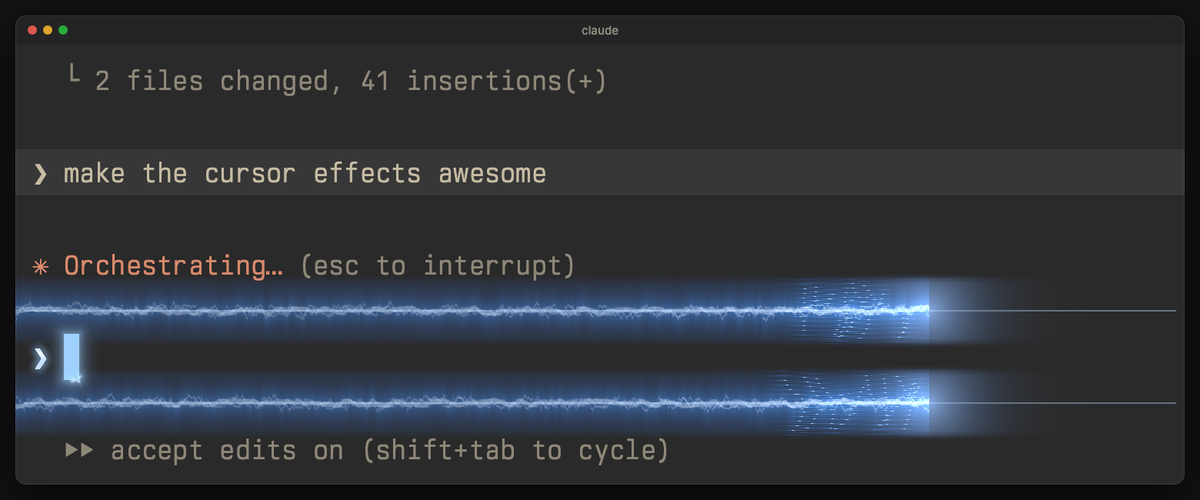 |
ice blue, small arcs crawling around it | sparks, idle crackle | a surge of current along the input box lines |
glitch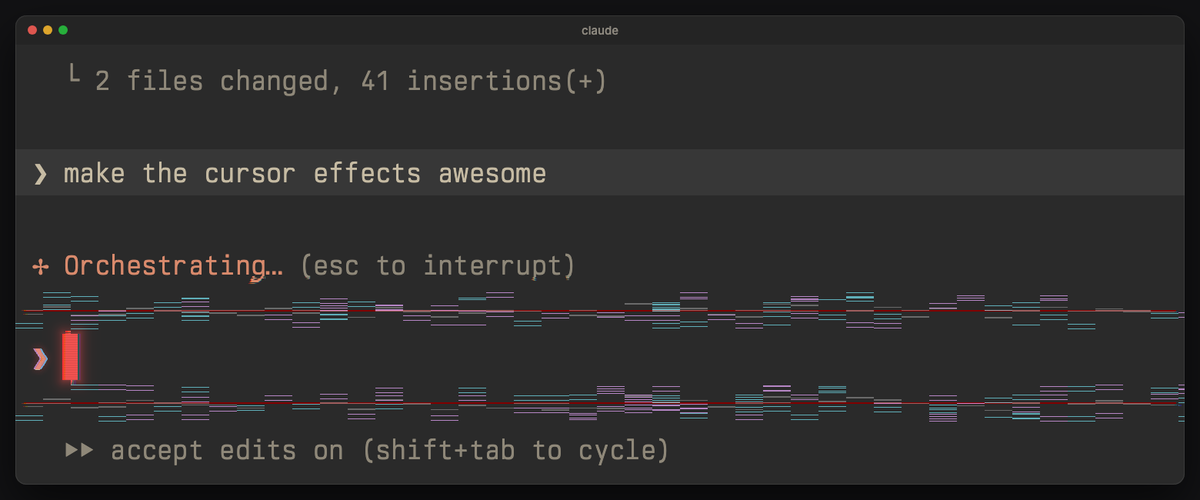 |
red, a corrupted signal: split color channels, scanlines, tearing now and then | tears into slices | the lines break into glitch slices |
neon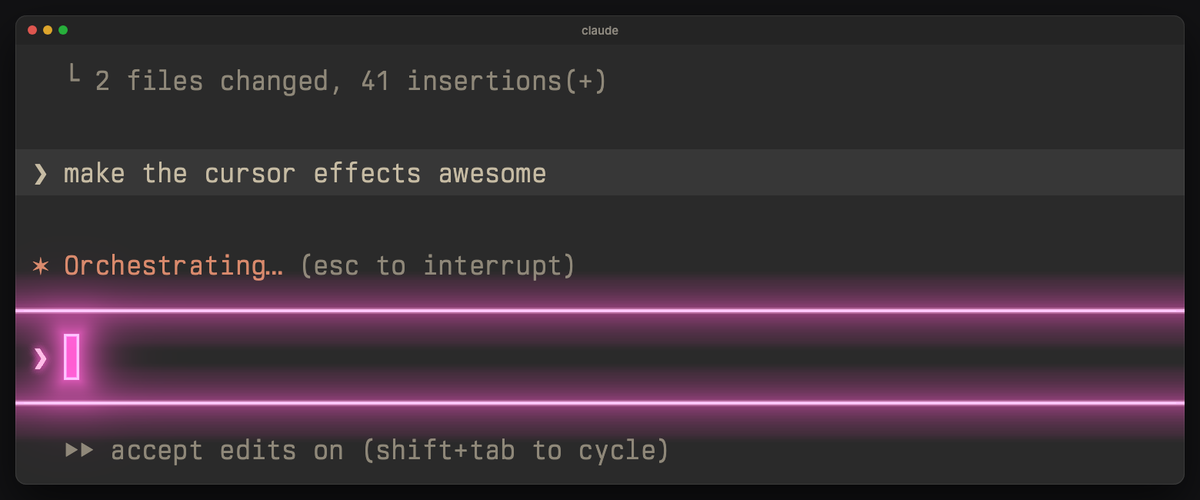 |
pink, a glowing tube with a breathing halo | flickers back on | the lines light up as neon tubes |
phosphor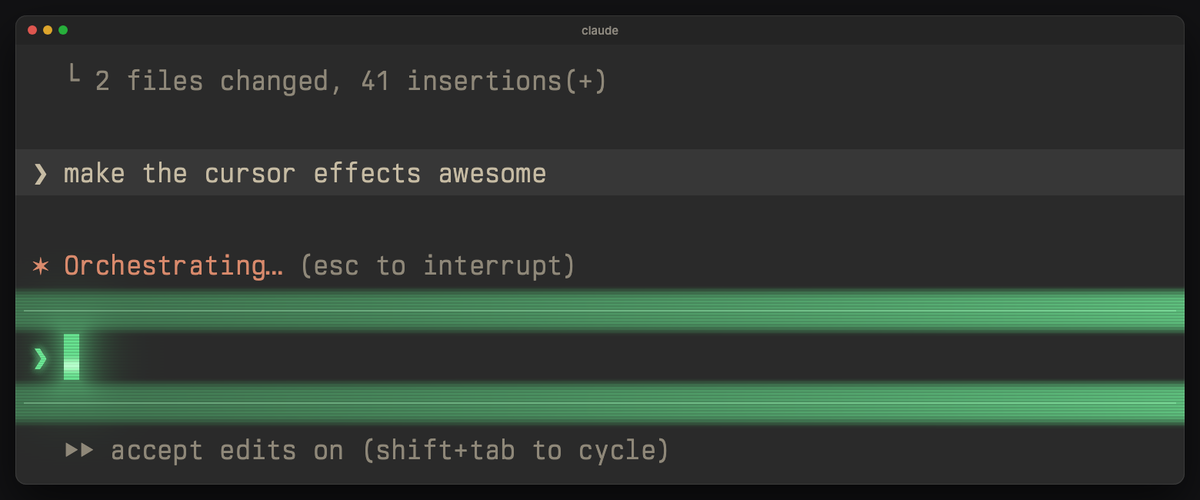 |
green, CRT scanlines, glow, a rolling band | CRT glow, trail | a beam sweeps the lines, leaving them glowing |
embers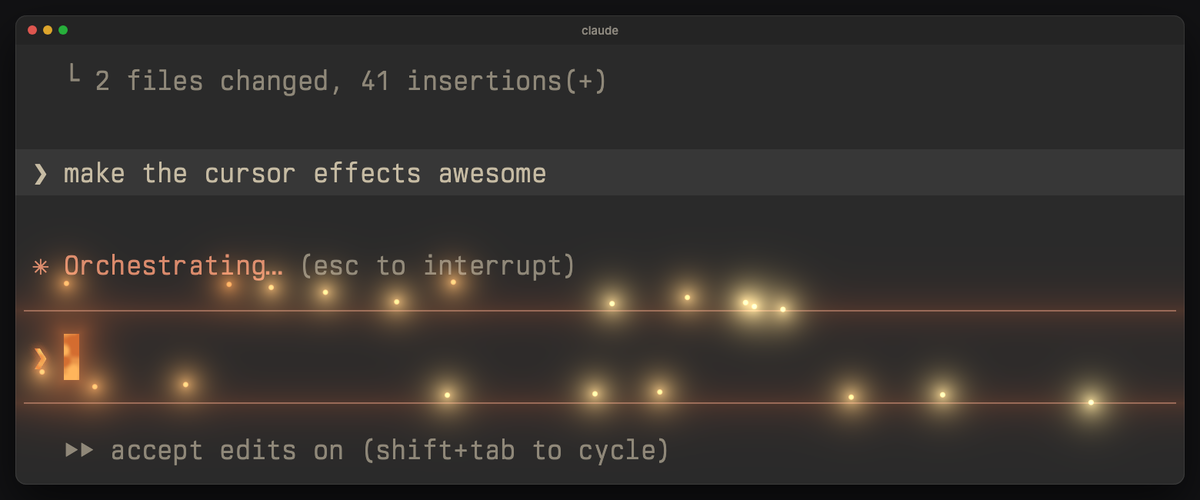 |
orange, a burning coal with shifting hot cracks | embers rise | the lines flare and shed embers |
shockwave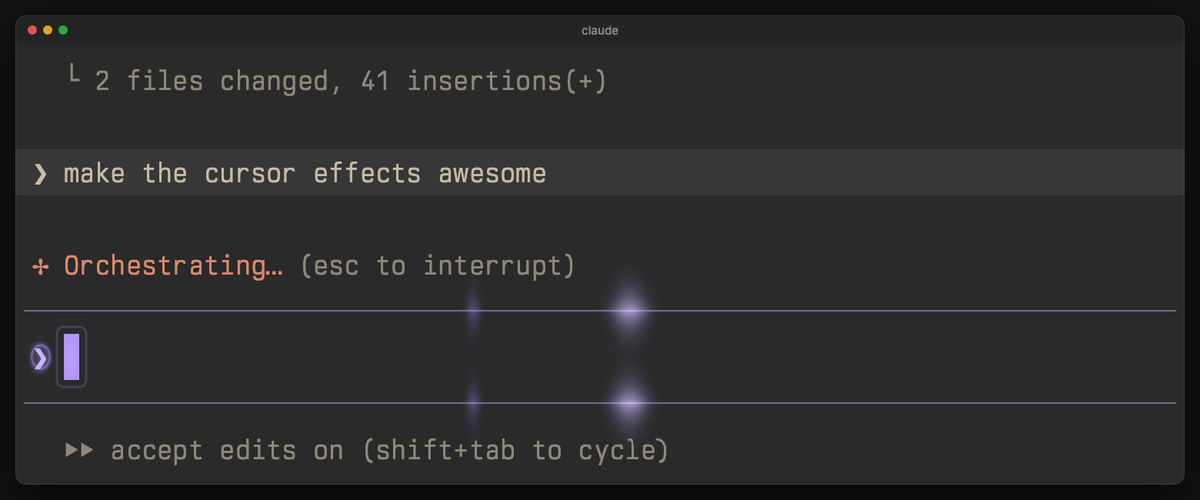 |
violet, faint ripples, a soft pulse | a small ring | a pulse runs along the lines, bending text |
katana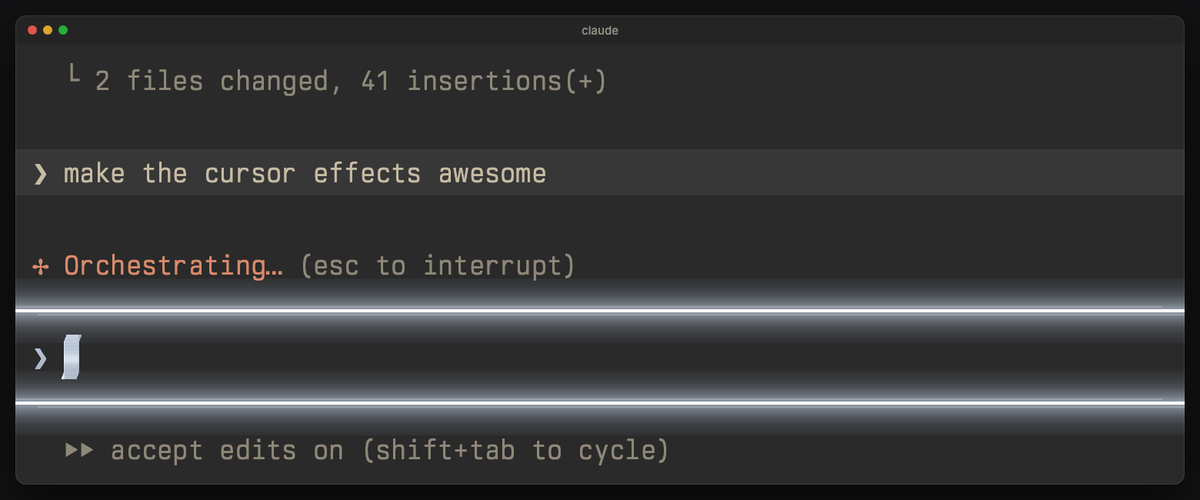 |
steel, beveled and brushed, a slow sheen | a slash through the cursor | the blade cuts the lines in two |
teleport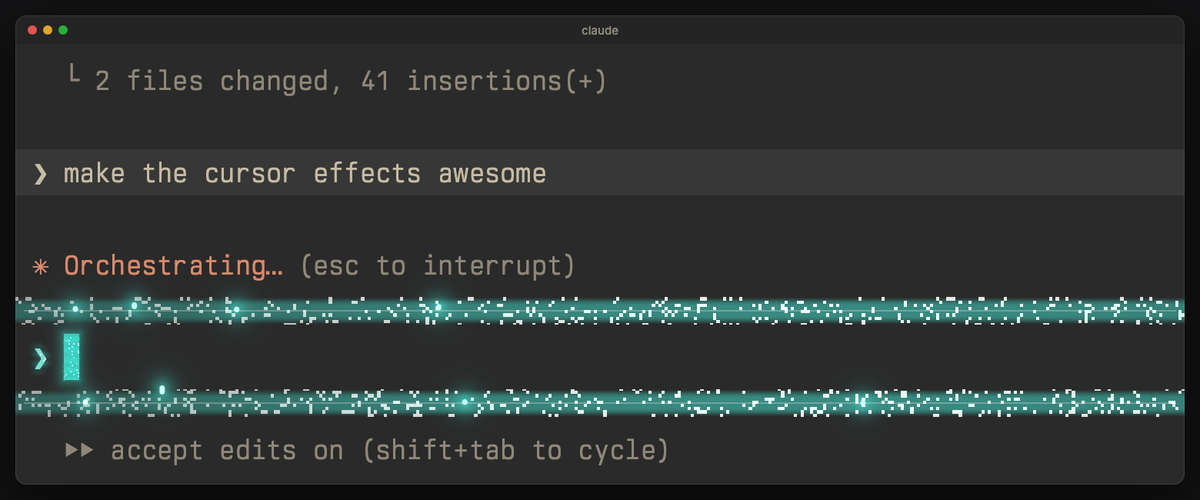 |
teal, twinkling matter, a shimmering edge | a shimmer | the lines sparkle and beam up out of the window |
fireworks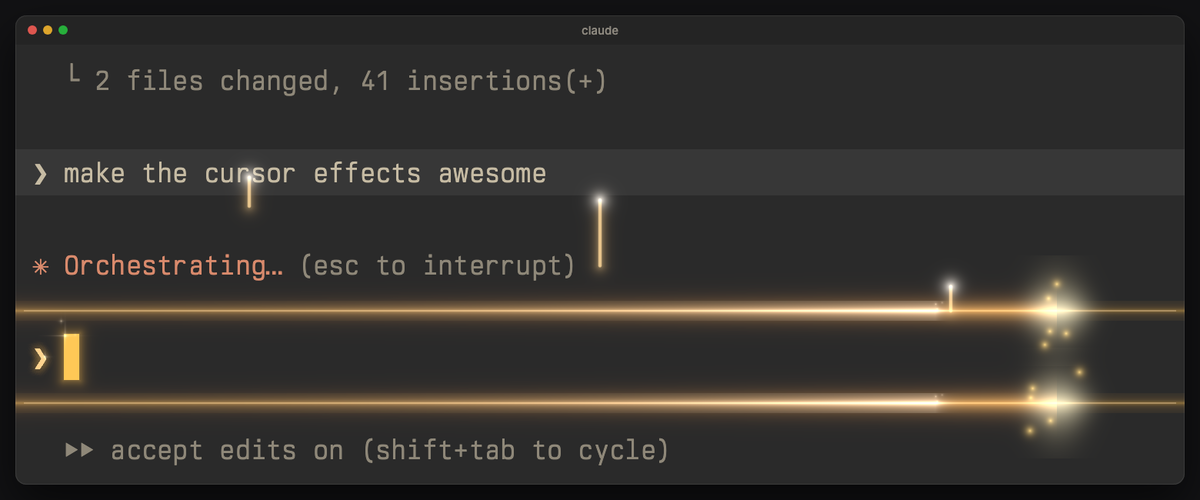 |
gold, a sparkler: tiny stars flare at its top | sparkles | a fuse burns along the lines and launches fireworks |
aurora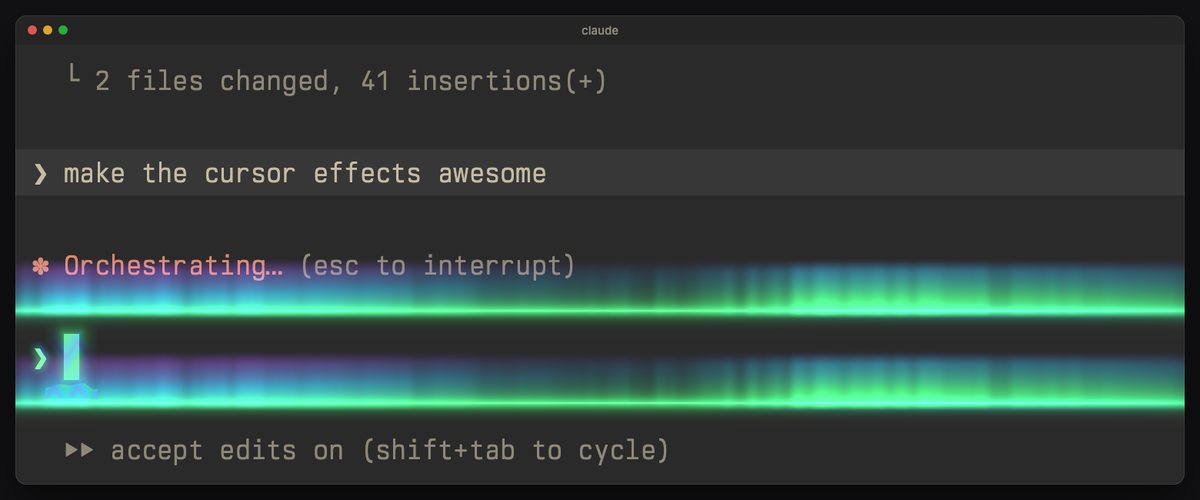 |
mint, aurora colors drifting inside it | a wisp of light | shimmering curtains of northern light along the lines |
mecha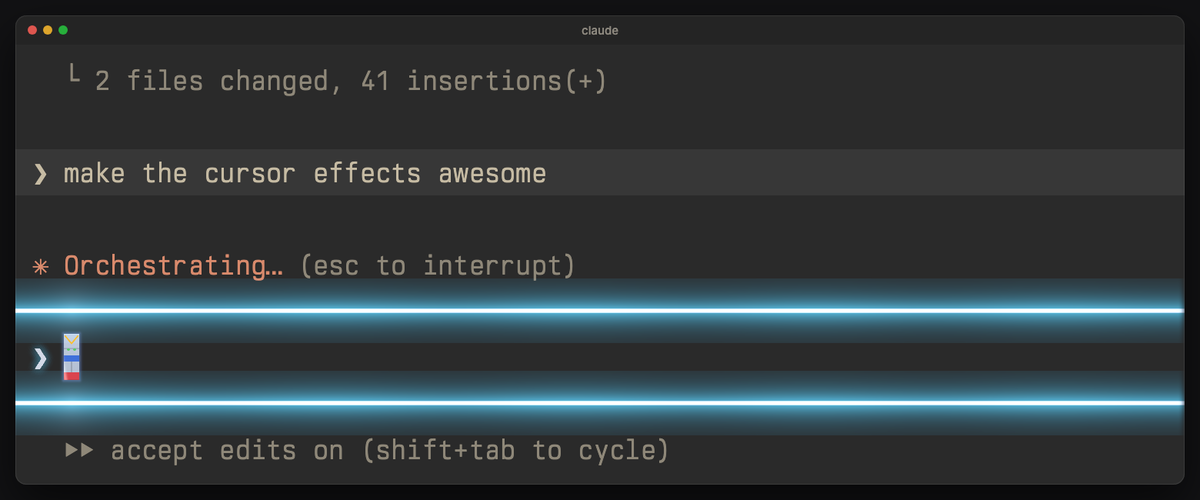 |
robot armor: white with blue and red plates, a yellow V crest, sensor eyes that glint; the ❯ is a steel-blue targeting chevron that locks on now and then | a thruster burst behind the cursor; Backspace fires one from its right side | energy blades ignite along the input box lines; done: two blades clash in the middle |
hologram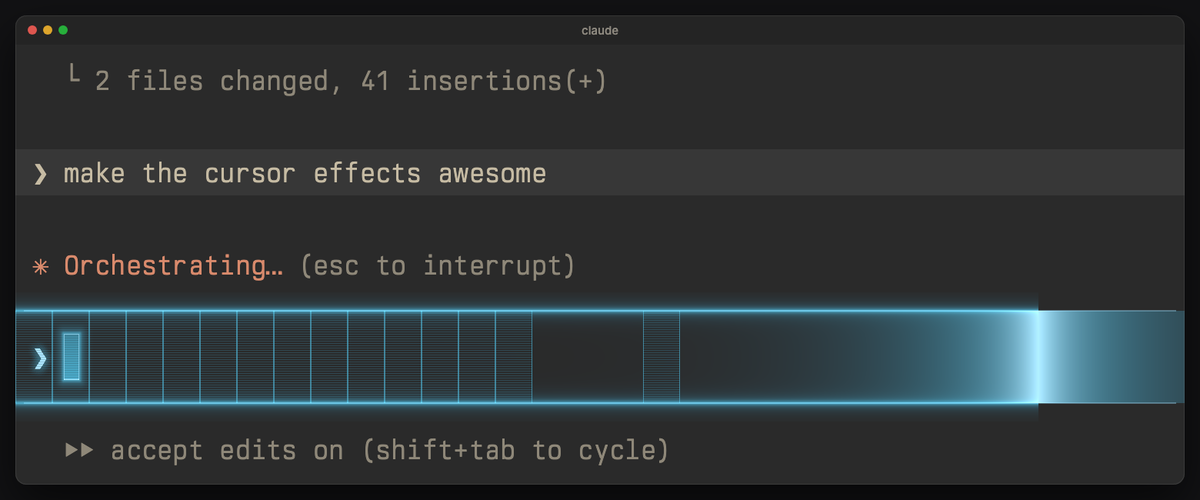 |
cyan, a translucent projection with scanlines and a thin frame | each letter is printed by a rising scanline | a scan runs along the input box, its lines light up and a wireframe grid flickers in |
Every cursor look stays one character wide, only touches the block itself (a letter
under the cursor stays readable) and holds still with cursor-fx idle off. The
prompt mark (the ❯ at the start of Claude Code's input line or your shell
prompt) takes the same style. The input box's two lines can have a calm look of
their own too (neon tubes, a lightning spark running across, a fireworks fuse, data
dashes for cyber…), off by default, and take a little of the effect's color
(LINE_TINT / LINE_COLOR, a plain tint, no glow). Every part of every effect has its
own on/off switch: typing, Enter, done, delete-all, the cursor's look, the prompt mark,
the box lines' color and their animated look (and blinking, off by default).
Moving forward along the row counts as typing: a letter, a Chinese character, or a
whole phrase your input method commits at once (it plays like one keystroke, never the
delete-all move; cyber and hologram decrypt or print the whole phrase). Each effect's
"Chinese input" switch turns that off. The prompt mark keeps its style when your prompt
wraps onto more rows and while Ghostty isn't the focused window (it holds still then). Deleting a whole line (select all + delete, Home) plays
each effect's big move; cursor jumps to another row stay quiet, so programs
redrawing the screen never set anything off.
Known limitations
- The input box is found by its look. A shader can't ask Claude Code where its input box is,
so each effect looks for a thin line across the window (ink at 5, 45, 66, 88 and 95 % of the
width, background 4 px above and below) up to a few rows above and below the cursor. Claude
Code draws it in grey (rgb 136 or 138), or in your palette's white with its ANSI themes. If
that line is within about 3 % of your background color, or a Claude Code update redraws the
box (lines 8 px or thicker, a sidebar, no lines), Enter plays just under the sent line
instead. A full-width horizontal rule from another program right above or below the cursor
lights up like a box line. Checked in the test harness with Claude Code's line grey on dark
grey, black, Dracula and Solarized Dark backgrounds. - A prompt that wraps over several rows: aurora, cyber, embers, fireworks, hologram, mecha and
teleport play their Enter effect along the bottom box line only (glitch, katana,
lightning, neon, phosphor and shockwave find both lines). - Forward jumps count as typing: End, or accepting a shell suggestion, plays the small typing
effect, not the big move (so committed Chinese text never sets off the delete-all move). - Other programs that set the cursor color themselves (OSC 12) with an odd blue or green value
can set off an Enter or done effect; the signals use those lowest bits. - tmux: the Enter and done signals rely on the cursor color reaching Ghostty; inside tmux that
depends on your tmux setup and is untested. - bash and fish: only the zsh hook ships; the README's snippets for other shells are untested.
- Battery: while any animated effect is on, Ghostty redraws the focused window continuously.
cursor-fx idle offmakes the screen calmer;cursor-fx offis the only real saver.
Requirements
- Ghostty 1.4 or newer on macOS or Linux (Ghostty has no Windows build).
- Python 3.8 or newer (for
cursor-fx; no packages needed; the one that comes with macOS works). - A dark theme: the effects add light, so on a light background they are faint. Colors sit in the
7–9.5:1 contrast range on a dark grey background. - A block cursor (Ghostty's default). With a bar or underline cursor (for example vim's insert mode)
the cursor, prompt-mark and box-line looks stay off; the moves and Enter effects still play.
Install
Clone this repository (or download it as a ZIP from the green Code button), then in its folder:
./install.sh
This copies shaders/ and cursor-effects/ into your Ghostty config directory andcursor-fx into ~/.local/bin, backing up anything it replaces. Then:
cursor-fx lightning    # pick an effect; Ghostty reloads at once
cursor-fx              # list them, the active one marked
cursor-fx off          # plain cursor
Copying a single shader by hand instead? On Linux, change #define Y_DOWN true
near its top to false, or the effect plays upside down (install.sh does this for you).
The Enter and done effects
Shaders can't see keys, so two tiny hooks tell the effect what happened: cursor-fx signal on Enter and cursor-fx signal done when the answer arrives. Each nudges
the cursor color by one invisible step for a moment (the last bit of the blue or
green value); the shader reads that as the signal.
Claude Code — merge hooks/claude-code-hook.json into ~/.claude/settings.json:
a UserPromptSubmit hook for Enter and a Stop hook (Claude finished answering)
for done.
zsh — add hooks/zsh-hook.zsh to your ~/.zshrc: Enter before every command,
done after any command that took more than 5 seconds. (bash/fish: callcursor-fx signal --tty "$(tty)" from your pre-command hook and cursor-fx signal done --tty "$(tty)" after long commands.)
Switch both off any time with cursor-fx enter off; cursor-fx jumps off silences
the delete-all moves; cursor-fx idle off stops the small animations between
keystrokes (crackle, breath, ping) for a calmer screen.
Battery
Be aware: while any animated shader is installed, Ghostty redraws the focused
window on every screen refresh (that's how time-based effects work), and that
redraw is the real power cost, not the effects themselves. The shaders return
early for pixels they don't touch, and windows in the background never animate
(Ghostty's default). cursor-fx idle off makes the screen calmer but saves
little; the only real saving on battery is cursor-fx off, which removes the
shader so Ghostty redraws only when something changes.
Tune it
cursor-fx edit
opens a local page. The preview (the real shader) stays on screen while you adjust
the settings next to it: just type to try the effect, no click needed (Chinese and other input methods work too; Enter sends, ⌘⌫ deletes
the line), or use its buttons for Enter, done and delete-all; zoom in on the cursor
(2×, 4×) and slow it down (½×, ¼×) to see the details. Every effect's settings come
in the same sections, in the same order: Typing, Enter & done, Delete-all, Cursor,
Prompt mark ❯, Input box lines, Look and Timing. A section's on/off switch sits in its
title (the section dims when it's off), the settings worth a tweak sit under it, and
the rest fold under "More settings" in the same section. Every change is written to
the shader file and Ghostty reloads; the status pill says "Saved … · Ghostty
reloaded", changed rows show their old value with a one-click reset, and the first
change of a session makes a backup you can roll back with one command. The cursor's
color and "Cursor blinks" are in the Cursor section, for that effect alone. The
switches at the top (Enter & done, delete-all, idle animations) set every effect at
once (half-filled when effects differ). The
page is in Chinese when your system's language is Chinese and in English
otherwise; the button at the top switches between them (remembered by the browser).
How it works
- Each effect is a Ghostty
custom-shader(shaders/*.glsl) plus a preset
(cursor-effects/<name>.conf) that sets the cursor color (and, if it wants, its owncursor-style-blink, which overrides your config's) and points at the shader.cursor-fx <name>writes oneconfig-file = cursor-effects/<name>.confline into
your Ghostty config and reloads Ghostty (SIGUSR2). - Settings are the
constlines at the top of each shader; the panel edits those lines. - The Enter signal is the lowest bit of the cursor color's blue value, so every
preset color keeps that value even. - The input box lines are found by looking for a thin line across the width just
above and below the cursor (see Known limitations); in a plain shell the Enter
effect plays under the line you sent. - Ghostty gives shaders y-down pixels on macOS and y-up pixels on Linux. Each shader
is written y-up and has a#define Y_DOWNswitch (withscreenAt()andupCursor()) thatinstall.shsets for your system, so effects that rise do
rise on both.
Add an effect
Drop a shader into shaders/ and a preset into cursor-effects/:
# Name: one-line description shown by `cursor-fx`
cursor-color = #9fd0fe
custom-shader = ../shaders/name-cursor.glsl
It shows up in cursor-fx and the panel automatically. Keep the shader's
settings as const lines under a // --- settings comment, with the rarely
needed ones after // --- fine-tuning ---. A // -- Name line starts a section;
use the shared ones (Typing, Enter & done, Delete-all, Cursor, Prompt mark,Box lines, Look, Timing) and the shared switches (TYPE_EFFECT, PHRASE_EFFECT, ENTER_EFFECT,DONE_EFFECT, JUMP_EFFECTS, CURSOR_EFFECT, PROMPT_EFFECT, LINE_TINT,LINE_EFFECT, IDLE_EFFECTS) so the panel lays it out like the others. Write each
note so it reads on its own. An int whose note ends in : 0 one, 1 two, 2 three
shows as named buttons. Copy the Y_DOWN block from an
existing shader, read the screen through screenAt() and the cursors throughupCursor().
Uninstall
cursor-fx off, then remove shaders/, cursor-effects/ and theconfig-file = cursor-effects/... line from your Ghostty config, and the hooks.
Development
test/index.html is a WebGL harness that runs a shader over a drawn terminal
screen with Ghostty's uniforms: run python3 -m http.server in this folder and
open http://localhost:8000/test/index.html?shader=../shaders/lightning-cursor.glsl&color=9fd0fe; tests.js,tests2.js and tests3.js hold the checks used while building the effects.sync-from-ghostty.sh copies your live, tuned files back into this folder.promo/ renders the promo video and the pictures in this README from the same shaders
(see promo/README.md).
Reviews (0)
Sign in to leave a review.
Leave a reviewNo results found