html-deck
Health Uyari
- License — License: MIT
- Description — Repository has a description
- Active repo — Last push 1 days ago
- Low visibility — Only 5 GitHub stars
Code Gecti
- Code scan — Scanned 12 files during light audit, no dangerous patterns found
Permissions Gecti
- Permissions — No dangerous permissions requested
Bu listing icin henuz AI raporu yok.
Visual HTML editor with DOM-aware AI feedback
HTML Deck
A visual editor for the HTML files in your workspace: slide decks, reports, and pages written by
you or by an AI agent.
Click text to edit it, restyle it, move blocks, add effects and present. The file is patched
only where you changed it, so a save with no edits is byte-identical.


Editor in 🇬🇧 English · 🇻🇳 Tiếng Việt · 🇨🇳 简体中文 · 🇹🇼 繁體中文 · Works with plain HTML · slide decks ·
Reveal.js · Tailwind CSS · inline SVG · anime.js and other animation code

Why
- Edits stay minimal. HTML Deck patches the source text where you made a change and leaves
everything else as it was, including formatting, comments and the agent's own markup. That keeps
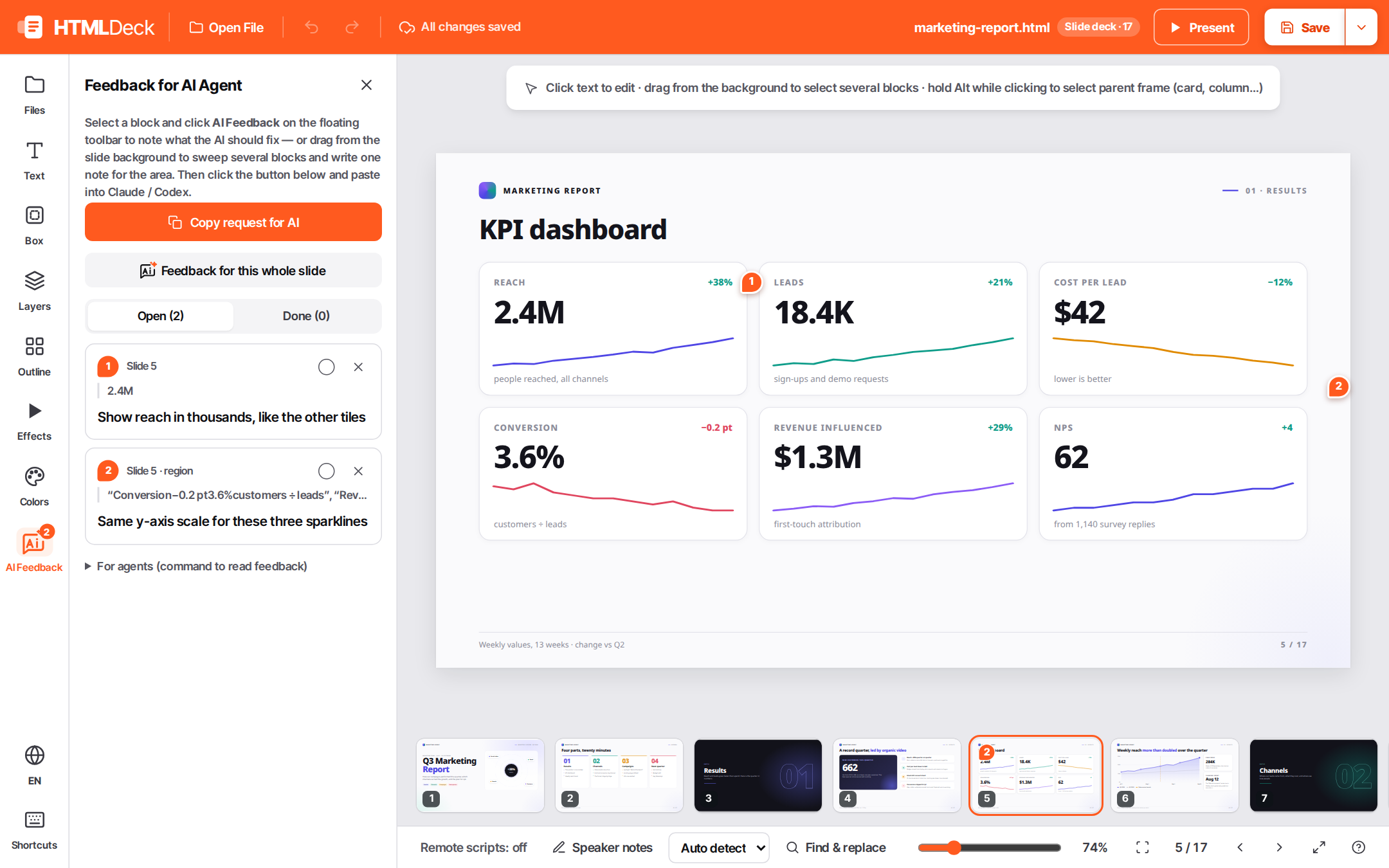
diffs small and reviewable. - Works with your agent. Pin a note on any element ("make this shorter"), or drag across a slide
to sweep several blocks and leave one note for the area, then ask Claude Code or Codex to apply
your HTML Deck notes. The agent reads them, edits the HTML and marks them done. - Presents the real thing. Presentation runs the deck's own scripts and animations in a
separate frame, so presenting never touches the document you are editing. - Local and dependency-free. One Python 3.11+ standard-library server on
127.0.0.1. Nothing
leaves your machine.
 |
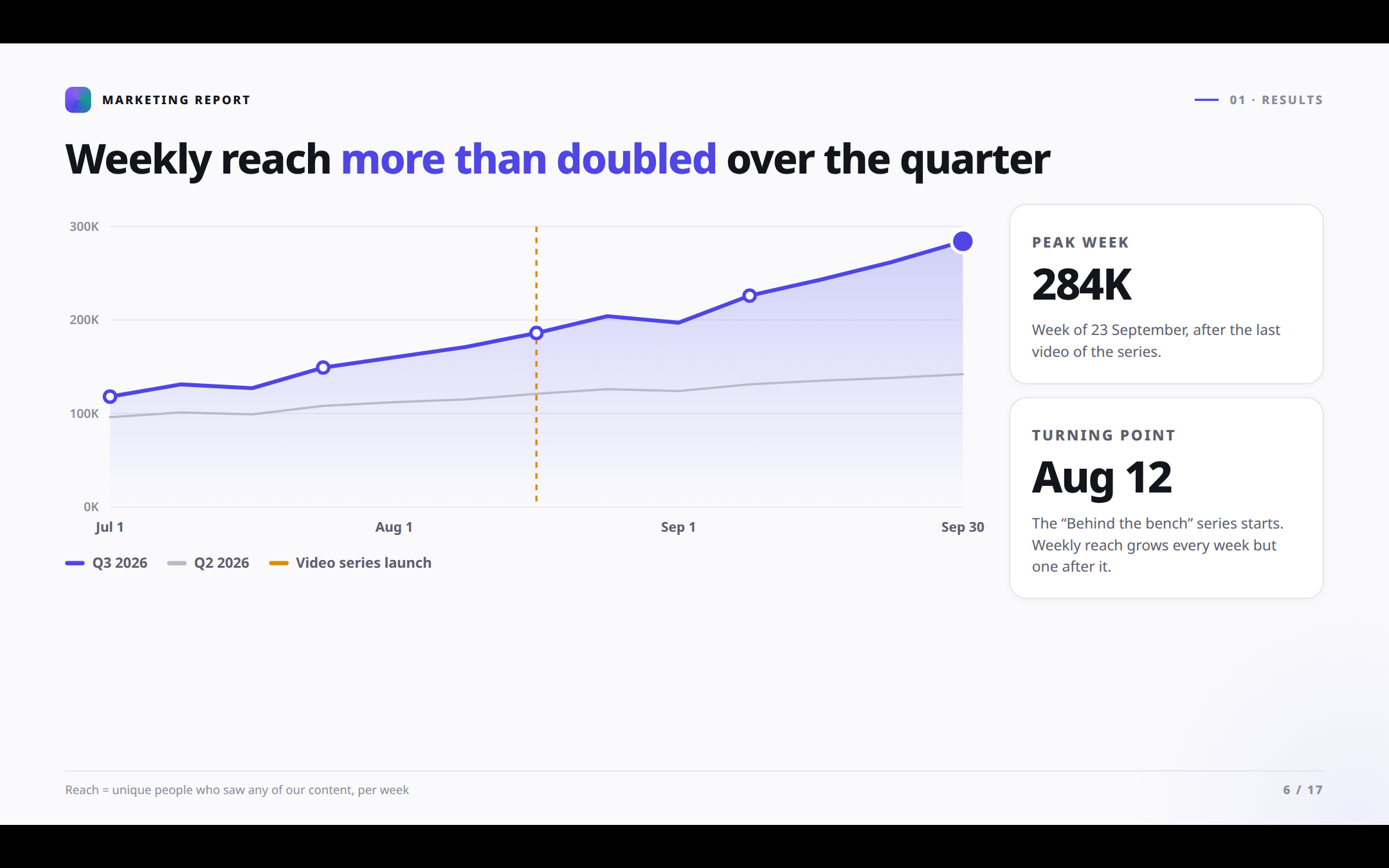 |
| AI Feedback: pin notes for your agent | Present with the deck's own animations |
 |
|
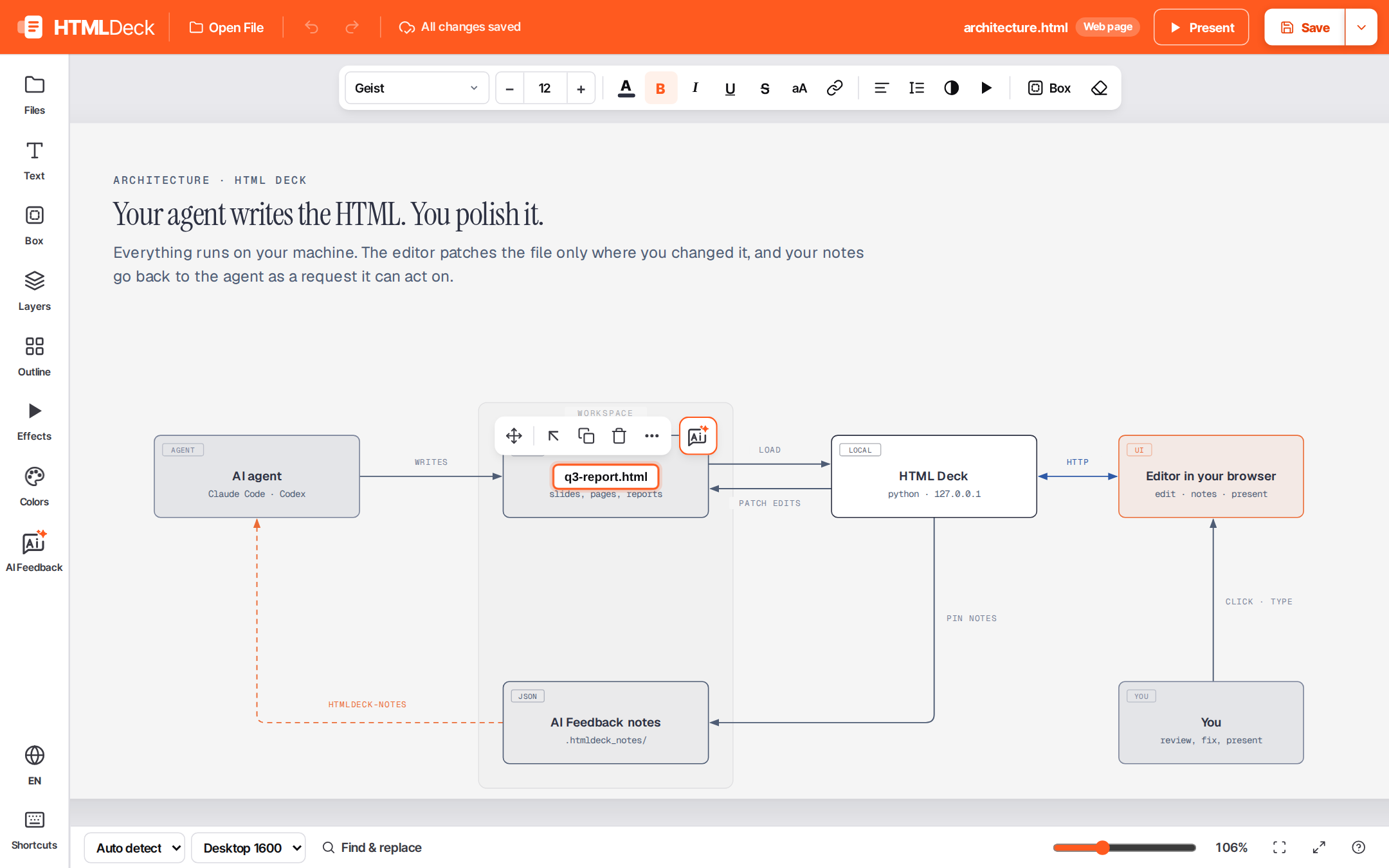
| Diagrams: retype a label inside an inline SVG, the rest of the drawing stays as it was |
Install
| Where | Command |
|---|---|
| Claude Code | /plugin marketplace add avis309/html-deck then /plugin install htmldeck@htmldeck |
| Codex | codex plugin marketplace add avis309/html-deck then codex plugin add htmldeck@htmldeck |
| uv | uvx htmldeck (one-off) · uv tool install htmldeck |
| pipx / pip | pipx install htmldeck · pip install htmldeck |
| npm | npx @avis309/htmldeck (one-off) · npm i -g @avis309/htmldeck |
HTML Deck needs Python 3.11+ and nothing else. The npm package and the plugins find Python and run
it for you. It works on Linux, macOS and Windows.
Use it with an agent
In Claude Code or Codex:
- Ask the agent to open your HTML file in HTML Deck, e.g. "open my deck in HTML Deck". Claude
Code also has/htmldeck [file]. - Edit in the browser, and pin AI Feedback notes where you want the agent to change something.
- Ask the agent to "apply my HTML Deck notes".
Run it yourself
htmldeck                                # workspace = current folder
htmldeck --file <file>.html             # open that document first
htmldeck --root <folder> --port 6789 --no-browser
<file>.html is any HTML document in your workspace: a deck, a report, a page.
To try it on the sample deck (a 17-slide quarterly marketing report with anime.js charts) in a
clone of this repo, run htmldeck --root samples --file marketing-report.html. The same folder
has architecture.html, a page with an SVG diagram whose labels you can edit.
The workspace is the folder HTML Deck runs in, or the folder given with --root. Every path is
relative to it, and nothing outside it is served or written, except the file passed with --file.
Each save keeps a timestamped backup in .htmldeck_bak/ next to the document.
Save ▾ also saves a copy of the document to share:
- HTML: a single file that includes all its images, styles, scripts and fonts, so it opens
anywhere, even offline. Resources loaded from the web (a CDN script, web fonts) are included
too, unless you clear that option. From a terminal, runpython -m htmldeck.export --file <file>.html --remote. - PDF: the document as a PDF file: a deck, a report or any page.
Review notes live beside each document in .htmldeck_notes/<name>.json, so AI Feedback works
on documents opened from the workspace's Files list (not on a file opened from the computer or
dropped in). The request copied from the editor carries the exact command for the agent to run,
on macOS, Linux and Windows (PowerShell) alike. With HtmlDeck installed, scripts and agents can
also read and resolve notes with:
htmldeck-notes --file <file>.html             # list open notes
htmldeck-notes --file <file>.html --prompt    # the same, as a request ready to paste to an agent
htmldeck-notes --file <file>.html --done <id> # mark one done
A region note (drag from the slide background to select several blocks, then AI Feedback on
the group's toolbar) also records the area in CSS pixels of its slide or section and the elements
in it. Versions before 0.1.1 read it as a
note on the whole slide, and drop the region if they rewrite the notes file.
What it supports
| 🌐 Languages | The whole editor speaks English, Tiếng Việt, 简体中文 and 繁體中文. It follows your browser's language on the first visit (zh-TW, zh-HK and zh-Hant open in Traditional Chinese, with Taiwan wording); switch any time from the language menu. |
| 📄 Documents | Plain HTML pages and reports, and decks of .slide blocks, whether written by you or generated by an AI agent. |
| 🎞️ Reveal.js | Hand-written Reveal.js decks: vertical stacks, fragments, speaker notes and backgrounds. Reveal's Markdown slides are read-only. |
| 🎨 Tailwind CSS | Utility classes are kept as written. Your restyling is applied on top as the element's own style, and wins even over !important utilities. With the Tailwind Play CDN (cdn.tailwindcss.com), the editor tells you to trust the file so the edit view is styled too; presenting always is. |
| 📐 SVG diagrams | Click a label in an inline <svg> (a <text> or <tspan>) and type over it; only that text changes in the file. Click a shape to select the whole diagram, for example to pin AI Feedback on it. |
| ✨ Animations & effects | The deck's own animation code (anime.js, GSAP, CSS animations…) runs when presenting and is frozen while editing; code registered as a scene is also restarted each time its slide is shown. data-fx entrance effects (fade, zoom, slide, count-up) can be set from the toolbar; "Enable FX in the file" adds a small inline runtime so they run when the file is opened on its own. |
| 🛟 Safe editing | Content that the page's own scripts create or change is locked, and the editor shows why. Undo/redo, draft recovery, and a timestamped backup on every save. |
| 🔒 Isolation | Presentations run on a second origin with no access to the editor's API. The edit view blocks remote scripts (from a CDN, for example) unless you trust the file. A file opened from your computer instead of the workspace runs none of its own scripts. Workspace files opened directly on the editor origin are sandboxed. |
python3 -m venv .venv && .venv/bin/pip install -e '.[dev]'
npm install
npm run check        # eslint (editor modules) + pytest (server) + browser spec
htmldeck/server.py: HTTP server, workspace guards, save/backup/notes API, preview origin.htmldeck/web/: the editor, as native ES modules with no bundler.js/coreholds the model,
serializer and history;js/runtimeholds provenance and motion freeze; alsojs/policy,js/formats(Reveal),js/presentandjs/fx(the effects runtime, which is also inlined
into documents).tests/spec/characterization.spec.mjs: black-box Playwright spec over fixtures in a temporary
workspace. To run it on another workspace's files too:HTMLDECK_REAL_ROOT=… HTMLDECK_REAL_FILES="a.html,b.html" npm run spec.tools/align-report.mjs:npm run align -- <workspace>reports what share of a workspace's
HTML files save as an in-place patch. The rest still save correctly, through a full rewrite that
the editor asks you to confirm.- Plugin:
.claude-plugin/,.codex-plugin/,.agents/plugins/(marketplaces),skills/htmldeck/(also the/htmldeck [file]command), andscripts/htmldeck-run[.cmd], which runs this copy with any
Python 3.11+. - npm wrapper:
packaging/npm/bundleshtmldeck/at pack time and runs it with the user's
Python. - Release: run
python tools/bump_version.py X.Y.Z, commit, then tagvX.Y.Zand push the tag..github/workflows/release.ymlpublishes to PyPI, then npm, then creates the GitHub Release.
License
MIT © Avis
Yorumlar (0)
Yorum birakmak icin giris yap.
Yorum birakSonuc bulunamadi