claude-workflow
Health Uyari
- License — License: MIT
- Description — Repository has a description
- Active repo — Last push 0 days ago
- Low visibility — Only 6 GitHub stars
Code Basarisiz
- rm -rf — Recursive force deletion command in .claude/workflows/engine-task.yaml
- fs module — File system access in .claude/workflows/engine-task.yaml
- exec() — Shell command execution in dashboard/graph.js
Permissions Gecti
- Permissions — No dangerous permissions requested
Bu listing icin henuz AI raporu yok.
Workflows for Claude Code agents — state machines, gates, a task queue, a shared thread pool and a live map
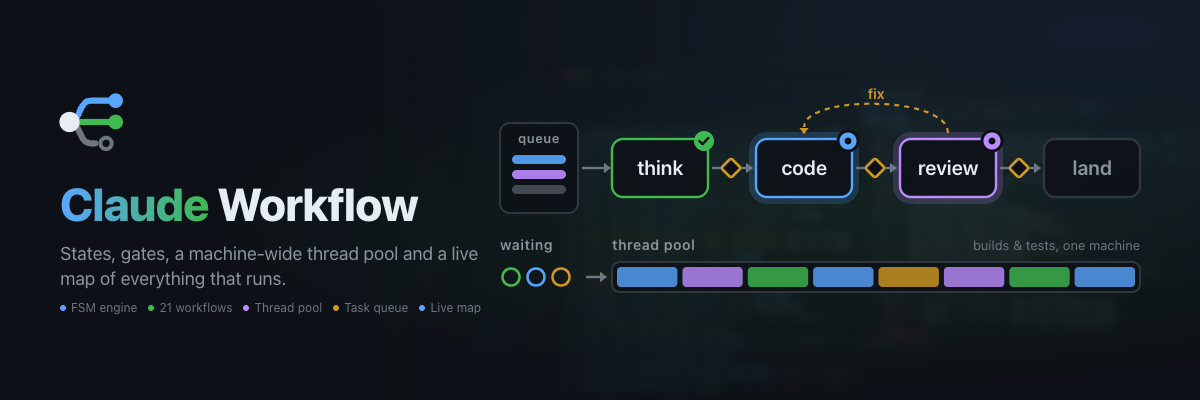


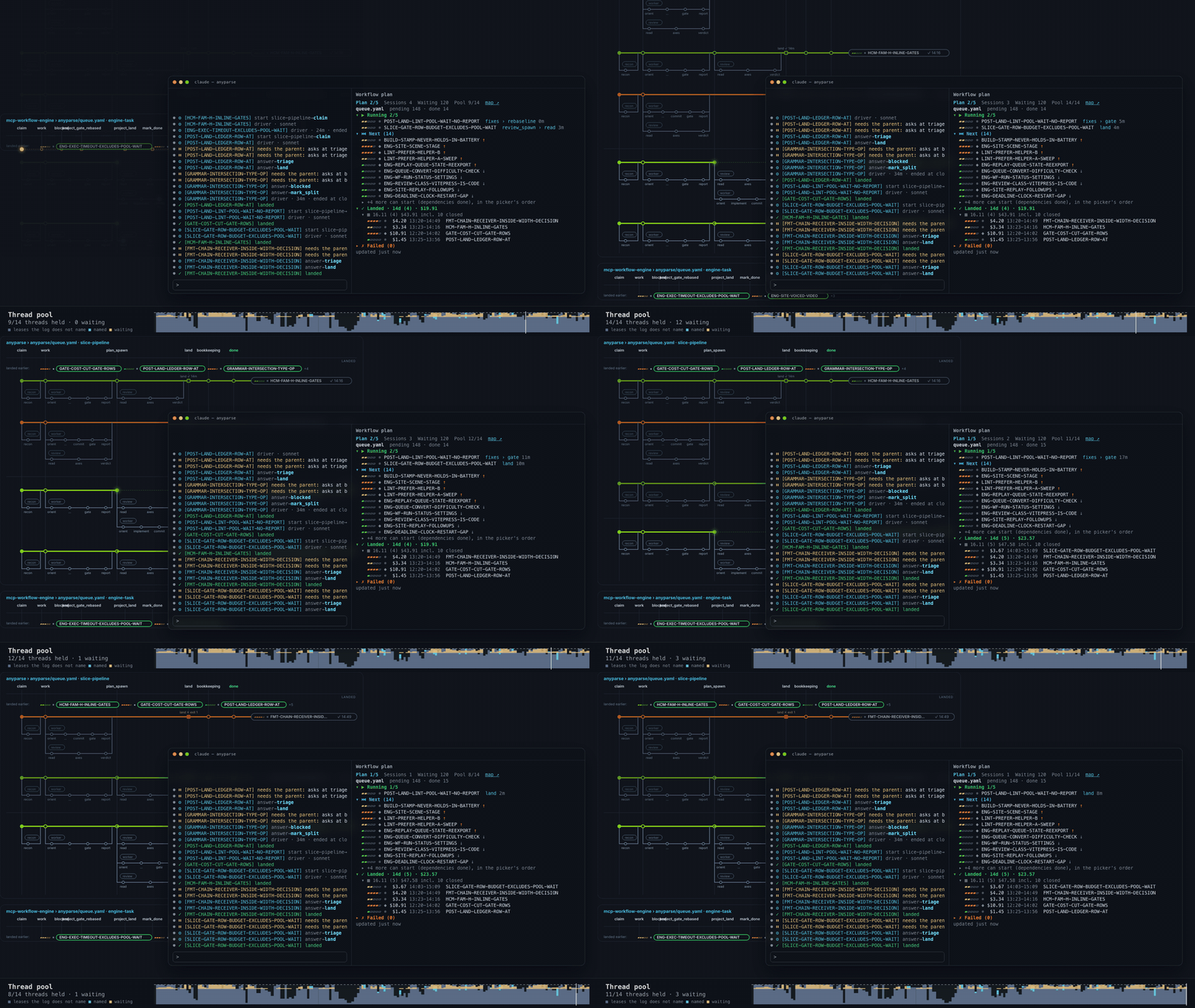
A Claude Code plugin that drives agents through YAML-defined state machines. The engine tracks the state,
enforces the guards and hands the agent one prompt at a time; a web dashboard shows everything that runs.
Why
- Agents lose their step. A long task drifts, a context is compacted, Claude Code restarts. The engine
keeps the state, so the agent always gets the next prompt, not a guess. - Parallel builds choke the machine. Four agents start a build each and the laptop stops answering.
A machine-wide thread pool makes them queue. - No picture of what runs. Sessions, branches and reviews are in flight and the only view is scrollback.
A live map and a plan pane show them.
Features
- State machines in YAML — states, transitions, prompts, nested sub-workflows (Workflow YAML)
- Action states —
execruns a command,fetchan HTTP request, routed by exit code (Action states) - Thread pool — heavy builds and tests, agents' own included, share one machine-wide budget (Thread pool)
- Task queue — a picker, a cheap driver agent per task, the model set by difficulty (Queue)
- Subagent types — a driver, plus read-only recon and reviewer agents behind a Bash gate (Agent types)
- 21 bundled workflows and 29 bundled skills — the agent lifecycle, ready on first run (Concepts)
- Survives a restart — sessions are suspended, not lost;
claude --resumecontinues them (Restart) - Live dashboard — map, plan pane (in your terminal's theme), status line, light or dark (Dashboard)
Install
/plugin marketplace add https://github.com/anthropics/claude-plugins-community
/plugin install workflow
Two ways to use it. One task: with the CLAUDE.md snippet every conversation starts the master workflow,
which picks a bundled one (bug-fix, coding, new-feature, ...) and hands the agent one prompt at a time; a
named one starts with start({ workflow: "bug-fix" }) or by asking. A queue: for many tasks, a queue file
plus the batch workflow runs one task workflow per line, several at once, each under a driver agent. A
workflow of your own comes from asking the agent (it loads the bundled workflow-authoring skill) or from
writing the YAML by hand. Step by step:
Getting started, which also covers the other
install channels (this repository, npm, a local checkout, manual) and the CLAUDE.md snippet.
Quick start
Save this as .claude/workflows/ship.yaml in your project:
name: ship
description: "Plan, do, test, finish"
initial: plan

states:
  plan:
    prompt: "List the steps for the task in two lines."
    transitions:
      go: do

  do:
    prompt: "Do the steps, then report what changed."
    transitions:
      done: test

  test:
    type: exec
    command: "npm test"
    on_success: finish
    on_error: do

  finish:
    terminal: true
    outcome: complete
Ask the agent to run it. It calls start with workflow: "ship" and gets the prompt of plan; each transition
call returns the next prompt. The test state runs by itself and routes on the exit code: a failure goes back to do.
Open http://localhost:3100 to watch the session and its graph.
Documentation
The full documentation is the site https://axgord.github.io/claude-workflow/ (sources in docs/).
| Page | Covers |
|---|---|
| Getting started | Install channels, the CLAUDE.md snippet, one task or a queue, your own workflow, permissions |
| Concepts | How it works, bundled workflows and skills, MCP tools |
| Workflow YAML | The file format, three-tier loading, extends: |
| Action states | exec, fetch, routing, fan-out, guards, restart |
| Thread pool | Why parallel agents queue: leases, budget, priority, wf-run |
| Task queue and dispatch | queue_next, wf-queue, the model table, drivers, agent types |
| Dashboard and plan pane | The plan pane, the live map, the status line |
| FAQ | Troubleshooting |
| Development | Commands, source layout, the site, the replay, the banner |
Contributing
Build, test and source layout: Development. Run npm run check before a commit.
License
MIT
Yorumlar (0)
Yorum birakmak icin giris yap.
Yorum birakSonuc bulunamadi