PiDeck
Health Gecti
- License — License: MIT
- Description — Repository has a description
- Active repo — Last push 0 days ago
- Community trust — 94 GitHub stars
Code Uyari
- fs module — File system access in scripts/make-icon.js
- network request — Outbound network request in src/main/config/ConfigManager.ts
Permissions Gecti
- Permissions — No dangerous permissions requested
Bu listing icin henuz AI raporu yok.
Desktop workbench for managing multiple pi coding-agent sessions across project folders.
PiDeck
一个用于管理多个 pi 编码 Agent 会话的桌面工作台。



PiDeck 不是 pi 的分支。它是一个轻量 Electron 外壳,通过启动多个 pi --mode rpc 进程,将项目管理、会话管理、对话界面、配置管理和工具编排整合到一个原生桌面应用中——所有 Agent 能力由 pi 原生提供。
📋 更新日志
最新版本 v0.5.0(2026-06-14)
v0.5.0 更新
- 🎨 桌面体验大更新:侧栏、Header、输入区、抽屉、设置/配置/反馈弹层全面迁移到统一设计 token,暗色模式和中英文文案覆盖大幅提升。
- 🧭 工作流增强:项目侧栏内联展示最近历史会话,左键打开/复用,右键管理;支持新建 Git 分支、项目目录定位和历史会话删除。
- 🧩 能力扩展:新增局域网 Web 服务、pi Extension 管理、PiDeck 自绘下拉控件、终端暗色主题适配和完整 UI 设计审计文档。
核心功能
| 功能 | 说明 |
|---|---|
| 多项目工作区 | 添加、搜索、拖动排序和切换本地项目目录,同时运行多个 pi Agent,项目间完全隔离。 |
| 内置 Chat 对话区 | 项目列表顶部固定 Chat 入口,写入应用用户目录,适合无需绑定代码项目的通用对话。 |
| 配置、Skill 与 Extension 管理 | 可视化编辑器管理 pi 的 models.json、auth.json、settings.json,并可管理全局 Skills 与 Extensions。 |
| 代理设置 | 独立管理 pi agent 子进程代理和桌面端代理,模型拉取与连接测试可走桌面端代理。 |
斜线命令 & ! Shell |
内置斜线命令建议(/compact、/session 等),支持 !command / !!command 在聊天输入框直接执行 Shell 命令。 |
| 内嵌终端 Dock | 当前 Agent 绑定独立终端 tab,支持 PowerShell/cmd/sh fallback、多 tab、主题切换、拖拽高度、右键复制选区和关闭确认。 |
| 会话管理 | 新建会话、项目内联历史、恢复历史会话、重命名、复制、导出 HTML、删除历史会话和关闭 Agent——通过侧边栏或右键菜单即可完成。 |
| Git 集成 | 实时显示当前分支,支持本地 + 远程分支选择器、分支数量徽章、分支切换和新建分支。 |
| 局域网 Web 服务 | 可在设置中启动本机 Web 服务,局域网设备可通过电脑 IP 和端口访问。 |
| 工具调用可视化 | 工具调用聚合卡片,摘要 + 可展开详情,运行中/完成/失败状态清晰标识。 |
| 回答级修改摘要 | Agent 每轮回答完成后在对应回答下方以紧凑列表展示本轮修改文件名和修改行数,Files 面板保留本次会话总览。 |
| 上下文感知输入 | @ 文件引用建议、! Shell 执行、/ 斜线命令——统一在同一个输入框中。 |
| 应用更新提示 | 定时检查 GitHub Release,发现新版本后展示发布日志和推荐下载入口,下载交由系统默认浏览器处理。 |
| 系统托盘 | 关闭窗口默认最小化到托盘,托盘右键菜单,双击恢复窗口。 |
截图
工作区与对话界面
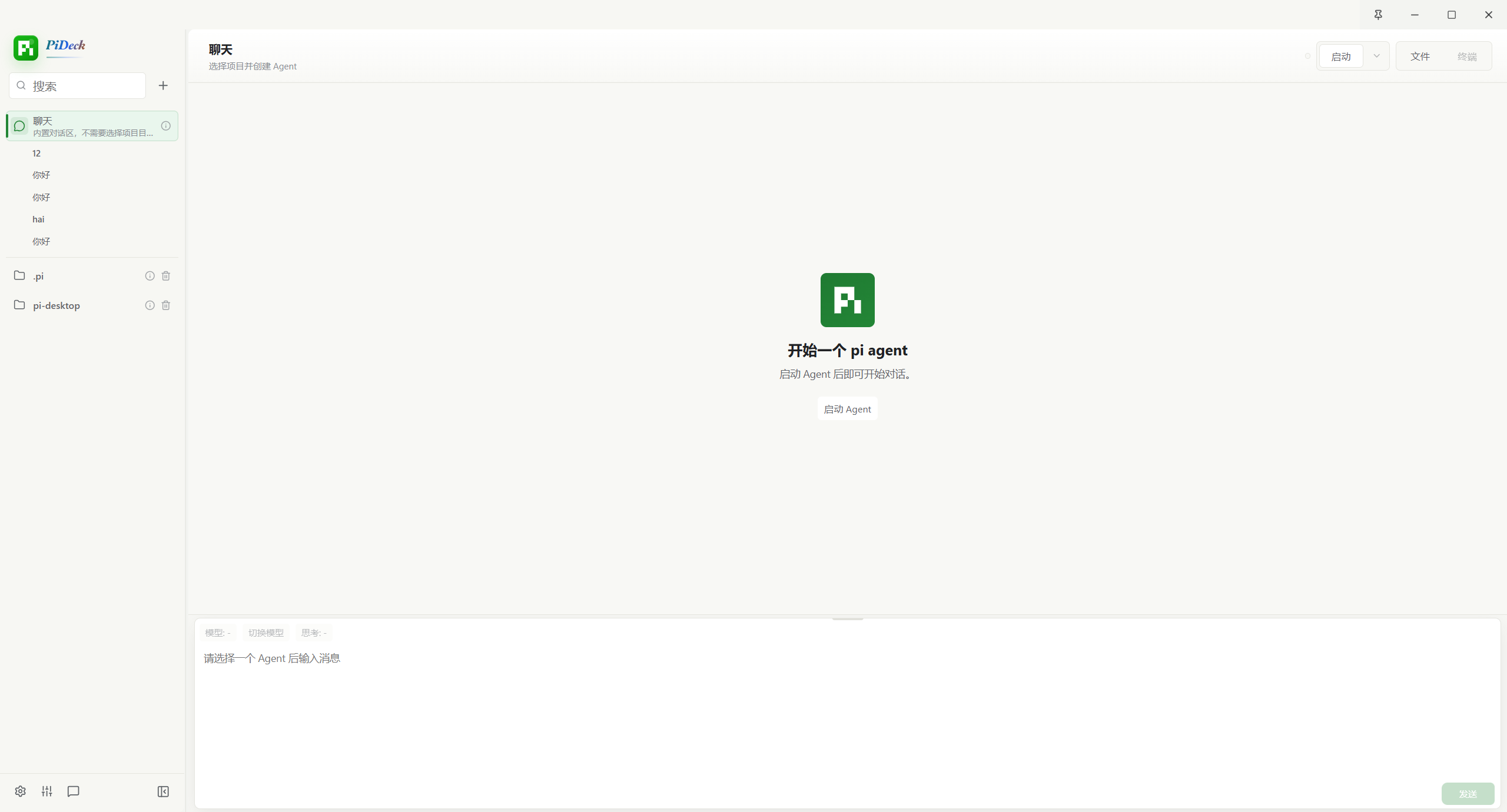
Markdown 渲染 + 流式输出、工具调用详情、回答级修改文件摘要、模型/思考等级/上下文/缓存状态栏、Git 分支选择器、操作按钮(New Session · Stop · Restart · Files · History · Terminal)。
配置管理
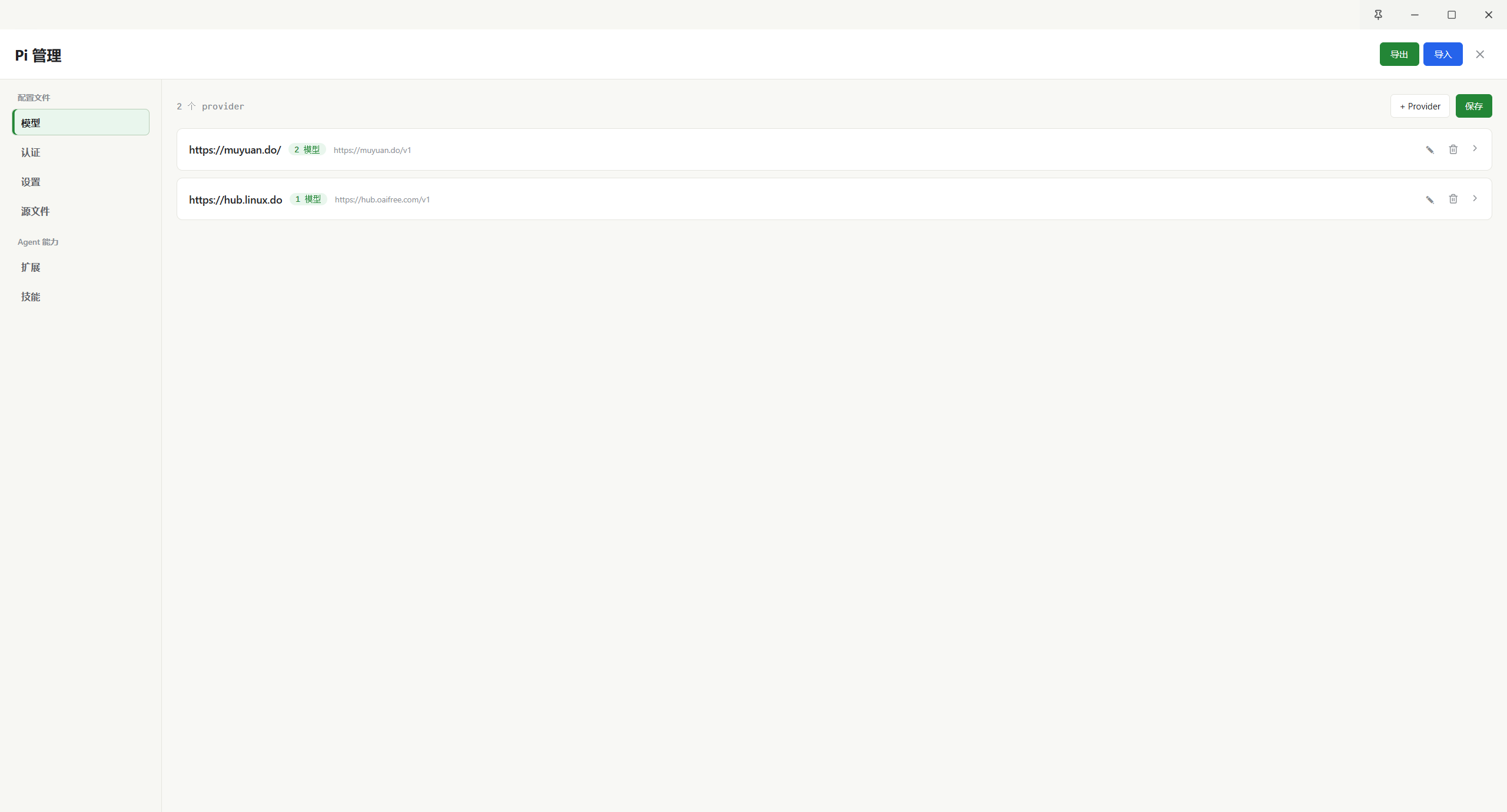
可视化编辑器:Models(Provider 卡片 + 模型网格 + 连接测试)、Auth(API Key 管理)、Settings(类型感知的键值编辑器)、源文件(原始 JSON 编辑)——保存后可按需重启 Agent 生效。
斜线命令与会话历史
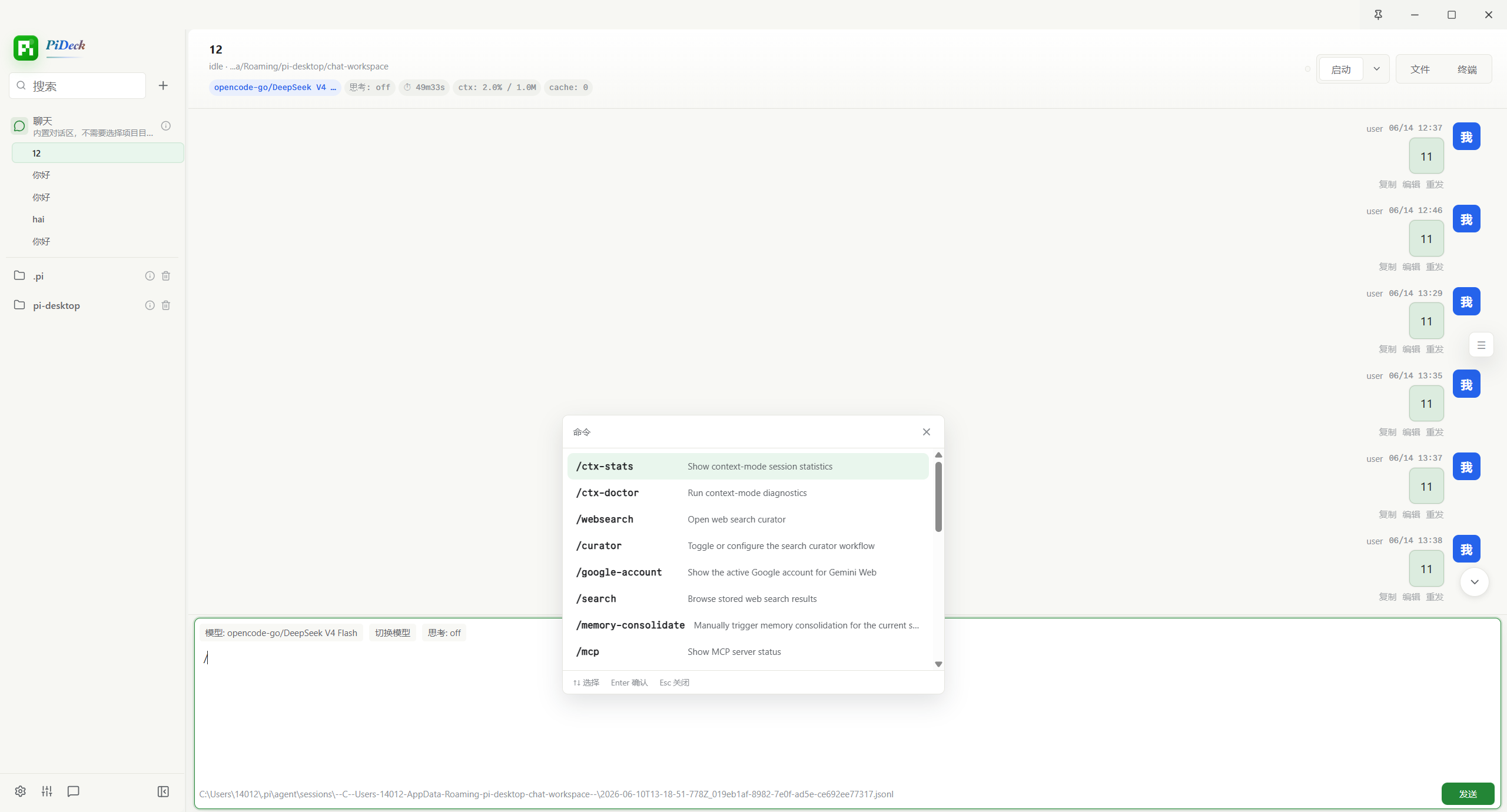
内置斜线命令建议面板(带功能说明),配合右侧历史会话抽屉,快速浏览和恢复过往对话。
文件树与会话操作
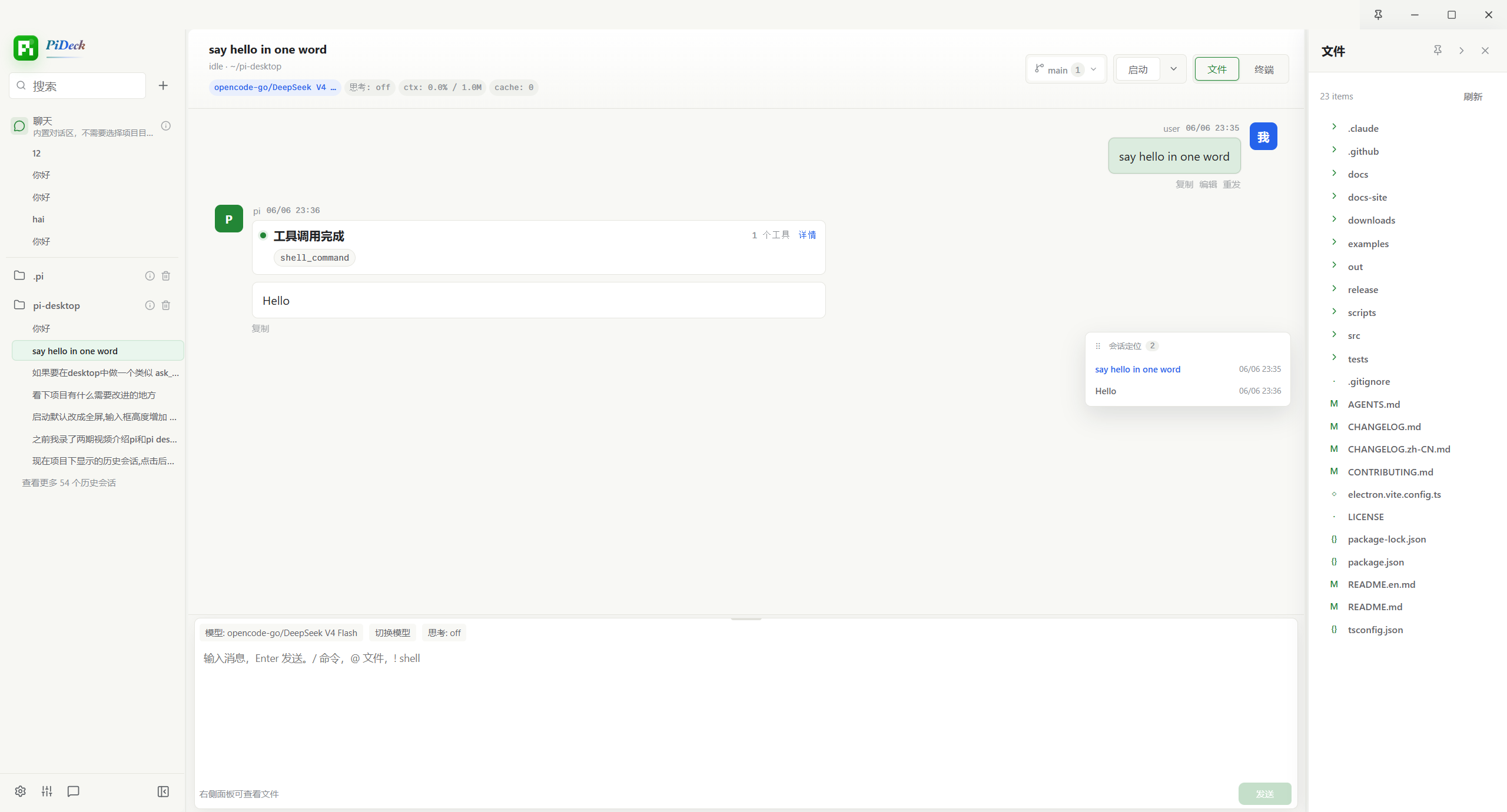
项目文件树(含 Git 状态标识)、输入框 @ 文件引用建议、Files 面板顶部的本次会话修改列表、会话右键菜单(重命名 · 复制 · 导出 HTML · 删除 · 关闭 Agent)。
架构设计
PiDeck
├─ Electron 主进程
│  ├─ 管理项目记录
│  ├─ 启动 pi --mode rpc 进程
│  ├─ 管理 Agent 绑定的本地 pty 终端
│  ├─ 桥接文件、会话、Git 操作
│  ├─ 检查 GitHub Release 更新
│  └─ 暴露安全 IPC API
│
├─ Electron Preload
│  └─ 向 Renderer 暴露 window.piDesktop
│
├─ React Renderer
│  ├─ 项目和 Agent 列表
│  ├─ 聊天时间线(流式输出)
│  ├─ 文件 / 历史抽屉
│  ├─ 配置与 Skill 管理弹窗(配置管理 / Skills)
│  ├─ Agent 绑定的 Terminal Dock
│  ├─ 模型与上下文状态栏
│  ├─ 会话结束修改摘要与更新提示弹窗
│  └─ 设置 UI(基础设置 / 代理设置 / 开发设置)
│
└─ Pi 运行时
   ├─ 每个 Agent Tab 一个独立 pi RPC 进程
   ├─ 项目级 cwd 隔离
   └─ 使用 pi 原生会话 / 工具 / 模型 / 上下文
核心设计原则:一个 Agent Tab = 一个 pi RPC 进程,确保会话隔离,让 pi 继续负责其原生能力。
环境要求
- Node.js 20+
- npm
- 系统
PATH中可访问pi命令 - 已完成 pi 的 Provider / 登录 / API Key 配置
验证 pi 是否可用:
pi --version
pi --mode rpc
下载安装
Windows、macOS、Linux 平台的预构建安装包在 GitHub Release 中发布:
PiDeck 需要单独安装
piCLI 并确保其加入系统PATH。
快速开始(从源码运行)
git clone https://github.com/ayuayue/pi-desktop.git
cd pi-desktop
npm install
npm run make-icon
npm run dev
开发命令
| 命令 | 说明 |
|---|---|
npm run dev |
启动开发模式 |
npm run typecheck |
运行 TypeScript 类型检查 |
npm run build |
构建 Renderer + Main 产物 |
npm run dist |
为当前平台打包 |
npm run dist:win |
打包 Windows(NSIS + portable + zip) |
npm run dist:mac |
打包 macOS(DMG + zip) |
npm run dist:linux |
打包 Linux(AppImage + deb + tar.gz) |
npm run make-icon |
生成图标资源到 build/icon.svg |
浏览器预览模式
直接打开 http://localhost:5173/ 进行布局和响应式调试。Renderer 在 window.piDesktop 不可用时自动降级为 mock 数据,无需 Electron 环境。但涉及 Agent、会话、文件操作等真实 IPC 功能仍需在 Electron 中验证。
项目结构
src/
├─ main/
│  ├─ fs/                 # 文件树服务
│  ├─ git/                # Git 分支服务
│  ├─ pi/                 # Pi 进程与 RPC 管理
│  ├─ projects/           # 项目记录持久化
│  ├─ sessions/           # Pi 会话扫描
│  ├─ settings/           # 应用设置持久化
│  ├─ terminal/           # Agent 绑定的 pty 终端
│  └─ index.ts            # Electron 主入口
│
├─ preload/
│  └─ index.ts            # 安全 IPC 桥接
│
├─ renderer/
│  └─ src/
│     ├─ App.tsx          # 主界面
│     ├─ components/      # 拆分后的 UI 组件
│     ├─ config/          # 配置弹窗子组件和配置工具
│     ├─ previewApi.ts    # 浏览器预览降级
│     ├─ styles.css       # 应用样式
│     └─ main.tsx         # React 入口
│
└─ shared/
   ├─ ipc.ts              # IPC 通道名称
   └─ types.ts            # 共享类型定义
更新日志
详细版本历史请查看 CHANGELOG.zh-CN.md(中文)或 CHANGELOG.md(英文)。
安全说明
本应用启动本地 pi 进程并通过 Electron IPC 暴露有限的文件操作。请仅运行你信任的源码。应用默认发送匿名、低频的 app_heartbeat 使用统计,用于了解版本分布、平台兼容性和活跃安装数量,可在设置中关闭;不会收集项目路径、代码、消息内容、会话内容或文件名,也不会上传文件。第三方统计服务会接收请求元数据。pi agent 子进程代理和桌面端模型拉取/测试代理可独立配置;系统浏览器打开的外部链接仍由系统浏览器网络设置决定。
License
MIT
Yorumlar (0)
Yorum birakmak icin giris yap.
Yorum birakSonuc bulunamadi