token-station
Health Warn
- License — License: Apache-2.0
- Description — Repository has a description
- Active repo — Last push 0 days ago
- Low visibility — Only 5 GitHub stars
Code Fail
- rm -rf — Recursive force deletion command in .github/workflows/release.yml
Permissions Pass
- Permissions — No dangerous permissions requested
No AI report is available for this listing yet.
Local routing control plane for AI agents and LLM providers, with a loopback-only gateway, smart and quota-aware routing, and desktop + CLI apps.

Token Station
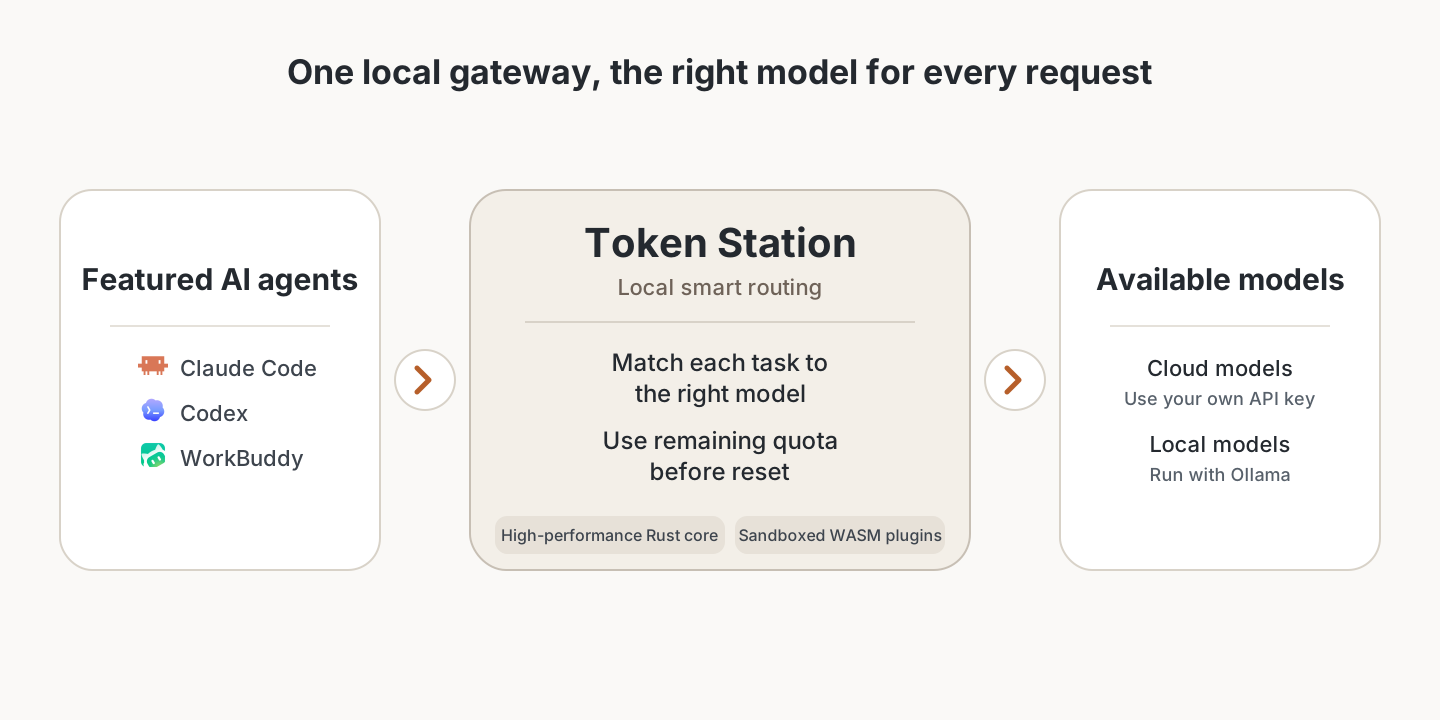
One local gateway for every AI agent.
Connect Claude Code, Codex, Gemini CLI, Cursor, and other agents to the models you control. Pin a provider, route by task, or use quota before it resets.



Download · Quick start · Docs · Issues · 简体中文
Highlights
- Local by default. The Rust gateway listens on
127.0.0.1:8787and requires authentication. Agent request traffic leaves the device only when you route it to a cloud provider. - Three routes. Direct pins one provider and model. Smart tiers picks High, Mid, or Low in a single decision. Quota first spends buckets that reset sooner.
- Enterprise-managed routing. Enter an enterprise Base URL and credential once. The enterprise service keeps control of its real models and routing policy.
- Your providers. Start from 40+ editable presets, add a custom OpenAI-compatible endpoint, or keep work on a local runtime such as Ollama.
- Desktop and CLI. Both share the same Rust core. Usage, latency, cost estimates, and request logs stay on this machine.
- Reversible connectors. Connect writes a bounded plan and a private snapshot. Disconnect removes only Token Station fields.
- Sandboxed adapters. Official WASM plugins cover Anthropic Messages, OpenAI Chat Completions, OpenAI Responses, Gemini, and OpenAI-compatible providers. They have no network, filesystem, or credential access.
Agents
 Claude Code |
 Claude Desktop |
 Codex |
 Gemini CLI |
 Grok Build |
 Kimi Code |
 DeepSeek Harness |
 Hermes Agent |
 OpenClaw |
 WorkBuddy |
 OpenCode |
 Cursor |
Eleven agents use a built-in connector. Cursor uses a dedicated setup on macOS and Windows. See the guides and reference for protocols and connector notes.
Quick start
You need a provider API key or a local model endpoint. Token Station does not import agent subscriptions or OAuth sessions.
- Download the latest build from Releases.
- Open Token Station and add a provider. Use a preset or a custom OpenAI-compatible endpoint.
- On Home, set the global route to Direct, Smart tiers, or Quota first.
- For a built-in connector, select a detected agent and click Connect. Configure Cursor through its dedicated setup flow.
- Send a request from the agent. Inspect the result in Usage.
The default listen address is 127.0.0.1:8787.
On macOS, closing the window hides the app. The gateway keeps running until you quit from the menu bar.
Install from source
Desktop development needs Rust stable (MSRV 1.96), Node.js 22.23.1, and the wasm32-wasip2 target.
git clone https://github.com/ballast-ai/token-station.git
cd token-station
rustup target add wasm32-wasip2
npm --prefix apps/desktop ci
npm --prefix apps/desktop run tauri:dev
# CLI
cargo build -p token-station-cli
./target/debug/token-station-cli --help
A normal Cargo build does not embed the official adapters. Use scripts/build-release.sh <target-triple> for a packaged CLI. On macOS, scripts/install-local-desktop.sh builds, audits, and installs a local desktop app.
Use the assets listed on the selected release page. Signing and notarization vary by build.
Security
- The gateway rejects non-loopback listen addresses. Local authentication is on by default.
- Provider credentials default to an owner-only
secrets.json. They do not appear in logs or plugins. - Desktop request logs store prompt and response bodies as owner-only plaintext. Receipts and metrics do not.
- A cloud provider still receives any request you route to it.
The full boundary table is in the reference.
Documentation
License
Licensed under the Apache License 2.0.
Reviews (0)
Sign in to leave a review.
Leave a reviewNo results found