myelinate
Health Warn
- License — License: MIT
- Description — Repository has a description
- Active repo — Last push 0 days ago
- Low visibility — Only 6 GitHub stars
Code Fail
- eval() — Dynamic code execution via eval() in .github/workflows/check.yml
Permissions Pass
- Permissions — No dangerous permissions requested
No AI report is available for this listing yet.
Open-source Claude Code plugin and agent skill suite that makes Claude a Socratic tutor: 14 skills for course tutoring, homework coaching, tests and grading, notes review, labs, flashcards and study plans. Honest, not agreeable.
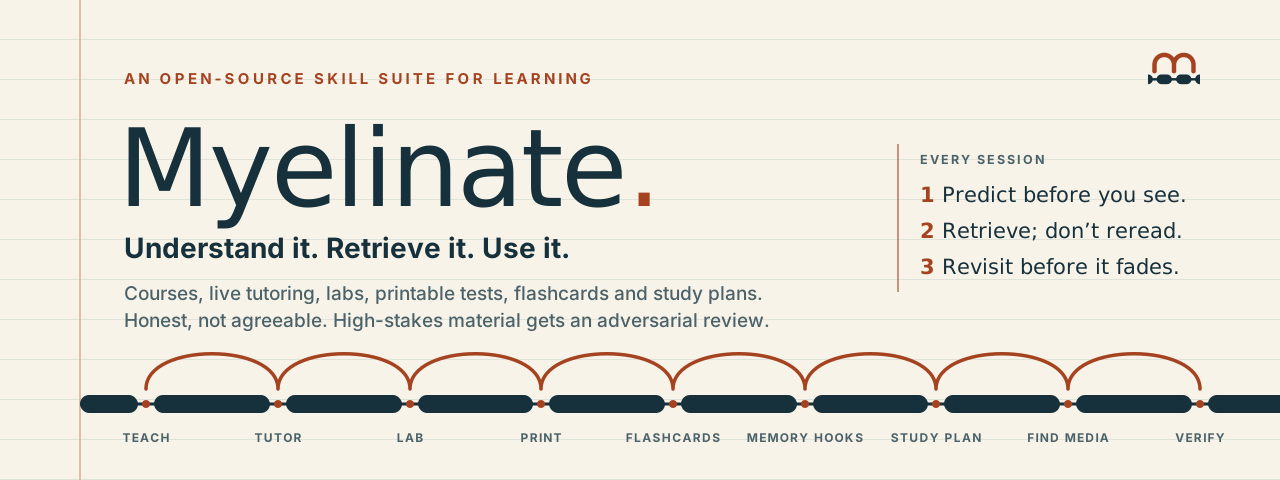



An open-source agent skill suite that turns “teach me this” into explanation, practice, feedback, and a reason to come back.
Ask about a concept. Bring your course materials if you have them. Myelinate routes the request to the right skill, teaches in manageable steps, and checks what you can do with it. It is honest, not agreeable: it won’t confirm a wrong answer or cave when you push back on a correct correction, and it changes its mind on evidence. It is a set of Markdown skills for a capable AI assistant, not a separate model or a hosted tutoring service. Its examples and depth can fit children, high-school students, university learners, professionals, and people studying on their own.
Website · Read the router skill · Try the sample lesson · See the evidence
Contents: Quick start · What's inside · Start with one good question · What makes the lesson useful · Install · See the approach · Evidence · Improve it
Quick start
Use it in any chat (no install). Paste this into an assistant that can open links, in chat or voice mode:
Use the Myelinate learning skill: https://github.com/baney75/myelinate — read SKILL.md and follow it to teach me.
The assistant fetches SKILL.md and follows it. If yours can't browse, install the folder or paste SKILL.md itself.
Or install it as a Claude Code plugin (every skill loads by itself when it fits):
/plugin marketplace add baney75/myelinate
/plugin install myelinate@baney75
The Claude apps, Codex and other assistants: see Install.
What's inside
SKILL.md is a router. It reads what you are after and hands the request, with your context, to one of sixteen skills. Installed as a plugin, each one loads by itself when the moment fits:
| Skill | What it does |
|---|---|
| tutor | For a class you're enrolled in: gathers your syllabus, study guide, notes and textbook (including uploads), then teaches live in chat or voice in your course's scope and notation, one step at a time, with rendered diagrams and interactive 3D models. Loads on its own when your assistant's memory shows the question belongs to a class. |
| teach | For learning that isn't for a class (a personal goal, a work skill, a project you'll sell or open-source): designs the curriculum and lesson plans at the learner's level, anchors them in your project, and teaches each lesson live. |
| assignment | Help on homework, lab reports, essays and coding assignments that teaches you to do them instead of doing them for you. Tool steps (drawing a structure, formatting) can be done; the graded thinking stays yours. |
| project | Learn while you build something of your own, in the mix you choose: build and learn, teach me to do it, or just tell me how. Stays out of the way of ordinary coding and work. |
| code | Learn code you have to own: an inherited repository, a pull request to review, a library, an error you want to understand. Maps it in one picture, traces a real behavior with a prediction first, runs the code for the verdict, and leaves you the one change that carries the idea. Stays off when you only want the code changed. |
| notes | Reads your own notes (Google Drive, OneDrive, Notion, Obsidian or photos of paper) to see how you're grasping it, flags misconceptions and slide-copying, and turns your notes into practice. |
| assess | Formal scored tests and grading against a key and rubric, with honest scores and a gradebook. Quick drills stay in tutor. |
| course-project | Builds a full course package to run later: level-matched syllabus, lessons, assignments, tests and teacher instructions. Works in a project space or plain chat. |
| lab | Builds interactive learning labs and simulations, shown inline in the chat where the host can, or as a self-contained web page you keep; includes a predict-then-reveal visual stepper. |
| Paper output, not generic PDF conversion: study guides built for active recall (questions first, answers at the back), practice tests with separate answer keys, labeled and blank diagrams, worksheets. | |
| flashcards | Makes recall cards ready for Quizlet, Anki or Obsidian; quick live drills stay with the tutor. |
| game | Turns an exam's scope into a typed study game: a gate for what must be memorized, surprise recall, a mock in the exam's format and a delayed recheck. Never for graded work. |
| memory-hooks | Writes research-backed mnemonics for material that will not stick. |
| study-plan | Plans study blocks, review and sleep around an exam or study deadline. Creates reminders only with a real, authorized calendar tool. |
| find-media | Finds learning diagrams, photos, models and videos with licenses noted, not stock art for a website. |
| verify | Checks learning material and answer keys for accuracy and currency before use; software code review stays elsewhere. |
When a concept has shape (a molecule in 3D, a conformation, a mechanism, a curve), Myelinate renders it and gives you the controls instead of describing it in a paragraph, linked to the notation your course uses. Visuals appear inline, right in the conversation, wherever the assistant can draw there (claude.ai's inline visuals, for example); you get a file, a separate page or a printable when you ask for one. A concept map, mechanism stepper or faded worked example can make you fill the missing link or predict the next step before reveal. On the first session, it asks a few questions about how you learn (pace, chunk size, what's hard) and saves that profile to your assistant's memory or a file you keep, then reads it at the start of later sessions. Sharing a learning condition is optional and never required.
Start with one good question
Use $myelinate to teach me limiting reactants.
I understand moles, but I keep choosing the wrong reactant.
I have 20 minutes. Explain first, then help me practice.
Or:
Use $myelinate with my study guide and notes.
Map the tested objectives, teach my weak spots, and give me
new problems in the format my course uses.
The tutor asks about the goal, course context, and optional access preferences. For courses, it asks for the study guide, syllabus, notes/slides, and textbook edition. Missing materials do not block a first lesson. It asks how you learn, such as pacing, chunk size, or what's hard. You may mention a learning condition if you choose, but it is never required and never labeled; “shorter steps help” is enough.
What makes the lesson useful
| From the learner | From Myelinate |
|---|---|
| “I don't get it.” | A clear explanation, a worked example, and the limits of the analogy. |
| “I think I know it.” | A question you answer before seeing the solution, with specific feedback. |
| “I can do that example.” | A changed application that checks whether you can choose and use the idea. |
| “My exam is next week.” | Course-aligned practice and a realistic queue for revisiting the gaps. |
| “I need a different pace.” | Options for chunk size, steps, response format, and distractions. |
| “Make me something I can study.” | A source-linked study pack with original practice and a separate explained answer key. |
Explain → retrieve → get feedback → apply → revisit. The sequence adapts. You can ask for an explanation, request a hint, skip a test, or stop at any time. Flashcards are available when useful; application stays central.
Install
Myelinate is one plugin for Claude Code, the Claude apps (claude.ai, desktop) and Codex. Every skill ships in its own folder with the references and templates it uses, so it works the same wherever it's installed.
Claude Code
/plugin marketplace add baney75/myelinate
/plugin install myelinate@baney75
Each skill then loads by itself when it fits; force one with /myelinate:myelinate (the router), /myelinate:tutor, /myelinate:code, and so on. Claude Code also gets:
- Loads when you're learning. A one-line session hint tells Claude to load the matching Myelinate skill for a learning question, even a quick one, and not for work you want done. Set
MYELINATE_ROUTE_HINT=0to turn it off. /myelinate:quiz <topic>and/myelinate:review(what's due today, retrieval first).- Spaced review across sessions. If you ask Myelinate to keep your progress, it saves a private record at
~/.myelinate/learner.json, and each new session starts knowing which reviews are due. Without a record, nothing changes. - An answer-key agent (
key-worker) that solves a problem without seeing your answer, so the verdict can't drift toward what you said. - The Myelinate output style (pick it in
/config): Claude does the engineering and hands you one decision at a time.
Updates. The plugin carries no fixed version, so Claude Code updates it whenever the repository changes. Turn on auto-update for the baney75 marketplace under /plugin → Marketplaces, or run claude plugin update myelinate@baney75. To follow a branch instead of main, add the marketplace as baney75/myelinate#<branch>.
Claude apps (claude.ai and desktop)
In Customize → Plugins, choose Add marketplace and enter baney75/myelinate, then install myelinate. Or download myelinate-plugin.zip from the latest release and use Add → Upload plugin. If you installed an older Myelinate as a skill, remove it first so only one copy is listed.
Codex
The repository is a Codex plugin marketplace (.agents/plugins/marketplace.json, manifest .codex-plugin/plugin.json). Add it as a marketplace in Codex, or clone it and link one skill folder at a time into ~/.agents/skills (each folder is self-contained):
git clone https://github.com/baney75/myelinate.git
mkdir -p ~/.agents/skills
for d in myelinate/skills/*/; do ln -s "$PWD/$d" ~/.agents/skills/"$(basename "$d")"; done
Any other assistant
Paste the link (Quick start), or provide SKILL.md as instructions. The router works alone; when it can browse, it fetches the sub-skills and references it needs from GitHub at the pinned version.
Stopping it. Tell Claude, or save to its memory, where you don't want Myelinate ("don't tutor me on my coding projects", "just answer my Spanish questions"). It respects that scope; a slash command still works when you want it. Ordinary coding, building and work requests don't trigger it in the first place.
No API keys, package installation, or external service is required. Your assistant's ordinary access, tools, and usage limits still apply.
What it runs, reads and sends
Myelinate is instructions, templates and a few small local scripts. It has no server, account, API key, tracking or telemetry, and it sends nothing anywhere on its own. Full policy: PRIVACY.md; terms: TERMS.md.
- Session hooks (Claude Code only). Two Python scripts run locally at session start.
hooks/route_hint.pyprints one line that tells Claude to load the matching learning skill for a learning question; setMYELINATE_ROUTE_HINT=0to turn it off.hooks/due_reviews.pyreads~/.myelinate/learner.json, only if you asked Myelinate to keep that record, and prints which reviews are due. Neither touches the network. - Your learner record and profile are written only when you ask and stay on your machine (or in your assistant's memory). The record holds topics, courses and review dates. Myelinate tells the assistant to keep health and condition labels out of it, but it is plain text the assistant writes, so check it if that matters to you.
- Printing.
printmay runscripts/make_pdf.py, which renders an HTML page to PDF with your local headless Chromium; a web font or image the page links to is loaded while rendering. - Fetching. If an install is missing one of its files, the assistant may fetch it from
raw.githubusercontent.com/baney75/myelinate. Source checks, media searches andverifyuse your assistant's own web search when you ask for them.
See the approach
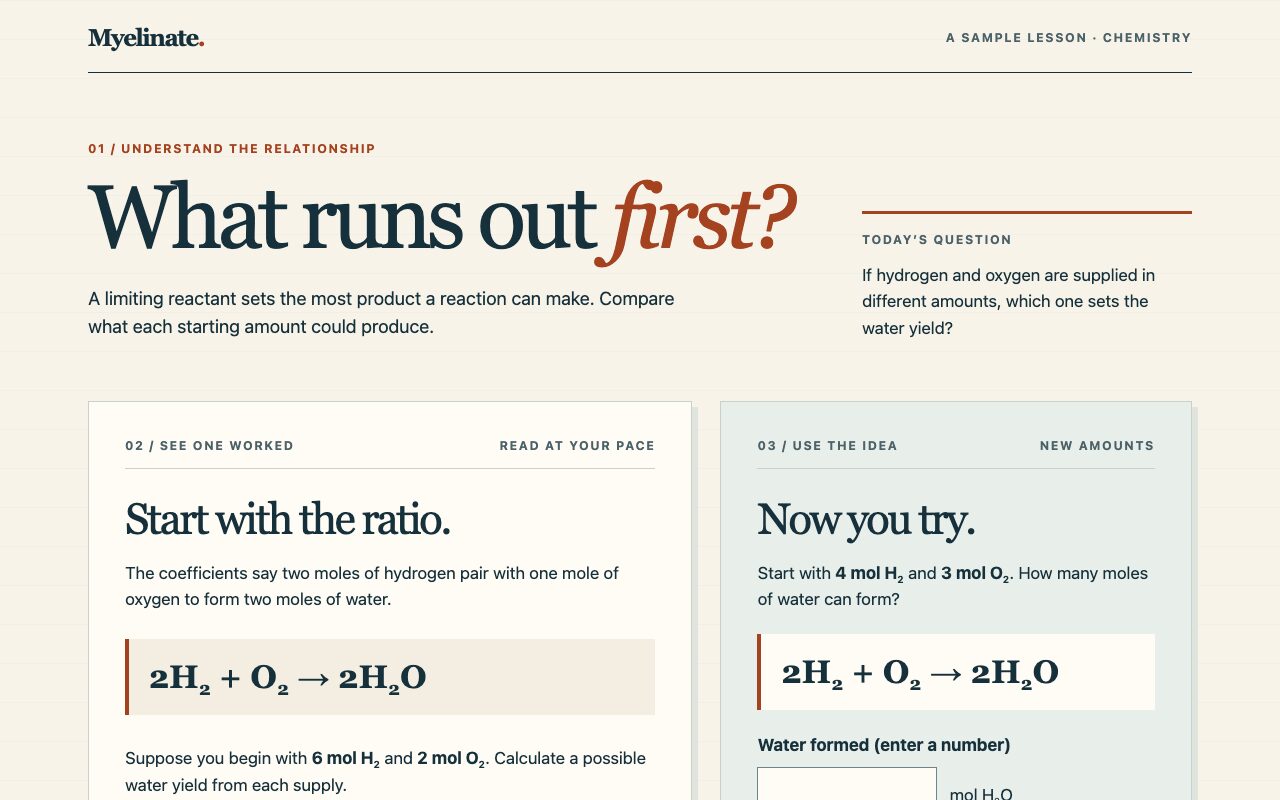
The interactive sample teaches limiting reactants with a worked example, a fresh numerical problem, hints, and answer feedback. It distinguishes independent, hinted, and revealed work. It does not collect responses or pretend to measure long-term retention. Open the source to use it offline.
For course material, Myelinate can produce a compact scope map, concept explanation, practice set, explained answer key, and review queue. The included templates keep those outputs consistent without forcing every lesson into a document.
Evidence without mythology
Retrieval, spacing, feedback, and worked examples have substantial research behind them. Their effects depend on the task, learner, timing, and comparison. The evidence ledger links the sources, inspected scope, and limits. How the mind learns explains the memory mechanisms behind each tutoring rule (prediction error, generation, consolidation, metacognitive illusions) and the limits of the myelination evidence, which is mostly from mice. The research method explains how the tutor evaluates sources for a new topic.
“Myelinate” is a name, not a claim that a prompt changes your myelin. This package cannot force permanent memory or guarantee a grade. A good-looking study guide is not a learning outcome. The tutor reports actual attempts and delays; the complete skill's learning efficacy has not been established.
Learner health disclosures and course records stay out of public outputs. Saving preferences or progress requires agreement. A suggested review time is not a scheduled notification.
Improve it
Useful contributions include a reproducible tutoring failure, a better-supported source, an accessibility fix, or a clearer exercise. Use fictional or consented, de-identified examples; do not upload private course material, learner health information, or restricted exams. See CONTRIBUTING.md for the checks to run, CHANGELOG.md for what changed in each version, SECURITY.md for prompt-injection and privacy reports, and CODE_OF_CONDUCT.md for how we work together. To cite Myelinate, use CITATION.cff.
python3 scripts/check.py          # package integrity and local links
python3 scripts/check.py --sync   # regenerate SKILL.md after editing myelinate.md
myelinate.md is the authored source; SKILL.md is an identical generated entrypoint for skill discovery. Behavioral scenarios test decisions that a syntax checker cannot. Verification notes describe what has actually been checked.
MIT licensed. Research and linked third-party material retain their own rights.
Sponsors
No sponsors yet. Sponsor on GitHub and your name appears here automatically.
Credits
Learning visual patterns were adapted from Nico Bailon's visual-explainer. See NOTICE.md for attribution and license notice.
Reviews (0)
Sign in to leave a review.
Leave a reviewNo results found