arr-mcp
Health Pass
- License — License: MIT
- Description — Repository has a description
- Active repo — Last push 0 days ago
- Community trust — 15 GitHub stars
Code Fail
- exec() — Shell command execution in .github/workflows/ci.yml
Permissions Pass
- Permissions — No dangerous permissions requested
No AI report is available for this listing yet.
One MCP server for the whole self-hosted media stack: Radarr, Sonarr, Prowlarr, Bazarr, Jellyfin, Seerr, SABnzbd, Transmission.

arr-mcp
Talk to your entire media stack. One server, one endpoint, one conversation.
Radarr · Sonarr · Prowlarr · Bazarr · Jellyfin · Seerr · SABnzbd · Transmission · qBittorrent





Everyone else ships one MCP server per service. This is one for the stack.
That difference is the whole point, because the interesting questions live
between services:
"Why isn't the film I requested on Tuesday showing up in Jellyfin?"
No single service can answer that. It spans Seerr, Radarr, Prowlarr, SABnzbd and
Jellyfin — five APIs, five sets of ids, five half-answers. arr-mcp correlates
them and hands back the causal chain:
diagnose { query: "Blade" }
No file on disk yet. Trigger a search in Radarr or Sonarr — nothing is
downloading and no indexer reported a failure.
One call. One answer. It even answers with a service down, and tells you which
part it could not check rather than guessing across the hole.
Why people run it
🔍 diagnose answers what no single service can |
Walks the whole chain — requested, managed, monitored, downloaded, indexed, imported, scanned — and names the first thing that explains the absence. |
| 🛡️ Indexer text is data, never instruction | Release names from public indexers are attacker-controllable and flow straight into model context. arr-mcp fences every one of them. |
| ✋ Writes are opt-in, previewed, recorded | Off until you turn them on, per service. Every write shows you exactly what it would do and waits for confirmation — and lands in an audit trail either way. |
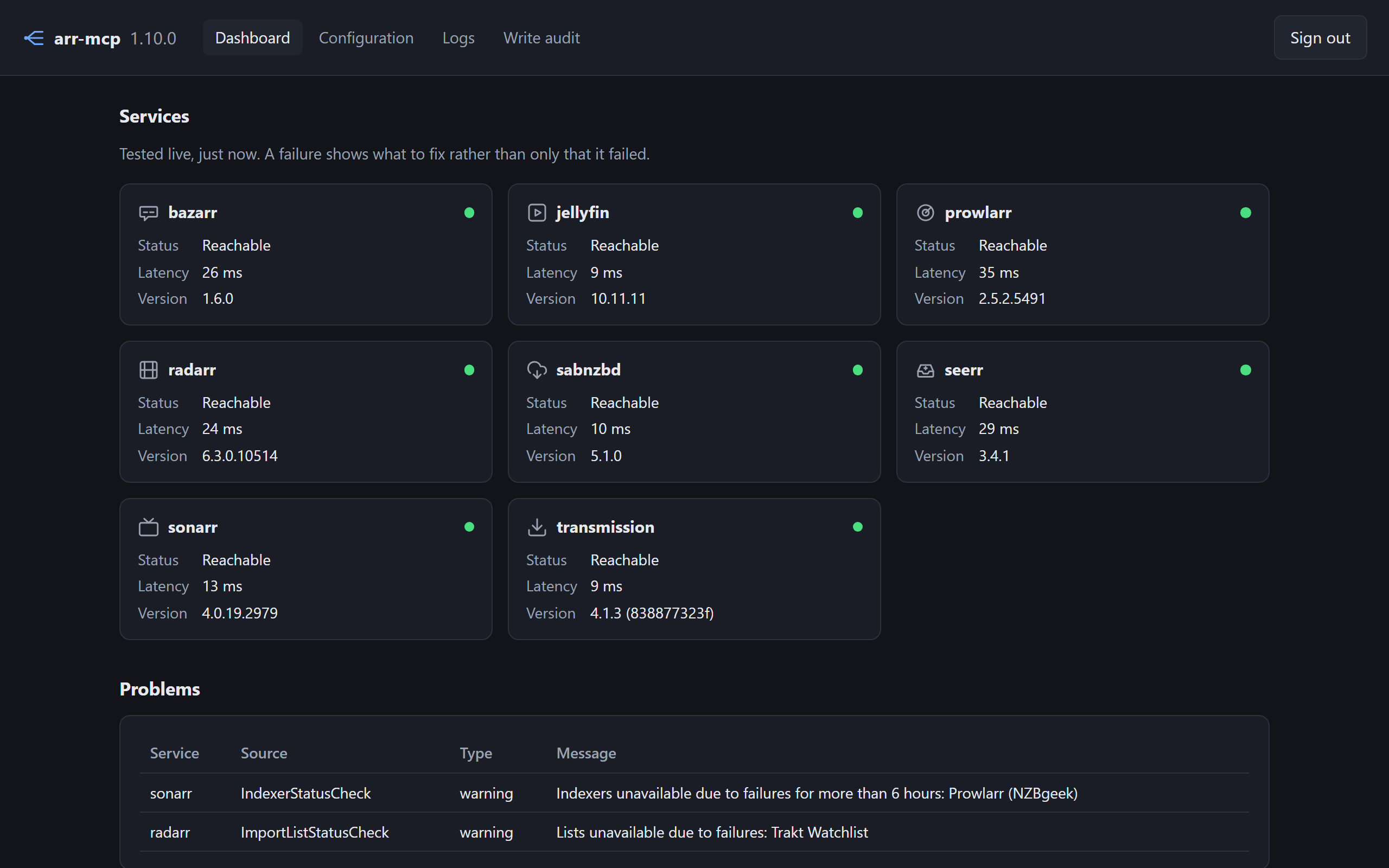
| 🖥️ A config page that diagnoses | Add services from a browser, see what is broken and what to do about it, read the logs and the write audit. No YAML required. |
| 📚 Twenty-four tools, one vocabulary | Every list pages the same way, every error names the config key that would fix it, every write takes ids rather than titles. |
Nothing else in this space does the last four at all.
Quick start — about two minutes
Also in the repo as docker-compose.example.yml.
On Unraid, use unraid/arr-mcp.xml instead — a
Community Applications template with the appdata path and 99:100 ownership
already set. It is not listed in CA yet, so for now drop it into/boot/config/plugins/dockerMan/templates-user/ and pick it from the template
list under Add Container. Steps 1 to 3 below are the same once it starts.
services:
  arr-mcp:
    image: ghcr.io/bardesss/arr-mcp:latest
    container_name: arr-mcp
    ports:
      - 6060:6060
    volumes:
      - ./config:/config
    environment:
      - PUID=1000
      - PGID=1000
      - TZ=Europe/Amsterdam
    restart: unless-stopped
1. Open http://<host>:6060 — the bare host, no path. Nothing to read out
of the container log.
2. Claim it. The first page is a setup form rather than a sign-in: choose a
username and a password of at least 12 characters.
[!IMPORTANT]
Do this before exposing the port. Until it is claimed, whoever loads that
page first owns the instance — and it holds every service's API key.
3. Add your services — Add a service, paste its URL and API key (or, for
Transmission and qBittorrent, its username and password), save. It applies immediately; there is
no restart. Configure only what you run.
Your MCP client goes to http://<host>:6060/mcp with the bearer token shown on
the dashboard. A client that can only be given a URL, not a header, can carry
the token as ?token= instead — seeallow_token_in_url. Everything
the UI does is still just config.yaml, and editing that by hand remains
supported. Clients that read the
MCP Registry find it there asio.github.bardesss/arr-mcp.
Works with whatever you point at it. A client asking forAccept: application/json — or sending no Accept at all — gets one JSON object
back with a Content-Length, rather than a refusal for not also namingtext/event-stream. A client that does accept a stream still gets one. Even a
refusal is JSON. So a plain curl works as-is, and so does a full MCP client.
Image tags are X.Y.Z, X.Y, X and latest, plus main for bleeding edge.
Pin a minor — :1.6 — if you would rather approve each new tool surface
yourself. Images are published for amd64 and arm64, so a Raspberry Pi or an
ARM NAS runs the same build as everything else.
What you can ask it
Twenty-four tools, but you never name them — you ask, and the model picks:
"What's downloading right now, and is anything stuck?"
"What aired this week that I haven't watched?"
"Which of my indexers are failing, and what did they say?"
"Find me something highly rated from 1994 I don't already have."
"Go and find Dutch subtitles for the film that just landed."
"Unmonitor season 5 and delete its files." — previewed first, always.
Documentation
| Tools | All twenty-four, what each answers, and the fields whose meaning is not obvious |
| Writes | Turning them on, the two tiers, and the preview-and-confirm handshake |
| Configuration | config.yaml, several Radarrs, Jellyfin's default_user |
| Config UI | The four pages, and what each does that is not obvious |
| IMDb ratings | The only way to get an IMDb score for a series, and what it costs |
| Security | The threat model, walked against the OWASP MCP Top 10, including what it does not solve |
| Contributing | Which services qualify, how to add an adapter, and the rules an AI agent tends to break |
Requirements
- At least one supported service, LAN-reachable: Radarr 4.0+, Sonarr 4.0+,
Prowlarr 1.0+, Bazarr 1.4+, Jellyfin 10.8+, Seerr 1.0+, SABnzbd 3.0+,
Transmission 3.0+, qBittorrent 4.1+ - Docker, or Node 24+ to run from source
- An MCP client speaking protocol revision
2026-07-28
Since 1.0 the tool surface is the public API: renaming or removing a tool, a
parameter or a response field is a major, because that break is silent — a
model stops finding a renamed tool rather than raising an error.
Contributing
Contributions are welcome, and new service adapters most of all — Lidarr,
qBittorrent, Emby, Plex and Deluge would all be accepted today, and
the list says so in advance,
along with the ones that would not be. An adapter is deliberately the most
self-contained thing in the codebase. Two things to know first: not every
service qualifies, and the bar is written down rather than decided per pull
request — which services qualify. And
I cannot test a service I do not run, so the second bar is that you tested
it against your own live instance and the PR says what you tested and against
which version.
Plex: I will write it, if you will test it. It is the most-deployed media
server arr-mcp cannot talk to, and the only thing blocking it is that nobody
here runs Plex — an adapter that cannot be exercised against a real library
before it ships is a bug report waiting to be filed. If you run Plex and are
willing to test builds against it and report back,
say so in an issue. There is one design constraint
worth reading first: it has to work from an operator-supplied token against your
own server, never through plex.tv —
why, and what else is on the list.
AI-assisted contributions are welcome, held to the same bar and no other;
arr-mcp is itself built with a coding agent. Point yours at
CONTRIBUTING.md.
Missing a tool? Open an issue describing the
question you could not get answered rather than the tool you think should
exist — at twenty-four tools the answer is usually a new parameter on one that
already exists.
Security
arr-mcp is not designed to be exposed to the internet. The /mcp endpoint
requires a bearer token because "LAN-only" is a network assumption rather than a
security control — it fronts every service credential you configure and, once enabled, file
deletion, and a home network contains guest phones and IoT devices. Put it
behind a reverse proxy with TLS if it needs to leave the LAN, and pinallowed_hosts if you do.
Beyond the network: writes are off until you enable them, every write is
previewed and confirmed before it acts, and everything a service returns is
fenced as data rather than instruction. Security walks all
of it against the OWASP MCP Top 10 — and is equally explicit about what it does
not solve. Found something? SECURITY.md.
Thanks
arr-mcp is glue; the hard parts belong to other people. Every service it speaks
to is free software maintained largely by volunteers — Radarr,
Sonarr, Prowlarr,
Bazarr, Jellyfin,
Seerr, SABnzbd,
Transmission, qBittorrent — as are the libraries it is built
on: MCP TypeScript SDK,
Hono, Zod, Pino,
Vitest, yaml and
TypeScript. If you find arr-mcp useful,
consider supporting them first.
When you enable the IMDb dataset: information courtesy of
IMDb, used with permission, for personal and
non-commercial use.
Licence
Reviews (0)
Sign in to leave a review.
Leave a reviewNo results found