ai-native-sdlc
Health Gecti
- License — License: MIT
- Description — Repository has a description
- Active repo — Last push 0 days ago
- Community trust — 14 GitHub stars
Code Gecti
- Code scan — Scanned 9 files during light audit, no dangerous patterns found
Permissions Gecti
- Permissions — No dangerous permissions requested
Bu listing icin henuz AI raporu yok.
Reusable Codex + Claude Code skill and plugin implementing Anthropic's AI-Native SDLC: Plan → Design → Build → Test → Deploy → Maintain, with human approval gates at every handoff.
AI-Native SDLC — reusable workflow repo
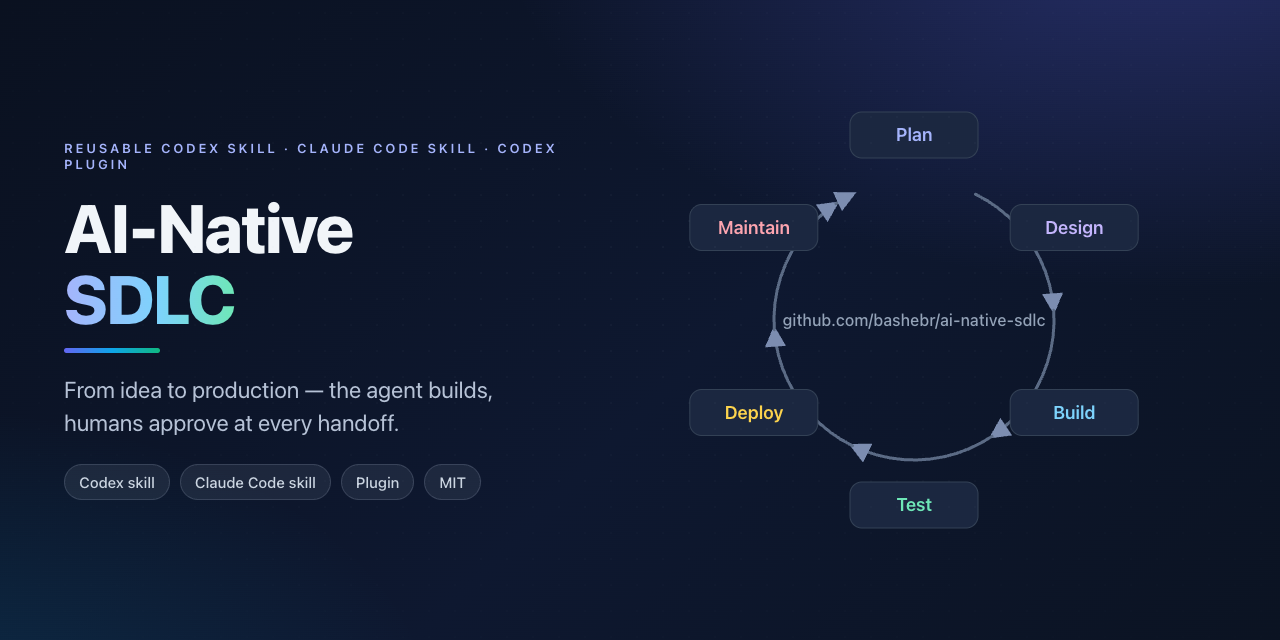
A ready-to-inherit implementation of Anthropic's AI-Native SDLC playbook: give your coding agent a goal or idea, and it scaffolds and drives the project through the full lifecycle — planning, design, build, test, deploy, and maintain — with human approval gates at every handoff.
This repo is three things at once:
- A Codex skill at
skills/ai-native-sdlc/, installable into~/.codex/skills. - A Claude Code skill — the same folder, installable into
~/.claude/skills. - A Codex plugin (
.codex-plugin/plugin.jsonat the repo root) that bundles the skill, so teams can publish or fork it as their workflow baseline.
Learn more: Phase-by-phase playbook · Staged adoption guide · Workflow as a directed graph · Worked example
What this is about
Writing code is no longer the bottleneck — agents produce it in hours. The bottleneck moved to the process around the code: planning, review, deployment, and governance still run at human speed and human scale. This repo reworks the SDLC so those stages keep up with the build. The loop is Plan → Design → Build → Test → Deploy → Maintain; every stage ends by committing a versioned artifact the next stage reads, human judgment concentrates at gates instead of line-by-line review, guardrails run as deterministic hooks rather than habits, and continuous evals replace stage-gate QA. The operating principle, in one sentence: the agent can do everything up to the production gate, but never crosses it.
Graph engineering
The loop is a directed graph, not a linear pipeline. Plays and artifacts are nodes, gates are human approval points, and triggers are the edges that fire the next stage: an accepted intent fires Design, an approved spec fires plan mode, a merged PR fires the pipeline, and a breached control band writes the next intent. Treating the workflow as a graph makes it automatable, parallelizable (independent branches run in separate worktrees), and auditable (node history is the record). The plays also form a separate adoption graph — start at the leaf plays (capture intent, CLAUDE.md, feedback loop, hooks, plan mode) and build outward. The machine-readable form is skills/ai-native-sdlc/assets/workflow-graph.example.yaml; full detail in skills/ai-native-sdlc/references/graph.md.
The workflow
Plan → Design → Build → Test → Deploy → Maintain
  ↑                                              │
  └────────────────── back to Plan ←─────────────┘
Each phase ends by committing a versioned artifact; the next phase starts by reading it:
| Phase | Artifact | Human gate |
|---|---|---|
| Plan | intent.md |
accepted → Design |
| Design | spec.md |
approved → Build |
| Build | plan.md → code + tests → PR |
plan approved before code; PR merged → Deploy |
| Test | eval results, regression evals | config changes that drop pass rate are reviewed |
| Deploy | authorized release | agentic review + explicit release authorization |
| Maintain | diagnosis → new intent.md |
on-call triage, then back to Plan |
The agent does the generation, verification, and mechanical work. Humans keep the judgment calls: the agent goes all the way to the production gate and never crosses it.
Framework mapping. The skill is framework-neutral: Claude Code calls repository memory CLAUDE.md and keeps skills in .claude/skills/; Codex calls it AGENTS.md and installs skills into ~/.codex/skills/. The templates, artifacts, and scaffold script are the same either way.
Install
As a Codex skill
mkdir -p ~/.codex/skills
cp -R skills/ai-native-sdlc ~/.codex/skills/
As a Claude Code skill
mkdir -p ~/.claude/skills
cp -R skills/ai-native-sdlc ~/.claude/skills/
As a Codex plugin
Clone or copy this repo to ~/plugins/ai-native-sdlc, then add it to your personal marketplace at ~/.agents/plugins/marketplace.json:
{
  "name": "personal",
  "interface": {
    "displayName": "Personal"
  },
  "plugins": [
    {
      "name": "ai-native-sdlc",
      "source": {
        "source": "local",
        "path": "./plugins/ai-native-sdlc"
      },
      "policy": {
        "installation": "AVAILABLE",
        "authentication": "ON_INSTALL"
      },
      "category": "Productivity"
    }
  ]
}
For a team, publish the repo and point a marketplace at it instead.
Installing the plugin also makes the bundled skill available, so you don't need to also copy it into ~/.codex/skills — choose one path.
Or inherit the repo directly
Fork it, keep the skill and templates, and drop in your organization's standards. The repo models the workflow it ships, so agents working inside it (via the root AGENTS.md) follow the same conventions.
Use it
Start a new project:
python3 skills/ai-native-sdlc/scripts/init_workflow.py my-project --name "My idea"
Then tell your agent:
$ai-native-sdlc: I want to build an expense tracker. Start with the intent.
The agent interviews you until the idea is concrete, writes intent/intent.md, commits it, and asks you to accept. From there it moves through spec → plan → build → test → deploy, stopping at each approval gate, and finally wires up monitoring so the loop can close back into new intents.
Already have a project? Copy the templates into it:
cp skills/ai-native-sdlc/assets/{intent.md,spec.md,plan.md,CLAUDE.md,REVIEW.md,bands.yaml} .
cp skills/ai-native-sdlc/assets/production-gate.sh hooks/
Examples
The examples/ folder contains a worked project — the expense-tracker idea from this README — showing what intent.md, spec.md, plan.md, CLAUDE.md, and the workflow graph look like when filled in. Use them as reference for tone and structure, then scaffold your own blanks with the script above.
Customizing for your organization
- Standards as skills — encode brand, security, UX, and compliance policies as skills so Design and Build apply them consistently.
- Hooks as red lines — protected paths, secrets, and the release gate go in deterministic hooks, not prose.
production-gate.shblocks deploys without human authorization;hook-settings.example.jsonshows the wiring;managed-settings.example.jsonis the regulated-enterprise starting point. - Evals — collect 20–50 real tasks with expected outcomes; run them in CI on every config change and after every incident (
agent-evals.yml.example). - Review culture —
REVIEW.mdsets the passes (bugs, security, compliance), the evidence requirement, and the 5-nit cap. - CI/CD and autonomy tiers — agent triage runs non-interactively in the pipeline; dev is open, production needs a release manager; rollbacks are rehearsed.
- Monitoring —
bands.yamldefines the control bands; 1σ logs, 2σ diagnoses, 3σ proposes a fix or runbook and writes the diagnosis back as a new intent.
See skills/ai-native-sdlc/references/adoption.md for the staged rollout order.
Layout
.
├── .codex-plugin/plugin.json      # Codex plugin manifest (repo root is the plugin)
├── AGENTS.md                      # guidance for agents working in this repo
├── README.md
├── LICENSE
├── examples/
│   ├── README.md
│   └── expense-tracker/           # worked example: intent, spec, plan, CLAUDE.md, graph
└── skills/
    └── ai-native-sdlc/
        ├── SKILL.md               # skill entrypoint
        ├── agents/openai.yaml     # UI metadata
        ├── references/
        │   ├── playbook.md        # phase-by-phase procedures
        │   ├── adoption.md        # staged rollout + org customization
        │   └── graph.md           # the loop as a directed graph
        ├── assets/                # templates copied into target projects
        │   ├── intent.md
        │   ├── spec.md
        │   ├── plan.md
        │   ├── CLAUDE.md
        │   ├── REVIEW.md
        │   ├── bands.yaml
        │   ├── production-gate.sh
        │   ├── evals.example.md
        │   ├── workflow-graph.example.yaml
        │   ├── hook-settings.example.json
        │   ├── agent-evals.yml.example
        │   └── managed-settings.example.json
        └── scripts/
            └── init_workflow.py   # scaffolds the artifact skeleton
Attribution and license
Based on The AI-Native SDLC playbook by Anthropic's Applied AI team (2026). MIT licensed — see LICENSE.
Yorumlar (0)
Yorum birakmak icin giris yap.
Yorum birakSonuc bulunamadi