Faraday
Health Gecti
- License — License: NOASSERTION
- Description — Repository has a description
- Active repo — Last push 0 days ago
- Community trust — 15 GitHub stars
Code Basarisiz
- rm -rf — Recursive force deletion command in app/src/main/cpp/native/chroot-ng/tests/lib.sh
- rm -rf — Recursive force deletion command in app/src/main/cpp/native/chroot-ng/tests/m10_l2s_shell.sh
- rm -rf — Recursive force deletion command in app/src/main/cpp/native/chroot-ng/tests/m11_proc.sh
- rm -rf — Recursive force deletion command in app/src/main/cpp/native/chroot-ng/tests/m12_shm.sh
Permissions Gecti
- Permissions — No dangerous permissions requested
Bu listing icin henuz AI raporu yok.
Faraday, the on-device AI voice agent for Android. Gemma 4 runs entirely on your phone: real voice conversation, long-term memory, and tools. No cloud, no account, no API key.

Faraday
A private offline Android voice agent.
The conversation runs on your phone, including speech recognition, AI inference, and the spoken reply.




Built with




Download for Android · Watch the demo
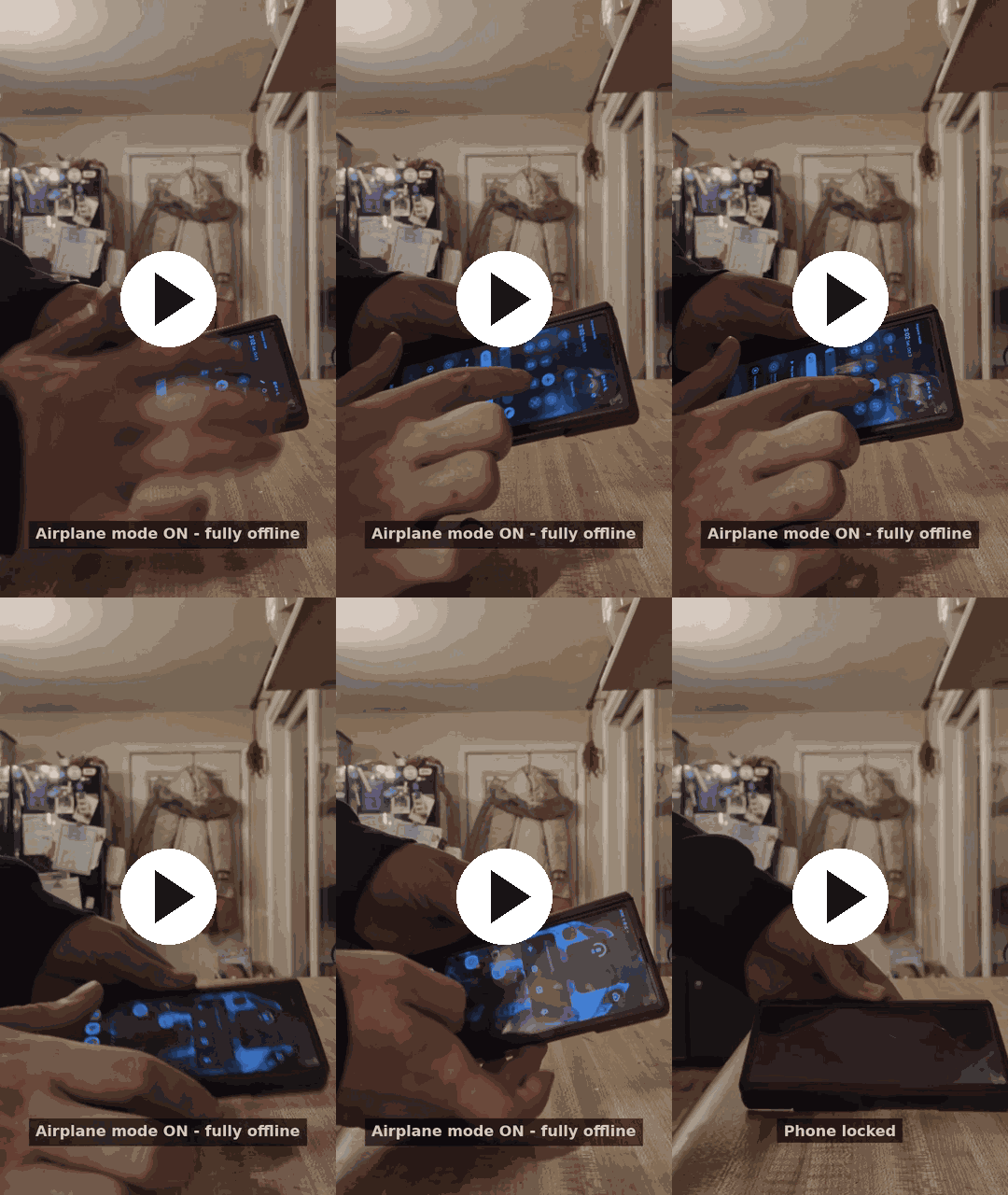
53 seconds: airplane mode, wake-word activation, and interrupting a spoken reply.
Table of contents- Performance
- Get started
- What you can do
- Capability comparison
- Roadmap
- Memory
- Privacy
- Documentation and contributing
- FAQ
- Acknowledgments
- License
Performance
Measured median response time
2.5 seconds from speech end to playback
Samsung Galaxy Z Fold 6 · Gemma E2B
Get started
You’ll need a phone running Android 11 or later and an internet connection for the initial downloads.
- Storage: Gemma E2B is about 2.6 GB and E4B about 3.7 GB, plus roughly 280 MB for speech models. Sizes vary by model and version. Installation also needs additional temporary space.
- RAM: We recommend 12 GB, matching the Samsung Galaxy Z Fold 6 used for testing.
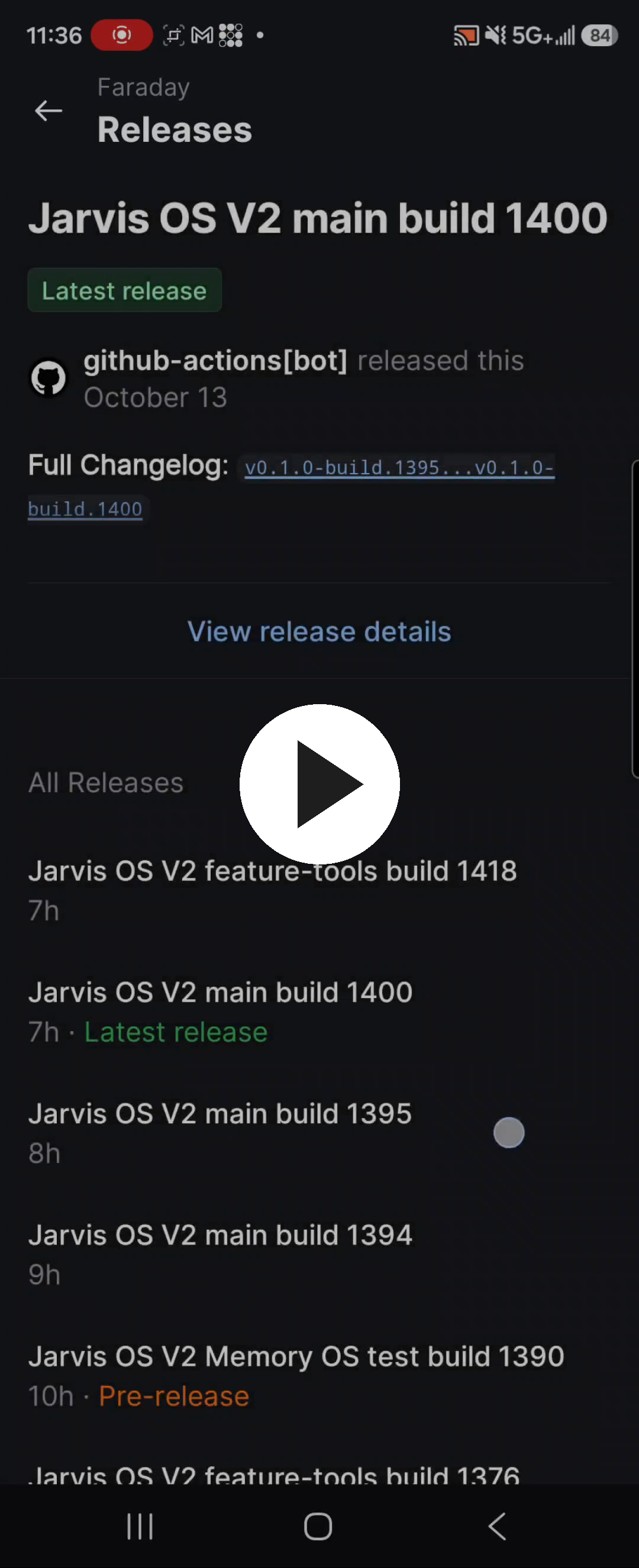
▶ Video (35 sec): from the releases page to tapping “Download selected model.” Click to watch.
- Download and install the APK from the releases page.
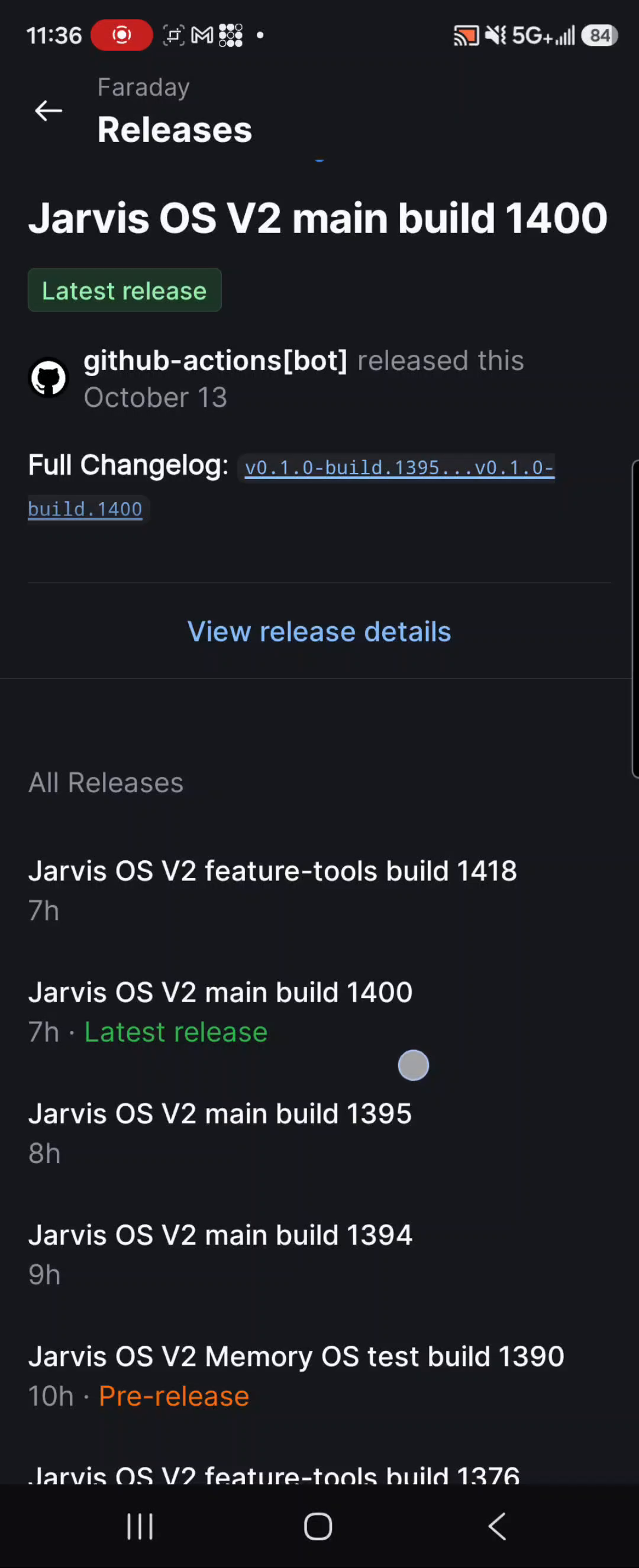
- Open the app, choose a Gemma model, and select “Download selected model and voice setup.”
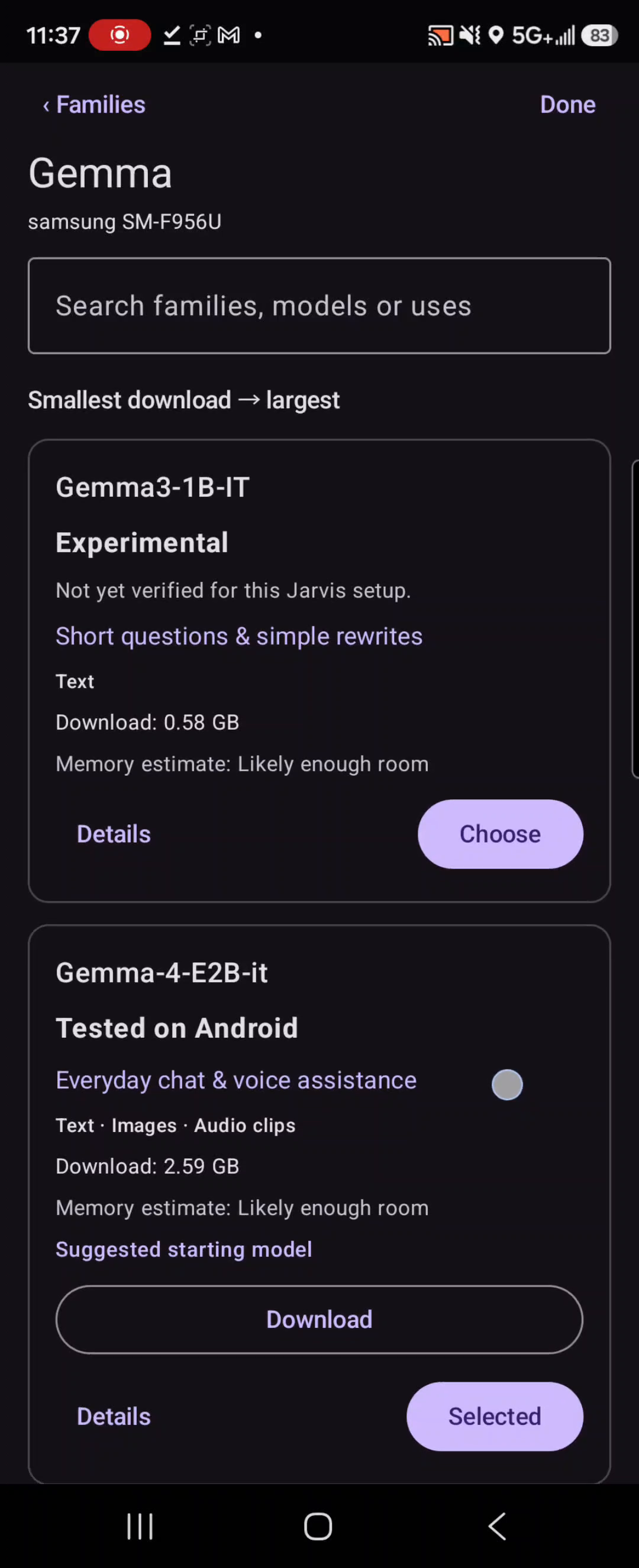
- When the downloads finish, select “Check selected model” and allow microphone access when prompted.
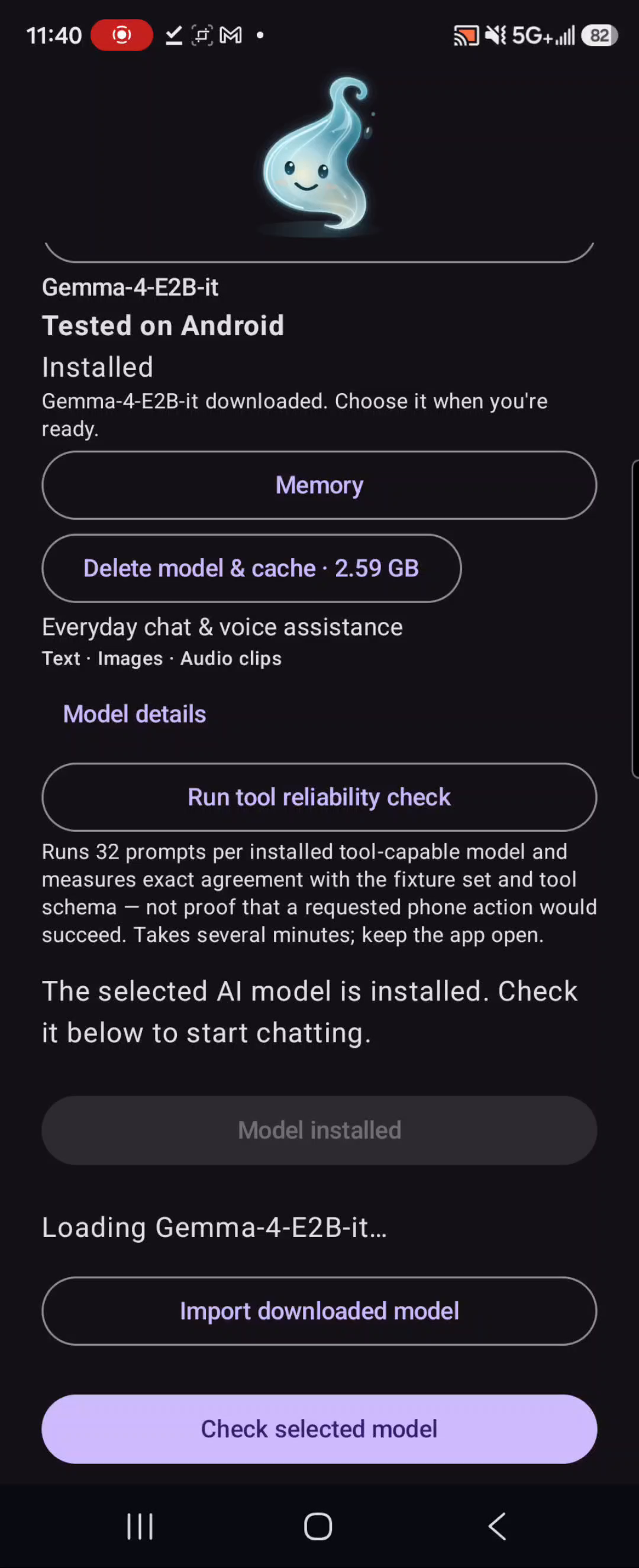
- Start a voice call. When wake-word listening is active, say “Hey Jarvis” and ask a question.
Note: “Hey Jarvis” is the default wake phrase for legacy reasons. Making it customizable — or updating it to “Hey Faraday” — is planned for an upcoming release.
For phone actions and natural speech interruption, select Speech recognition in voice settings.
What you can do
- Voice and text chat. Talk to Faraday hands-free or type your messages in the chat.
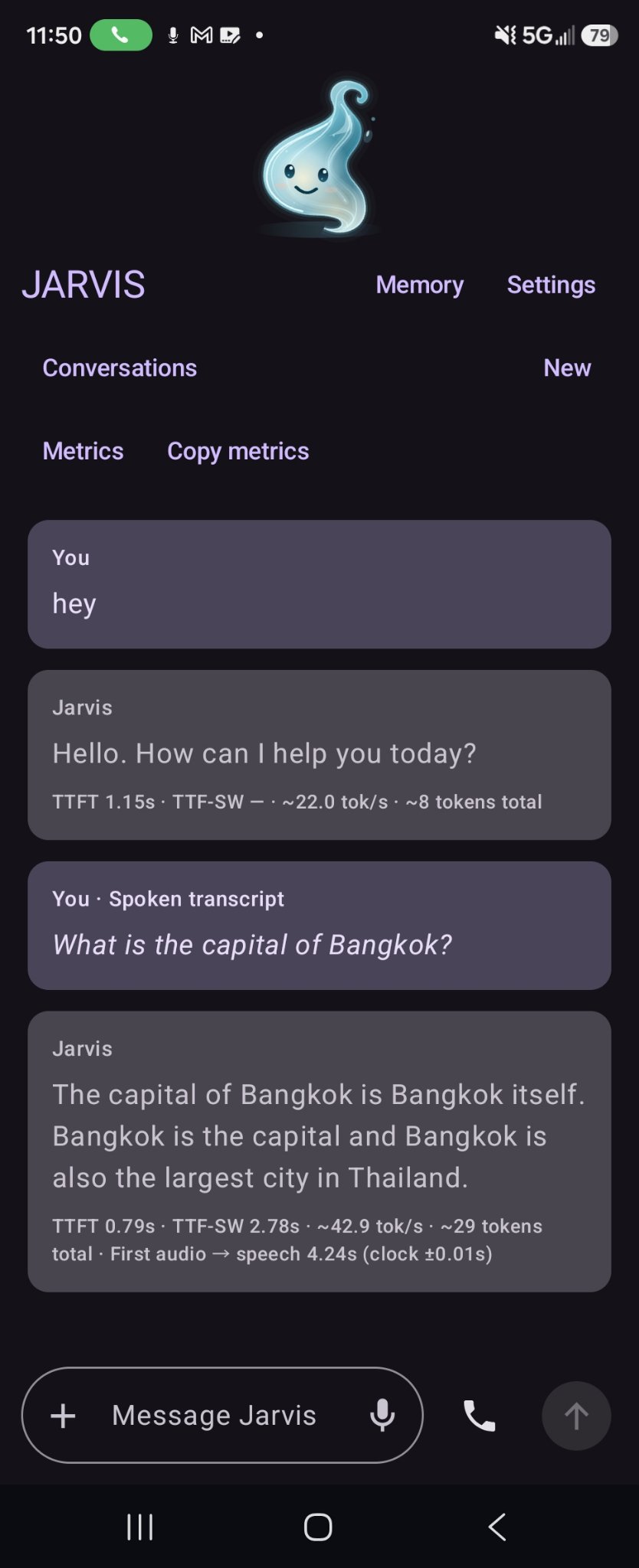
- Keep talking hands-free. Wake-word listening works with the screen off or another app open while the voice service is active.
- Full-duplex audio and barge-in. Faraday listens while it speaks, so you can interrupt a reply and redirect the conversation.
- Use phone actions. Check battery level, adjust media volume, open installed apps, and control media playback with play, pause, next, and previous.
- Use automatic memory. Faraday saves relevant information from your conversations automatically. Review, correct, or erase what it remembers.
- Manage your conversations. Return to saved chats, delete conversations, or start a private chat.
- See response timings. Open a reply’s measurements and export conversation metrics as JSON or CSV.
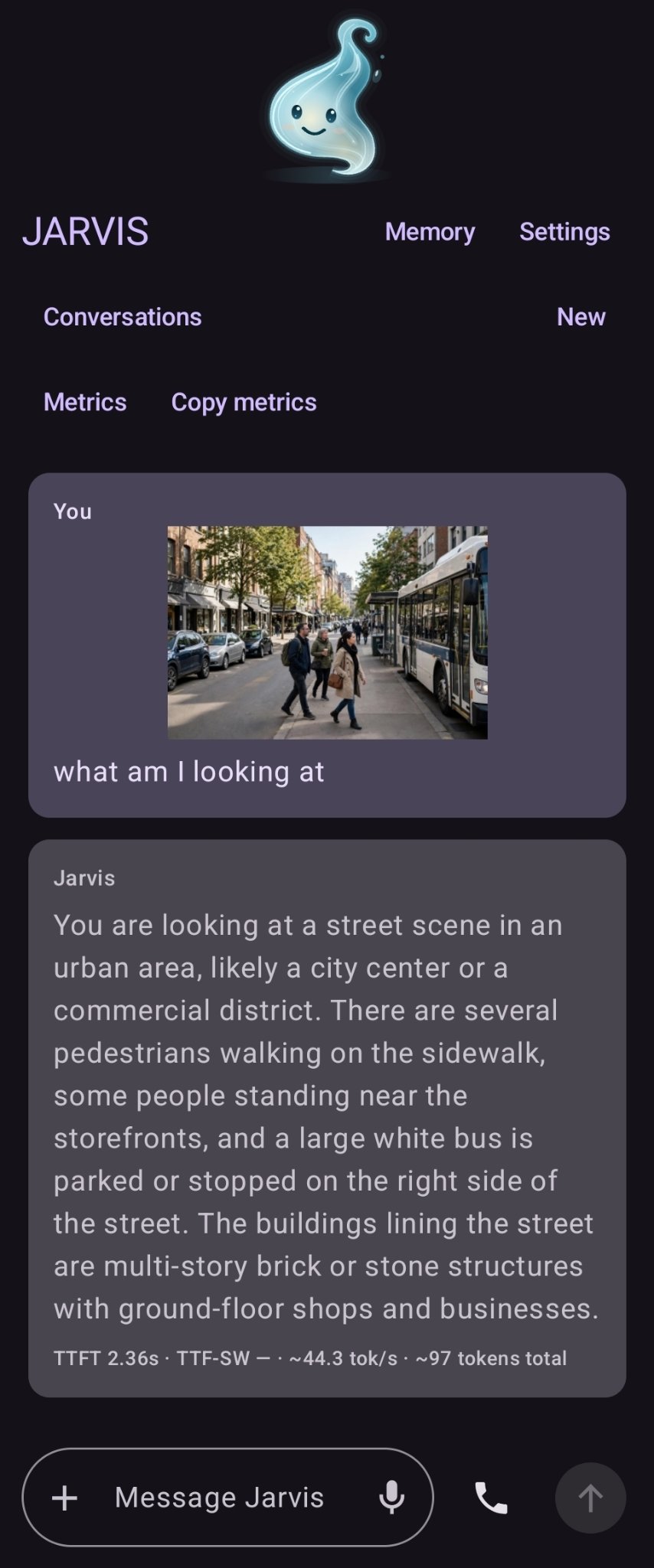
- Ask about photos. Send Faraday a picture and get a detailed on-device description.
Capability comparison
| Capability | Faraday | PocketPal AI | Off Grid AI Mobile | Google AI Edge Gallery |
|---|---|---|---|---|
| Local AI and model choice | Yes | Yes | Yes | Yes |
| Offline spoken conversation | Speech input and output | Spoken output; no built-in speech input found | Local speech input; Pro adds spoken output | Local audio input; no spoken-response loop found |
| Wake word while locked or in the background | Yes, while listening is active | Not found | Not found; background speech pauses | Not found |
| Speak over a reply to interrupt | Yes | Tap-to-stop speech | Spoken interruption unverified | Not found |
| Phone and media controls | Battery, volume, app launch, play/pause/next/previous | No phone/media controls found | Battery and device information | Flashlight, contacts, maps, calendar and settings actions |
| Automatic personal memory across chats | Yes, with an editable local memory wiki | Not found; saved chats and personas | Pro advertises persona memory; automatic capture unverified | Not found; saved sessions |
| Saved conversation history | Yes | Yes | Yes | Yes |
| Performance measurements | Voice-pipeline timings and exports | Generation timings and benchmarks | Generation timings | Inference metrics and benchmark CSV |
“Not found” means absent from the Android implementation reviewed, rather than an assumption based on the marketing page. This is a source-code comparison, not a new side-by-side device test.
Comparison sources and scopeReviewed October 13, 2026. Faraday entries cover main and the audited working branches, including the automatic-memory additions in the tools branch. Source branches can contain capabilities newer than a published APK.
- Faraday: wake-word listening, interruption during playback, phone and media actions, automatic memory, editable memory wiki, benchmark exports.
- PocketPal AI: project overview, Android manifest, speech output, tool registry, chat context, metrics.
- Off Grid AI Mobile: product and Pro features, project overview, voice settings, listening/speaking behavior, background behavior, tool registry, metrics. Pro advertises persona memory; automatic mobile capture was not verified from the available public implementation.
- Google AI Edge Gallery: project overview, audio recording, Android manifest, mobile actions, saved sessions, live metrics, benchmark CSV.
Roadmap
In testing now — working in development branches, heading for a release:
- On-device vision. Ask about photos, get descriptions and object counts.
- Automatic memory. Faraday remembers across conversations without being asked.
- Private chats and chat deletion. Keep a conversation off the record or remove one entirely.
- Audio-native tool calls. Use phone actions directly in Gemma voice mode: battery, schedule, notifications, app launch.
Coming next:
- Reminders and schedule management. Create reminders, view scheduled tasks, and receive notifications.
- Screen interaction. Let Faraday read screen content, tap controls, scroll, and enter text with the required permissions.
- Web browsing. Open and read pages, follow links, fill forms, and take over when you need to.
- Workflows. Schedule routines, review approvals, track progress, and cancel tasks.
- Service connections. Set up MCP connections, discover available tools, and manage their permissions.
Memory
Faraday can remember information across conversations automatically, without you having to ask it to save each detail. You can review what it remembers, make corrections, or erase it.
Privacy
Faraday runs entirely on your phone. Your voice, AI processing, conversations, and memories stay on the device during offline use. Once the models are downloaded, you can talk to Faraday in airplane mode with no internet connection.
When online, Faraday can look things up through Wikipedia or Wikidata, or open a website link you provide. Those requests send the search query or request to the relevant website. Any external services you choose to connect also receive the information needed to carry out your requests.
Documentation and contributing
The app uses Kotlin and Jetpack Compose, with Gemma through LiteRT-LM, Whisper for speech recognition, and Piper for speech output.
Found a problem or have an idea? Open an issue. For bugs, include your phone, Android version, app version, selected model, and steps to reproduce. Remove private conversation content before sharing logs.
FAQ
Why does Faraday need so much storage?
The AI models run entirely on your phone instead of a server. That's the tradeoff for offline privacy — the models live on your device.
Can I use a different wake phrase?
Not yet. "Hey Jarvis" is the default for legacy reasons; customizable wake phrases are planned.
Why does the app need microphone access?
For wake-word listening and voice input. All audio processing happens on-device.
Does always-on listening drain the battery?
Wake-word listening uses the phone's low-power audio path. Heavy use — long voice calls, frequent model inference — will use more battery, like any intensive app.
What happens to my data if I uninstall?
Everything is stored locally on your phone. Uninstalling removes your conversations, memories, and downloaded models. There's no cloud copy.
Acknowledgments
Faraday stands on the shoulders of giants:
- Gemma — Google's open models that power every conversation, running fully on-device
- LiteRT-LM — Google's on-device inference runtime that makes those models run on a phone
- Whisper — OpenAI's speech recognition for turning voice into text
- Piper — the text-to-speech voice you hear
- sherpa-onnx — the on-device speech toolkit behind Whisper recognition, Piper voices, and voice activity detection
License
Faraday is source-available under the PolyForm Noncommercial License 1.0.0. Commercial use requires permission. Model and dependency licenses apply separately.
Yorumlar (0)
Yorum birakmak icin giris yap.
Yorum birakSonuc bulunamadi