context-hub
Health Uyari
- License — License: MIT
- Description — Repository has a description
- Active repo — Last push 0 days ago
- Low visibility — Only 8 GitHub stars
Code Uyari
- process.env — Environment variable access in .github/workflows/release.yml
- fs module — File system access in .github/workflows/release.yml
Permissions Gecti
- Permissions — No dangerous permissions requested
Bu listing icin henuz AI raporu yok.
Local library for Claude Code and Codex skills, prompts, MCP servers, plugins, and environment variables. Desktop app, CLI, and local web UI; delivers each asset into the agent's own workspace or global directory.

Context Hub
One local hub for everything your AI coding agents read.
Context Hub keeps skills, MCP servers, plugins, prompts, and environment
variables in one place, then delivers each one into the agent's own workspace or
global directory. It runs as a desktop app, a standalone CLI, or a local web page.
Install: desktop builds and CLI binaries · from source







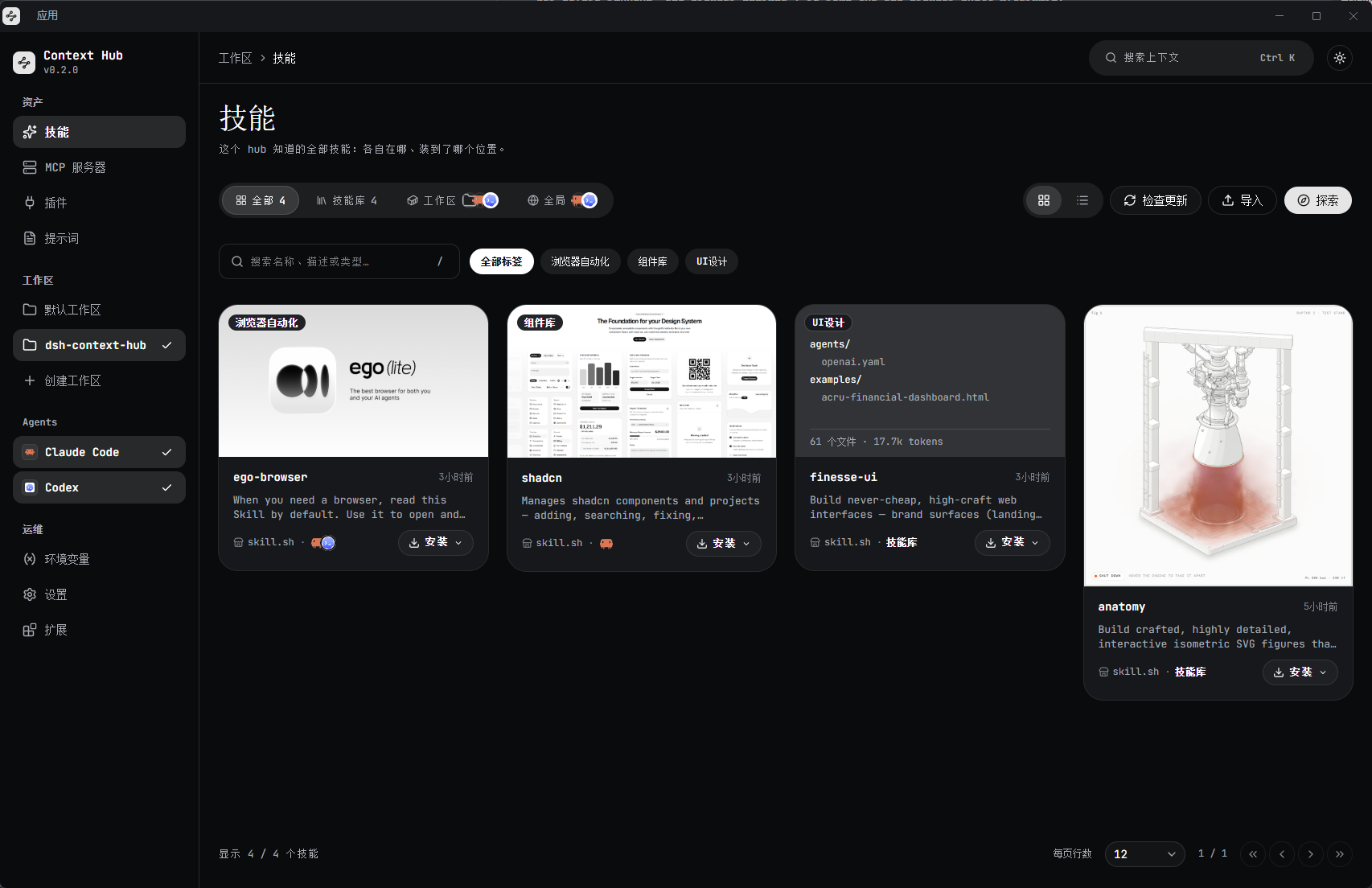
Why Context Hub?
Every agent keeps its own assets in its own places: skills in a workspace folder,
MCP servers in a JSON config, prompts in a commands directory, variables in a
shell profile. Add a second agent and the same asset has to be maintained twice.
Context Hub gives those assets one catalog and one install flow, while still
leaving every file where the agent expects to find it.
Screenshots
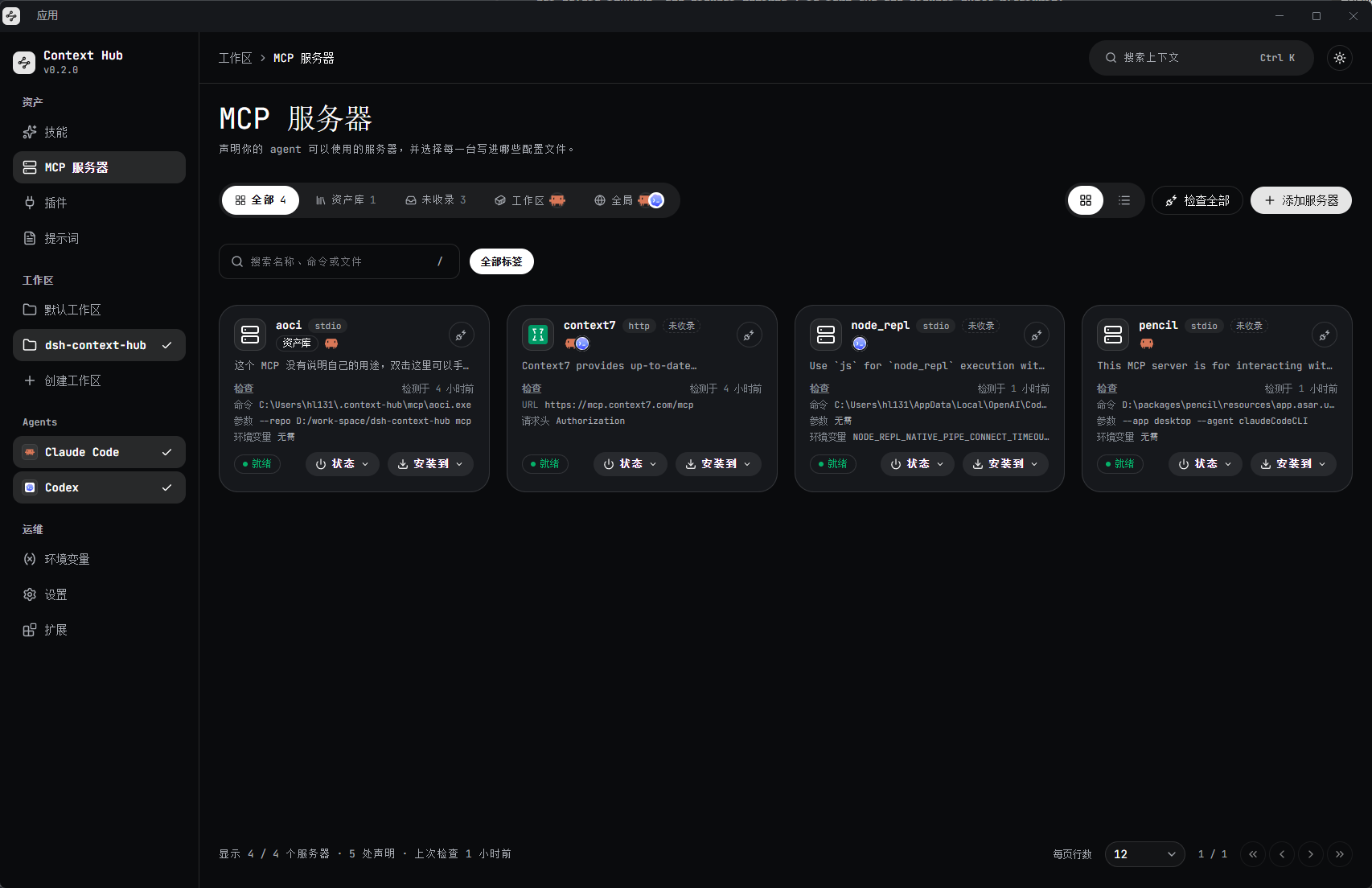
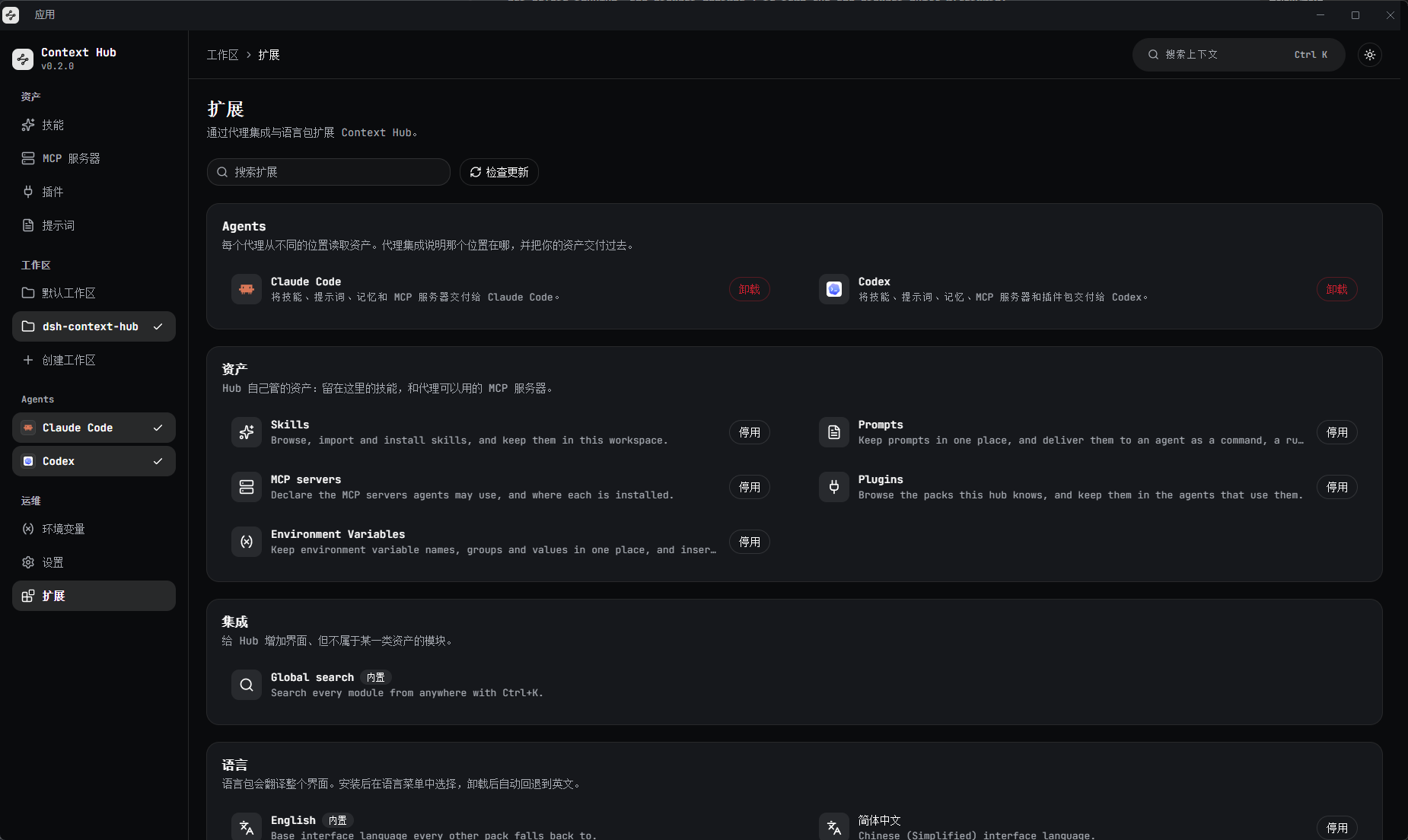
| MCP servers | Extensions |
|---|---|
 |
 |
Features
- One library for every asset: Skills, MCP servers, plugins, prompts, and
environment variables in a single local catalog. - Agent-native delivery: The Claude Code and Codex integrations, installed
from the extensions marketplace, deliver each asset into that agent's own
workspace or global directory; more agents arrive as extensions. - Declare once, use everywhere: MCP servers and prompts are written into
each agent's own config. MCP servers can be enabled or disabled per client;
prompts are installed or removed. - Desktop, CLI, or browser: One local hub powers the Electron app,
standalone binaries, and the built web page. - Extensible by design: Agent integrations, asset modules, search
providers, settings sections, and language packs are all plugins. - Global search: Press
Ctrl/Cmd+Kto search every module from anywhere. - Keeps itself current: Skills and plugin packs imported from a source
track their upstream; the desktop app updates itself from GitHub Releases. - Local-first and bilingual: Your assets stay in the agents' own
directories, and the UI ships in English and Simplified Chinese.
Install
Desktop app
Download the latest build from Releases:
| Platform | File |
|---|---|
| Windows x64 | Context-Hub-<version>-win-x64.exe |
| macOS (Apple Silicon) | Context-Hub-<version>-mac-arm64.dmg |
| Linux x64 | Context-Hub-<version>-linux-x86_64.AppImage |
[!NOTE]
The builds are not code-signed. Windows SmartScreen and macOS Gatekeeper will
warn on first launch. The macOS build is currently arm64 only.
Standalone CLI
Each binary embeds the hub and the page, so the CLI itself does not need
Node.js. Installing a skill from a package registry uses npx, so that one path
needs Node.js on the machine:
| Platform | File |
|---|---|
| Windows x64 | context-hub-windows-x64.exe |
| Linux x64 / arm64 | context-hub-linux-x64, context-hub-linux-arm64 |
| macOS Apple Silicon / Intel | context-hub-darwin-arm64, context-hub-darwin-x64 |
Run it and open the URL it prints:
./context-hub-linux-x64
# context hub server listening on http://127.0.0.1:...
The CLI accepts --port, --host, --folder, --home, and --static; run it
with --help for the full list.
From source
Node.js 20 or newer and pnpm 10.33.4 are required.
pnpm install
pnpm dev          # web app and desktop app together
pnpm dev:web      # the browser form only
pnpm dev:desktop  # the desktop shell only
Usage
- Choose your agents in the sidebar. Only the agents you select are read
and written. - Add a workspace: the folder of the project you are working on. The hub
reads each agent's workspace directories inside it. - Add assets: import a skill from a folder or a registry your plugins
provide, add an MCP server, install a plugin pack, write a prompt, or record
an environment variable. - Install to a place: skills, MCP servers, plugins, and prompts can be
delivered to a workspace or a global agent directory.
[!TIP]
PressCtrl/Cmd+Kto search skills, servers, packs, prompts, and variables
without leaving the page you are on.The hub keeps its library in
~/.context-hub. SetCONTEXT_HUB_HOMEto use a
different directory.
Supported agents
- Claude Code: install the integration from the Context Hub extensions marketplace; the integration declares which assets it accepts and where it writes them.
- Codex: install the integration from the same marketplace, under the same contract.
- More agents: arrive as marketplace extensions; Cursor and others are not done.
Development
pnpm dev                  # web + desktop, with HMR
pnpm build                # build every package (page + desktop bundles)
pnpm --filter web start   # serve the built form
pnpm build:cli            # build the CLI for five targets (needs bun)
pnpm build:desktop        # bundle the desktop main and preload processes
pnpm test                 # every package's tests in one process
pnpm lint                 # ESLint
pnpm typecheck            # tsc across the workspace
Desktop installers are built per platform:
pnpm --filter @context-hub/desktop package:win
pnpm --filter @context-hub/desktop package:mac
pnpm --filter @context-hub/desktop package:linux
The test suite writes real files, starts real HTTP listeners, and spawns a real
MCP server; one update test also clones a git repository, so git must be on
PATH.
The kernel is built on Cordis; the UI uses React 19, Vite, Tailwind CSS, and
shadcn/ui.
Documentation
- Building the distributable forms: CLI, desktop, release
versioning, and what can be verified locally. - Extensions: package layout, market index, local
development sources, and the trust model. - Releasing: the release workflow, in Chinese with
screenshots.
License
MIT. See LICENSE.
If this is useful, a star helps others find it.
Yorumlar (0)
Yorum birakmak icin giris yap.
Yorum birakSonuc bulunamadi