talking-avatar-video-skill
Health Warn
- License — License: MIT-0
- Description — Repository has a description
- Active repo — Last push 0 days ago
- Low visibility — Only 5 GitHub stars
Code Pass
- Code scan — Scanned 5 files during light audit, no dangerous patterns found
Permissions Pass
- Permissions — No dangerous permissions requested
No AI report is available for this listing yet.
Talking avatar video agent skill for Claude Code, Codex & OpenClaw: turn one portrait and a script or voice track into an AI presenter video for explainers, lessons, and product messages. 数字人口播视频 · 照片说话
Talking Avatar Video Skill
English | 简体中文
Turn one portrait and a short script into a talking avatar video, from inside Claude Code, Codex, or OpenClaw.
[!IMPORTANT]
Rendering needs a Beatra account and uses credits. The skill itself is free to install.
| Question | Answer |
|---|---|
| What it does | Turn one portrait and a short script or speech track into a directed talking-avatar video for explainers, announcements, lessons, and product messages. |
| Requirements | Python 3.10+ and an agent that loads SKILL.md |
| Cost | Free to install. Each render uses credits on your Beatra account, and paid steps run only when you ask for that exact render or approve its card. |
| Works with | Claude Code, Codex, OpenClaw |
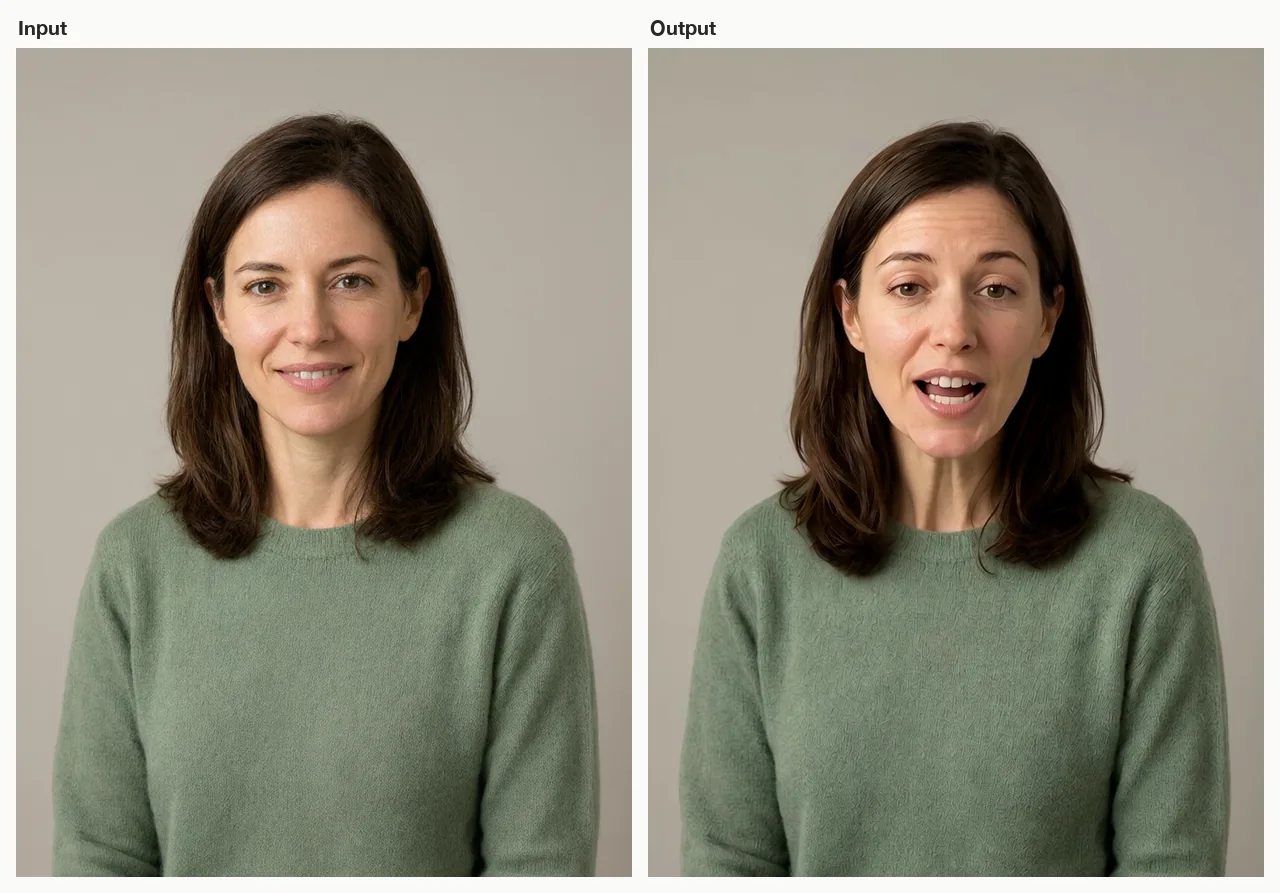
A fictional presenter portrait (left) and a frame from the talking-avatar clip it became (right), driven by a short synthesized English line. AI-generated with Beatra.
| Skill | Entry point | Version |
|---|---|---|
talking-avatar-video |
SKILL.md | 0.2.8 |
This repository is published automatically from beatra-ai/beatra-skills. Report issues there.
Install
With the skills CLI:
npx skills add beatra-ai/talking-avatar-video-skill
With the GitHub CLI:
gh skill install beatra-ai/talking-avatar-video-skill talking-avatar-video
Or clone this repository and copy skills/talking-avatar-video into ~/.claude/skills/ for Claude Code,~/.agents/skills/ for Codex, or ~/.openclaw/skills/ for OpenClaw.
Or paste this into your agent:
Install the talking-avatar-video skill from https://github.com/beatra-ai/talking-avatar-video-skill (folder skills/talking-avatar-video), then follow its SKILL.md to connect my Beatra account.
Examples

Full talking-avatar clip with voice: a fictional product educator says "Hi! In thirty seconds, I'll show you how our new planner app saves your mornings." AI-generated with Beatra.
Prompt:
A friendly presenter speaks directly to camera with a warm, natural delivery: steady eye line into the lens, restrained friendly expression, subtle natural head movement and occasional blinks, relaxed shoulders. Locked-off stable camera, plain studio background stays unchanged, same face, hair and green sweater throughout.
What you get
- Prepare the speech — Use a supplied speech track or turn a short script into reviewable narration before the video stage.
- Direct a credible shot — Keep expression, head movement, camera, and background restrained, then review identity and mouth timing honestly.
Use cases
- Product explainers — Present a short feature, offer, or launch message without a new camera shoot.
- Training and lessons — Deliver a compact onboarding point, course introduction, or internal update.
- Announcements and social — Turn a prepared message into a human-facing announcement or talking-head post.
FAQ
What do I need to start?
One portrait and either a supplied speech track or a short script plus a voice choice.
Can I use my own recorded audio?
Yes, when its type and length fit a currently supported video route.
How are lip sync and presenter consistency reviewed?
The speech drives facial motion, and the finished clip is reviewed for mouth timing, identity, voice clarity, and motion stability before choosing the most useful adjustment.
Updates and security
Since the 2026-10 release, this skill contains no self-updater: it runs only the
files you installed and never replaces them on its own. Update it with the tool
you installed it with — npx skills update talking-avatar-video or gh skill update talking-avatar-video.
Details: references/updates-and-security.md inside the skill.
License
MIT-0 — free to use, modify, and redistribute, including
commercially. No attribution required. Same terms as these skills carry on
ClawHub.
Reviews (0)
Sign in to leave a review.
Leave a reviewNo results found