creator-analytics
Health Warn
- License — License: MIT
- Description — Repository has a description
- Active repo — Last push 0 days ago
- Low visibility — Only 5 GitHub stars
Code Pass
- Code scan — Scanned 12 files during light audit, no dangerous patterns found
Permissions Pass
- Permissions — No dangerous permissions requested
No AI report is available for this listing yet.
Self-hosted archive for YouTube, TikTok, Instagram and LinkedIn analytics, with an MCP server for AI agents.
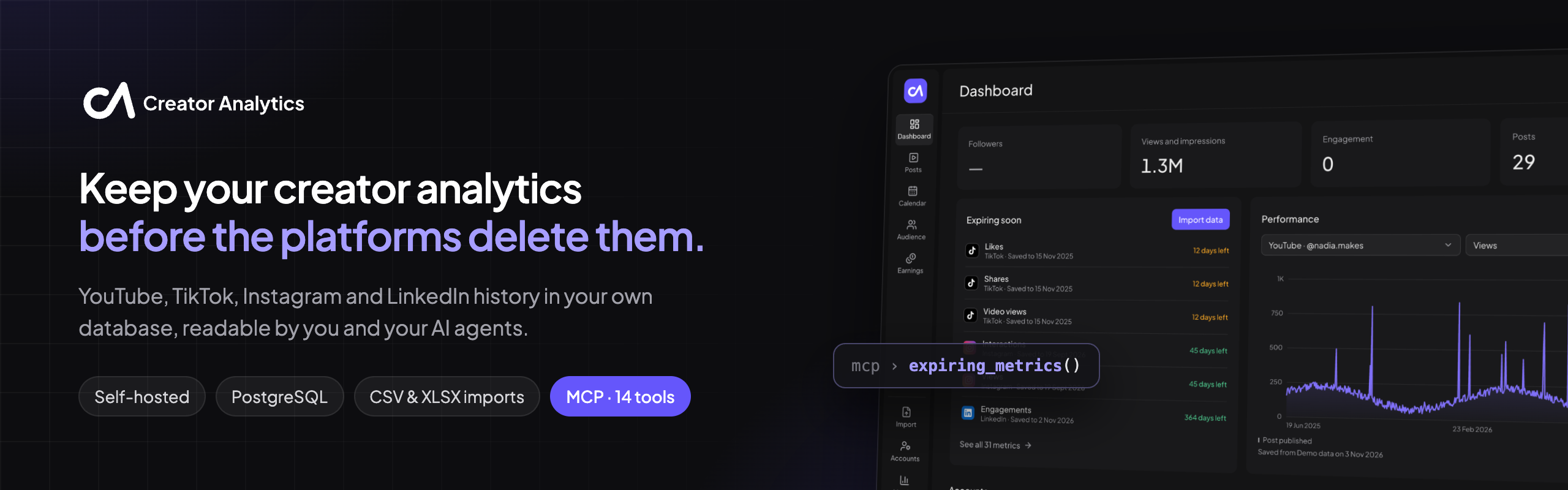





Creator Analytics is a self-hosted archive for creators' YouTube, TikTok, Instagram and LinkedIn analytics. It imports
the platforms' own CSV and XLSX exports into PostgreSQL, tells you which history each platform is about to delete, and
records where every number came from. A built-in MCP server lets AI clients such as
Claude and Codex read and update the same data, through the same business logic as the web app.
[!WARNING]
No authentication. Creator Analytics is a single-user app meant to run on your own machine. Anyone who can reach
the API can read and delete everything. See SECURITY.md.
UI preview
Screenshots of the web app running on the invented demo data from backend/scripts/seed_demo.py.
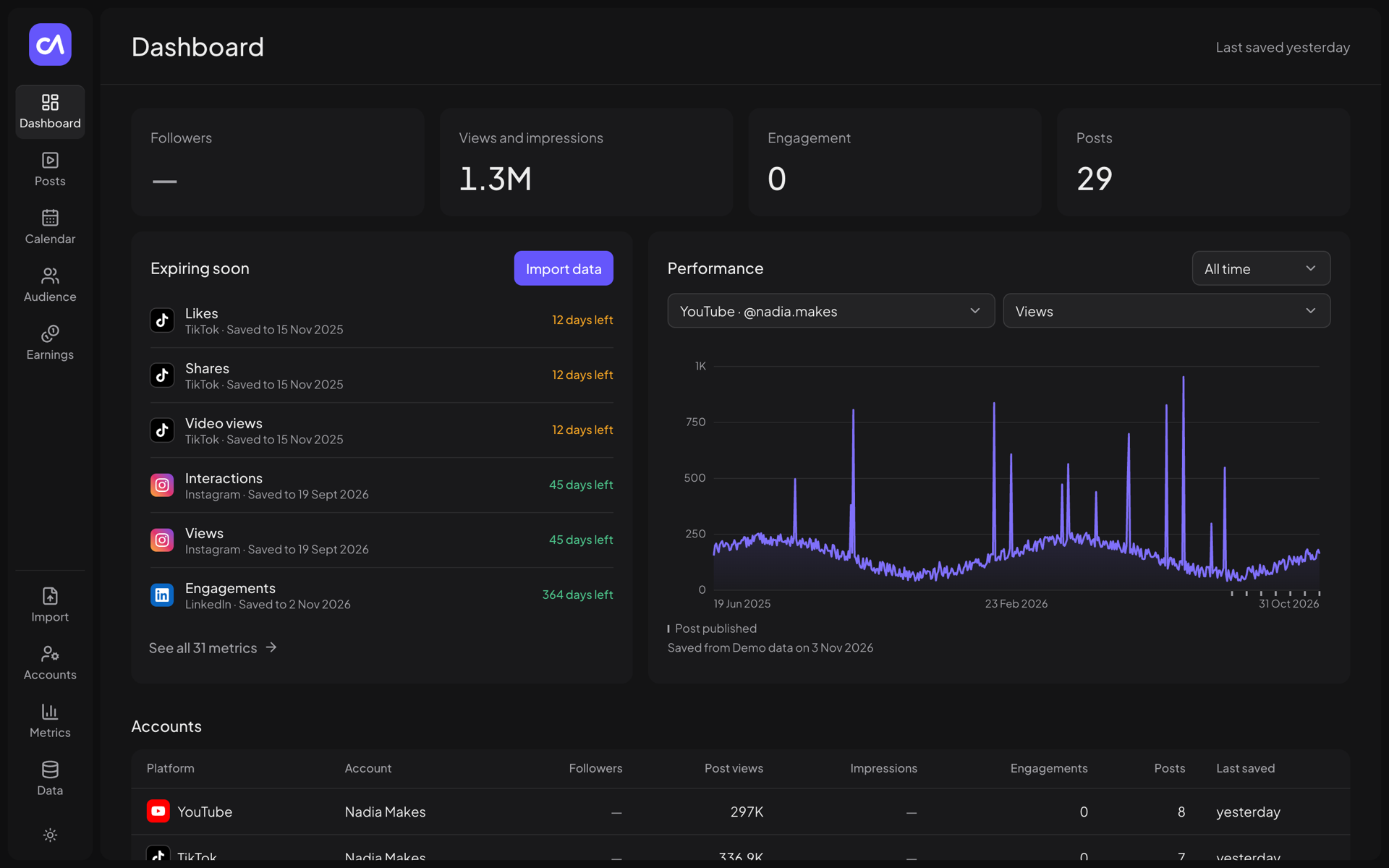 Dashboard: totals, metrics about to expire, performance chart with post markers |
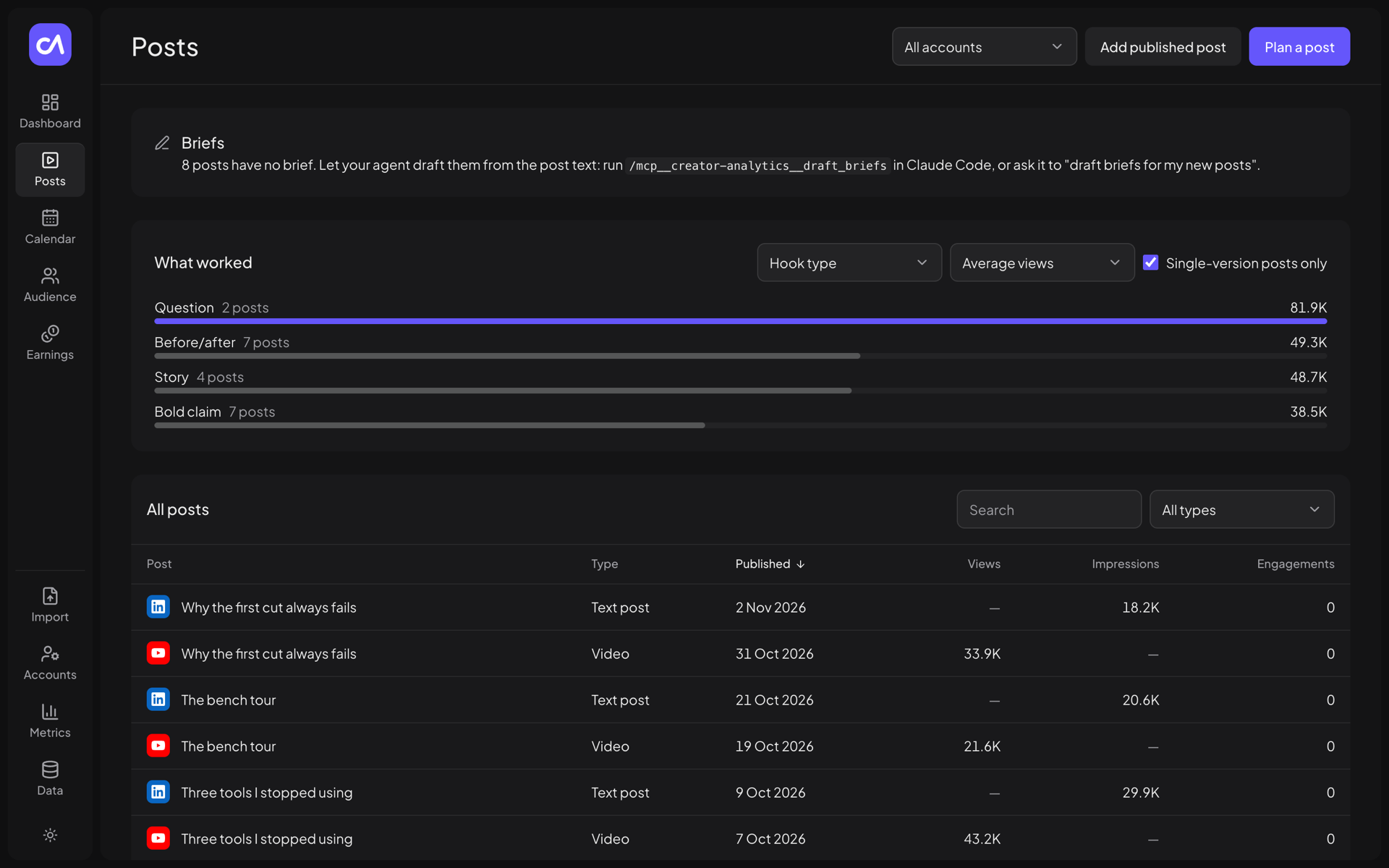 Posts: every post across platforms, and what worked per brief field |
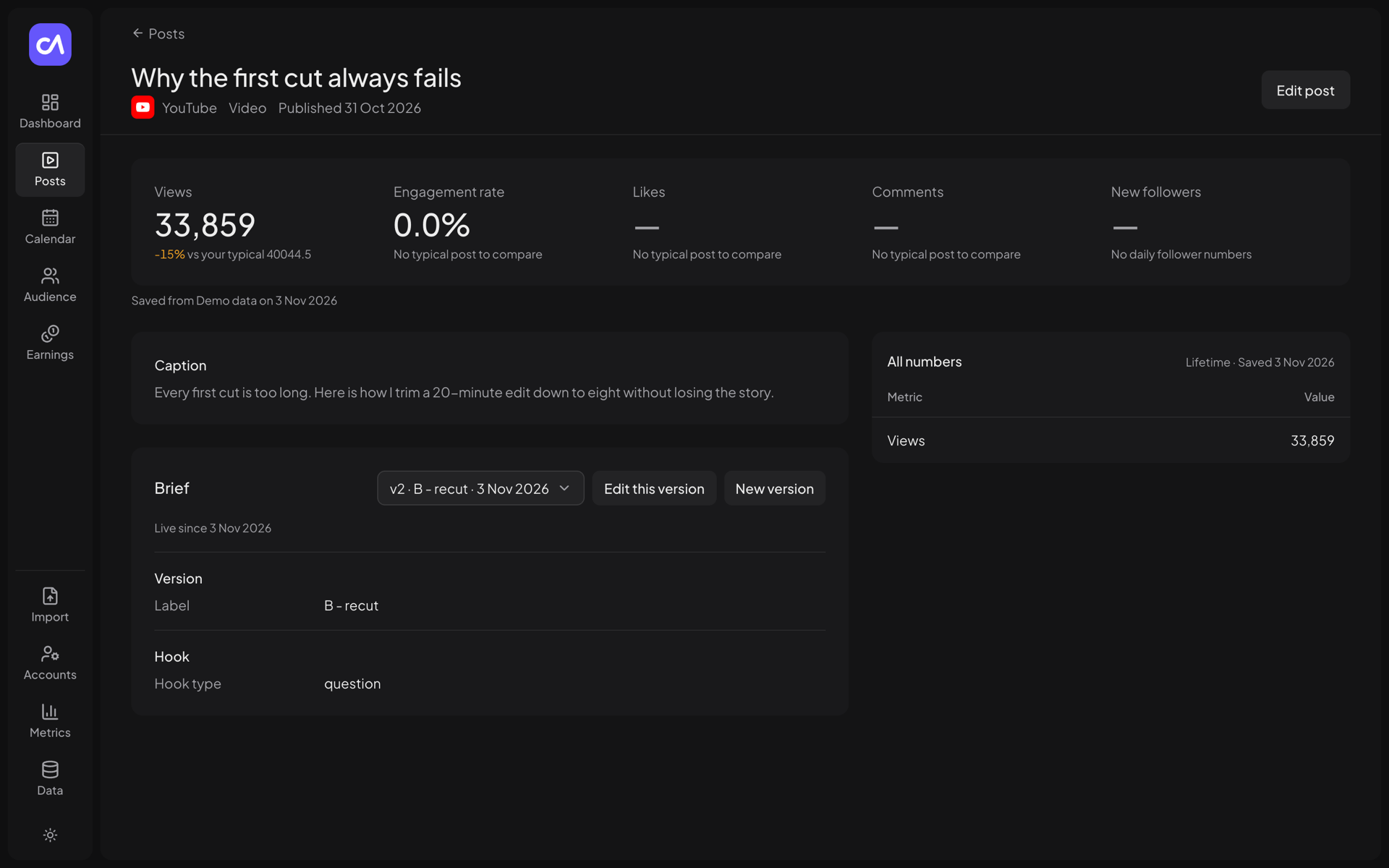 Post: numbers against your typical post, caption, versioned brief |
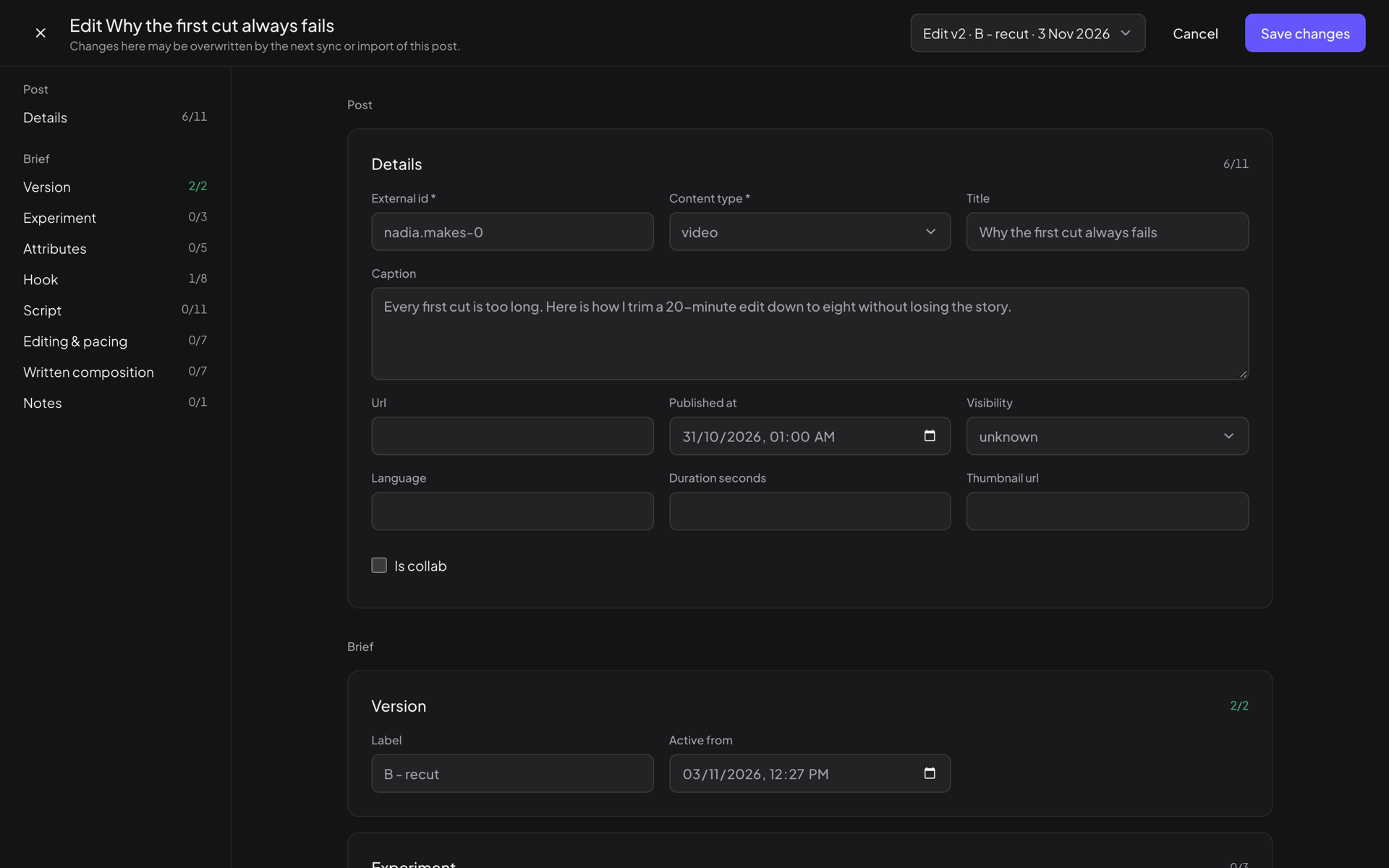 Post editor: post fields and the content brief, section by section |
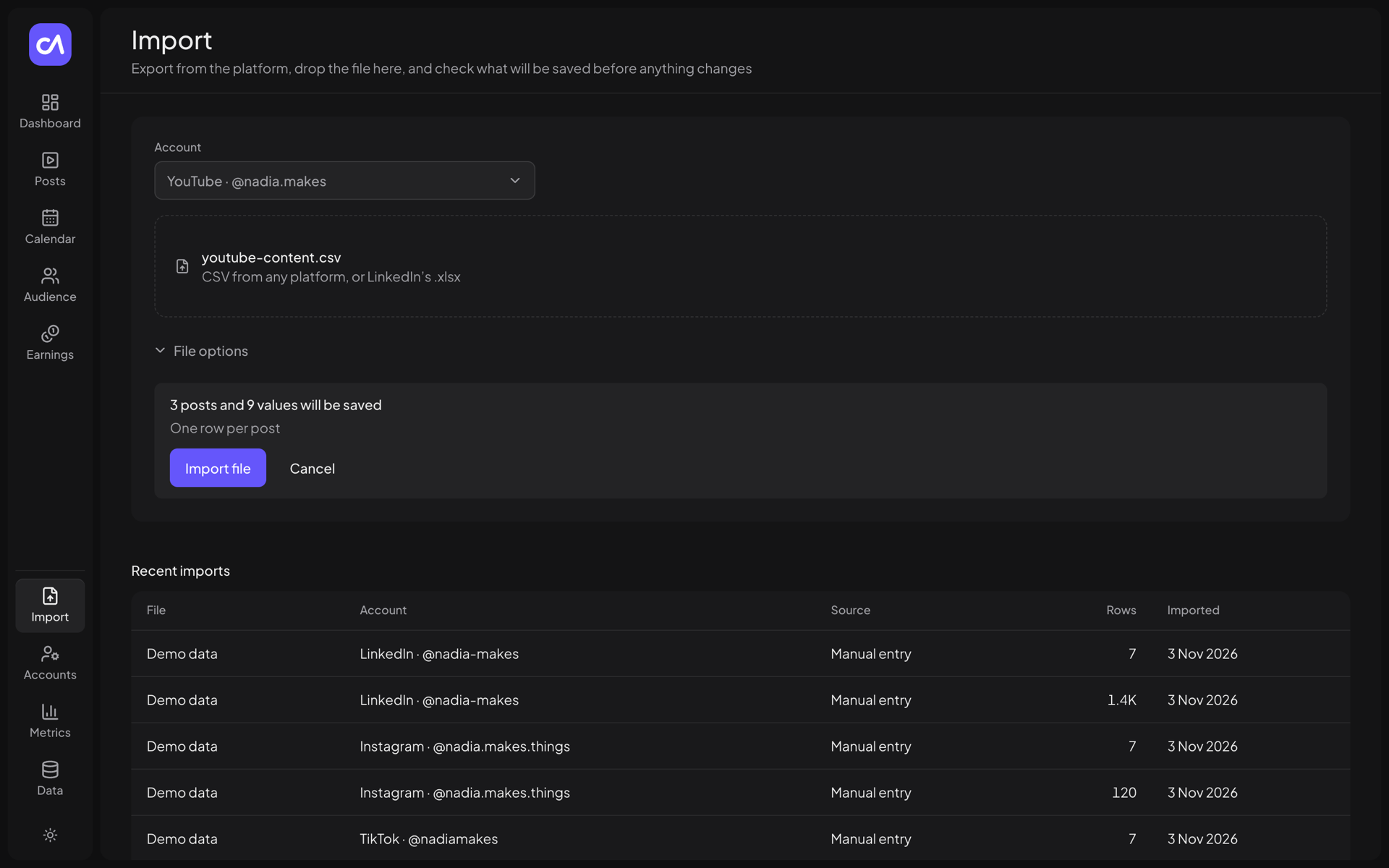 Import: exact dry run of an export before anything is saved |
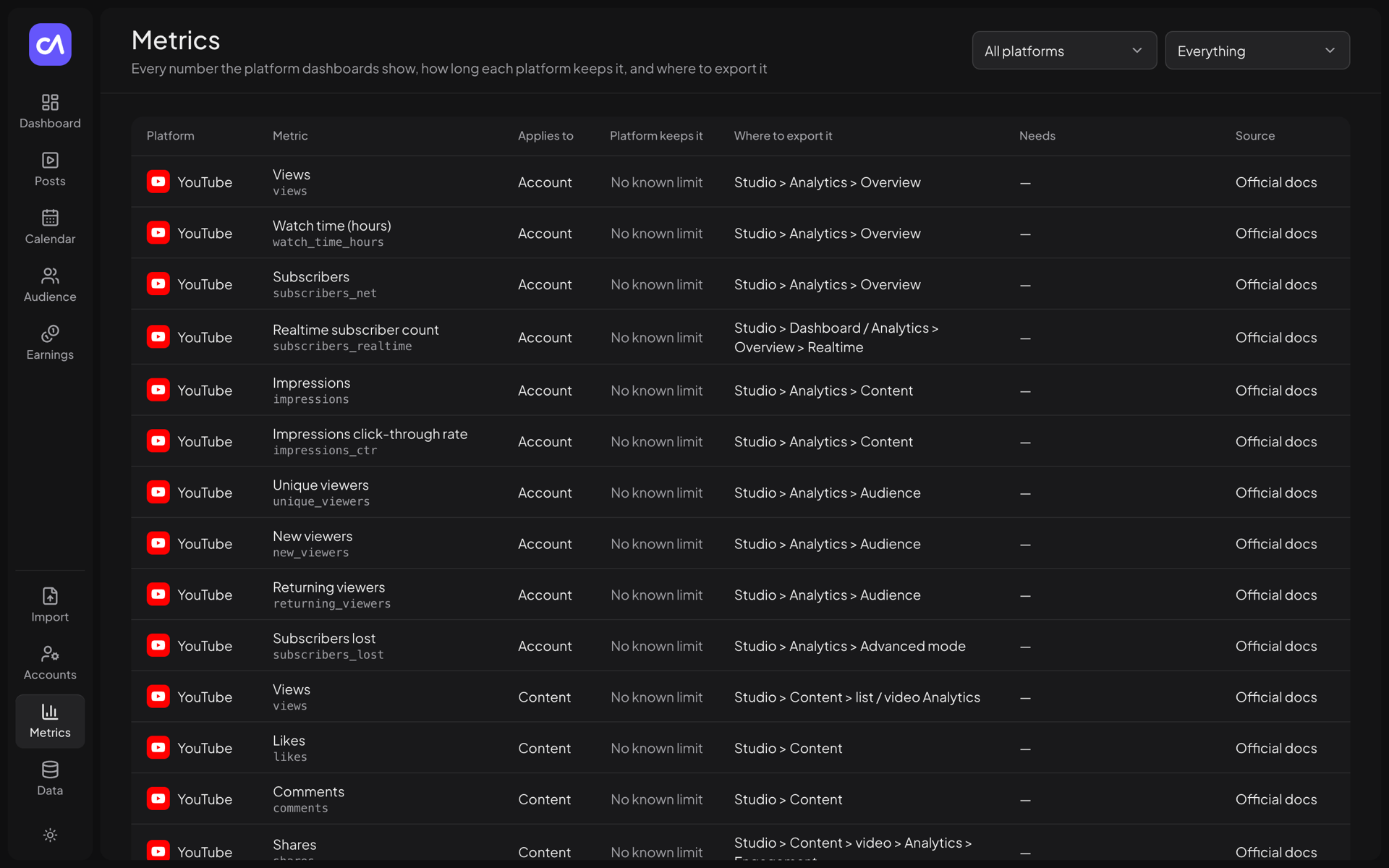 Metrics: how long each platform keeps a metric and where to export it |
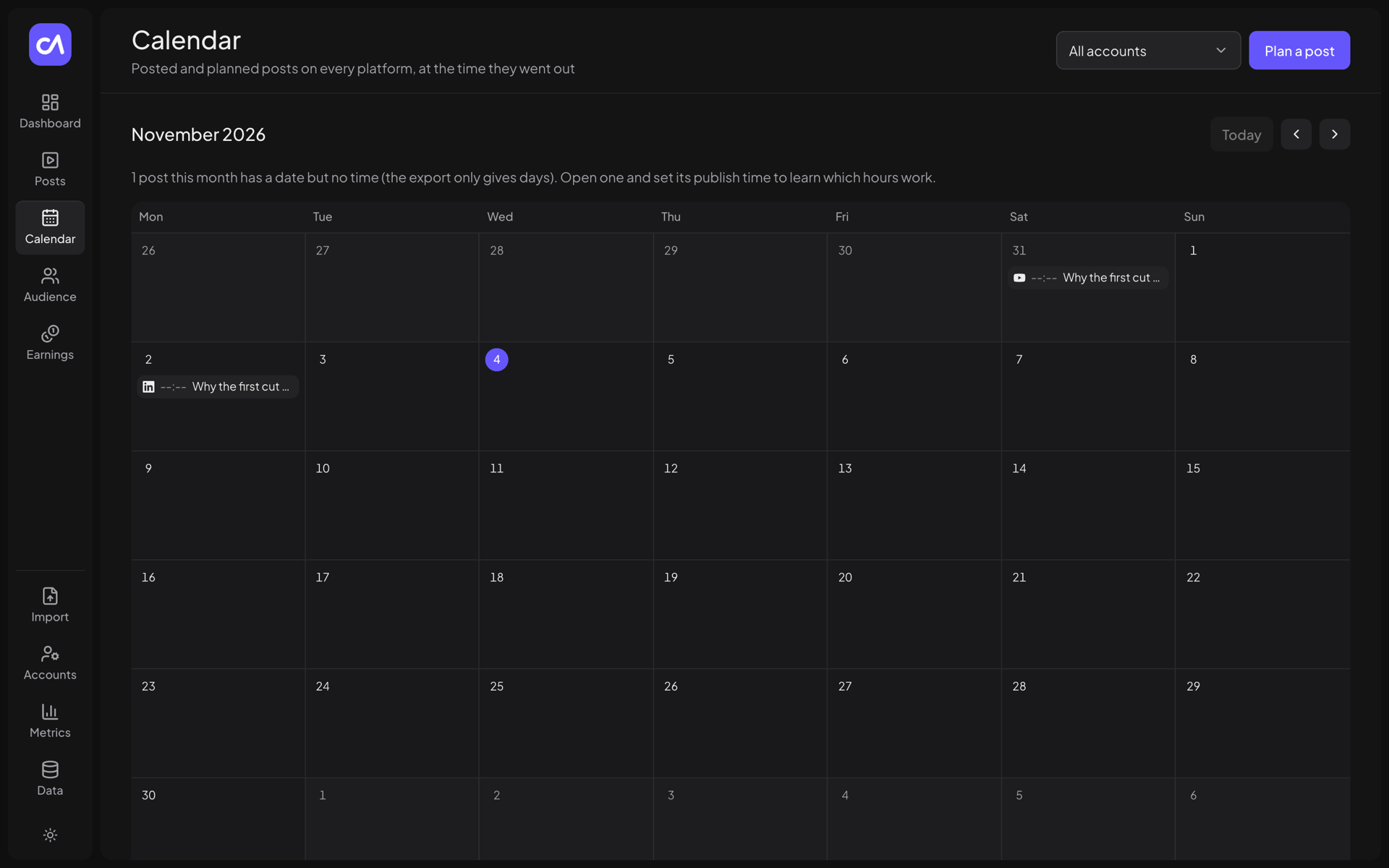 Calendar: published and planned posts on every platform |
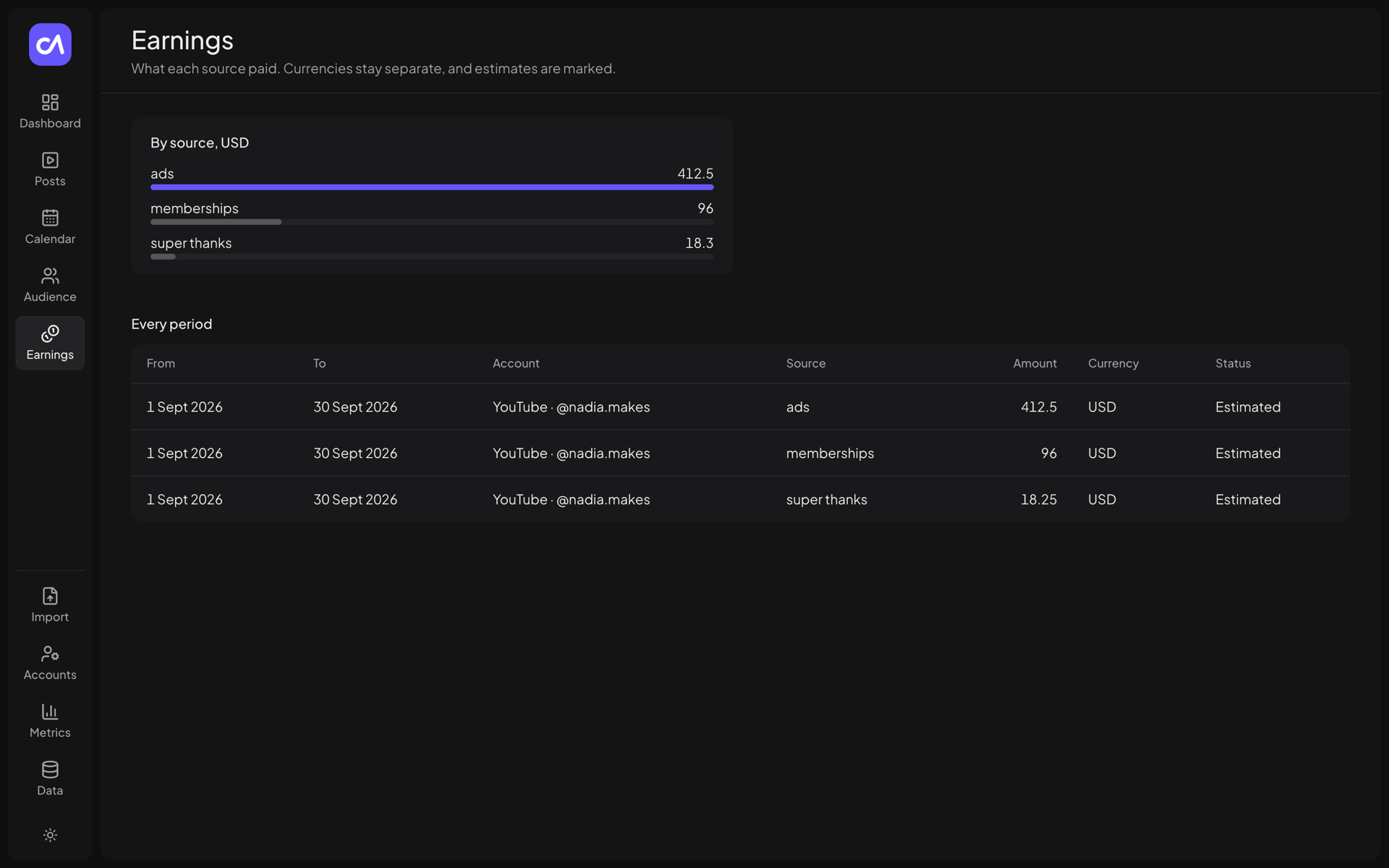 Earnings: revenue by source and period, one list per currency |
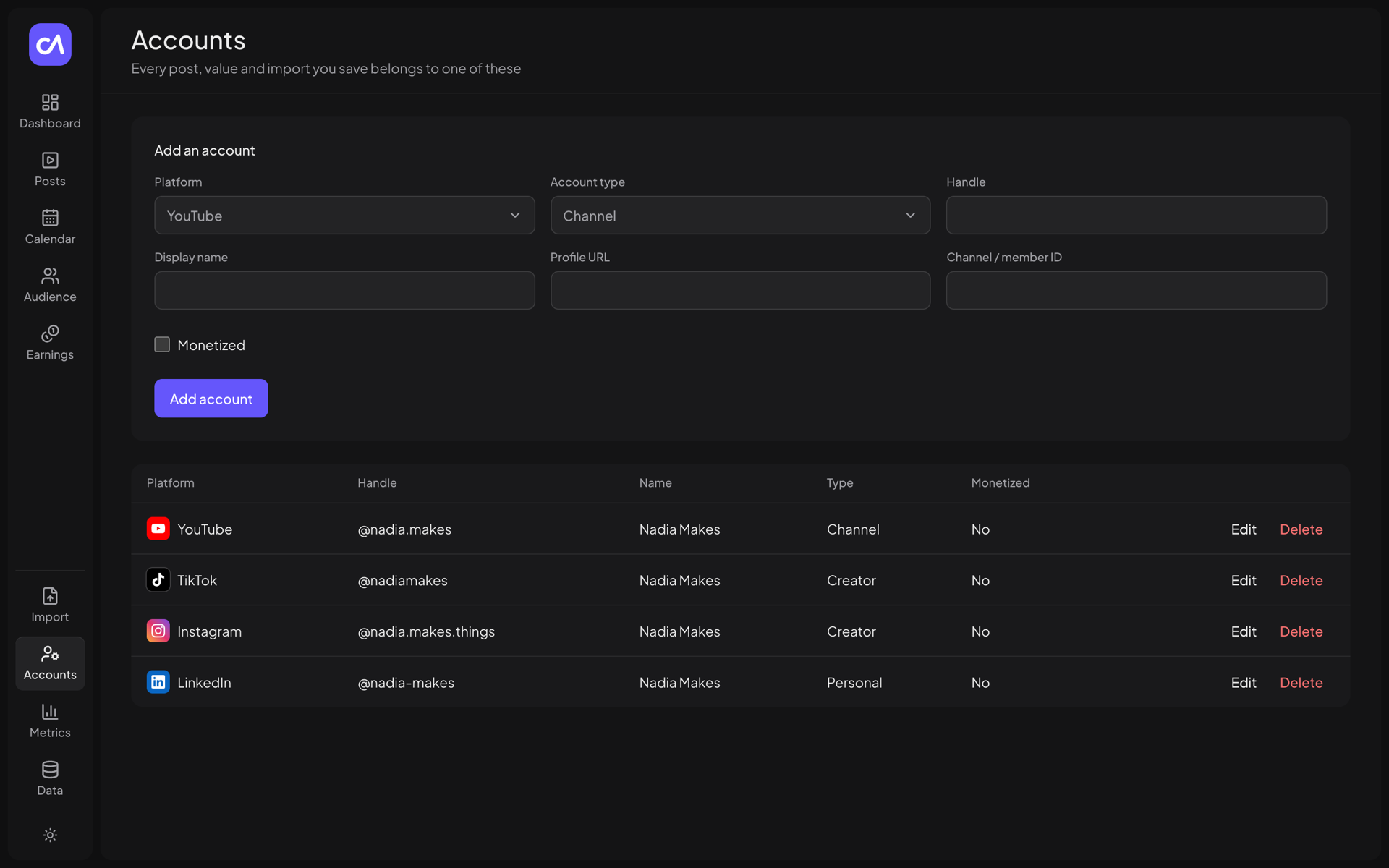 Accounts: add, edit and delete social accounts |
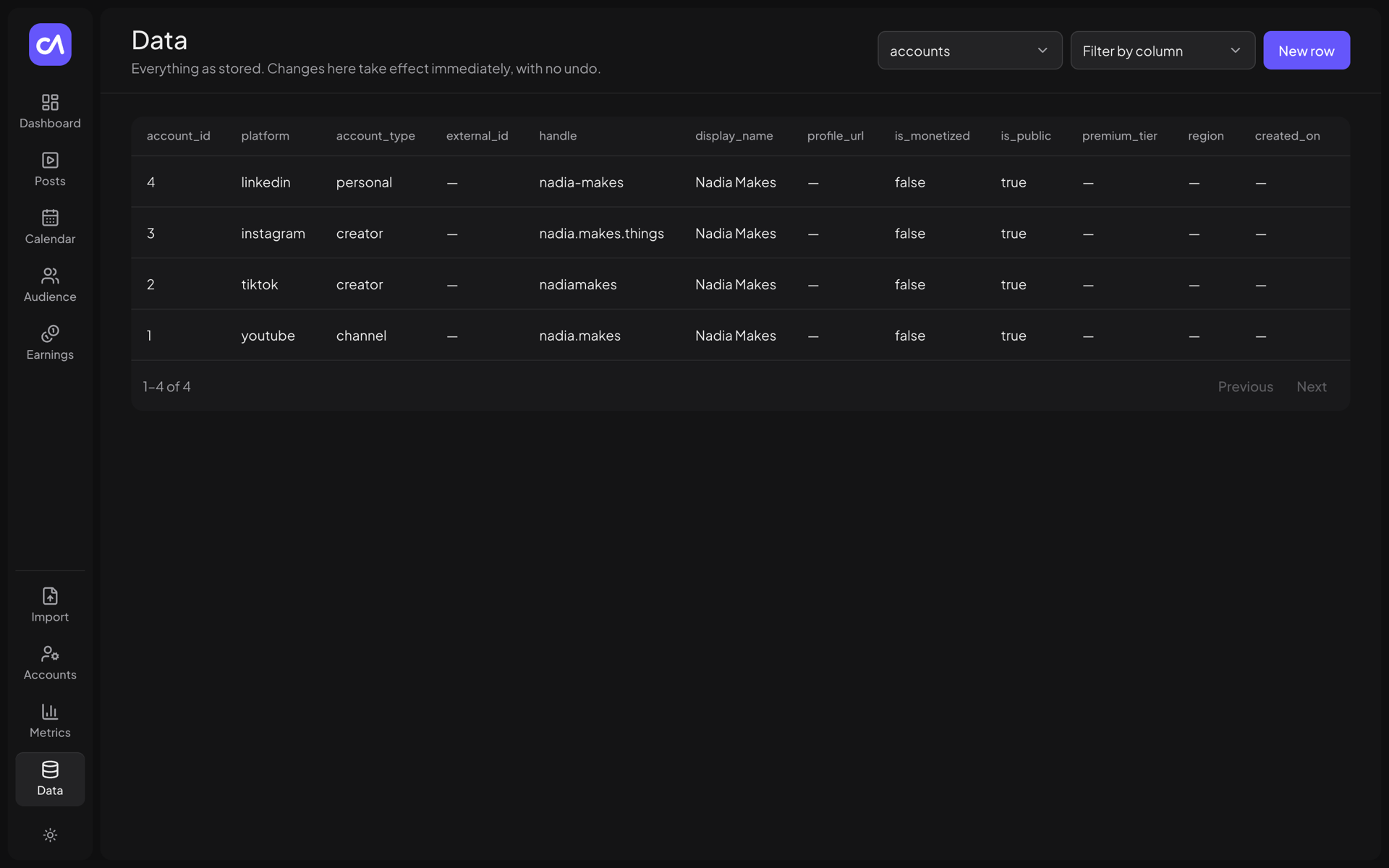 Data: browse and edit any table, read any view |
Why
Creators' numbers are spread across four dashboards that each measure things differently, and every platform deletes
history on its own schedule: some daily metrics are only available for a limited window, after which the detail is gone
for good. Exports exist, but a folder of CSV files is hard to compare, query or trust later.
Creator Analytics keeps that history in a PostgreSQL database you own. You export from the platforms, drop the files in,
and the app stores every value as a dated fact, linked to the export it came from. Nothing is scraped and nothing leaves
your machine. Because the data is yours and in a standard database, you can query it, back it up, or hand it to an AI
agent without depending on any platform staying the same.
Features
Centralized analytics
- YouTube, TikTok, Instagram and LinkedIn accounts in one dashboard: followers, views and impressions, engagement, posts.
- Performance chart per account and metric, with markers for published posts.
- Audience breakdowns and inferred unfollows from follower-list snapshots.
- Earnings by source and period, with currencies kept separate.
History preservation
- A catalogue of every platform metric with how long the platform keeps it and where to export it.
- An "Expiring soon" view of what each account has saved and how many days are left.
- Provenance on every value: which import or sync saved it, from which file (with its SHA-256).
Imports
- Platform CSV exports (one row per post or one row per date) and the LinkedIn analytics
.xlsx. - Columns matched to metrics by key or by the label the platform uses.
- Exact dry-run preview, and a warning when the same file was already imported.
Content management
- Posts across platforms, searchable and sortable, with a full-screen editor.
- Versioned content briefs: topic, format, hook, script, editing and copy behind each post.
- "What worked": average views or engagement rate per brief field.
- Experiments: plan a post with a hypothesis, then compare it with your typical post and record a verdict.
- Content calendar of published and planned posts.
- A generic data explorer to create, edit and delete rows in any table.
AI integration
- An MCP server with 14 tools and one prompt, sharing the service layer with the REST API.
- Agent-drafted content briefs, flagged for your review in the app.
AI and MCP integration
The Model Context Protocol is an open standard that lets AI clients call tools
provided by other programs. Creator Analytics ships an MCP server (creator-mcp) so an agent can work with your
analytics directly instead of you copying numbers into a chat.
The server runs locally over stdio: your AI client starts it as a subprocess, and it connects to your database. Every
tool call is one transaction that goes through the same services as the REST API, so an agent gets the same validation,
upsert rules and provenance records as the web app.
Supported clients
| Client | How it connects |
|---|---|
| Claude Code | .mcp.json in this repository registers the server automatically |
| Claude Desktop | Entry in claude_desktop_config.json |
| OpenAI Codex CLI | codex mcp add or ~/.codex/config.toml |
Configuration for each is in the MCP setup guide. Other stdio MCP clients should work but
have not been tested.
Available tools
| Tool | Purpose |
|---|---|
describe_schema |
Tables, views, columns, primary keys and enum values |
read_rows |
Read any table or view with filters, sorting and paging |
create_rows |
Insert rows into a table in one transaction |
update_row |
Update one row by primary key |
delete_row |
Delete one row by primary key (accounts cascade) |
sync_content |
Upsert posts with a metrics snapshot; optionally mark missing posts deleted |
sync_account_metrics |
Record daily or ranged account metrics |
sync_revenue |
Record earnings per source, period and currency |
sync_relationships |
Sync a follower or connection list and infer who left |
import_file |
Import a platform CSV or LinkedIn .xlsx from a local path |
dashboard_overview |
Headline numbers per account |
metric_timeseries |
One account metric over time |
expiring_metrics |
Saved history versus what each platform deletes, most urgent first |
posts_needing_briefs |
Posts without a content brief, plus the vocabulary in use |
The draft_briefs prompt guides an agent through drafting briefs for every post that has none. Parameters and details
are in the MCP setup guide.
Example requests
- "Compare my average views per post on YouTube and TikTok over the last three months."
- "Which posts had the highest engagement rate this year, and what hook did they use?"
- "Show my daily LinkedIn impressions for October."
- "What do I need to export this week before the platforms delete it?"
- "Import
~/Downloads/Content 2026-11-01.csvinto my YouTube account." - "Draft briefs for my new posts." (
/mcp__creator-analytics__draft_briefsin Claude Code)
Architecture
flowchart LR
    browser[Web browser] --> web["Web app<br/>TanStack Start"]
    web -- "REST /api/v1" --> api["REST API<br/>FastAPI"]
    agent["AI client<br/>Claude · Codex"] -- "MCP over stdio" --> mcp["MCP server<br/>creator-mcp"]
    exports[/"Platform exports<br/>CSV · .xlsx"/] --> api
    exports --> mcp
    api --> svc["Service layer<br/>imports · syncs · dashboard · tables"]
    mcp --> svc
    svc --> db[("PostgreSQL 17")]
The web app talks only to the REST API. The REST API and the MCP server are two thin entry points in the same Python
package and call the same service layer, which owns all business logic and writes to PostgreSQL. There are no background
jobs and no connections to the platforms. Details: system overview.
Tech stack
| Area | Technologies |
|---|---|
| Frontend | React 19, TanStack Start, TanStack Router, TanStack Query, Tailwind CSS 4, shadcn/ui (Radix UI), Vite, TypeScript |
| Backend | Python 3.12+, FastAPI, Pydantic Settings, SQLAlchemy 2 (async), psycopg 3, openpyxl |
| Database | PostgreSQL 17, Alembic migrations |
| AI / MCP | MCP Python SDK (stdio transport) |
| Tooling | uv, npm, Docker Compose, pytest, GitHub Actions |
Getting started
Prerequisites
Installation
git clone https://github.com/BenAbdou1001/creator-analytics.git
cd creator-analytics
cd backend && uv sync && cd ..
cd web && npm install && cd ..
Environment variables
Every variable has a default that works with the setup below, so this step is optional.
| Variable | Where | Default |
|---|---|---|
DATABASE_URL |
backend/.env |
postgresql://creator:creator@localhost:5433/creator |
CORS_ORIGIN_REGEX |
backend/.env |
localhost and 127.0.0.1 on any port |
VITE_API_URL |
web/.env |
http://localhost:8000 |
Copy backend/.env.example and web/.env.example to start. See the configuration guide.
Database setup
docker compose up -d                           # PostgreSQL 17 on 127.0.0.1:5433
cd backend && uv run alembic upgrade head      # schema, views and the metric catalogue
Running locally
cd backend && uv run fastapi dev main.py --port 8000 # API, docs at http://localhost:8000/docs
In a second terminal:
cd web && npm run dev # http://localhost:3000
To try the app with invented data first, see demo data.
Docker
docker-compose.yml runs PostgreSQL only. The backend and web app run on your machine with uv and npm; there are
no container images for them yet.
Tests
cd backend && uv run pytest                             # uses its own creator_test database
cd web && npm run typecheck && npm test && npm run build
Documentation
| Guide | Contents |
|---|---|
| System overview | Components, data model, REST API and data flows |
| Installation | Step-by-step setup, demo data, troubleshooting |
| Configuration | Environment variables and deployment notes |
| Importing data | Supported exports, column matching, syncs, briefs and experiments |
| MCP setup | Connecting Claude Code, Claude Desktop and Codex; tool reference |
| Contributing | Development setup, checks and conventions |
Roadmap
Done
- Multi-platform dashboard, metric catalogue with retention limits, and expiry tracking
- CSV and LinkedIn
.xlsximports with dry-run preview and provenance - REST API and MCP server on a shared service layer
- Content briefs, agent-drafted briefs, experiments, "What worked" and the content calendar
Planned
- Nothing is committed yet. Ideas and requests are tracked in issues.
Known limitations
- No authentication; single user, local use only.
- No container images for the backend and web app.
- The MCP server supports the stdio transport only.
Contributing
Bug reports, feature requests, documentation improvements and code are welcome. Read
CONTRIBUTING.md for the development setup and conventions, and follow the
Code of Conduct.
Security
The app has no authentication by design and must stay on your own machine. To report a vulnerability, use private
reporting as described in SECURITY.md.
License
MIT © 2026 Benassloun Abdallah.
The bundled fonts, Plus Jakarta Sans and Noto Sans Arabic, are under the SIL Open Font License. Platform names and marks
belong to their owners; this project is not affiliated with YouTube, TikTok, Instagram or LinkedIn.
Acknowledgements
Built on FastAPI, TanStack, shadcn/ui,
SQLAlchemy, Alembic, the
MCP Python SDK and uv. The backend
layout follows fastapi-best-architecture.
Reviews (0)
Sign in to leave a review.
Leave a reviewNo results found