engram
Health Warn
- License — License: AGPL-3.0
- Description — Repository has a description
- Active repo — Last push 0 days ago
- Low visibility — Only 5 GitHub stars
Code Fail
- eval() — Dynamic code execution via eval() in internal/web/static/js/htmx.min.js
- new Function() — Dynamic code execution via Function constructor in internal/web/static/js/htmx.min.js
- exec() — Shell command execution in internal/web/static/js/htmx.min.js
- network request — Outbound network request in internal/web/static/js/media.js
- new Function() — Dynamic code execution via Function constructor in internal/web/testdata/review_touch_sim.mjs
- exec() — Shell command execution in internal/web/testdata/review_touch_sim.mjs
Permissions Pass
- Permissions — No dangerous permissions requested
No AI report is available for this listing yet.
Self-hosted, multi-user spaced-repetition (SRS) service: FSRS v6 scheduling, 10 card types, Markdown/TeX, REST API and built-in MCP server. Written in Go.
Engram
English | 中文
Engram is a self-hosted, multi-user, web-first spaced-repetition (SRS) service. Write cards in the
browser, or let a script or agent push them in through the API or the built-in MCP server.
Scheduling uses FSRS v6.
Live demo: https://engram.nite07.com/ (registration is closed; sign in with the test accounttest / testdemo)
Screenshots
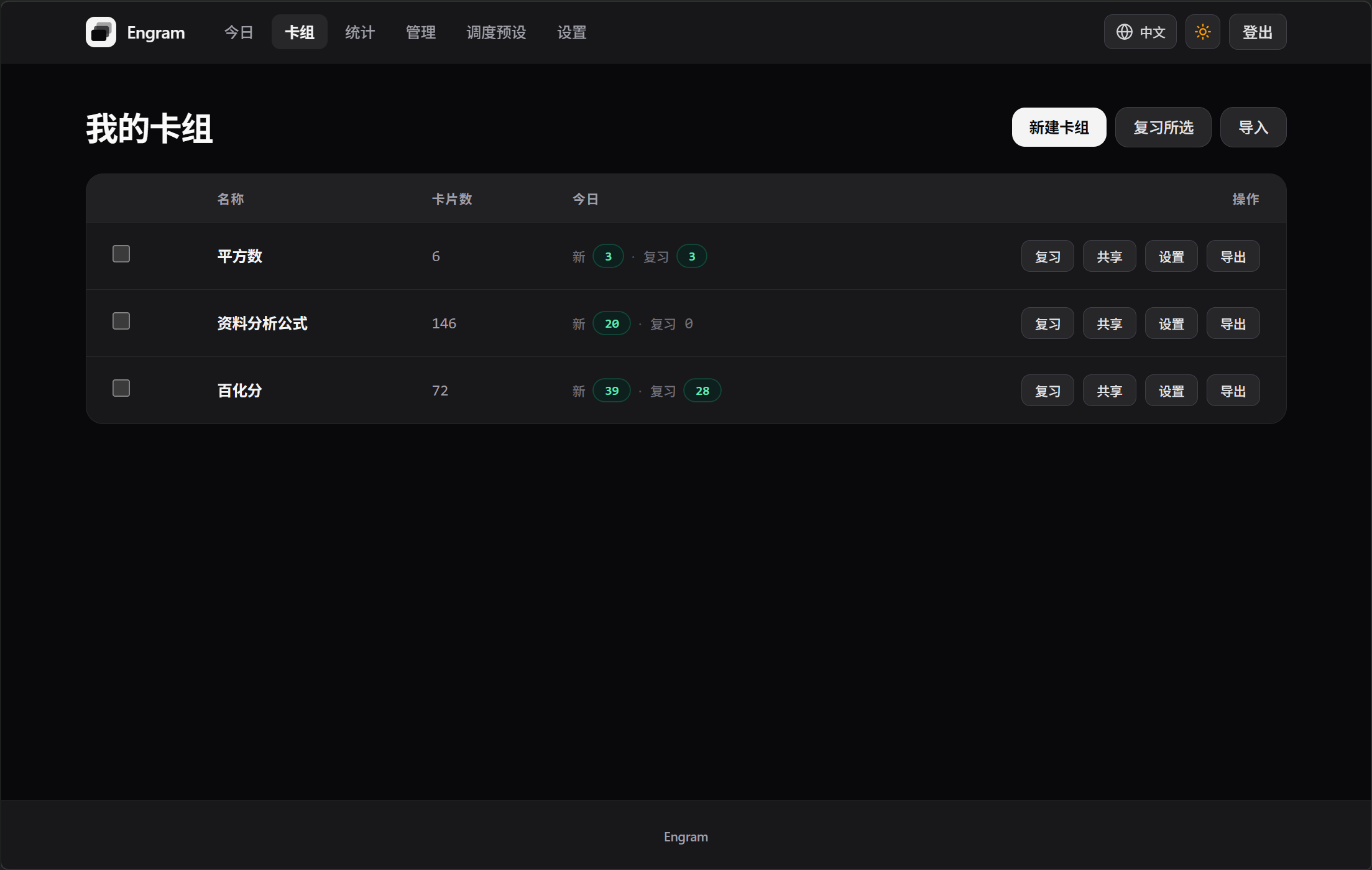 |
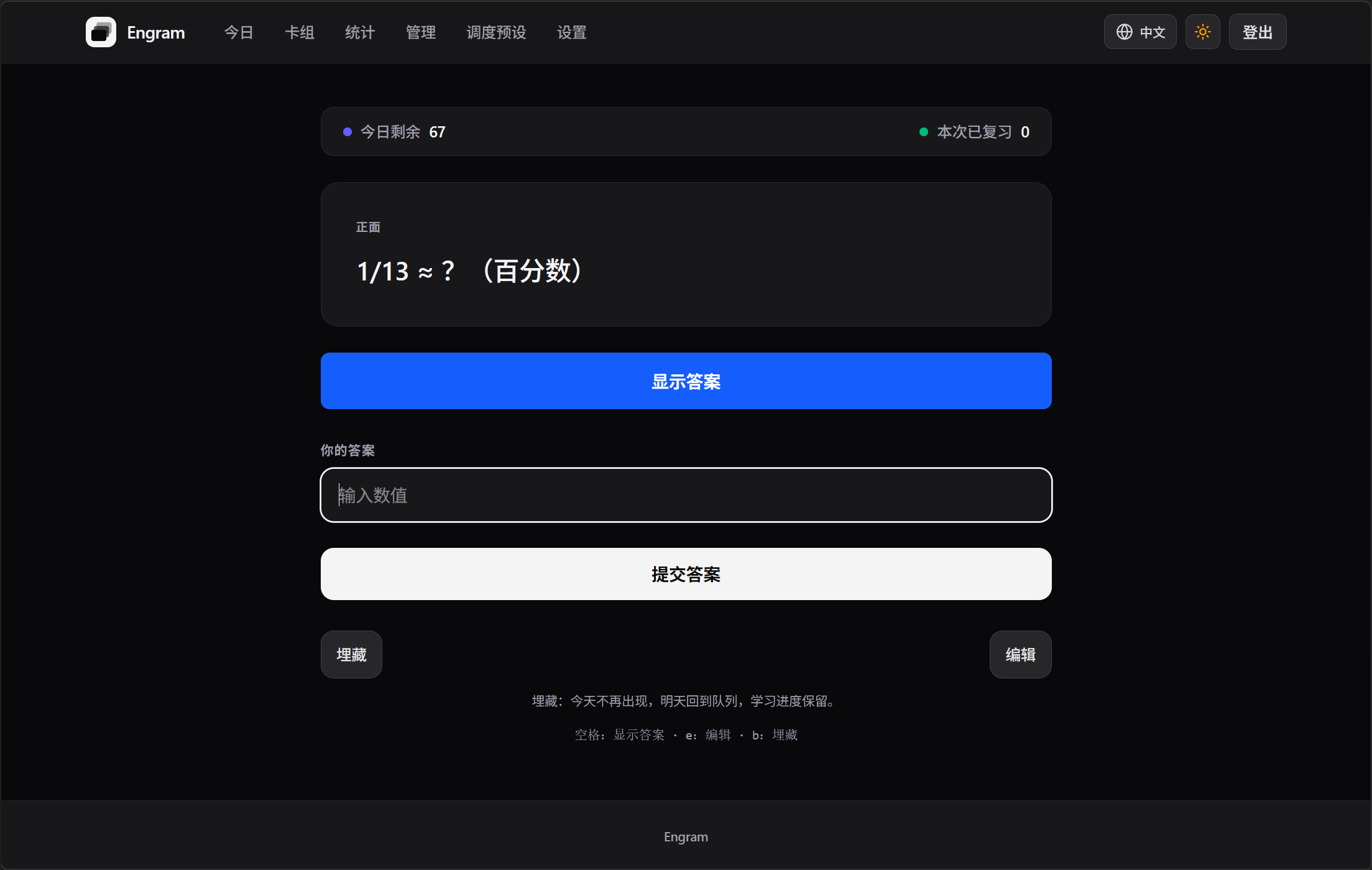 |
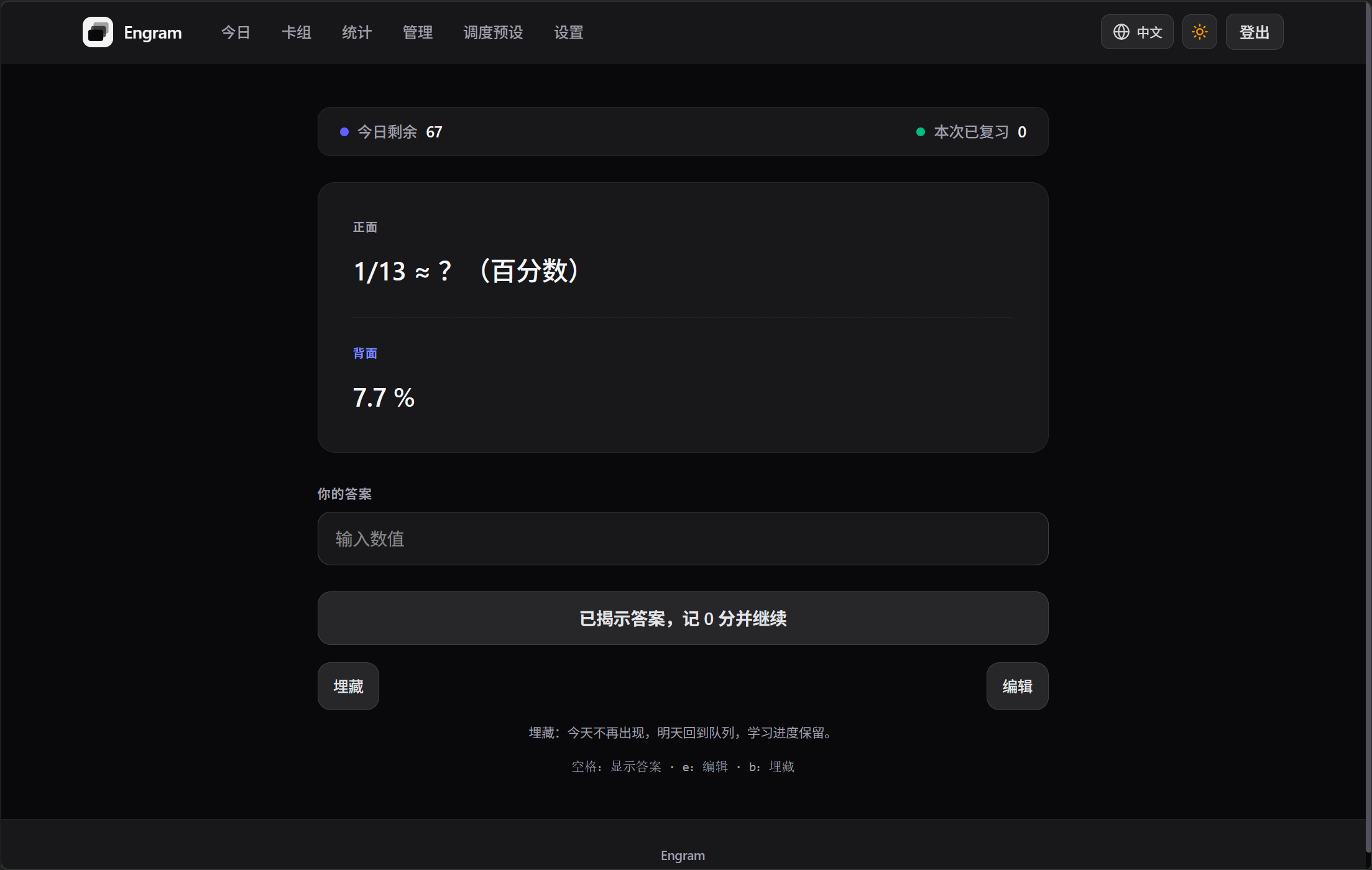 |
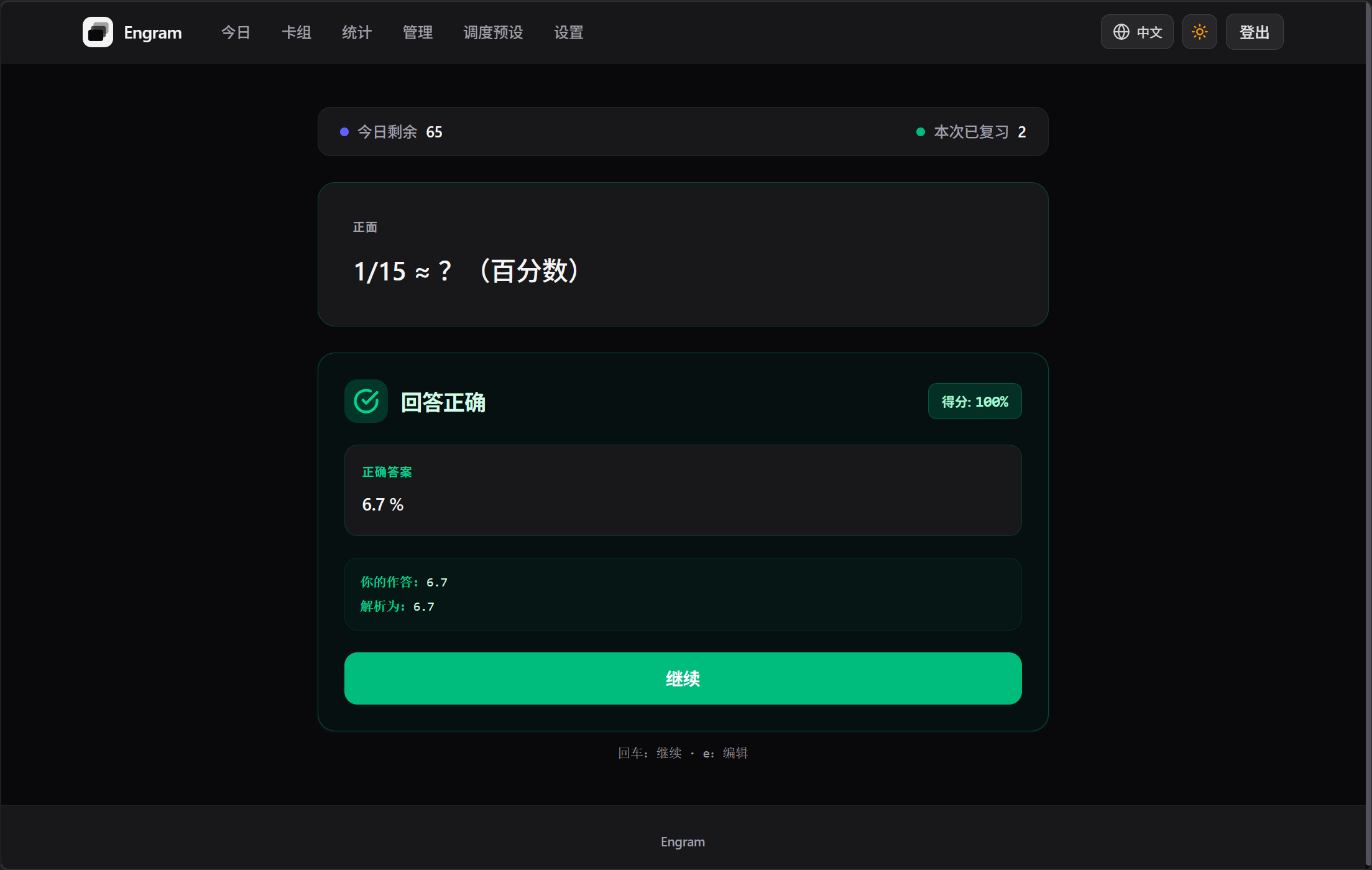 |
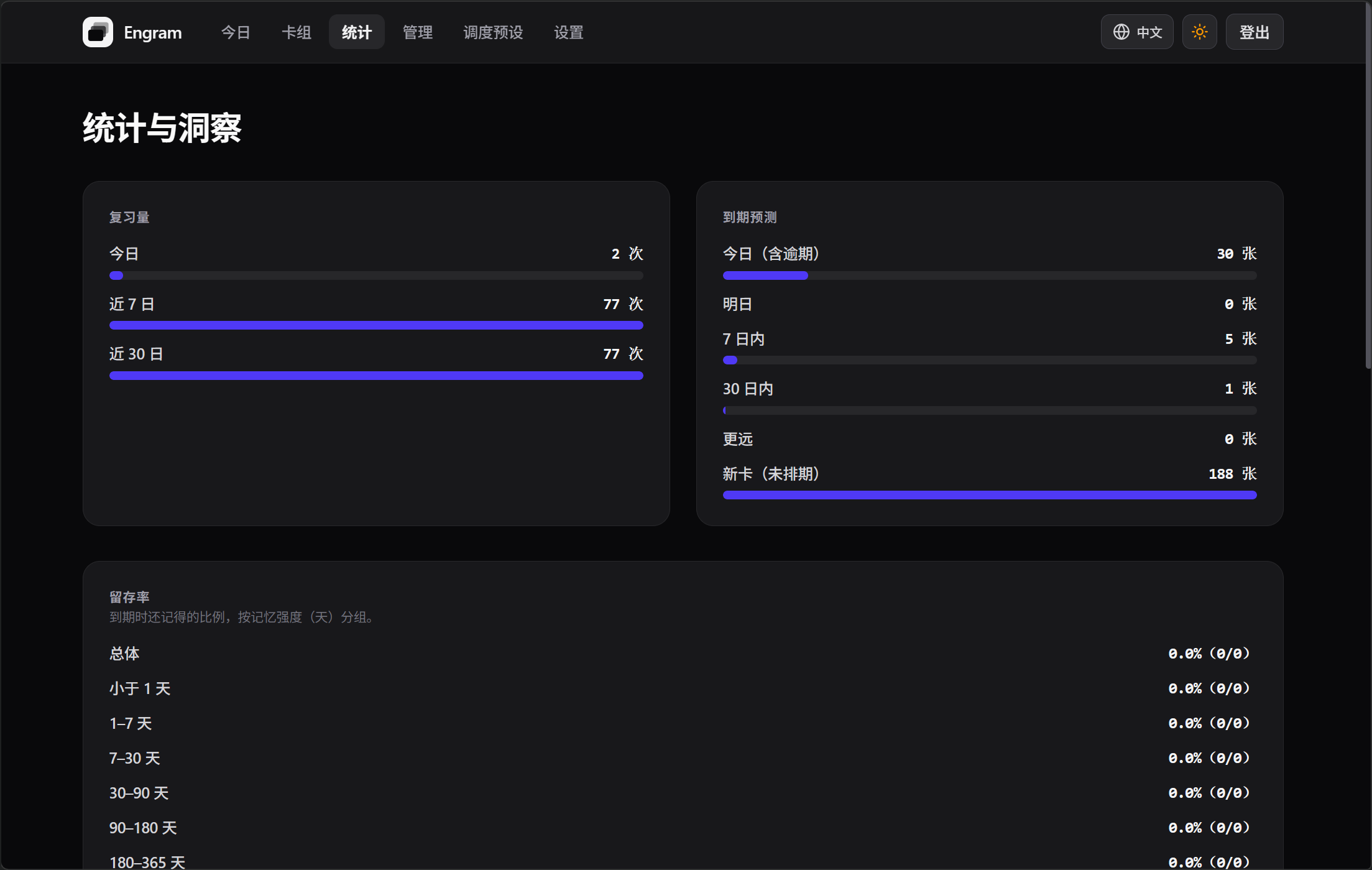 |
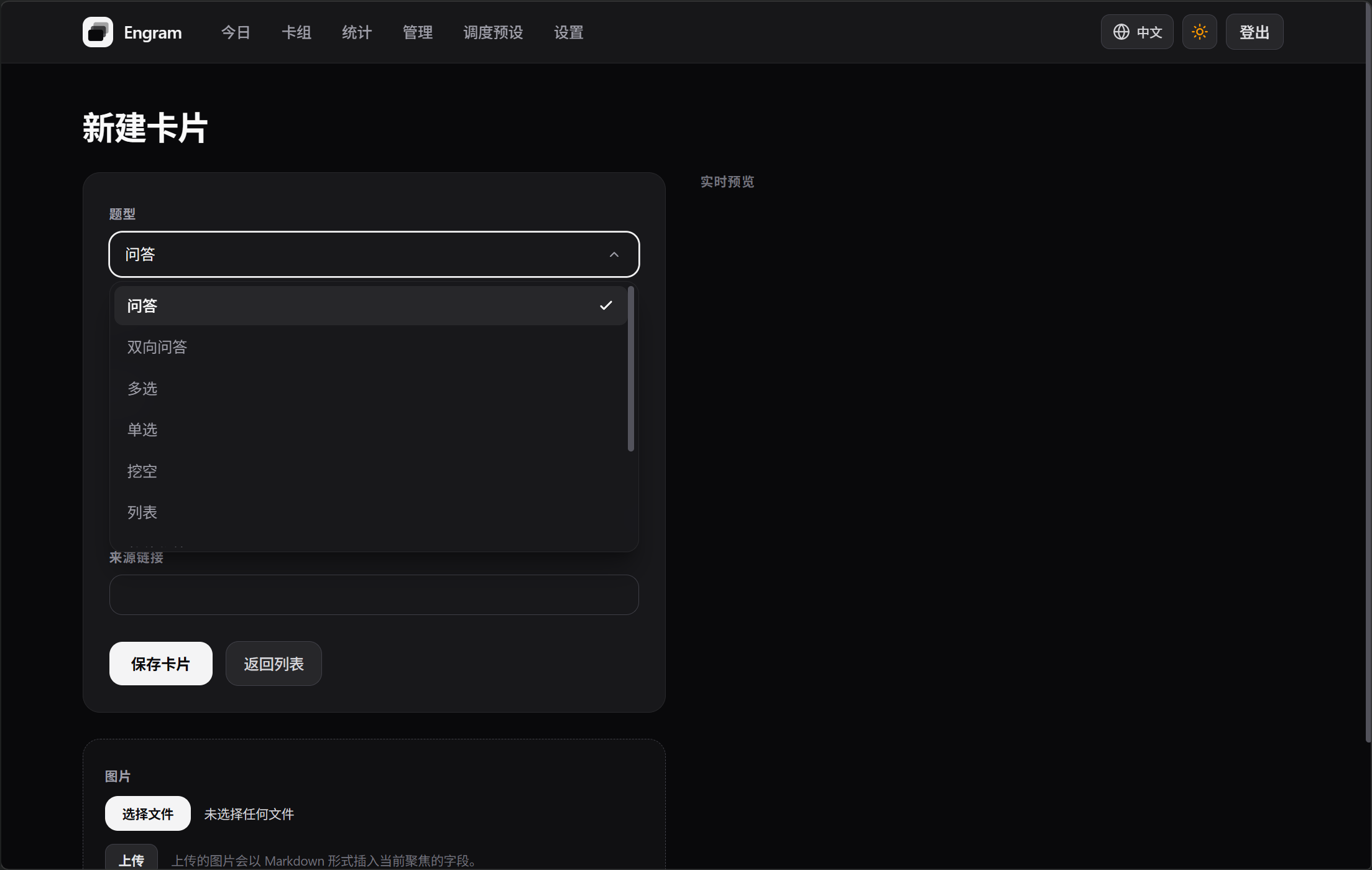 |
Features
Scheduling and review
Scheduling uses FSRS v6. Desired retention defaults to 0.90; learning steps, maximum interval and
fuzz are all adjustable. Once you have some review history, you can retrain the parameters from it:
trigger it on the preset page, it runs as a background job, and you can revert if you don't like
the result.
Cards and card types
Ten card types are built in: cloze, typed, numeric, single- and multiple-choice, true/false, and
more. Card bodies support Markdown and TeX (self-hosted MathJax 3), and HTML goes through an
allowlist. Uploaded images are content-addressed.
Multi-user
Everyone gets their own account and their own scheduling state; deck content is shared. Decks have
three roles — owner, editor, reader — and you can hand out share links or clone a deck to your own
account. A single deck exports to an .edeck package for backup, migration or offline handover.
API and MCP
The REST API lives under /api/v1, the built-in MCP server at POST /mcp (HTTP only, no stdio).
The two are equivalent: both authenticate with a per-user API key and call the same service
methods, so validation and scheduling rules cannot diverge. Keys carry scopes (read, write,review, keys, admin) and are managed under Settings in the browser; request and response schemas live
in schema/.
Interface
Chinese and English, with copy driven by translation catalogs. The PWA shell can be added to the
home screen and opened in its own window; only static assets are cached.
Admin panel
Users, registration policy, OIDC, upload limits, audit log, background jobs and health checks all
live here. Backup is not a panel feature: the instance operator is responsible for it — dump the
database and copy the media directory.
Quick start
The container image defaults to SQLite, runs migrations at startup, and stores everything under/data.
docker run -d --name engram -p 8080:8080 \
  -e SESSION_SECRET="${SESSION_SECRET:-$(openssl rand -base64 32)}" \
  -e ENCRYPTION_KEY="${ENCRYPTION_KEY:-$(openssl rand -base64 32)}" \
  -v engram-data:/data \
  docker.io/nite07/engram:latest
Open http://localhost:8080/; the first visit on a fresh instance goes to /setup to create the
admin account.
First steps
- Create the admin. The first visit lands on
/setup; enter an email and password. - Create a deck. Add one from the deck list to hold your cards.
- Add cards. Write them in the editor, or push them in through the API or MCP server.
- Start reviewing. Open the review queue and grade each card; the schedule follows your
answers.
Deploying with PostgreSQL
PostgreSQL is the default deployment database. The published image works as-is; build fromDockerfile or run the binary directly if you prefer, with the same environment.
docker run -d --name engram -p 8080:8080 \
  -e BASE_URL=https://engram.example.com/ \
  -e DB_DRIVER=postgres \
  -e DB_DSN="postgres://engram:CHANGE_ME@localhost:5432/engram?sslmode=disable" \
  -e SESSION_SECRET="${SESSION_SECRET:-$(openssl rand -base64 32)}" \
  -e ENCRYPTION_KEY="${ENCRYPTION_KEY:-$(openssl rand -base64 32)}" \
  -e AUTO_MIGRATE=0 \
  -v engram-media:/data/media \
  docker.io/nite07/engram:latest
BASE_URL must use https:// in production: its scheme decides the session cookie's Secure flag.
Four variables are required at startup: DB_DRIVER, DB_DSN, SESSION_SECRET andENCRYPTION_KEY. ENCRYPTION_KEY must be base64 of exactly 32 bytes, or the server exits.
Registration policy, OIDC, upload limits and email are changed in the admin panel and take effect
on the next request, with no restart.
.env.example)
| Variable | Required | Default | Meaning |
|---|---|---|---|
HTTP_ADDR |
no | 127.0.0.1:8080 |
Listen address. |
BASE_URL |
no | http://localhost:8080 |
Public URL; its scheme sets the session cookie's Secure flag. |
DB_DRIVER |
yes | — | postgres or sqlite. |
DB_DSN |
yes | — | Connection string (PostgreSQL) or file path (SQLite). |
SESSION_SECRET |
yes | — | Session-signing secret; openssl rand -base64 32. |
ENCRYPTION_KEY |
yes | — | Master key for encrypted settings; base64 of exactly 32 bytes. |
AUTO_MIGRATE |
no | 1 |
Run migrations at startup (1 / true). |
BOOTSTRAP_ADMIN_EMAIL |
no | — | Pre-fills the first-admin setup form. |
MEDIA_DIR |
no | data/media |
Local media directory. |
MEDIA_MAX_BYTES |
no | setting, else 10 MiB | Per-file upload limit override. |
MEDIA_USER_QUOTA_BYTES |
no | setting, 0 = unlimited |
Per-user media quota override. |
MEDIA_ALLOWED_MIMES |
no | built-in list | Allowed upload MIME types override. |
SMTP_HOST |
no | — | SMTP host; empty means unconfigured. |
SMTP_PORT |
no | 587 |
SMTP port. |
SMTP_USERNAME |
no | — | SMTP username. |
SMTP_PASSWORD |
no | — | SMTP password. |
SMTP_FROM |
no | — | Sender address. |
SMTP_TLS_MODE |
no | starttls |
none, starttls, or implicit. |
MEDIA_* and SMTP_* are normally configured in the admin panel and take effect immediately; the
environment variables only override those values.
Roadmap
Planned work, not implemented: none of it is part of the current release. The task-level
breakdown, with acceptance criteria, lives in ROADMAP.md.
- LLM-assisted grading. Point the service at an OpenAI-compatible provider (system-wide key
or bring your own, with a global off switch and a monthly call cap) and have free-text answers
graded automatically: the card, your answer, the reference answer and any linked reference
material are assembled into the prompt, and the model's verdict is mapped onto the usual 1-4
rating. Grading runs asynchronously, so a model call never blocks review submission. - Reference material bound to cards. Attach source documents to a note, or to a whole deck,
for grading to cite; keyword retrieval first, vector search later. - Grading history. A per-card record of machine grades next to your own ratings, so you can
see where the two disagree. - No external optimiser binary. Once
go-fsrsships its own parameter optimiser, the Rust
helper and its build step go away and optimisation runs in-process. The job, the weights it
writes back, and the error messages stay the same. - Multiple OIDC providers. Configure more than one provider — a company IdP next to a
personal one — and pick between them on the login page. Today the configuration holds a
single provider.
Contributing
See CONTRIBUTING.md.
Acknowledgements
Engram builds on these projects:
- go-fsrs — FSRS v6 scheduling and parameter
optimisation. - fsrs-rs — the training implementation behind
the optimiser adapter. - Gin and GORM — HTTP and database layers.
- templ — type-safe HTML templates.
- goldmark and
bluemonday — Markdown rendering and HTML
allowlisting. - modelcontextprotocol/go-sdk — the MCP server.
- zitadel/oidc and
go-i18n — OIDC sign-in and translation catalogs. - MathJax and htmx — formula rendering and page
interaction. - Tailwind CSS — styling.
Friend link: LINUX DO — a Chinese-language tech community.
License
Reviews (0)
Sign in to leave a review.
Leave a reviewNo results found