devkit
Health Warn
- License — License: MIT
- Description — Repository has a description
- Active repo — Last push 0 days ago
- Low visibility — Only 5 GitHub stars
Code Warn
- process.env — Environment variable access in anti-slop-design/scripts/audit-browser.mjs
- process.env — Environment variable access in bin/devkit.mjs
- process.env — Environment variable access in bin/tests/devkit-cli.test.mjs
- process.env — Environment variable access in evals/expected.json
Permissions Pass
- Permissions — No dangerous permissions requested
No AI report is available for this listing yet.
Four deterministic agent skills that stop your AI from shipping design slop, leaked secrets, and hallucinated fixes
devkit


Your AI coding agent says "all fixed." devkit makes it prove it.
Agent skills and scanners for security audits, HTML and accessibility checks, UI design quality, and SEO plus AEO (answer engine optimization). Findings are checked against your code, edits stay inside the files you approve, and nothing changes until you reply approve.
Works with Claude Code, Cursor, Codex CLI, Gemini CLI / Antigravity, Windsurf, and any agent that reads SKILL.md files. Zero npm dependencies, zero telemetry.
npx @bhattasubash/devkit init
Then tell your agent: "Run a full devkit audit on this repo."
Same prompt, before and after
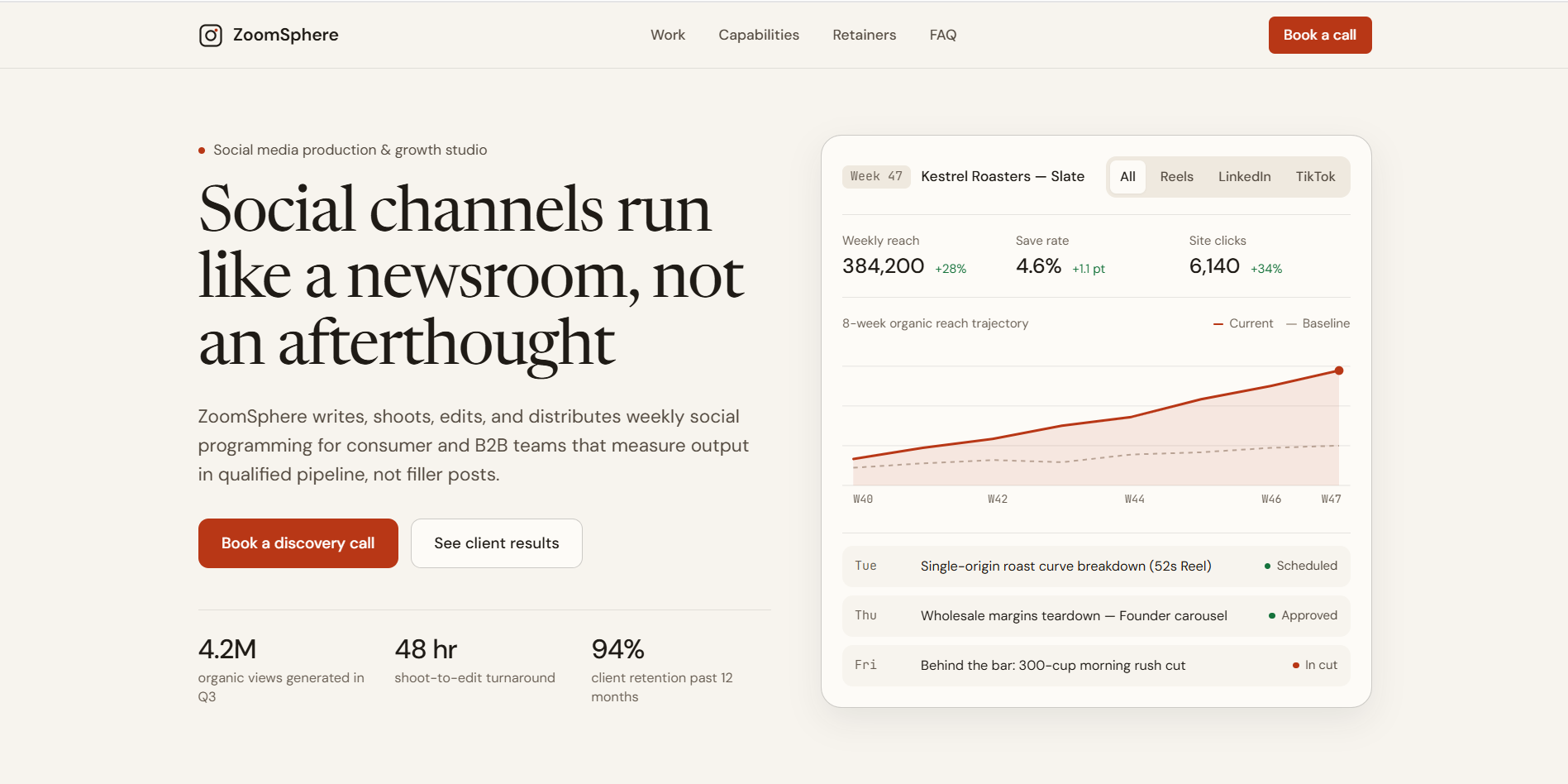
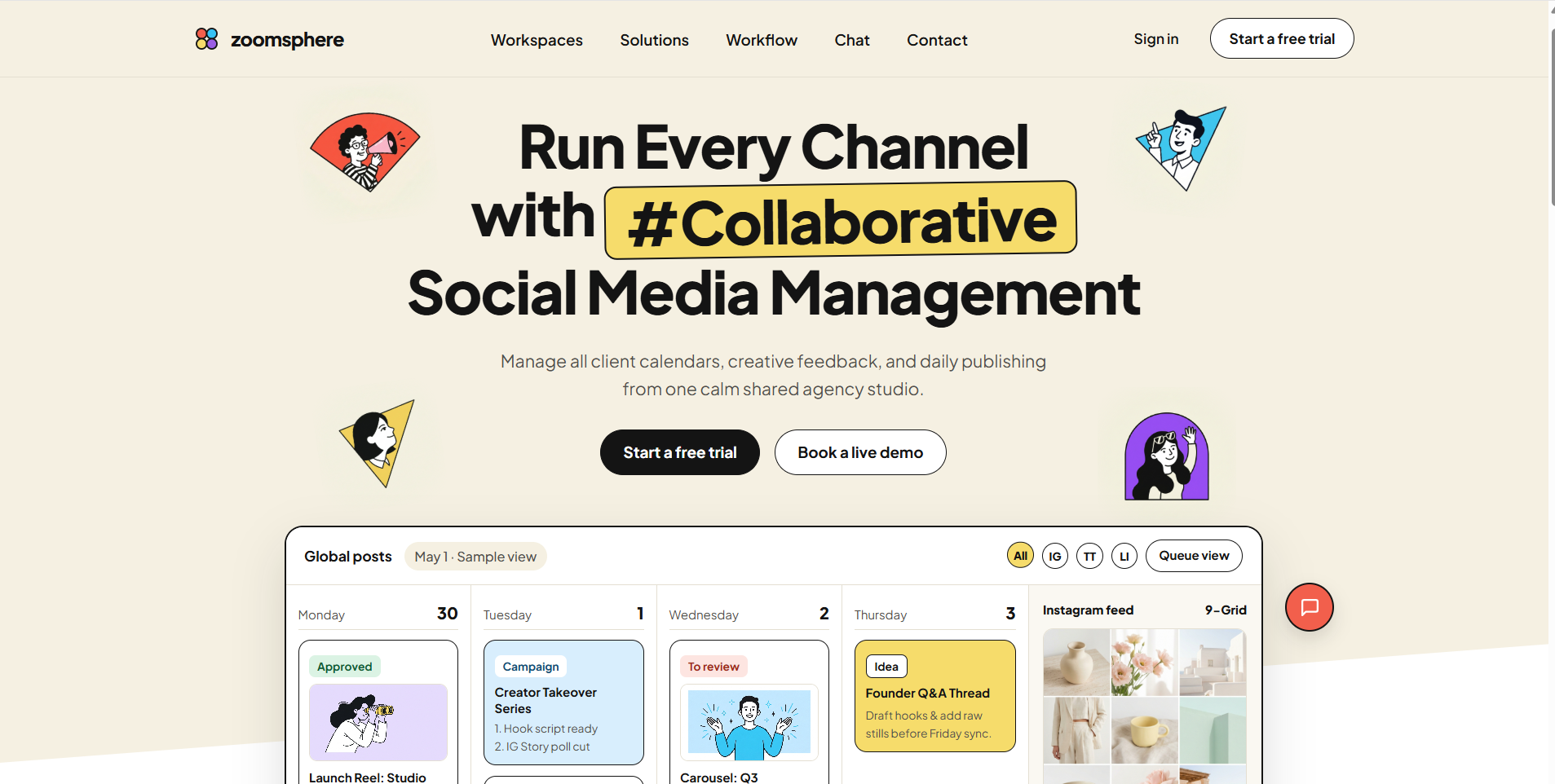
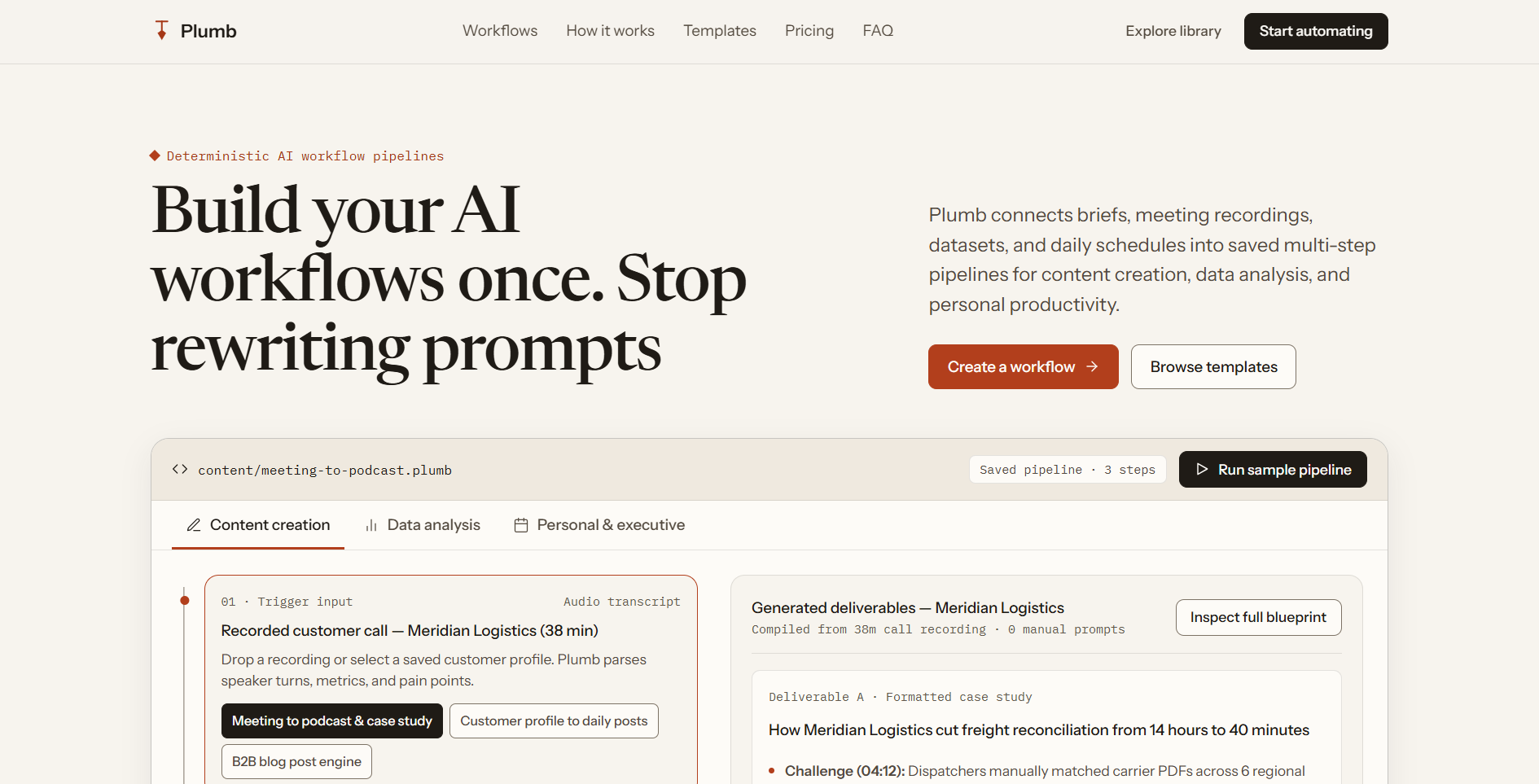
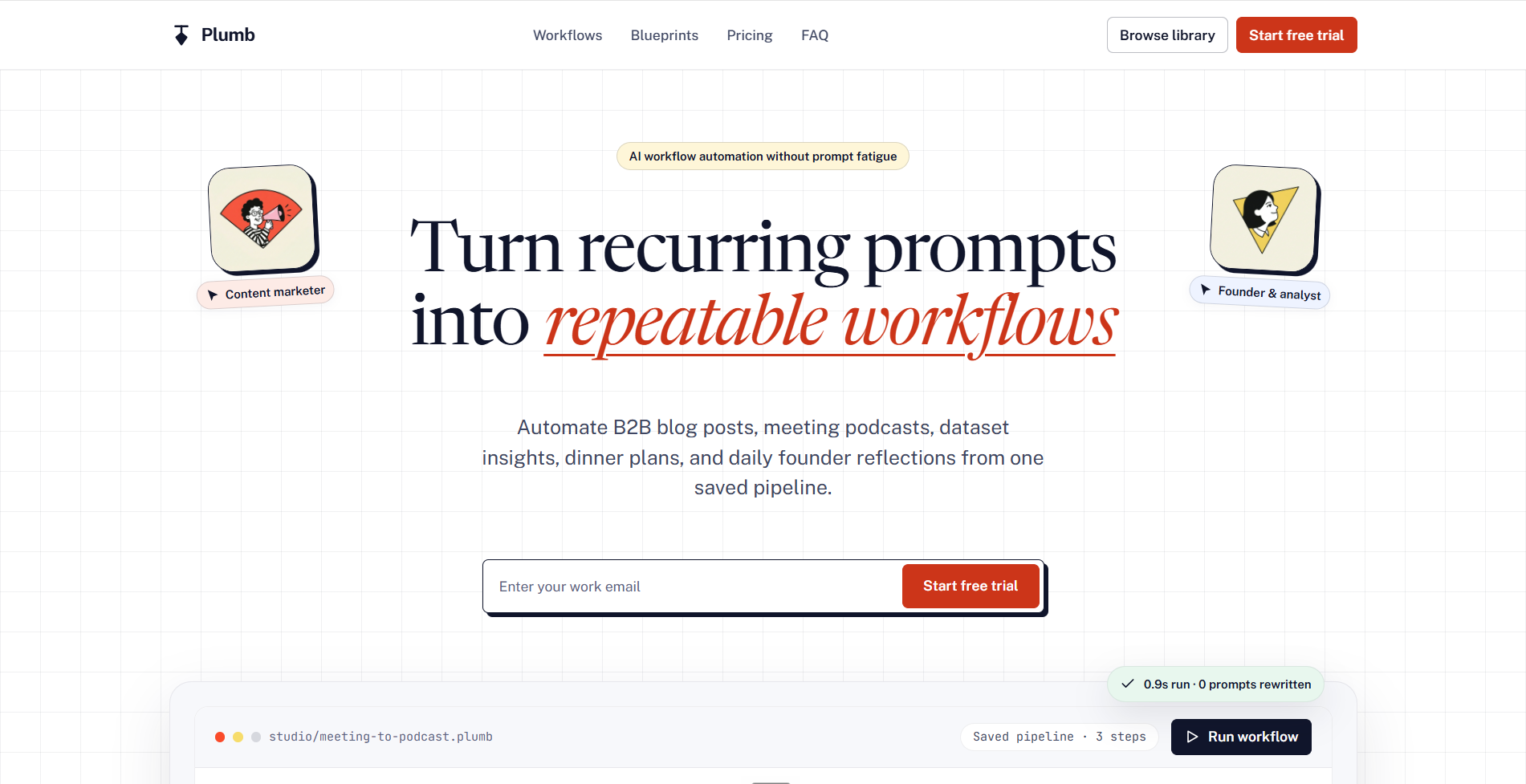
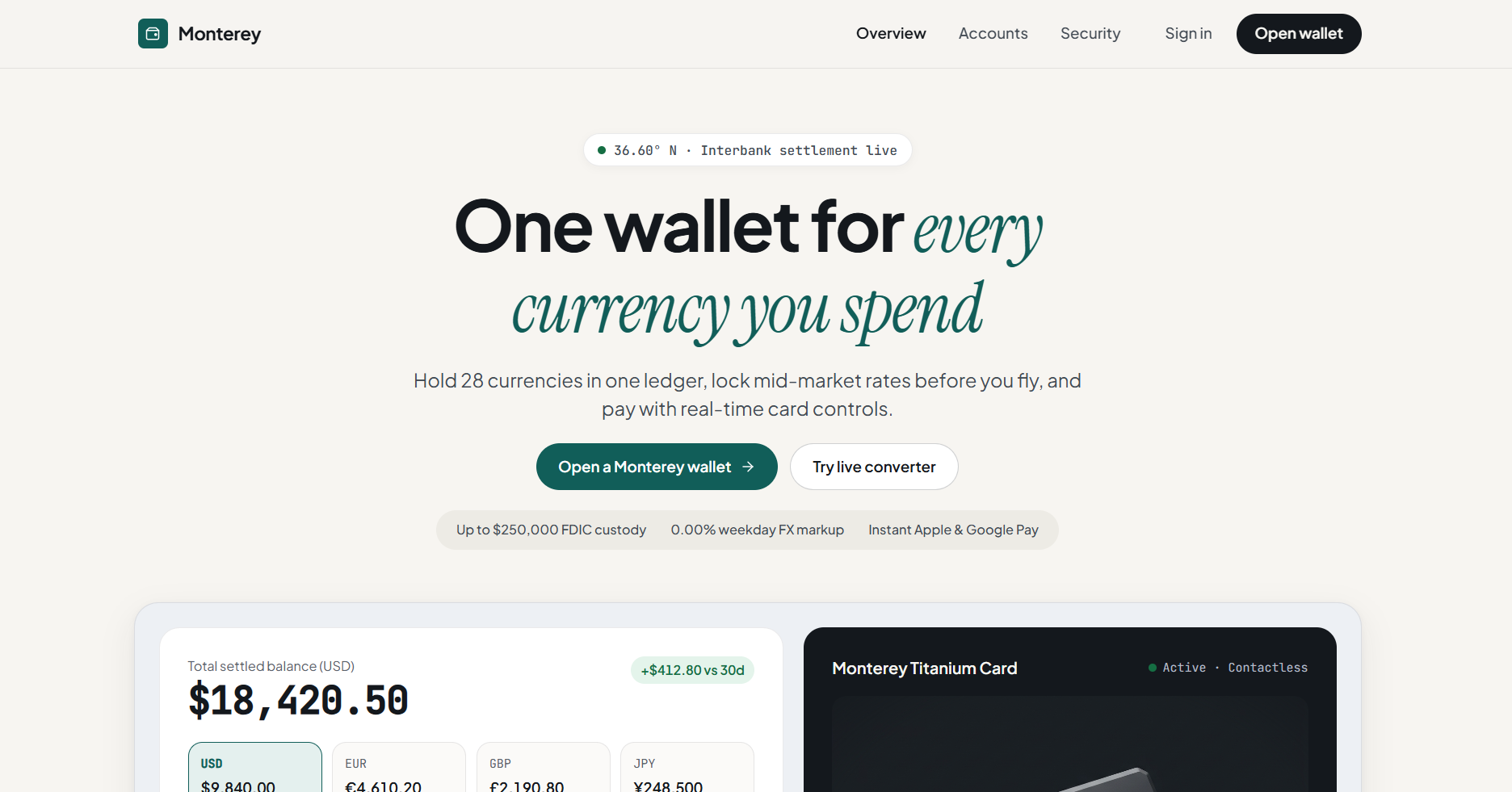
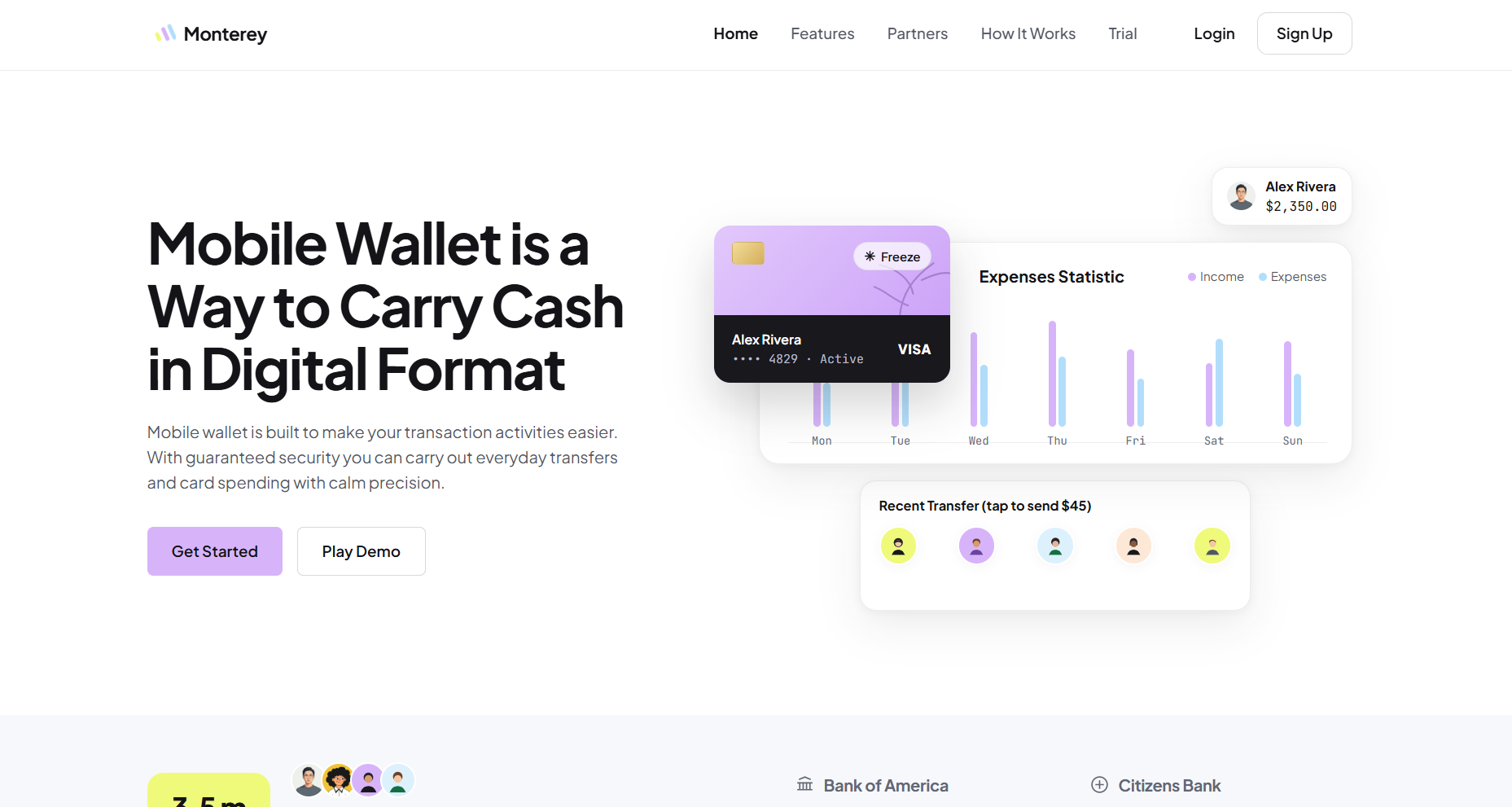
Landing pages built without devkit and then with it. The "after" pages use devkit's design database, style gallery, and bento card layouts.
ZoomSphere (social collaboration SaaS)
Style preset: Illustrated Stage & Vignettes
| Before | After |
|---|---|
 |
 |
Plumb (AI workflow automation SaaS)
Style preset: Blueprint Grid & Pipeline Bento
| Before | After |
|---|---|
 |
 |
Monterey (mobile e-wallet and fintech)
Style preset: Crisp White & Pastel Bento
| Before | After |
|---|---|
 |
 |
What changes when you add it
| An agent on its own | An agent with devkit |
|---|---|
| Skims files and guesses | Runs the scanners first |
| Invents line numbers and quotes | Each finding must match a real file, a line within ±3, and an exact quote |
| Edits files nobody asked about | Edits are locked to approved paths (with dependency changes blocked by default) and checked against git diff |
| Reports "all fixed" from memory | Runs a verify step and writes a report: Done, Not done, NOT VERIFIED, Needs your decision |
| Ships generic, AI-looking UI | Routes from a blueprint for your business type and checks the page at 1440px, 768px, and 390px |
Four domains run under one router, SKILL.md: security, web standards, anti-slop design, and SEO/AEO.
Built and maintained by @bhattasubash. See CHANGELOG.md for the v1.1.2 release notes.
Install
Requires Node.js 18 or newer (Windows, macOS, or Linux) and Git (used for post-edit scope checks). Live browser audits (audit-browser.mjs) also use a local Chrome, Chromium, or Edge installation if present.
Run this from your project root. The installer detects .cursor, .claude, .codex, .agents, .gemini/.antigravity, and .windsurf folders on its own (falling back to .agents/skills/ if none exist), sets up .devkit/, and adds .devkit/ to .gitignore:
# See where files would go, without writing anything
npx @bhattasubash/devkit init --dry-run

# Install the skills and create .devkit/
npx @bhattasubash/devkit init
Target one agent, install from GitHub or a local clone, or see all flags[!TIP]
Update skills you already installed withnpx @bhattasubash/devkit init --force. Confirm the install withnpx @bhattasubash/devkit check.
Target one agent (or all)
npx @bhattasubash/devkit init --agent claude     # .claude/skills/
npx @bhattasubash/devkit init --agent cursor     # .cursor/skills/
npx @bhattasubash/devkit init --agent codex      # .codex/skills/
npx @bhattasubash/devkit init --agent gemini     # .gemini/skills/ (Gemini / Antigravity)
npx @bhattasubash/devkit init --agent windsurf   # .windsurf/skills/
npx @bhattasubash/devkit init --agent agents     # .agents/skills/ (universal)
npx @bhattasubash/devkit init --agent all        # every supported agent folder
Install from GitHub or a local clone
# Straight from GitHub
npx github:bhattasubash/devkit init

# From a local clone
git clone https://github.com/bhattasubash/devkit.git
node ./devkit/bin/devkit.mjs init
Flags
--global(-g): install into your home directory (~/).--force(-f): overwrite skills that are already installed.--no-flat: install only the rootdevkit/router, without the standalone domain folders.--cwd <path>: run against a different project directory.--silent(-s): hide the banner and non-essential output.
Usage
Start an audit or UI build
Ask in plain language in your agent's chat, or use a slash command.
| Scope | Example prompt | Slash command |
|---|---|---|
| Whole project, all four domains | "Run a full devkit audit on this repo" | /devkit |
| Security and secrets | "Run a security audit and check secrets" | /security-audit |
| Web standards and accessibility | "Audit HTML semantics and accessibility" | /web-best-practices |
| Design quality or new UI build | "Check the UI for AI design slop" / "Build a fintech landing page" | /anti-slop-design |
| SEO and AEO | "Audit technical SEO, JSON-LD, and AEO" | /seo-audit |
Add lite (at most 3 files per fix batch) or full (deep review) to any command, for example /security-audit full. The default is standard.
How it works (approve before anything changes)
flowchart TD
    A["1. Scan domains (Security, Web, Design, SEO)"] --> B["2. Write findings.json & lock scope.json"]
    B --> C{"3. STOP Gate: User replies approve?"}
    C -- "Request changes" --> B
    C -- "approve" --> D["4. Fix approved files (Security -> Web -> Design -> SEO)"]
    D --> E["5. Verify quotes & git diff (verify-findings + check-scope)"]
    E --> F{"Checks pass?"}
    F -- "Line drift or out-of-scope edit" --> D
    F -- "Pass" --> G["6. Write audit.md (Done / Not done / NOT VERIFIED / Decisions)"]
- Scan first — The agent runs the domain scanners rather than guessing from memory.
- Record & lock — It writes findings to
.devkit/reports/findings.jsonand locks allowed edit paths in.devkit/scope.json(allow_dependency_changes: falseby default). - STOP gate — Execution halts. Source code stays untouched until you reply
approveor request changes. - Fix & verify — Approved fixes are applied in order (security, web, design, SEO), then validated with
verify-findings.mjsandcheck-scope.mjs. - Report — Writes
.devkit/reports/audit.md(or a domain report) with four sections: Done, Not done, NOT VERIFIED, and Needs your decision.
Most agent skills are plain prompt instructions, so a model can miss a vulnerability or edit unrelated files with nothing catching it. devkit adds Node.js scripts and a state machine in .devkit/state.json so every scan, approval, fix, and check leaves an auditable record.
Included skills
| Skill | Scripts | What it checks |
|---|---|---|
security-audit |
check-secrets.mjs, check-code-vulns.mjs, check-headers.mjs |
Leaked keys and .env files, hardcoded fallbacks, injection and path traversal, DOM XSS, unverified jwt.decode, wildcard CORS, SSRF-guarded HTTP headers |
web-best-practices |
check-html.mjs, audit-browser.mjs |
Page titles and viewport, heading order, landmarks, form labels, image alt and dimensions, dead # links, multi-viewport browser checks |
anti-slop-design |
lint-design.mjs, audit-browser.mjs |
Hardcoded colors and fonts, layout transitions, text-heavy and nested cards, missing :focus-visible and prefers-reduced-motion, multi-viewport CDP checks, plus 12 domain and bento blueprints in database/ |
seo-audit |
check-seo-files.mjs |
robots.txt, sitemap.xml, canonicals and Open Graph, noindex, JSON-LD syntax, empty SPA shells, Next.js 'use client' metadata, llms.txt |
The root router and standalone skills share the same state tracking, quote verification, and scope checks, synced from shared/scripts/.
Every script uses Node.js built-ins and supports --help.
# Security
node security-audit/scripts/check-secrets.mjs .
node security-audit/scripts/check-code-vulns.mjs .
node security-audit/scripts/check-headers.mjs https://example.com

# Web standards, design quality, SEO and AEO
node web-best-practices/scripts/check-html.mjs .
node anti-slop-design/scripts/lint-design.mjs .
node seo-audit/scripts/check-seo-files.mjs .
node shared/scripts/audit-browser.mjs https://example.com

# Tests and benchmarks
node --test
node evals/run-10-cases.mjs --assert-pass
node scripts/sync-shared.mjs --check
Test results
Run locally on Windows with Node v24.11.1. CI runs on Ubuntu, macOS, and Windows with Node 18, 20, and 22.
| Check | Result | Command |
|---|---|---|
| Test suite (18 files) | 98 pass, 0 fail, 0 skipped | node --test |
| 10-case scanner benchmark | 20/20 defects found, 5/5 clean controls, 0 false positives | node evals/run-10-cases.mjs --assert-pass |
| Eval and grader suites (5 files) | 28 pass, 0 fail | node --test evals/tests/*.test.mjs |
| Hard Mode traps | 10/10 pass (false-positive and obfuscation traps) | node --test evals/tests/hard-mode.test.mjs |
| Isolated skills and sync | 6/6 pass, inSync: true, every SKILL.md at 100 lines or fewer |
node --test scripts/tests/isolated-skills.test.mjs |
| Self-scan (5 scanners) | Exit 0, no findings, no warnings | Each scanner on . |
Limits
- The scanners match patterns rather than running full AST analysis or penetration testing, and
check-html.mjslabels its JSX/TSX checks asheuristic. check-headers.mjsreports missing HTTP security headers; you still need to configure them on your server or edge proxy.audit-browser.mjsrequires a local Chromium-based browser (Chrome, Chromium, or Edge) for live viewport checks; static scanners do not.- Live LLM pass rates in
evals/README.mdhave not been measured yet.
Common questions
Does it send my code anywhere?
No. The installer and offline scanners make no network requests and collect no telemetry. check-headers.mjs fetches only the URL you pass, audit-browser.mjs talks to your local browser over localhost CDP, and evals/run-model-eval.mjs --run calls model APIs only when invoked.
Can the agent edit files or packages I did not approve?check-scope.mjs compares git diff and untracked files against the paths locked in .devkit/scope.json (where allow_dependency_changes defaults to false), so out-of-scope edits or unapproved dependency changes fail verification.
What does it cost?
Nothing. devkit is MIT-licensed and has no npm dependencies.
Contributing
Bug reports, false-positive fixes, and benchmark runs are welcome.
- Report issues and false positives on GitHub Issues. Templates are in
.github/ISSUE_TEMPLATE/. - Send code or evaluations following
CONTRIBUTING.md. - Report security vulnerabilities privately as described in
SECURITY.md.
If devkit caught something your agent missed, a star helps other developers find it.
License
Released under the MIT License.
Reviews (0)
Sign in to leave a review.
Leave a reviewNo results found