easyeda-copilot
Health Gecti
- License — License: MIT
- Description — Repository has a description
- Active repo — Last push 0 days ago
- Community trust — 50 GitHub stars
Code Basarisiz
- rimraf — Recursive directory removal in mcp/package.json
- process.env — Environment variable access in mcp/src/index.ts
- network request — Outbound network request in mcp/src/index.ts
Permissions Gecti
- Permissions — No dangerous permissions requested
Bu listing icin henuz AI raporu yok.
AI-powered assistant for EasyEDA — generate schematics from natural language, browse LCSC components, and get interactive circuit design help.
EasyEDA Copilot
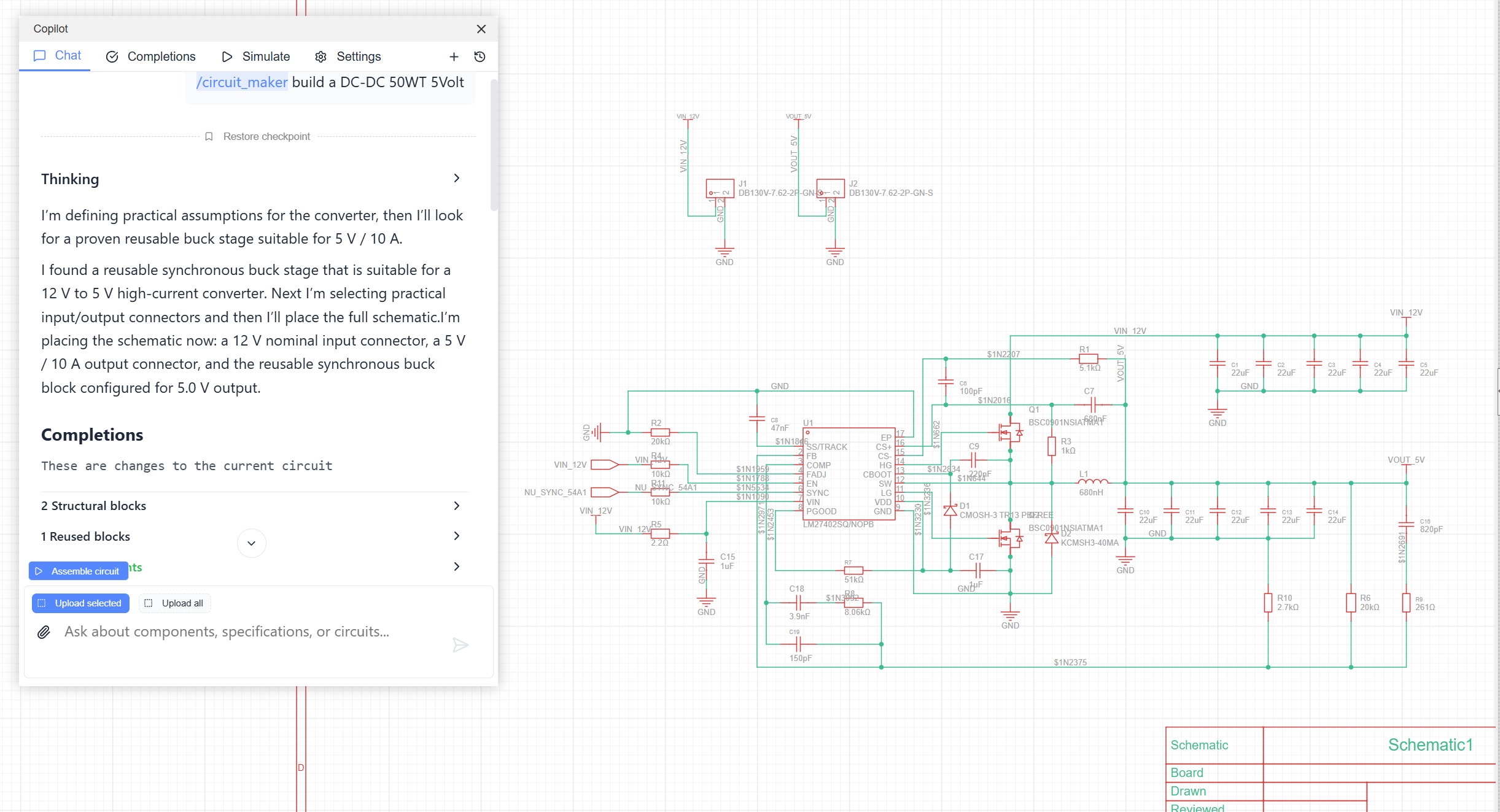
AI-powered assistant for EasyEDA Pro and JLCEDA. Generate schematics from natural language, complete existing circuits, search LCSC components by requirements, run SPICE simulations, and reuse proven circuit blocks directly inside your EDA workflow.


What it does
EasyEDA Copilot adds an AI design layer to EasyEDA Pro:
- Generate circuits from text: describe the circuit you need and let the agent assemble a schematic proposal.
- Complete existing schematics: attach selected circuit fragments and ask Copilot to add, replace or connect parts.
- Search LCSC components: find parts from natural-language requirements and electrical characteristics.
- Use reusable blocks: insert reviewed standard subcircuits such as regulators, interfaces and protection blocks.
- Explain and analyze circuits: discuss schematic behavior, signal flow and design tradeoffs.
- Run SPICE simulations: simulate supported circuits and inspect selected models before trusting the result.
More examples are available on Oshwlab.
Installation
Download the latest .eext package from Releases.
In EasyEDA Pro:
- Open
Settings -> Extensions -> Extensions Manager. - Click
Import Extensions. - Select the downloaded
.eextfile. - Enable
External Interactions. - Open a schematic and use
Copilot -> Interface.
MCP server
EasyEDA Copilot can connect to external MCP clients. The extension scans ws://127.0.0.1:8787 every 5 seconds and connects when your MCP server is available. The Copilot -> MCP menu item pauses or resumes this scan.
Codex:
codex mcp add easyeda-copilot -- npx easyeda-copilot-mcp
Claude Code:
claude mcp add easyeda-copilot -- npx easyeda-copilot-mcp
Recommended order:
- Add the MCP server to your agent.
- Start Codex, Claude Code, or another MCP client with this MCP server enabled.
- Open a schematic in EasyEDA Pro.
- EasyEDA Copilot will connect automatically. Use
Copilot -> MCPonly to pause or resume scanning.
Compatibility
| EasyEDA Pro version | Status |
|---|---|
| Desktop V2.2.45 | Verified |
| Desktop V2.2.47 | Verified |
Features
Circuit generation
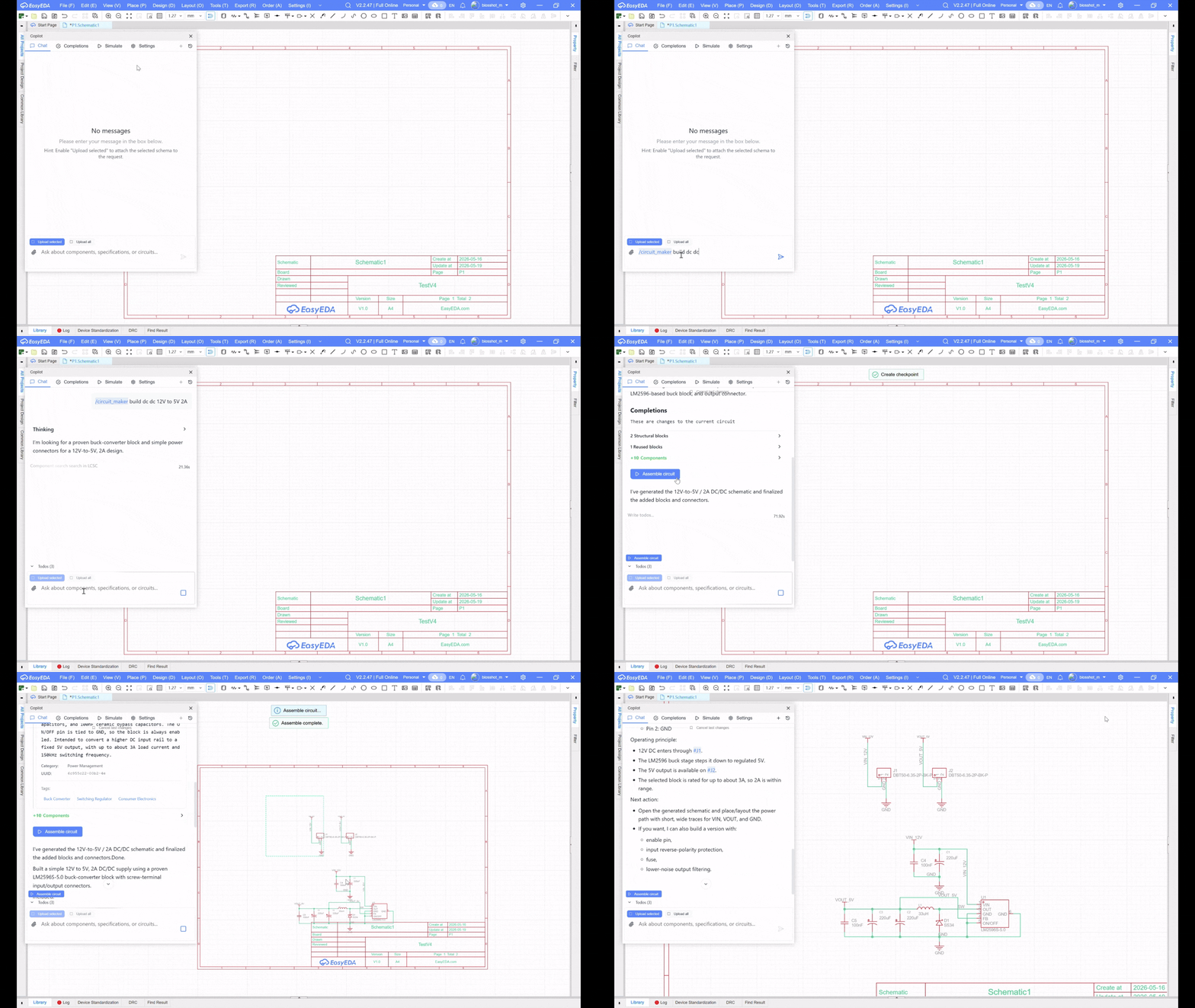
Generate schematics from natural-language descriptions. Copilot can plan the circuit, search components, create a structured result and expose an Assemble circuit action when the generated schematic is ready.
Circuit completions
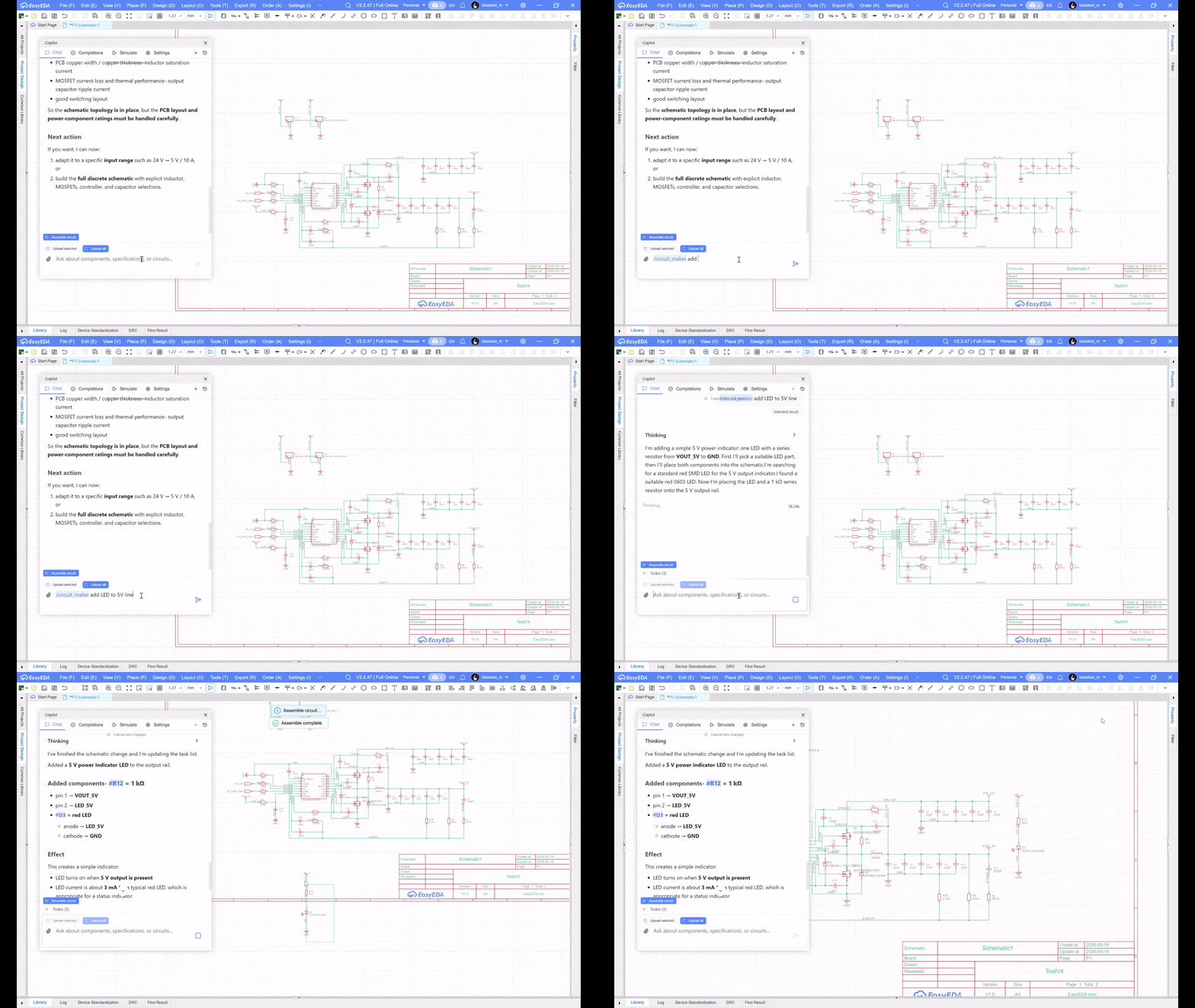
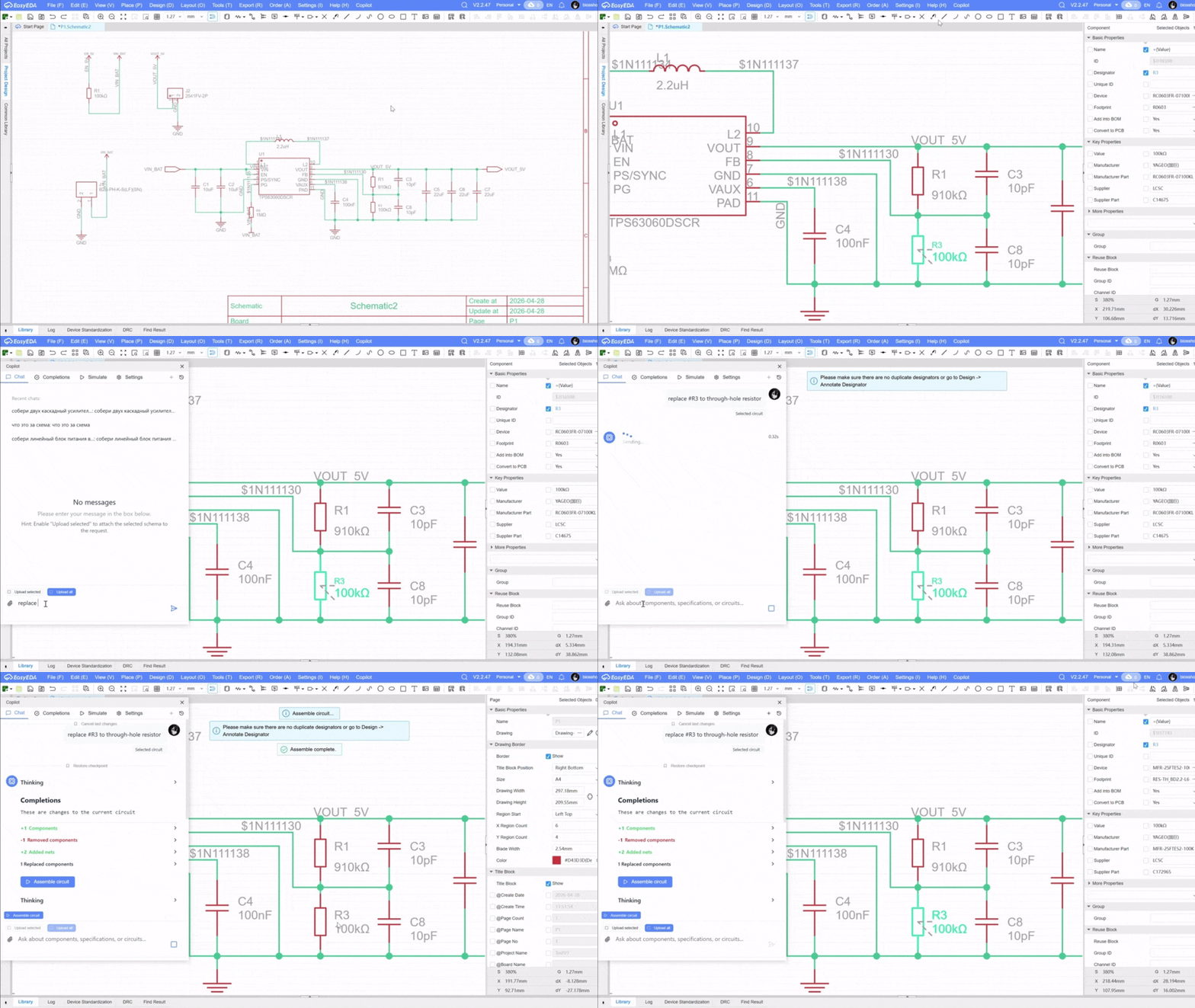
Use Copilot on an existing schematic fragment. Ask it to complete a missing block, add components, connect signals or propose changes based on selected circuit context.
Component selection
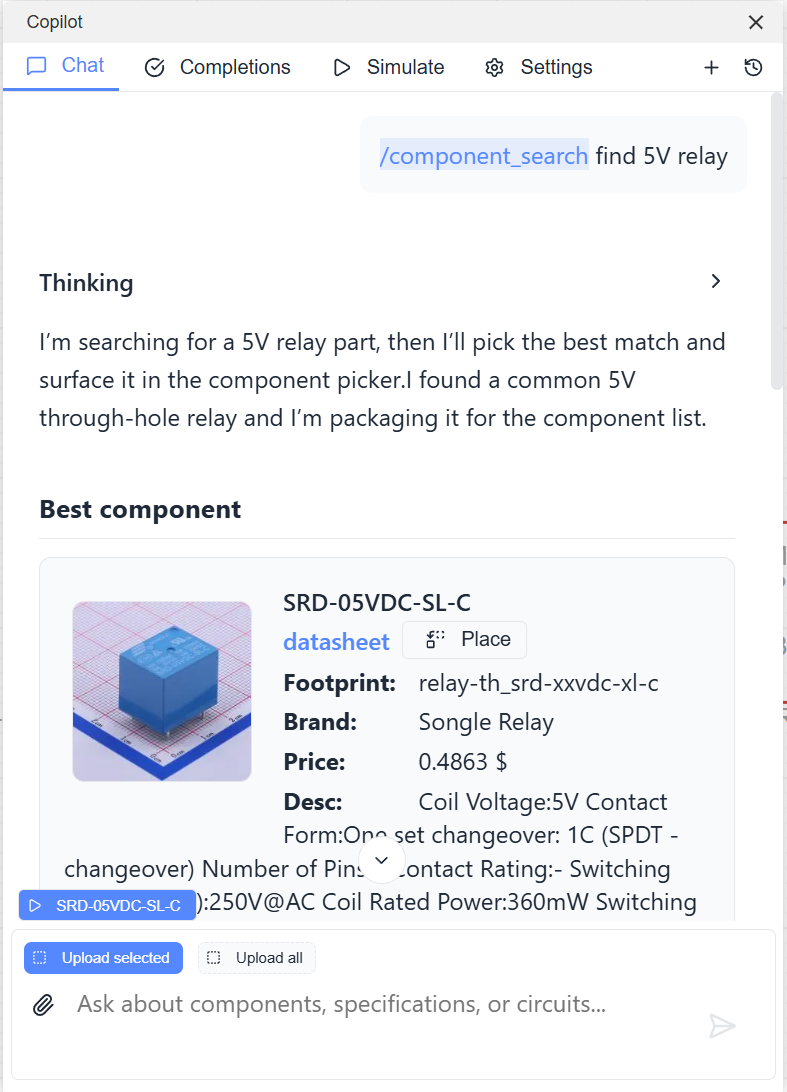
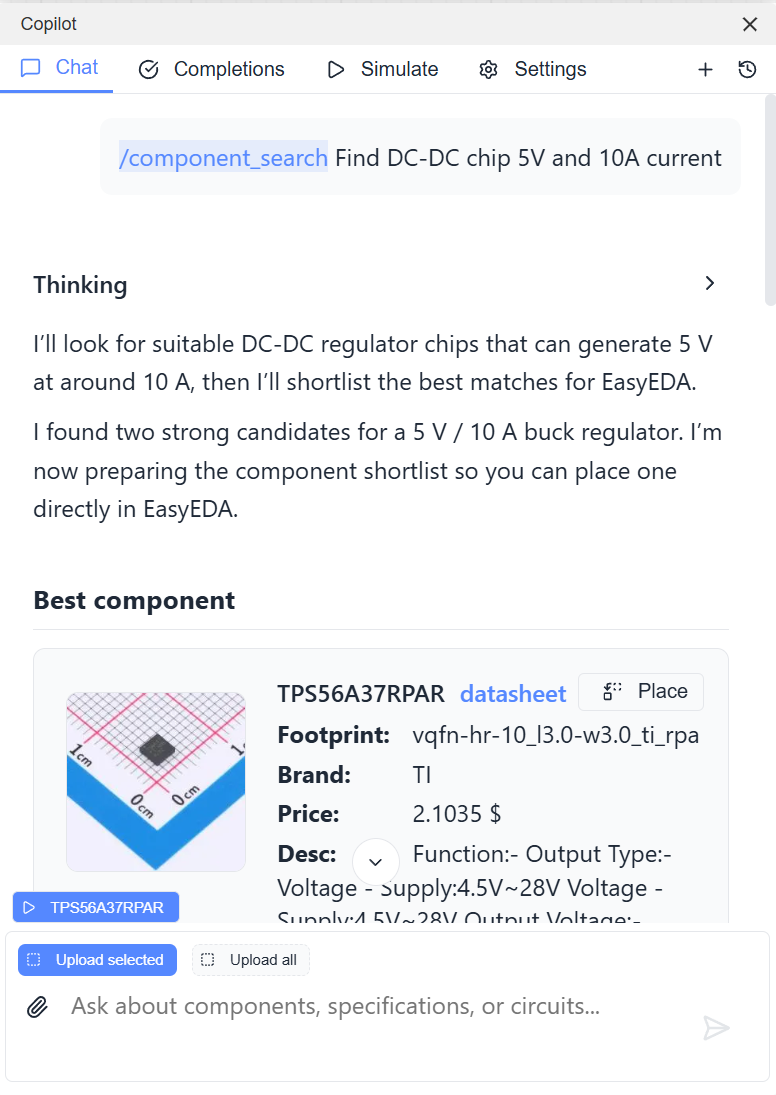
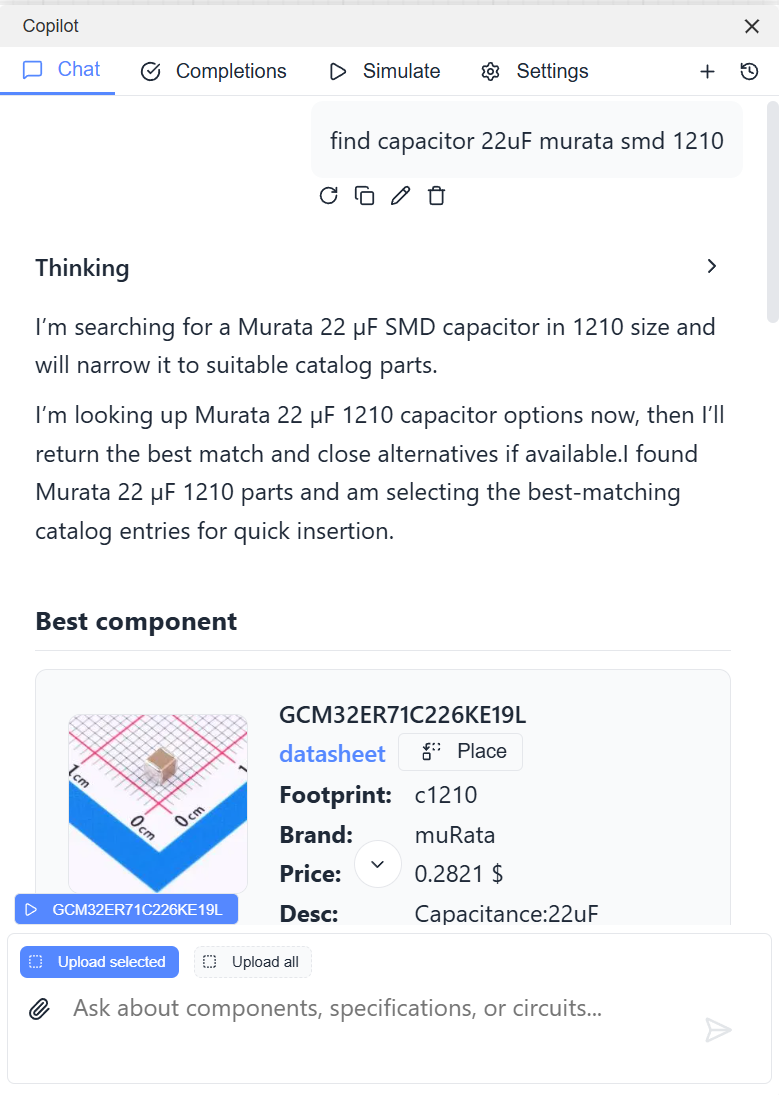
Search LCSC by intent instead of manually tuning catalog filters. Examples:
find 5V relayFind DC-DC chip 5V and 10A currentfind capacitor 22uF Murata SMD 1210
Reusable blocks
Reusable blocks are reviewed schematic fragments that the agent can adapt and insert into generated circuits. They are useful for standard subcircuits where the topology stays stable and only ports or passive values change.
See Reusable blocks documentation.
SPICE simulation
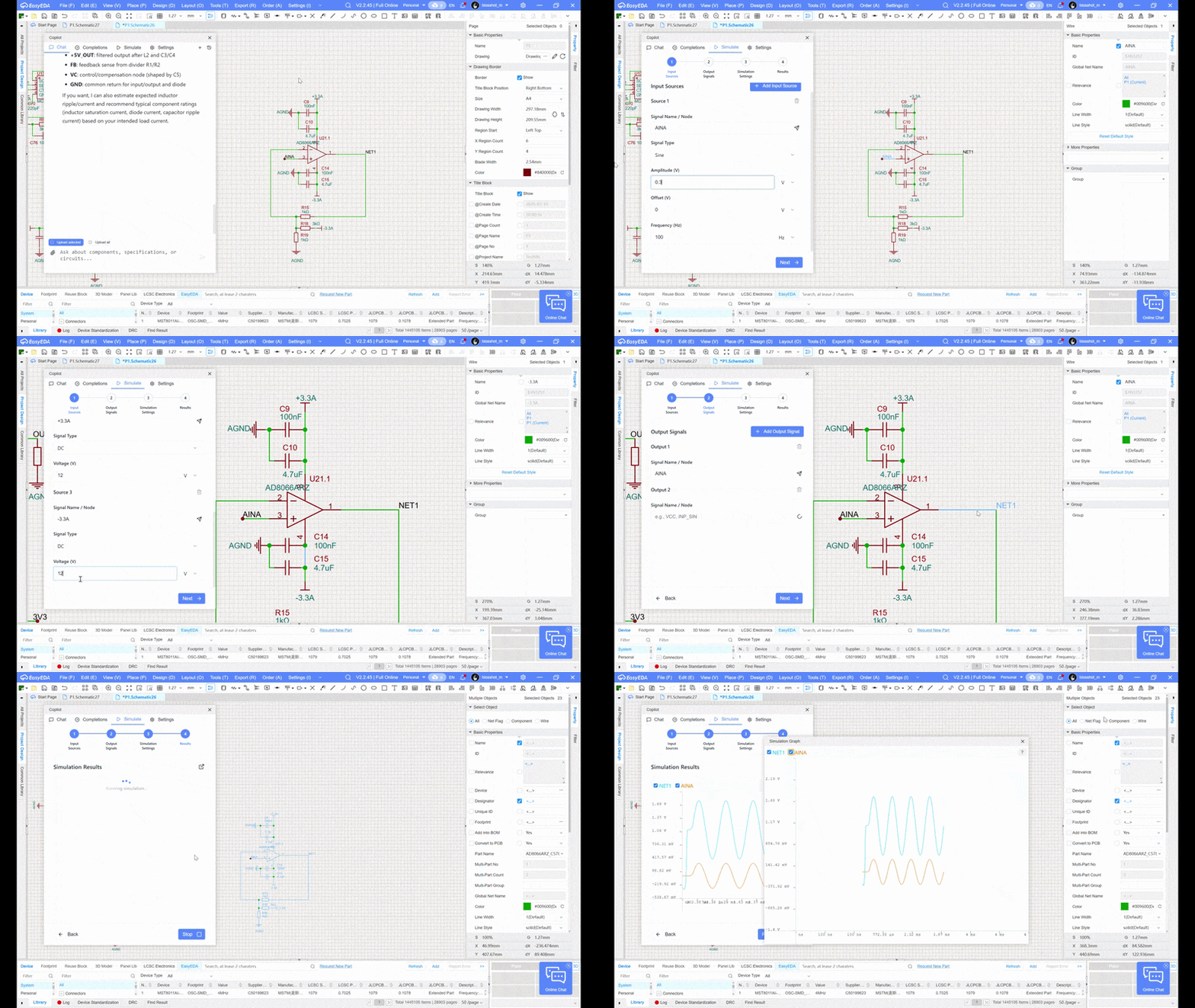
Copilot can run SPICE simulations and automatically select models from a component model library.
Always verify the SPICE models used for replacement components. The selected models are shown below the graph after simulation.
Documentation
Yorumlar (0)
Yorum birakmak icin giris yap.
Yorum birakSonuc bulunamadi