semantic-markdown
Health Warn
- License — License: Apache-2.0
- Description — Repository has a description
- Active repo — Last push 0 days ago
- Low visibility — Only 6 GitHub stars
Code Fail
- new Function() — Dynamic code execution via Function constructor in .claude/skills/smd-release/scripts/release-check.mjs
- exec() — Shell command execution in .claude/skills/smd-release/scripts/release-check.mjs
- spawnSync — Synchronous process spawning in .claude/skills/smd-release/scripts/release-check.mjs
- process.env — Environment variable access in .claude/skills/smd-release/scripts/release-check.mjs
- spawnSync — Synchronous process spawning in .claude/skills/sonarqube-scan/scripts/sonar-scan.mjs
- process.env — Environment variable access in .claude/skills/sonarqube-scan/scripts/sonar-scan.mjs
- network request — Outbound network request in .claude/skills/sonarqube-scan/scripts/sonar-scan.mjs
- spawnSync — Synchronous process spawning in .claude/skills/version-control/scripts/plan-release.mjs
Permissions Pass
- Permissions — No dangerous permissions requested
No AI report is available for this listing yet.
Semantic Markdown (.smd): Markdown for developers, PMs and AI agents — callouts, colors, diagrams, decisions, risks, APIs, KPIs. VS Code extension, CLI and agent skills with token-efficient agent views.

Semantic Markdown (.smd)
Semantic Markdown is Markdown for the specs, plans and docs that AI coding agents and people both read.
Decisions, risks, tasks and agent instructions that tools understand, validated in CI, and read by agents a section at a time.
Formerly Styled Markdown. Same format, new name: see moving from Styled Markdown.



Install · For agents · Playground · Feature guide · Specification
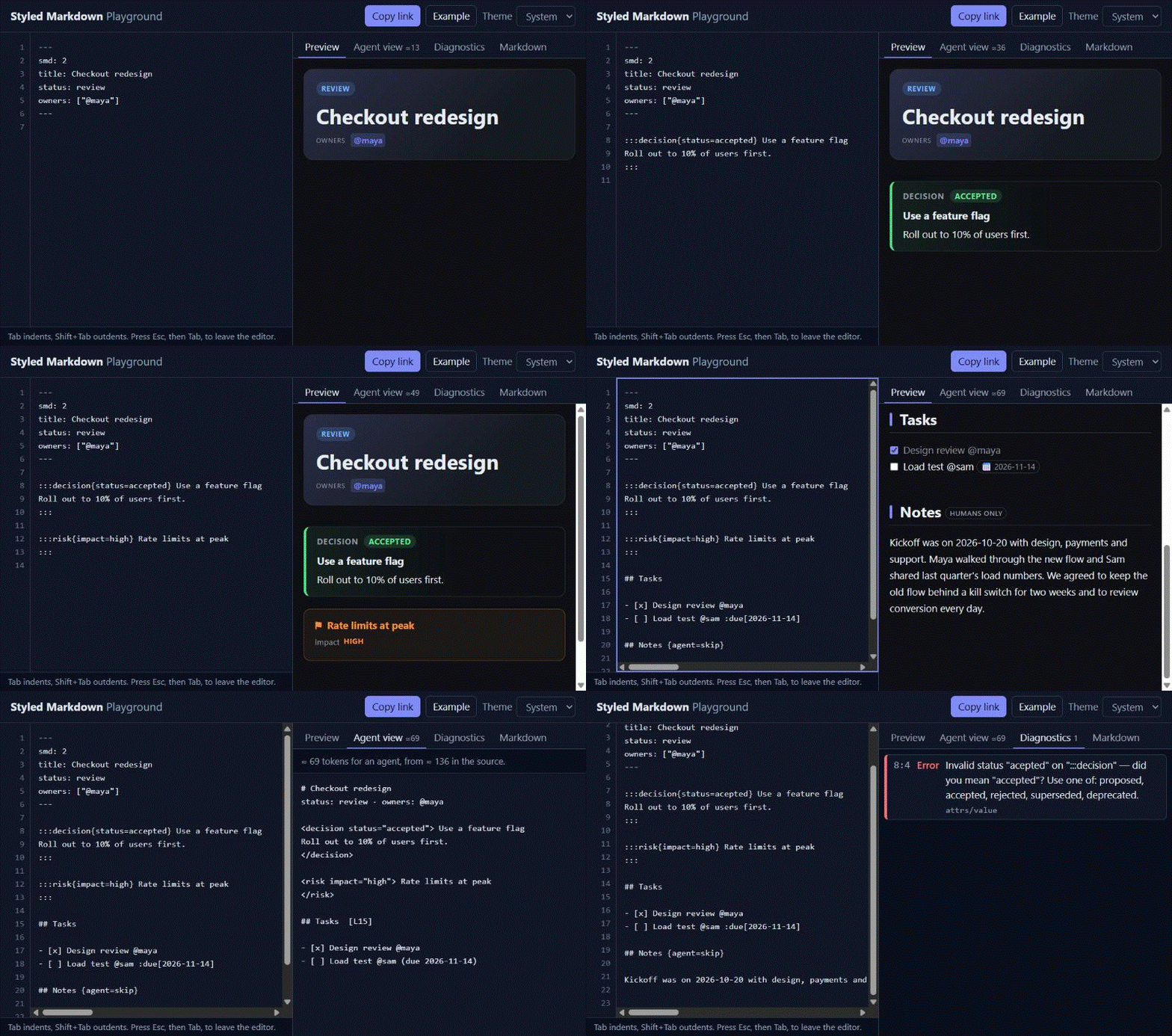
Install
Claude Code: the plugin brings the reading and writing skills and the smd MCP server.
/plugin marketplace add bislink360/semantic-markdown
/plugin install semantic-markdown@semantic-markdown
Any agent, one project: run this in your repository and commit the result. It installs the skills (Claude Code) or a rules file (Cursor, Copilot, AGENTS.md), the CLI at .smd/smd.cjs, the MCP server config and the AGENTS.md snippet.
npx semantic-markdown init --agent claude # or cursor, copilot, agents
VS Code: install Semantic Markdown from the Marketplace, or code --install-extension bislink360.semantic-markdown. Cursor, VSCodium, Windsurf: download semantic-markdown-3.0.0.vsix from the latest release, then cursor --install-extension semantic-markdown-3.0.0.vsix (codium … for VSCodium), or Install from VSIX… in the Extensions view. Open a .smd file and press Ctrl+K V (Cmd+K V on macOS) for the live preview.
CLI and library (Node.js 22+):
npm install -g https://github.com/bislink360/semantic-markdown/releases/download/v3.0.0/semantic-markdown-3.0.0.tgz   # the smd command
smd validate docs/
The npm registry and Open VSX listings are coming. Until the package is on npm,
npx semantic-markdown …doesn't work yet: use the files from the latest release, ornode smd.cjs init --agent claudewith the single-file CLI.
Everything else (the MCP server on its own, JetBrains, Obsidian, MkDocs, Neovim and other editors, the GitHub Action, pre-commit hooks, Astro and Docusaurus): docs/guides/install.md. Or try it first in the web playground, nothing to install.
For AI agents
Semantic Markdown makes the meaning of a document explicit, so an agent can tell an accepted decision from a proposal, a hard constraint from a side note, and its own instructions (:::agent) from content for people. The tools let it read only what a task needs:
| Command (CLI) or tool (MCP) | Gives the agent |
|---|---|
smd read spec.smd · MCP read |
The whole agent view when it fits a budget (default 2,000 tokens), else the outline with token costs; then smd agent spec.smd --section "…" (MCP read with sections) for just the parts it needs |
smd tasks docs/ · MCP tasks |
Open tasks across documents with owner, priority and due date, overdue first: a work queue |
smd query "decision[status=accepted]" docs/ · MCP query |
Just the blocks it asks for: decisions, risks, APIs, open questions |
smd validate docs/ · MCP validate |
Problems with rule codes and machine-applicable fixes, as a gate before it commits |
smd mcp --allow-write |
Opt-in write tools: check_task, set_status, add_decision, each validated |
What it saves, measured. The agent view drops styling, layout and content marked for people only. On seven sample documents (extension/test/samples), the full agent view is 4–37% smaller than the file (median ≈17%) and --brief 13–43%; reading the outline plus one section costs about 80% less than the file on 6k–8k-token documents. The bigger the document and the more often it is read, the more that adds up. For a small document (under ≈1,500 tokens) the skill and tool overhead costs more than it saves: just read the file, as the reader skill does. Methodology, fixed costs and a break-even table: docs/reports/tokens.md; what the agent view keeps and drops: docs/guides/agent-setup.md. smd savings docs/ reports the numbers for your own repository.
Measured on checkout-redesign.smd, a ≈2,500-token PRD (≈4 characters per token):
| How it's read | ≈ tokens | Saving |
|---|---|---|
| Raw file | 2,471 | — |
smd agent (whole document) |
1,540 | 38% |
smd agent --brief |
1,406 | 43% |
smd outline + smd agent --section "open questions" |
630 | 75% |
smd tasks on all 7 samples vs. reading them |
704 vs 7,328 | 90% |
smd query "decision, risk" on all 7 samples vs. reading them |
827 vs 7,328 | 89% |
Spec-driven work: spec, plan and tasks templates turn a feature into three linked documents an agent works through, with smd tasks as its queue and smd validate as the gate: docs/guides/spec-driven.md. Setup for each agent: docs/guides/agent-setup.md and docs/reference/agents.md.
Why Semantic Markdown?
Markdown is the lingua franca of engineering docs, but teams keep stretching it. **IMPORTANT:** stands in for warnings, raw HTML for color and layout, and nobody finds a broken diagram until someone opens the file. AI agents reading those docs spend tokens on decoration and history, and can't tell a hard constraint from a side note.
- Every
.mdfile is already a valid.smdfile. Rename it and add structure where it helps. - Meaning is explicit.
:::warning,:::decision,:::risk,:::apiand:::agentsay what content is, not just how it looks. - Everything is validated, with rule codes and automatic fixes, in VS Code and in CI.
- Agents read only what matters, through the agent view, the outline and queries.
- Requirements and reviews live in the document.
:::requirement,:::constraintand:::acceptanceblocks with ids, questions with a lifecycle, and:::commentand:::suggestionblocks that know when their target changed.smd query --followbrings what a block depends on, andsmd reviewaccepts or rejects a suggestion. - Safe and portable. No scripts, allowlisted styles, and a one-command export to HTML, GitHub Markdown, PDF or Word.
- Stable. Spec v2 gets no breaking changes; tools releases follow a compatibility policy.
| Developers | Product & project managers | AI agents | |
|---|---|---|---|
| Write | API blocks, code highlights, live code embeds, diagrams, math | Decisions, risks, timelines, KPIs, task owners and due dates | A writer skill with 16 templates and a validator |
| Read | Syntax-highlighted preview, outline, folding | Status header, colored callouts, overdue tasks in red | smd read, then only the needed sections |
| Check | Problems panel + quick fixes, smd validate in CI |
smd tasks across all docs, overdue first |
--json diagnostics with machine-applicable fixes |
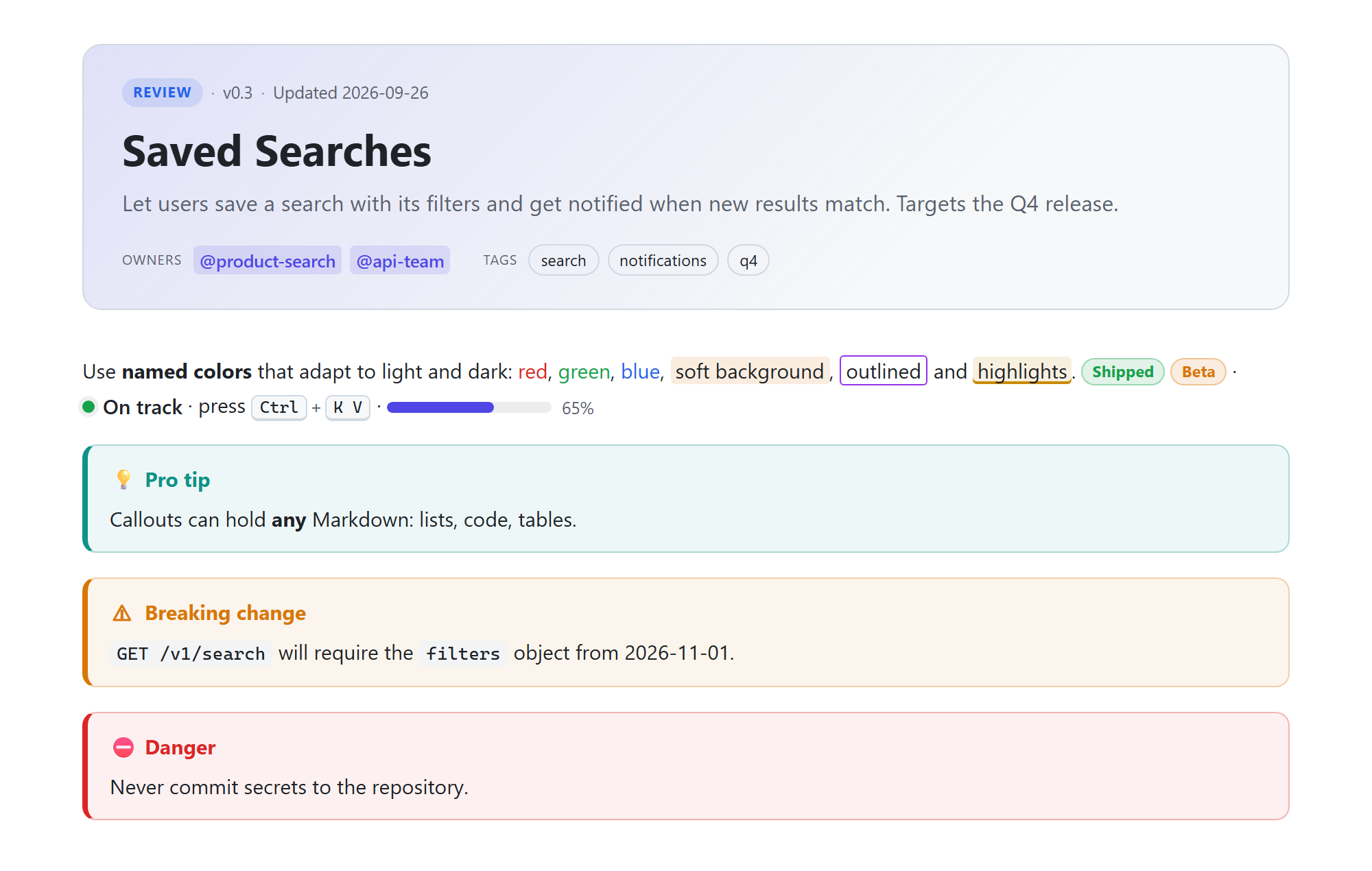
A taste of the syntax
---
smd: 2
title: Saved Searches
summary: Let users save a search and get notified when new results match.
status: review
owners: ["@product-search"]
---

:metric[38%]{label="Abandonment" delta="-2.1pp" trend=down good=down}

:::warning Breaking change
`GET /v1/search` requires the `filters` object from 2026-11-01.
:::

- [ ] Idempotent order creation :priority[P0] @api-team :due[2026-10-03]

:::decision{status=accepted date=2026-09-08 owner=@maya} Accordion layout on mobile
Won usability testing on completion rate.
:::

```mermaid
flowchart LR
    A[Search] --> B[Save] --> C[Notify]
```

## Background {agent=skip}
History and research. People see it; agents skip it.

:::agent
- All prices are integer cents.
:::
Every construct, with what it renders, what an agent reads and its plain-Markdown fallback: the feature guide (its At a glance section lists everything the format, the VS Code extension, the CLI and the skills do).
At a glance
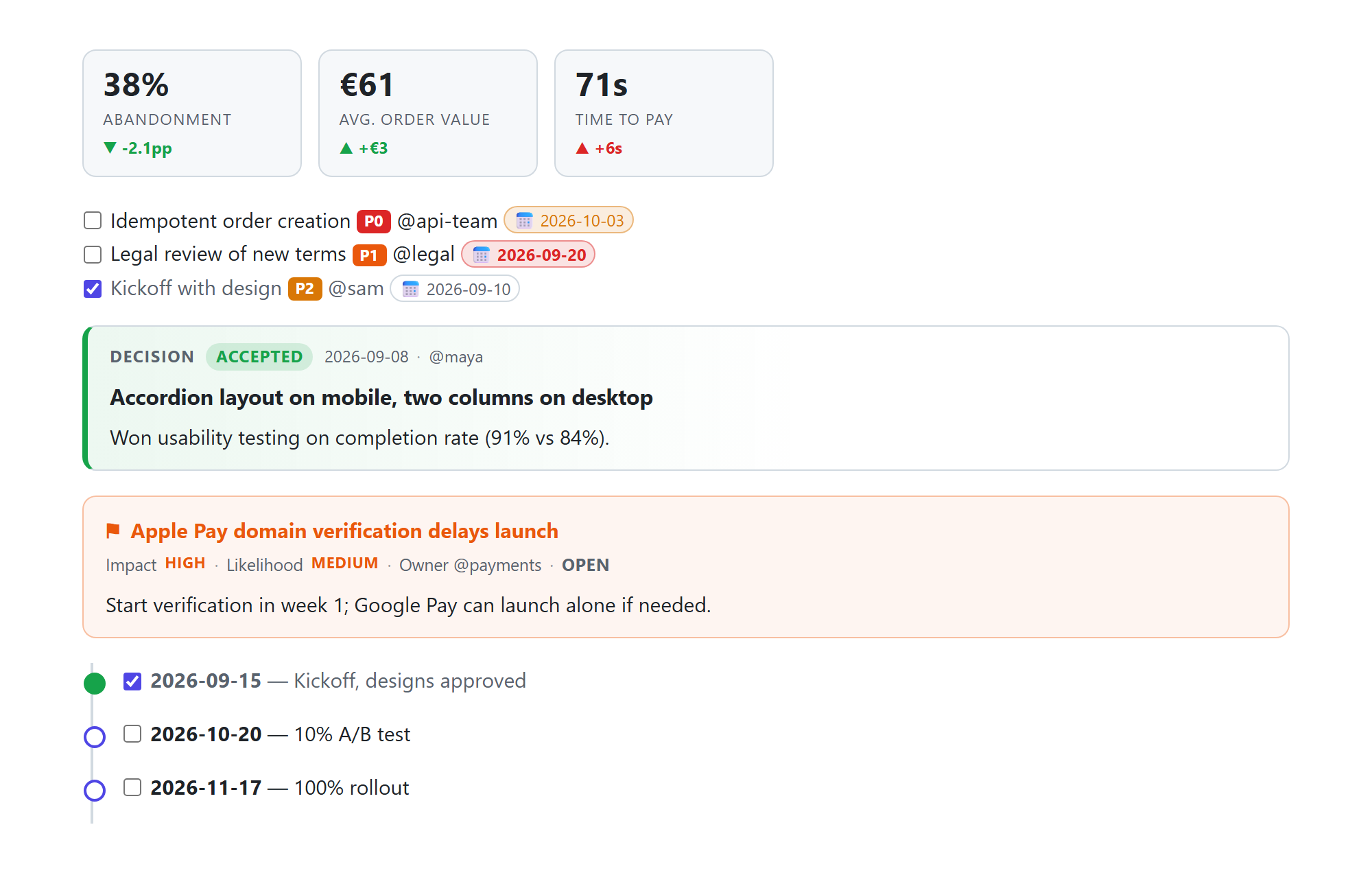 Project management: KPI tiles, tasks with priority/owner/due date, decisions, risks, timelines |
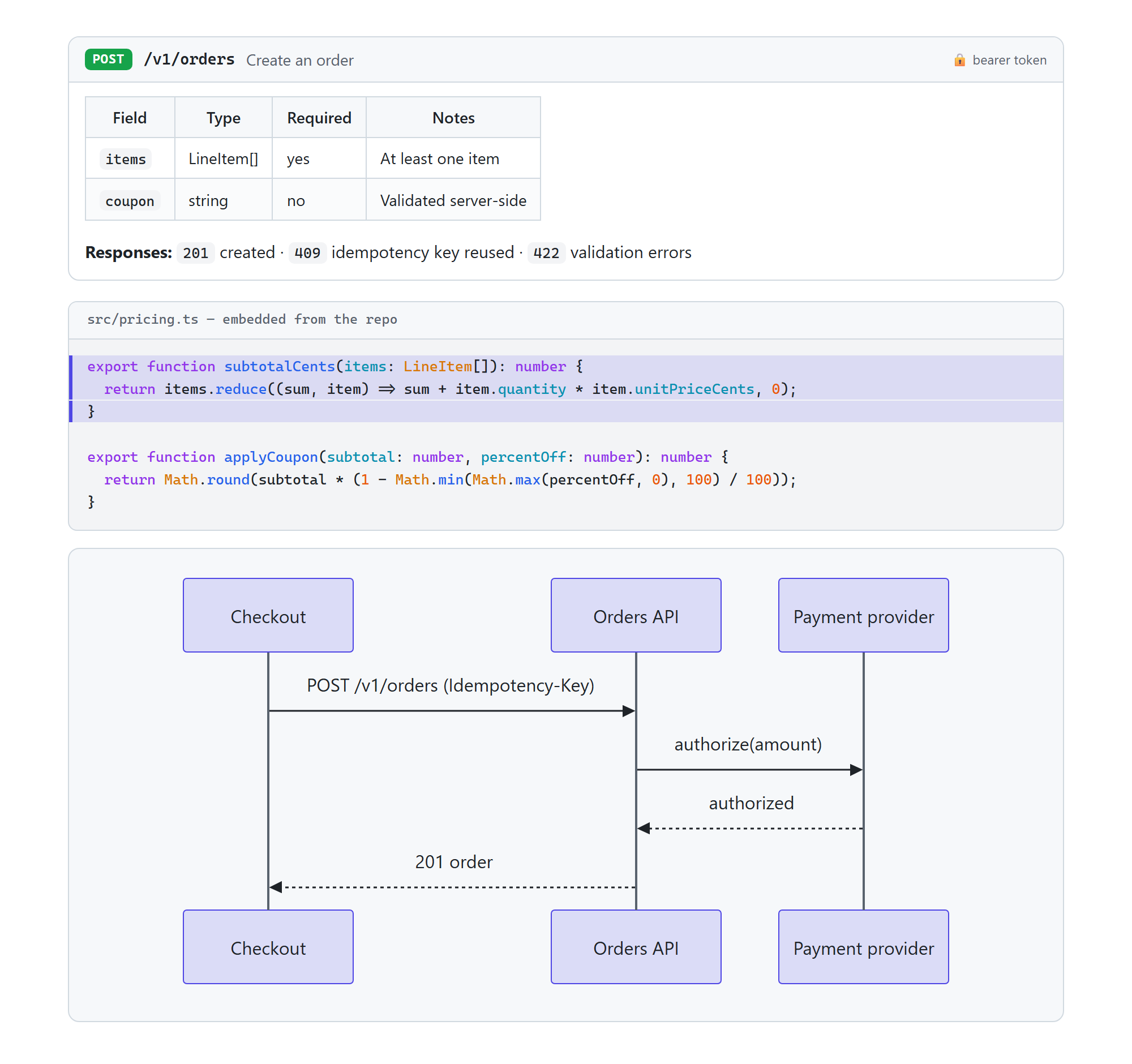 Developers: API endpoints, code embedded from the repo with line highlights, Mermaid diagrams |
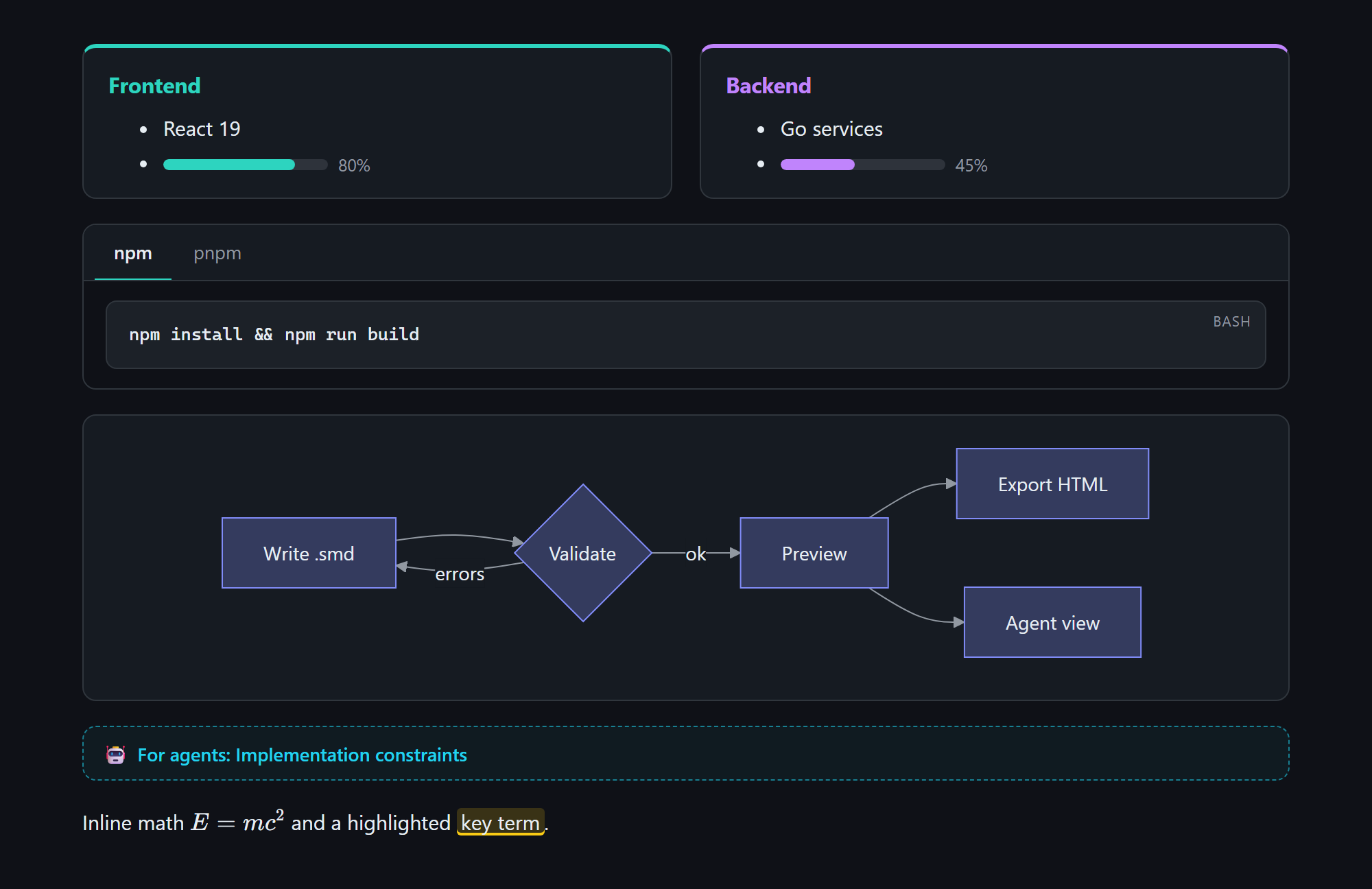 Layout & theming: cards, columns, tabs, diagrams, math. Light and dark follow VS Code. |
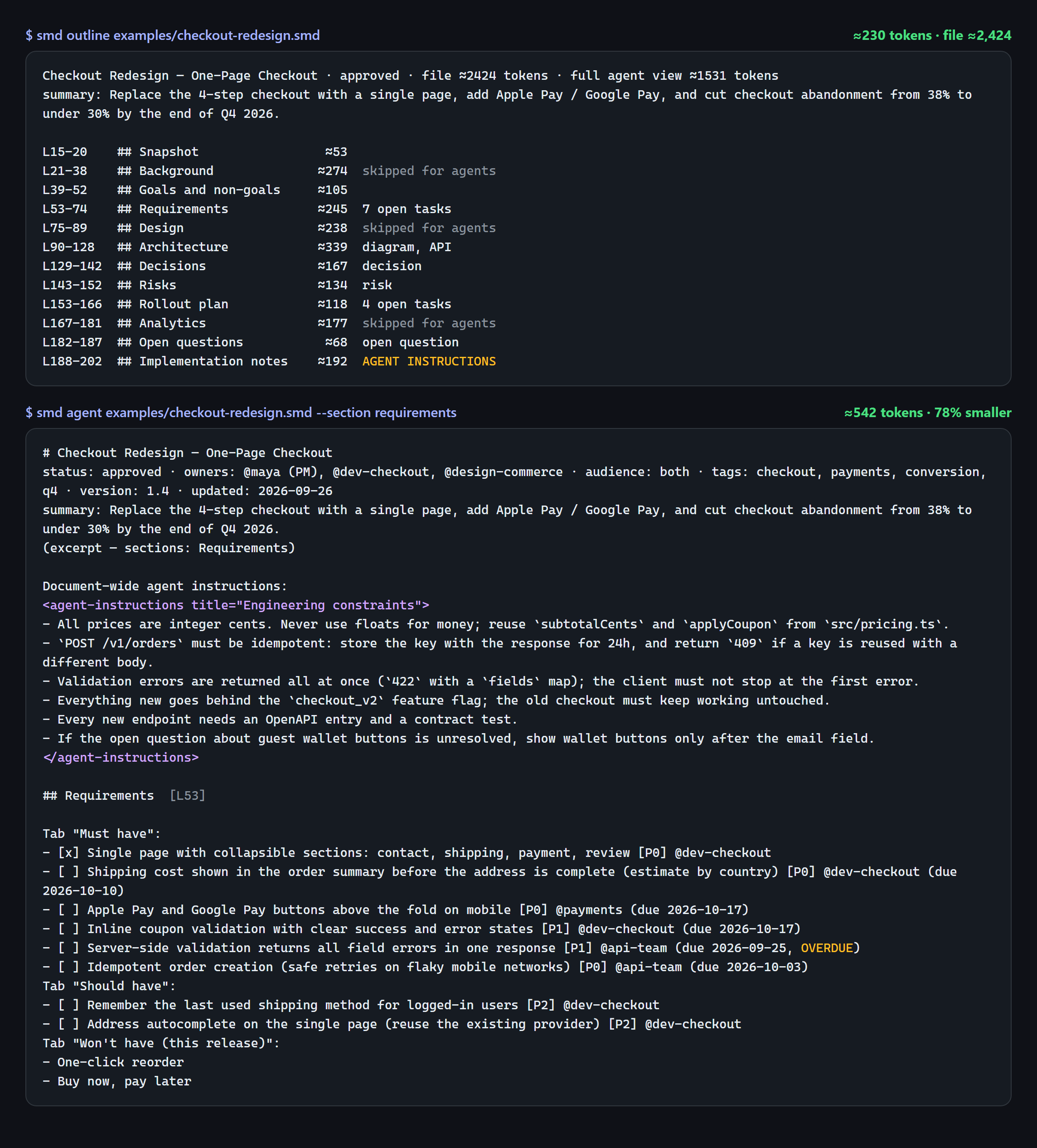 Agent view: an outline with per-section token costs, then only the section needed |
On GitHub
GitHub renders .md files but shows .smd files as source. You can write Semantic Markdown syntax in .md files, generate .md copies in CI with smd export --to md, or post the changed sections on pull requests: docs/guides/github-and-ci.md compares them, with complete workflows. To check documents on every pull request, with each problem annotated on its line:
- uses: bislink360/semantic-markdown/[email protected]
  with:
    paths: docs
Documentation
All the documentation, grouped into guides, reference, reports, RFCs and requirements: docs/README.md. The ones most people need:
| Document | For |
|---|---|
| docs/guides/install.md | Installing and updating the VS Code extension, the CLI and library, MkDocs, the playground and Obsidian |
| docs/guides/agent-setup.md | Setting up AI agents: the Claude Code plugin, smd init --agent, the MCP server and the agent skills |
| docs/reference/features.md | Feature guide: every construct with syntax, rendering, agent view and plain-Markdown fallback; the VS Code extension, the CLI and the Block Editor |
| docs/reference/agents.md | One-page guide to paste into any agent's instructions, and the MCP server's tools |
| docs/guides/github-and-ci.md | The GitHub Action, pre-commit hooks, and making .smd documents readable on GitHub |
| docs/guides/editors.md | Using .smd in Neovim, Helix, Zed, JetBrains IDEs and other editors |
| docs/guides/spec-driven.md | Spec → plan → tasks with an agent |
| docs/guides/upgrading.md | Moving from Styled Markdown and upgrading to 2.0 |
| docs/reports/tokens.md | What the agent view saves, measured, and when it doesn't pay |
| docs/reference/spec.md | The formal specification (v2, with the v1 rules it keeps) and validation rules |
| docs/reference/compatibility.md | The stability promise: spec v2 is stable, what each release may change, deprecations, release cadence |
Contributing
Bug reports, ideas and pull requests are welcome: see CONTRIBUTING.md for the setup, the repository layout and good first issues, and Discussions for questions. To build and test:
cd extension
npm install
npm run build          # bundle extension + CLI; refresh the CLI bundled in skills/*/scripts
npm test               # unit tests
npm run test:vscode    # integration checks inside a real VS Code
npm run package        # → semantic-markdown-3.0.0.vsix
npm run build:npm      # → ../npm/dist (the npm package)
npm run build:playground  # → dist/playground (the web playground; open its index.html)
Press F5 in extension/ to launch an Extension Development Host with the test samples open.
Author
Roshan Alwis, bislink360
License
Copyright 2026 bislink360. Licensed under the Apache License, Version 2.0.
Reviews (0)
Sign in to leave a review.
Leave a reviewNo results found