frosty-vl
Health Pass
- License — License: Apache-2.0
- Description — Repository has a description
- Active repo — Last push 0 days ago
- Community trust — 13 GitHub stars
Code Pass
- Code scan — Scanned 12 files during light audit, no dangerous patterns found
Permissions Pass
- Permissions — No dangerous permissions requested
No AI report is available for this listing yet.
Qwen Image 2.1 in Frosty Studio: create and edit with 10 references, official prompt enhancement, RGBA and recoverable galleries. Includes Frosty VL video workflows, Scene Lab, and 12 MCP tools for agents, with local Windows/CUDA setup and agent installation guides.
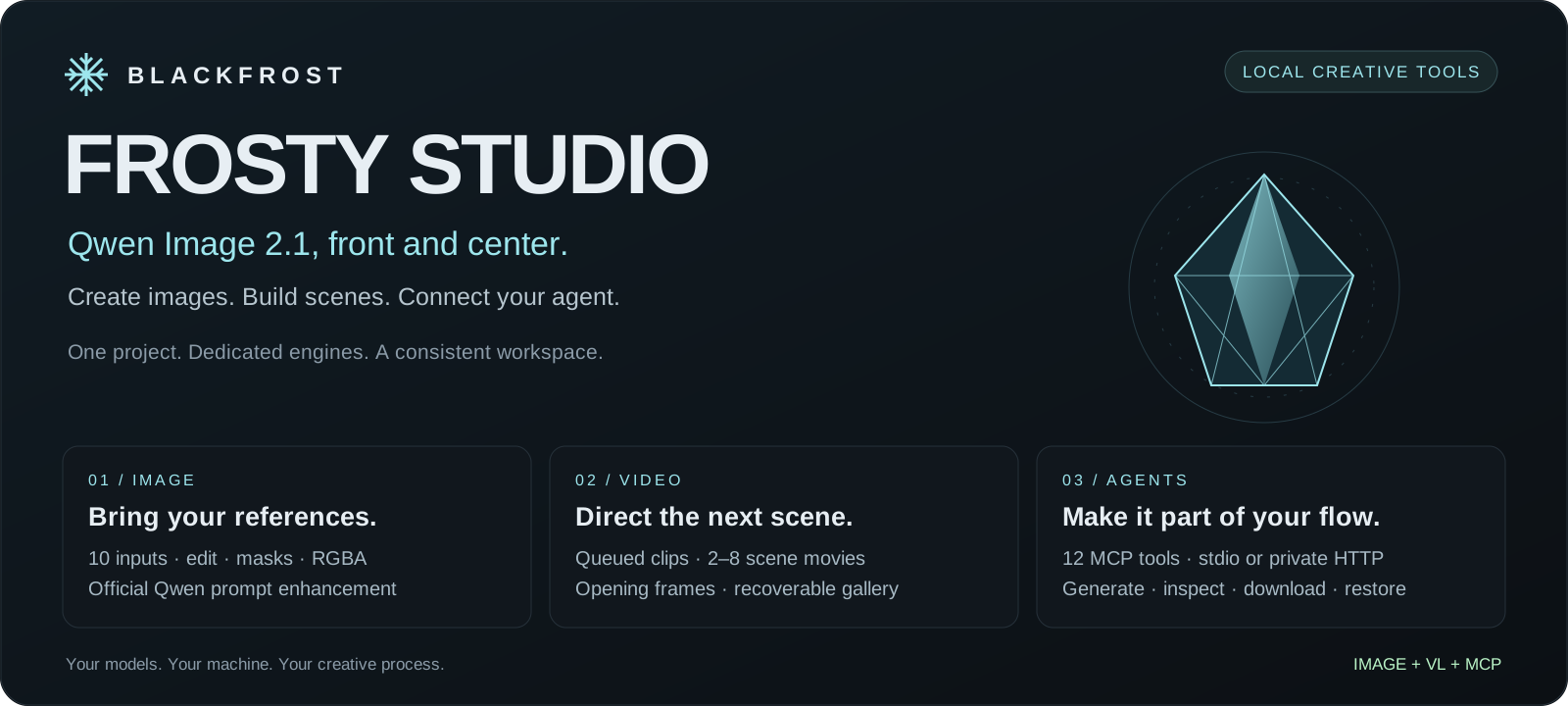
Frosty Studio
Qwen Image 2.1 at the center. Video and agent workflows alongside it.
Frosty brings local image creation, reference editing, video production, and MCP
agent tools into one project. Work in a browser, connect your own assistant, or
use the job APIs directly. The Image and VL workspaces share Frosty's charcoal,
ice-cyan, and mint design, with controls tailored to each engine.
Start here · Image setup ·
Connect an agent · Agent installation instructions
Image features · Video features ·
Video installation · Troubleshooting
Choose your workspace
| Component | What you get | What it needs |
|---|---|---|
| Frosty Image | Qwen Image 2.1 creation, editing, compositing, RGBA, masks and official prompt enhancement | Local model files and a compatible NVIDIA/CUDA installation; a Windows RTX 4080 16 GB NF4 profile has been tested |
| Frosty VL | Queued video clips, Scene Lab, opening frames, engine-aware controls and a recoverable video library | A separately configured video backend; requirements depend on the model |
| Frosty MCP | 12 tools that let an agent use both workspaces | Python 3.10+ and a reachable Studio; no GPU or weights on the companion machine |
Install only the parts you need. The repository's frosty-vl name is retained for
existing links, but it now houses the complete Studio. Model weights are supplied
separately. Configuring two engines does not make both models fit on one GPU.
Frosty Image: create, edit, and compose
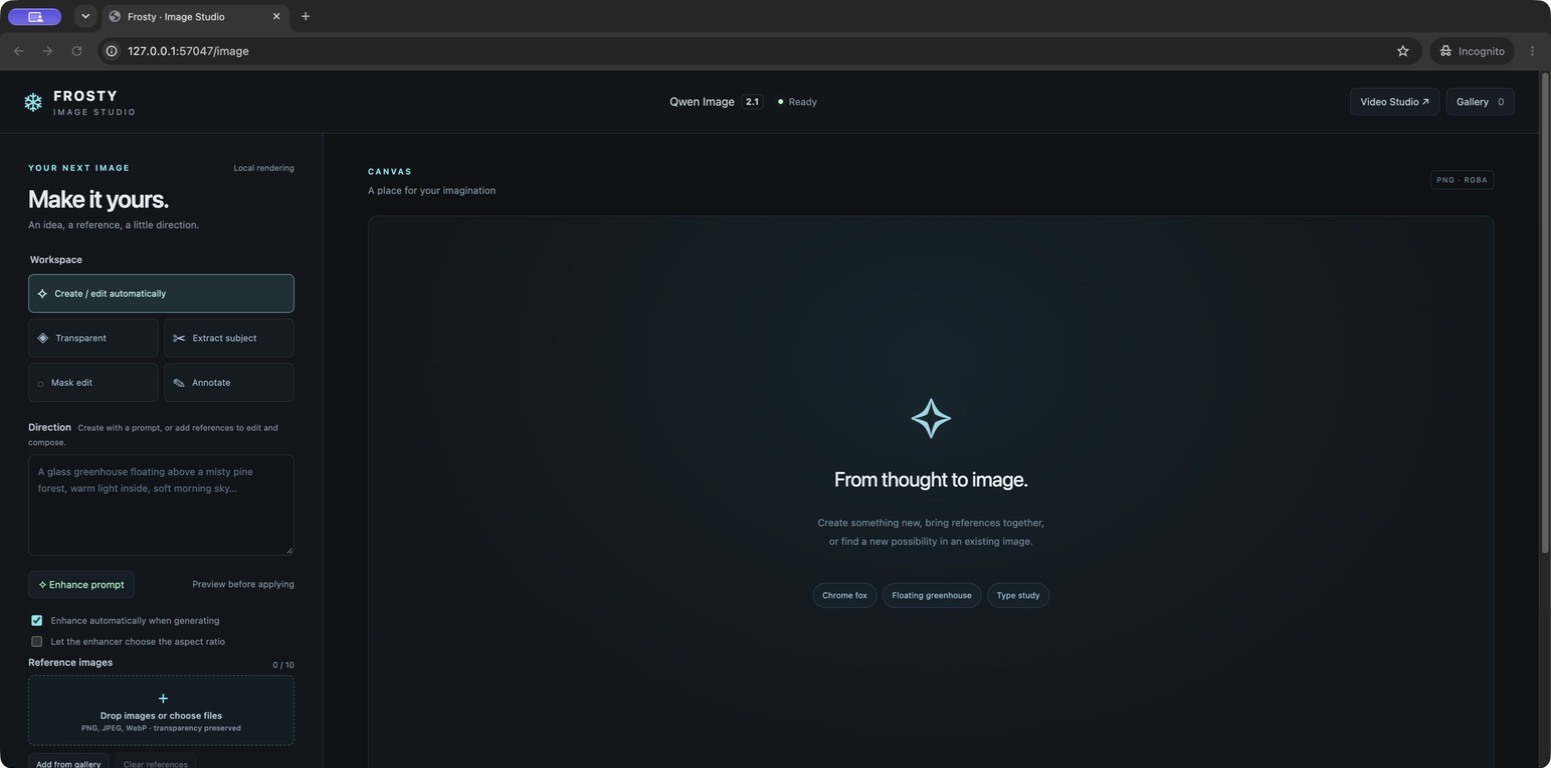
Current UI captured with a local interface fixture. No generated artwork or GPU
benchmark is represented by this screenshot.
- One composer for creation and editing. Start with text, or add references to
switch automatically into editing. Drop, paste, preview, reorder, replace, or
append images from your gallery. - Up to ten ordered references. Refer to “image 1” and “image 2” in your
direction. Mask editing reserves one slot for the mask: nine references plus
one mask. - Official Qwen prompt enhancement. Preview the expanded direction, edit it,
and apply it; or enhance automatically before rendering. Creation and editing
use separate optional PE checkpoints. Aspect-ratio suggestions are opt-in. - Transparent PNG workflows. Generate RGBA, edit transparent layers, or
extract a subject with a prompt. - Local editing tools. Paint a mask or annotate a reference. Mask mode can
composite the result over the resized original to preserve pixels outside
the selected region. - Detailed generation controls. Seven aspect ratios, 512/1K/2K presets,
bounded custom dimensions, steps, seed, negative prompt, guidance, reference
detail, context caching and one to four sequential variations. - A library you can recover. Download, reuse, delete one or many images,
Undo, and restore from Trash with metadata retained. No permanent-purge command. - Optional image DWM. A matching, separately supplied direction bank enables
runtime controls. Omitted MCP strength preserves the engine's default.
Read the Image guide for parameters, limits, persistence and API
examples. Start installation with the Windows walkthrough.
Frosty VL: from a shot to a sequence
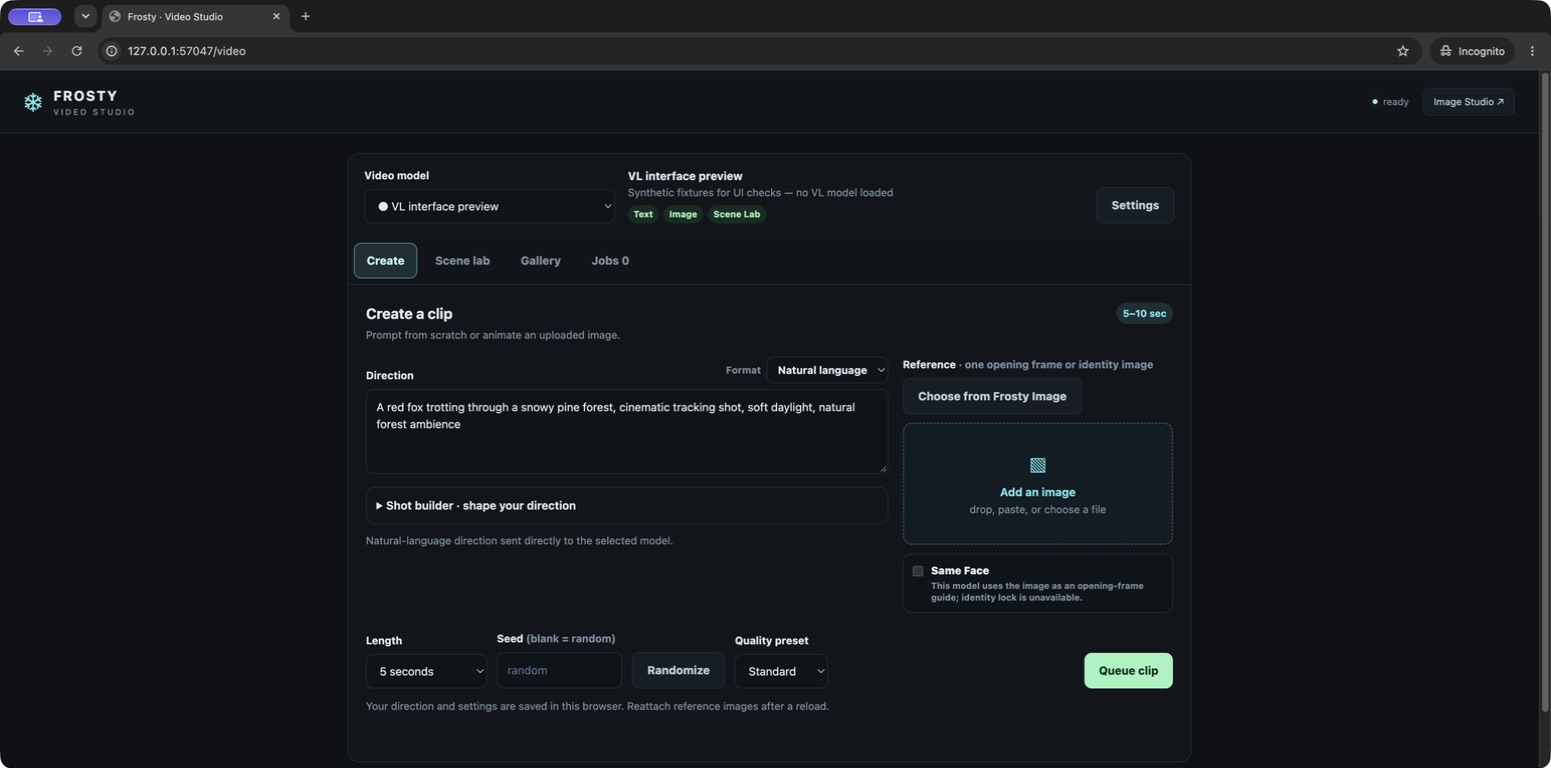
Current UI with an explicitly labeled interface-preview backend. Live VL model
inference has not been requalified for the 1.2 workflow.
- Queue clips and keep working. Jobs show status, scene progress, errors and
result links. Refresh reconnects to watched jobs while Studio remains running. - Shape the shot. Use a natural-language prompt, structured JSON, or the
editable shot builder for camera, light, motion and sound. The shot builder is
a local writing aid; it does not run a separate enhancement model. - Build 2–8 scenes. Reorder, duplicate, choose durations, and assemble clips
into a movie with FFmpeg. Match-cut continuity uses the previous clip's last frame. - Bring images into motion. Upload an opening frame or choose a saved Frosty
Image output. Identity references and native audio appear only where supported. - Keep useful drafts and results. Browser drafts retain text and settings;
references must be reattached. Search the gallery, reuse settings, download,
Delete, Undo and Restore.
The existing modular Qwen3-VL video adapter uses a specific compatible diffusion
pipeline layout; an ordinary Qwen3-VL chat checkpoint is insufficient. Its bundled
Compose topology targets two B200-class GPUs. The optional Wan 2.2 TI2V 5B adapter
has a separate loader and capabilities. These are not the hardware requirements
for Image or MCP. See video installation.
Your agent can use the same Studio
The MCP companion translates agent tool calls into Studio jobs. It does
not load models. Start locally over stdio, or use authenticated Streamable HTTP
on a specific private/VPN address.
| Workflow | MCP tools |
|---|---|
| Discover and generate | frosty_status, frosty_generate_image, frosty_enhance_prompt, frosty_generate_video |
| Track and cancel | frosty_job, frosty_video_jobs, frosty_cancel_job |
| Find and use media | frosty_gallery, frosty_asset, frosty_preview_image |
| Recoverable cleanup | frosty_trash, frosty_restore |
A normal agent loop is discover → submit → poll → inspect → deliver. A returned
job ID means queued work, not a successful render. References can be gallery IDs,
data URLs, or explicitly allowed local paths. Download links and native image
previews let the agent return results to its user.
MCP installation and client examples ·
Give these instructions to your setup agent
How the pieces connect
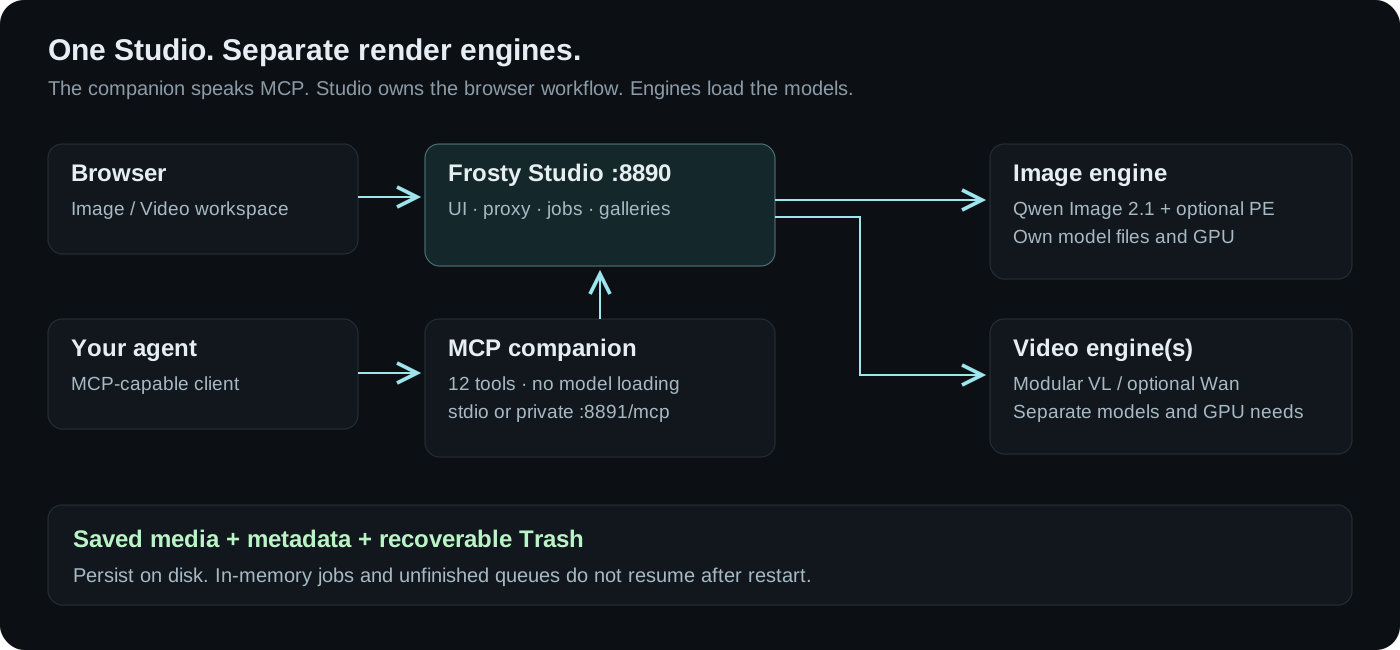
- Studio
:8890serves/image,/video, galleries and job APIs./follows
the default in the engine configuration. - Image engine
:8899owns image jobs, files and image Trash in the native
example. Video uses another port when both run together. - MCP connects to Studio, not directly to a render engine. Stdio needs no
listening port; optional HTTP uses:8891/mcpby default. - Each backend owns its loader and GPU needs. The video gallery requires shared
access to the video output directory; image files are proxied from the image engine.
Use the combined configuration as an
editable example. It does not install engines, load models, allocate GPUs or
create a network tunnel. The native example addresses are not Docker service names.
Setup in three decisions
- Choose Image, video, MCP only, or a combination. Use the
setup matrix to select the right instructions. - Choose storage and compute. Keep weights, output libraries, environments
and private configuration outside the Git checkout where practical. Image
enhancement adds two checkpoints and model-switching time. - Choose access. Loopback for one machine; an existing WireGuard/private
network or SSH tunnel for remote use. Studio and the raw engines do not add
user accounts or authentication. MCP's HTTP token protects only MCP.
An agent can handle installation using AGENTS.md and the detailed
runbook. The runbook tells it to inspect your environment,
reuse answers you already supplied, preserve existing data, and verify the actual
browser/agent path before claiming success.
What is verified, and what still depends on your machine
The 1.2 implementation passed 76 Python tests and 8 UI workflow tests, including
real MCP stdio/HTTP clients, authentication checks, lifecycle and Trash recovery,
and synthetic FFmpeg scene assembly. These are software-workflow checks.
The earlier native Windows Image profile was exercised on an RTX 4080 16 GB with
NF4, references, both official enhancers, masks and transparency. Resolution,
reference count, memory pressure and checkpoint switching affect performance.
There is no universal VRAM-fit or speed guarantee. Live VL generation for the new
workflow still requires a loaded model and an installation smoke test.
Job records and unfinished queues are in memory and do not resume after a process
restart. Saved media, sidecars and Trash persist. This project does not currently
provide hosted accounts, multi-user isolation, public sharing, or automatic model
management. An agent should report those boundaries clearly.
Documentation and development
| Guide | Use it for |
|---|---|
| Getting started | Select the installation path and understand prerequisites |
| Windows Image setup | Clone, environment, verified model downloads, engine, Studio, first image |
| Image Studio | References, enhancement, editing, controls, DWM and Image API |
| Video setup | Model compatibility, separate artifacts, Docker topology and verification |
| Video Studio | Queue, Scene Lab, gallery, persistence and video API |
| MCP | Companion installation, client configuration, tools and network access |
| Agent instructions | End-to-end installation and handoff for assistants |
| Troubleshooting | Common setup, model, queue and networking failures |
| Development | Source map, local checks, updates and contribution guidance |
| Visual assets | Branding, screenshot provenance and asset descriptions |
The ComfyUI integration remains an optional video steering
node. It is separate from the browser Studio and is not required for Image or MCP.
Upstream projects and distribution
Frosty is a Blackfrost project built around separately supplied model runtimes.
See the official Qwen Image 2.1 model,
Qwen implementation,
official demo,
Diffusers, and
MCP Python SDK.
Read LICENSE, NOTICE and LICENSE-NOTICE.md
for the repository's existing distribution terms. Model licenses remain separate.
The public Git clone includes no base-model weights, image DWM bank, or licensed
video direction .npy files. The vendored Qwen enhancer adapter has its own
provenance and license.
Reviews (0)
Sign in to leave a review.
Leave a reviewNo results found