hearth
Health Gecti
- License — License: MIT
- Description — Repository has a description
- Active repo — Last push 0 days ago
- Community trust — 40 GitHub stars
Code Uyari
- network request — Outbound network request in .agents/skills/golang-concurrency/evals/evals.json
Permissions Gecti
- Permissions — No dangerous permissions requested
Bu listing icin henuz AI raporu yok.
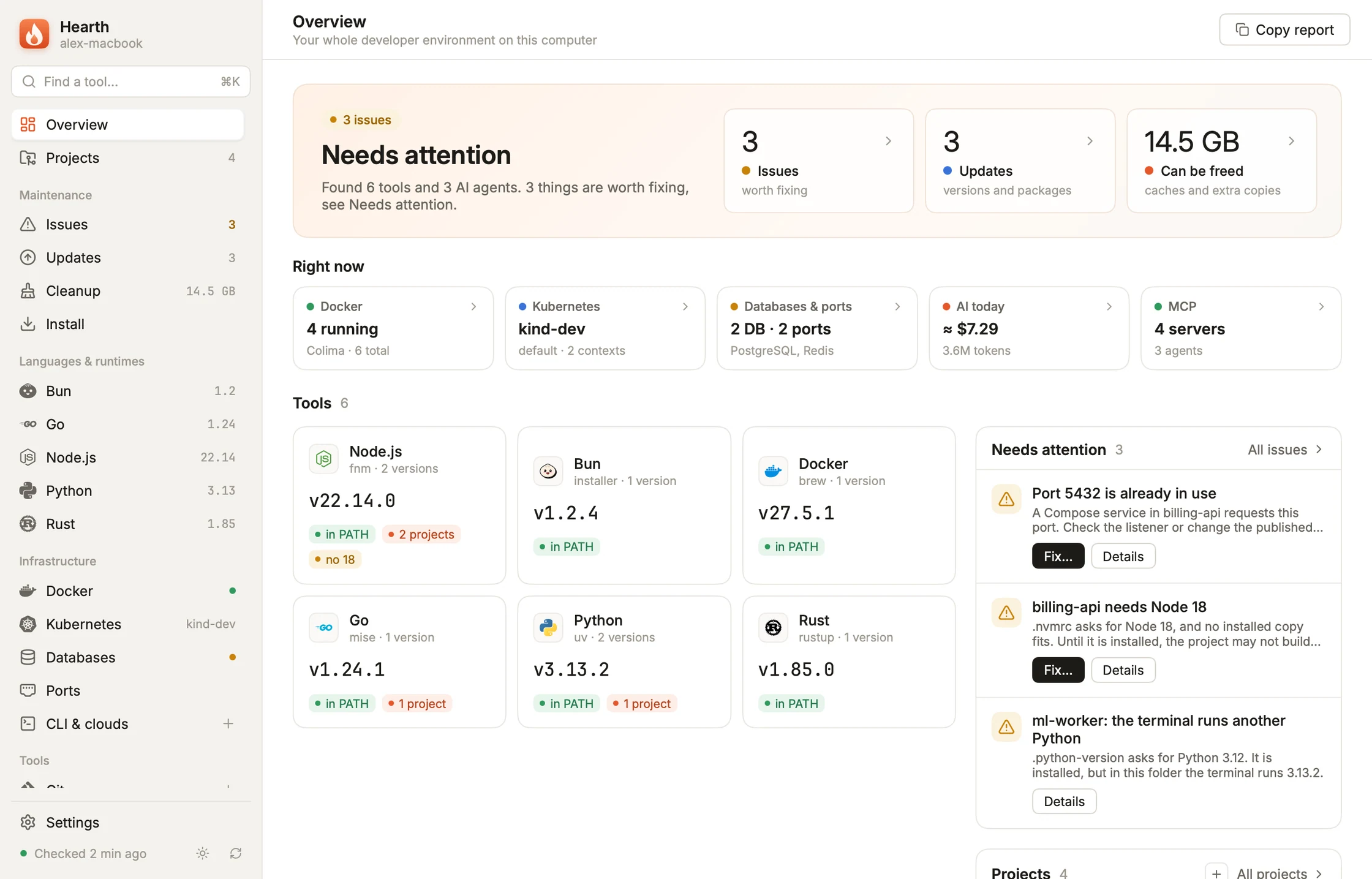
One calm home for your local dev environment: runtimes, PATH, projects, Docker, Kubernetes, databases, and AI agents with a plan and diff before anything changes.

Hearth
One calm home for your local dev environment.
Inspect runtimes, projects, Docker, Kubernetes, local databases, AI agents, MCP servers, and disk usage, and fix anything with a clear plan and diff before a single file changes.



Website · Download · Install · MCP Server · Roadmap · Security
Why Hearth?
Modern local setups sprawl across mise, fnm, nvm, uv, pyenv, rustup, Homebrew, WinGet, Docker engines, kubeconfig contexts, local database services, and half a dozen AI coding agents. When something breaks (a project picks up the wrong Node version, port 5432 is already taken, your shell takes 2 seconds to open, or an MCP server leaks a plaintext token), finding why means piecing together a dozen CLI commands.
Hearth brings all of it into one native desktop app:
- Native & lightweight: Single native Go binary built with mygo (~20 MB download; ~28 MB macOS Universal DMG): no Electron, no WebView, and no background daemon hogging RAM.
- Read-only by default: Scanning never changes your machine. Every install, upgrade, fix, or cleanup shows the exact commands, file diffs, and consequences before you confirm.
- Respects your existing setup: Detects your current managers (
mise,fnm,nvm,volta,uv,pyenv,rbenv,rustup,brew,winget,scoop,apt,dnf,pacman, etc.) and works through them. Shell rc edits stay inside# >>> hearth >>>markers with automatic backups. - 100% local, zero telemetry: No account, no analytics, no data uploaded anywhere.
What Hearth Does
1. Runtimes, PATH & Projects
See the three facts that actually matter for every tool: what is installed on disk, what a new terminal resolves on PATH (which -a order + GUI PATH differences), and what each project expects (.nvmrc, mise.toml, .tool-versions, pyproject.toml, go.mod, rust-toolchain.toml, global.json, composer.json, *.tf, Compose, and K8s manifests). Prepare a fresh or existing project with a single confirmed plan.
2. Docker, Kubernetes, Local Databases & Ports
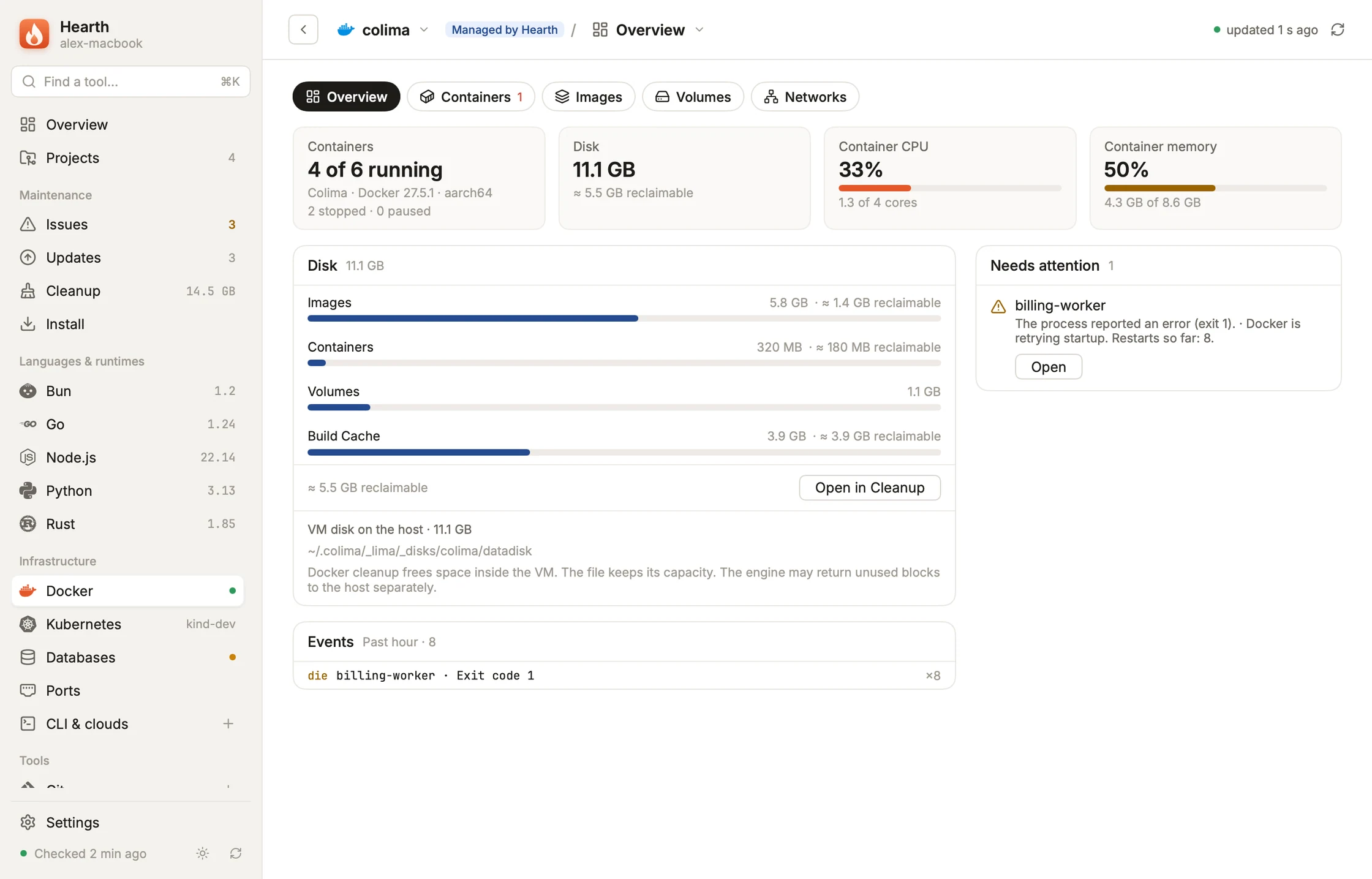
- Docker: Manage local engines (with first-class open-source Colima setup and VM resource controls on macOS, and native Docker Engine on Linux), containers grouped by Compose project, streaming logs, terminal shell, images, volumes, and networks.
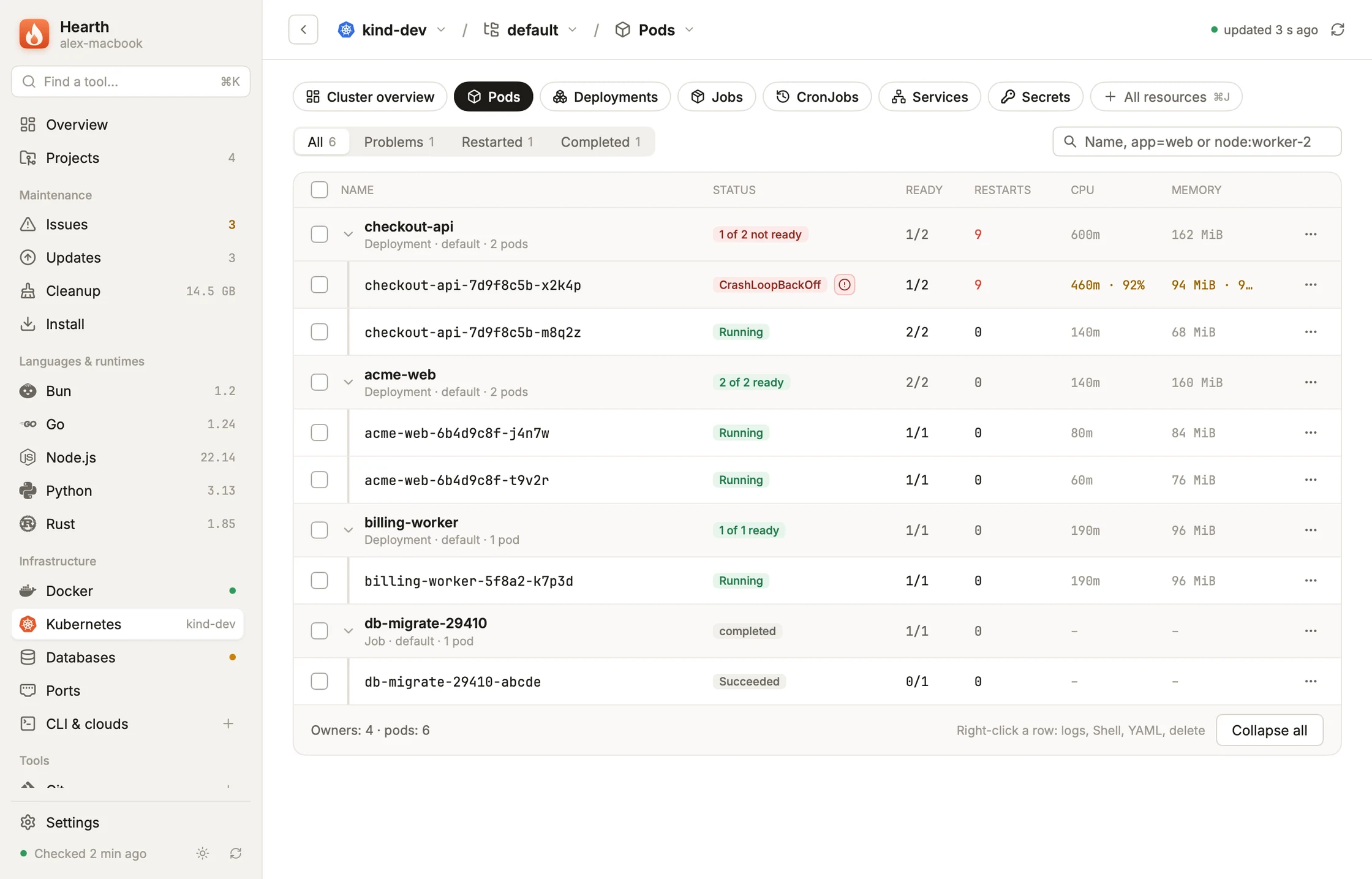
- Kubernetes: Browse merged
KUBECONFIGcontexts without background cluster calls, spin up localkindclusters, inspect Pods/Deployments/Jobs/Services/PVCs/Nodes/Helm/CRDs, stream pod or owner logs, port-forward on127.0.0.1, and apply manifests with server-side dry-run. - Databases & Ports: Inspect local PostgreSQL, MySQL/MariaDB, Redis, MongoDB, SQL Server, and SQLite services alongside Docker containers, detect Compose port conflicts, install/start/stop OS services, and inspect listening TCP ports.
3. AI Coding Agents, Skills, MCP & Usage
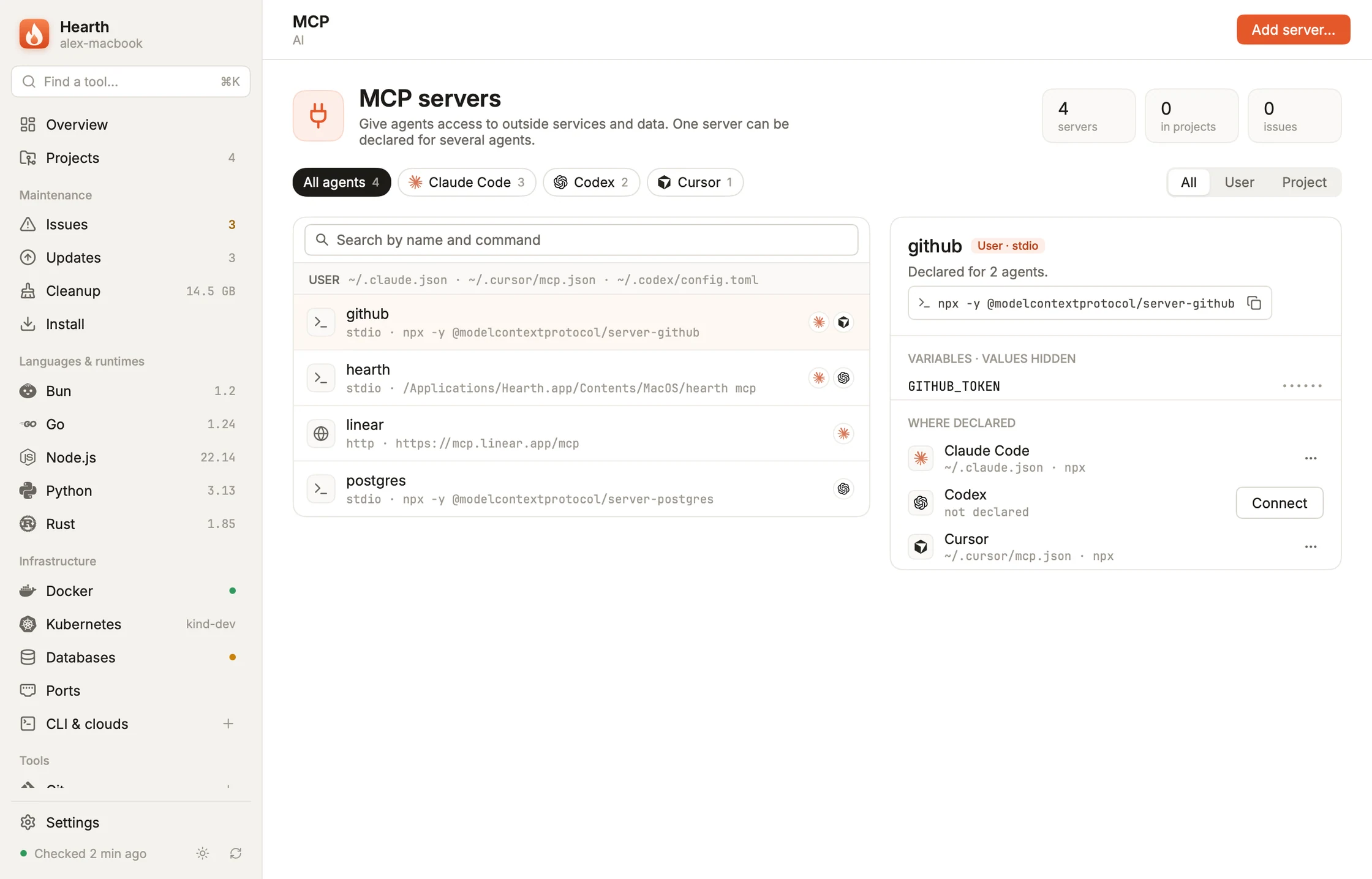
Manage Claude Code, Codex, Cursor, GitHub Copilot CLI, Gemini CLI, OpenCode, Antigravity CLI, Devin, Grok Build, and Kimi Code in one view:
- Shared
~/.agents/skillscanonical storage with agent symlinks, duplicate detection, and public skills catalog (Anthropic, OpenAI, Vercel,skills.sh). - Unified MCP server list across agents with conflict detection, plaintext secret warnings, and one-click "Move to env var" migration.
- Global
~/.agents/AGENTS.mdsync, local Ollama / LM Studio models, and local session token/cost analytics read directly from agent history files.
4. Cleanup, Updates & Shell Startup
- Cleanup: Reclaim gigabytes across unused language versions, package/build caches, Docker disk usage, old editor extensions, Xcode simulators / Android AVDs, stale AI history (>90 days), and unused local models.
- Updates & Package Managers: Unified updates for runtimes and OS package managers (Homebrew, WinGet, Scoop, Chocolatey, APT, DNF, Pacman, Zypper, APK, Snap, Flatpak, Nix).
- Shell Startup Profiler: Measure
zsh,bash,fish, and PowerShell startup time, pinpoint slow rc lines (nvm,pyenv,conda,compinit), and migratenvmtomisesafely.
5. New Computer Setup & Native Menu Bar / Tray
Set up a fresh machine with a guided catalog (defaulting to mise for languages and Colima/Docker Engine for containers), export/import your setup bundle across machines, and toggle containers, Colima, or Docker/Kubernetes contexts right from the native menu bar / system tray.
| Docker | Kubernetes |
|---|---|
 |
 |
| AI & MCP | Safe Plan & Diff |
|---|---|
 |
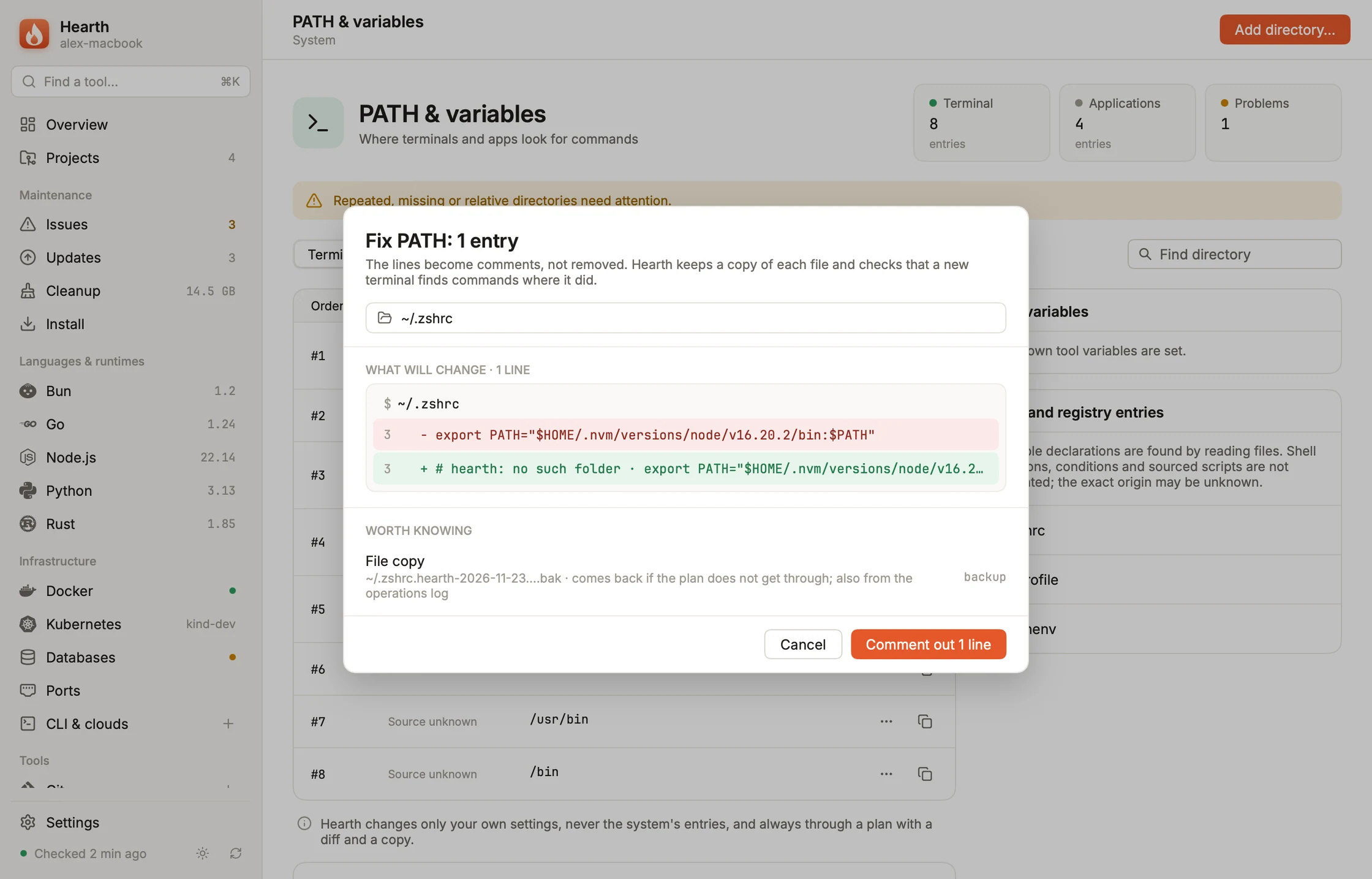 |
Hearth as an MCP Server
Hearth includes a built-in headless stdio MCP server (hearth mcp) so your AI coding agents can inspect your local environment safely without reading secrets or running arbitrary commands.
Connect in one click: Open AI -> MCP inside Hearth, select hearth, and click Connect next to any installed agent.
Or configure any MCP client manually:
{
  "mcpServers": {
    "hearth": {
      "command": "/Applications/Hearth.app/Contents/MacOS/Hearth",
      "args": ["mcp"]
    }
  }
}
- Read-only tools:
get_tools,get_projects,get_issues,get_agents(reads the cached snapshot by default; passrefresh: truefor a fresh scan). Environment variable values, MCP commands/args/URLs, instruction/hook bodies, and raw detector errors are strictly excluded. - Human-in-the-loop fixes:
propose_fix(issue_id)asks the open Hearth window to prepare the standard fix plan for an issue returned byget_issues. Hearth shows the full plan, diff, and a "Requested by AI agent" badge; nothing runs until you click confirm.
Installation
Prebuilt binaries are available for macOS (Universal: Apple Silicon & Intel), Windows (x64 & ARM64), and Linux (x64 & ARM64) on the Releases page. All releases include SHA256SUMS.txt and signed auto-updates.
macOS
Install via Homebrew:
brew install --cask blinks44/tap/hearth
Or download hearth-<version>.dmg from Releases and drag Hearth to Applications.
First-launch note: Hearth is free open-source software and currently ad-hoc signed (not yet notarized with a paid Apple Developer ID). On first launch, macOS Gatekeeper may warn about an unverified developer: open System Settings -> Privacy & Security, scroll to the Hearth notice, and click Open Anyway.
Windows
Download hearth-setup-<version>-amd64.exe (or arm64.exe) from Releases and run the installer (installs per-user to %LOCALAPPDATA%\Programs\Hearth, no UAC required).
First-launch note: Because releases do not yet carry a paid Authenticode certificate, Windows SmartScreen may show "Windows protected your PC". Click More info -> Run anyway.
Linux
- Debian / Ubuntu (
.deb):sudo apt install ./hearth_<version>_amd64.deb # or arm64 - Any distro (user install without
sudo, supports auto-updates):sh install.sh hearth-<version>-linux-amd64.tar.gz - Arch Linux (
PKGBUILD): DownloadPKGBUILDfrom the release assets and runmakepkg -si.
Runtime requirement on Linux: GTK 3 only (no WebKitGTK needed).
Building from Source
Prerequisites
- Go 1.27.3+ (
mygoCLI andgolangci-lintare managed automatically as Go tools). - macOS, Windows 10+, or Linux with a desktop session. No cgo or C compiler required for normal builds (only
go test -racerequires gcc on Windows).
Commands
git clone https://github.com/Blinks44/hearth.git
cd hearth
go mod download
go -C tools mod download

make dev      # run with live reload (or: go tool mygo dev)
make check    # format check, golangci-lint, mygo vet, i18n check, race + UI tests
make build    # build native bundle for the current OS into build/
make e2e      # end-to-end test driving the built app (requires desktop session)
On Windows without make, run the equivalent go tool commands directly (in PowerShell, quote "-modfile=tools/go.mod"):
go tool mygo dev
go tool "-modfile=tools/go.mod" golangci-lint run
go tool mygo vet .
go tool mygo i18n check
go test ./...
See CONTRIBUTING.md and docs/architecture.md for codebase guidelines and UI localization (en, de, es, fr, ru, zh-Hans).
License
Hearth is released under the MIT License.
Third-party fonts, icons, and Go modules bundled in releases keep their respective licenses; see resources/NOTICE.txt (also viewable in the app under Settings -> About -> Licenses).
Acknowledgements
Hearth builds on great open-source tools and libraries:
- mygo: native cross-platform Go UI framework
- Go and the Go ecosystem (
modelcontextprotocol/go-sdk,k8s.io/client-go,BurntSushi/toml,Masterminds/semver,go.yaml.in/yaml,modernc.org/sqlite) - Colima and mise: open-source foundations for local containers and version management
- Inter and JetBrains Mono: embedded UI and monospace typefaces (SIL OFL 1.1)
- Lucide, Simple Icons, and theSVG: UI icons and tool logos
Also by Sergey V.
Yorumlar (0)
Yorum birakmak icin giris yap.
Yorum birakSonuc bulunamadi