lorvex
Health Uyari
- License — License: Apache-2.0
- Description — Repository has a description
- Active repo — Last push 0 days ago
- Low visibility — Only 5 GitHub stars
Code Gecti
- Code scan — Scanned 12 files during light audit, no dangerous patterns found
Permissions Gecti
- Permissions — No dangerous permissions requested
Bu listing icin henuz AI raporu yok.
AI-native task, calendar, and habit planner for Apple platforms — MCP-first, local-first, optional iCloud sync.
Lorvex
The AI-native planner. Your assistant does the typing; you do the living.




Website · Download for Mac · Getting started · MCP setup · Documentation · Privacy
 |
 |
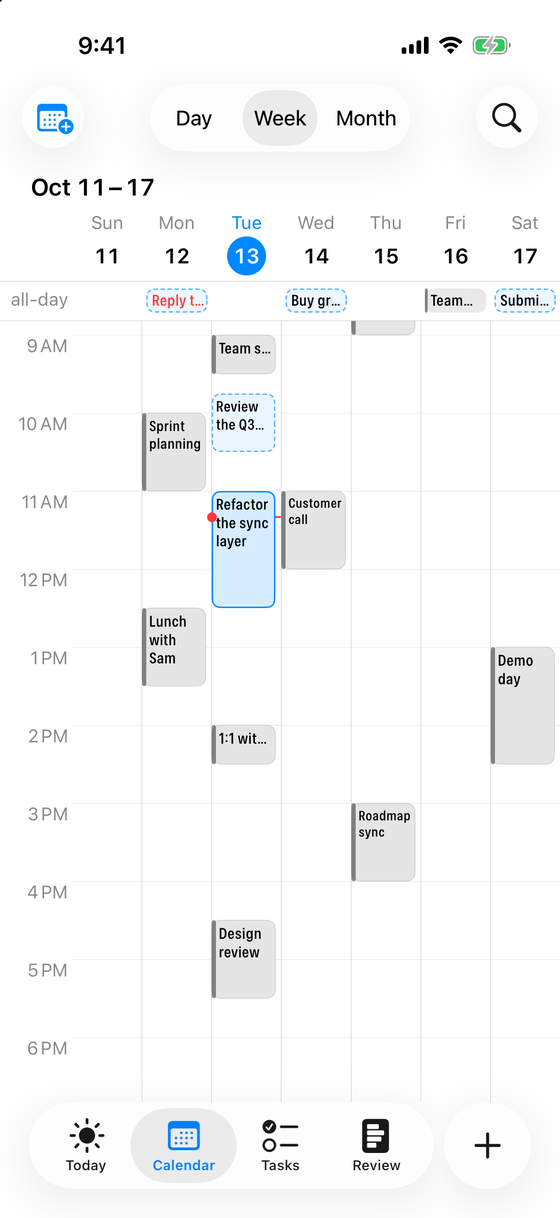 |
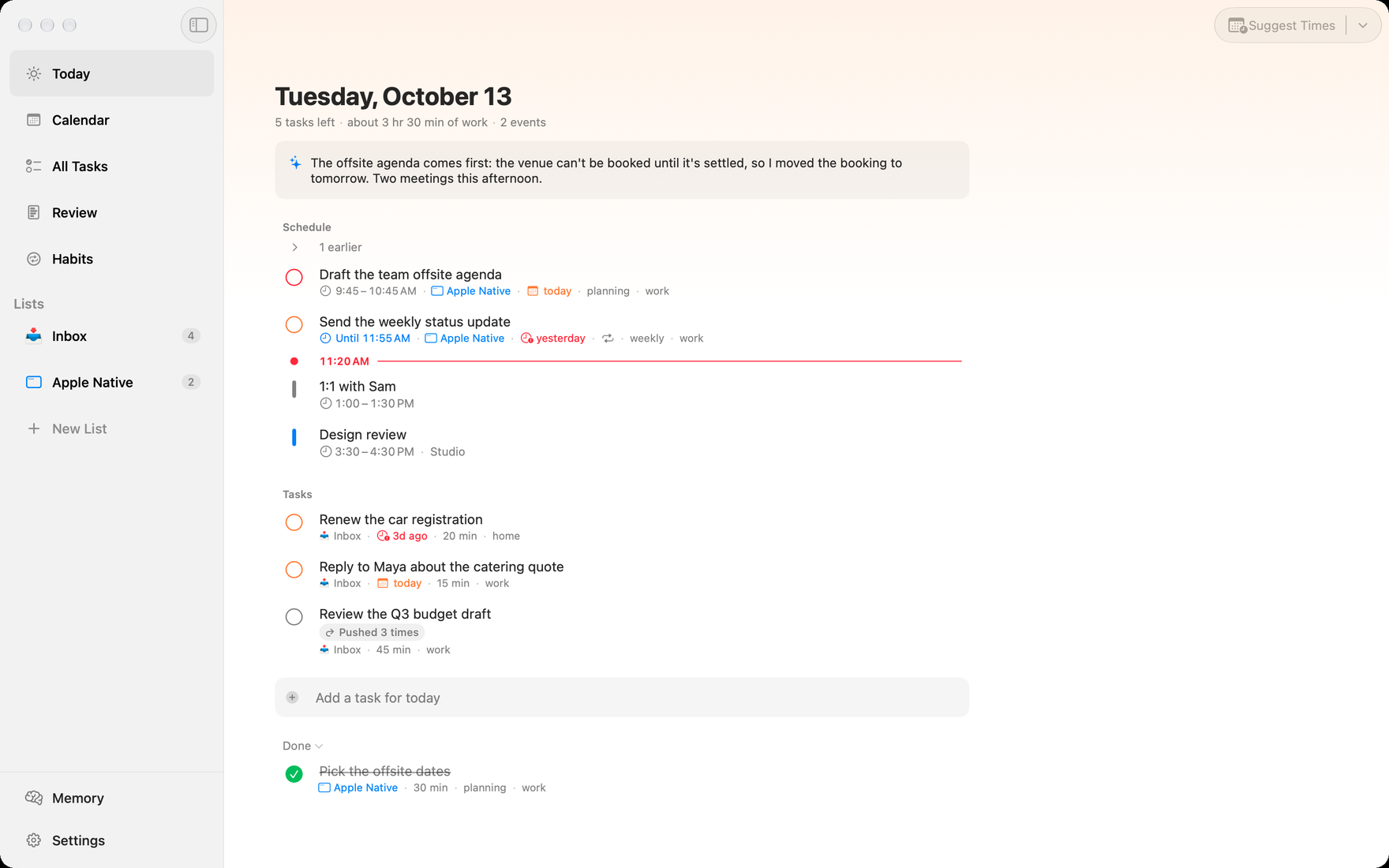
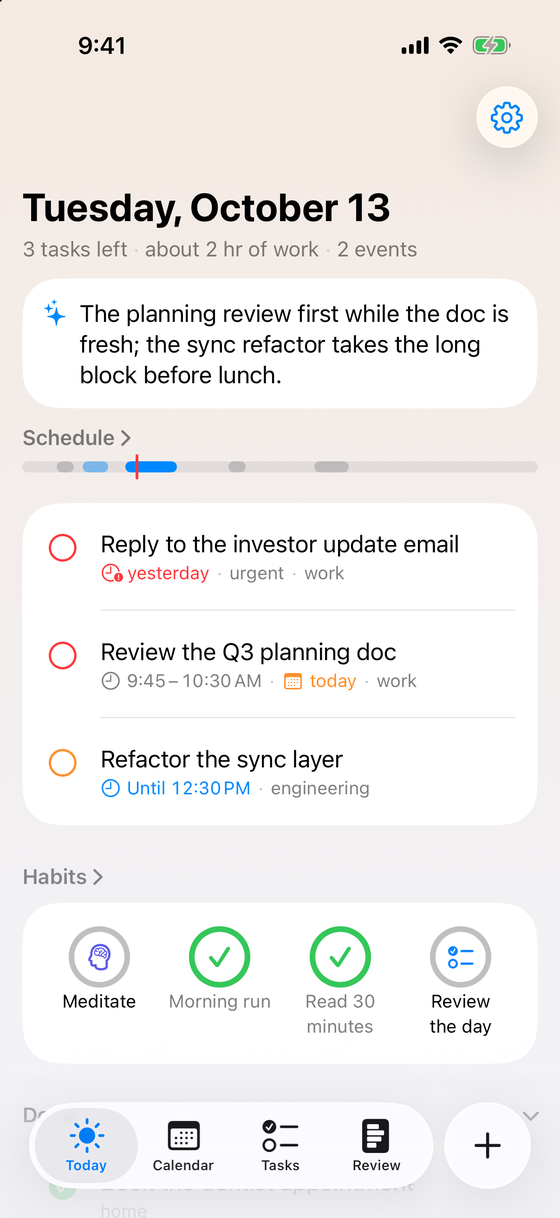
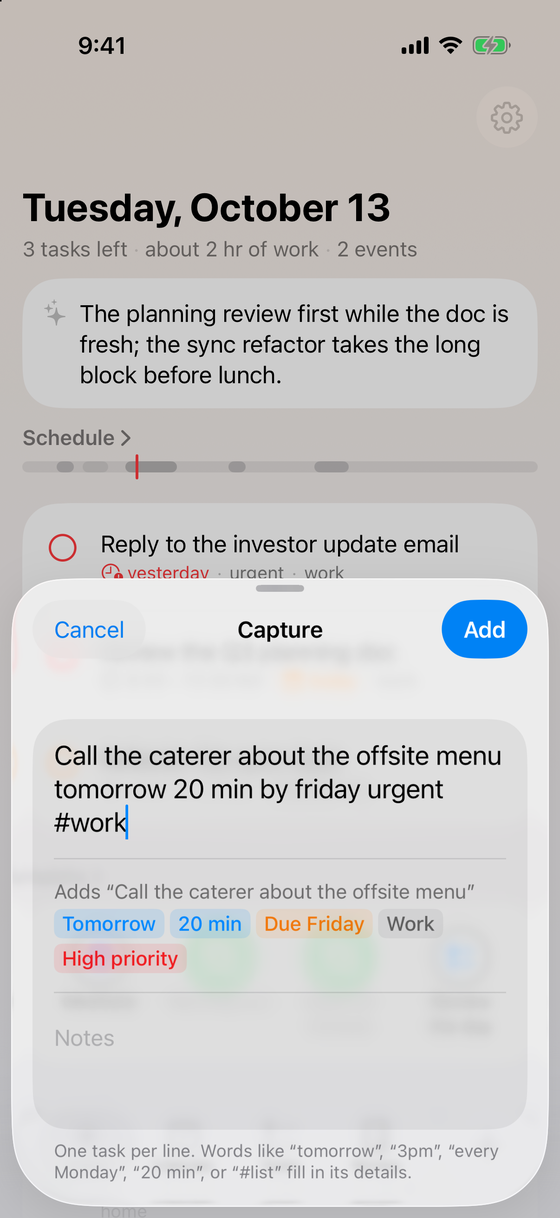
| Today, with the briefing your assistant wrote | Quick add: one line, and its details fill in | The week, events and tasks on one timeline |
Lorvex is a task, calendar, and habit planner built MCP-first: the primary
write interface is a Model Context Protocol
server, so any MCP-capable AI assistant (Claude, or anything else that speaks
MCP) can manage your tasks, plan your days, schedule your calendar, and track
your habits through 117 typed tools. The native apps are calm, fast read
surfaces with the human actions that matter — complete, defer, review — not a
form-filling UI.
- Local-first. Everything lives in a SQLite database on your device. No
accounts, no server of ours, fully usable offline. - Private sync. Optional multi-device sync through your own iCloud
(CloudKit private database) with encrypted payloads — multi-master,
conflict-free (HLC clocks + last-writer-wins registers). We cannot read your
data; there is nowhere for us to read it from. - No embedded AI, no tracking. Lorvex ships no model, no analytics, no
ads. Intelligence comes from your assistant, connected on your terms. - Native everywhere. macOS, iPhone, iPad, Apple Watch, widgets,
Shortcuts, Spotlight, and your system calendars through EventKit (events
you create on the Mac are written back to Apple Calendar; iPhone and iPad
read it). - Thirty languages. The apps, widgets, and Shortcuts follow your system
language, from Arabic to Vietnamese, right-to-left scripts included.
How it works
┌──────────────┐   MCP (stdio)   ┌───────────────┐        ┌──────────────────┐
│ AI assistant │ ◄─────────────► │ LorvexMCPHost │ ◄────► │  Pure-Swift core │
│  (Claude, …) │    117 tools    │ (MCP server)  │        │  SQLite (GRDB)   │
└──────────────┘                 └───────────────┘        └────────┬─────────┘
                                                                   │ encrypted
┌──────────────┐   read / act    ┌───────────────────────┐         │ envelopes
│     You      │ ◄─────────────► │ Native apps & widgets │ ◄───────┴────────►  your iCloud
└──────────────┘                 └───────────────────────┘   (CloudKit private DB,
                                                              multi-master sync)
Every mutation — human or AI — flows through one audited write surface with
idempotency keys and a changelog, then syncs as an encrypted envelope in your
private CloudKit database. Other devices merge deterministically; no device is
"the server."
Repository layout
The repository holds the Apple app plus the contracts it owns:
lorvex/
├── apps/
│   └── apple/     Apple-native app — Swift 6, SwiftUI/AppKit, SwiftPM.
├── schema/        SQLite schema (the Apple app's authority) + sync payload manifests.
├── cloudkit/      CloudKit record-type template and deploy tooling (Apple-owned).
├── spec/          Cross-implementation behavior contracts: docs + test-vector fixtures.
└── docs/          Project-level documentation (see docs/INDEX.md).
Lorvex began as a cross-platform Tauri app. That implementation was removed on
2026-09-17; this repository is the Apple-native app only.
Install
Mac: download Lorvex-macOS-arm64.dmg from the
latest release, open it,
and drag Lorvex to Applications. It needs a Mac with Apple silicon and macOS 26
or later, is notarized by Apple, and syncs with Lorvex on your other devices
through your iCloud account. The DMG does not update itself; the newest build
is always on the same releases page.
Getting started
Apple app (macOS)
Requires Xcode 26 or newer (Swift 6 toolchain); the app targets macOS 26, iOS 26, and watchOS 26.
cd apps/apple
swift build              # build all targets
swift test               # app-level test suite
(cd core && swift test)  # pure-Swift core suite
./script/build_and_run.sh --verify   # build, verify, and launch the macOS app
iOS / watchOS build through the XcodeGen-generated project — seeapps/apple/CLAUDE.md for the full developer manual
and apps/apple/docs/release.md for packaging.
Connect an AI assistant
With Lorvex installed, open Settings → Assistant and copy the setup prompt
or the config for your client. In Claude Code, the Lorvex plugin sets up the
connection and adds skills for planning a day, capturing tasks, the weekly
review, and tidying the assistant's memory
(plugins/lorvex):
/plugin marketplace add boyugou/lorvex
/plugin install lorvex@lorvex
From a source checkout, build the MCP host and point any MCP-capable client at
it:
cd apps/apple && swift build -c release --product LorvexMCPHost
{
  "mcpServers": {
    "lorvex": {
      "type": "stdio",
      "command": "/path/to/lorvex/apps/apple/.build/release/LorvexMCPHost"
    }
  }
}
Full client-by-client instructions (Claude Desktop, Claude Code, and others):apps/apple/docs/setup/ASSISTANT_MCP_SETUP.md.
Documentation
| Topic | Where |
|---|---|
| Documentation index | docs/INDEX.md |
| Design philosophy & non-goals | docs/vision/DESIGN_PHILOSOPHY.md |
| Assistant operating model (instructions, skills, tool design) | docs/design/AI_OPERATING_MODEL.md |
| Sync semantics (HLC, LWW, idempotency) | docs/design/SYNC_APPLY_SEMANTICS.md |
| Schema & data-infrastructure invariants | docs/design/SCHEMA_OPTIMALITY.md |
| Export / backup format | spec/EXPORT_FORMAT.md |
| Feature inventory | apps/apple/docs/reference/FEATURES.md |
| User guide | apps/apple/docs/USER_GUIDE.md |
| Roadmap & status | ROADMAP.md |
Status
Pre-release. The Apple app is feature-complete and in TestFlight, and a
notarized Mac build is on the
releases page; the data,
schema, sync, and backup contracts are finalized and gated by
repository verifiers (apps/apple/script/verify_all.sh). SeeROADMAP.md.
Privacy
Local data, your iCloud, our zero access — the full policy is inPRIVACY.md. Lorvex collects nothing: no accounts, no
analytics, no telemetry, no third-party services.
Contributing & support
- Contributions: see
apps/apple/docs/CONTRIBUTING.md. - Issues and feature requests: GitHub Issues.
- Support: lorvex.app/support.
- Security issues: report them privately, as described in
SECURITY.md.
License
Yorumlar (0)
Yorum birakmak icin giris yap.
Yorum birakSonuc bulunamadi