CCPlugins
Health Gecti
- License — License: MIT
- Description — Repository has a description
- Active repo — Last push 62 days ago
- Community trust — 2779 GitHub stars
Code Basarisiz
- rm -rf — Recursive force deletion command in uninstall.sh
Permissions Gecti
- Permissions — No dangerous permissions requested
This is a collection of custom slash commands and prompt frameworks designed to streamline repetitive tasks when using the Claude Code CLI. It acts as a shortcut library to prevent AI over-engineering and save development time.
Security Assessment
Overall risk is rated as Medium. The tool does not request dangerous system permissions or contain hardcoded secrets. However, the automated scan flagged a `rm -rf` recursive force deletion command inside the `uninstall.sh` script. While common in cleanup scripts, a blind recursive deletion command is a known security hazard and should be manually reviewed before execution to ensure it only targets the intended installation directories. As a framework that integrates with a CLI, it inherently interacts with shell commands, so users should inspect the specific command payloads.
Quality Assessment
The project demonstrates strong community trust, backed by nearly 2,700 GitHub stars. It uses the permissive and standard MIT license. The codebase is functionally stable, but maintenance has slowed, with the last notable repository push occurring over 200 days ago. The developers note that a major V2 architectural overhaul is currently in active development to adapt to recent native updates in the Anthropic SDK, meaning the current version may eventually be deprecated.
Verdict
Use with caution—review the `uninstall.sh` script before running it, and inspect the specific prompt commands to ensure they align with your local security policies.
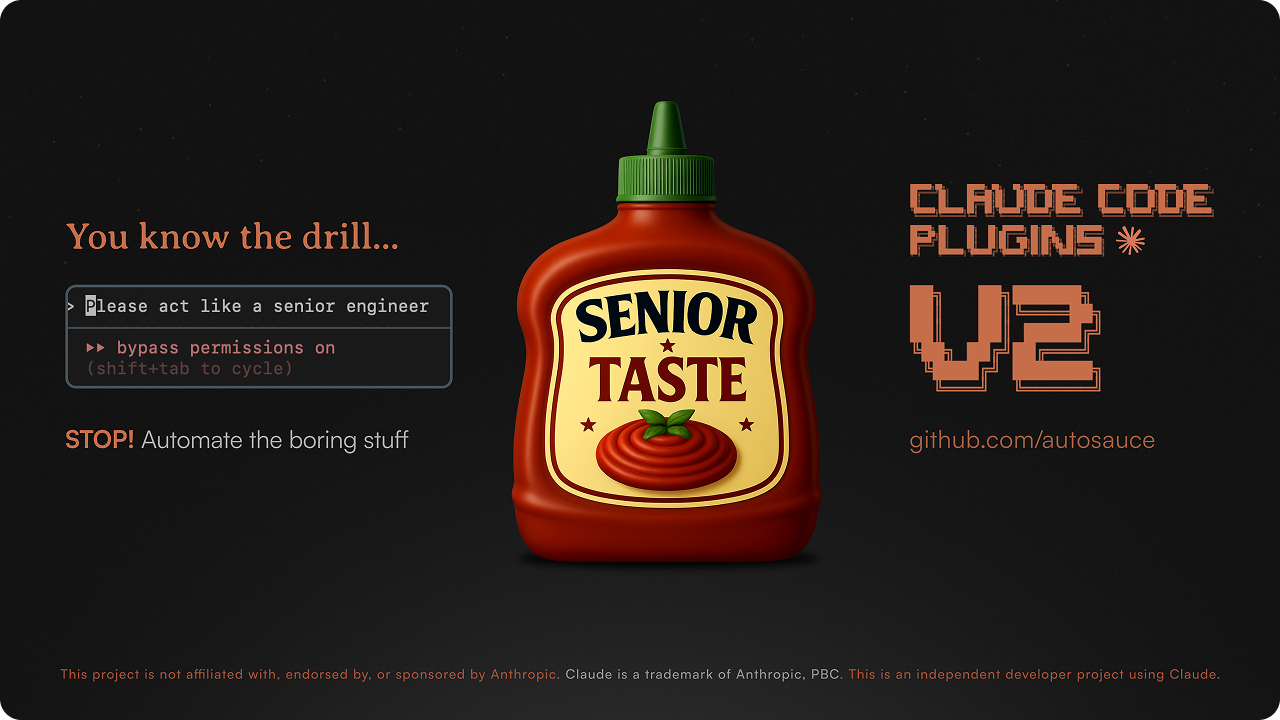
Best Claude Code framework that actually save time. Built by a dev tired of typing "please act like a senior engineer" in every conversation.
🚨 V2 in Development
CCPlugins V2 is currently in active development due to recent Anthropic updates (SDK improvements, native subagents, context memory, and enhanced CLI capabilities). Several slash commands have become redundant as Claude Code CLI now handles them natively.
V2 will be a complete architectural redesign focusing on what Claude Code still can't do efficiently.
Current version (v1) remains stable and functional.
 ██████╗██╗      █████╗ ██╗   ██╗██████╗ ███████╗     ██████╗ ██████╗ ██████╗ ███████╗
██╔════╝██║     ██╔══██╗██║   ██║██╔══██╗██╔════╝    ██╔════╝██╔═══██╗██╔══██╗██╔════╝
██║     ██║     ███████║██║   ██║██║  ██║█████╗      ██║     ██║   ██║██║  ██║█████╗
██║     ██║     ██╔══██║██║   ██║██║  ██║██╔══╝      ██║     ██║   ██║██║  ██║██╔══╝
╚██████╗███████╗██║  ██║╚██████╔╝██████╔╝███████╗    ╚██████╗╚██████╔╝██████╔╝███████╗
 ╚═════╝╚══════╝╚═╝  ╚═╝ ╚═════╝ ╚═════╝ ╚══════╝     ╚═════╝ ╚═════╝ ╚═════╝ ╚══════╝

██████╗ ██╗     ██╗   ██╗ ██████╗ ██╗███╗   ██╗███████╗
██╔══██╗██║     ██║   ██║██╔════╝ ██║████╗  ██║██╔════╝
██████╔╝██║     ██║   ██║██║  ███╗██║██╔██╗ ██║███████╗
██╔═══╝ ██║     ██║   ██║██║   ██║██║██║╚██╗██║╚════██║
██║     ███████╗╚██████╔╝╚██████╔╝██║██║ ╚████║███████║
╚═╝     ╚══════╝ ╚═════╝  ╚═════╝ ╚═╝╚═╝  ╚═══╝╚══════╝
Automate the Boring Stuff






What is CCPlugins?
Professional commands for Claude Code CLI that save 2-3 hours per week on repetitive development tasks.
The Problem
😊 Ask Claude to fix a bug → Get 15 test files
😤 Request a simple refactor → Receive a dissertation on clean code
🤪 "Please add a button" → Complete UI framework rewrite
😭 Every conversation → "Act like a senior engineer who doesn't overengineer"
Active Development Notice: CCPlugins is continuously evolving based on real-world usage. We thoroughly test each command and refine them as we discover gaps and opportunities. This ensures you're always getting battle-tested, production-ready tools that solve actual developer problems.
CCPlugins is a curated set of 24 professional commands that extend Claude Code CLI with enterprise-grade development workflows. These commands leverage Claude's contextual understanding while providing structured, predictable outcomes optimized for Opus 4 and Sonnet 4 models.
Quick Links
- Installation - Get started in 30 seconds
- Commands - See all available commands
- How It Works - Understanding the magic
- Technical Notes - Why conversational design matters
- Contributing - Help make it better
Installation
Quick Install
Mac/Linux:
curl -sSL https://raw.githubusercontent.com/brennercruvinel/CCPlugins/main/install.sh | bash
Windows/Cross-platform:
python install.py
Manual Install
git clone https://github.com/brennercruvinel/CCPlugins.git
cd CCPlugins
python install.py
Uninstall
# Mac/Linux
./uninstall.sh

# Windows/Cross-platform
python uninstall.py
Commands
24 professional commands optimized for Claude Code CLI's native capabilities with enhanced validation and refinement phases.
Development Workflow
/cleanproject                    # Remove debug artifacts with git safety
/commit                          # Smart conventional commits with analysis
/format                          # Auto-detect and apply project formatter
/scaffold feature-name           # Generate complete features from patterns
/test                            # Run tests with intelligent failure analysis
/implement url/path/feature      # Import and adapt code from any source with validation phase
/refactor                        # Intelligent code restructuring with validation & de-para mapping
Code Quality & Security
/review                # Multi-agent analysis (security, performance, quality, architecture)
/security-scan         # Vulnerability analysis with extended thinking & remediation tracking
/predict-issues        # Proactive problem detection with timeline estimates
/remove-comments       # Clean obvious comments, preserve valuable docs
/fix-imports           # Repair broken imports after refactoring
/find-todos            # Locate and organize development tasks
/create-todos          # Add contextual TODO comments based on analysis results
/fix-todos             # Intelligently implement TODO fixes with context
Advanced Analysis
/understand            # Analyze entire project architecture and patterns
/explain-like-senior   # Senior-level code explanations with context
/contributing          # Complete contribution readiness analysis
/make-it-pretty        # Improve readability without functional changes
Session & Project Management
/session-start         # Begin documented sessions with CLAUDE.md integration
/session-end           # Summarize and preserve session context
/docs                  # Smart documentation management and updates
/todos-to-issues       # Convert code TODOs to GitHub issues
/undo                  # Safe rollback with git checkpoint restore
Enhanced Features
🔍 Validation & Refinement
Complex commands now include validation phases to ensure completeness:
/refactor validate   # Find remaining old patterns, verify 100% migration
/implement validate  # Check integration completeness, find loose ends
Extended Thinking
Advanced analysis for complex scenarios:
- Refactoring: Deep architectural analysis for large-scale changes
- Security: Sophisticated vulnerability detection with chain analysis
Pragmatic Command Integration
Natural workflow suggestions without over-engineering:
- Suggests
/testafter major changes - Recommends
/commitat logical checkpoints - Maintains user control, no automatic execution
Real World Example
Before /cleanproject:
src/
├── UserService.js
├── UserService.test.js
├── UserService_backup.js    # Old version
├── debug.log               # Debug output
├── test_temp.js           # Temporary test
└── notes.txt              # Dev notes
After /cleanproject:
src/
├── UserService.js          # Clean production code
└── UserService.test.js     # Actual tests preserved
🔧 How It Works
High-Level Architecture
CCPlugins transforms Claude Code CLI into an intelligent development assistant through a sophisticated yet elegant architecture:
Developer → /command → Claude Code CLI → Command Definition → Intelligent Execution
    ↑                                                                       ↓
    ←←←←←←←←←←←←←←←←← Clear Feedback & Results ←←←←←←←←←←←←←←←←←←←
Execution Flow
When you type a command:
- Command Loading: Claude reads the markdown definition from
~/.claude/commands/ - Context Analysis: Analyzes your project structure, technology stack, and current state
- Intelligent Planning: Creates execution strategy based on your specific situation
- Safe Execution: Performs actions with automatic checkpoints and validation
- Clear Feedback: Provides results, next steps, and any warnings
Core Architecture Components
Intelligent Instructions
- First-person conversational design activates collaborative reasoning
- Strategic thinking sections (
<think>) for complex decision-making - Context-aware adaptations without hardcoded assumptions
Native Tool Integration
- Grep: Lightning-fast pattern matching across codebases
- Glob: Intelligent file discovery and project mapping
- Read: Content analysis with full context understanding
- Write: Safe file modifications with automatic backups
- TodoWrite: Progress tracking and task management
- Task: Sub-agent orchestration for specialized analysis
Safety-First Design
- Automatic git checkpoints before destructive operations
- Session persistence for cross-context continuity
- Rollback capabilities with clear recovery paths
- No AI attribution in commits or generated content
Universal Compatibility
- Framework-agnostic with intelligent auto-detection
- Cross-platform support (Windows, Linux, macOS)
- Works with any programming language or stack
- Adapts to your project's conventions and patterns
Advanced Features
Session Continuity
Commands like /implement and /refactor maintain state across Claude sessions:
# Each command creates its own folder in project root:
refactor/                  # Created by /refactor command
├── plan.md               # Refactoring roadmap
└── state.json            # Completed transformations

implement/                 # Created by /implement command
├── plan.md               # Implementation progress
└── state.json            # Session state and decisions

fix-imports/              # Created by /fix-imports command
├── plan.md               # Import fixes plan
└── state.json            # Resolution progress

security-scan/            # Created by /security-scan command
├── plan.md               # Vulnerabilities and fixes
└── state.json            # Remediation progress

scaffold/                 # Created by /scaffold command
├── plan.md               # Scaffolding plan
└── state.json            # Created files tracking
Multi-Agent Architecture
Complex commands orchestrate specialized sub-agents:
- Security analysis agent for vulnerability detection
- Performance optimization agent for bottleneck identification
- Architecture review agent for design pattern analysis
- Code quality agent for maintainability assessment
Performance Optimizations
- Reduced verbosity for senior developer efficiency
- Smart caching of project analysis results
- Incremental processing for large codebases
- Parallel execution of independent tasks
##Technical Notes
Design Philosophy
Why This Approach Works (Based on Anthropic's Research):
- Conversational Commands: First-person language ("I'll help...") activates Claude's collaborative reasoning
- Build-Agnostic Instructions: No hardcoded tools = works everywhere
- Think Tool Integration: Strategic thinking improves decisions by 50%+ (Anthropic, 2025)
- Native Tools Only: Uses Claude Code's actual capabilities, not imaginary APIs
Key Principles:
- Simplicity > Complexity: Start simple, add only when proven necessary
- Context Awareness: Commands adapt to YOUR project, not vice versa
- Safety First: Git checkpoints before any destructive operation
- Pattern Recognition: Learn from your codebase, not assumptions
Technical Architecture
Native Tool Integration:
All commands leverage Claude Code CLI's native capabilities:
- Grep tool for efficient pattern matching
- Glob tool for file discovery
- Read tool for content analysis
- TodoWrite for progress tracking
- Sub-agents for specialized analysis
Safety-First Design:
git add -A
git commit -m "Pre-operation checkpoint" || echo "No changes to commit"
Conversational Interface:
Commands use first-person collaborative language ("I'll analyze your code...") rather than imperative commands, creating a natural partnership interaction that improves model performance.
Framework Agnostic:
Intelligent detection without hardcoded assumptions enables universal compatibility across technology stacks.
User Commands Indicator
Custom commands appear with a (user) tag in Claude Code CLI to distinguish them from built-in commands. This is normal and indicates your commands are properly installed.
/commit
    Smart Git Commit (user)    ← Your custom command
/help
    Show help                  ← Built-in command
Performance Metrics
| Task | Manual Time | With CCPlugins | Time Saved |
|---|---|---|---|
| Security analysis | 45-60 min | 3-5 min | ~50 min |
| Architecture review | 30-45 min | 5-8 min | ~35 min |
| Feature scaffolding | 25-40 min | 2-3 min | ~30 min |
| Git commits | 5-10 min | 30 sec | ~9 min |
| Code cleanup | 20-30 min | 1 min | ~25 min |
| Import fixing | 15-25 min | 1-2 min | ~20 min |
| Code review | 20-30 min | 2-4 min | ~20 min |
| Issue prediction | 60+ min | 5-10 min | ~50 min |
| TODO resolution | 30-45 min | 3-5 min | ~35 min |
| Code adaptation | 40-60 min | 3-5 min | ~45 min |
Total: 4-5 hours saved per week with professional-grade analysis
Requirements
- Claude Code CLI
- Python 3.6+ (for installer)
- Git (for version control commands)
Advanced Usage
Creating Custom Commands
Create your own commands by adding markdown files to ~/.claude/commands/:
# My Custom Command

I'll help you with your specific workflow.

[Your instructions here]
Using Arguments
Commands support arguments via $ARGUMENTS:
/mycommand some-file.js
# $ARGUMENTS will contain "some-file.js"
CI/CD Integration
Use commands in automated workflows:
# Quality pipeline
claude "/security-scan" && claude "/review" && claude "/test"

# Pre-commit validation
claude "/format" && claude "/commit"

# Feature development
claude "/scaffold api-users" && claude "/test"

# Complete workflow
claude "/security-scan" && claude "/create-todos" && claude "/todos-to-issues"

# TODO resolution workflow
claude "/find-todos" && claude "/fix-todos" && claude "/test"
Manual Workflow Integration
Perfect for development routines:
# Morning routine
claude "/session-start"
claude "/security-scan"

# During development
claude "/scaffold user-management"
claude "/review"
claude "/format"

# End of day
claude "/commit"
claude "/session-end"
Security & Git Instructions
All commands that interact with git include security instructions to prevent AI attribution:
Commands with git protection:
/commit,/scaffold,/make-it-pretty,/cleanproject,/fix-imports,/review,/security-scan/contributing,/todos-to-issues,/predict-issues,/find-todos,/create-todos,/fix-todos
These commands will NEVER:
- Add "Co-authored-by" or AI signatures
- Include "Generated with Claude Code" messages
- Modify git config or credentials
- Add AI attribution to commits/issues
You can modify these instructions in individual command files if needed.
Contributing
We welcome contributions that help developers save time. See CONTRIBUTING.md for guidelines.
License
MIT License - see LICENSE file for details.
Built by a developer tired of typing "please act like a senior engineer" in every conversation.
Community
Last Updated: August 2, 2025 (Based on Anthropic Claude Code CLI documentation v2025.08.01)
Yorumlar (0)
Yorum birakmak icin giris yap.
Yorum birakSonuc bulunamadi