anima
Health Uyari
- License — License: MIT
- Description — Repository has a description
- Active repo — Last push 0 days ago
- Low visibility — Only 8 GitHub stars
Code Basarisiz
- os.homedir — User home directory access in scripts/generate-buddy.js
- fs module — File system access in scripts/generate-buddy.js
Permissions Gecti
- Permissions — No dangerous permissions requested
This tool is a native macOS desktop client for Claude Code that provides a multi-session dashboard. It spawns Claude Code as a subprocess to manage sessions, features a cross-session watcher daemon, and adds gamified ASCII companions to your projects.
Security Assessment
The overall risk is rated as Medium. As an interface for Claude Code, the application inherently handles and processes your terminal inputs, project code, and AI outputs. Static analysis flagged file system and user home directory access via `scripts/generate-buddy.js`, which is expected behavior for generating and saving the per-project ASCII companions. No hardcoded secrets or dangerous overt permissions were found, and no outbound network requests were flagged beyond standard subprocess management. However, because it actively spawns and wraps your AI sessions, it has deep visibility into your development environment.
Quality Assessment
The project is very new and currently at version 0.1.0-alpha. It is actively maintained, with the most recent code pushed today. It uses a permissive MIT license, making it safe for integration. However, community trust and visibility are currently very low, with only 8 GitHub stars. Developers should expect early-stage software with the potential for bugs or rapidly changing features.
Verdict
Use with caution.
Native macOS companion for Claude Code. Per-project ASCII familiars, nim token economy, cross-session watcher. Tauri v2 + Rust, 4MB binary.
A 4MB native Claude Code client with extra Buddies.




Anima turns your Claude buddy into an oracle. A cross-session code supervisor running the full Claude model, inside a native macOS app. It watches tool patterns across every active session, catches retry loops and read-heavy spirals before you've noticed them, and surfaces observations you can select and paste straight into the conversation.
Claude Code ships with a basic buddy. An ASCII creature that hatches in your terminal, watches you work, and occasionally drops a line in a speech bubble. It's charming. It's also limited: the buddy can't see across sessions, can't remember what happened last time, its commentary comes from a small model working with a 5,000-character window, and the speech bubble text can't be copied or pasted back into your session.
Each project folder also gets its own familiar. An ASCII companion that animates while Claude is working, so you can see at a glance which sessions are done and waiting on you. Every 1,000 tokens earns 1 @nim@. Spend it to re-roll for a new species, rarity, and personality.
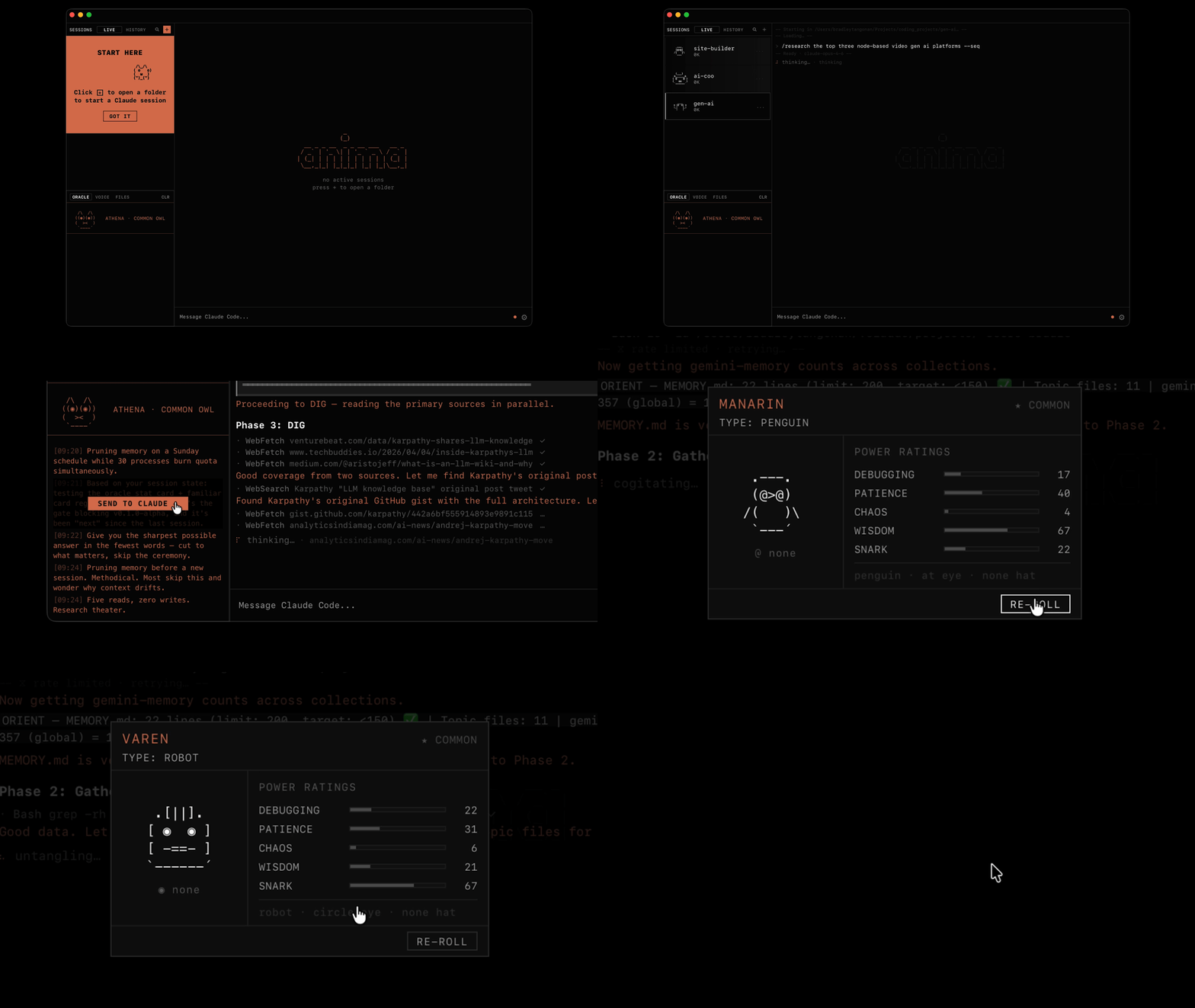
What Anima does that the terminal doesn't
Anima spawns Claude Code as a subprocess, pipes stream-json, renders messages in its own UI, and manages sessions. It's not watching Claude from the outside. It is the interface.
- Multi-session dashboard. All your Claude Code sessions in one window. See at a glance which are working, which are done, and which are waiting on you.
- Cross-session watcher. A Rust daemon monitors tool patterns across all sessions. Catches retry loops and read-heavy spirals before you've noticed them.
- Persistent companions. Every project gets its own ASCII creature with species, rarity, and stats. Token usage earns nim currency for re-rolls. Same project always rolls the same buddy.
- Oracle commentary. Your companion's observations run through the full Claude model, not the small one /buddy uses. The text is selectable so you can paste it straight back into your session.
- Session history. Replay past conversations without digging through JSONL files.
- Voice input. Bluetooth mic and push-to-talk via WebSocket bridge.
- Model and effort overrides. Switch models and effort levels per session from the UI.
Features
- One project, one companion. Every project gets a unique familiar generated from a weighted rarity pool. Two developers on the same codebase won't get the same creature.
- @nim@ token economy. 1 @nim@ per 1000 tokens spent. Spend on re-rolls and new characters.
- Collectible familiar cards. Each project gets a stat card: species, rarity, power ratings, session history.
- Cross-session watcher. Rust daemon monitors all active Claude sessions simultaneously. Catches retry loops and read-heavy spirals in real time.
- Oracle commentary. Companion fires contextual observations in a speech bubble. Selectable text you can paste straight into the session.
- Voice input. Bluetooth mic + push-to-talk. Hands-free Claude via WebSocket bridge.
- Session history. Full session browser. Replay any past conversation. JSONL-backed.
- Native performance. Tauri v2 + Rust backend. Actual macOS app, 4MB binary.
How it looks
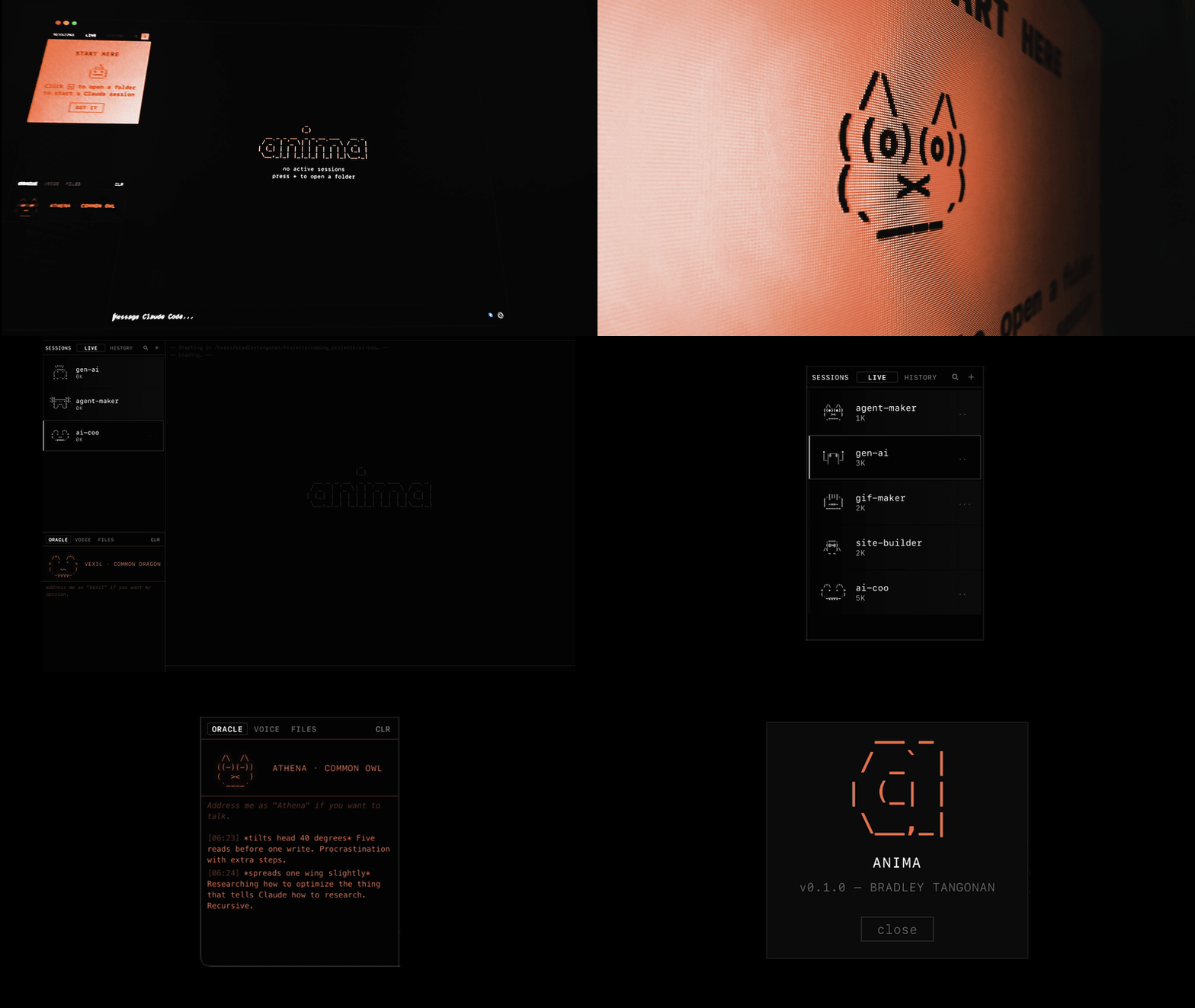

The watcher sees what you miss. The daemon tracks tool patterns across all active sessions. When it catches you going in circles, the companion says something.

Commentary runs as short background prompts via the Claude CLI, capped at 2 concurrent calls. All processing is local; nothing leaves your machine except the API calls you'd make anyway.
Requirements
- macOS 13 Ventura or later
- Claude Code CLI installed and authenticated
- Node.js 18+
Getting Started
- Install Claude Code CLI:
npm install -g @anthropic-ai/claude-code - Authenticate:
claude login - Download
Anima.dmgfrom Releases - Open the app
- Point it at a project directory and start a session
The companion generates on first session. @nim@ accrues automatically.
Troubleshooting
No sessions starting or blank companion? Anima requires an authenticated Claude Code CLI. Run claude login in your terminal and reopen the app.
Build from source
git clone https://github.com/btangonan/anima
cd anima
npm install
npm run tauri dev
Production build:
npm run tauri build
# Output: src-tauri/target/release/bundle/
Rust tests:
cd src-tauri && cargo test
How It Works
Anima is a Tauri v2 desktop app. The frontend is vanilla JS, no framework, no bundler. The Rust backend handles file I/O, path security, companion sync, and the cross-session watcher. A WebSocket bridge handles voice input.
The watcher (daemon.rs) is a Tokio async loop that polls Claude Code's session feed, tracks tool sequences across all active sessions, and emits companion commentary via Tauri events when patterns fire. The oracle (the voice behind the companion bubble) is a claude -p subprocess with personality context injected from your companion's species and stats.
Full architecture notes: docs/architecture.md
Contributing
Issues and PRs welcome. See .github/ISSUE_TEMPLATE for bug report and feature request templates.
Alpha software. Solo project. Breaking changes happen.
License
MIT © Bradley Tangonan
Yorumlar (0)
Yorum birakmak icin giris yap.
Yorum birakSonuc bulunamadi