timebound-iam
Health Pass
- License — License: Apache-2.0
- Description — Repository has a description
- Active repo — Last push 0 days ago
- Community trust — 11 GitHub stars
Code Pass
- Code scan — Scanned 7 files during light audit, no dangerous patterns found
Permissions Pass
- Permissions — No dangerous permissions requested
No AI report is available for this listing yet.
An MCP Server that sits between your agent and AWS STS and issues temporary credentials scoped to specific AWS Services

Timebound
AWS IAM Permissions
for Claude Code
(or any AI agent)
An MCP server that sits between your AI agent and AWS STS, issuing temporary credentials scoped to specific AWS services and access levels on demand.


Timebound-IAM is an MCP Server that issues short-lived, service-scoped AWS credentials via STS AssumeRole so that AI coding agents (like Claude Code) can access AWS resources without long-lived keys. Credentials are time-bounded (15 minutes to 12 hours), scoped to specific services and access levels (read-only or full), and automatically cleaned up on expiry.
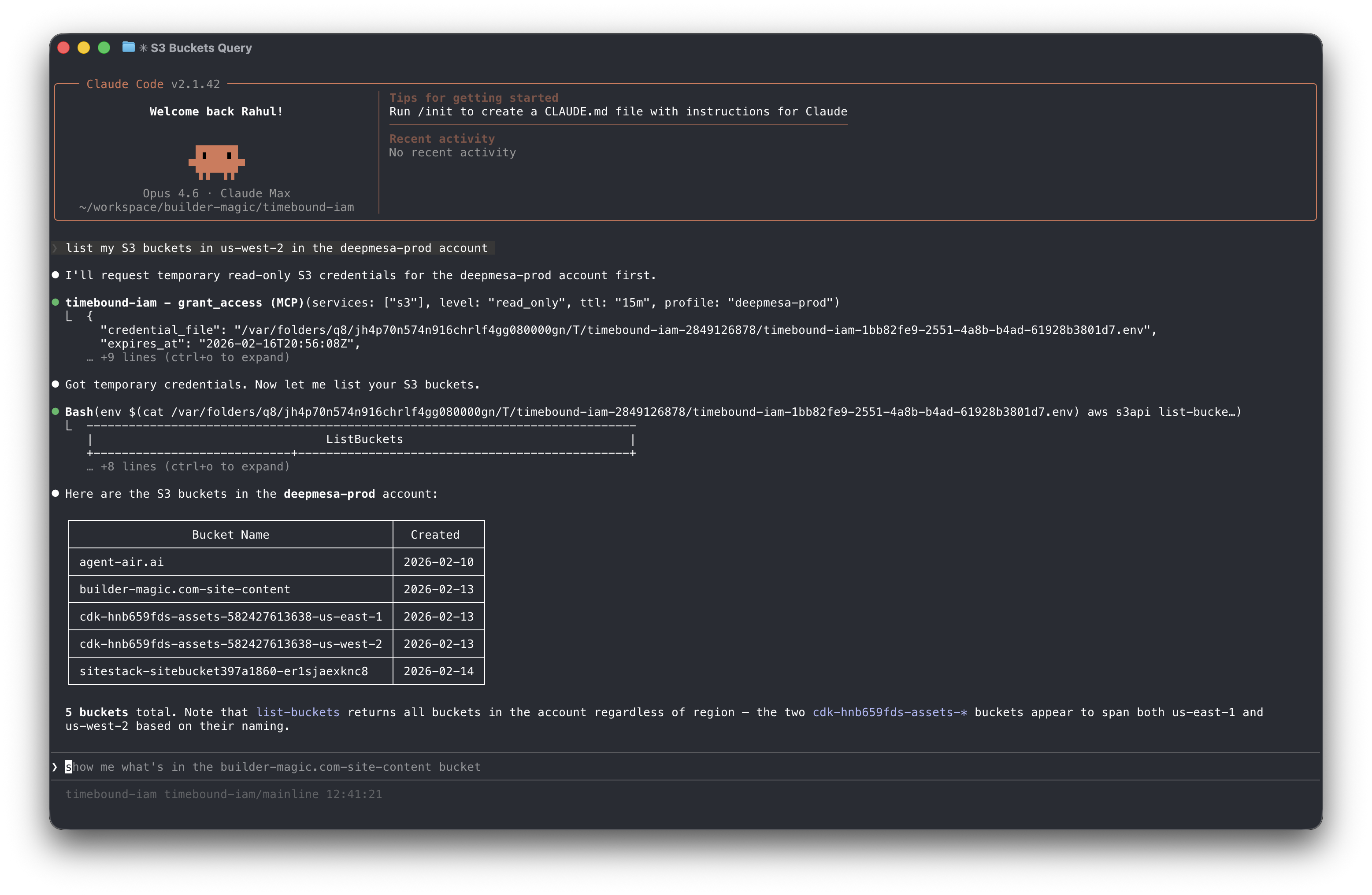
Install
Homebrew (macOS/Linux)
brew install builder-magic/tap/timebound-iamGo install
go install github.com/builder-magic/timebound-iam@latestBinary download — Download pre-built binaries from GitHub Releases.
Setup
For the complete installation and setup guide, see https://timebound-iam.com/installation-and-setup.
Configure AWS
Run the setup wizard to generate the IAM trust policy and inline policy for the broker role:
bin/timebound-iam setup aws
# or specify a named profile
bin/timebound-iam setup aws --profile my-profile
Follow the printed instructions to create the
timebound-iam-brokerIAM role in your account with the generated policies.Add to Claude Code
Register the MCP server so Claude Code can request temporary credentials on demand:
claude mcp add --scope user timebound-iam -- timebound-iam serveRestart Claude Code to pick up the new server.
Verify
Verify that the MCP server is installed and running with the
/mcpcommand: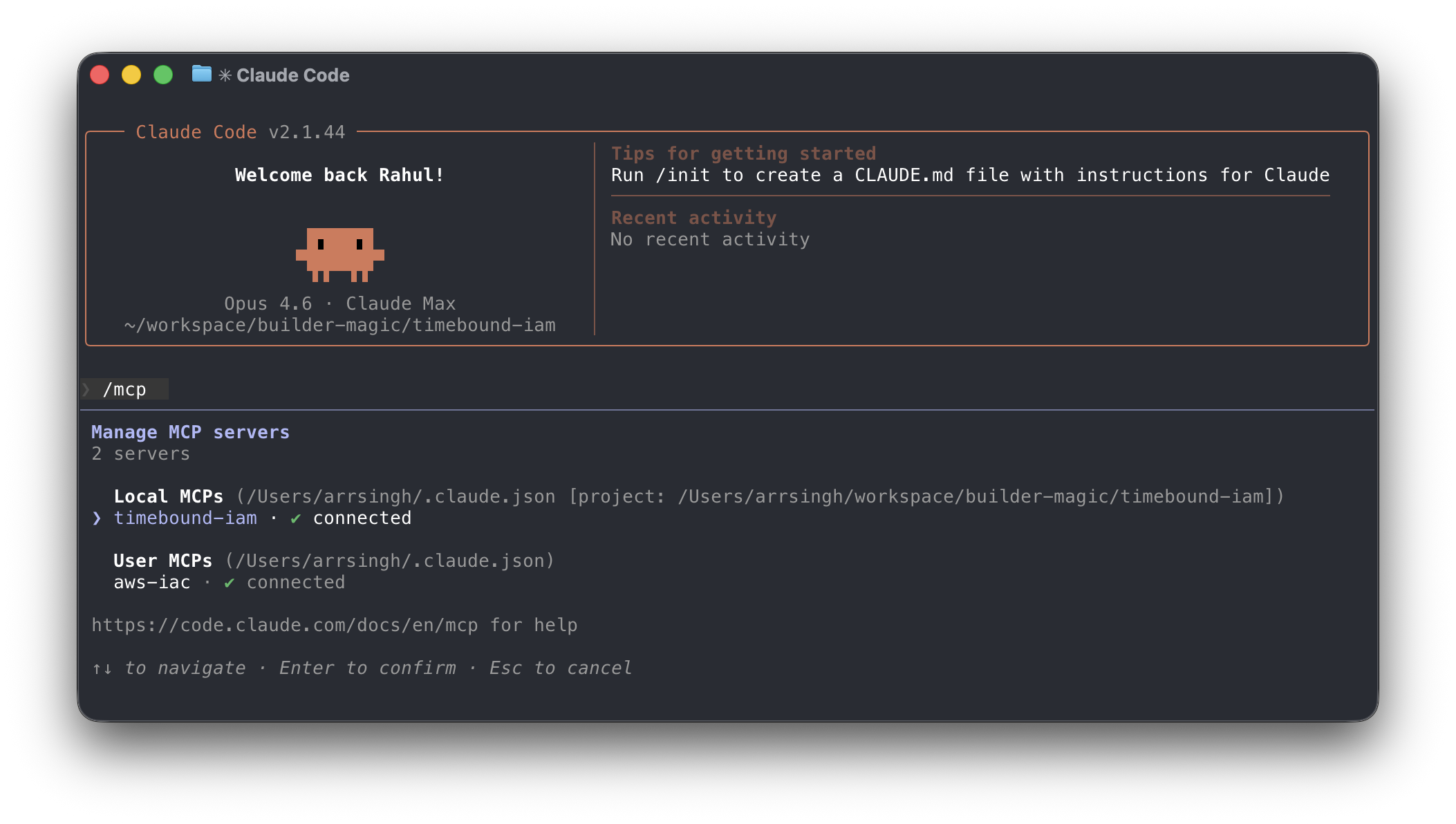
Test the credential flow end-to-end:
timebound-iam testThis requests short-lived S3 read-only credentials and writes them to a temporary
.envfile you can use to verify access.
CLI Usage
Timebound-IAM can also be used as a standalone CLI to wrap shell scripts with scoped, temporary credentials.
execRuns a command with temporary credentials injected into its environment:
timebound-iam exec -s s3:full,cloudfront:full -t 30m --profile prod -- ./deploy.shUse
--dry-runto validate flags without requesting credentials. Use--no-confirmto skip the interactive prompt in CI or scripts.envPrints
exportorunsetstatements for use witheval:eval "$(timebound-iam env -s s3:ro -t 15m --no-confirm)" aws s3 ls eval "$(timebound-iam env --unset)"Scopes
Scopes use the format
service:levelwhere level isro(read-only) orfull. Multiple scopes can be comma-separated or passed as repeated-sflags:-s s3:ro,dynamodb:full -s s3:ro -s dynamodb:full
Contributing
Contributions in any form (suggestions, bug reports, pull requests, and feedback) are welcome. If you've found a bug, you can submit an issue or email me at [email protected].
License
This project is licensed under the Apache License, Version 2.0.
Contribution
Unless you explicitly state otherwise, any contribution intentionally submitted for inclusion in the work by you, as defined in the Apache-2.0 license, shall be licensed under the Apache License, Version 2.0, without any additional terms or conditions.
Contact: [email protected]
Reviews (0)
Sign in to leave a review.
Leave a reviewNo results found