releases
Health Uyari
- License — License: Apache-2.0
- Description — Repository has a description
- Active repo — Last push 0 days ago
- Low visibility — Only 5 GitHub stars
Code Uyari
- network request — Outbound network request in .claude/skills/local-ingest/preflight.ts
Permissions Gecti
- Permissions — No dangerous permissions requested
Bu listing icin henuz AI raporu yok.
Product release note registry, made for agents
Releases
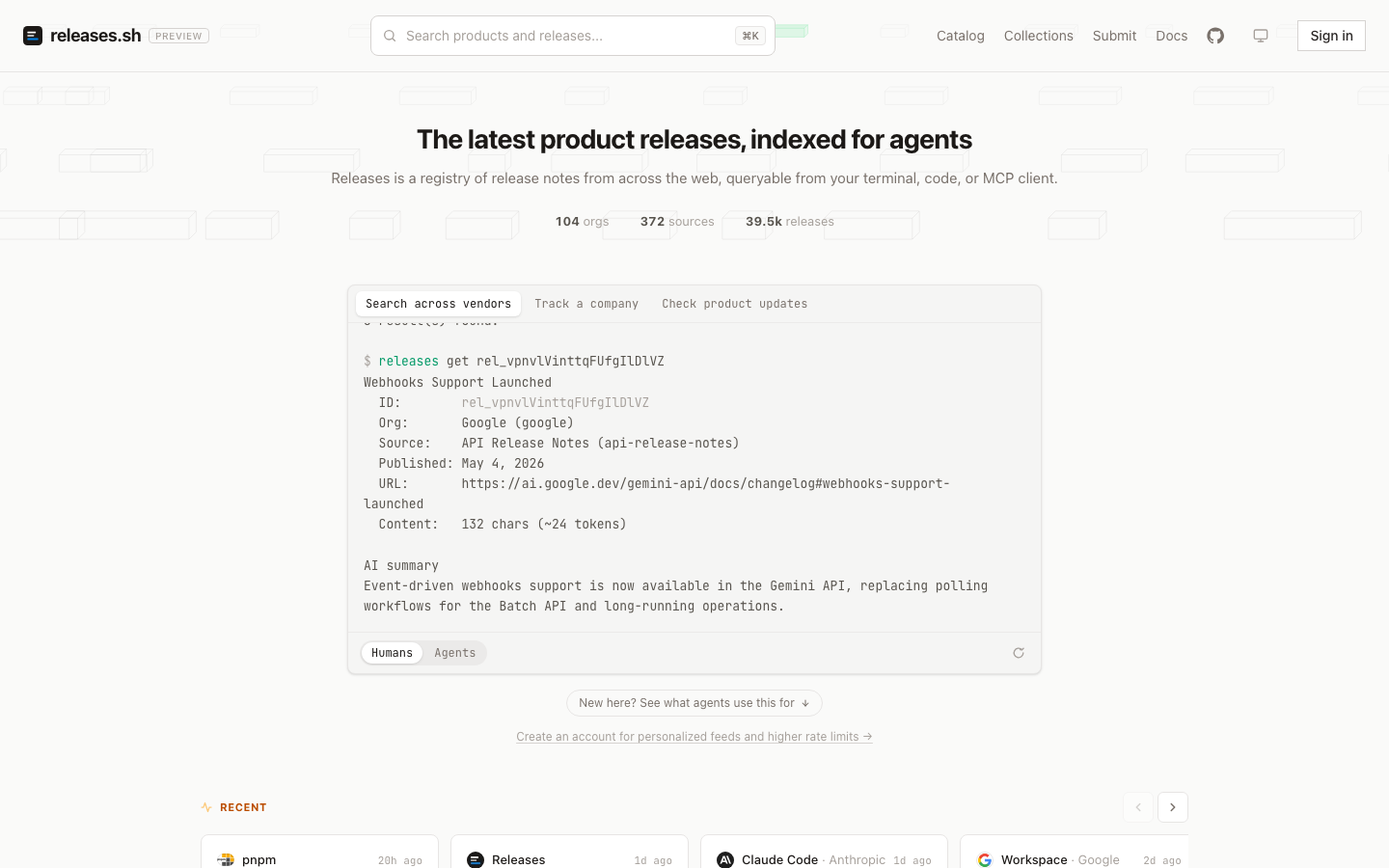
The latest product releases, indexed for agents.
A registry of release notes from across the web — pulled from vendor changelogs,
normalized into one schema, summarized, and queryable from your terminal, your
code, or any MCP client. Readable by you and your agent.
releases.sh · Docs · CLI repo → · Use it · What's in this repo · Develop






This repo is the backend for releases.sh (API · MCP · web · ingest). The user-facing command-line tool lives in its own repo → buildinternet/releases-cli.
What is this?
"What changed?" is a question agents and developers ask constantly — before an
upgrade, after an incident, when a tool suddenly behaves differently. The answer
is scattered across GitHub releases, RSS feeds, changelog pages, and blog posts
in a hundred different formats.
Releases collects those into one registry. It watches hundreds of sources
across the vendors developers actually depend on, and for every release stores
the original content plus an AI-generated title, summary, and breaking-change
classification. Each organization gets a maintained overview of what it shipped
recently. The web page a human reads and the JSON an agent fetches are the same
content.
This repo is the source of the canonical deployment at
releases.sh: the API worker (the authoritative data
plane), the MCP server, the web frontend, and the ingest pipeline + agent
harness that keep the registry fresh. The user-facing CLI ships separately from
buildinternet/releases-cli
(npm + Homebrew).
Use it
No account or API key needed for reads — all four surfaces are public.
MCP — hosted at mcp.releases.sh, listed in the
MCP Registry
as sh.releases/mcp:
claude mcp add --transport http releases https://mcp.releases.sh/mcp   # Claude Code
codex mcp add releases --url https://mcp.releases.sh/mcp               # Codex
npx -y mcp-remote https://mcp.releases.sh/mcp                          # stdio bridge (VS Code, Zed, …)
CLI — one-off via npx, or brew install buildinternet/tap/releases:
npx @buildinternet/releases get anthropic     # what did Anthropic ship lately?
npx @buildinternet/releases search "MCP"      # search across every vendor
REST API — public GET endpoints on api.releases.sh, spec at
/v1/openapi.json:
curl "https://api.releases.sh/v1/releases/latest?limit=5"
Agent skills — auto-triggering playbooks, installable into any agent (Claude
Code / Codex / Cursor / OpenCode) without checking out anything. Start with the
reader skills — search, MCP lookups, and release analysis — which is what almost
everyone wants:
npx skills add buildinternet/releases-cli   # reader skills — search, MCP, release analysis

# just the skill that writes a releases.json manifest for your own product
npx skills add buildinternet/releases --skill creating-releases-json
On Claude Code, the CLI repo also installs as a plugin — the reader skills plus
a bundled MCP connection and a /releases command:
/plugin marketplace add buildinternet/releases-cli
/plugin install releases@releases
Running or maintaining the registry itself? This repo also ships
operator skills (source onboarding, parsing, bulk maintenance) — most need
an admin key: npx skills add buildinternet/releases. See
releases.sh/docs/skills.
Docs — user-facing documentation is served from the web app at
releases.sh/docs (source inweb/src/content/docs/):
installation ·
skills ·
REST API ·
MCP ·
webhooks ·
listing your product.
Agents consuming the product start from
releases.sh/llms.txt; the MCP tool catalog and
auth model are also covered in
docs/architecture/mcp.md. Creating a
free account unlocks higher rate limits (mint an
API key at releases.sh/account), plus follows,
personalized feeds, webhooks, and email digests.
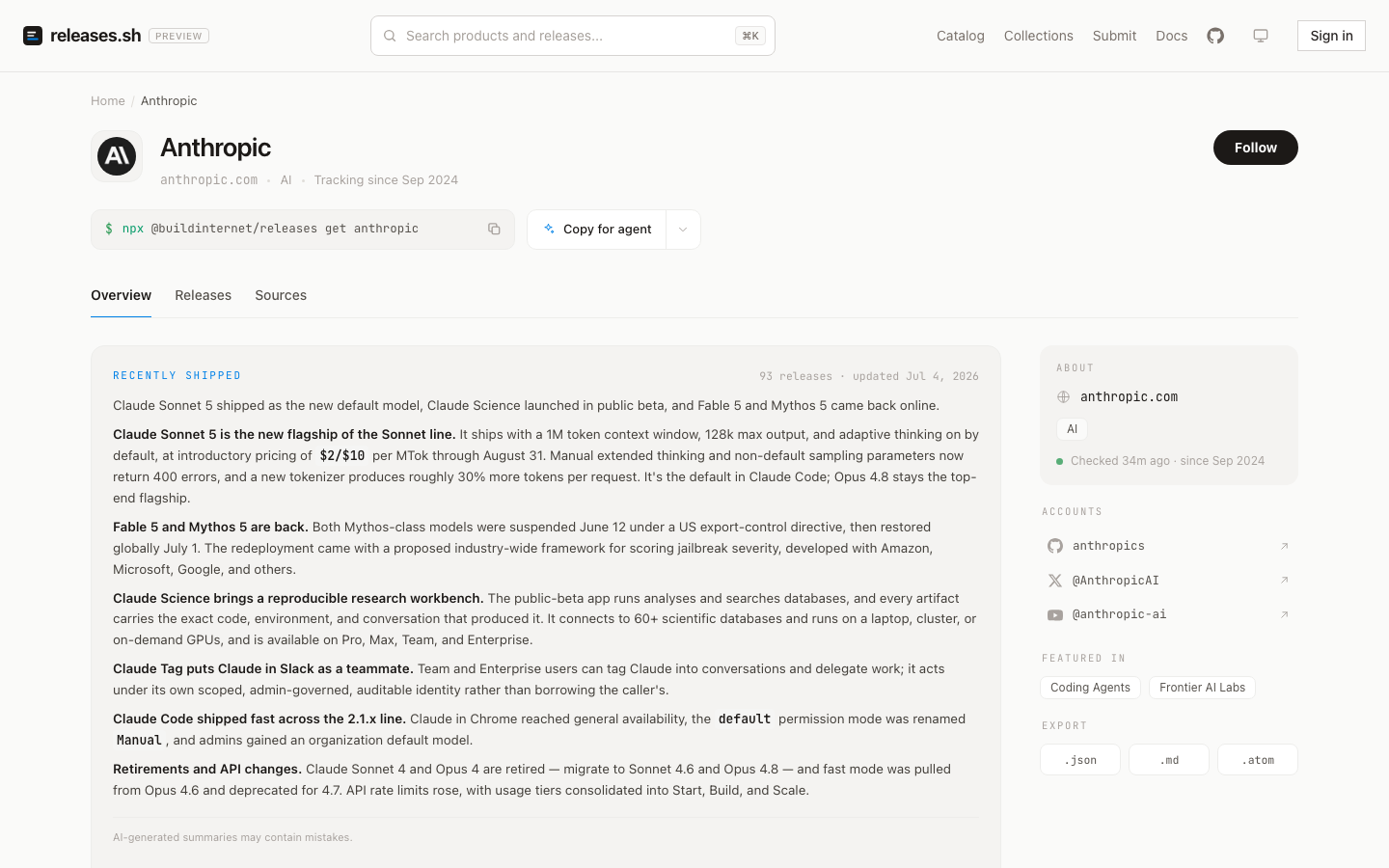
Every org page carries an AI-maintained overview and exports as JSON, Markdown, or Atom.
What's in this repo
| Path | What |
|---|---|
workers/api/ |
Hono API on Cloudflare D1 — the authoritative data plane |
workers/mcp/ |
Remote MCP server at mcp.releases.sh |
workers/discovery/ |
Durable-Object agent-session orchestrator |
workers/webhooks/ |
Signs + delivers release.created events (HMAC-SHA256, retry/DLQ) — docs |
web/ |
Next.js frontend, deploys on Vercel |
packages/ |
Shared code — core + api-types publish to npm; the rest are private workspaces |
src/agent/ |
Managed-agents discovery + worker harness (prompt builder + shared types) |
.claude/ |
Claude Code config — skills/ (canonical skill home), agents/, commands/, workflows/ |
How it fits together:
- Storage — Cloudflare D1 (FTS5 + Vectorize). The API worker is the sole data plane.
- Ingest — adapters for GitHub Releases, RSS/Atom/JSON feeds, and a browser-rendering fallback for feed-less pages (
packages/adapters/). The crawler signs outbound fetches (RFC 9421) as a Cloudflare Verified Bot. - AI — changelog parsing, summarization, grouping, and org overviews run in the API worker as direct Anthropic SDK calls.
- Agents — discovery + worker run as Anthropic-hosted managed agents; definitions auto-deploy on merge when their source changes.
Contributor mental model
This repo has four kinds of code:
| Area | Paths | What to know |
|---|---|---|
| Product surfaces | workers/api/, workers/mcp/, workers/webhooks/, web/ |
The API worker is the data plane. Web, MCP, CLI, and webhooks read from or route through it. |
| Shared packages | packages/core/, packages/api-types/, private packages/* |
core owns schema and pure helpers; api-types owns wire shapes. Change these first when shared contracts move. |
| Hosted operations | workers/discovery/, managed-agents/, .claude/skills/, .claude/workflows/ |
These power the canonical releases.sh ingest and operator loop. Some paths need hosted credentials, but local work does not. |
| Historical context | docs/architecture/, docs/plans/, docs/superpowers/ |
Architecture docs are maintained references. Plans and specs are point-in-time design history. |
For normal contributions, start with bun run bootstrap, bun run check, andbun test. You do not need production Cloudflare, Anthropic, Vercel, email, or
Firecrawl access to work on the core loop. If you are trying to fork or
self-host the full service, read
deploy-coupling.md.
Per-package detail and project conventions live in AGENTS.md — the
agent entry point for working in this repo. Architecture deep-dives are in
docs/architecture/, with a reader's guide at
docs/README.md.
Local development
Prerequisites: Bun. No external accounts needed for the
core loop:
bun run bootstrap        # one-command setup: tooling, deps, env files, local D1
bun run doctor           # diagnose the setup — reports what's missing and how to fix it

bun run check            # lint + type-check + format (the CI gate)
bun test                 # full test suite, secret-free
bun run dev:api          # API worker on local D1
bun run dev:web          # Next.js frontend
bootstrap is idempotent (safe to re-run; never overwrites your env files or
wipes the local DB) and doctor is read-only. Prefer the manual steps? They'rebun install, copy each *.example env file, then bun run db:reset:local.
AI passes, scrape fetches, and semantic search take your own keys
(ANTHROPIC_API_KEY, Cloudflare Browser Rendering, VOYAGE_API_KEY) and
degrade gracefully without them. Setup detail, environment variables, testing,
deployment, and the full no-accounts / bring-your-own-keys / hosted-only
breakdown live in CONTRIBUTING.md.
License
Apache-2.0. The published npm packages
(releases-core, api-types) are
deliberately MIT for maximum reuse.
Yorumlar (0)
Yorum birakmak icin giris yap.
Yorum birakSonuc bulunamadi